
Stickman Animations Earn $25k/Month
45sReveals shocking income potential from simple content, sparking curiosity and desire for easy money.
▶ Play Clip"Title promises viral success and high income, but video only shows the creation process without evidence of virality or earnings."
This video provides a step-by-step tutorial on creating animated stickman videos using AI tools, claiming that such simple content can generate significant monthly income. The presenter demonstrates the entire workflow from script generation to final export.
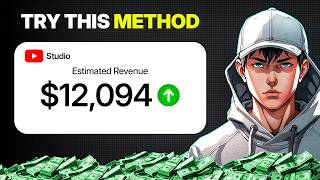
Some channels earn $1,500 to $2,500 per month from simple animated stickman videos, with some reportedly earning much more.
Use an AI chatbot like ChatGPT, Claude, or Gemini. Paste a custom master prompt to generate video concepts, story breakdown, image prompts, animation prompts, and voiceover script.
Copy image prompts from ChatGPT into Google Flow (image mode). Choose aspect ratio (9:16 for shorts, 16:9 for long-form) and model (e.g., Nano Banana 2). Use a reference image to maintain character consistency.
Switch Google Flow to video mode. Copy animation prompts and generate clips for each scene. Download all clips after generation.
Import clips into CapCut, arrange in order, trim awkward parts, add background music (lower volume), and ensure smooth pacing. Export the final video.
By following this AI-driven workflow, anyone can create viral stickman animations quickly. The presenter offers a free master prompt in the description to get started.
What is the estimated monthly income range for channels posting simple animated stickman videos?
$1,500 to $2,500 per month, with some earning much more.
00:01
Which AI chatbots can be used for generating the video script and prompts?
ChatGPT, Claude, Gemini, or any preferred chatbot.
00:29
What aspect ratio is recommended for YouTube Shorts?
9:16
01:24
How do you maintain character consistency across scenes in Google Flow?
Upload a reference image and use the previous image as reference for each new scene.
01:39
What is the purpose of the custom master prompt?
To generate multiple video styles (comedy, motivation, etc.) and a complete video package including story, image prompts, animation prompts, and voiceover script.
00:29
Income from Simple Content
Reveals that simple stickman animations can generate substantial passive income.
00:01Custom Master Prompt
Key technique to automate script and prompt generation for consistent video creation.
00:29Character Consistency via Reference Images
Practical tip to avoid AI randomness and maintain visual style across scenes.
01:39[00:01] And the crazy part, some of these channels are making serious money from super simple content. One channel is estimated around $1,500 per month, another around $2,500 per month, and some are reportedly earning way more,
[00:15] all from posting simple animated stickman videos. So, in this video, I'm going to show you exactly how to create these videos using AI step-by-step. So, start, make sure to like and subscribe because we're so close to hit 3,000
[00:29] subscribers. First, you'll need an AI chatbot. You can use ChatGPT, Claude, Gemini, or any chatbot you prefer. For this tutorial, I'm using ChatGPT. I created a custom master prompt for this workflow. Once you open ChatGPT, paste
[00:43] the full prompt and send it. After processing, ChatGPT generates multiple styles like comedy, motivation, lifestyle, productivity, fitness, and one that fits your content. For this example, I'll pick one option and
[00:57] continue. Next, ChatGPT asks for your video duration. This helps build the seconds, but you can create longer videos, too. Once submitted, ChatGPT generates the complete video package, story breakdown, image prompts,
[01:11] animation prompts, voiceover script scene, continuity instructions, basically everything needed to create the full video. Now, we move into visual generation. Copy the first image prompt and open Google Flow. Switch to image
[01:24] mode. Choose your aspect ratio. I'm using 9:16 for shorts, but you can choose 16:9 for long-form videos. Then, select your model. For this example, I'm using Nano Banana 2. Paste the image prompt. Now, upload a reference image.
[01:39] This helps maintain the same character style across all scenes instead of letting AI generate random results. Hit generate. After a few seconds, your process. Copy the second prompt, paste it, and use the previous image as
[01:52] scene. This keeps the character, environment, and visual style consistent environment, and visual style consistent throughout the entire video.
[02:06] animate. Switch Google Flow from image mode to video mode. Copy the animation Google Flow together with the matching image. Generate. Do this for each scene image. Generate. Do this for each scene until all clips are animated.
[02:29] done. Now, download all generated clips. After that, open your editor. I'm using CapCut. Import all clips and arrange them in order. Watch through the sequence. Trim awkward parts and remove any unnecessary frames. Then, add
[02:42] background music. Lower the music volume so it doesn't overpower the voiceover. Play everything once more and make sure the pacing feels smooth. After that, hit the pacing feels smooth. After that, hit export.
[03:21] in description. You can use it for completely free. If this video helpful, subscribe to AI Vision for more upcoming videos. See you in the next one.
⚡ Saved you 0h 03m reading this? Transcribe any YouTube video for free — no signup needed.