
How to Turn on TikTok Monetization
43sDirectly addresses a high-demand topic with step-by-step instructions, appealing to creators eager to earn money.
▶ Play Clip"Delivers exactly what the title promises — a clear, concise guide to monetizing a TikTok account, though it lacks depth on advanced strategies."
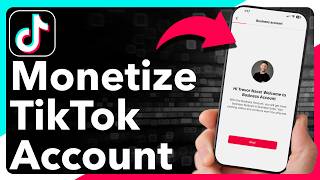
This video provides a step-by-step guide on how to enable monetization on a TikTok account, covering the process of switching to a business account, accessing TikTok Studio, and exploring various monetization programs. The creator demonstrates the steps on their own account and explains eligibility requirements, such as the need for 10,000 followers for certain features.
TikTok users can turn on monetization to earn money from videos, lives, and gifts. The video promises to show how to do it.
Open TikTok, tap on 'Profile' at the bottom right, then tap the three lines at the top right, and select 'Settings and privacy'.
In 'Account' settings, users can switch from a personal to a business account, which provides more monetization features and analytics/insights.
After switching, go back to the three lines, tap 'TikTok Studio', and then select 'Monetization' to see available programs like subscriptions, Creator Rewards, video gifts, and Creator Marketplace.
Users can tap on each program to toggle it on, but eligibility is required. For example, the creator notes they need at least 10,000 followers for some programs.
If not eligible, users can tap 'Notify me when I'm eligible' for all programs to get a notification when they can enable monetization.
In TikTok Studio, users can see estimated rewards for the last 7 days and their balance. Once a threshold is reached, they can transfer money to their bank account.
The video concludes by encouraging viewers to subscribe, reinforcing the practical steps to start monetizing a TikTok account once eligibility is met.
What is the first step to access TikTok settings?
Tap on Profile at the bottom right, then tap the three lines at the top right, and select Settings and privacy.
00:16
Why should you switch to a business account on TikTok?
It provides more monetization features and analytics/insights.
00:28
What are the monetization programs mentioned in TikTok Studio?
Subscriptions, Creator Rewards, video gifts, and Creator Marketplace.
00:57
What is the follower requirement mentioned for some monetization programs?
At least 10,000 followers.
01:28
How can you get notified when you become eligible for monetization?
Tap 'Notify me when I'm eligible' for all programs.
01:40
Business Account Advantage
Highlights the key prerequisite for monetization, which is often overlooked by creators.
00:28Eligibility Requirements
Clarifies the 10,000 follower threshold, a critical fact for aspiring monetizers.
01:13Notification Feature
Provides a practical tip for users who aren't yet eligible, showing a proactive way to stay informed.
01:40[00:02] if you're on the Tik Tok app and you're starting to grow a following you can always turn on monetization so that you'll start earning money immediately on your videos your lives for gifts all that stuff I'll show you how to do it
[00:16] let's open up the Tik Tok app here and you're going to tap on profile at the very bottom right now tap on the three lines at the top right here and then tap on settings and
[00:28] privacy at the top let's choose account here and you can see I have a personal account but it says switch to a business account you might want to tap that and go through the process of switching to a business account this gives you more
[00:41] features in terms of monetization as well as the analytics or insights after you go through that process though we can just go back here all the way over here tap on those three lines at the top right again and we'll tap on Tik Tock
[00:57] studio now this will show you a bunch of of different things you can see analytics but below that is monetization so let's hit view all next to it and you can see the various programs for you if you're eligible to turn on monetization
[01:13] for subscriptions create a Rewards program video gifts Creator Marketplace any of these different ones you can just tap on it and toggle it on you can see for my instance I am not yet eligible to turn this on I have to have at least
[01:28] 10,000 followers which I don't quite have yet so you can also tap on view all different programs if you're not eligible for one of them or some of them
[01:40] you can always tap notify me when I'm eligible let's say for all programs and then essentially you'll get that notification when you are able to turn it on now after you go through that entire process you can always see the
[01:54] money that you've made at the very top here you can see estimated rewards for here you can see estimated rewards for the last s days and my case just $0 the balance here is $0 you can always transfer that money out once you reach a
[02:07] certain threshold you'll be able to pull that money out and transfer it back to your bank account if you want I hope this helps if you did hit the Subscribe button down below it really helps me out and I'll catch you on the next one
⚡ Saved you 0h 02m reading this? Transcribe any YouTube video for free — no signup needed.