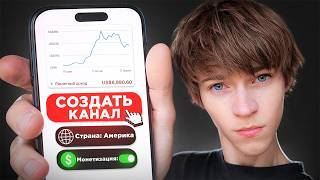

Create a YouTube Channel for US Audience
45sDirectly addresses a common desire to reach a US audience, with a step-by-step promise that hooks viewers.
▶ Play Clip"The title promises a proper guide to creating an American YouTube channel, and the video delivers a step-by-step walkthrough, though it heavily promotes a Telegram channel."
This video provides a step-by-step guide on how to create an American YouTube channel, covering account setup, essential settings, and monetization requirements. The creator emphasizes that targeting a US audience is about content, not channel location.
To create a YouTube channel for a US audience, you need the YouTube app and YouTube Creative Studio for analytics and editing.
Log into your existing Google account, click 'Create Channel', and enter a nickname. The nickname can be changed later.
After creating the channel, go to Creative Studio to set up design (header, avatar) and settings.
In settings, choose country (e.g., USA) and currency. Indicate audience to avoid YouTube Kids restrictions.
Use a browser in desktop mode to access advanced features in Creative Studio. Enable standard, extended, and advanced features for full functionality.
To enable features, confirm your phone number via SMS. For users in restricted countries, rent a virtual number from services like Funpay for about $1.
Advanced features enable monetization. They can be activated by uploading videos and gaining views, or faster via passport/video verification (requires being 18+).
YouTube doesn't care about the channel's country; it only cares about content. Creating English content for a US audience makes the channel 'American'.
The main tab shows latest video and comments. Content tab lists videos with analytics. Analytics tab provides channel-wide graphs. Comments tab allows replying. Monetization tab shows requirements: 1,000 subscribers and 4,000 watch hours (long videos) or 10 million short views.
The creator claims students earn $1,000 in 1-2 months. He promotes his Telegram channel for step-by-step guidance on niches and monetization.
Creating an American YouTube channel is straightforward: set up a channel, enable features, and focus on English content for a US audience. Monetization requires meeting subscriber and watch time thresholds, but the creator suggests it can be achieved quickly with the right strategy.
What two apps are needed to create a YouTube channel according to the video?
YouTube itself and YouTube Creative Studio.
00:01
How do you create a channel?
Log into your Google account, click 'Create Channel', and enter a nickname.
00:14
What setting must be indicated to prevent videos from being included in YouTube Kids?
The audience setting: indicate that the content is not for kids.
01:57
Why do you need to use a browser in desktop mode?
To access advanced features in Creative Studio that are not available in the mobile app.
02:11
What are the three levels of features in Creative Studio?
Standard, extended, and advanced.
02:53
How can you enable standard and extended features?
By confirming your phone number via SMS.
03:07
What is a workaround for phone verification in restricted countries?
Rent a virtual number from services like Funpay for about $1.
03:35
How can advanced features be enabled?
By uploading videos and gaining views; they will turn on automatically. Alternatively, via passport/video verification if you are 18+.
04:41
What are the requirements to enable monetization?
1,000 subscribers and either 4,000 watch hours on long videos or 10 million views on Shorts.
06:25
Does the country of channel creation affect its audience?
No, YouTube only cares about the content; creating English content for a US audience makes the channel 'American'.
05:20
Content Determines Audience
Dispels the myth that channel location matters; YouTube prioritizes content relevance.
05:20Monetization Requirements
Clearly states the exact thresholds for monetization eligibility.
06:25Bypassing Phone Verification
Provides a practical solution for users in restricted countries.
03:35Automatic Feature Activation
Explains that advanced features can be enabled simply by uploading content and gaining views.
04:41[00:01] YouTube channel from my phone. And if your goal is to reach a US audience, then it's crucial to do everything correctly, because if you press the wrong to create a channel, we will need two programs. This is YouTube itself, you
[00:14] have it, and the second is the YouTube creative studio . It is needed for authors who actually create content. To monitor analytics, edit First, go to YouTube and click Login. And here we log into our
[00:28] account. Yes, we will create a channel based on your own Google mail that you have. We will not register any new emails. It's simply easier, faster and better this way. I enter my email address here and I also
[00:40] enter my password here. That's all. We see a menu like this, in which we click the create channel button. After this, the magic happens. We are creating a YouTube channel. Here you can already come up with a nickname right away. It can be changed
[00:52] putting a nickname for your channel here right away. Okay, I've entered the channel name. And further here you can specify a nickname. A nickname is what will appear in the link to your not necessary. You can change it later at any time. Once we have
[01:07] entered everything, we can confidently click the large Create Channel button. And then the Create Channel button. And then the magic happens. Loading. Hooray, the channel is created. But this is just the beginning. There are still a lot of other settings and other buttons ahead of us
[01:19] that we will have to press. Next, I go into the creative studio, and here I will set everything up. Click Login. Here our channel, which we just created, immediately appears. And that's it, we entered the
[01:31] creative studio. Next, go to settings. Here we can add design, that is, a channel header and an avatar. Just click and select a header or avatar from the gallery. I think this is simple. But further on it will become
[01:43] a little more complicated. I'll click on settings here and we'll set up this choose absolutely any country, but I will choose the USA, although this does not really affect anything. Next, where the currency is, you can select any currency that is convenient for you
[01:57] monetization enabled, so that money will be converted into this currency . I'll convenient for me. Next, where the audience is, click on what is missing; there is make sure to indicate this to prevent your videos from being included in YouTube
[02:11] Kids and to prevent your views and monetization from being cut. This is very important. Next, for the following settings we will need a browser, because, unfortunately, . I'm here in search of a creative studio for YouTube. We
[02:24] need to open it, but we need to open it in a new tab. Click here. And here we have this Click here. And this is how we will get a version for the computer. If computer version, you can look below and select the
[02:40] PC version here. Any browser has this. Here I will move the screen to a horizontal position. Go to settings, channel and scroll down to see the available functions. This is exactly why we needed a browser with a computer version,
[02:53] studio. Here we have three functions. These are standard, extended and advanced. This is necessary so that we can have add previews, that is, covers, to our videos, add links, and so
[03:07] on. That is, use all the functions of YouTube. Well, this is also So let's connect them all. We already have standard ones. In order to enable them, you need to confirm your phone number, as you can see.
[03:22] Here you will need to enter your phone number and simply receive an SMS and enter the code here. I just enter my side number and, basically, that's it, I goes smoothly for me. But if you happen to be in countries like Belarus or Russia
[03:35] and you're having trouble confirming your phone number because the issues, don't worry, there's a simple solution. To do this, we will other country that receives SMS messages without any problems. You can ask a
[03:49] sites like Funpay, and rent such a number somewhere on the Internet. I go to Funpay, write here YouTube, it immediately offers exactly that. And here [music] is exactly the same, according to the description, we write the number here. That's all. Activation of the
[04:03] second function. As you can see, it costs 1 dollar here . Well, we just pay in the chat, and he will send you the code. This is how it is done. for those who live in Belarus or Russia. In any other country,
[04:16] come without any problems. So, I received the code. I paste it here and click "Send from". And that's it, the phone number is confirmed. We can return back to our YouTube tab. Features enabled. This is the notification. And
[04:29] now we have two crying spots here: standard functions and advanced functions. And there is a third one: advanced features. It is needed in order to connect monetization later. To enable them, simply
[04:41] videos, and as it slowly starts gaining views, it will automatically views there, and it will turn on itself. But if you want to speed up the process, in some countries you can show your passport or undergo
[04:54] video verification (that is, show your face), and then it will connect faster. Here. But it’s difficult, you need to have a passport and be 18 years old. Why? That is, connect itself. Moreover, to enable monetization, you need to gain
[05:07] subscribers and promote the channel. Therefore, you can immediately promote the channel, and literally 2-3 days. When I was doing an experiment on my channel, I actually got it working on SM in just 2-3 days. Someone might be wondering,
[05:20] "Is this channel really American? Relax, YouTube. It doesn't matter what country the channel was created in, how it was created, what phone number it was forth. YouTube only cares about the content you're making." So just shoot
[05:33] videos in English on topics that are currently of interest to Western audiences. Your YouTube channel will be shown to them, and views will come from these countries. And your channel will immediately become American,
[05:45] because it is watched by a foreign American audience. This is the secret button you need to press to get your videos shown in the US. Just shoot content for the US. Let's take a little walk around the creative studio. Here
[05:58] we have the main tab. Here we will show the latest video, comments on YouTube. Here is the Content tab. Here we'll show all of our videos, and you can analytics for a specific video. And here we have a separate
[06:11] analytics tab. Here we will have graphs right across the entire channel, and you can tab here where you can read and reply to comments. It's very convenient, videos in this one tab. And the next tab is monetization. This is what
[06:25] allows you to earn money from views on your YouTube videos. can see the requirements for connecting it, namely, gaining 1,000 subscribers and one of the following two conditions, or gaining 4,000 hours of
[06:39] views on long videos. That means viewers must spend a total of 4,000 videos, like the horizontal ones, or get 10 million views on short vertical ones. One of these. And here
[06:53] we can see how close we are to connecting monetization. weeks. And it is necessary to suffer there for six months, a year, in order to start earning money. For example, my students from the Telegram channel
[07:06] start earning $1,000 and traveling around the world in just 1-2 months. There's simply nothing . Most people choose to try things out on their own, without doing any research, waste a ton of time, burn out, and simply delete their channel
[07:19] because the algorithms are leaving them without any views. That's why I created my Telegram channel. There I explain step-by-step how to make real money on YouTube these days, which niches are currently hot, and how to set up
[07:31] monetization in a week. I already have 6 years of experience on YouTube. I made over $100,000 monetizing my American YouTube channels and bought a Behu. I think I definitely have something to tell you. If you want to not just
[07:43] American YouTube, you definitely need to be there. Link in the description in the pinned comment. See you in the cart. am

⚡ Saved you 0h 07m reading this? Transcribe any YouTube video for free — no signup needed.