
AI Summary
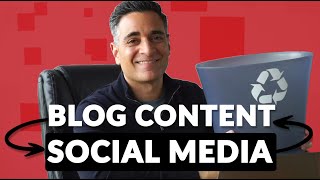
This video presents a workflow for repurposing blog content into video and social media formats to drive leads and engagement. The speaker, from Soccer Pixel, demonstrates a step-by-step process from content brief creation to multi-platform distribution, emphasizing a feedback loop between blog, YouTube, and social channels.
Chapters
The video shares a workflow to convert blog content outlines into video content that drives leads from YouTube back to the website, increases engagement, and can be repurposed for platforms like Instagram Reels and TikTok.
Start with a well-structured content brief for the blog article. This brief guides the writer and later serves as the basis for the video script.
Use the article outline to talk through each section. Read a section, get the gist, shoot your part, then pause. Use software like OBS with scenes for transitions. This self-editing approach saves time.
Some people use ChatGPT to create a concise video script from the article and then use a teleprompter. The speaker prefers a more spontaneous, less scripted style.
Edit the video with transitions and titles, then upload to YouTube.
Embed the video in the blog article and add CTAs in the video description linking back to the article or contact page.
Cut the video into short nuggets for TikTok, Instagram Reels, and other platforms. Ensure there is a clear path for viewers to navigate between channels.
If done right, blog content drives traffic to the website, and videos on YouTube and social media create multiple touchpoints, leading to deeper engagement and lead generation.
The key takeaway is to create a seamless content ecosystem where blog, video, and social media feed into each other, maximizing reach and engagement. The process is efficient and creates a sustainable content repurposing strategy.
Mentioned in this Video
Tutorial Checklist
Study Flashcards (5)
What is the first step in the content repurposing workflow?
easy
Click to reveal answer
What is the first step in the content repurposing workflow?
Create a detailed content brief for the blog article.
00:59
What software does the speaker use for video recording with scenes?
easy
Click to reveal answer
What software does the speaker use for video recording with scenes?
OBS
01:40
What is an alternative method to create a video script from an article?
medium
Click to reveal answer
What is an alternative method to create a video script from an article?
Use ChatGPT to generate a concise script and a teleprompter.
02:51
What is the purpose of embedding the video in the blog article?
medium
Click to reveal answer
What is the purpose of embedding the video in the blog article?
To increase engagement and provide a visual element to the article.
03:32
How does the speaker suggest repurposing video content for social media?
easy
Click to reveal answer
How does the speaker suggest repurposing video content for social media?
Cut the video into short clips for platforms like TikTok and Instagram Reels.
03:47
💡 Key Takeaways
Content Repurposing Workflow
Provides a clear, actionable framework for turning blog content into multi-platform video assets.
00:03Self-Editing Shooting Technique
Shows a practical method to shoot video efficiently by pausing between sections, saving time.
01:27AI-Assisted Scripting
Highlights the option to use AI for script generation, a modern approach to content creation.
02:51Feedback Loop Strategy
Explains how to create a self-reinforcing system where blog, YouTube, and social media drive traffic to each other.
04:16Full Transcript
[00:03] of outlines to feed your social media channels and in this video I'm going to share the workflow that we use to take our content outlines from our blog convert them into video content that can then drive leads from YouTube back to
[00:17] our website increase the engagement with the content on our website and also provide content that can be put on other platforms such as Instagram reels and platforms such as Instagram reels and Tick Tock
[00:31] soccer pixel we are a digital marketing firm that offers SEO driven content marketing services for our clients and in this video I'm going to share with you how you can take your blog content and use it to drive your social media
[00:44] calendar in a way that's going to create a great feedback loop and really save this content to be useful please leave a comment please give us a like and if over to our website and let's book A Time step number one do a really good
[00:59] job with putting together the content brief that you're good that your writer is going to use for your blog so I'm actually in the process of doing exactly this I'm shooting a video that's going to accompany an article that was already
[01:13] written on our website and at the same time documenting the process that I'm following to do this so step number one we need to take the outline you can actually just take the article and basically talk through it bit by bit
[01:27] that you are within the first couple seconds stating exactly what someone's and then use some sort of software like I use you can see on my desktop OBS it's
[01:40] different scenes or you can see the transition between when it was just me over to the scene where I'm sharing my laptop and with me over in the corner I shot my introduction so now I'm going to go down this outline and and go through
[01:56] each section this is largely a process of read this section get the gist of what you want to say there shoot what you're going to do shoot your part then hit pause eventually you'll get good enough at this where you can almost self
[02:10] edit your videos almost as if it were Tick Tock with the start and stop so for example in this case I could talk about how technical SEO errors can prevent Google from being able to properly crawl and index your website which is likely
[02:24] traffic to your website honestly it's one of the first things that you check when you see a drop in traffic to a website and then you hit pause where to the next section next I will talk about Google algorithm updates poor
[02:38] content planning and so forth and so on just go down the article having frequent pauses just to gather yourself to read the section to get an idea of what you want to say is going to be a huge Time Saver now there are people that are
[02:51] taking articles like this uh feeding into chat GPT asking it to create a video script for you and just kind of making it more concise and to the point and then you could put up a teleprompter I'm not currently using one but I could
[03:06] see that there could be a benefit to that if you're looking to have a more polished type of video generally I try to go for something that's a little more familiar and spontaneous and just not so scripted But ultimately that's just my
[03:19] personal decision so you've shot your video now it's time to take it Go edit it you know get some nice transitions in there get some titles and then upload it to YouTube the next step is to embed the video in your article in this case we
[03:32] did a video just following this approach and you can find it right here next go back to the video where you've embedded on YouTube uh get a link back to your the actual article that you wrote add some ctas in this case I set up a link
[03:47] to the contact form on or the contact page on our website then comes time for the content repurposing this is commonly used with social media marketing you're up into little nuggets that you can push shot on tick tock on Instagram reels by
[04:02] well may be another social media platform that I'm not even mentioning all this that you have some sort of way to get people to navigate from one channel to another in a way that really makes sense if you do this right what
[04:16] will end up happening is you have your blog content getting people to come to your website not only for a one-off Blog view or blog read but to actually also get them over to a channel where they may engage with you a little more deeply
[04:30] and more regularly like on YouTube you know scenario may occur where someone does a Google search they land on your blog they start reading the article but see that there's a video so they check you out on YouTube and then the next
[04:42] see other videos that are being suggested to them uh from your channel things that Google's algorithm thinks they may be interested in and that same people that have ever heard of you to engage with you on a platform like Tick
[04:55] Tock possibly feed you back over to a website or your YouTube channel and ultimately make it really easy for you to have a lot of different touch points this video was helpful to you if it was please consider giving it a like and I'm
[05:10] also interested in if you feel there's anything else that maybe I've missed or if you have any you have any other sort of suggestions that we could Implement in our content repurposing strategy I'd love to hear it
[05:23] love to hear it foreign