
Start Selling on eBay This Week
45sThe promise of quick and easy extra cash hooks viewers immediately, making them eager to learn the steps.
▶ Play Clip"Delivers a solid, step-by-step guide that matches the title's promise, though it includes some filler and a product plug."
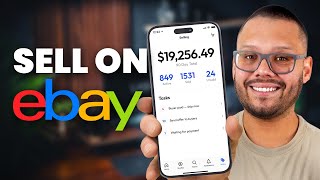
This video is a comprehensive beginner's guide to starting an eBay selling business, covering everything from account creation and listing optimization to scaling with dropshipping and automation tools. The creator demonstrates the entire process of listing a product, including using AI for descriptions, and provides practical tips on pricing, shipping, and customer service.
eBay is an accessible platform for making extra cash online, requiring minimal upfront investment. The video promises a step-by-step guide to landing the first sale within a week.
Start by registering on the eBay website. Choose a personal account for free and simpler setup, especially for beginners. Business accounts can be considered later as the store grows.
Navigate to 'Sell' and then 'List an item' to create your first listing. The example uses a used mug found at a thrift store, illustrating the 'flipping' business model.
Choose the condition of your item: 'New' (with tags or 'New other' for minor imperfections) or 'Used'. This affects buyer expectations and search filters.
Three main models: selling items from around the house, thrift store flipping (buy low, resell high), and dropshipping (no inventory, supplier ships directly). Dropshipping is highlighted for scalability.
Use ChatGPT to generate compelling titles and descriptions by uploading product images. This saves time and uncovers keywords you might not have considered. eBay also has its own AI description generator.
Fill in item specifics (brand, color, material) to improve search visibility. Upload as many photos as possible (up to 12) with good lighting, using a lightbox or natural light, to showcase the product's details.
Choose between 'Buy It Now' (fixed price) or auction format. 'Buy It Now' is recommended for simplicity. Consider offering free shipping by incorporating shipping costs into the price. Enable offers to allow negotiation, setting minimum and maximum thresholds.
Accurately weigh the product with packaging to calculate shipping costs. Use USPS for small items, UPS/FedEx for larger ones. Decide who pays for shipping and set processing times. Offer international shipping via eBay's program if desired.
Set a return policy (e.g., 14 days) to build buyer trust. Typically, the buyer pays for return shipping. A clear returns policy can boost your search ranking.
Two main promotion methods: 'Promoted Listings Standard' (pay a percentage of the sale for visibility in search results) and 'Promoted Listings Advanced' (pay-per-click keyword bidding for top placement, similar to Google Ads).
New sellers have limits (e.g., 10 listings or $500 total value per month). These increase automatically with good sales performance or can be manually requested. Staying within limits builds trust with eBay.
Use all 12 photo slots, show front/back/details, and use natural light or a lightbox. Keep descriptions clean and skimmable with bullet points, including sizes, features, and care instructions. This makes you look more trustworthy than 90% of new sellers.
Use eBay's advanced search to see what similar items sell for. Stick to fixed-price listings. Don't undercut to win sales; be competitive but profitable. Factor in eBay's fees (around 13% plus shipping and processing) into your price.
Start with domestic shipping for simplicity. Offer free shipping (by adding costs to the price) to boost search ranking. Match eBay's expected return policy (14-30 days) to get pushed higher in search results.
Respond to messages quickly (eBay tracks response time), be polite and solution-oriented. Offer refunds or discounts to turn unhappy buyers into repeat customers. Ask for feedback to build reputation.
Dropshipping eliminates inventory management. List products from suppliers, and they ship directly to customers. This is cheaper and easier to scale than holding stock.
AutoDS automates dropshipping: product research, one-click import, price/stock updates, order processing, and tracking number uploads. This allows you to focus on growth rather than backend tasks.
The video provides a complete, actionable roadmap for starting and scaling an eBay business, from the first listing to automated dropshipping. By following these steps and leveraging AI and automation tools, beginners can establish a profitable online selling venture.
What are the two types of eBay accounts mentioned?
Personal and business accounts.
00:39
What are the three main business models for selling on eBay?
Selling items from around the house, thrift store flipping, and dropshipping.
02:49
How can ChatGPT be used to optimize eBay listings?
By uploading product images and asking it to generate a listing title and description.
04:30
What is the recommended number of photos to upload for an eBay listing?
As many as possible, up to 12 photo slots.
06:59
What is the difference between 'Promoted Listings Standard' and 'Promoted Listings Advanced'?
Standard boosts items in search results and you pay a percentage of the sale. Advanced uses keyword bidding and you pay per click.
11:26
What are typical listing limits for new eBay sellers?
10 listings or $500 in total value per month.
14:04
What is the approximate fee percentage eBay charges?
Around 13% plus shipping and processing.
15:50
What is the recommended return policy window for new sellers?
14 to 30 days.
16:16
What does AutoDS automate in dropshipping?
Product research, one-click import, price/stock updates, order processing, and tracking number uploads.
17:56
AI-Powered Listing Optimization
Demonstrates a practical use of AI to save time and improve listing quality, a key technique for modern sellers.
04:30Understanding eBay's Listing Limits
Reveals a common beginner pitfall and explains how to navigate it, crucial for long-term success.
13:50Pricing Strategy with Fees
Emphasizes the importance of factoring in eBay fees to maintain profitability, a fundamental principle.
15:23Customer Service as a Growth Driver
Highlights that customer service directly impacts sales and reputation, a key differentiator.
16:44Dropshipping for Scalability
Explains how dropshipping removes inventory constraints, enabling scalable growth without operational overhead.
17:27[00:00] If you've been thinking about making some extra cash online, eBay is still one of the easiest ways to get started selling. You don't need a ton of money, you don't need a warehouse, and if you follow the steps that I'm about to show you, you could literally start landing your first sale this week.
[00:15] And also, make sure you stick around till the end, because I'm going to show you how easy it is to scale up your business efficiently using automation. So, that way you're not glued to your computer 24-7.
[00:27] Alright, so the very first thing that we're going to need to do in order to start selling on eBay is going to be to create our own account. Now to do this, it's super simple. Just go to the eBay website and then we're going to click up here where it says register.
[00:39] Now it might tell you to sign up, it might tell you something else. Just go ahead and click on that and then you'll find the option to actually register an account. Now we're going to have the option for two accounts. It's going to be the personal or the business. Honestly, if you're just getting started or if you're just talking with the waters, the
[00:52] personal account is going to be your best bet because it's completely free and it requires a lot less information. So I suggest starting off with a personal account and then eventually as you see your store start to grow, then you can go ahead and consider switching to
[01:04] the business account, but for now, let's just take the personal. So I'm just going to go ahead and register here. Nope, sometimes they might ask you to do this, so just go ahead
[01:17] and verify that you're human. Now, you can also go ahead and sign in using your Facebook, your Apple ID or your Gmail, but I just go this way, really at the end of the day, it's up to you.
[01:30] All right, we can go ahead and skip this from now. All right, so our account is basically created at this point. Now we need to create our seller account. So for this, what we're going to do is we're going to click up here where it says sell, and we're pretty much just going to go ahead and start creating our first listing. That's pretty much what we're going to be doing at this
[01:44] point. So let's go ahead and click on list an item, and now we need to figure out what we're going to sell. So this is totally up to you. We're going to go ahead and get started selling literally just anything that we find around the house. So just as an example, I'm going to go ahead and sell a mug. Now, for this, we're going to start our listing. So what are we selling?
[01:59] I'm just simply going to put a mug. Now, really, the one that I have is not specific to any of this. It's just a basic mug with a couple of cool features to it. So let's just do mugs down here. You also have, of course, a bunch of other options. I'm just going to look for
[02:11] mugs and then click on the search. Now it gives us the option to be a bit more specific. You can be specific if you're selling any of these, but if you're not, you can just simply just go with continue without a match and then select the condition. Is it new?
[02:23] This typically means new with tags, brand new, everything, or new other, which means it's new, but, but what? Maybe it has a little scratch on it, maybe it doesn't come with the box, something like that, or used. So for this, I'm simply going to put used because
[02:37] I'm going to be selling a used mug that I found on a thrift store, something pretty cool. Now speaking of which, that's actually one of the different business ideas that you have for eBay. There's a lot of different things you can sell on eBay. You can sell
[02:49] things that you have laying around the house. You can get rid of a bunch of stuff that you have. Another thing that you can do is go to a thrift store or a secondhand store, purchase from there, and then resell it online. Of course, you do need to make sure that something
[03:03] like that is something that's actually in demand and something that you're able to sell. And then besides that, the other option that you have is actually dropshipping. So instead of having to hold all of the inventory yourself, you have the option to purchase directly from
[03:15] from a supplier and then send that directly to your customer. So that way all you're really doing is adding listings rather than actually fulfilling orders. But we'll get into that a little bit later. For now let's just go ahead and finish our listing. Now it's asking us where we're selling from.
[03:28] So here we're going to start to include a bit of information from our actual storefront or for our selling profile. So where are we selling from? In my case it's the United States. Let's go ahead and put in our address. Let's also go ahead and put in our phone number.
[03:50] And now we need to actually focus on our listing. So first off, what is our title going to be? Then the item specifics. Anything that you see here in recommended, it's not really necessary. And then we have our images, our description, our pricing.
[04:04] So let's just go ahead and get started with all that. Before anything, I'm going to go ahead and upload my image first. So this is a mug, it's the Nectar of Life mug, it is a stainless steel mug. So I'm just going to go ahead and put that here.
[04:16] Nectar of Life Stainless Steel Coffee Mug. Now this is a pretty short description, but if you do want to optimize your descriptions, you can simply just go to somewhere like ChatGPT and just ask it for an eBay title.
[04:30] So the cool thing about ChatGPT now is that we can actually upload our product images and then have it tell us the description for that. So let's go ahead and do that really fast. click on attach let upload the image and say hey I selling this stainless steel mug on eBay Give me a listing title and description Let just go ahead and do the description while we at it And now Chachapiki is actually going to analyze the
[04:58] image, and it's going to give us a title and description. So, Nightcare of Life Stainless Steel Coffee Mug, 12-ounce enamel camp cup, organic fairy trade. This actually is perfect because this is a nice little description for the type of product that it is that I
[05:10] personally didn't think of. So, these are some keywords that we can easily target without having to even think about it. So this is actually really good. I don't know about the organic or trade, but let's just go ahead and include that. So let's go ahead and take this. Of
[05:22] course, we can always tweak it to our liking, but that definitely sounds a lot better than what I had written. Now let's take out the description. So enjoy your coffee in rugged style with the Sleightford Life's Famous Thrill Camp Mug, Built for Adventure, this 12 ounce black enamel cup or mug features a speckled design and then just gives us a bit more information
[05:37] on the product itself. Now, you do want to make sure that this is accurate, that it does have in fact 12 ounces or the capacity for 12 ounces and then you do want to make sure that of course everything else that it says is actually true because we don't want to mislead our buyers.
[05:50] Now if it is accurate we can simply just go ahead and take this as well, copy it and then paste it down here in our description. Now the cool thing is that eBay itself actually also has an AI description generator but either way it kind of works the same way. Now besides that we have our
[06:05] item specifics. Now the conditions should be auto pre-filled based on what we said earlier but we can go ahead and change it if you choose to. Then we're going to have the title, in this case it's a coffee mug, it's not a beer mug or anything else. The brand if there is one,
[06:18] and the color. Now we don't really have to work with these because at the end of the day people can see the image, but it does help for search functions in case somebody puts let's say black speckled mug or something like that. Now besides that we have the recommended
[06:30] options. So is this a set? What does it include? Does it include anything else? No, it's just the mug, does it have any theme, is it for let's say Halloween, is it for anything else like that, any type of holiday, if not, any specific pattern, we can go ahead and put
[06:46] this if we see one, and the material, so in this case it's enamel, and then we have the photos and videos, now I do suggest that you upload as many product pictures as you can, so I suggest you fill up as many pages as you can on this page, and really show the
[06:59] details of the product, so show the front, the top, show it in action, the back, everything that you can and even better always make sure you have good lighting with it so try to maybe put it in a softbox or in a light box these are pretty cheap you can find them on ebay or you can
[07:12] simply just go outside and give it a nice background like you see here now we have our description we already have that now we have a pricing so do you want to sell this as an option or do you want to sell it as a buy now typically i just go with buy it now because it's straightforward
[07:25] it's the easiest thing to do but if you do want somebody to bid on this maybe you have a particular product that people bid on so maybe you have a collectible that somebody's going to offer you more than somebody else like my favorite Charizard Pokemon cards from back in 1999 which I wish I
[07:40] still had it it was stolen when I was a kid unfortunately but besides that that's a very sad childhood story funny enough I have looked at them through eBay and they're pretty expensive but anyway there you can go ahead and set it as an auction you can set your listing as an auction
[07:53] so people can say I'll pay you five bucks for it somebody else can come and say I'll pay you 10 bucks another one will come and say okay 20 bucks then we have the buy it now again this is my favorite it's easier just go ahead and set your price set it and forget it I'm selling this for 10 bucks plus the shipping or if you want
[08:08] to offer free shipping to entice your customers with free shipping include the shipping into your buy it now price so if your ship is going to cost you what six bucks sell it for $16 with free shipping now there is also a auto price
[08:20] reduction so if it doesn't sell eBay will automatically lower your price you You can go ahead and do this, but then sometimes this is something that you could potentially be charged for. We can see down here, let's see, oh no, still says listed for free.
[08:33] Some of these things are premium features for the things that you're going to have to pay at the end of the day, but it seems like this is actually something that's free, so you can do this. I'll just leave that off for now. Then we can also allow offers. So you might be offering this product for $16, but somebody comes in and says, hey,
[08:46] I'll give you $15 or $14 for it. So that is what an offer is, somebody offering you a lower price, and you can either set to automatically accept it based on this right here this will be the minimum that you'll consider or automatically reject it so besides that we have a scheduled listing time this we don't really have
[09:01] to worry about and quantity so do we have multiples we have maybe 20 of these we just have one now we have our delivery so this is actually something that's very important because this is going to add to your pricing so what you want to do is you want to try to weigh your products if you can with
[09:18] the box before you calculate any of this. But if you can't, you can simply just go to ChatGPT and ask it for, on average, the weight of a mug with a box and then it can give you an estimate. I don't suggest you do that, I suggest you do things appropriately so that
[09:33] way you're not spending any more than you should be on postage. But if you're off by a couple of ounces it certainly doesn make a huge difference If any at all honestly Now here we can go ahead and set our delivery option So I usually just do shipping only I don do any pickup or shipping or pickup just shipping for me
[09:51] I don't like meeting people up. And then we have our package size. So, here we can go ahead and put in the information. So, this, I would say, is including the packaging. So, take into consideration the weight of the product itself plus the packaging.
[10:03] Obviously, you also have the length, width, and height, and then your regular packaging. Don't have to worry about that. Then we have the different shipping services. We can choose USPS, UPS or FedEx. I typically just go with USPS, it's going to be the cheapest. Unless you have something big. If you're selling something big, then UPS or FedEx will probably be your better option.
[10:19] Then we have the who pays for the shipping. So is your buyer going to pay or are you going to pay? This is up to you. Again, like I mentioned earlier, if you do pay it, just include the actual price of your listing so that way you're not really losing any money.
[10:32] Do you offer international shipping? I usually don't do it, but eBay does have the international shipping program where you ship it to eBay International and then they take care of shipping it around the world. Then we have our delivery details.
[10:46] So here we can set how long it's going to take us to process the order and actually ship it out. We can set this to three business days. I like to keep it as long as possible just in case anything happens. And the item location, so where is it shipping from.
[11:00] And if you accept returns. So here you can go ahead and set your return policy window. I'll do 14 days. I like accepting returns because that gives the customers peace of mind and it allows them to trust you a little bit more and who pays for the return.
[11:14] In this case, I'm always going to put the buyer. If they want to return it, that's undone. Click Undone. Now we can promote our listing. When it comes to promoting our listings, there are two different ways to do this. I will talk about those in just a little bit.
[11:26] For now, let's just continue. We have also our listing preferences. So how are we going to get paid? In this case, payments are managed by eBay. And we're good to go. Now we can go ahead and click on this.
[11:38] Oh wait, oh so brand, okay, let's put unbranded. And then from there we should be good to go. And the color, of course. So let's do the black. The biggest color is black. Alright, now let's go ahead and sign in again. Now it's going to ask us for a bit more information.
[11:50] It's probably going to ask you to sign in again. You just go ahead and do that. I'm going to skip this. Now you're going to have to confirm a bit of your account details because this is for
[12:03] your payment information. Now, don't worry because this is the only time you're going to have to do this. After you do this once, you don't have to do this again. Let's go ahead and confirm this. Now we can go ahead and verify our phone number. Alright, so now it's going to ask us for a bit of information, so let's go ahead and
[12:19] put in our information. This is all your personal information. Now we're going to have to go ahead and verify our account. And so after we verify, we're going to take a selfie and verify ourselves too.
[12:31] Alright, good to go. Go ahead and continue. And let's finish it. So now our account is going to be approved in a couple of days. And then after that, we can actually start to list more products and start getting a few sales.
[12:43] Alright, now let's talk quickly about the different ad methods to promote your listings. So for one, you have the Promoter Listing Standard. This is really our go-to method. It boosts our items across eBay search results, helping them appear in one place.
[12:56] like on search pages, similar item views, and even on the homepage. We only pay when an item sells through the promotion. So it's low risk and high reward. It's great for keeping prices competitive while maximizing exposure.
[13:11] So for this, the way it works is that your people should be setting a percentage of your sale as the payment for the ads. Then besides that, we have promoted listings advanced. Now, for key items or big sale periods, we use this option to run more targeted campaigns.
[13:25] We bid on keywords, just like with Google Ads, so our listings appear at the top of the search results. We pay per click. Now this does target specific buyer intent and dominate the search pages.
[13:37] By using both types of promotions strategically, we keep our listings visible, competitive, and in front of buyers who are ready to shop. So when you see this mug, it's not just by luck. We make sure that it signs its way to you or to your customers.
[13:50] Alright, so now that you've got your first listing up, let's talk about the stuff that actually makes or breaks your success on eBay because having a listing live is just step one. Now, the next thing is to know your listing limits because you are going to be limited,
[14:04] at least at the beginning. One thing that beginners don't realize is that eBay puts limits on how many items you can list and how much total value you can sell at first. So most new sellers start with something like 10 listings or $500 in total value per month. As you make sales and you
[14:21] keep making your buyers happy, eBay is going to automatically raise those limits for you. Or as you get closer to those limits, you can request an increase manually. The key is to stay within your limits so eBay sees you as a trustworthy seller Once your limits go up you be able to list more products and grow a lot faster Next make sure that you nail your photos and descriptions We talked a little bit about this earlier but your listing is basically
[14:44] your storefront, and how it looks decides if your buyers hit buy it now or scroll on to the next product. For your photos, again, use all 12 photo slots if you can. Show the
[14:56] front, the back, details, packaging, and even size comparisons if you're able to. As for the lighting, natural light or again use a simple light box. No weird shadows or any heavy filters because this turns away your buyers. And then for
[15:11] the descriptions, keep it clean and skimmable. Bullet points are your best friend. Include sizes, features, what's included, and any care instructions. If your listing is clear and your photos are clean, you'll instantly look more
[15:23] trustworthy more than 90% of new sellers. Alright, next up, step 4. Price smart. Pricing is part art and part data. Use eBay's advanced search to see what similar items are actually selling for.
[15:38] And also, again, stick to fixed price listings right now, because that's what buyers expect. And don't try to be the cheapest just to win the sale. You want to be competitive, but you also want to be profitable.
[15:50] Oh, and don't forget eBay's fees. They're usually around 13% plus shipping and processing. Build that into your price so that way you're not losing money on any of your sales. Alright, next up at step 5, your shipping and your returns.
[16:04] Keep it simple. Your shipping setup can either get you sales or it can kill your store. If you're brand new, domestic shipping is indeed the easiest way to start. Faster and fewer problems. Offer free shipping if you can.
[16:16] Remember to do this, all you have to do is add the shipping fees to your listing because at the end of the day, it can help boost your ranking in the eBay search. And most eBay buyers, they expect at least a 14 to 30 day return policy. So if you match that, eBay will push your listings
[16:32] even higher in the search results. The clearer that your shipping and your returns are, the fewer customer issues that you're going to deal with later. All right, next, customer service. This is super important, whether it be before or after.
[16:44] Customer service equals more sales. Even if you get everything else right, you'll still have buyers with questions or with returns. That's completely normal. Respond to messages quickly. eBay
[16:56] actually tracks your response time, so this is very important and it's crucial. Be polite and solution-oriented. Refunds, replacements, or even small discounts can turn a frustrated buyer into a repeat customer. And when customers are happy, ask for feedback. Good reviews
[17:12] help you stand out and sell a lot more and faster. Here, you really have to start thinking long term. Your reputation on eBay is everything. So step seven, scaling up with dropshipping. Once you're comfortable making sales and you have your system down, you don't want to get stuck spending
[17:27] all day packing boxes. This is where dropshipping comes in. Instead of buying inventory up front, you just list products from your suppliers. That's pretty much it. You don't have any inventory, you don't hold any inventory. When somebody buys, your supplier ships the order directly
[17:43] to the customer. So again, there's no upfront inventory, there's no garage full of boxes, and it's way easier and cheaper to scale. Now, you can automate this entire process for dropshipping
[17:56] using AutoDS. It's a total game changer, and if you want to actually grow your store without babysitting it 24-7, AutoDS is the move. You can find trending products using its research tools, you can check out the AutoDS handpicked product section filled with tons of different handpicked
[18:11] products that are picked by expert dropshippers that are proven to be trending and to sell. Not just that, but you can import all these products into new listings with just one click and AutoBS will update your prices and your
[18:23] stocks automatically so you never oversell. Now it even processes orders and uploads tracking numbers for you so basically all you have to do is focus on choosing products and growing your store and AutoBS is going to be handling all
[18:38] all of the boring backend stuff. So now you know exactly how to go from a basic listing to running a real eBay business, and how to scale it without having to work 12 hour days.
[18:50] If you do want me to do a full deep dive into finding profitable products, or show you exactly how to set up auto deals with eBay, go ahead and drop a comment and leave a like, and I'll make it happen. And if this was helpful, make sure you like,
[19:03] make sure you hit that subscribe button, all of that good fun stuff to help us out in the algorithm. I've got a lot more beginner-friendly guides coming your way. So with that, my name is Mario with AlbaDF, and I'll catch you all next time.
⚡ Saved you 0h 19m reading this? Transcribe any YouTube video for free — no signup needed.