
Start Print-on-Demand with $0? Here's How
39sImmediately addresses a common barrier (no money) and promises a roadmap, which hooks aspiring entrepreneurs.
▶ Play Clip"Title accurately reflects content: a practical roadmap for starting a print-on-demand business with $0 on Etsy."
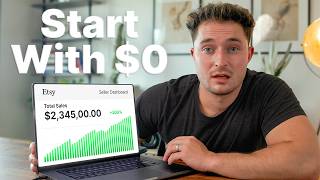
This video outlines a step-by-step roadmap for starting a print-on-demand business on Etsy with zero capital. The creator emphasizes using Etsy's organic traffic, free listings via affiliate links, and strategic niche research to achieve profitability from scratch.
The creator discusses how to begin a print-on-demand business with no money, focusing on Etsy due to low startup costs and organic traffic.
Etsy is preferred over Redbubble, Teespring, or Shopify because it offers organic traffic and low fees ($15 one-time shop opening).
Printify's official Etsy integration allows selling print-on-demand products without upfront costs, paying only after a sale.
If you have $0, consider gig work like DoorDash or Uber to earn $15-$25/hour, or use a credit card to get $50 to start.
Using an Etsy affiliate link when opening a shop gives 40 free listings, worth about $8, reducing startup costs.
With 40 listings, focus on high-converting mock-ups, low-competition keywords, and good designs to make sales without ads.
Use tools like Listing View plugin to identify high-performing listings and niches by analyzing sales data and outlier scores.
After first sale, replicate the product with modifications and reinvest profits into more listings. Aim for 100 listings selling 15 times/month at $7 profit to reach $10k/month.
Starting a print-on-demand business on Etsy with $0 is challenging but possible by leveraging free listings, niche research, and reinvesting profits. Consistency and strategic scaling are key to long-term success.
What is the minimum amount needed to start a print-on-demand business on Etsy according to the video?
$30 to $50, but you can start with $0 by using an affiliate link for 40 free listings.
00:39
Why does the creator recommend Etsy over Redbubble or Teespring?
Etsy has higher traffic and lower competition, plus a $15 one-time shop fee and organic traffic potential.
00:39
What is the benefit of using Printify's integration with Etsy?
You only pay for the product and shipping after a sale, allowing unlimited product listings without upfront cost.
01:50
How can you get 40 free listings on Etsy?
By using an Etsy affiliate link when opening your shop.
03:37
What three core basics are needed for each listing to succeed?
High-converting mock-ups, low-competition keywords, and a good design.
04:29
What does an outlier score of 20 mean in the Listing View plugin?
The listing is performing 20 times better than the average listing in that shop.
06:13
What is the recommended strategy after making your first sale?
Replicate the product with modifications and reinvest all profit into posting more listings.
09:40
How many listings selling 15 times a month at $7 profit are needed to reach $10,000 per month?
100 listings.
10:57
Etsy as the best platform for beginners
Explains why Etsy outperforms Redbubble, Teespring, and Shopify for zero-budget startups due to organic traffic and low fees.
00:39Printify's no-upfront-cost model
Key enabler for starting with $0: pay only after sale, eliminating inventory risk.
01:50Affiliate link for free listings
Practical tip to reduce startup cost from $15 to effectively $0 by getting 40 free listings.
03:37Using Listing View plugin for niche research
Demonstrates a data-driven method to identify high-demand, low-competition products.
05:09Path to $10k/month
Provides a clear, achievable target: 100 listings each selling 15 times/month at $7 profit.
10:57[00:00] selling print on demand and digital products online. But when I got started, I didn't have much money to my name. And that got me thinking, if I had to start
[00:12] over from complete scratch, as in $0 to my name, how would I go about actually map that I would follow if I had to scale a brand new print on demand shop
[00:24] with zero dollars to my name. And if this video helps you, hit subscribe that I can show you the road map. But the first thing that we need to look at is how to get $30 to $50 at minimum to actually have a chance of making this
[00:39] list your designs completely for free to try and make some free sales, but in my opinion, they don't drive enough traffic for it to be worth your time. Now, to be clear, these websites do absolutely work. And if you post enough designs for
[00:54] sale, eventually you might make some money by them selling organically. But day job to make some extra cash. These websites have such low traffic and high competition that it makes it nearly impossible to make it worth your time.
[01:09] Now, selling on Shopify also obviously works, but in this case, it's a little having to run ads to that website, which means we're left with Etsy. People get
[01:22] monthly subscription fees and it only costs $15 one time to open up a shop, what to make ourselves, it's, in my opinion, the best place to start. It's
[01:37] also my motto that although we could pay to run ads to a Shopify website, we could also pay to run those same ads to an Etsy shop. Except Etsy also has the chance of giving us some of their organic traffic that they're already
[01:50] bringing to their site each month, which Shopify just isn't going to do. In my business is made possible using their Printify integration. Now, there's products on Etsy, which is true, except Etsy decided to create an official
[02:09] Printify integration. This lets us sell almost any print on demand product that you can think of right on Etsy. And plus, Printify makes it super affordable since you only pay for the product and shipping after you've already made a
[02:22] basically makes it so that we can create unlimited products and post them for sale without having to spend a dollar upfront. Now, we'll still need the $15 extra cash to do things like buy some product mock-ups so that you don't have
[02:40] to order the product and photograph it yourself. But even risking $50 for the opportunity to make $500 a day is a trade worth making, at least in my early weeks so that we can offset some of the costs and become profitable from
[02:57] the onset. Now, if you literally do only have $0, I'd recommend trying to do Door Dash where you can make between $15 and $25 per hour, or try driving for Uber or
[03:09] Lift, where you can make about the same. But you could also just work a couple extra hours at your day job if you have one. or you could open up a credit card, dollar, but it is always an option. Even $50 is a really small amount to get
[03:25] started with. Obviously, people who have $200 or more to invest are going to get better results sooner, but if you play your cards perfectly, you can still pull it off. The thing is that this is only made possible if you start out using an
[03:37] Etsy affiliate link to open your shop. This is a special affiliate offer and when you use the link, it gets you 40 free listings when you're opening your shop, which is worth about $8. You can find these links probably anywhere
[03:50] online, or if you download my completely free quick start guide, which walks you through exactly how to open up your Etsy shop. You can click the link inside this document, and it'll get you those 40 free listings. All right, so if you're
[04:04] be down to around $35 or you're in $15 of debt. If you started for free on Redbubble or Teespring, then you'll still be waiting to get some sales. But
[04:16] with a shop open and maybe $30 to your name, we can move on to phase two, which is maximizing every listing. If you did open your shop using an affiliate link, then you've got 40 shots to get a sale. So, we have to make every single listing
[04:29] count. and we have to try and get those sales without paying for ads if possible since we literally don't have the budget for it. Now, these 40 listings are your ticket out of the projects. So, if you don't absolutely lock in the three core
[04:41] basics, then you might be stuck there forever. The first is to use proven high converting mock-ups. These are the mock-ups that the best outlier listings use. Second, you have to use highra, low competition keywords in your listings.
[04:55] and the design itself has to be good enough for someone to buy. I've got lots of design tutorials, so hopefully that's not going to be the issue. If you get those three elements down for every single listing, there's no way that you
[05:09] $0, then success really comes down to making a sale from one of those first 40 listings. This means that we have to find niches that are performing better
[05:21] than everything else. And then we have to make a design that's at least as good as all the competition so that we have a chance of getting sales. So for finding the niche, it's like reading the mind of your customer before they purchase. But
[05:33] All right, so I've got the listing view plugin installed in my browser and it's going to show us how well every product is currently selling. So I might start by searching for the product type that we're selling. So, in this case, we'll
[05:48] use the example of a shirt. And this is going to show me the sales info for each listing. It's also going to display a little colored badge, which shows the outlier score on listings that are selling really well. This helps filter
[06:01] out massive shops that make millions of sales across all their listings. Because the outlier score is designed to show you the best listings based on your search, it shows you how well a listing is performing relative to the shop that
[06:13] it's posted for sale in. You could think of it like this where a million views on my channel is a lot and would lead to a really high outlier score. But Mr. Beast only getting a million views on his video would mean the video is actually
[06:26] underperforming. So when you see an outlier score of 20, for example, it means that this listing is performing 20 times better than the average listing in this shop. I think this plugin is pretty cool because it'll also show you badges
[06:39] for things like new listings that were posted in the last 60 days or evergreen listings that sell consistently over time. So, makes it really easy to quickly identify listings that you might want to use as inspiration or niches
[06:53] that you want to target. And as another side note, take a look at how many new listings Etsy is promoting even for a very broad search term like shirt that we searched for. You can see that these listings are all new. There's a bunch of
[07:08] them on this page and a lot of them aren't even paid advertisements. These are ranking organically. If you just got started out, this should give every seller a sense of hope since you can see that Etsy is definitely trying to give
[07:20] new sellers a chance at making some sales. Now, since we do have to find the absolute hottest niche, we could also search listing views database for best-selling ideas. This lets me search for the product that I'm selling. So, in
[07:32] this case, it's a t-shirt. Then, it lets me sort these listings by whatever metric I want to see. So, in this case, let's do monthly sales. You can see that there's a bunch of ideas here, but we could also just check the new listings
[07:46] that were made in the last 180 days. Then, we can make our search again. And this time, we're only seeing brand new listings that are recently working and selling really well on Etsy. A lot of these listings that were recently posted
[08:00] easiest way because it's like being able to read your customer's mind and see market research. For example, you can look at these badges on Etsy that tell
[08:15] you if a listing is a bestseller or if it's popular right now. This can also selling, they will sometimes show you below a listing how well that listing is
[08:28] broke again. And my typical recommendation is to post 5 to 10 designs for each niche that you're going to be targeting. And that way, if nine of your designs don't sell, there's a chance that one could still pop off. But
[08:44] initial sales. So, in this case, I'd recommend selling only the absolute top tier outlier listings and making the absolute best designs, obviously, in
[08:56] your own version that you can. You also definitely have to post all 40 listings listings sell, then on month two, you're going to have to go back and revise the first 10 listings that you posted for sale and try and retarget them
[09:11] completely with new images and new SEO. Since those first 40 listings are going to be active for four months, you can keep revising them every month for four months until you get a sale. Now, if you follow those steps, and yes, it might
[09:24] take a little bit of a while cuz we're starting basically with a handicap, then sales coming in that determines your long-term success. Step three is scaling carefully. It's knowing what to do and when to do it. Once your first sale
[09:40] first is to replicate the product and make a very similar version, just with a couple modifications. Second is to take all of the profit that you made from that sale and reinvest it into posting more listings. So, if you made $7, that
[09:56] means you can revisit step two and post 35 more listings for sale. That means you have 35 more chances in addition to your original 40 to make a sale over the next 4 months. This is how you eventually scale the business. You can
[10:11] keep going back to edit the catalog if your listings don't sell in the first month or two. And you can keep trying to sell them until they expire. Then when you have something that sells, duplicate it, make some modifications, and also
[10:23] take note of that product and make more that are similar to it. Now, once you're making even just one sale per day, I'd recommend not going back to re-edit all your old listings and instead only focus on posting new ones for sale. This is
[10:37] Plus, so you can see more detailed analytics and get even more profitable niche ideas to sell in. But once you lock in those first few sales, your only It only takes a 100 listings, each selling 15 times a month at a $7 profit
[10:57] to reach $10,000 a month. So even though your first 40 listings aren't going to sell that well, definitely possible to get there and grow this business over the long term. All right. So, if you do have money to invest, then you're just
[11:09] going to have a much easier time of finding success. That's just the reality of business. And if you're looking to get even more help and you're looking for people who have already had success, like myself, to sort of guide you and
[11:21] help answer some of your questions, I started a community to do just that. having a community of people all in the same boat is a great way to sort of speed up your path to success and making money online. So yeah, if you want
[11:37] successful sellers to help coach you into the right direction, this is the I'll try and leave a discount code as well, but yeah, I hope this video was helpful and that you enjoyed it. And as always,
⚡ Saved you 0h 11m reading this? Transcribe any YouTube video for free — no signup needed.