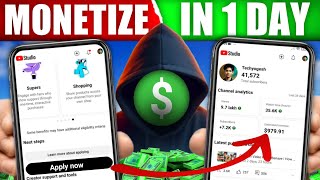

USA Channel Earns 10x More!
45sShocking earnings comparison between Indian and USA YouTube channels grabs attention and promises high income potential.
▶ Play Clip"Title promises a full course on USA YouTube channels, and the video delivers detailed steps, niches, and tools."
This video provides a comprehensive guide on creating and growing a USA-based YouTube channel from India, covering niche selection, AI-powered content creation, thumbnail design, and SEO optimization to target the US audience effectively.
A USA-based channel with 15,000 views earned $425, while an Indian channel with 90,000 views earned only $45, highlighting the higher RPM in the US market.
The four recommended niches are: AI animated stories, pets and animals, finance and business, and motivational stories. Each has high demand and engagement in the USA.
Use ChatGPT to generate video ideas and scripts, then use Google Gemini or Google Flow to create video clips. Edit in a video editor and add voiceover using 11 Labs.
Four sites for free, copyright-free footage: Pixels, Pixabay, Mixkit, and Videvo. Useful for pets/animals and motivational content.
Use the tool 'myai.in' to generate viral thumbnails. Select category, color theme, design style, and add text or images. Generates HD thumbnails in seconds.
Upload videos as unlisted first, then use YT Studio to add description, category, and keywords from ChatGPT. Schedule upload for 11 PM to target active US viewers.
Answers to 10 common questions: targeting USA audience, English script, background music from YouTube library, full animation tutorial, higher earnings, income source, software (AI only), handling copyright claims, and low views.
The video provides a complete roadmap for creating a USA-based YouTube channel, from niche selection to content creation and SEO. The creator promises to share real analytics and earnings in part three.
What is the RPM difference between USA and Indian YouTube channels according to the video?
USA channels earn 5 to 10 times more than Indian channels due to higher ad rates.
15:48
Name the four viral niches recommended for a USA-based YouTube channel.
AI animated stories, pets and animals, finance and business, and motivational stories.
01:28
Which two AI tools are suggested for generating video clips from a script?
Google Gemini and Google Flow.
05:08
What is the recommended time to schedule a video for USA audience?
11:00 PM to target when the USA audience is most active.
14:30
Which AI tool is used for generating viral thumbnails?
myai.in
08:11
What are the four copyright-free footage sites mentioned?
Pixels, Pixabay, Mixkit, and Videvo.
07:30
How can you get a script for an AI animated story?
Use ChatGPT to generate video ideas and then ask for a script in four scenes.
04:00
What is the purpose of uploading a video as 'Unlisted' first?
To allow editing of description, keywords, and scheduling before publishing.
13:11
Earning Disparity Example
Concrete numbers illustrate the higher RPM in the US market, motivating viewers to target USA audience.
00:02Four Viral Niches
Provides a clear, actionable list of high-demand content categories for USA viewers.
01:28AI Thumbnail Generation
Demonstrates a free tool that creates professional thumbnails in seconds, a key factor for video virality.
08:11Scheduling for USA Audience
Specific scheduling tip (11 PM) to align with peak US activity, a practical SEO strategy.
14:30[00:02] are $15,000 and it has earned me only $45. That means only around ₹4,200 and the views of this video in the last 28 days are only ₹90,000 but the are only ₹90,000 but the earning is $425 that means around $40,000.
[00:17] Meaning that earnings are more than 10 times. So now a question must be coming in your mind that brother, how did you earn so much with so few views ? Because Guys, this is the earning of a USA based YouTube channel. That's why the earning potential on this is so high.
[00:32] So if you also want to earn money by creating a new USA based YouTube channel while sitting in India. But you are not able to understand brother how to make USA channel? How to select viral niche. What type of videos do USA audiences
[00:46] like? And how to make videos for USA audience with the help of EI? And how to do SEO so that as soon as you upload the video, your video reaches the USA audience directly. So in today's video I am going to tell you everything.
[01:00] So don't skip the video at all. Otherwise, you will miss some information and your video will not reach the USA audience. And in the last video I told you the complete process of creating a USA channel and setting it up with all the settings.
[01:13] If you have not seen that video yet, then you will get the link of that video in the i button above and in the description of the video below. which is easy to grow. So guys, I have found
[01:28] four such nice things for you which are currently trending a lot in the USA. And yes guys whatever doubts you had after watching part one, I have covered everything in this video. I am going to answer all your questions in this video.
[01:41] Whatever you asked me by commenting. So watch the video completely till the end. So the first viral news is going to be an AI animated story. You will find the best example of this on YouTube. You can see the name of this channel is MSA and it is a USA
[01:55] based channel. So their videos get millions of views. You can also check out their most popular videos here. 23 million, 10 million, 9 million, so many views come on their videos. These types of emotional stories
[02:09] keep the audience engaged till the end. The best thing is that with the help of AI, you will be able to create such content absolutely free. And the second category of guys is that of pets and animals. You will find almost no competition in this category. Because there are
[02:23] very few channels in this category right now. You can watch this channel. The Dodo is a great example in this category. Their videos are based on pets and animals. Where they give tips about animals. USA audiences connect a lot with pets.
[02:36] So this is evergreen content. And now let's come to our third category which is Guys Finance and Business. The highest RPM is generated on this range. Your RPM can go up to about $20 in this category. If you
[02:50] look at channels like Magnets Media here, then these companies make videos related to business and money. If you see their most popular videos here, you will get to see views like 4 million, 2 million etc. But in this category you have to do a lot of
[03:04] And guys, our fourth category is going to be motivational stories. For this, you will get to see Dhar Mann and many more perfect examples who make motivational videos , give life lessons and
[03:19] work well on storytelling in this category, you get a lot of audience retention because everyone needs motivation in the USA. Now guys the question is which one will you choose from these four categories ? So it totally
[03:33] depends on you. You can select the category in which you are more interested. I will also tell you how to create content in all categories. So first of all let me tell you how to create content of AI animated stories
[03:45] which is going to be our first niche. And I have placed it at number one because there is a lot of demand in this category in the USA. you will see views of all the videos in millions. So to make this type of video, first of all
[04:00] you have to open Chat JPG. And from here we will come up with video ideas and create a script.
[04:12] brother, give me some video ideas for the USA channel. AI is a channel with animated stories. You can say whatever category you want to create it for. Just by saying this, it will Just by saying this, it will
[04:28] from here you can select any one idea. Like, let me select this idea here. Brother the poor kid became a millionaire. And here I will tell him that brother, I have selected this topic. Now write me a 30 to 40 second script for this.
[04:40] Now write me a 30 to 40 second script for this. If you want to generate a long video then tell it whether you want it for 1 minute, generate the script accordingly and give it to you. And yes, I will tell him that
[04:54] brother, I need this script in four scenes so that I can create it with Google J Pro. And guys, it will give you the script prepared in four different scenes. So you have to copy the first scene from here. And I will suggest you two AI tools to generate video from this scene
[05:08] And I will suggest you two AI tools to generate video from this scene is Google's Gemini and the second one is Google's Flow. You can use any of these two AI tools. I open JE and after opening JE,
[05:21] first of all I will click here and select Create Video and paste that script here. And from here you have to select Pro. After that you have to type here above, brother create video in cinematic style in
[05:33] American English and here at the end write size 9/16 portrait. If you want to generate a long video then write 16/9 ratio here. Click here to give it. And it will create your first clip for you. Now in the same
[05:46] way you have to copy the second scene and go back to Gemini and paste it. And guys, here the video will be generated from all your four scenes. Now to give them a final look, Now to give them a final look,
[06:00] import all of them there and edit them properly and your video will be ready. Let me show you a look at the video. To school sums he To school sums he after school he grocery
[06:29] million sports carim second niece and third and fourth niece. The method of generating videos for all
[06:41] is almost the same. You have to come to Chat JPT and say here that brother, give me video ideas for USA channel. If you want to give any special topic then please give that also. And Chat GPT will give you video ideas. Then you can generate a script from that video idea.
[06:53] Then if you want, you can also use 11 Labs for voice over. You have to come to Level Apps and paste your script and select a good voice here and generate the voice. As soon as your voice is generated,
[07:06] then come to Lex Audio Editor and select any extra parts and any empty parts left in the middle in this manner and delete them from here. Once your voice is edited here, export it from here.
[07:18] After that, import your videos in any video editor app and import your voice and edit them properly by mixing them according to the voice. I will also tell you about some platforms from where you can download copyright free videos
[07:30] which will be very useful for your pets and animals and motivational shots. So for this also, let me tell you about four best sites from where you can download footage absolutely free and you will not face any copyright. The first is
[07:42] pixels, the second is pixb, the third is mix kit and the fourth is VicTji. Here you get a lot of footage which is copyright free. You can use these in your videos and create videos by adding voice over to them.
[07:57] [Music] Now guys, you've written the script for the video , selected the leads, and made the video. But if your thumbnail is not clickbait and good a video you make, your video will not get views. So to make the video viral it
[08:11] is important to have a good thumbnail. So to create a viral thumbnail, you have to come to Google and here you have to search guys my ai.in
[08:25] and you have to open this AI tool. Here you will see such an interface. So here we will click on Start Pro AI Workspace and login. As soon as you login, such an interface will appear in front of you. Here
[08:38] you can generate a custom thumbnail according to your choice and they also generate the thumbnail for you in just 10 seconds. So to create a viral thumbnail with this tool, first of all you have to select the category of your thumbnail here. [Music]
[08:52] Like guys, I'll select Education and Facts here. You can select the category here according to your category. After this you can also select the color of the thumbnail from here.
[09:07] What type of thumbnail color theme do you want? Like I'll select from here brother dark tail and orange cinematic. After this, you will also be able to select the viral design style from here. And if you tick it here brother, it will
[09:20] create a graphic thumbnail without text. And here you have to enter the title of your thumbnail. Like my title is Guy the Poor Kid Became a Millionaire. And if you want, you can also give one second sub text here. After this you can also add your custom text.
[09:33] Meaning that here you can customize the thumbnail as much as you want as per your wish. You can also add logos here. And lastly guys, if you want, you can also add your pic here. That means you can also add your photo here.
[09:46] If you add a photo here, then you can set facial reaction, position of the photo etc. from here. After that you can also set AI model here. After that you can also set the quality here. I
[10:00] select Full HD here. Then at the end the guys will tell you to simply click on yes generate here. [Music] So guys, you can see it's generated a thumbnail here. Brother, what an
[10:12] attractive thumbnail he has generated here. You can see that here. Let me show you the full preview. A poor kid becomes a millionaire. So From here you can also download your thumbnail in HD quality.
[10:26] can also download your thumbnail in HD quality. [Music] If you have any problem in understanding it, then you can change the language to English by clicking on Settings here. language to English by clicking on Settings here.
[10:41] generate a thumbnail with your character from here, then how will you do it? So for that, first of all guys, I will select the category here. Tech Tutorials & AI. After that, from here I will click on the review setup box. Then here I will
[10:55] Clickbait big emoji reaction in then viral design. After this I will put the title here. How to create YouTube thumbnails from AI? Then I will also put the second title here. And if you want, you can also add a custom text box from here. Then here
[11:07] I will tell it whatever emoji, logo etc. I want to add. Now after this you have to select your character from here by clicking on Choose File. After adding the character, you can change the facial expression from here. I will leave both of these things on auto I decide here.
[11:21] And from here I will keep it on full quality and click on generate AI thumbnail. And it will start generating your thumbnail. And guys, you can see the result here, what a wonderful result has come out here.
[11:34] If you design such a thumbnail on a PC, it may take you several hours. But here it has generated a viral thumbnail in just a few seconds. Guys, from here you can do other things along with creating thumbnails. Like here you can design AI
[11:47] departmental application, legal dates, passport photo banner, you you can also make visiting card from here and if you want to prepare any bill or receipt then you can do that also here, I will
[12:00] put the link of this AI tool in the description, so you must generate thumbnail from it and so you must generate thumbnail from it and see it [Music]
[12:20] guys, because while uploading you have to do a lot of settings which are done by targeting the USA audience. So open the YouTube application Then
[12:32] if you want, you can upload long videos from here and short videos from here by clicking on the plus icon. So to upload my short video, I will click on Add from here and select the video and click on Guys Next from here.
[12:45] So first of all you have to select a thumbnail here. For this, you have to click on the pencil icon from here and select the thumbnail which you like best from here. After that you have to give a title here.
[12:58] So for the title, you have to open Guys Chat JPG and tell it to write a title according to USA and it will suggest you a USA based title. So I'll copy this one from here and
[13:11] come back to the YouTube app and paste the title here. Then from here you have to keep Unlisted selected and click on Guys Upload Short. Then whatever remaining So guys, as soon as your video is uploaded here. After that you have to
[13:25] open YT Studio app. And here after opening YT Studio, you have to click on content. And here you will see your video. So you have to click on this. clicking on the pencil icon, first of all you have to enter the description. So
[13:38] Chat GPT will write the description and give it to you. So you have to simply say this, guys, write me a description for this video in which the text etc. should be arranged in this manner. And guys, it will write you a
[13:51] description which is specially created to target the USA audience. and paste it in the description. Now after this you have to come to the category and text option from here. So from here guys first of all you have to
[14:04] select the category. after this you have to enter the keywords here, for which you have to go to Chat GPT and here Chat GPT has already created the keywords and given them to you. So you
[14:18] copy them directly from here and come here and paste them in the text. Then guys, after this you have to directly enter the text description and everything, you do not have to directly upload the video from here. Guys, you have to schedule and upload it here
[14:30] because the USA audience is most active at night. So you have to schedule your video for the night. So guys, I would suggest you to schedule your video here for 11:00 pm
[14:42] so that your video will be published directly at the same time when the USA audience is most active. Due to which the After this, after completing all the settings from here, you have to click on Save.
[14:56] Now your video will be published here at the time you have scheduled the video. And guys, whatever doubts you had after watching part one, I have covered them all in this video so that I can tell you everything one by one.
[15:09] So the first doubt is how do you target the USA audience? So in this video. Now let us come to the second question. I don't know how to speak English. How to script? What type of entertainment do USA audiences enjoy? So
[15:22] I have given you the solution to this question in this video. Let's move on to the third question. Where to add background music ? Do it from CPCT or download it from somewhere ? So copyright will not apply. So guys, the best way to add background music
[15:34] is to download and use background music from YouTube's library. You will never get copyright for lifetime. When will you make a video on full animation tutorial? So I have shown you how to make that also in this video.
[15:48] question is brother, why do we get more money on USA videos ? So the only reason for this is that the ads that run in Guys USA videos are much more expensive than in India. Therefore, the money received for AIDS in USA is
[16:01] 5 to 10 times more than in India. So let's move on to the sixth question. Is USA Channel Pay Source Income? Yes brother, it happens. After this comes the next question. software to use? So, I have told you that also
[16:14] not need to use any separate software. Your entire work is going to be done by AI. Now the due to YouTube guidelines, any back clash has come , how to remove report, take down? So for this you have to appeal to YouTube and there is no other option. The
[16:28] ninth question is that it is a tech category channel but it is not getting views. Tell me the solution. The 10th question is also the same. I upload USA videos but I don't get any views. So brother, I have told everything in this video. You should watch this video carefully without skipping.
[16:41] I have explained everything in this video about how USA audience is targeted. So guys, I hope you have got the answers to all your questions. If you still have any doubt then please ask me by commenting. So guys in this video we have
[16:56] prepared the complete road map of USA channel. Channel Nice has been decided. The video strategy is ready. We have also uploaded the video after doing the thumbnail and SEO work. But now the biggest question is what will be the result of this video ? Will YouTube deliver this video
[17:09] to USA audiences? Will this channel get views? What will the analytics be ? And most importantly, will we be able to start earning from this channel? I will answer all these questions in its part three. Where I will present the real dashboard of this channel in
[17:23] front of you. Whatever the actual result will be, without hiding anything. And if you have not created your USA channel yet then you will be seeing the video on the screen right now. Click on this video. I will meet you there.
⚡ Saved you 0h 17m reading this? Transcribe any YouTube video for free — no signup needed.