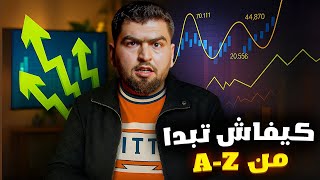

From Zero to First Trade: Trading Basics
45sDirectly addresses complete beginners with a promise to teach everything, making it highly relatable and clickable.
▶ Play Clip"The title promises a step-by-step beginner guide for 2025, and the video delivers exactly that, though it also promotes a challenge."
This video is a beginner's guide to trading, covering everything from setting up a broker account to opening your first trade. The presenter, a trader from Morocco, walks through the process using a specific broker and MetaTrader 5, and also introduces a trading challenge. The goal is to equip complete novices with the knowledge to start trading.
The video is for people who know nothing about trading. The presenter promises that by the end, viewers will be able to open their first trade and learn all the basics.
A reliable broker is needed. The presenter uses a specific broker (linked in description) and trades between $50 and $10,000 without issues.
Click the broker link, register, select country, verify email and phone, complete profile with real information, and upload ID and proof of address for verification.
Deposit methods include BalancePay, Bankcard, Netellers, ClearstickPay, etc. Withdrawals are done the same way as deposits.
MetaTrader 5 is recommended over 4 due to better interface and more indicators. The presenter uses MT5 for trading.
99% of trading is on gold, occasionally Bitcoin and oil. The presenter advises buying gold and setting stop loss and take profit levels.
Smaller trade sizes reduce risk and profit. The presenter prefers low risk and low profit. Stop loss and take profit are used to limit losses and secure gains.
The presenter announces a 'Full Profit Challenge' with a target of 750 pips in three weeks. 100 pips equals 10% profit. The challenge is free and starts around the 29th.
For those wanting to use a funding company, the presenter works with Fundnex. A $5,000 account costs $32, with two phases (8% and 4%) and a 20% commission.
This video provides a step-by-step introduction to trading for beginners, covering broker setup, MetaTrader 5 usage, and risk management. The presenter also invites viewers to join a free trading challenge to practice and potentially earn profits.
What is the recommended trading platform according to the presenter?
MetaTrader 5
04:05
What percentage of trading does the presenter focus on gold?
99%
05:40
What is the target pip amount for the Full Profit Challenge?
750 pips
10:01
How much does a $5,000 funded account cost with Fundnex?
$32
12:20
What is the first step to start trading according to the video?
Register with a reliable broker.
00:14
What documents are required for account verification?
National ID card (both sides) and a bank statement.
02:55
What is the purpose of a stop loss?
To limit losses by automatically closing a trade if the price moves against you.
07:04
What is the difference between MetaTrader 4 and 5 according to the presenter?
MetaTrader 5 has a better interface and more indicators.
04:05
How long does the Full Profit Challenge last?
Three weeks.
10:01
What is the commission percentage mentioned for Fundnex?
20%
12:20
Beginner Promise
Sets clear expectation that the video will teach complete beginners how to open their first trade.
00:02Gold Focus
Reveals that 99% of trading is on gold, which is a key strategy insight.
05:40Risk Management Advice
Emphasizes using small trade sizes to keep risk low, a fundamental principle for beginners.
06:34Challenge Target
Specific target of 750 pips in three weeks provides a concrete goal for participants.
10:01Funding Company Option
Introduces an alternative way to trade with funded accounts, expanding options for viewers.
12:07[00:02] financial market trader and owner of the largest trading group in Morocco, with over 1100 members. You can find the link in the description. This video is specifically for those who know nothing about trading. I promise that if you watch it to the end, you'll be
[00:14] able to open your first trade and learn all the basics. First, what applications do we need to work with? First, we need a broker. The broker needs to be reliable and able to provide you with low credit and everything else.
[00:32] Personally, I use the broker I'll link below. I personally trade between personally trade between $50 and $10,000 without any problems. I'll broker, how to work, and how to open trades in MetaTrader. I'll explain everything, just watch the
[00:46] video to the end. First, you'll find the broker's link below. Go in and register. The first thing you do when you take a screenshot of your phone is click on the link in the description I as you see in the screenshot. I'm sharing it with you here. Click here, then click "Open your
[01:02] account now." Wait for the page to load. Click "Sunrise." The language you're using depends on your
[01:17] Wait here. First, select your country. Most people will see it as Morocco, Algeria, Tunisia. Choose a country that's west.
[01:33] video. After you've filled everything in and logged in, this page will appear. Here, you'll see either a demo account or a real account. First, open a real account. This page will appear like this. We need to continue. Account
[01:49] verification by ID and other information. Complete the profile here. You will confirm
[02:03] enter it normally. I will fill it in; what you see here is that the email address has arrived. Verify it here. We will go to the phone number. Verify it; a
[02:16] phone number is also verified. Here are the profile information; I don't need to verify them. Complete them here. Your first and last name, if you have a national ID, must be real and not on your ID card, because you will also send the ID card here. Your country, which will
[02:29] naturally be Morocco, I will fill in and get back to you. The important thing is that everything must be real. I'm just messing around to show you. Here is the home address. Your account needs to be real because you'll send them proof that you live in this place. You'll have to
[02:42] do this quickly; nothing else matters here. After you've done all this, this page will appear. You can withdraw $2000 until you verify your account and verify them, then you can withdraw.
[02:55] verify them, then you can withdraw. I'll put your name them your national ID card from both sides. You'll
[03:10] send them the proof. After the verification, you'll send them a bank statement that's at least confirm that you live in the place you wrote to. When you send them, you'll verify your account. to. When you send them, you'll verify your account. Everything is normal here. So, your account is normal. How will you
[03:25] deposit and withdraw money? I'll show you an example. Here I have the account I wrote earlier in front of you. You can deposit into it. I'll do the deposit effect here. What do we have here? We have BalancePay Bankcard.
[03:37] Here's your bank card. You have all the methods available: methods available: Netellers, ClearstickPay, etc. Anyway, it will seem crowded. I need to verify the ID and the profit and loss information. After that, you can make the
[03:49] deposit normally, and the withdrawal is done in the same way you made the deposit. So there's no problem with My last concern is withdrawal and deposit. Here we'll open a demo account to show you how I'll deal with the second application, which is where I 'll open trades, which is
[04:05] 'll open trades, which is MetaTrader 5. There's MetaTrader 5 and MetaTrader 4. What's the difference between them in terms of the interface? MetaTrader 5 is much better than 4 and has many advantages, indicators, so you feel like you're using a different interface.
[04:19] The incident with MetaTrader 4 is old, I think it's from 2015 or before 2010. Don't worry about anything, I have an idea. Exactly, you'll load MetaTrader 5, then you'll have
[04:32] opened your account. Anyway, I have a demo account here with $10,000. How do I connect it? I already have a demo MetaTrader account here. This is the server. Look, go to MetaTrader 5, meaning it's just a demo account. I'm telling you this because there's no money. When there is money, you'll
[04:48] no money. When there is money, you'll enter the information you wrote. It will appear here in MetaTrader. Anyway, we'll remove this account. We don't have any accounts. It adds a plus sign. The broker X or server will appear depending on whether you have control. It will tell you the server name.
[05:04] 3, 5, S, depending on the server you have. We'll set up a demo
[05:17] control here. We need to set a password. Anyway We're messing up the code, but this is the code I messed up to show you
[05:40] Many of you won't understand how this interface works, or this will confuse you. Little by little, it will come here. Here, we only work with gold, and occasionally there's Bitcoin and a little bit of oil, about 2% or 1% when we work with that. But 99% of
[05:57] come here and make a modification, trying to select everything, leaving gold. As you see, XSD, for example, I told you to buy gold, no zone 3200, 323. What do you do? Anyway, now it's maybe
[06:16] at 334. I told you to buy, right? Here's the middle size, 334. I told you to buy, right? Here's the middle size, which is everything, for example, you entered. I advise you to buy every 100 Dollar, you understand that you need to be careful and precise so you don't risk losing $100. The
[06:34] smaller the size, the lower the profit and the lower the risk. If you increase the size, the risk will be much higher. You could lose your money at any moment, and the profit will be much higher. I prefer that the risk and profit be low. For example, I told you here that you have
[06:49] many methods to do a buy. The first thing you can do is trade XSD. thing you can do is trade XSD. I told you to do a buy, and I told you to set a stop loss, for example, 3330. For example, you write it as Take
[07:04] Profit, which is the TP, meaning our goal for this trade is 100 to 200, depending on what I for this trade is 100 to 200, depending on what I will write for you. And the stop loss is to stop the loss. For example, if we enter and it keeps going back at a loss, so that we don't lose the entire amount, I put a stop loss. We are the ones who
[07:17] We limit ourselves, we limit ourselves according to our strategy. There are many things, and we have a lot of options. You'll find them in the trade that I post in the group, which you'll find in the description below. For example, we set a stop loss at 3330, and I'll set a stop loss at 3000 or 350. That's it, I entered a buy order. For example, you don't
[07:34] see that the trade is open. Can I close it whenever I want? Yes, you can. What do you do? You come here. This is only if you don't wait for the stop loss or the stop loss because those are automatic. If you hit the stop loss, it will close automatically. If you hit the stop loss, it will close automatically. You come here, you make it, you pass it to the because those are automatic. If you hit the stop loss, it will close automatically. If you hit the stop loss, it will close automatically. You come here, you make it, you pass it to the
[07:52] here, if you want to close, it closes automatically. You have many trades, right? The many trades, right? The important thing is that you have many. You keep making one like this for them, and it takes a lot of time. What do I do here? We show you Aliwa, Point, Kitsed, Lina, everything
[08:07] in one go, here you are, here they are, I saw them, they are here, down below, from what does it mean? It gives you the total of the deposit, you did the total profit, the total
[08:22] loss, meaning all the trades that you had open appear here. Anyway, I that you had open appear here. Anyway, I another account or something, I'll show you how to do it, but only in a demo account, while you will work in a
[08:38] real account. So this is something you need to know. As for the rotary deposit, you will open it in the platform, but the method you put in it at the place of the indicators, meaning according to someone working with a method or something, here this is 5, 15, these are the timeframes The ones we work
[08:54] on, every time the frame changes, the entire charge changes depending on the method you're using, what you're doing, and how many things. We'll have finished explaining how to open an account, open a deal, and everything else. The deals will be taken from the Telegram group; it's free, as you know. I
[09:09] made this video because I'm going to do a challenge, and I've done many challenges before. For example, the Phone Challenge—about five or six, almost all of them went to profit. What's the advantage
[09:21] or what distinguishes these challenges? Each challenge has its own team and style. For example, in the Phone Challenge, I set up 10 phones to win. For every 50 peps won, I win one phone. There
[09:33] were about 10 phones, and we earned 1000 peps in about three weeks. This is all agreed upon, approximately 500 peps, because 50 peps is worth The phone number for the challenge I'm going to do is called the "Full Profit Challenge." I'll take all the profits in my personal account, the
[09:48] password for which I can give you. I can put $1000 or $2000 in it. The deals that will be in the Full Profit Challenge, I'll give their profits to you, the viewers, so you can see how I'll give them and how I'll choose. So far, I don't
[10:01] know anything about the objective of the challenge. First, my trading challenge. First, my trading objective is 750 pips in three weeks. For those who don't understand what pips are, they are the points we
[10:15] accumulate in trading. For example, 100 pips is worth how much? It's worth 1000 dirhams. how much? It's worth 1000 dirhams. 100 pips is 10%, so 750 pips is 75% of the total. Your capital is less and the size is 0.01. For every $100 you have, for example,
[10:32] every $100 you have, for example, $500. If you enter this challenge, you'll earn 75%. If you have $1000 and enter this challenge, our target is 75%, which will be $750 in three trades. So, if you have $1000, you'll enter with $0 on each trade. How does
[10:46] this challenge work? I'll enter a free challenge with you. Do I need to deposit with a broker? You choose one, or any broker you prefer. It's up to you. Do you understand? It's a free challenge. Will it always be free? Honestly, I don't know. I have no idea. But this free challenge will
[11:01] start around today, the 24th or 25th, meaning it will start around the 29th of next week. It will last for three weeks. Each week we'll see if we've made a profit. Losers or winners?
[11:13] Regarding the challenge I'm working on, I don't just look at the single trade I lost on, nor the single trade I won on. I only look at the weekly total or the challenge total. For example, I might have a winning week, then a losing day, but overall
[11:26] I'm still in profit. My target is 950 pips, and the profit I'll collect from this challenge, I'll give to you as gifts. I don't know how to distribute that, so I had an idea and decided to make this video. I made it specifically for people who don't know how to start in the field. I mean, simply explain
[11:40] how to open an account, how to open trades. You'll be overwhelmed with the content. There's nothing extra. If you don't understand something, I'll leave my support link below. If you still don't understand something, you can ask them in Moroccan Arabic. You'll say, "What don't you understand?" They'll explain it to you. Anything at all.
[11:54] My Instagram is linked below in the description. There's also a Telegram group; everything else is there. For those without a the description. There's also a Telegram group; everything else is there. For those without a check with the providers who have this. I was talking about brokers and people who want to
[12:07] work with a funding company. I'll explain how it works. If you want to join my challenge with a funding company account, I'm currently working with Fundnex. I'll leave the link below and explain everything. For example, here we have an account with
[12:20] $5,000. You 'll get it for $32, but there are two phases. The 'll get it for $32, but there are two phases. The first phase is approximately 8%, and the second phase is 4%. You'll get a commission, and then you can get a commission of maybe 20%. Anyway,
[12:34] you know how the funding company currently operates. A $5,000 account costs $32, a $5,000 account costs $32, a $10,000 account costs $59, a $25,000 account costs $139, and a $500,000 account costs $229. You should choose the account that suits you best. Regarding the drawdown,
[12:49] how much you'll lose is important. You 'll find all the details in the link below. It's for FundNix. For those who want to work with a catering company or a broker, I've included the broker I work with. That's all for now. This is Feder signing off. See you in another episode, God willing.
⚡ Saved you 0h 13m reading this? Transcribe any YouTube video for free — no signup needed.