[00:03]
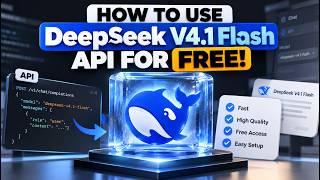
free. Think you need a paid plan to code with a top-tier AI model? Think again. One sign up, one key, done. And on one big coding test, it edges out Claude Opus 5. Most people haven't even heard about this yet. Hey, if we haven't met
[00:17]
already, I'm the digital avatar of Julian Goldie, CEO of AI SEO and GEO agency Goldie Agency. Whilst he's helping clients get more leads and customers, I'm here to help you get the latest AI updates. Today, I'm showing
[00:32]
you how to get Deep Seek V 4.1 flash working through the API for free. Then I'll plug it straight into my Agent OS so I can code with it. And stick around tips that will save you a lot of
[00:45]
headaches when you set this up yourself. So, what is Deep Seek V 4.1 flash? It's the newest model from Deep Seek. It first came out on September 10th, and on first came out on September 10th, and on October 17th, Deep Seek pushed an update
[00:59]
called the 1017 version. They say it scores higher, finishes tasks faster, and gives shorter answers than before. Here's what matters for you. It has a 1 million token context window. A token is roughly a chunk of a word. So, 1 million
[01:13]
tokens means you can give it a huge amount of code or documents in one go. It can read images, too, not just text. And the model weights are open under an MIT license, so anyone can download them. But you don't need a giant
[01:25]
computer to use it. You can call it through an API for free. An API is just for your tools to talk to the model. And that's exactly how I'm running it inside my Agent OS. Here's how to get your key. Go to tokenharbor.ai.
[01:38]
Token Harbor is one API that gives you lots of AI models in one place. Create a free account. You can sign up with Google or GitHub. Once you're logged in, go to your API keys, click new, give it a label. I called mine Agent OS, so I
[01:51]
create, then copy that key. That's it. You've got a working API key. But a key on its own doesn't do much. Next, I'll show you how to find the right model and hook it into your Agent OS. On Token Harbor, click models, then filter by
[02:04]
free. Right now, you'll see DeepSeek V4.1 Flash with a 1 million token context window and up to 128,000 tokens out. The model ID is DeepSeek V4.1 out. The model ID is DeepSeek V4.1 Flash:free. You'll also see MiMo V2.6
[02:18]
Flash from Xiaomi on the free list. Now, free does come with limits. Token Harbor gives every user a weekly usage limit and it resets each week. So, it's projects. Just don't expect unlimited heavy use on a free key. One more thing,
[02:31]
Token Harbor works with the OpenAI format and the Anthropic format. Those are the two formats most coding tools already understand. So, most tools can talk to it with almost no setup. The base URL is tokenharbor.ai/v1.
[02:46]
Now, let's connect it. I already have DeepSeek Harness set up inside my Agent next part. If you want my exact setup, the full Agent OS zip file is inside the AI Profit Boardroom, ready to install. You just hand the zip to your AI agent
[03:01]
in there. We've also built out a complete 30-day roadmap to go with the Agent OS, so you always know what to learn next. Plus, there are four coaching calls every week. So, if you get stuck plugging a model like DeepSeek
[03:13]
into your Agent OS, you can bring it to a call and work through it live. Link in aiprofitboardroom.com. Okay, back to it. DeepSeek Harness is a coding tool and DeepSeek says the new 1017 update is optimized for it.
[03:28]
So, inside my Agent OS, I asked my agent Astra to do the setup for me. I said, "Can you set up DeepSeek V4.1 Flash with Token Harbor? See the API key here. Make sure it's working inside DeepSeek Harness on the Agent OS as a drop-down
[03:42]
and test it actually works." Then, I grabbed the Token Harbor docs and pasted those in, too. That way, the agent knows exactly how the API works instead of guessing. And now, Token Harbor shows up as its own provider in the DeepSeek
[03:54]
Harness drop-down inside my Agent OS. I pick it and I'm running V4.1 Flash on build? We made a game earlier with DeepSeek V4 Flash, the version just away: how fast it was and how good it looked. Honestly, I've seen Frontier
[04:09]
models make worse games than that. We also generated a full web page with V4.1 Flash, so you can use it for web design and apps, not just code. So, why is it so fast? Here's the simple version. V4.1 Flash is a 552
[04:24]
like the little dials inside the model, but it doesn't use all of them at once. It only switches on about 8 billion when it reads your input and about 16 billion when it writes the answer. Less work per step means quicker replies. It's also
[04:37]
built for long jobs. As a model works through a big task, it keeps a memory of everything it's read so far. DeepSeek says V4.1 Flash needs about a quarter of the fast memory the last Flash model needed for that and about an eighth of
[04:52]
the storage. That's what makes a 1 million token context more practical to run. And the model has a reasoning effort setting from 1 to 100. Low means quicker answers. High means it thinks harder. If your tool lets you set it,
[05:05]
that's worth playing with. Now, how does it do on benchmarks? Quick heads-up, these are DeepSeek's own reported scores at max reasoning effort, so use them as a guide, not the final word. On GPQA Diamond, which is a tough graduate-level
[05:17]
Diamond, which is a tough graduate-level science test, V4.1 Flash scores 90.9. GPT-5.6 Soul scores 94.1 and Claude Opus 5 scores 93.4. So, it's close, but a few points behind. Coding is where it gets
[05:31]
interesting. On Deep SWE, which tests fixing real software issues, V4.1 Flash fixing real software issues, V4.1 Flash scores 74.2. Opus 5 scores 74.0 and GPT-5.6 Soul scores 73.0.
[05:46]
On Terminal Bench 2.1, it hits 90.6 ahead of Opus 5 at 89.1. And its ahead of Opus 5 at 89.1. And its Codeforces rating is 3,471. be straight with you. It's not better at everything. Against other open models,
[06:01]
it does really well. On Deep Seek Kimi K3 scores 67.5 and GLM 5.3 scores 66.9. V4.1 Flash beats both on Deep Seek. It also beats Deep Seek's own V4 Pro, which scores 62.7.
[06:17]
In fact, Deep Seek is phasing out V4 Pro and requests to V4.1 Pro now get sent to V4.1 Flash instead. But, the top closed models still win on the hardest tests. Opus 5 and GPT 5.6 still stay ahead on Terminal Bench 3.0
[06:33]
and 4.0. And on Program Bench, which tests building whole programs. On Humanity's Last Exam without tools, Opus 5 scores 56.3 and V4.1 Flash scores 36.8. That's a big gap. So, here's my take. For everyday coding and agent
[06:49]
toughest reasoning, the top closed models are still ahead. Now, let's actually code with it. Inside my Agent OS, I go to Deep Seek, then the harness. There's Token Harbor with Deep Seek V4.1 Flash. Using the key from earlier, I
[07:02]
start a new session. And here's a cool thing about Deep Seek harness. You can pick a mode, standard, code, minimal, or creator. I switched to standard. Then, I gave it this prompt, "Can you build out a landing page for an SEO strategy
[07:15]
session for an SEO agency called Goldie Agency?" It built the page and it worked, all on the free key. Here's the best part. You're not locked into one tool. Because Token Harbor uses the standard OpenAI and Anthropic formats,
[07:27]
into almost any agent harness you want. You could plug it into Hermes Agent, for brain for Claude Code. I don't recommend that one, but you can test it if you're curious. Now, those two tips I promised. Tip one, label every API key by where
[07:43]
it's used. That's why I named mine Agent OS. If one tool starts acting weird, you know exactly which key it's using. So, if something goes wrong, you're not digging through a pile of keys that all look the same. Tip two, give your agent
[07:56]
the docs. When I set this up in my Agent OS, I pasted Token Harbor's documentation straight into the chat. That way, the agent isn't guessing the base URL or the model name. It reads the docs and works from them. And
[08:08]
double-check you picked DeepSeek-V4.1-Flash:Free recap, grab a free key from Token Harbor, pick DeepSeek V4.1 Flash from
[08:21]
your setup. For me, that's DeepSeek Harness inside my Agent OS. Then start and remember the benchmarks are DeepSeek's own numbers. Now, there's a owners haven't figured this out yet. And that window won't stay open forever.
[08:37]
Getting ahead on learning tools like this puts you a step in front. Inside the AI Profit Boardroom, you get the full Agent OS zip file ready to install plus the complete 30-day roadmap we built to go with it. There are daily
[08:49]
tutorials so you keep up as new models like this drop. Four coaching calls live, a prompt library including the prompt for setting this exact thing up, and the member map so you can meet people near you who are building with AI
[09:03]
agents. Link in the description or go to aiprofitboardroom.com. If you want the full process, the SOPs, and over 100 AI use cases like this one, join the AI Success Lab. It's our free community. Links in the comments and
[09:16]
description. You'll get all the video notes from this episode plus access to 93,600 members. The AI Success Lab is completely free to join. The video notes give you the steps from this episode so
[09:28]
It's a place to learn, ask questions, and build your AI skills with other people doing the same thing. So, come join us. I'll see you inside.