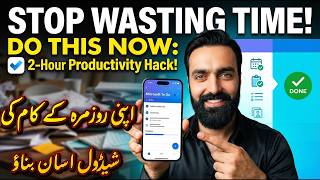

सुबह उठते ही पूरा दिन प्लान करें!
45sThe relatable pain point of not knowing where to start your day and the promise of a solution hooks viewers immediately.
▶ Play Clip"The title promises a powerful solution, and the video delivers a straightforward tutorial on Google Tasks, though it could be shorter."
The video demonstrates how to use Google Tasks to organize daily, monthly, and yearly tasks for improved productivity. The creator explains how to create a task list, add tasks, set reminders, and pin the list for easy access, emphasizing the benefits of staying focused and saving time.
The creator imagines waking up and having a clear schedule of tasks for the day, which would be enjoyable. They mention that they didn't know where to start but found a solution.
The creator introduces a 'powerful tool' that allows users to see all their daily, monthly, and yearly tasks at once. It is described as very easy to use, especially for those who forget what they need to do.
The creator mentions that there are many similar tools, but the free one is the easiest. They instruct viewers to click on a specific location to proceed.
The creator instructs viewers to search for 'open' (likely referring to Google Tasks) and then proceed to the next step.
The creator suggests naming the list, for example, 'My Daily Routine Tasks,' and then adding tasks to it.
The creator demonstrates adding a task, such as 'Make a YouTube video,' and explains that users can add any tasks they have.
The creator explains how to set a specific date and time for each task, which will then show up on the video (likely meaning the task list).
The creator shows how to pin the task list so that it is always visible when opening the computer, eliminating the need to navigate elsewhere.
The creator explains that by clicking on the pinned list, all tasks appear, helping users stay focused, save time, and complete tasks easily.
The creator concludes that this is a great productivity tool and encourages viewers to use it for its benefits.
The video demonstrates a simple yet effective method to organize tasks using Google Tasks, which helps users stay focused and manage their time better. The creator strongly recommends adopting this tool for daily productivity.
What tool does the video recommend for managing daily tasks?
Google Tasks
01:58
What is the first step to create a task list in Google Tasks?
Open Google Tasks and create a new list, naming it like 'My Daily Routine Tasks'.
02:19
How can you ensure tasks are visible when opening your computer?
Pin the task list so it appears on the screen.
03:36
What are the benefits of using Google Tasks according to the video?
Staying focused, saving time, and making tasks easy to complete.
04:12
The Power of a Unified Task List
Introduces the core concept of seeing all tasks in one place, which is a key productivity principle.
00:30Pinning for Accessibility
Demonstrates a practical technique to keep tasks visible, reducing friction and improving adherence.
03:36Focus and Time Savings
Highlights the ultimate benefits of using the tool, which are central to productivity.
04:12[00:00] आप इमेजिन करो कि अगर आप सुबह उठते हो और अपना कंप्यूटर या लैपटॉप ओपन खरते हो और आपको जो है पूरा सारे दिन क्या जो काम का आपका शेडूल एलेस्ट है इस तरह मिले कि आपने यह करना यह करना यह करना कितना मज़ा आएगा ना है ना मज़ी क
[00:30] पर दे लेकिन मुझे समझ नहीं आता है कि किदर से स्टार्ट करूं लेकिन मेरा मसला जो है अब हल हो गया इस चीज से मैं आप लोगों को बताऊं यह जबरदस्ट विजिट है और इसमें आप डेली जो है एक बार यह अपने सारी चीजें इसमें
[00:43] ऑपन में सब्सक्राइब मिले। होती एक धर और है तीसरा लाइफ़ तो लगा। तक क्योंकि लॉक हम ढील करेंगे। पत्र-चात्मान को कोसा करना
[00:55] है टीन 11 के लिए क्योंकि 10 11
[01:30] सब्सक्राइब लेकिन जो सबसे आसान है वह मैं आप लोगों को बताता हूं ठीक है दर्ज है आप लोगों
[01:44] यह जो ऊपर सारा आप लोगों ने इस पर क्लिक करना है यह जो खाली जगह यहां एक सर्च में आप लोगों ने लिखना
[01:59] है Microsoft टू टीक है तो इस तरह काफी सारी आएंगे प्लेनर्स यह जो पहले हुआ लाइट है ना यह Microsoft
[02:19] पर जीमाल क्लिक करें अब मैंने एक लिस्ट बनाया है मेरे डेली जो है वीडियो वगैरह बनाता हूं यह ठीक था कि YouTube के तो यह मुझे याद कराता है डेली ठीक है लिस्ट कैसे बनाएंगे इधर लिखा है न्यू लिस्ट ठीक है
[02:33] न्यू लिस्ट पर जैसे ही आप लोग क्लिक करोगे तो इधर यह आपका जो है न्यू लिस्ट इस पर आप लोग लिख सकते हैं कि मायर डेली रूटीन या मायर डेली टास्क ठीक है इस तरह कुछ और नीचे से इसमें आप लोग टास्क एड करेंगे फॉर एक्जांपल इसम
[03:24] جو ہے آہ ٹائم کے ساتھ تمہارو نو بجے آئیے وہ یا پکین ڈیٹ اینڈ ٹائم جو ہے اس میں آپ کوئی بھی ڈیٹ اینڈ ٹائم چوز کریں گے تو اسی ویڈیو پہ آپ کو یہ شو ہوگا اس پہ کلک کریں گے
[03:36] اور یہ ادھر آ گیا جیسے کہ میں نے ادھر بنائے ہیں اس طرح کے یہ لسٹ تو مجھے ادھر ادھر جانے کی ضرورت ہی نہیں میں نے اس کو جو ہے پن کیا ہے یہ پن ہے
[03:48] اب میں کیا کروں گا جب بھی میں اپنا کمپیوٹر کھولوں گا یہ جو چیز ہے اس میں لکھے 5 اس پہ میں جیسے کلک کروں گا یہ میرے سامنے آئیں گے کہ یہ مجھے یہ کرنا
[04:00] یہ کرنا یہ کرنا اس طرح آپ کو جو ہے بہت آسانی ہوگی اپنے task complete کرنے میں اور آپ کو ادھر ادھر مطلب فوکس رہے گا آپ کا mind تو آپ جو ہے اس طرح ادھر ادھر نہیں جاؤگے
[04:12] اور آپ کا جو mind ہے فوکس ہے time بھی save ہوگا اور آپ کے سارے کام easy ہوگی یہ بہترین tools ہیں productivity کے لیے I hope کہ آپ لوگوں کو اچھا لگو اس کو استعمال کریں اس سے فائدہ ہوتا ہے




⚡ Saved you 0h 04m reading this? Transcribe any YouTube video for free — no signup needed.