
AI Video Pipeline That Works
48sShows a high-view banger result and a clear, step-by-step automation process that intrigues creators.
▶ Play Clip"Title accurately reflects the content: a practical demo of an AI video clipping pipeline with real examples."
The video demonstrates an AI-powered pipeline for automatically generating short-form video clips from long-form content. The creator showcases the latest version of their system, which uses multiple AI models for transcription, clip selection, face detection, speaker tracking, and automated editing, including captioning and effects. The pipeline can produce ready-to-upload clips in about 10-15 minutes.
The pipeline starts with a source video, extracts audio using ffmpeg, transcribes with local Whisper, selects viral clips using Opus 4.7, detects faces with YOLO, identifies the active speaker with light ASD, reframes to vertical format, and applies retention editing (captions, zooms, flashes, meme sound effects) using Remotion.
Hostinger offers one-click N8N setup for AI automation. The creator demonstrates deploying N8N on Hostinger's KVM2 plan (2 vCPUs, 8GB RAM, 100GB disk, 8TB bandwidth) with a coupon code for 10% off.
The pipeline processed an 89-minute podcast, selecting three clips. The third clip about male fertility was shown. The creator noted the tracking was thrown off by vials but overall the clips were interesting.
Using a surf agent, the system automatically uploads clips to YouTube with a title, sets visibility to private, and saves. The entire process from source to upload took about 10-15 minutes.
A reaction video to a Charlie Moist Penguin video was processed. The clip shown demonstrated good head tracking and speaker switching.
An interview clip showed effective switching between speakers using YOLO and light ASD. The creator praised the tracking and effects.
A clip from a react video about streaming addiction was shown. The creator noted it worked but was not perfect.
The creator plans to post clips and iterate. They encourage viewers to like and comment for more updates.
The AI video clipping pipeline has significantly improved over the past six months, producing decent clips from various content types in about 10-15 minutes. The creator will continue iterating and testing the clips' performance on social media.
What tool is used to extract audio from the source video?
ffmpeg
00:30
Which model is used for transcription with timestamps?
Local Whisper
00:45
What is the role of Opus 4.7 in the pipeline?
To select the viral clip moments from the transcript.
01:00
Which machine learning model is used for face detection?
YOLO
01:15
What does light ASD do?
It identifies which face is speaking.
01:30
What is used for retention editing (captions, zooms, flashes)?
Remotion
02:00
How long did the pipeline take to process an 89-minute podcast?
About 5 to 10 minutes.
07:00
What tool is used for automated YouTube upload in the browser?
A surf agent.
08:00
What is the Hostinger plan mentioned for running N8N?
KVM2 plan with 2 vCPUs, 8GB RAM, 100GB disk, 8TB bandwidth.
04:00
What coupon code is offered for Hostinger?
all about AI
03:00
Full AI Video Clipping Pipeline
Demonstrates a complete automated workflow from source video to uploaded clip using multiple AI models.
Real Example: Podcast Clip Generation
Shows the pipeline processing a real 89-minute podcast and producing three clips in about 10 minutes.
05:00Automated YouTube Upload with Surf Agent
Illustrates how a browser-based agent can automatically upload clips with titles and settings.
08:00Effective Speaker Switching in Interviews
Highlights the successful use of YOLO and light ASD for tracking and switching between speakers.
12:00Pipeline Improvement Over Six Months
The creator notes significant progress in AI video automation compared to six months ago.
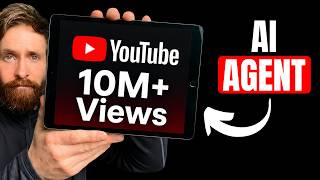
15:00[00:00] Okay. So, uh today I thought we can take a look at I basically do this every six months. How are the models uh kind of doing with video automation and everything you can set up in like a pipeline. So, for the last few months, I've been testing out kind of this uh on this channel here. So, we also had 20,000 subscribers and we have this banger here with uh 8.9 million views. So, uh I think I'm
[00:24] just going to show you kind of the latest version of this pipeline I have. Okay. So how this works now is this is my short form clip pipeline. So of course we want to start with the source video. This could be anything. It could be your own video. It could be a video you've been sent or something like that. And the next part is because we need uh the audio. I think that saves us a lot
[00:48] of time. So we want to extract the audio. I just use ffmpeg for that. And when we have transcribe that or when we have the audio, we can use I'll use a local whisper model to turn that into audio with timestamps. Right? Whisper local. I just run that on my Mac here. And then it kind of comes into the crucial part where kind of the model makes a bit more uh decisions here. And that is going
[01:12] to pick the moments for the viral clips. Let's say the video is 1 hour. And here is where like Opus in this case 4.7 needs to pick out the viral clip, right? So when we have that, then we're going to move into the face detection because this is important in like a clip. Let's say it's a podcast. You need to find the faces, right? To keep them in frame. And here we use a machine learning model
[01:37] called YOLO. Uh this works great to be honest. And the next part of that is of course finding out who is actually speaking. And for that we use something called light ASD to figure out which face is speaking. This is of course important, right? And when we have all that we can do the refframing. We can turn it from like a 169 video into like a short form video, right? That follows the active speaker. Then we're
[02:01] going to come into the retention editing. Here we use remote. This is uh uh we use code actually to do this. This works super well with automation and stuff like that. So we want to do captions, zoom, flashes, and I have these meme sound effects that kind of yeah spices up the clip a bit. You can add music and stuff like that too. And that is basically the full pipeline. And for me, this is like something
[02:25] I do like every 6 months just to see how well it improves. And I think now it's getting really good as you will see soon. So I thought we can just go through like a bunch of practical examples. I'm going to put in like a couple of source videos and look at a few examples we have done before here. But while we are speaking about AI automation, I want to tell you about today's sponsor, Hostinger. As
[02:49] you know, we do a lot of AI automation on this channel. And now I'm going to show you the easiest way to get AI agents and automations set up. And that is going to be on Hostinger's one-click uh setup for N8N. Most of you have probably heard of that. So you can choose whatever you want here. If you follow the link in the description, you will get to this page. I run my on the KBM2 setup.
[03:13] So if I just click choose plan here, and you can see I put in my coupon code, all About AI, and you can get up 10% off a yearly plan here. And you can see this is a bit big discount now. So after my checkout, I'm just going to head over to my account. I'm going to go to the catalog. I'm just going to search for NAN, right? I'm going to select that. And yeah, I'm going
[03:37] to pick Europe. I'm just going to click deployed. And that should basically be it, right? And there we have it. That was done. I can just click open, right? And if you see here, I need to set up my account. So, let me quickly do that. And that was super fast. You can see I'm already in. I'm ready to do my work first workflow. So, let's just do a quick workflow here. So, I basically did the
[04:02] simplest setup you can do. Schedule trigger a model and Gmail. Uh I'm no expert at this, but if you want to learn more, Hostinger has like a good uh documentation here on how you can start building out your workflows. So, if you follow the link in the description, you will get 10% using the code all about AI already on top of the 70% off, and you can pick the KVM2 plan, two BCP cores, 8 GB of
[04:26] RAM, 100 GB of disk space, and 8 TB of bandwidth. So, if you have any plans of setting up your NN, uh, this is a really good time to do it. So, big thanks to HostGate for sponsoring this video. Let's go back to the project. So, let's say I was hired now to do clips from one of my favorite podcast, The Diary of a CEO, right? And they say, "Hey, you need to make some clips from
[04:50] this podcast." Okay. So, what we can do, we can just grab the URL, right? And we can go here and I can say, "I have a new video. We have been signed to make three clips from. Are you ready?" And I can just say yes. And it's probably going to ask for a URL or like we can just do like the source video, MP4. So let's just give it this YouTube URL now. And this is going
[05:14] to kick off the pipeline. So from this point, uh this should be fully automated now. I think so. It should be. So okay, let's go and let's see now everything should kick off. Let's just Oops. Give it a while here. And yeah, as you can see now, everything is now running in this pipeline. We have the Clipper pipeline, right? So, I'm just going to let this run and I'm going to turn off my camera. I'm going
[05:38] to speed this up for you and let's see what we end up with at the end now. And I'm also going to show you the automated upload pipeline we have. So, you can see now we are kind of in the I guess I can move it here. Uh 89 minute diary of the CEO interview reading the transcript to hunt for moment. So, this is kind of the part where Claude codes Claude code comes into this. It's
[06:02] reading the transcripts with the timestamps. Strong moments emerging. Let me skim to the rest surface candidates. And now remember, it's going to pick out three clips. It thinks it's going to be interesting from this full podcast. Right. So again, I'm just going to let this run and let's see what we end up here because we have this to-do list now. Read the script, score it, author moments, and refframe and polish into the final clips. Okay, so
[06:27] that was done. So you can see that didn't take long. I think it took like 10 minutes, 5 to 10 minutes. And we ended up with these three clips here. We have an MP4, MP4, MP4, and you can see it in the background here. We have the styling and everything. So, why don't we just take a look at the clip number three here, and then we're going to test out the automated upload pipeline that we build
[06:51] with the surf agent. >> Outside of the world of peptides for a second. Yeah, >> I've got these three vials in my hand. >> I'm so scared. All right. >> Do you know what those are? [snorts] >> Oh, yeah. Uh this is uh unfortunately [music] our future if we're not careful coloring in it. And what you can see is that all the way back in 1973, this is pretty opaque. All right. Like you know, this is
[07:15] not uh what you would you can't see through it. And then 2026 has a little bit of color to it. And then we've got over here 2045, which is totally uh clear. Uh this unfortunately is actually representing the fertility trajectory for Okay. So was that perfect? Nah, maybe not. But uh I think it did a pretty good job here picking out some interesting interesting clips. It got a bit of thrown off by the vials here because
[07:39] we don't focus on any faces. So but but it's fine. So let's see uh our automated upload pipeline now. So, uh, let's say I want to upload, uh, clip number three, pick a good title, set it to private. Okay. So, I'm just going to launch this. And this should have the information now by using our surf agent that we can actually go to the browser and upload this. We could, of course, set up the API, but
[08:03] I wanted to show off that this is also an alternative. Let's say we have a Mac Mini or something that can run this in the browser. We should be able to do this also like automated in the browser. If this is an option you yeah want to do. So let's see how this works now. You can see we are firing up the surf agent. Okay. So you can see now we are in the background here. Let
[08:27] me zoom this in a bit. You can see we are in kind of yeah we picked out the file name. We are writing the title a doctor just exposed what's happening to male fertility. Okay. And it's super fast. It's already checking out all the boxes. Visibility. Remember, we set this to private and it's probably just going to hit save. And yeah, that should be it. So, also this automated upload pipeline, if you're kind of logged into
[08:51] your browser, it's also working very good. So, let me see. Did you click save? Yeah, here we go. And we have that video uploaded. The video is only visible to you. Perfect. So, you can see that worked very good. That's a very smooth pipeline. I think totally we spent like five to 15 minutes. I'm not quite sure. 10 minutes around that. So, that was one type of video, but let's see. It handled that pretty good, but
[09:16] let's see if we pick another different type of video. Let's do some react content or something like that. So, I just cleared the context. We're going to start over again in Cloud Code. Remember, we are on Opus 4.7. I just saw this uh Charlie Moist Penguin video here. Reddit mod got removed and made a vile video. So, I'm just going to check that out. This is a bit of a different type of video. It's not 100%.
[09:40] It's not like a podcast like the previous one. And let's just try that and let's run it to the full pipeline. We're going to check that out, maybe upload it, and then we're going to check out a few more examples I did uh in this testing. So, again, just going to run this and I'm going to take you back when this is done. Okay, so I think about 12 10 15 minutes later, we have all the
[10:04] three clips and I watched the number one here. It was really good. So I think I'm just going to play the clip like full screen here with no camera or anything. Just play the full minute. And after that, we're going to look at some few other examples. I have some interviews I think worked out pretty good. So you can kind of see the full range of this and some other reaction videos. So yeah, I'm just going
[10:28] to play this full minute clip here because I thought it turned out pretty good and watch a few more examples and I'm just going to talk a bit about uh yeah, what we can do with this. >> An even crazier story is a time when some Twitch employees found me in person and borderline begged me to make sure LSF is not used to destroy the multi-billion dollar company Twitch. partially because at the time LSF was indeed
[10:52] being used to destroy the multi-billion dollar company Twitch. Deservedly so, by the way. >> That's right. You better bow down. Every Twitch employee when he walked through the door at TwitchCon got on their hands and knees instantly graveling at his feet, begging, pleading with him to stop the attack on Twitch, the multi-billion dollar organization. Dan Clancy came in and sucked his wiener, I heard, in order to try and appease him so that he would stop using
[11:16] LSF to destroy the multi-billion dollar corporation that is Twitch. Like, come on, man. Like, look at how you're talking about this. This is exactly why you shouldn't have a position as a top moderator of a subreddit. Like, this you are demonstrating the caricature of a Reddit moderator right now. >> So, what I think was really good about this video was the tracking. You can s see the head, right? is really good at tracking. So, uh I
[11:41] thought we can do a few other examples I did yesterday when I built this. So, we have an interview, I think. Let me see if I can find it. Uh because then you need to switch a lot, right? So, uh let me see if I can find it. Okay. So, here is one. So, I'm not going to play the full. Let's just watch a few seconds of this. >> This is a good one. This is a
[12:05] tough one. >> Go. >> I think I'm going to stump you. >> Go. >> What was Nellie's ex-boyfriend's job? Repeat the question. [laughter] >> No. >> Okay. So again, I think that was really good switching, right? Because we need to use the YOLO model here and of course the detection speaker uh to switch between the contacts here. So I think it do a really good job of that actually. So let me find a more traditional interview
[12:29] here. I think I have an example of that too. Okay. So, let's check out this one here. >> And people spend $10 on a cup of coffee with frappa chappa toppings and all that stuff. Looking at that over the long term, in 40 years, if you'd not bought that coffee and put it into the stock market and got just 7% return, you would have had $150. So, when you buy that $10 coffee, you're actually theoretically spending
[12:53] $150 in 40 years time. >> So, you better really enjoy the coffee. >> Okay, not too bad. And you can see the switching was really good and some of the effects were yeah quite good actually. And the final thing I wanted to show was uh I think I tried like a more traditional react video and tried to do clips from that. Uh let me see if I can find it. >> Basically uh I got into streaming
[13:17] and watching other uh streamers play video gaming and uh uh kind of help pass the time and especially when I'm at work. Um but >> why are you giving them money? >> And I just I kind of got into the whole gifting. >> Um, couldn't really control it. I I can I can say I've never been addicted to anything. >> Couldn't really control it. That's your problem right there. You lazy [ __ ] You a grown ass man.
[13:41] You couldn't control it. You mean you didn't control it? >> Okay. [laughter] I don't know. Yeah, it kind of works. Like it did switch between stuff here. So yeah, I guess that's what I wanted to show today. And this combined kind of with um the automated upload pipeline, I think we are much further ahead now than we were like yeah I would say like 6 months ago we are come much further. So I think the next
[14:06] step for me is going to keep trying this. I haven't really posted any of these clips. So that is going to be the next step. just try to post some of these and see does it get any views or can we improve it. But I think the combination of kind of whisper yolo and of course the ASD and the remotion part for the captions and stuff like that works really good. So I think I'm just going
[14:30] to keep iterating. And if you want to see more videos like this, how it actually turns out uh when we are posting this videos, give this video a like, maybe leave a comment what you want to see. And yeah, that was basically what I wanted to share today. Uh I update on how these uh models are handling video editing, automation, and stuff like that. So yeah, hope you enjoyed it and give you some inspiration and I'll
[14:54] see you again very soon. And don't forget to check out Hostinger link in the description. Bye.


⚡ Saved you 0h 14m reading this? Transcribe any YouTube video for free — no signup needed.