
I Made $50K on Pinterest – Here’s How
45sThis clip hooks viewers with a high income claim and a challenge that promises results, sparking curiosity and FOMO.
▶ Play Clip"Title accurately reflects the challenge and Michelle's success story, though the 'I Quit My 9-5 Job' is a personal result, not guaranteed."
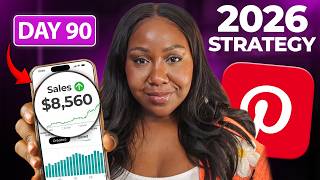
Michelle shares her journey of earning over $50,000 from Pinterest in one year, which enabled her to quit her 9-to-5 job. She challenges viewers to commit to a 90-day Pinterest strategy, emphasizing that consistency and understanding Pinterest as a search engine are key to generating traffic, leads, and sales. The video outlines why Pinterest outperforms other platforms like TikTok and Instagram for beginners, and provides a step-by-step plan to build a sustainable online business.
Michelle made over $50,000 from Pinterest through digital products and affiliate marketing, allowing her to quit her job and build a six-figure online business.
Pinterest is easier for beginners because it's a search engine, not social media. Users have intent, making conversions higher. TikTok requires constant posting and Instagram needs an existing audience.
Pinterest is a visual search engine where users search for solutions. Keywords are crucial for SEO, and pins rank on both Pinterest and Google.
Pinterest users are 70% more likely to buy than users on other platforms because they search with intent.
Use Pinterest's search bar autocomplete to find keywords. Incorporate these into pin titles, descriptions, and profile to optimize for SEO.
It takes about 3 months to build momentum and for Pinterest to index content. Consistency over 90 days leads to compound growth.
Set up a free business account and claim your website to build trust. Add bio, profile image, and cover on day 2.
Conduct keyword research using Pinterest search bar or tools like Pin Perfection. Group keywords by content pillars.
Create boards as folders, using keywords in titles and descriptions to SEO optimize them.
Create one of each of the four major pin types and schedule them using Tailwind.
Repin other relevant pins to your boards. This is the main engagement needed on Pinterest.
Familiarize yourself with Pinterest analytics and trends to track performance and find trending keywords.
Days 1-20: Create and schedule at least 3 of your own pins and 2 repins daily. Batch creation to stay consistent.
Days 21-40: Add longtail keywords, test different pin formats (infographics, videos), and create more boards for clarity.
Days 41-90: Analyze data, repeat what works, tweak underperformers, and focus on monetization through products and affiliate links.
1. Freebie content pins (to landing page/blog). 2. Paid product pins (to sales page/blog). 3. Educational content pins (to blog). 4. Affiliate content pins (to blog with affiliate links).
Consistency and accountability are crucial. Michelle invites viewers to join her coaching group for support.
By committing to Pinterest for 90 days and following the outlined strategy, you can build a traffic-generating machine that leads to sales and potentially replaces your income. The key is consistency, keyword optimization, and using the right pin types.
What is the main reason Pinterest converts better than Instagram or TikTok?
Pinterest users search with intent, making them 70% more likely to buy.
05:54
How should you treat Pinterest for SEO purposes?
As a search engine, not a social media platform. Use keywords in titles, descriptions, and profile.
04:00
What are the four types of pins recommended for monetization?
Freebie content pins, paid product pins, educational content pins, and affiliate content pins.
20:19
Why is the 90-day challenge set to 90 days?
It takes about 3 months to build momentum and for Pinterest to index content properly.
07:42
What is the recommended daily pinning schedule for month one?
Schedule at least 3 of your own pins and repin at least 2 pins daily.
15:54
What is a longtail keyword example from the finance niche?
Personal budget management for moms.
17:06
What should you do with affiliate pins to improve conversions?
Send people to a blog post that explains the product and includes affiliate links, not directly to the affiliate program.
25:03
Pinterest vs. Other Platforms
Provides a clear comparison showing why Pinterest is easier for beginners than TikTok, Instagram, or YouTube.
01:04Pinterest as a Search Engine
Fundamental shift in mindset: treat Pinterest as a search engine, not social media, for SEO success.
04:0070% Higher Purchase Intent
Statistic highlighting Pinterest's superior conversion potential due to user intent.
05:54Why 90 Days
Explains the compound effect and indexing time needed for Pinterest success, setting realistic expectations.
07:42Four Pin Types for Monetization
Actionable framework for creating pins that drive sales, freebies, education, and affiliate income.
20:19[00:02] for the next 90 days and see how much your traffic, leads, and sales can grow. I'm Michelle and Pinterest made me over $50,000 last year through digital products and affiliate marketing. It helped me quit my 9-to-five job and
[00:18] build [music] a six-f figureure online business without posting on social media every day. Most people give up way too soon and they never get to experience results like mine or of my students. And I know that if you can just stay
[00:33] consistent for the next 90 days, you will start seeing real momentum, real traffic, and real [music] sales. And so, in this video, I want to show you why this simple Pinterest challenge works even if you're starting from zero. why
[00:48] even if you're starting from zero. why Pinterest is worth your time in 2026 and the opportunities that most people are missing and what to focus on to get success [music] from day one. So, let's start with why
[01:04] choosing Pinterest over every other marketing channel like Instagram or Tik Tok is such a good idea. When I first started selling digital products on my own website, the very first platform I tried to market on was Tik Tok. And yes,
[01:21] you can grow quickly on Tik Tok. You can [music] get followers, you can get a lot of views, but turning those views into actual sales, that's a completely different story. It was actually really hard for me. And the algorithm on Tik
[01:36] Tok is like a hungry beast. you have to feed three to five times a day [music] and before you know it, you're so burnt out. And realistically, the only reliable way that a lot of people are making sales on TikTok [music] is by
[01:51] going live every day. Now, if you're an introvert or you simply don't want to be on live video constantly, [music] I mean, I enjoy lives, but I don't want to be on live every single day. Tik Tok becomes incredibly difficult, especially
[02:06] for beginners. All right. So, then we have Instagram. Now, I see a lot of people on YouTube telling you that Instagram is the best place [music] to sell your digital product, and that can be true, but I'm only seeing people
[02:20] successful once they've already built an audience. [music] And I've never really seen any normal person start from scratch on Instagram and recommend it as their very first and best marketing channel. Now, posting multiple reels a
[02:34] channel. Now, posting multiple reels a day, getting no likes, getting no sales, no follower growth, it's demoralizing. It makes you feel like you're just shouting into a black hole. Okay, I don't wish that on you at all. So, now
[02:48] let's talk about YouTube. I absolutely love YouTube. You probably can tell. I think it's an amazing place to sell your digital products and coaching services, but YouTube takes time. It takes scripting, filming, [music]
[03:01] editing, and a whole level of commitment that not everybody has at the start of their journey. And so, this is why I'm challenging you to commit to Pinterest, [music] okay? Because Pinterest really is the easiest platform to start with.
[03:16] In my opinion, it gives you long-term searchbased traffic without you needing to show up on camera every day or show up at all. You can do it faceless. And once you understand how to use Pinterest to drive consistent traffic, [music] you
[03:32] can later pair it with other platforms and together, especially Pinterest and YouTube, they become a power couple for your digital products. But that's later down the line. Right now, I want you to focus on mastering one platform, and we
[03:46] need to get Pinterest working for you. And this is where most people are going to start getting stuck. They don't actually know how to hack the Pinterest system. Okay. And I'm going to teach you that today. It starts with understanding
[04:00] that Pinterest isn't a social media platform at all. It's actually a search engine. And this is exactly how it works. Okay? Think of Pinterest like a giant library of solutions. Okay? People aren't coming to Pinterest just to
[04:15] scroll. They're coming because they're looking for something very specific. So, if you think about this like a library, you would walk up to the librarian, which is the Pinterest search [music] bar, and then you type in exactly what
[04:27] you need. It could be something like easy recipe ideas, meal planning for easy recipe ideas, meal planning for moms, budget tracker, how to manage my 50k salary, whatever it is. Pinterest's entire job is to go through its library
[04:41] and pull out the books, which is basically the pins that most closely match the words that [music] that person has just typed in. So, it's not about looking for viral content. It's not just about looking for pretty content either.
[04:56] And it's certainly not about looking for trending audios. Okay? No dancing on Pinterest [music] around here. Pinterest is about looking for solutions. solutions that match the exact words. We call these keywords that people are
[05:11] typing in the Pinterest search bar. Okay? So, for example, if someone does type in how to manage my money on a 50k salary, Pinterest will pull up pins related to the keywords related to managing salaries, [music]
[05:26] budgets, budgeting, monthly budget worksheet. Like, these are the things that Pinterest are going to be pulling up. And this is exactly why Pinterest converts so much better than Instagram or Tik Tok because people aren't just
[05:40] scrolling on Pinterest. They're actually searching. They have intent. [music] They already want help in a specific area and they are ready to click and [music] ready to buy. All right? And that is why Pinterest users are 70% more
[05:54] likely to buy than any [music] other platform. So, how do you make sure that your pins show up when people are searching? It's actually really simple. I want you to go to the Pinterest search bar. I want you to type in a word that's
[06:07] related to your topic or [music] niche, okay? And look at the keywords that is autocompleting. Pinterest is suggesting these because these are the exact phrases that people [music] are searching for. You would then use these
[06:20] keywords in your titles, in your description, and even your Pinterest profile. Okay? And when you do that, you're basically telling Pinterest, hey, my pins belong in this part of the library. These are the people I want to
[06:34] click on it. [music] And that's how you make sure that your pins are SEO optimized. Not just for Pinterest, [music] but this also works for Google, too, because your pins rank on both Pinterest and Google. It's a twofor one
[06:47] deal. Now, it's time to talk about how you're going to actually get results. This is where the 90-day challenge [music] kicks in. This is exactly how it's going to work. For the next 90 days, I'm going to show you the exact
[06:59] steps that you need to be taking to get results on Pinterest, right? We're going to make sure that your account is set up properly, that you're posting the right kind of pins, that you've actually got a funnel in place, and that you have a way
[07:13] to monetize your Pinterest. Whether you're doing that through digital products, affiliate products, or even physical products, this works for any [music] is pretty much every business, right? And basically, if you need
[07:27] traffic, this challenge is going to help you. Now, before we get into the step by step, [music] you might be thinking, Relle, why 90 days? Why do I have to commit that long? I thought this happened overnight. It doesn't. Okay,
[07:42] there's two reasons why this challenge [music] is 90 days long. First, and this is the same with almost anything in life, it takes [music] around 3 months to really find momentum and build new routines. [music] Okay, so you doing
[07:56] doesn't cut the mustard. Second, Pinterest actually needs time to index your content. Remember said it's a search engine. [music] It needs time to understand your keywords, follow your
[08:08] [music] so it knows who to show them to and who not to. This process doesn't happen overnight. And this is not for the post for a week and get rich on a platform type of effect. This is not that.
[08:22] Pinterest is a compound effect over time. The more you ping consistently, the more traffic you will get [music] over time. Okay? So people that do this and quit after 2 weeks, no, you're not going to see results. People that commit
[08:35] to 90 days and beyond, you're the ones that are going to build traffic to see results. Now, if you're thinking, "Okay, this feels like a long time." I want you to just compare it to your 9 to5. How long would it take you to get a
[08:49] promotion and earn [music] even a little bit closer to the money that you deserve at work, right? Usually a lot longer than 3 months. [music] But if you can spend 3 months building something that has the potential to change your [music]
[09:02] life, be completely yours. I mean, I literally quit my job because of this. me. Okay. So, if it's a fair trade to you, let's jump in. And with this in mind, [music] let's break down the step by step starting with your day one.
[09:18] Okay. So, you only need to do two tasks. One, set up your free business account. Two, claim your website. [music] Claiming your website is actually really Pinterest, [music] "Yes, the site belongs to me. Yes, I am reputable." It
[09:34] really helps Pinterest trust your account more and push your pins out even further. It usually takes a couple of minutes. So, it's really worth doing at for day one. Probably take you a few minutes. Right [music] now, day two. On
[09:47] the second day, you are going into your new business profile and you are adding all [music] of your information. You're adding your bio, your profile image, your profile cover. You are just making your Pinterest [music] look really well
[10:01] put together. And this also builds trust and signals to people when they land on You've got all your ducks in a row. Okay. Now, day three, this is where the in. Really, you need to go and do your keyword research. So, if you have pin
[10:17] perfection, which is my Pinterest marketing system, this is going to help you move so much quicker. All right? Because you could go and put all of your keywords [music] into the keyword tracker and be really, really organized.
[10:30] if you do or you don't, you're going to take the same approach I showed you earlier in the video. You're going to go to the Pinterest search [music] bar and you're going to start typing in keywords relevant to your niche. And you're
[10:43] simply going to note down every single one that comes up. You're going to do pillars that you have. So everything that you make content about, make sure you get keyword groups for each. All right? Whether it's related to your
[10:55] affiliate marketing, make sure your keywords are personalized to the actual pins that you're creating. So for me, for example, I would be getting keywords related to Pinterest marketing. I talk about that. I talk about AI, I talk
[11:10] about digital products, I talk about entrepreneurship. Like all of these different things, I would [music] have different keyword groups, okay? Because these are each of my content pillars. So, I do encourage you to basically
[11:22] you're actually going to be talking about. This is going to help you with you're using. Now, we're on to day four and this is when you're going to start creating your boards. Think of your boards like your folders. Okay? [music]
[11:36] This is where you organize your pins. Okay? You put all your related pins onto the same board. And [music] you're also going to use all of the keywords that you got the day prior to add to your board titles, add to your board
[11:49] descriptions. This is how [music] we SEO optimize our boards. And it's really simple. You're literally just putting those keywords in. [music] So again, Pinterest knows where to file your content. All right. And again, Pin
[12:03] Perfection, my Pinterest marketing system, I include an AI that's going to literally create all of your board names and your [music] descriptions for you and SEO optimized. But if you don't have that, it's fine. You can just do it
[12:16] manually in chat GPT. [music] You can say something like, I want to create a board around these keyword phrases. [music] They won't be as good, but they will do. As long as they align with your keywords, that is the most
[12:28] important thing. Okay, so we're on to day five and it's time to start pinning. You are literally going to create one of each of the four major pin types. And I'm going to show you exactly what they are later. So, make sure you keep
[12:43] watching. But all you need to know now is that you're going to create one [music] of each, even more if you can. And then you're going to schedule them through Tailwind. [music] Tailwind is a program that allows you to schedule all
[12:55] of your pins. and actually have a whole another video giving you complete free training on Tailwind and I'll line that up after this video. Okay, so day five you start pinning. Now we're on to day six and we are talking about repins.
[13:09] [music] This is a big part of the Pinterest strategy that most people miss or they don't know about, but it literally involves you going onto Pinterest, finding other pins that [music] are similar or complimentary to
[13:21] yours and then repinning them onto your profile. [music] And I like to repin pins across a couple of different boards. I will personally repin a lot of quotes that relate to my niche and I will put them all on a quote
[13:36] board. But you can experiment with this and really this is the only piece of engagement engagement that you need to do on Pinterest. You know, it's not like DM someone [music] or like people's posts that you've got
[13:50] no interest in or that you'll never really talk to. on Pinterest, you literally just have to repin pins and it takes all of two seconds. And again, I tutorial that's coming up after this one, okay? But it takes no [music] time.
[14:05] And then on the last day, you are going to be getting familiar with analytics. [music] analytics. And right now, there won't be much data in there. You're just won't be much data in there. You're just going to get familiar with how it works.
[14:18] where you can find your best performing pins. You're going to also have a look at Pinterest trends. Okay, this is a great tool on [music] Pinterest. It gives you insight into what keywords are trending on Pinterest right now, which
[14:33] is going to help increase your views and your clicks. So, go and get familiar cuz we're going to be using it a lot throughout the challenge. Okay, so now you've done your first seven days of the challenge and you've actually done all
[14:47] of the key tasks that you need for Pinterest growth. [music] The rest of the challenge is really simple because you've done everything. This now just becomes your rhythm. Okay? So, you're going to be repeating the tasks in a
[14:59] certain [music] way and I'm going to break down exactly how that will look over the next 83 days left of the challenge and show you what you should be focusing on each month. Okay? So, in month one, days 1 to 20, you're going to
[15:12] be focusing on your creation. [music] Now, so for the first 20 days, your whole focus is just getting comfortable creating pins, scheduling pins, spending a little time on Pinterest, and seeing what other pins [music] perform well in
[15:27] your niche. Okay? So, do some research. This is really where you're building your foundation. I want you creating pins often. I want you scheduling them, and I want you actually actively to go out and find other pins in your niche
[15:41] that are doing well. The whole [music] point of this part of the challenge is to really get used to how Pinterest behaves and nothing needs to be perfect here. All you need is to be consistent. For [music] this whole month, you are
[15:54] just establishing your posting rhythm, which actually should [music] be really simple. You are going to schedule at least three of your own pins [music] for every single day. And then you can actually repin at least two pins. Okay?
[16:09] So, three of your own, two repins. This means you've always got a minimum of five pins going out every single day. Now, you're going to be like, Relle, you day. No, you [music] don't. The easiest way to stay consistent with this is to
[16:23] batch all of your creations. Okay? I recommend doing pin creation in one or two days out of the month and then you can schedule everything in Tailwind and so simple. And so, that is your month one. You are settling in, you are
[16:39] practicing, you are learning the flow of Pinterest and getting into [music] your pinning rhythm. Right? So month two around days 21 to 40, this is where I want you to start expanding [music] your keywords. All right? And nothing
[16:52] that you were doing in month one disappears. You're simply building out bigger lists of keywords. You're also bringing in what we call more longtail keywords. Okay? This is marketing speak for keywords that are just more than a
[17:06] few words. Okay? So maybe short phrases. So for example, back to my finance niche, a longtail keyword here could be [music] finance planning checklist or finance planning Excel or personal budget management [music] for moms.
[17:19] Okay, these are longtail keywords. And this is the time also when I want you to start testing [music] different variations of pins. So you might want to also add something like infographics or more videos. Okay? And you can also add
[17:35] in new boards when you need them. So more pins, more boards, more variety. And Pinterest actually loves this and it loves clarity. [music] The more you tell Pinterest, okay, this is what my content is about. The more
[17:48] boards you create, the more pins you create, the faster it knows who to show your content to. Right? So month two is all about layering on that clarity on top of the consistency that you already built in month one. Now, by the time you
[18:02] get on to the next part, things start to get exciting because you're going to get get exciting because you're going to get real data coming back in your analytics. probably going to start giving you feedback. You're going to see which pins
[18:15] are getting impressions, which ones are getting clicks, which ones people are saving, [music] and what topics are really resonating with your audience. And it's your job right here to start repeating what works. Okay, this is
[18:28] month three of the challenge. [music] And so if something is performing well, do more pins about it. Do different style of pins about [music] it. You know, repeat the pattern. Okay? If something isn't doing well, don't throw
[18:41] it out necessarily, [music] but you can tweak it. Change the hook. Change the way that you phrase it. Okay? So, in this month, it's all about refinement. It's all about building on the things that work the most and letting data
[18:55] guide your next step. And we're going to add in the last layer, right? And this is more monetization. So at this point, you've already been pinning to some of your digital products at least or been pinning to some affiliate links. Now, I
[19:08] [music] different ways to talk about your digital products. Create different blog posts. Really lean into the topics that Pinterest is already telling you is can get a lot of that insight [music] through Pinterest trends. This is the
[19:25] final stretch. This is where your traffic is going to grow the fastest because now it understands exactly what your account is about and everything that [music] you've been doing for the last few months just starts to compound.
[19:37] This is why I say it's [music] so important that you stay consistent through the full 90 days cuz you're honestly going to be shocked at how much traffic and how much leads and how many sales start to build through your
[19:51] content. Now, I know this plan works because it's the exact thing [music] that I did that took my Pinterest from crickets, no clicks, no saves, to being [music] an absolute traffic machine, but to make sure that you're actually
[20:04] getting the sales and real results from all of this, you actually need to be creating the right type of pins. This is so important. But the good news is I have done a ton of testing and there are actually only four types of [music] pins
[20:19] you need to focus on to monetize on Pinterest. Okay, now this works no you're selling, physical products or affiliate marketing. [music] Before I discovered these four types, I was literally pinning anything and
[20:35] everything and then wondering why nothing was happening, [music] why I getting saves, why I wasn't getting sales. Okay, but once I started to really double down on these four types, my [music] sales blew up and yours can,
[20:50] too. So, these are the four types of pins you're going to be creating start with the first type, which are your freebie content pins. These pins [music] should talk specifically about the problems that your freebie or lead
[21:03] magnet helps people overcome. [music] So, if your freebie is a 30-day healthy eating plan, you'd be creating pins that speak to things like wanting to be routine, feeling like you're snacking all day and how to stop, wanting quick
[21:20] [music] that's the kind of messaging that makes people really click. These pins go directly to your freebie landing page, Because you want them to sign up and you also let them know, hey, click this for
[21:37] a free guide or click this for a free thing. Let people know it's free, okay? And you can also send these pins to blog posts as [music] well. This also helps to warm people up. If you're getting trouble with getting people's emails
[21:49] directly, send [music] them to a blog post. But make sure your links are really, really prominent so people can't miss it. And if you're using pin perfection, you already know that the custom GPT is going to create pretty
[22:02] you. And so you're never stuck staring at a blank screen. Okay, so the second type of pin go to your paid product. Okay, this is where you really go deep [music] solves. You can also pull in stuff like FAQs here as well. And even
[22:19] if you don't have customers yet, your research on other similar pins should be telling you exactly what your people are struggling with. [music] Okay? Whether you're doing that research just on Pinterest or you also go into Facebook
[22:33] groups, Amazon reviews, Reddit threads, competitor comment sections, like if you commit to it, you can find this content. [music] And when you create these pins, they go directly to your sales page, especially if you have a long form sales
[22:47] page, not like a [music] stand store, but you can also use the same blog strategy I gave you for your freebie pin. So, [music] you write a blog post related to that specific topic and then you naturally link people through to
[23:01] your paid [music] product from there. This strategy works extremely well because it's kind of already warming people up and then you can get to the sales process a lot quicker. Okay, now let's talk about the third piece of
[23:13] content which is your general educational content. Yes, [music] educational content still works. And this doesn't necessarily go directly to your product. So you're speaking here about some [music] of the broader pain
[23:26] points but also the solutions, okay? How people can actually get results. [music] And so, for example, if someone is typing something like low blood sugar recipes into Pinterest and your product is a general healthy eating guide, that
[23:42] is still relevant. [music] Okay? So, you want to talk about healthy habits, healthy lifestyles, improvements, routines, [music] anything that your audience would naturally care about. And this type of content should always go
[23:54] through to your blog. Your audience is looking for information. [music] They want to consume more information. So, give it to them. Okay? This is how you build trust, [music] you get more clicks, and you get more saves. It also
[24:07] lets Pinterest understand exactly what your niche is, cuz those are the type of people clicking on your pins. [music] Now, please know that these pins usually don't lead to instant sales, but they absolutely grow your visibility, which
[24:21] makes everything else that you do, all of your freebie, all of your paid product pins convert better. All right, the fourth type of content that you're going to be creating in your pins is your affiliate content. These are pins
[24:35] that link to products, platforms, [music] or tools that you genuinely use business niche, it could be something [music] like some software that you rely on. Or if you're in the lifestyle niche, it might be items around your home or
[24:49] things that you think your audience would love. But there's just one very important rule, okay? [music] and that is do not link directly to the affiliate program. There is a myth on YouTube that you can just get rich
[25:03] [music] by pinning directly to Amazon affiliate products and honestly [music] it just doesn't work like that. Well, not anymore, right? What works now is sending people to a blog post where you can talk more about the product that
[25:17] you're recommending, explain why you recommend it, and then include your affiliate links on the blog page. That is how you get conversions. Okay? And please, please, please only recommend things that you genuinely use and trust
[25:32] [music] because nothing destroys trust faster than someone buying something that you promoted and then [music] they hate it. Yeah, we don't want that. Okay, Your freebie content, your product content, your educational content, and
[25:47] [music] your affiliate content. And these are the type of pins to rotate throughout the entire 90day challenge. [music] Once you stick to these consistently, that's when you will see your traffic start to grow, your clicks
[25:59] increase, your sales begin [music] to build because you have the system, you have the strategy, and you know exactly what to do next. But the one thing that makes the difference between the students who get great results on
[26:13] students who get great results on Pinterest and those that maybe struggle and give up before they should. It isn't really in the strategy or in the steps. enough. It's because you lack accountability. [music]
[26:26] The strategy works. The steps are simple. But actually showing up for 90 days, staying consistent, pushing through the moments where you feel stuck or you feel self-doubt, you know, it's hard. It's where most people fall off.
[26:40] [music] And that's exactly why I'm inviting you into my world where I can support you directly. A space where you can actually stay consistent [music] and make progress, okay? Because you don't have to do this on your own anymore. And
[26:54] so I've left a link [music] for my coaching group program below. Okay, so now you have pretty much everything, but the only thing left for you to [music] learn is how to use Tailwind because this is the tool that makes everything
[27:08] I've just [music] taught you possible. Okay, it makes it possible to create that content in just a few days a month because you can batch your pins, schedule them out, and have Pinterest working for you every single day,
[27:21] [music] even when you're not online. And so I want you to watch the video on your screen right here where I show you exactly how to use Tailwind step by step so you can smash this challenge, grow your traffic, start making sales, and
[27:34] make this year the one that you finally build a real income online. I'll see you build a real income online. I'll see you there.
⚡ Saved you 0h 27m reading this? Transcribe any YouTube video for free — no signup needed.