

Why I'm Skeptical About AI Content
52sChallenges the hype around AI content creation, creating debate between automation and human touch.
▶ Play Clip"The title promises a real experiment and delivers a step-by-step setup with actual results, though the bonus monetization tips feel slightly padded."
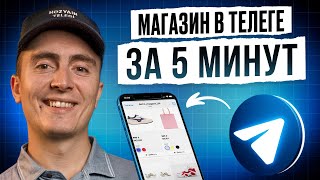
The video documents an experiment where the creator uses a bot called Craft to automate content posting on a Telegram channel using AI (neuroposting). It provides a step-by-step setup guide, shows the resulting content quality, and also shares monetization strategies like welcome messages and mailing lists. The creator concludes that AI works well for simple topics like news but struggles with expert-level content.
The creator plans to set up a fully AI-run Telegram channel using neuroposting to test if readers can tell the difference from a human-run channel.
The simplest approach is to use the ready-made Craft bot instead of programming custom solutions.
Go to BotFather in Telegram, create a new bot with a name and username ending in '_bot', then copy the token.
Paste the bot token into Craft to connect it. The bot language can be changed via BotFather if needed.
Create a new Telegram channel (e.g., 'Moscow Test') and add it to the Craft bot by selecting 'Add Channel'.
Add up to 10 source channels from which the bot will take content. The creator uses 6 regional news channels.
Edit the prompt to instruct the bot on style, target audience, and character limit. Example: 'Use emojis, target Moscow audience, text up to 100 characters.'
Enable AI verification or skip/clean paid content to avoid publishing ads. The creator chooses AI verification.
Set posting interval (minimum 5 minutes) and time range (e.g., 9:05 to 23:20). Enable auto-signature.
Use the bot's greeting feature to send welcome messages with links to other projects, collecting a database for mailings and additional monetization.
After setup, posts appear with headers, emojis, and auto-signature. Content is decent for news but sometimes odd (e.g., talking about a pensioner and cat). The creator recommends monitoring initial output.
The experiment shows that neuroposting with Craft can produce acceptable content for simple topics like news and humor, but expert niches require more careful prompt engineering. The creator advises newer admins to start with simple topics and monitor content closely.
What is the name of the bot used for neuroposting in this video?
Craft
02:38
Where do you create a new Telegram bot?
BotFather
02:52
What must a Telegram bot's username end with?
_bot
03:30
How many source channels can you add in Craft?
Up to 10
04:54
What does the 'Advertising Check' feature do?
It handles paid content in sources – can disable, skip, or clean, or use AI verification.
05:57
What is the minimum interval between posts in Craft scheduling?
5 minutes
08:11
What additional monetization method does the creator demonstrate besides neuroposting?
Setting up a welcome message bot that collects subscriber database for mailings and cross-promotion.
09:20
According to the experiment, which topics are easier for AI content?
Simple topics like news and humor.
12:07
What does the creator recommend for expert-level niche channels?
Put more effort into prompts and settings, and monitor content initially.
14:37
Skepticism about AI content
The creator explains why they doubt AI can fully replace human copywriters, especially in expert niches.
02:12Prompt engineering example
A concrete prompt is shown: 'Use emojis before title, target Moscow audience, text up to 100 characters.'
05:30Welcome message monetization strategy
The creator reveals how to use a greeting bot to collect a subscriber database and monetize via mailings and cross-promotion.
09:06Result evaluation
The first posts appear with headers and emojis, but some odd content (pensioner and cat) shows prompt imperfections.
13:03Future prospects
The creator believes AI will replace many content creators in simple niches, but experts are still safe.
14:25[00:01] Telegram channel or an entire network of channels? Moreover, this must be done in such a way that even the most attentive reader cannot find the difference between a full-fledged author and a impact engagement, that is, reach, and, as a result, the monetization of the
[00:14] Telegram project. Well, you are on the channel " Khozyain trolleygi", so sit back and relax. Today we will conduct a real experiment. Let's connect neuroposting to the channel. We'll go through the setup step by step and see what we get as a
[00:26] high-quality the content really is, and whether it's possible to read a channel like this. exist. And if you watch at the end, I'll tell you how you can cut
[00:40] Telegram projects at least in half. And, of course, I'll tell you about several additional monetization options that all the old-time admins know about, but for some reason they keep quiet about them. I won't do that. Before the practical part itself, I would
[00:53] digression. I'm a little skeptical because I think content, copywriting, and generally cool author blogs are a very creative thing. And usually they are supported by cool specialists. Firstly, they are competent
[01:06] in their subject. That is, what they blog about, what they write about in Telegram. Secondly, they most often produce cool, tasty texts, that is, they have good copywriting skills. And at least the book "Write,
[01:18] said that with the right prompts, a neural network can have both the first and subject, especially in some expert niches, and to write tasty texts. Possibly, I don't argue. But, at least, the channels that
[01:32] I have seen so far, which are run by Neuronka, seem somehow Moreover, some news projects look like just a PSS feed. On the other hand, if we view the Telegram admin market as a business, or if
[01:46] we have projects and are business representatives, then, of course, completely delegating our content to neural networks is incredibly profitable and effective. At the very least, the wage fund can be significantly reduced . So the idea itself
[01:59] sounds very interesting. It could significantly change the balance of power in the market. It's trivial that some content creators and channel authors might be left without they master Neroni. I believe this experiment will be successful more in
[02:12] simple topics, such as humor, news, and so on. If we're talking about something complex and expert-based, such as cryptocurrency, investments, economics, or even marketing, it's more difficult to fully dedicate content to neural networks in these areas
[02:25] . Whether I'm right or not, we'll see at the end of the video. Give it a like right away if you believe in this experiment and that neural networks can handle this task. Well, let 's get started. Let's go. If we want to take the simplest path, then
[02:38] we don’t need to program or use any IP service. It's easier to take a ready-made chose craft, for example. We will build an experiment around this bot in this video. We entered the bot and pressed start. Now you need to create your bot. To
[02:52] create your own bot, of course, you need to go to Botfire. In case anyone didn't know, this is a maternity hospital on Telegram for bots. In the case of channels, if we need to create a channel or group, we can call this button directly from the Telegram menu
[03:04] . Next, create a channel, group, secret chat. In the case of bots, we need to go to botfa. And we go to botfa, select the New Bot command. We write down what we will call it. This name is for us, not for other
[03:16] users, so the main thing is that it is clear to us. I will select, for example, e neuro posting from the list of channels, chats and bots. Accordingly, I will have it with this name. Now you need to give a link to this bot, which will
[03:30] end with the underscore bot. That is, it is a username with a dog, in case anyone doesn’t know. Let it be neР AI posting bot. Super, wow, token here. With this token , we return to the craft and
[03:46] send the bot token to the craft. Great. Now our bot is ready to work. We go into it and click start. Let me say right away that if for some reason you are not satisfied with the English language, you can go back to cftbot, select the
[04:00] My Bots menu, select the bot you created, and change its language to Russian. Everything is great. We can immediately see that the bot's language has been changed, and now we can move on to configuration. Well, first of all, we go to my channels. There are no channels, so the
[04:13] channel needs to be added. But to add it, we need to create it. Therefore, we create a new channel. I want to create a channel on the news topic. And let it be a regional channel, for example, Moscow News. Ah, let's call it Moscow Test
[04:27] with a dot. Super. Well, let's come up with a nice link for this channel. We created the MKO NePO channel. Now we can return to our bot. Click on the Add Channel button again. Add channel. We select Moscow
[04:40] connected. Now we need to go directly to the settings of this very neuroposting. Click on the channel name and click on sources. What are sources? These are channels, references from which he
[04:54] can take content and, accordingly, adapt it a little. Click add. Source format. We select the latest news. And now we need to send links to the channels. You can send up to ten links. I
[05:06] saved this list in my favorites in advance. I copy it and go back to the bot. We insert and send. The sources are ready. We have six out of ten. Next are the prompts, the instructions that
[05:18] we apparently need to specify for the bot to use. Firstly, there is already a promt reite here. The current prompt is set to some default value, but we will edit it, let's say, write our own. I have prepared this option. Write
[05:30] emojis before the title that are relevant to the topic of the post. The target audience is people from Moscow and nearby cities interested in events and news from the capital. Text events and news from the capital. Text up to hundreds of characters. Let's try.
[05:44] up to hundreds of characters. Let's try. Ready. Let's move on. Autorey, yes, Ready. Let's move on. Autorey, yes, auto-signature, yes, let it be Moscow regarding the advertising check. This is actually a very important point, because
[05:57] take them from a source, publishing them will be, well, strange, to put it mildly. Well, the advertiser will probably appreciate it. If you don't want to bother with this, I think you can just turn on AI verification, which is probably what we'll do. Or just
[06:10] ignore the buttons, payments, hashtags, URLs, links, and UTM tags. There are three modes here in general, as I see it. There is an option to disable such things, skip them, that is, they will be published in the channel, and
[06:24] the option to clean them up, that is, delete them. Based on this, you can customize it according to your needs. I'll trust the AI to check here. We go back out. Advertising verification has been configured. We see the green check mark status here. Autoposting itself is
[06:37] to check that we have launched it and that the status is active. This is important. We check the channel accordingly. Moscow test. Super. The author has been included. see what else is available in the settings. Content 13 out of 13, that is, formats,
[06:53] yes, in principle, everything is fine. Next with sound. Well, let it be published with sound, although this is not always good, but in this case, for the sake of an experiment, it is not critical. Turn off preview. Stop words can be added if there are any
[07:06] considerations, so that, God forbid, a bot doesn’t publish something unnecessary there, something prohibited, I mean. There is also context analysis. It's a pretty cool duplicate what it's already published. But now, again, for the sake of
[07:20] set up this thing, and without it, in principle, it will already be clear. Our task is to understand how acceptable the content is and whether it is worthy of use. The number of characters in addition to the promtazhe can also be specified here. For example, here's how
[07:32] to change the maximum value. Here it is 4.096, but this is the default if we have text without any media file. Well, let's say we replace it, as we wanted, with nine hundred. Everything is fine. We go back out . Back. Here, in terms of settings, it
[07:46] seems to me that everything is done. Now we go to the channel again and select settings. And here we can adjust the schedule. Well, here you can, for example, add an interval, the time at which posts will begin to be published.
[07:58] For example, this is 905. And the last post of the day will be 232. I just wanted it that way. Don't ask why. Interval between posts in minutes. Minimum 5 minutes. Okay,
[08:11] let it be 5 minutes. That's it, the schedule is set up, now everything is add a signature. I actually like the Moscow test. Let this be an auto-signature at the end of each post. So we added it, it
[08:26] appeared. That's it, friends, at this stage the neural posting setup is complete. We just have to wait a little bit. We'll be back in just a neuroposting looks like and how viable this idea is . In the meantime, as promised,
[08:38] cost of attracting an audience to Telegram by at least half. And I'll also tell you about additional monetization methods now. Well, have a logical question: how did this happen? You're talking about neuroposting
[08:53] and suddenly decide to share information about how you can reduce the cost of attract subscribers profitably, and even monetize them further. But in reality, everything is simple. While I was setting up neuroposting, I noticed the
[09:06] this is a whole world that, unfortunately, many people don't know about. That's why I'm sharing it with you. welcome message is when a person subscribes to a channel and receives a message from a beautifully designed bot : "Welcome, you are on our
[09:20] channel." And in this message, he receives a welcome text that your second project. And so, by promoting one channel, you save money because the same audience subscribes to your other projects or
[09:33] receives your elite magnets, useful materials, enters your funnel, and goes to your website. Moreover, these people are added to the bot's database, and then you can send out mailings to this database. And this is an additional touch with the audience.
[09:45] And as a result, additional monetization. Let me show you what this looks like in the Settings tab, additional tools appear. For example, this is a greeting, a newsletter, a chat.
[09:58] posting service. That is, you don’t necessarily have to do neuroposting based on some sources. You can simply prepare your posts and add buttons and other convenient features to them, which allow you to create a
[10:11] posting service, all within the framework of a single service. But regarding the greeting. We enter this mode, and here we can set up a welcome message, set up auto-acceptance, and unsubscribe text. Yes, that is, even when
[10:23] people unsubscribe from our channel, the bot will send a message that could, in principle, allow the person to stay with us. But there is messages, they work with closed, that is, private channels. If we're
[10:37] talking about an open channel, it's physically impossible to connect a bot with greeting messages to an open channel. Therefore, everything has its pros and cons. Think about what is closer to you. I personally strongly recommend using this functionality.
[10:49] I use it in many of my projects because I really need to collect a welcome database and then send out mailings to it. For example, this could be an advertising mailing, a mailing of some of our announcements that are
[11:01] related to our project, to our business. And, of course, including another of our channels or the advertiser's channel in the welcome message itself is additional monetization. The same way as sending out mailings to our
[11:14] collected database in the form of advertising messages from the advertiser. This is both an additional option and an additional touchpoint with the audience. In any case, this is only a plus. And in fact, this whole tool does not require any additional funds
[11:26] . Therefore, if you are interested in learning more and now interesting, but is not clear, please write in the comments. I'll release a separate video where I'll explain, using a clear example, how
[11:40] welcome message services work, how they're all monetized, and so on. But for now, for those most interested, you can go to FTbot, explore the set up airposting, but also enable a welcome message, saving your
[11:53] all the ways to monetize Telegram, sell advertising on channels, create channels for products and launches, promote your business, or simply monetize your Telegram career without having your own
[12:07] channels and without a large investment, that is, a cash budget, please, in my channel, on my Telegram blog, there is a huge map in the pinned message , which I tried to describe. There are all the options for monetizing
[12:21] business earnings on Telegram. There are even NFT features, such as usernames, gifts, stickers, and so on. That is, in a word, all the opportunities that Telegram offers for monetization are available. Go to the description, link. Enjoy the
[12:34] useful material. There is also a lesson there. So, some time has already passed. I see posts are starting to appear in the channel. Iishka works and publishes. Let's see what we get. Opening a channel. Interesting, there is an automatic signature
[12:48] Opening a channel. Interesting, there is an automatic signature , it is for this channel. Super , it is for this channel. Super content, captions share wisdom. This turned out to be a bit of a long post. It looks a little strange
[13:03] , but you can adjust the length again. Overall, I think it's not bad. It's cool because there are headings and emojis in the text. True, a pensioner and a cat, but apparently my promt needs to be adjusted for parking.
[13:19] This smiley is funny. I think it's not bad. Current content. From the positions and does a fairly decent job. check out this channel yourself in a few days or when the video is released. I think there will be
[13:31] more content here. And you can see what it looks like directly in Telegram three channels run by my friends, and they have neuroposting enabled. Business money, two startups, Moscow's movement, and
[13:47] Bloomberg in Russian. You can also open them, find them in Telegram, and browse through them. These are completely perfectly tuned channels, which are led, accordingly, by a neural network. In my opinion, the result is very, very cool, but it’s up to
[14:00] you to judge. This is the experiment we had. I think it was a success. And indeed, the content turned out to be quite good. This even makes one think about the future prospects of the market. In any
[14:12] case, I believe that those who are already using neural networks in their work are ahead and have a strong advantage. But to be fair, we conducted the experiment on topics that were easy to understand from an expert perspective. This content is not the
[14:25] most unique. I'm talking about news publics. The same can be applied to the subject of humor, for example, music. All these light topics in Telegram. If we want to replace a full-fledged expert, I think we need to put more effort into the
[14:37] prompts and settings. Well, in any case, regardless of the level of content, at first I strongly recommend everyone to monitor what content is being released, keep their finger on the pulse, so that they can
[14:50] . Well, what do you think of the result? Did you like the content? Do the author of the Telegram channel could be completely replaced by Neronka? Please write your thoughts in the comments. Let's discuss. I'd be happy to chat with everyone
[15:04] of course, I'd be grateful for your support of my channel. So just give this video a like and subscribe to the channel if you haven't already . And the owner of the cart was with you. Bye everyone and see you again .


⚡ Saved you 0h 15m reading this? Transcribe any YouTube video for free — no signup needed.