

How I Made $10k in 24 Hours with AI
45sThe promise of a quick, high-income method using AI taps into the audience's desire for financial freedom and curiosity about AI's potential.
▶ Play Clip"The title promises a specific $10,025 figure, but the video is mostly a tutorial with a heavy promotional pitch for tools and a challenge, diluting the core claim."
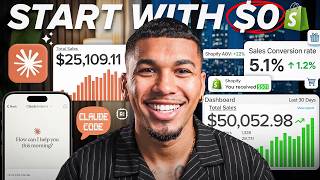
The video demonstrates a complete workflow for creating and selling digital products using Claude AI, Instagram, ManyChat, and Omnisend. The creator claims to have made $10,000 in 24 hours by building a digital planner, capturing leads via Instagram comments, and automating email and SMS marketing sequences.
The creator claims to have made $10,000 in 24 hours using Claude AI to build a digital product, Instagram to capture an email list, and automation to convert that list into sales.
The product doesn't need to be revolutionary; it just needs to solve a real problem. The creator bought a budget personal finance sheet because it addressed a specific struggle.
Using Claude, the creator generated a digital cork board planner. Claude asks clarifying questions, provides layout options, and can create a reusable Canva prompt for variations.
By uploading an HTML file to Claude, the creator got a fully functional, interactive digital planner where users can check off tasks and type notes, making it a high-quality sellable product.
An Instagram post with a 'comment builder' call-to-action got 200,000 views and 17,000 comments, generating over $50,000 from that single post and nearly $2 million across all posts in a year.
The creator emphasizes selling genuine products that solve real problems, not scams. Tools like Ecom Boss can create realistic AI avatars to promote products, which the creator considers acceptable.
ManyChat automates replies to Instagram comments and DMs. It captures emails, tags contacts, and sends a delayed, conversational sequence to deliver the free product.
Exported emails from ManyChat are imported into Omnisend. Omnisend's AI crafts subject lines, and its drag-and-drop editor creates professional emails in under a minute.
Omnisend automates follow-up emails and SMS messages, including welcome sequences and soft pitches, running on autopilot to convert warm leads.
The creator promotes a free challenge with up to $100,000 in cash prizes, encouraging beginners to apply the workflow under competitive pressure.
The video presents a replicable workflow for creating and selling digital products with AI and automation. The key to success is solving a real problem and leveraging automated marketing to convert leads.
What is the core requirement for a digital product to be sellable?
It must solve a real problem for the target audience.
00:56
How did the creator use Claude AI to make the product interactive?
By uploading an HTML file to Claude, which then wrote the code and provided a downloadable, fully functional digital planner.
02:30
What was the engagement on the Instagram post that generated $50,000?
It got around 200,000 views and over 17,000 comments.
03:13
What is the role of ManyChat in the workflow?
It automates replies to comments, sends DMs, captures emails, and tags contacts.
04:58
How does Omnisend help convert leads?
It creates automated email and SMS sequences, including welcome and follow-up messages, to nurture leads and drive sales.
07:34
What is the purpose of the delay before the final message in ManyChat?
To make the conversation feel real and not like a robot spamming.
06:30
The $10,000 Claim
Sets the premise of the video and establishes the potential of the workflow.
00:01Interactive Product Creation
Demonstrates a practical use of Claude AI to create a sellable, interactive product.
02:30Instagram Engagement Metrics
Provides concrete numbers on how a single post can drive significant revenue.
03:13Ethical Selling
Emphasizes the importance of selling genuine products to maintain trust.
04:07Automated Marketing Sequences
Highlights the power of automation in converting leads without manual effort.
08:15[00:01] simple digital products made with Claude AI, and after a few failed ideas, I finally found a setup that made me $10,000 in 24 hours. And look, I'm y'all know that it's legit. But honestly, the most interesting part
[00:15] right now isn't even the number. It's really how simple the actual setup was. Claude built the product, Instagram pulled in the email list, and one simple automation setup turned that list into sales coming in on full autopilot. So,
[00:28] whether you got experience or you're a complete beginner to online business, this whole workflow should be stupid easy for literally anybody to copy. And going to show you the exact stack that I use to make this money in my sleep. From
[00:41] capturing leads from social media to the automations that made this whole entire the end, you're going to stop wondering how people make money online and finally So, let's go ahead and jump straight into it. All right, so before you start
[00:56] need some kind of revolutionary product for this to work, calm down. It's not as have to be some crazy new digital product that nobody's ever seen before. that solves a real problem. Like literally, last week I bought a budget
[01:11] personal finance, and she presented to me a real problem. She explained exactly just went ahead and bought it. That's it. People always are going to relate to struggles. And as long as you present that well enough, you're good. So, let
[01:26] me just quickly show you how easy it is to build something like this from ahead and type, "I want to create a digital product that I can sell for digital product that I can sell for organization, travel checkout, or a cork
[01:39] about Claude is that it doesn't just guess what you want. I mean, it's immediately going to start asking me a few simple questions to really dial in to go ahead and click through it and tell it I want an interactive digital
[01:51] file, a classic cork and wood style, and I want sections for to-do list, a calendar, and goals. And in seconds, it builds out a full visual preview of this cork board planner. But, we do need to make this an actual sellable product, so
[02:04] Canva. So, now it's going to go ahead and give me a few layout options, and I think is best. And from here, I'm going to go ahead and ask it to create a prompt that I can reuse and give out for this digital product. And boom, I mean,
[02:16] detailed Canva generation prompt that I can literally copy and paste to make as many variations of this as I want. But, here's where things get really crazy, okay? I'm going to go ahead and upload an HTML file to Claude and just type,
[02:30] Claude is instantly reading it, writing the code, and giving me a downloadable file. And now when I open up this file, I mean, look at this. This is crazy, okay? We literally have a fully functional, working digital planner.
[02:44] That's it. I mean, I can check off tasks, I can type in my own notes, I can mean, this isn't just some static, boring PDF. It's a high-quality actually pay for. That's it. Literally, just a few minutes of your time. So,
[02:59] product should be, think about the problems that you personally face every are dealing with, things that your family always complain about, and what we have the product, let me go ahead and show you how to actually print money
[03:13] going to go and pull up one of my Instagram post to show you exactly what right, so look, this post right here, it got right around 200,000 views and over 17,000 comments. And as you can see in the caption, I put "comment builder" for
[03:28] a free AI tool plus a step-by-step course. So, right there, I'm doing two something for free, which is the AI store builder, and second is I'm pulling in potential customers for my e-commerce course at the same time. Now, this post
[03:41] alone, I probably made over $50,000. And overall, across all my posts combined in the last year, I've generated just shy of $2 million just from the setup. And look, it obviously only works when you have a genuine, real product. So like I
[03:53] whatever you're selling does solve a real problem. Because trust me, there guys know that that are promising solutions to people's problems. But once selling, it's some cheap half-assed product that they're basically just
[04:07] scamming people on. Don't do that and for the love of God, please do not be some of you guys right now are sitting there thinking, well, AC, I don't have time to be making all this content. I don't have time to be recording reels
[04:19] product. Well, that's not even an issue either. There are tools like Ecom Boss that plug directly into Claude and you can literally send it your product, ask speaking on your product. And these days, they are so realistic that you
[04:33] genuinely cannot tell the difference. And that budget sheet that I was talking about earlier, who knows if I actually bought that from a real person or an AI avatar. Honestly, I'mma be real, I don't even care because I know that it works.
[04:45] It's a great product and it solves my problem, so you really got no excuse have to go from just having a product to runs completely on autopilot. Because you can have videos going viral, people
[04:58] commenting and your list continuously growing. But there's a whole other layer that you need to actually get these people to pull the trigger and buy. So setup of ManyChat. And if you guys don't know what ManyChat is, it's an
[05:10] that whenever somebody comments or replies back to a story, it will post that you saw earlier that had like 17,000 comments, it wasn't me replying to every single one of them, it was ManyChat doing that and then DMing them
[05:24] inside ManyChat, we don't need to build this from scratch. What I'mma do first their template and select the auto reply to comment and DM flow builder. Now, do is set up the trigger. And I'mma tell ManyChat that whenever a user comments
[05:37] want, you should go ahead and make the automation start. And also, we want to make sure that we play it safe here by adding a few variations of all caps want differently, it still triggers that flow. Okay, I just went ahead and
[05:50] can see, as soon as they comment, a DM that says, "Hey, thank you for commenting. Are you ready to get the button, I just went ahead and added a quick reply option that says, "Send it."
[06:04] that, this is where the magic is going to happen, where we don't just give them the product right away, but we do first, which is the most important thing, is we message right when it fires off, it's going to say, "Perfect. Before I send it
[06:17] quick." And now, what's going to happen email, save it directly to the system, and then tag that contact. And now, I literally just click into the actions, and I create a new tag called Omnisend
[06:30] exactly why I'm naming it that in the next minute. And also, I'm going to go delay before the final message sends, because you want this to feel like a real conversation, not a robot spamming them. And after those few seconds, once
[06:43] to go ahead and get the final text of saying, "Got you. Just hit the resource button that says, "Digital Product." [music] And now, what's going to happen to the Google Doc or whatever downloadable file it is that you're
[06:57] giving away. Once this is live and people are commenting, your email list where all you have to do is just go into the response tab in ManyChat, hit export CSV, and then download your new list of emails. And now that we have this full
[07:10] list of emails, then we're going to take that file straight over to Omnisend, which is our email marketing platform. And once I arrive over here, I'm going to go to my audience tab, click add contacts, and then upload the exact CSV
[07:22] file. I map the email addresses, attach the Omnisend tag that we created, and I'll just go ahead and hit import. And boom, all those hot leads are now instantly loaded straight into our email marketing system. All right, so now that
[07:34] are coming in, this is where Omnisend really comes in. This is genuinely one marketing. You know that feeling when you're about to buy something online and you're thinking about it and maybe you got distracted and you close that tab
[07:48] text or email saying, "Hey, you still have something waiting in your cart?" just go ahead and actually buy it." Well, that's exactly what this does for your product, automatically every single time. And we're not just talking about
[08:02] set up so many different sequences, even like a full welcome sequence where someone opts in, they get their product, couple days later they get a follow-up, then a soft pitch, and then a SMS drops on top of it where the whole thing runs
[08:15] is just set it up once and then it never stops. But enough talking about it, let me show you how fast this really is to set up. Now that I'm inside Omnisend, I with an email. I'm going to drop in my sender name. Hey, and look at this,
[08:29] check this out. Omnisend has AI built right in. I just type in a quick prompt like staying organized this summer and the AI will instantly craft a high converting subject line and preheader for me. I'm going to name this campaign
[08:41] cork board and I'm going to pick a template. And as you see they have a ton going to do is I'm going to grab a clean one designed to promote products and the editor is fully drag and drop. And now I'm going to click the stock image,
[08:53] replace it with a digital cork board file that we made earlier, and now it's fully set up. The email looks incredibly professional and this took me less than a minute to set up. But note, we are not stopping here at just this email. We
[09:06] guys all know that you're way more inclined to see something on your phone push your prospect over, you got to have SMS set up. So I'm going to go back, hit create campaign again, and this time I'm going to choose SMS. And now what I'm
[09:20] jump right back over here to Claude and I'm going to ask it to write me a quick SMS text with a shop link and I'm going to paste it straight into Omnisend. I'm it sends it as an SMS directly to their messages. And now finally I'm going to
[09:33] I'm I'm to create a custom segment to pull those exact leads that we just going to go ahead and link them to the campaign that we just set up as well. And now, [music] we have fully stacked email and SMS sequences sitting in our
[09:46] drafts ready to print money from a warm list. And everything you guys just saw today, look, this is something that we genuinely recommend to every single one and an email list and you're not using something like this, you are literally
[09:59] leaving money on the table every single day. So, trust me when I say this, this isn't an optional piece of this process, it is the whole process. And don't leave a link directly in the description down below so you can use Omnisend
[10:12] today. And before we wrap up, now that you've seen the whole breakdown of how to get this set up, I genuinely do not want you to just keep watching this and keep scrolling without knowing about something that we got going on right
[10:24] Challenge, where you actually have a real chance to win up to $100,000 cash. Complete beginners right now are cashing in on $20,000 plus payouts. Like, you
[10:36] to do all the things that I just showed you today. And if you're a beginner, I honestly don't think that you could ask for a better environment to learn it. you doing the exact same things that you're doing, learning the same things
[10:49] something about working under the pressure of competition as it pushes you to hit deadlines, stay consistent, and see what a real winner looks like and We've got first place, second place prizes, so you get a real understanding
[11:04] of what works and what doesn't. And worst case scenario here is that even if you're not winning the challenge, which by the way is 100% free to join, you are you would be doing if you were doing all of this alone. So, look, if I were you,
[11:18] I would not sleep on this. I mean, there's $100,000 cash giveaways on the line right now that could be in your pocket in the next 30 to 60 days. And description for you to go ahead and join for 100% free today. There's still
[11:30] and hey, I bet you could be the next for watching. I'll see you guys in the next one. This is AC with Supreme E Com, next one. This is AC with Supreme E Com, and I'm out.

⚡ Saved you 0h 11m reading this? Transcribe any YouTube video for free — no signup needed.