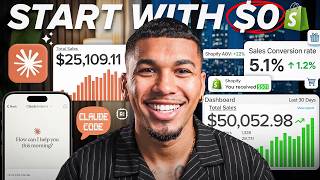

Why 90% of dropshippers fail before starting
50sHigh relatability and frustration hook addressing the common problem of information overload and paralysis.
▶ Play Clip"The title promises a complete start-to-finish guide, and the video delivers exactly that with detailed steps and real tools."
The video provides a complete step-by-step guide to starting a Shopify dropshipping store, addressing the common problem of conflicting advice that leads to inaction. The creator, AC Hampton, shares his eight years of experience and a proven order of operations: build a basic store first, find a winning product, secure fulfillment, brand the store, create ads, and launch a campaign.
Many people are stuck because they receive conflicting advice on whether to start with products, branding, or finding a winner, leading to bouncing between strategies and never launching.
AC Hampton has built multiple seven-figure dropshipping stores over eight years, generating over $10 million personally and over $50 million with students combined.
The reason most people never start is not the product, niche, or store, but being buried in conflicting information that causes them to freeze before they start.
80 to 90% of dropshipping stores fail in the first few months, not because the model is broken, but because they started wrong.
You put a product for sale on your website, a customer buys it, then you order it from a supplier who ships directly to the customer. No upfront inventory, no storage.
The order is: build a basic Shopify store, find and validate a winning product, source and ship it, turn the store into a brand, create ads, and launch the first campaign.
Step one feels backwards: get a full store online before picking the product. This saves time and prevents overdesigning without data.
Sign up through a special link that sets up both the AI store builder and Shopify account simultaneously. Choose a niche (or 'I'm not sure'), pick placeholder banners, and activate Shopify with a special $1/month deal.
The AI builder creates a fully functional store with banners, product layouts, navigation menu, and clean typography within a minute.
Resist the urge to design the perfect store immediately. Wait until after testing the product so you know exactly what to design for.
Use AutoDS to scan live data across thousands of stores, looking at engagement, pricing, and ad performance to find products already selling. Avoid guessing on AliExpress.
The Skintific Peptide Nourishing Lip Serum Set has over 68,000 total units sold, massive GMV, and high profit margins. It's validated by real sales data.
Finding a winning product and actually delivering it are two different things. Bad fulfillment (slow shipping, unreliable supplier) kills stores even with a great product.
Use Team Drop to connect with vetted suppliers, lock in factory pricing, and get fast delivery. It integrates directly with Shopify.
Delete placeholder items from Shopify, authorize Team Drop, find your product (e.g., hydrating lip gloss at $1.64 base cost), set retail price around $29.70, and list it.
With the product and fulfillment locked in, it's time to brand: logo, colors, fonts, product images, and a strong product page. The product page must be a convincing salesperson.
Set up an LLC, business plan, coaching, legal documents, invoices, and bookkeeping using Tailor Brands to protect the business properly from the start.
You need 10-15 ads with different angles (before/after, problem/solution, visual demo) to test. One ad is not enough; let data tell you what works.
Ecom Boss generates premium product images and UGC-style video reviews without hiring creators. Upload a product image, customize background, and create multiple angles. For videos, choose an avatar, write a script, and generate a realistic review.
Create a sales campaign with CBO, daily budget $25-50, conversion event purchase, targeting US and English, detailed targeting left blank. Use 10-15 ads across three angles, each with unique copy. Publish and monitor daily, turning off high-cost ads.
Target CTR above 2.5%, CPC under $1, CPM between $15-25, and ROAS above 2.0. These indicate healthy ad performance.
By following the exact order of building a store, finding a data-validated product, securing fulfillment, branding, and launching multiple ad angles, even a beginner can launch a live campaign and get their first sale. The key is to stop guessing and let data drive decisions.
What is the simple definition of dropshipping?
You put a product for sale on your website, a customer buys it, then you order it from a supplier who ships directly to the customer.
01:43
What percentage of dropshipping stores fail in their first few months according to the video?
80 to 90%
00:58
What is the correct order of steps for starting a dropshipping store?
Build a basic store, find a winning product, source and ship it, brand the store, create ads, launch campaign.
02:15
Why should you build the store before picking the product?
To avoid overdesigning without data; you don't know what you're designing for until after product testing.
02:46
Which tool does the creator recommend for data-driven product research?
AutoDS
06:28
What is the benchmark for click-through rate (CTR) in Meta ads?
2.5% or higher
22:28
What is the recommended cost per click (CPC) benchmark?
Under $1
22:38
What is the suggested CPM (cost per thousand impressions) range?
$15 to $25
22:44
What ROAS (return on ad spend) indicates good profit according to the video?
Above 2.0
22:51
What is CBO and what does it do?
It stands for Campaign Budget Optimization; it lets Meta automatically split your budget between ad sets.
23:14
Should detailed targeting be filled in when setting up Meta ads?
No, leave it blank to allow Meta's AI to find new buyers.
24:12
How many ads should you run in a testing campaign?
10 to 15 ads across 3 angles (3-5 videos per angle).
25:09
What additional tool does the creator recommend for legal and business structure?
Tailor Brands
15:14
High failure rate due to wrong start
Reveals that the model itself is not broken, but the approach is; this reframes the problem for beginners.
00:58Build store before product
A counterintuitive principle that saves time and prevents wasted effort on design before knowing the product.
02:46Data-driven product research
Emphasizes using real sales data (AutoDS) instead of guessing, which dramatically reduces risk.
06:28Product page as your salesperson
Highlights that the product page is the most critical element; it must convince without a human salesperson.
14:12Leave detailed targeting blank
A specific ad strategy that goes against common intuition, relying on Meta's AI for better results.
24:12[00:00] You've probably watched enough drop
[00:01] shipping videos to know exactly what
[00:03] you're supposed to do. Find a product,
[00:06] build a store, run ads, but somehow
[00:09] you're still stuck with an empty Shopify
[00:11] account, and nothing actually launched.
[00:13] One creator tells you to start with
[00:15] products. Another says start with
[00:17] branding. Someone else says don't touch
[00:19] a store until you found a winner. So,
[00:21] instead of making progress, you just
[00:23] ended up bouncing between strategies and
[00:25] starting over every few days. My name is
[00:27] AC Hampton and over the last eight years
[00:29] I built multiple seven figureure drop
[00:31] shipping stores that have generated me
[00:33] over $10 million with my students
[00:35] crossing over $50 million combined and
[00:37] counting. And I'm going to tell you if
[00:38] there's one thing all these years have
[00:40] taught me is that the reason most people
[00:42] never get off the ground isn't the
[00:44] product, the niche, or the store. It's
[00:46] that they're so buried in conflicting
[00:48] information that they end up freezing
[00:50] before they start. And the very few who
[00:52] do push through, they start in the wrong
[00:54] order, build everything backwards, and
[00:56] burn out before they ever see a sale.
[00:58] That's why 80 to 90% of drop shipping
[01:00] stores don't make it past their first
[01:02] few months. Not because the model is
[01:04] broken, but because they started wrong.
[01:06] But listen, all of that stops right
[01:07] here, right now. This is going to be me
[01:09] handing you the exact path that is
[01:11] proven from start to finish. The same
[01:13] order I'd follow if I had to build a
[01:15] brand new store from zero right now. And
[01:17] this is probably the most valuep packed
[01:19] video I'm going to drop the entire year.
[01:21] So do yourself a favor, take notes,
[01:23] don't be afraid to pause or rewind
[01:25] whenever you need to lock something in
[01:26] and go at your own pace because there's
[01:28] no rushing this. And I promise you, if
[01:30] you follow me all the way through, by
[01:32] the end, you won't just have a store
[01:33] sitting there. You'll have your first ad
[01:35] campaign launched and live. And that
[01:37] alone puts you ahead of nearly every
[01:39] single beginner who talks about starting
[01:41] but never actually does. So let's go
[01:43] ahead and get into it. Now, before we
[01:45] touch a single tool, let me explain what
[01:47] drop shipping actually is. And I'm going
[01:48] to say it like I'm explaining it to a
[01:50] 10-year-old because people love over
[01:52] complicating this to sound smart. So,
[01:54] here it is. You put a product for sale
[01:56] on your website, somebody buys it, and
[01:58] only then do you go order that product
[02:00] from a supplier, which then the supplier
[02:02] ships it straight to your customer's
[02:04] door. And that's it. You never have to
[02:05] buy the product up front. You never have
[02:07] to store boxes in your garage, and you
[02:09] never have to touch the inventory.
[02:10] You're just the middleman with the
[02:12] storefront where the money comes in
[02:13] before money goes out. So, here's the
[02:15] order that we're going to be following
[02:16] today, and this is going to be from
[02:18] start to finish. The first thing that
[02:20] we're going to do is get a basic but
[02:22] professional Shopify store built out in
[02:24] less than 5 minutes. From there, we will
[02:26] find and validate a winning product that
[02:28] is already proven to be selling. Next,
[02:30] we will lock in how you source and ship
[02:32] it. And then, after securing the
[02:34] fulfillment, we will then come back and
[02:35] turn that store into a real brand. And
[02:37] then lastly, we will create some ads
[02:39] that will actually bring in sales and
[02:41] launch our first campaign. And we'll be
[02:43] following this in that order. And I want
[02:44] to be straight up with you. Step one is
[02:46] going to feel a little bit backwards.
[02:48] And that's cuz we're going to get a full
[02:49] store online before we even pick the
[02:52] product to sell. But stick with me
[02:53] because there is a real reason it has to
[02:55] happen in exactly that order. So here's
[02:57] where we start. And the link is in the
[02:59] description for the free AI store
[03:01] builder that we're about to walk
[03:02] through. And there's a specific reason
[03:03] that I'm sending you there first. And
[03:05] let me go ahead and break down and
[03:06] explain why. And it's because when you
[03:08] sign up through that link, it's going to
[03:09] set up your Shopify store at the same
[03:11] time. So instead of you doing two
[03:13] separate confusing steps, which is
[03:15] creating a Shopify account and then
[03:17] figuring out how to build a store, you
[03:18] will just knock both out in one move. So
[03:20] let me go and show you exactly how to
[03:21] set it up. So first things first, I'm
[03:23] going to go down to the description and
[03:24] I'm going to go ahead and click the AI
[03:26] store builder link. Once I go ahead and
[03:27] click on that link, it's going to bring
[03:28] me to this landing page right here. From
[03:30] here, just go ahead and click on build
[03:31] my free store. And now we're going to go
[03:33] and set up our account with our name,
[03:35] our email, and our password. Now, after
[03:37] giving it that information, you can see
[03:38] that this next screen is going to say we
[03:40] want you to go ahead and pick a niche.
[03:41] And if you already know what your focus
[03:42] is, you can go ahead and select that
[03:44] option right here. But if you're
[03:45] completely undecided or brand new, do
[03:47] not stress. Just go ahead and select I'm
[03:49] not sure. And then hit done. Now that
[03:51] that's selected, the next screen is
[03:52] going to have us choose these homepage
[03:54] banners. And here, we just want to keep
[03:56] it clean and simple. We don't want to
[03:57] overthink this. And I'm going to just
[03:59] choose these two options right here for
[04:00] now because we can actually come in and
[04:02] completely switch these out later once
[04:04] we go ahead and find our final product.
[04:06] So this is kind of like a placeholder.
[04:07] Now that those are selected, let's go
[04:09] ahead and hit done. And now the AI store
[04:11] builder is going to go ahead and do its
[04:12] thing. Okay, perfect. Now that the
[04:13] builder has laid the foundation, we need
[04:15] to activate our Shopify on the back end.
[04:17] This is what's going to connect your
[04:18] Shopify account to this store builder.
[04:20] So to do that, let's go ahead and click
[04:22] access Shopify. And now you see it's
[04:23] going to take us to this special page.
[04:25] And this is a deal that you cannot find
[04:26] anywhere else. So, it's going to give
[04:27] you a free trial and then now for your
[04:29] next 3 months, it's going to allow you
[04:31] to only pay $1 a month. So, to activate
[04:33] that special deal, all you have to do is
[04:35] just log into your account, pick the
[04:36] basic plan, enter your billing details,
[04:38] and then hit subscribe. So, now once
[04:40] that's active, we now have our Shopify
[04:42] account, and now we need to connect it
[04:43] to the store builder. So, let's go ahead
[04:45] and go back to the builder and click
[04:47] done. So, now from here, all we have to
[04:48] do is just install the AI store builder
[04:50] app right onto the Shopify backend. So,
[04:52] just go ahead and click on install,
[04:53] verify your payment plan, and then click
[04:55] customize my store where you can see now
[04:57] in like literally less than 60 seconds,
[04:59] the AI builds us out a beautiful, fully
[05:02] functional storefront, complete with
[05:04] banners, sleek product layouts, and
[05:06] clean typography. I mean, it even has a
[05:08] smooth navigation menu where now you
[05:10] guys can see our store is officially
[05:12] live. And just like that, the hardest
[05:15] looking part is already behind you.
[05:17] You've got a real store. Now the
[05:18] foundation is done and your Shopify is
[05:21] set up all from that one link in that
[05:23] simple setup. And look, I know some of
[05:25] you right now are itching to jump back
[05:27] and make that store look perfect right
[05:28] now. I know it. But don't just leave the
[05:31] design for later. And here's why. You
[05:33] can always come back and build that
[05:35] store out once you're fully confident in
[05:37] your product. Because then you'll know
[05:38] exactly which product is working for you
[05:40] and exactly what angle is working. But
[05:42] that's only after you get done testing.
[05:45] I mean, you cannot design the perfect
[05:47] store before you've tested because then
[05:48] you don't even know yet what you're
[05:50] designing for. And don't worry, we cover
[05:52] the right way to build out your store
[05:54] and test by the end of this video. But
[05:56] for now, let's go ahead and move forward
[05:58] because I want to show you how to
[06:00] actually find a winning product in 2026.
[06:02] Product research is no more scrolling
[06:04] AliExpress and hoping that you spot
[06:06] something that looks viral. That is
[06:08] gambling. Real product research means
[06:10] using data so you know a product is
[06:12] already selling before you spend a
[06:14] single dollar on ads. Because here's
[06:16] what happens when you skip that. You go
[06:17] out there, you pick something on a
[06:18] hunch, it flops, and then you blame the
[06:20] ads, the store, Shopify, the economy,
[06:23] when the truth is the product never had
[06:26] demand in the first place. So instead of
[06:28] guessing, we use the product research
[06:29] tool that I recommend to all my students
[06:31] and still even use myself to this day,
[06:33] which is AutoDS. It scans live data
[06:36] across thousands of stores. is it looks
[06:37] at engagement pricing and ad performance
[06:39] and it even shows you which products are
[06:41] taken off before they get saturated. Let
[06:43] me go ahead and show you how to find
[06:44] one. So, once you clicked on the link
[06:46] below this video to get your AutoDS
[06:48] account set up, it's going to go ahead
[06:49] and get you connected to your store. And
[06:51] then right here, you're going to land on
[06:53] the marketplace dashboard. So, the first
[06:54] thing you want to do is check your
[06:56] settings at the top to make sure that
[06:58] you're targeting the right currency and
[06:59] the right shipping areas like the United
[07:01] States. Now, instead of blindly guessing
[07:04] what might sell, we can actually use
[07:06] this section right here called the Tik
[07:07] Tok analytics tab. As this section is
[07:09] going to be actively pulling crazy
[07:11] numbers of what's going viral right now.
[07:13] So, now that we clicked on this section,
[07:14] we can actually filter the data by
[07:16] niches like beauty and personal care and
[07:18] a bunch of other niches. We can also
[07:20] check the top selling products over the
[07:21] last 7 to 30 days. And this is actually
[07:23] how I just spotted this product right
[07:25] here, which is the Skintific Peptide
[07:27] Nourishing Lip Serum Set. And I'm seeing
[07:29] right now, I mean, this thing is going
[07:30] insane. I mean, it has a crazy amount of
[07:32] volume. It's a hot trend. And I mean, it
[07:34] has incredible proof of concept. And
[07:36] look, if we actually come in here and
[07:37] look at the product insights inside
[07:38] AutoDS right now, it is pulling in over
[07:41] 68,000 total units sold. It's generating
[07:44] massive GMV and the numbers are
[07:47] completely verified. We buy it at a low
[07:49] cost and then it leaves us a ton of room
[07:51] for profit margins. And that's the
[07:53] information that we need to fully
[07:54] validate this product. So, I'm cool with
[07:56] moving forward with this. From here, all
[07:57] we have to do is just click import
[07:59] draft. This is going to load it straight
[08:00] into our product drafts page right here
[08:02] where we can now see all of our
[08:03] variants, our images, and even our item
[08:06] specifications. And then once we like
[08:08] everything we see in here, we can go
[08:09] ahead and import this to our store. And
[08:10] because you already connected AutoDS to
[08:12] the store that we just built out
[08:14] earlier, now AutoDS is going to
[08:15] instantly sync the entire thing and move
[08:18] this product into our Shopify products
[08:20] list. And look, because you made it this
[08:22] far, I don't want you to be starting
[08:24] from a blank page. And as a beginner,
[08:26] especially with a limited budget, I know
[08:27] how hard it is to find a winning
[08:29] product. So, my team and I already did
[08:31] the hard work for you. Right below this
[08:33] video, you're going to find my top 10
[08:35] winning products list of all winning
[08:37] products that are working right now. And
[08:38] these products were already vetted and
[08:40] validated. So, you've got proven options
[08:42] to start testing from day one. And I
[08:44] mean, these are like the same type of
[08:45] products I just took my student Jacob, a
[08:48] 14-year-old kid, from 0 to $60,000 in
[08:51] his first 3 months. So trust me when I
[08:53] say it's definitely worth checking out.
[08:55] Okay, so at this point after looking
[08:57] through all the data on AutoDS, we know
[08:59] that we have found a winning product and
[09:01] we have a product that shows that
[09:02] there's common interest and people are
[09:04] actually buying it right now. But I need
[09:06] you to understand something and here's
[09:08] the trap that nobody warns you about.
[09:09] Finding a winning product and actually
[09:11] being able to deliver it are two
[09:13] completely different things. And the
[09:15] second one, that's where stores quietly
[09:17] die. And that's sourcing and
[09:19] fulfillment. meaning where the product
[09:21] actually is coming from and how it gets
[09:23] to your customer's door once they order.
[09:25] And it's the part that most beginners
[09:27] completely overlook. They make the sale,
[09:29] then they realize that their supplier is
[09:31] slow, unreliable, and shipping takes
[09:33] over a month. And suddenly they're
[09:35] drowning in refund requests. That's why
[09:37] this is so important because even if you
[09:39] have the greatest product in the world,
[09:40] if you have bad fulfillment, you will
[09:42] still end up with a debt store. That's
[09:44] why the tool that I use for this is Team
[09:46] Drop. They are a reliable supplier and
[09:49] honestly my top choice for drop
[09:51] shipping. And it's because they use AI
[09:52] to connect you with Vetta suppliers,
[09:54] lock in factory pricing, and get you
[09:56] fast delivery times without you having
[09:58] to scramble. Now, real quick disclaimer,
[10:00] heads up before we actually dive into
[10:01] this is that this isn't the exact
[10:03] product that I showed you a few minutes
[10:04] ago. I actually did a little bit more
[10:06] research and some digging and I saw that
[10:08] this is one that a bunch of competitors
[10:10] are actually running right now. And when
[10:11] everybody's quietly rolling with the
[10:13] same product, that's usually for a
[10:15] reason. and margins on this really
[10:17] aren't that bad either. So, I think this
[10:18] is going to be the one that I'm going to
[10:19] go ahead and go with. But, let me go and
[10:21] walk you through it. Now, before we
[10:22] finalize our lip serum, we want to clear
[10:24] out any random stock or sample items
[10:26] that the AI builder might have loaded
[10:27] up. So, to do that, let's head over here
[10:29] to the Shopify products tab. Select any
[10:31] old placeholder items. Hit the three
[10:33] dots and then click delete products so
[10:35] that you have a clean slate. Now, what
[10:37] we want to do is jump back over here to
[10:38] team drop portal and click store
[10:40] management on the left menu and then
[10:42] select authorize store. So, let's go and
[10:45] hit this little blue button right here
[10:46] that says add store. Choose Shopify and
[10:48] then click authorize. And what this is
[10:50] doing is it's instantly linking your
[10:52] specific storefront to Team Drop's
[10:55] massive premium supplier network. So,
[10:57] now that we have these connected, let's
[10:58] go ahead and click on find a product to
[11:00] now look up our winner. And here you can
[11:02] search directly or just select from
[11:03] their curated catalog. But here's our
[11:05] product right here, the hydrating lip
[11:07] gloss with mirror shine. And the base
[11:09] cost with this product is incredibly
[11:10] low. I mean, we're talking like what
[11:12] $1.64 64 giving us a huge profit
[11:15] potential here. So once we go and click
[11:17] into the item, we want to make sure that
[11:18] we choose our synchronized store from
[11:20] the drop down. Select our category tags
[11:22] like makeup and health and wellness. And
[11:24] you can even come in here and refine the
[11:26] product title to keep it clean like
[11:28] hydrating lip gloss with glossy finish.
[11:31] Lastly, we want to go ahead and click
[11:32] over to the variance pricing tab. And
[11:34] now Team Drop is going to show you the
[11:35] exact product cost and shipping fee
[11:38] directly to the United States. So now we
[11:40] want to go ahead and simply enter our
[11:42] desired retail price. Now if you don't
[11:43] know what you should be selling this
[11:44] product for, what you should just do to
[11:46] make it easy is take a median of what
[11:49] the market is currently selling it at.
[11:50] Now I just went to Google. I typed the
[11:52] product in. I saw multiple people
[11:53] selling it at like 27 29 32 33. So what
[11:58] I think I'm going to go ahead and price
[11:59] this at is right around like $29.70
[12:02] which is going to help us lock in a
[12:04] massive profit margin on this product.
[12:06] So, now that we have that entered, let's
[12:07] go and click apply to all and then hit
[12:10] confirm. Now, just go a and click list
[12:11] now at the bottom. And what's going to
[12:13] happen is Team Drop is now going to
[12:15] automatically push this live item, the
[12:17] descriptions, and high-quality images
[12:19] straight into your active store page.
[12:22] And just like that, the one thing that
[12:24] quietly kills more stores than anything,
[12:26] which is bad fulfillment, is the one
[12:28] piece that you no longer have to worry
[12:30] about, which means we finally earned the
[12:33] fun part. Now, you remember that
[12:34] barebones store that we threw up in five
[12:36] minutes and then just like walked away
[12:38] from? Well, now we're going to revisit
[12:40] that and you're going to see why I made
[12:42] you wait because this is the moment that
[12:44] it stops being a template and starts
[12:46] really becoming yours. And it hits
[12:47] completely different now because now
[12:49] we're not going to be sitting here
[12:50] designing for a guess anymore. We're
[12:51] going to be building the store around
[12:52] the exact product that the data already
[12:54] proved where every single choice that we
[12:56] make from here has a real reason behind
[12:58] it. Because here's the thing that you
[13:00] have to understand is that if your store
[13:01] looks like a generic drop shipping site,
[13:04] customers are going to bounce before
[13:05] they even read a single word. And when a
[13:07] visitor does come to your website, trust
[13:08] gets decided in the first 2 seconds. So
[13:10] what we're going to do right here, right
[13:12] now, is give this store a real identity.
[13:15] So first thing that we're going to do is
[13:16] the logo and the favicon. Swapping out
[13:18] the default placeholder for something
[13:20] that actually matches our product and
[13:22] our vibe. And the main focus here is
[13:24] that you want someone to land on your
[13:25] store and immediately feel like this is
[13:27] a real brand, not a side project that
[13:30] somebody threw together overnight. Then
[13:32] the colors. Now, here what we're going
[13:33] to do is we're going to go through the
[13:34] theme and make sure everything is
[13:36] consistent. The buttons, the headers,
[13:38] the accents, all tied to one cohesive
[13:40] palette that fits the product that we're
[13:42] selling. Nothing random, nothing that
[13:44] clashes. And now we move on to the fonts
[13:46] next. Small thing, but it matters. And
[13:48] here the main focus is to keep it clean,
[13:50] readable, and on brand. Now, the product
[13:53] images, and this is where most people
[13:55] are lazy, and it definitely shows. What
[13:57] we're going to do is we're going to be
[13:58] selecting the best angles, removing
[14:00] anything that looks cheap, and making
[14:02] sure that the first image a customer
[14:03] sees is the one that makes them stop
[14:05] scrolling. And then to the product page
[14:07] itself. This is the big one. Now, one
[14:09] thing you need to understand is that
[14:10] your product page is your salesperson.
[14:12] It never sleeps. It never has a bad day.
[14:15] And it's either convincing people or
[14:17] it's not. So, we're going all in. A
[14:19] headline that speaks to the problem that
[14:20] this product solves. bullet points that
[14:22] answer the questions before the
[14:23] customers even think to ask them, a
[14:25] description that builds trust, and a
[14:27] call to action that's impossible to
[14:28] miss. A good product page can take an
[14:30] average product and make it feel
[14:32] premium. A bad product page though can
[14:34] kill a great product. So, we definitely
[14:36] do not want to rush this part. And just
[14:38] like that, it doesn't look like a drop
[14:40] shipping store anymore. It looks like a
[14:42] real brand. And I mean, take a second
[14:44] and really look at what you've got now.
[14:46] A live store, a validated product, and
[14:48] fulfillment handle. Most people who
[14:50] start this never make it past step one.
[14:52] And you're already here. And the word
[14:54] brand is exactly why we need to pump the
[14:56] brakes for about 60 seconds before we
[14:58] send a single customer to it. Because
[15:00] when I first started actually making
[15:02] money with this, I had the store. I had
[15:04] sales coming in. But on paper, my
[15:05] business didn't even exist. No LLC, no
[15:09] structure, nothing. And that's a mistake
[15:11] that a lot of people make early on. So
[15:12] what I want to do is I want to put you
[15:14] onto something that I genuinely wish
[15:15] that I had when I first started out. And
[15:17] it's called tailor brands. And this is
[15:19] super simple. You literally just go into
[15:21] the platform, type in your business
[15:22] name, answer a few questions about where
[15:24] you're operating and what stage you're
[15:25] at, and then it builds you a
[15:27] personalized dashboard based off your
[15:28] answers, showing you exactly what you
[15:30] still need set up, like either your LLC
[15:32] or your licenses, all of it. And it's
[15:34] not just the LLC. You also get a
[15:36] business plan, coaching, legal
[15:38] documents invoices bookkeeping
[15:40] everything in one place. So, you're not
[15:42] piecing it together from 10 different
[15:44] sources. So, really, just think about
[15:45] it. If you're going to put in the work
[15:47] to build something real, you might as
[15:48] well protect it the right way from the
[15:50] start. And I'll go ahead and leave a
[15:51] link down in the description if you want
[15:53] to go ahead and set yours up right, too.
[15:54] So, now we have our store built. We have
[15:56] our business as official as possible.
[15:58] And the product is locked in, which
[16:00] leaves exactly one thing standing
[16:01] between you and your first sale. And
[16:03] that's that right now, nobody's ever
[16:05] seen your product or your store before.
[16:07] They don't even know that you exist. And
[16:09] getting people to see you, see your
[16:11] visibility, know that you exist, all
[16:12] comes down to one thing, and that's your
[16:14] creative. Now, if you don't know what a
[16:16] creative is, it's just the visual ad or
[16:18] the post that you put out that drives
[16:20] traffic to your website. And it's
[16:21] honestly the difference between a
[16:22] product that just sits there and one
[16:24] that will legitimately sell. And this is
[16:27] where the foundation starts to break for
[16:28] beginners is that they go in, they make
[16:30] one ad, they run it for 3 days, it
[16:32] doesn't pop off, and then they sit there
[16:34] and decide that drop shipping doesn't
[16:35] work. No, that's just not how this
[16:38] works. You can't come in here and think
[16:39] you can win off of one ad. You win by
[16:42] testing a bunch at the same time and let
[16:43] in the data tell you which ones are
[16:45] actually working. Which means that you
[16:46] will never, and I'm going to tell you
[16:47] straight up, never succeed off of only
[16:49] one creative or ad. You're going to have
[16:51] to have multiple. And to even be able to
[16:53] do this, you still need to create them
[16:54] fast ad volume and without spending all
[16:57] your hard-earned money that you don't
[16:59] have on a whole production team. And
[17:01] look, there's a brand new tool called
[17:02] Ecom Boss specifically built to solve
[17:05] this exact problem where all you have to
[17:07] do is just go into the platform, drop in
[17:09] your product link or your competitor's
[17:10] link, and then it generates premium
[17:12] looking product images and AI video
[17:14] content. The kind of stuff that used to
[17:16] take a full creative team and hundreds
[17:18] of dollars to pull off. Let me show you
[17:19] exactly how to use it. So, the first
[17:21] step obviously is always going to be to
[17:22] sign up. And you can sign up with the
[17:23] link in the description to get 25% off
[17:25] your first month. Once you do sign up
[17:27] and you have an account, you will then
[17:28] head over here to the project studio.
[17:30] And this is where we're going to go
[17:31] ahead and create our product assets. And
[17:32] no, we're not going to be going for
[17:34] basic here. We're going to be going for
[17:36] premium. So to get started with this,
[17:37] all you have to do is hit add. And now
[17:39] go ahead and upload your product image.
[17:40] And since we're working with a beauty
[17:42] product, we want visuals that feel
[17:44] high-end right out the gate. So all you
[17:45] have to do is just go ahead and click
[17:46] into the custom prompt and type
[17:48] something like silk fabric. And watch
[17:50] how instantly that changes the feel of
[17:52] the whole image. That's the kind of
[17:54] aesthetic that stops somebody midscroll.
[17:56] From there, you can actually add in a
[17:57] water splash effect and match a color to
[17:59] your product where it's going to create
[18:01] this dynamic editor style shot that
[18:03] looks like a brand paid thousands for
[18:05] it. And all these images that you're
[18:06] going to be able to create can be ran as
[18:08] ads and be added to your store to
[18:10] enhance it even more. But it doesn't
[18:11] just stop there. Let's go ahead and
[18:13] click on the angle factory. And we're
[18:14] going to go and select Y studio. And
[18:16] this is also going to be great to expand
[18:17] the amount of creative images that you
[18:19] have because this is going to give you
[18:20] multiple perspectives of the product
[18:22] automatically. So like different angles,
[18:24] different compositions. So, by the time
[18:25] that a customer does land on your
[18:27] product page, they seen it from every
[18:29] direction and they already trust what
[18:31] they're buying. But that's only the
[18:33] first part. The second part is where
[18:36] everything goes absolutely crazy from
[18:38] here. Now, we all know that we trust
[18:40] other people speaking about the
[18:41] products, right? If I'm going to be
[18:42] buying a product online, I want to see
[18:43] an ad of somebody using it that looks
[18:45] like me, that talks like me, that
[18:47] probably mimics a lot of my own life.
[18:49] And Ecom Boss can be able to do all of
[18:50] that just from the product photos that
[18:52] you just created. and that is through
[18:54] the AI video factory. So, this is going
[18:56] to be where we create UGC style video
[18:58] reviews without hiring a single creator
[19:01] where on average you're going to be
[19:02] saving about $100 to $200 per video just
[19:04] by having this. So, all we have to do is
[19:06] first head over here to this website
[19:07] called Pixels. And this is a free
[19:09] website that gives you a bunch of
[19:11] different pictures and things that you
[19:12] can use. And what we're going to do is
[19:13] grab a clean face shot of a beauty model
[19:15] and upload it into the avatar slot. Now,
[19:17] Ecom Boss also has a bunch of avatars,
[19:19] so you can also just use the ones that
[19:21] are already pre-uploaded in here. But
[19:22] what this is doing is it's generating a
[19:24] real-looking person delivering your ad,
[19:26] not a cartoon and not obviously AI,
[19:29] something that feels authentic to
[19:30] actually perform. So now that you've
[19:32] chosen your avatar, the next thing we
[19:33] need to do is type our script into the
[19:35] audio text box. We want to go and select
[19:37] happy English American for the tone and
[19:39] then go ahead and hit generate. And now
[19:41] what it's going to do is it's going to
[19:42] render out a full video review with our
[19:44] product and our messaging that is going
[19:46] to be ready to test. Now, one thing real
[19:47] quick is if you do run into a security
[19:49] policy error on this image, just go
[19:51] ahead and swap it out and regenerate. It
[19:53] will be an easy fix. But here's the real
[19:55] move here, and that's that you don't
[19:56] want to only just make one version. Come
[19:58] in and use multiple different avatars,
[20:01] different demographics, different
[20:02] scripts, because you don't know yet
[20:04] which audience is going to respond, and
[20:05] you want to let the testing and the data
[20:07] tell you. But once it's done processing,
[20:09] all you have to do is just hit download,
[20:10] and now you've got everything. A
[20:11] polished product photography, and a
[20:14] video ad that is now ready to go. And
[20:16] that's the whole point of all this. Even
[20:17] majority of the things I'm teaching you
[20:18] today is putting you in a position where
[20:21] you're not guessing anymore. You've got
[20:22] real assets built around a real product
[20:25] going in front of real people. And now
[20:27] the data starts working for you and not
[20:29] against you. So now at this point, after
[20:31] getting a couple ads created, you now
[20:33] should have scroll stopping creative
[20:35] sitting right in your downloads. But
[20:36] here's the thing, the creative that just
[20:38] sits there in your downloads is not
[20:39] going to make you a single dime. It's
[20:41] got to get in front of the right people.
[20:43] And in the final step of what I'm about
[20:44] to teach you, there's one targeting
[20:46] setting that almost every beginner
[20:47] switches on, swearing that it makes it
[20:49] more precise, that's actually quietly
[20:52] killing the results. And I want you to
[20:53] keep that in the back of your mind
[20:55] because I'm about to show you the exact
[20:56] moment it bites. And this is where it
[20:58] all comes together. Because everything
[21:00] that we just built up to this point, the
[21:02] store, the product, the fulfillment, the
[21:04] creative, none of it will make you a
[21:06] single dollar if nobody ever sees it.
[21:08] Traffic is the whole game here. And in
[21:10] 2026, that traffic comes from meta ads.
[21:13] Now, I know some of you guys hear meta
[21:14] ads and you immediately tense up. You
[21:16] think it's complicated, expensive, easy
[21:19] to mess up. And yeah, that is true if
[21:21] you go in blind. But I'm not about to
[21:23] sit here and send you in blind. I'm
[21:24] going to break it all down step by step
[21:26] as easy as possible. And heads up, this
[21:28] next part has the most moving pieces of
[21:30] the whole video. So, if you're building
[21:31] along, keep the tab open and pause me
[21:34] whenever you need as I'm not going
[21:35] anywhere. So, let's go ahead and jump
[21:36] into this. So, I'm going to walk you
[21:37] through exactly how I set up a campaign
[21:39] from scratch. Okay. So, before we even
[21:40] think about launching, the first thing
[21:42] we need to do is just head into our ads
[21:44] manager and set up our columns because
[21:46] what you're going to see is that the
[21:47] default view that Meta gives you tells
[21:49] you almost nothing useful when it comes
[21:51] to the data. So, to be able to do this,
[21:52] what we want to do is go into our
[21:54] columns and customize it. And here's
[21:56] what you want to have visible. You want
[21:57] to have delivery, adset name, bid,
[22:00] reach impressions frequency
[22:02] click-through rate, cost per click, CPM
[22:05] or cost per thousand impressions, add to
[22:08] cart, checkouts initiated, purchases,
[22:10] amount spent, cost per purchase, and
[22:13] then finally rorowaz. And this is kind
[22:15] of what it should be looking like when
[22:16] it's set up. And this is what your
[22:17] dashboard should be replicating. When
[22:19] you have it looking like this, this is
[22:20] how you're going to know what is
[22:21] actually working. Now, I know I just
[22:22] named off a bunch of metrics, but let me
[22:24] go ahead and give you some benchmarks.
[22:26] Now, a few different numbers that you
[22:27] want to keep in mind as you're running
[22:28] is that you want to have a clickthrough
[22:29] rate at 2.5% or higher. And in simpler
[22:31] terms, that just means that people are
[22:33] seeing your ad and they're legitimately
[22:34] clicking on it and watching it. And
[22:36] that's exactly what you want. Also, you
[22:38] want to keep your cost per click under a
[22:39] dollar if you can, which is just how
[22:41] much it's costing for somebody to click
[22:42] into your ad. And for your cost per,000
[22:44] impressions, you want this to be
[22:45] anywhere between like $15 and $25.
[22:48] That's basically pretty healthy. Now,
[22:49] for rorowaz here, you want anything
[22:51] above 2.0 because that probably means
[22:53] that you're going to be in a good amount
[22:54] of profit. Now, depending on your
[22:55] margins, below a 1.1 or 1.2 means that
[22:58] you're probably going to be losing
[22:59] money. So, you need to be able to know
[23:01] those numbers. Now that we got that out
[23:02] the way, let's go ahead and build out
[23:04] the campaign. So, to do that, let's go
[23:05] ahead and hit create. And now, we want
[23:07] to go and select sales as our objective.
[23:08] As we're not here for likes, we
[23:10] obviously want to try to get as many
[23:12] purchases as possible. Now, let's go
[23:13] ahead and turn on CBO, which stands for
[23:15] campaign budget optimization. And what
[23:17] this does is it just lets Meta decide on
[23:19] how to split your budget between assets
[23:21] automatically, which is what we want
[23:23] when we're testing. Now, we need to go
[23:24] ahead and set our daily budget. And
[23:26] here, you can go with anywhere between
[23:27] like $25 to $50 to start depending on
[23:29] your budget. Now, we want to go ahead
[23:30] and name the campaign something like
[23:33] whatever your product name is CBO. So,
[23:36] when you're looking at 10 campaigns
[23:37] later, because you're going to continue
[23:39] to keep scaling past this video, you're
[23:41] going to know exactly what each one of
[23:42] these are. Now, let's head over here to
[23:44] the adset level. And now, this is where
[23:46] we're going to set up who sees our ads
[23:48] and how they're going to see it. So,
[23:50] let's go ahead and set our conversion
[23:51] location to website. For performance
[23:53] goal, we want to do maximize number of
[23:54] conversions. And now we want to go and
[23:56] connect our pixel and set the conversion
[23:58] event to purchase. Now, if you don't
[24:00] have your pixel set up yet, that does
[24:02] need to happen before any of this as
[24:04] that is what tracks every single sale
[24:06] back to your ads. Now, for targeting, we
[24:08] want to go and start off with United
[24:09] States and go ahead and start off with
[24:10] English. And here's something that
[24:12] people try to fight me on, and that's
[24:13] that you should be leaving detailed
[24:15] targeting completely blank. And I know
[24:18] it feels like you're being more precise
[24:20] when you fill it in and you go ahead and
[24:22] put in the target audience that you
[24:23] think you should be targeting. But in
[24:25] reality, it's only hurting you because
[24:27] you're really just limiting Meta's AI
[24:28] from finding new real buyers. So the
[24:30] goal here is a let it work. You have to
[24:32] understand that Meta's AI is backed by
[24:33] billions of dollars in ad spend and
[24:35] data. So it's way smarter than you and
[24:37] me. Now that we left that open, let's go
[24:39] and set our start time for midnight the
[24:40] next day so we can get a full 24 hours
[24:43] of data from day one. And now we're
[24:45] going to go ahead and move on to the
[24:46] creative. And this is the part that
[24:48] actually determines whether you win or
[24:50] if you lose. Now, here we're going to be
[24:51] running three different angles. And I
[24:53] want you to think of an angle as the
[24:55] lens that you're selling through. And
[24:56] our angles that we're going to be doing
[24:57] are before and after, problem and
[24:59] solution, and a visual demo, which
[25:01] simply is just three different ways of
[25:03] talking about the same product to three
[25:05] different types of buyer groups. And for
[25:07] each angle that we try to target, we
[25:09] want to upload three to five videos,
[25:11] which is going to come out to like 10 to
[25:13] 15 ads total going into this campaign
[25:15] before we even launch. That's how you
[25:18] get the best opportunity of succeeding
[25:20] out the gate. That's how you get sales
[25:21] starting off day one. So to get this set
[25:23] up, what we want to go and do is select
[25:24] single image or video and then click on
[25:26] manual upload. Now, before you do
[25:28] anything else, what we want to do is
[25:29] turn off multi-advertiser ads, product
[25:32] catalog, and enhancements. All of those
[25:34] just add clutter around your ad that
[25:36] pulls attention away from your creative
[25:38] and we don't want any of that. Now, what
[25:39] we want to go and do is set our call to
[25:40] action to be in shop now across every
[25:42] single ad, keeping it consistent, clean,
[25:44] and direct. Now, let's go and set up our
[25:46] URL parameters. Campaign, ad set, and ad
[25:49] name. Now, if you don't know what URL
[25:50] parameters are, this is just how you see
[25:52] inside Shopify exactly which video is
[25:55] generating each individual sale if it
[25:57] doesn't show up on the ad side, which
[25:59] sometimes happens. So, it's kind of just
[26:00] having like a backup setup so you can be
[26:02] able to see all your data in two
[26:04] different places, allowing you to know
[26:05] that if one angle is killing it and the
[26:07] others aren't, well, you're going to see
[26:09] that and know exactly why. So, make sure
[26:11] you go ahead and get that set up. Now,
[26:12] heading over here to your copy, and this
[26:14] is going to be like your primary text,
[26:15] your headline, and your description.
[26:17] Now, here we want to use AI to generate
[26:19] 10 to 15 variations. So, you have one
[26:21] for each ad matched to that angle
[26:23] because you want your copy and your
[26:25] creative saying the same thing. So they
[26:26] should feel like they're all in one
[26:28] single message together. Now, going back
[26:30] to something very simple, you just want
[26:31] to name everything clearly so you know
[26:33] what is working and what's not. So for
[26:35] example, I'm going to go ahead and name
[26:36] this one angle one, video one, and then
[26:38] for the next one, I'll just do angle
[26:40] one, video two, and so on and so forth.
[26:42] Again, I know it sounds simple, but when
[26:44] you're like 3 days in and you're trying
[26:45] to read your data and optimize, keeping
[26:47] it clean like this will just save you so
[26:49] much time and effort. Now, once all 10
[26:51] to 15 ads are built and put in, just
[26:53] review everything. And now what we're
[26:54] going to do is go and hit publish. And
[26:56] now the campaign is officially running.
[26:58] From here, your job is just to check the
[27:00] numbers every day. Now, yes, the way
[27:02] that we set this up is that MetaCBO is
[27:04] going to be pushing and routing more of
[27:06] your budget towards whichever ads are
[27:07] performing, but you still need to be in
[27:09] there and know what is going on cuz you
[27:11] don't want any ad burning spin with a
[27:13] high cost per purchase and nothing to
[27:14] show for it. You just want to turn that
[27:16] type of thing off. So, your main job is
[27:18] to protect the budget and to let the
[27:20] winners run. So, this is what testing
[27:22] actually looks like. Not one ad and just
[27:24] hoping for the best, but 10 to 15
[27:26] creatives, three angles, and real data
[27:28] telling you what's working inside of the
[27:30] first week. That's how you find your
[27:31] winner. And once you got it, that's when
[27:33] you're able to scale. And that is the
[27:35] full play. Everything that you need to
[27:37] make your first sale, even if you're
[27:39] limited on time or limited on budget.
[27:42] So, just to recap, we just built out the
[27:44] store, found your winning product,
[27:45] created highquality AI UGC ads for a
[27:48] fraction of the cost that it typically
[27:49] takes using real creators, and even
[27:51] launch our first round of ads. And like
[27:53] I said earlier, I know that Facebook ads
[27:56] can be one of the most overwhelming
[27:57] things to learn when first starting out.
[27:59] But, you know, I got you covered. So, on
[28:01] the screen right now, you're going to be
[28:03] seeing a beginner friendly step-by-step
[28:04] Facebook ad tutorial teaching in-depth
[28:07] everything I just showed, but in a way
[28:09] simpler tutorial format. So, make sure
[28:11] you go and check that video out right
[28:12] after this. As always, thank you guys so
[28:14] much for watching. I'll see you in that
[28:16] next one.


⚡ Saved you 0h 28m reading this? Transcribe any YouTube video for free — no signup needed.