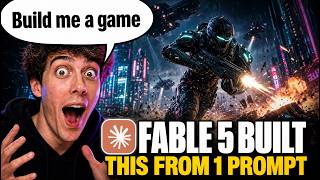

AI Builds a Game From One Prompt
45sHigh shock value as Claude Fable 5 autonomously plans, codes, and deploys a playable arcade game with visuals and audio from a single simple prompt.
▶ Play Clip"The title accurately reflects the video: Fable 5 indeed builds a game from one prompt, delivering on its promise."
This video demonstrates how Anthropic's Claude Fable 5, integrated into Higsfield Supercomputer, can autonomously build a complete playable arcade game from a single simple prompt. The process covers concept development, asset generation, coding, testing, and deployment, showcasing Fable 5's ability to act as a creative partner rather than just a chatbot.
Claude Fable 5 is Anthropic's latest AI model that understands big ideas, plans workflows, writes prompts, and guides projects like a creative partner.
The video aims to test Fable 5 by building a real game, using Higsfield Supercomputer where Fable 5 is directly integrated.
Open Higsfield Supercomputer, select Fable 5, and give a simple prompt: 'Build me a game.' Fable 5 then loads necessary skills and asks for game type.
The user selects 'arcade survival', and Fable 5 begins building game structure and writing code.
Fable 5 generates six image assets: player spaceship, enemies, alien creatures, floor texture, explosions, and collectible items, all in pixel art style.
Fable 5 generates audio including electronic music and punchy sound effects, making the game feel complete.
Fable 5 assembles the game, creates project files, and tests it. It identifies and fixes a difficulty setting issue, then passes all checks.
Fable 5 generates cover art and game icon, packages the project, and deploys it to a playable link.
The final game, 'Neon Swarm', is a fully playable arcade survival game with smooth controls, enemy waves, shooting mechanics, pixel art, and retro audio.
Fable 5 planned, built assets, coded, tested, fixed issues, and shipped a real game from one simple prompt, demonstrating its capability beyond text generation.
Claude Fable 5, integrated with Higsfield Supercomputer, can autonomously create a complete, playable game from a single prompt, handling everything from concept to deployment.
What is Claude Fable 5?
Anthropic's latest and most advanced AI model that can understand big ideas, plan workflows, write prompts, and guide projects like a creative partner.
00:01
What platform is used to integrate Fable 5 for game building?
Higsfield Supercomputer.
00:27
What game type was selected for the demo?
Arcade survival.
02:12
How many image assets did Fable 5 generate for the game?
Six: player spaceship, enemies, alien creatures, floor texture, explosions, and collectible items.
02:24
What issue did Fable 5 find during testing and how did it fix it?
It noticed a small issue with the difficulty settings, adjusted the variable, and ran the test again.
04:16
What was the final game called?
Neon Swarm.
05:07
What steps did Fable 5 handle autonomously?
Planning, building assets, coding, testing, fixing issues, and shipping the game.
06:44
Fable 5 as Creative Partner
Highlights the shift from simple chatbot to project-guiding AI.
00:01Autonomous Asset Generation
Demonstrates Fable 5's ability to create visual assets, not just code.
02:24Self-Testing and Bug Fixing
Shows AI's capability to identify and correct errors autonomously.
04:16Fully Playable Game Result
Confirms the AI can produce a functional, polished product from a single prompt.
05:07[00:01] Fable 5. And honestly, this is probably one of the most impressive AI experiments I've tried so far. Claude Fable 5 is Anthropic's latest and most advanced AI model. And what makes it interesting is that it doesn't just
[00:14] respond like a normal chatbot. It can understand bigger ideas, plan out full workflows, write strong prompts, and guide a project almost like a creative partner. But for this video, I don't want to only use it for text. I want to
[00:27] see what happens when Fable 5 is used to actually build something. Now, you can normally connect Claude with Higsfield MCP, but since Claude Fable 5 isn't free inside Claude, I'm going to use Higsfield Supercomputer
[00:40] instead, where Fable 5 is already connected directly into the workflow. So, today I'm going to show you how I used Fable 5 inside Higsfield Supercomputer to turn one simple idea into a real playable game. We'll go from
[00:54] the basic concept to the visuals, the creative direction, the game assets, and finally, we'll test the finished game to see if it actually works. And if you something like this yourself, I'll leave the Higsfield link in the description
[01:07] below. All right, so here we are inside Higsfield. Higsfield is an AI creative platform where you can create things like videos, images, ads, characters, and even complete creative projects using
[01:20] powerful AI models in one place. For this video, we're going to use Higsfield Supercomputer with Fable 5 selected. So, the entire process happens inside one workflow instead of switching between multiple tools.
[01:33] So, the first thing you want to do is open Higsfield, go into Supercomputer, and this is where we'll start building the game. This is the main chat interface. This is where we'll give Fable 5 our game idea, and from there,
[01:45] it will start turning that idea into an actual project. First, make sure Fable 5 is selected as the model. Then, I'm going to keep the the model. Then, I'm going to keep the prompt very simple. Build me a game.
[01:57] Once I send that, Fable 5 starts loading the skills it needs for the project. After that, it asks what kind of game I want to create. You can pick one of the describe your own idea if you already have something specific in mind. For
[02:12] this example, I'm going to select arcade survival. And as soon as I choose that, Fable 5 starts building the game structure and writing the code for us. for approval.
[02:24] generate several game assets. And these generations can use credits. Here you can see it's preparing six image generations for the game. These are the main visual elements like the player spaceship, enemies, alien creatures,
[02:39] floor texture, explosions, and collectible items. So, this is not just Fable writing some basic code. It's also creating the actual visuals that make the game look and feel more complete. Once everything looks good, click
[02:53] approve and Higsfield will start generating the assets automatically. After approving, the game assets begin appearing on the right side. You can see it created the spaceship, enemies, floor texture, explosion effect, and
[03:07] collectibles. And everything follows the same pixel art style. Now Fable asks for approval again, but this time it's for the audio. So I'll click approve. And now it starts generating the audio. Once the audio is ready, let's play it and
[03:21] the audio is ready, let's play it and see how it sounds.
[03:33] vibe with electronic music and punchy game style sound effects. And this makes a big difference because now the game doesn't feel like a silent prototype. which makes the whole project feel much more finished. Now that the assets are
[03:47] finished, Fable moves into the actual build stage. Here you can see it checking the generated images, verifying the files, and starting to assemble the game. At this point, it begins creating the project files, including the game
[04:00] logic, HTML text, and everything else needed to make the game run properly. So creating assets. Fable is actually putting everything together into a playable game. Next, it starts testing the game to make sure everything works.
[04:16] You can see it noticed a small issue with the difficulty settings, adjusted the variable, and then ran the test again. After that, all the checks passed, which means the game is working correctly. Now it's preparing the final
[04:28] files and before finishing it asks for approval to generate two more assets, the cover art and the game icon. So I'm going to click approve and then Fable will package everything together for the final version of the game. Now the cover
[04:41] art and game icon are finished. Fable has packaged the project, added the final assets, and now it's deploying the game. You can see it created a playable link, which means this is no longer just a project inside the chat. It's being
[04:54] published so we can actually open it and try it. So, let's wait for the deployment to finish, open the game, and see if everything works. And now the final game is ready. The project is called Neon Swarm, and you
[05:07] can see the cover art, the game icon, and the live preview on the right side. Fable also tested the game before publishing it, checking things like performance, enemy behavior, movement, and gameplay. Now, all we need to do is
[05:21] press space or tap the screen to start playing. So, let's test it and see if Fable 5 actually built a real working game.
[05:50] and honestly, it turned out much better than I thought it would. This is not just a basic concept or a fake preview. It actually runs like a real playable game. The spaceship movement feels smooth, the controls work properly,
[06:03] enemies come in waves, the shooting mechanic works, and the whole thing has that arcade survival style with the pixel art visuals and retro audio. And what makes this even crazier is how simple the starting point was. I didn't
[06:16] manually create the assets and I didn't code the whole thing myself. I simply gave Fable 5 one prompt, selected the type of game I wanted, and it handled the rest. The visuals, the sound effects, the code, the testing, the
[06:30] cover art, the icon, and even the deployment. And once the game is link, and let other people play it online. So, this isn't just an AI demo trapped inside a chat window. Fable 5 helped
[06:44] turn one idea into an actual game that you can open, play, and share. from this test. Fable 5 is not just generating text here. It's planning the
[06:56] project, building the assets, testing the result, fixing issues, and shipping something real. So, if you want to try this yourself, I'll leave the Higsfield link in the description below. Go try Higsfield Supercomputer with Fable 5.
[07:09] Build your own game and see what you can create. If you found this video helpful, leave a like, subscribe for more AI tutorials, and I'll see you in the next



⚡ Saved you 0h 07m reading this? Transcribe any YouTube video for free — no signup needed.