
Is Importing Your Crypto Seed Phrase Safe?
52sAddresses a common wallet security fear by revealing how top crypto platforms protect private keys.
▶ Play Clip"Delivers exactly what the title promises — a real tutorial with deposits, perps, and airdrops — despite the sponsor intro and subscribe push."
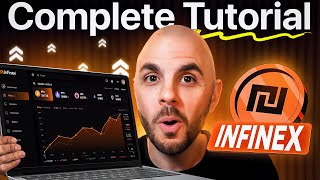
This video is a sponsored practical tutorial for Infinex, a crypto super app that combines wallet management, swaps, bridging, and perpetual trading in one interface. The host walks through account creation with passkeys, deposits, spot and perps trading, and three ways to earn rewards — including the crates system with raffle tickets and discounted INX token vouchers.
Infinex combines a wallet, swaps, bridging, and perps trading in one place, plus multiple earning mechanisms like reward crates and INX token vouchers.
Create a fresh account or import an existing wallet. A passkey is required — it's tied to your device or cloud account and can't be phished or copy-pasted.
Go to Settings > Security & Access to add email, two-factor authentication, and manage up to three passkeys, including resetting the one just created.
Deposit by selecting the chain (e.g., Ethereum for USDC), copying the wallet address, and sending funds from an exchange. Withdraw via Send, paste address, select token and amount.
Import a seed phrase or private key; Infinex uses Turnkey so it doesn't store keys — all encrypted. Imported wallets sync across devices automatically.
Swidge combines swap and bridge. It fetches quotes from 25 providers, lets you compare by accuracy, cost, and transaction speed, and allows custom slippage and priority fees.
Perps use a separate margin account. Fund it by bridging USDC on Hyperliquid (Lite and synthetics coming soon). Withdrawals take roughly 10 minutes.
Click 'Activate Perps Trading', enter your passkey, and you can start trading. Token info and maximum leverage are shown at the top (e.g., ETH 25x, BTC 40x, SOL 20x).
Isolated margin limits loss to the position size; cross margin risks the entire account but often gives a lower liquidation price. Most people should use isolated margin.
Choose long/short and market/limit. Set take-profit and stop-loss to cap losses — e.g., a 5% stop-loss loses only 5% of capital put up, not the whole position.
Crates are loot boxes earned by using the platform or holding the Patron NFT (one crate per day). They contain raffle tickets and INX vouchers for claiming tokens at a discount on TGE.
Connect Twitter and Telegram to see airdrops from external projects. The Earn tab lets you swap into tokens and passively earn APY.
Infinex released a wallet plugin for Chrome that connects to external dApps like MetaMask/Phantom, without needing to re-import wallets.
Infinex positions itself as a one-stop crypto platform where users can manage wallets, trade spot and perps, and stack rewards through crates, airdrops, and yield farming — with the wallet plugin adding multi-device convenience.
What is a passkey?
A credential tied directly to your device or cloud account that replaces passwords and can't be phished or copy-pasted.
00:40
How many providers does Swidge compare for swap/bridge quotes?
25 different providers.
03:37
What is the maximum leverage for Bitcoin on Infinex perps?
40x.
05:39
What is the difference between isolated and cross margin?
Isolated margin limits your loss to the position size; cross margin puts your entire account at risk but often gives a lower liquidation price.
06:20
What are INX vouchers?
Vouchers that let you claim INX tokens at a discounted price on TGE with 100% unlock.
10:26
How can you earn crates on Infinex?
By using the platform (e.g., trading perps) and by holding the Patron NFT, which gives one crate per day.
09:43
What does Turnkey do for Infinex?
It encrypts and stores nothing — Infinex doesn't store your seed phrase or private keys; the tech is trusted by Polymarket, Magic Eden, and Moonshot.
02:32
How long do margin withdrawals take?
Roughly 10 minutes.
05:00
What leverage should beginners start with?
Most people should start with very low leverage, like 2-3x.
06:07
How do you connect your wallets to external dApps with Infinex?
Install the Infinex wallet plugin from the Chrome store and log in to your Infinex account.
12:16
Passkeys are the anti-phishing future
Explains a security upgrade replacing passwords, giving users a concrete reason to trust the login flow.
00:40Swidge aggregates 25 providers
Shows how the platform optimizes swap costs through broad liquidity aggregation.
03:37Isolated vs cross margin explained
Critical risk-management distinction prevents new traders from blowing up accounts.
06:20INX vouchers as a discount play
Demonstrates a specific airdrop strategy — accumulating discounted token claims before TGE.
10:26Wallet plugin syncs across devices
Highlights a convenience advantage over traditional wallets like MetaMask.
12:16[00:01] how to use Infinex, a crypto super app that combines a wallet, swaps, bridging, and per trading all in one place. I'll also break down three different ways to earn while using the platform, including a 7 figure reward system and vouchers
[00:14] for their upcoming token at a potential discount. Ladies and gentlemen, welcome back to another CryptoGorilla video. As usual, I am not a financial adviser. I have zero control over this tool, the token performance, or the rewards. I am
[00:27] Special thanks to Infinex for partnering with me to create this video. Hit subscribe and let's jump right into it. So, step one, like any tool, is to sign up. Now, you could either create a fresh account or import an existing wallet.
[00:40] you are going to have to create a pass key. Now, pass keys are something that's being rolled out by Google, Apple, Microsoft to replace passwords. There's a ton of advantages as they're connected directly to a device or your cloud
[00:54] account. So if somebody gets your pass key, they can't simply copy paste it to also safeguards like you can't be fished. So a ton of advantages to doing this. And once you have and you've logged in, I suggest going to settings,
[01:08] then security and access. And from here, you can add an email, two-factor authentication for additional security. And this is also where you manage your you can add two more. And you can also reset the one we just created. So, here
[01:23] crypto super app. So, there's a ton of stuff we can do. So, I'm going to show you two different ways to trade on Infinex. And then I'm going to show you order to trade, we're going to need to fund our account. So, let's head over to
[01:38] portfolio. Now, yours is going to look something like this. In order to deposit funds, you would just click on deposit. You would select the chain you want to send funds to. So, if I want to send USDC on Ethereum, I would click
[01:50] Ethereum. I would copy the wallet address and then from my centralized exchange or my external wallet, I would send my funds to this address. Now, it's the same process if I want to withdraw from Infinex, I would just click on
[02:03] send. I would paste my wallet address, select it, and then select the token I want to send, enter an amount, and I'll be able to process that transaction. Now, on top of having an Infinex wallet, I'm also able to import accounts. So, I
[02:18] would just need to import a seed phrase or a private key and my wallet is going to appear right here. Like you see, I have an additional wallet. Now, I know a lot of people are weary with good reason about importing a private key or seed
[02:32] phrase. Infinex uses turnkey, which means they don't store your seed phrase or private keys. It's all encrypted. And this is tech that is trusted by big players like Poly Market, Magic Eden, and Moonshot. So, at the end of the day,
[02:46] you are trusting the tech the same way you do when you use MetaMask, Phantom, or Rabbi or whatever you use as a wallet for your money. Now, something I like about importing wallets is, let's say I log in to my mobile account, and I
[02:59] imported them all on my desktop, they're already imported on my mobile device. I don't need to repeat the process like I would have to do on MetaMask, which is really efficient that they added that feature. So, now that our account is
[03:11] So, the first way to trade is spot trading. We're going to go to Swidge, which is a combination of the word swap and bridge. It functions like any DEX you've ever used. You would select the wallet you want to trade from. You would
[03:25] select the currency you want to trade from. So, I'm going to do USDT. You would select the currency you want to trade into. And then you would enter an amount. I'm just going to put 10 bucks. And it's going to fetch some quotes.
[03:37] Now, they use 25 different providers. So, I'm going to get a bunch of different quotes. By default, if you click compare quotes, it's going to give me the best quote possible based on the accuracy, the cost, and the transaction
[03:51] negligible, like it's pennies. But you got to consider if you were doing this got to consider if you were doing this with 10,000, 25, $50,000, you might save a few hundred because of these different quotes. So, I'm going to go ahead and
[04:04] slippage. I just put custom. If you're priority fee. And then when you're ready to do your transaction, you click switch transaction. And voila, my transaction has gone through. If we head back to my
[04:18] portfolio, I now have AVAC in my wallet. So that's how you trade spot. Let's now jump over to per in which case we need to fund our per account because this is a separate account from your spot account. Here it is a margin account.
[04:32] I'll explain why in a moment. But in order to fund it, you would click on add funds. you're going to need to bridge into USDC on Hyperlid because right now However, in the near future, they're also going to have lighter and
[04:46] synthetics. So, I would just add an amount. I would click on add funds. I do it. If you want to withdraw your funds from your margin account, it's the same process. You just click on withdraw funds. You select the wallet you want to
[05:00] withdraw into. I'm just going to do Infinex. You select the amount. Withdraw funds. It'll process the transaction. Takes roughly 10 minutes and you'll have your money in your Infinex wallet. So, let's go ahead and open up the Pers app.
[05:14] In order to start trading, you're going to have a box on the top right that says activate PERPS trading or something like that. I already did it, so you can't see it here. You just need to click that button and then put in your pass key and
[05:26] you're able to start trading. Now, if you've traded PERPS before, it functions exactly like other platforms. If not, on top here is all your token information. This is where you select which token you're going to be trading. The number
[05:39] next to the token is the amount of leverage you're able to take on. So for ETH it's 25x. For Bitcoin 40x for Salana 20x and so on. So let's select Salana. And this means I'm able to trade up to 20x. So if I only have $100 in my
[05:55] account, if I do 20x, I'm able to take on a $2,000 position because it's 20x my position size. So, I'm stretching my capital, but I'm also taking on more
[06:07] risk because if you get liquidated, you lose your hundred bucks. So, I would suggest most people start with very low leverage, like 2 to 3x. Let's just go thing you're going to have to decide is if you're trading cross or isolated
[06:20] margin. This is why you needed to have a separate account from your regular wallet because isolated margin, what is what most people should be trading. Isolated means, let's say I have a $1,000 account. If I open up a $10
[06:35] position and I get liquidated, so it hits my liquidation price, the most amount of money I can lose is my $10. However, with cross margin, I am putting up my entire account. It goes across across my entire account. So, even if I
[06:50] open up a $10 position, if I get liquidated on this position, I lose my $1,000. The benefit is that you often get a very low liquidation price. Like
[07:02] price here. That's how low it is. But like I said, most people should be trading with isolated margin. So the decide is, do I want to long or short? Long means I think Salana is going to go
[07:15] down. Let's just long because we're permables. You choose if you want market or limit. Limit means you could set a specific price you want to long at. I just want it to auto buy. So, I'm going to switch to market, which means I buy
[07:29] at the current market price on the order books. So, let's set an amount here. Let's do a long of $10. Because I'm trading at 3x, my position size is going to be $30, but I am only risking $10 of my own capital. I strongly suggest you
[07:44] trade with a takerit and stop-loss turned on. So, let's say it goes up 5%. It is going to automatically close my position when it hits this level. And the same thing if it goes down 5% it's going to close my position. So I only
[08:00] lose 5% of the money that I put up rather than losing my entire $10 or losing my entire account if I'm trading with gross margin. And this would be, right? If it goes down a certain percentage, typically my theory that the
[08:15] market was going to pump is wrong. So you want to get out at a small loss. So tell me my liquidation price, what the fees are. I'm going to go ahead and place an order at the current market price. It goes through right away since
[08:29] there was uh positions in the order book. Here you could see at the bottom my current P&L if on the chart we have my takerit and my stop-loss. I could also see them here under open orders. I can cancel them if I don't want that
[08:44] However, let's say I wanted to immediately close my position. Let's say right now Salana were to take off and I'm like, I want this money. I want to go. You can close it simply by opening this up and doing close market. Decide
[08:58] the whole thing. Click close position and it's going to immediately close. So, that's a quick TLDDR on how to trade per infinex. Obviously, there's a lot more to it, but at least you know how to use the tool. So, let's go ahead and head
[09:13] the tool. So, let's go ahead and head back to the main Infinex platform as because there's three different ways to earn on this platform with the main one being the crates. Crates are their current campaign that started less than
[09:28] two weeks ago, so you're still early. And these are loot boxes that you earn by using the platform. And inside, you are going to get raffle tickets as well as vouchers for future rewards. One way is by holding their patron NFT, which
[09:43] you get one crate per day. The other way is by trading pers. You can see I am at 13% of reaching my next crate. I've already opened a bunch and gotten a ton of potential rewards. I say potential because you're either getting raffle
[09:58] right. I have a bunch of raffle tickets for potentially winning a million dollars in USDC once they reach $10 billion in volume. They're giving away their main NFT, which will get you a token airdrop. They're giving away
[10:12] token airdrop. They're giving away weekly claims of $50,000 USDC. NFTts. Here they have a Cryptounk, a Hyper NFT. They're giving away Pudgy Penguins. But the main thing I'm after are these INX vouchers. These are vouchers to claim
[10:26] their token at a discounted price. Currently, they are using the FDV of their NFT supply, which is around 460 million or 4 a.5 cents. And these vouchers will allow you to claim tokens
[10:41] in the future on the day of TGE, 100% unlock at a discounted price. So, you could see I have 2.5K INX tokens that I can claim at 1 cent. INX tokens that I can claim at 1 cent. That is a 4.6x the current estimated
[10:55] value that the NFTs are trading at. So the value of these tokens is $25. However, the value at the current price is $115. So I have a bunch of these. I have some at 2 cents. I have some at 4 cents at 5
[11:10] cents, which is currently more than it's trading at. But if this token opens up at$12 billion, all of these are going to be in profit. I could immediately decide which ones I want to claim, and then I'm free to do whatever I want with my
[11:23] tokens. So, I'm trying my best to maximize how many crates I'm earning in order to get as many vouchers as possible. And then worst case, I'm getting a bunch of raffle tickets to enter and potentially win prizes. Now,
[11:36] there are two additional ways to earn on this platform. The first is by airdrops. Once you've connected your Twitter and Telegram, you are going to start to see Unfortunately, at the moment, there are none. However, you're going to see a
[11:49] external projects. So, that's one way to earn. The other is directly on the earn tab, which this is yield farming. So these are all external apps. Basically, you swap into a token and then you're automatically just going to earn the
[12:04] APY. You could pick a coin that you're comfortable with with an APY that you're comfortable with and you're just passively earning by holding that token. So those are the three ways to earn directly in the platform outside of
[12:16] trading. If you're a really good trader, right, you're also earning by trading. Additionally, they have released their very own wallet plugin. So, just like MetaMask or Phantom, this allows you to connect to external websites and
[12:29] interact with their contract. To install this, it's just like MetaMask. You go to the Chrome store or whatever browser you're using, and then you would install the app, you would log in to your Infinex account, and you have immediate
[12:41] access to all of your different wallets without needing to import them again. So, that's how you use Infinex, the super app that lets you do everything integrating prediction markets. So, that's an additional thing you're going
[12:55] to be able to do within this app. They also have a token dropping in the near public raise for, which I will be covering on this channel. So, make sure don't miss that video as I'm going to cover the token from A to Z, how to
[13:09] today's tutorial. I hope you liked it. If you did, give this video a big thumbs up. Let me know what you want to see next in the comment section down below. down there and the notification bell. Thank you for watching another
[13:22] CryptoGorilla video. Peace.



⚡ Saved you 0h 13m reading this? Transcribe any YouTube video for free — no signup needed.