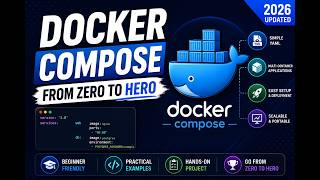

What is Docker Compose?
45sDirectly addresses a common pain point in container management, hooking viewers with a relatable problem.
▶ Play Clip"Title accurately reflects content: a practical tutorial on Docker Compose."
Docker Compose is a tool that simplifies running multiple containers together using a single YAML file. It helps manage complex projects by defining services like app and database in one configuration, replacing manual docker run commands.
Running multiple containers manually (e.g., app and database) is complex; Docker Compose solves this.
Docker Compose is a tool to run multiple containers using a YML file.
Dockerfile builds a single container; Docker Compose manages multiple services/containers.
Example: create compose.yml, define services (e.g., web using nginx image).
Use 'docker compose up' to start services; containers are created from images.
Set up a Node.js app with MongoDB: define app service (build from Dockerfile) and mongo service (image).
Services: backend (build from Dockerfile, port 3000) and MongoDB (image mongo, port 27017).
Docker Compose uses Dockerfile to build custom images; for pre-built images like mongo, just specify image.
Docker Compose streamlines multi-container management by defining all services in a single YAML file, making it easier to run and scale applications.
What is Docker Compose?
A tool to run multiple containers together using a YML file.
01:05
What file extension does Docker Compose use?
.yml (e.g., docker-compose.yml or compose.yml).
01:21
What is the difference between Dockerfile and Docker Compose?
Dockerfile builds a single container; Docker Compose manages multiple services/containers.
02:01
What command starts all services defined in a compose file?
docker compose up
06:33
In the example, which two services were defined in the compose file?
backend (Node.js app) and mongo (MongoDB).
14:15
Why is a Dockerfile needed when using Docker Compose?
To build a custom image for the application service; pre-built images like mongo don't need one.
16:13
Problem statement
Directly addresses a common pain point: manually managing multiple containers.
First successful run
Demonstrates the simplicity of running Docker Compose with a single command.
06:33Clarifying Dockerfile vs Compose
Clears up a common confusion about why both files are needed.
16:13[00:00] Have you ever struggled to run multiple containers together in docker? For example one for your app, one for your database and manage everything manually. So well that's exactly where docker compost comes in.
[00:17] So hi everyone welcome back to powerup careers. In today video we are going to learn about docker compost. So before going ahead I just want to say if you haven't seen my previous video based on the docker 3
[00:32] so I request you guys please look out those videos first so that you can easily understand the docker compose Okay, so now you are doing a particular project and the project growth is increasing.
[00:52] It is adding on to add on to add on to functionality. So, if you have to use Docker commands, it will be more complex. So, you will always remember it.
[01:05] So, we will use Docker Compose for that. If we understand a simple way, we can understand Docker Compose. So Docker Compose is a tool used to run multiple containers together using YML files.
[01:21] So Docker Compose is a tool that is used to run multiple containers together using only one single file and file is YML based. So you have to define containers.
[01:36] and if you have a docker compose then you will use the docker run command containers create so now if you have a docker compose then you can define multiple containers in a file
[01:49] and then we can use the docker compose so docker file will be a docker-compose.yml file this is your docker compose file
[02:01] it's simple and I will tell you the difference Now we are going to understand docker compose. So first as a purpose ki baat karu to usse andre hum image ko build karche the docker compose
[02:18] we can run multiple containers. Second file that is docker file and here docker-compose.yml is called Docker file is just always single container that is used for single container built
[02:35] and Docker Compose through we can bring multiple services or multiple containers we can fix uses same which I have told you and if we talk about orchestrator then orchestrator is basically a Docker Compose
[02:51] and now it is used to be used docker compose in a standard way if we talk about standard way then docker compose use
[03:03] now we will explain this in a practical way how docker compose file and how do we define services let's see how to create docker compose file
[03:17] let's look at a simple example I have made a simple example on Docker Compose I have created a project folder in front I will put all the things in front
[03:30] For enemies, Docker Compose Learning Give no name, no issue I will open Visual Studio Then you will see that I am inside of my Docker Compose folder already
[03:46] So let's create a composer file so compose.yml okay guys so don't be confused you can docker-compose.yml
[04:00] and compose.yml and compose.yml file can be used so it's a good issue to follow the latest standard format
[04:16] So now try it Otherwise, we don't have any issue but use it compose those yml Right? Okay, we start with a new one I'll tell you about it
[04:28] So we're defining services Now we create very basic examples So we're taking a front end We're just doing a state So we have web app So I'm defining services
[04:40] I'm going to define Services define You have to write the word in the word Then colon Then after this, I have to write the word web So I have to write web
[04:53] Now you will see that I have to write web But this is wrong format So I can define statement What do I have to do? Tab use Inventation
[05:06] So I use tab Tab keyword So you don't confuse So, I've called80om Graph fraternity. Okay there a create a report What is new to do with Graph We show you You see it systematically
[05:45] है ना ठीक है उसके बाद इंजेनिक्स इमेज के बाद मुझे क्या करना है बॉस्स डिफाइन करने बॉस्स में डिफाइन करें ठीक है
[06:00] इस वेरी सिंपल है अगर मुझे यह अगर कंटेनर क्रेट करना हो तो मैं डोकर रन कमांद से भी कर सकता था
[06:17] बट अगर अगर बतार हम कि इस जनेट कैसे बनता है कंटेनर चैसे डिफाइन होते है इसलिए मैं भी आपको एक सजीश से साथ बता रहा हूं तो इसको मैंने save टीया file को now इसको हम run करके देखेंगे
[06:33] तो यह लेकर लेका माइबाग अगर आप देखोगे तो मैंने docker compose file बना ली है now I have to run docker compose and run कर लेकिले लिए अश्राशी a command होती है
[06:45] जैसी मैं up करूँगा तो यह command बेरी up हो जाएगी what is going? यह बता है कि इसे एकनेट शर्विस्य अंदर गावा है रेस के अंदर इमेज आया ओउस्ट इस धीक है
[07:06] अपनेने स्थेस पोड जैसलिए ऐसा तो नहीं होना थी थीक है मैं ट्रॉमने दुबास अफ़न करता हूं clear okay मैं उस folder पे नहींचा तो मुझे उस folder पे आना बड़ेगा जन मैं इसको
[07:22] run कर पहुँगो ना docker compose learning now you can see compose.yml file is there so docker compose up
[07:37] तो आप देखोगे दिखेंगे मेरी इंजिट की image गिए वो फुल कर रहा है दोकर हाब से तो कि लोकल में नहीं अई अग अचिक अगर मुझे चेक करना है तो मैं चेहे करूंगा बात दालूंगा
[07:55] तो आप देखो गी मेरी एक इंजिन एक की मशीन की रिए होगी है नतर एक कंटेनर मेरा रिए होगी है जो किस तरह रहा है तिक इस वेरी सिंपल कुछ कंटेजन निये है अब हम आगे थोड़ थोड़ा कंप्लेक्स करते जाएगे
[08:10] तो आपको अंडर्स्टाइंग होती रहे और चीजों का प्रैक्टिस जिरू करना जाए ओके गाईज अब जो नेक्स करने जा रहे हम तो अब करते हैं अब हम एक अब लोड की अप्लिकेशन का सेट अप करते हैं
[08:23] तो मैं दोकर कंपोस का यूज उस रुरुद गोई समय भी तो अभी मैं जैसे आपको लिखाता हूं कि मैंने अल्यदी एट रूट फोल्ड बना रहा है देटिकी दोकर कंपोस्ट लेंग
[08:36] now under this I am going to create a compose file compose.yamn right then application
[08:48] abdactory I am going to create it my abdactory will be responsible for my application figure under this we can create
[09:00] because it's a sorry I have to create a folder sorry for that I just create a file so folder app okay so means it's not any application code
[09:12] I will have this particular folder so now I am going to create server.j so I assume that you have a node तो यह विल बी कमपोर्टेबल अजन नहीं हा तो और आप सिर्फ लो एप सिर्फ लो इस वड़ाइब बनाऊंगा
[09:30] पैकेग जीसल राइख जेसल राइख जाते हैं अपर फट पर कोड़ कर जाता हूं
[09:42] एन जो एक जो डॉज़ कर देख जाते हैं बेसिकली यह नोड काइटकोटा का अगराम बना रहा हूं मैं अगर आप देखो गे तो
[09:56] हैं आप दॉट के जर्ड और बाउड सेग्ट जाएता हुँ इन आउड पे ही नोड देखोंग थे उस पॉर्ट
[10:10] प्रोटिएौन क्टीक सस्तेल स्टारेँ प्रोटिक इसलिए राथ ।
[10:23] ये वाई क्टीक सान टीक सकतन लोराई है क्टोट से किसी ये क्टीक सनी स्केजला चेंडिर कtesी एक उच्टीकें लेक archa चाहता दोच लेलोखवन सब्सक्वरोस
[10:35] sorry so now what we define app
[10:48] 3004 days run bigger maybe we can put a command control.flow
[11:00] Server is running at 30000 So So server jfm defined our forum
[11:18] Package location i have defined a little bit of a different location So i have to use the exchange So i have to show package Package show Name this going in docker demo then ok what happened docker demo
[11:46] okay then dependencies under this we can define
[12:00] and express ok then we can define the version ok so all done yes all done
[12:19] You can see the package which is in express file defined by the package and the express file is used So now I need to do this
[12:32] If you see, I am checking that I am going to create a Docker file which will be in my app I will keep my application So now we are going to create a Docker file
[12:46] So, docker file is very simple and we will do it first If you have not seen my previous videos, I recommend that you can use the Docker file
[12:58] And if you are well and good guys, speak on this video So, from North
[13:10] right then working directory what's the IA that is app so the app folder under has me to have working directory will be API
[13:23] copy then run run kya kena hai I must run npm install kena hai see kya it's docker file kya through
[13:35] and cmd command I will execute the build time To server.js
[13:47] I made my file So, the file is also done Simple, I have executed a node I have done this file
[13:59] Now I will do the Compose file Simple So, I will define the service I will do services in the application. I will create two containers. One is the whole node and the other is MongoDB.
[14:15] Right? Then, services in the I can define backends. Container is not backends.
[14:27] Don't confuse guys. We are building a container. I have no image in engine.st If you can see, I have no image in engine.st
[14:40] I will build this container which will be the docker file
[14:52] which will be the app folder. I have to define it 3000 because I have defined my MTM in my 3040 so I will define it here
[15:15] Then I have to use this technique of MongoDB so I have given it a container called MongoDB I will not build any MongoDB in the container
[15:28] I will run the same container with the MongoDB So what I have to do is I will use the image to use Image Mongo
[15:40] Then Ports So I will run it for this one So I am going to define by default Ports 27017 Um Uh
[16:13] तो मैं इन दोनों services को communication में कर सकता हूँ मदद दोनों को use कर सकता हूँ अचा एक question आप लोगों को नाजी में उत्रा हुआ यार कि मैंने docker compose बनाया है और docker file भी define जी है
[16:26] why docker file is docker compose already used है ना तो मैं आपको बताता हूँ लेको simple सा है जो docker compose हम जो compose कर रहे हैं जो भी मिखाने के आशकर अगर पहरो हूं
[17:01] तो यह दोकर कंपोस्ट फाइल देगा तो जैसे मैं बताओं कि मैं इस वाले में जो इस वाले में जो इंटर में बिल्ड कर रहा हूं वो तारा कहां से आएगा datcoms from the docker file तो मैं इहां से इमेज दाल सकता हूं जैसे आप मोंगोडी में देखोगे मैंने इमेज दालने हैं
[17:16] बड़ मेरे को यहां image नी run करनी में यहां अपनी application run करनी है तो application run करनी की सारी statements मैंने कहां define करी है Docker file करना है और उस Docker file को मैंने build किया है कहां compost के अंदर
[17:29] तो अगर मुझे लारवल भी use करना है या कुछ और भी use करना है या मैं आपको बलूं कि मुझे कोई और सर्विसरी यूज करने है तो मैं एक नई सर्विसरी डिफाइन करूँगा उसको अगर मुझे पूरा बिल्ड करना तो बिल्ड मैं दोकर स्काइल कर बनाते हैं यहां पर यूज कर सकता हूं
[17:45] तो हमने आने वाले और एग्जाम्पल्स में देखेंगे अभी आप कंशूज मत आँ ना तो मैं तभी स्टेब बाइस्टेब चल रहा हूँ आपको ताकी ज्यादा प्रब्लम ना हो इसका मज़े में तो सिंपल साम में नोट्वेस के अप्लिकेशन रन करके डेखती है अब इसको रन करते है जो भी आपने क्रीड करा है यह कर दिया मैं जाने इसको तो मुझे पहले क्या करना पड़ेगा आइन आपको साथ जी जोकर तो दोकर डेस्टोप में स्टार्ड कर लेखा हूं
[18:12] तो दोकर डेस्टोप अब लोगों गाल तो जलेल गूद नहीं है तब स्वार कर लो डोकर टर्मिनल पर जाता हूं तो डोकर अचा मुझे उस अले पोल्डर पे गाउड करना पड़ेगा
[18:28] प्रिदेश्टॉप दन दोकर कमपोज लनी अब तरी यह विपिति इन दोकर कमपोज दो को दोकर कमपोज अब नरन करों यह अलाओ अनि इस अलाओ अधिक पाती आप
[18:58] तो जैसे नोड की रैपों की और इमेज पड़ी थी मेफस्ट तो वह अंजर रन होगी मॉंगो के यही पूरा इमेज फोल कर रहा है लॉकर हब से
[19:18] करें कि अध्यूंट के लिए अध्यूंट को दिखाता हूं तो यह यह कवांद रही है इस देखें यह सब्सक्राइब
[19:38] अब देखो गे तो हमारी कमांड रन ने हुई है और जो मैंने कंसोल पर प्रिंक किया था यहां पर आरास्टर वर इस रनिंग है 3000 तो अब मेरे जो फोट है जो मैंने उल्री रिफाइन किया था हम उसको एक्टिक्यूट करके देखते हैं
[19:58] चलो लेक्स की लोकल हो पर पर रन करते हैं तो आप देखोंगे तो यहां पर अपर अपर जो आ रहा है एगा कर आई यह दो कर हाई हो तो यह हमने में ने स्टीज पाथ किया था अगर आप देखो यह अपनी इस्टाइब ने तो इस वेडी चिंपल है न लाप आपको जादा �
[20:28] जादा दोंस में नहीं जा रहा है व आगे ले वीडियो पे जाएगे ऐसा नहों ना कि मैं आपको बताने लेजर मोटी भीजियो बनाने का जी मैं आपको संजा पाऊं अगर आप लोग यूज कर रहे हो और सब्सक्राइब कर रहे हो आप फालो करो मेरे वीजियो के प्रोसीज
[20:58] require you to do all the help
[21:10] and we are paying amount at once in docker computer okay guys thank you once again bye bye take care
⚡ Saved you 0h 21m reading this? Transcribe any YouTube video for free — no signup needed.