
Как создать американский YouTube канал?
41sИнтригующее обещание раскрыть секреты создания успешного канала с примерами из личного опыта автора.
▶ Play Clip"Title accurately describes the tutorial; delivers on promised steps for creating an American YouTube channel."
This video provides a step-by-step guide on creating an American YouTube channel, including account setup, security, and monetization tips. The creator shares personal experience managing multiple channels and helping others succeed.
The creator manages several YouTube channels, has a main channel with 2 million subscribers, and helps over a hundred other bloggers manage their channels.
To start, create a new Google account for personal use, entering any name and birth year (recommend 2000 or earlier to appear over 18).
Set up two-factor authentication, add a phone number and secondary email, and enable authentication to secure the account and prevent loss of access.
Click avatar, then 'Create Channel'. In YouTube Studio, go to Settings > Channel and set Country of Residence to United States.
Enable advanced features by linking a phone number. Use a relative's number from a 'good country' like Austria. Verify via code.
Many face issues with video verification or ID photo even after meeting monetization requirements. The creator offers help via Telegram.
Add profile photo and banner, then publish videos in English to target American audience. Monetization requires meeting YouTube's requirements.
Creating an American YouTube channel is straightforward: set up a Google account, secure it, choose US as country, and publish English content. The creator offers additional help via Telegram for monetization and channel setup.
What birth year is recommended when creating a Google account for YouTube to appear over 18?
2000 or earlier.
01:10
What security measures should be added to a Google account to prevent loss of access?
Two-factor authentication, a phone number, a secondary email address, and authentication setup.
01:37
What country should be selected as 'Country of Residence' for an American YouTube channel?
United States.
02:16
How can you enable advanced features on a YouTube channel?
By linking a phone number from a 'good country' (e.g., Austria) and confirming the verification code.
02:30
What should you do if you face issues with video verification or ID photo for monetization?
Contact the creator via Telegram for help.
03:06
Creator's Expertise
Establishes credibility by stating 2 million subscribers and helping over 100 channels.
00:02Birth Year Trick
Practical tip to avoid age restrictions by setting birth year to 2000 or earlier.
01:10Account Security Importance
Emphasizes securing the account to prevent loss of income, a common issue.
01:37Phone Number Life Hack
Using a relative's number from a 'good country' like Austria to enable advanced features.
02:30Verification Troubleshooting
Acknowledges common monetization verification issues and offers personal help.
03:06[00:00] В этом видео я покажу вам, как создать свой собственный ютуб канал на американский ютуб. Как вы видите, у меня в этом есть небольшой опыт, так как я сразу же веду несколько каналов. Поэтому я знаю все лайфхаки и секреты ютуба и как что правильно делать.
[00:14] На моем основном ютуб канале уже 2 миллиона подписчиков. Также я помогаю другим пользователям вести их ютуб каналы. Как вы видите, вот все эти каналы и здесь там, ну больше сотни скажем так, очень много каналов я помогаю вести другим блогерам.
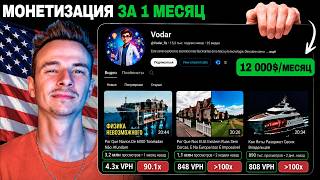
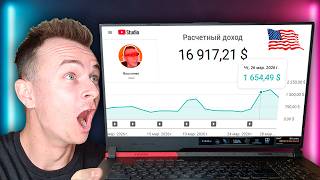
[00:29] Также есть уже успешные каналы, которым я помог. Как вы видите, они зарабатывают хороший доход. И таких каналов тоже немало. Как вы можете видеть, около 50 штук, которые вышли уже на реально классный уровень.
[00:41] Ну, вы сейчас только начинаете, и вам нужно правильно создать свой YouTube канал. Сразу же скажу, что название VideoByte, и нету никаких американских YouTube каналов. То есть, единственная разница будет в том, на каком языке вы ведете свой YouTube канал.
[00:54] Создается YouTube канал точно так же на любую аудиторию. Итак, чтобы создать американский ютуб канал нам нужно зайти на гугл почту. И здесь нам нужно будет создать новый гугл аккаунт для личного использования.
[01:06] 2000 2000 2000 youtube
[01:20] 18 лет затем выбирайте пол и нажимаете далее после чего выбираем как будет называться наша почта и нажимаем далее теперь самое важное нам нужно придумать пароль и записать его потому что
[01:32] очень часто люди забывают пароль потом не могут зайти на свой youtube канал и принципе теряю таким образом доход и после как вы создали свой google аккаунт вам нужно зайти в настройки этого аккаунта здесь вам обязательно нужно настроить безопасность вашего аккаунта есть вам нужно будет
[01:47] добавить факторную аутентификацию номер телефона запасную почту и также советую вам настроить аутентификейт после этого ваш аккаунт будет в полной безопасности и вы никогда не потеряете к нему долг и только после этого мы уже переходим в youtube здесь мы нажимаем на свою аватар после
[02:03] нажимаем создать канал теперь самое важное как же создать американский youtube канал просто нажимаем кнопочку создать канал после чего мы заходим в творческую студию youtube youtube youtube
[02:34] детского контента затем переходим доступность и функции здесь мы сразу же включаем расширенные функции для этого нам нужно будет привязать номер телефона нажимаем привязать тут лайфхак вам нужно выбрать страну в которой проживает какой-то ваш родственник то есть это должна быть хорошая
[02:49] страна допустим австрии после чего вы вводите в номер телефона вашего родственника и подтверждаете код который придет вам на номер телефона таким образом у вас будет меньше проблем в будущем после того как вы подключаете расширенные функции вам нужно будет пройти продвинутые функции но
[03:04] здесь опять таки есть нюанс очень часто люди не могут пройти видео верификацию либо предоставить фото удостоверения личности даже если они уже прошли условия для монетизации ну а ждать чтобы вам включили третью функцию потому что канал создан достаточно давно можно
[03:18] годами поэтому кто попал в такую ситуацию обязательно пишите мне в telegram и я помогу вам с этим вопрос после чего можно сразу же настроить загрузку видео то есть писать название описание и настроить таким образом когда
[03:30] youtube youtube
[03:47] она будет показываться американ и таким же образом если вы захотите создать не американский а немецкий португальский и бразильские либо японский youtube канал и все точно также просто потом снимаете видео именно на том языке на котором хотите чтобы вас смотрели люди если вы начнете загружать видео
[04:03] на английском языке то вас начнут смотреть американцы думаю это логично и вам осталось лишь пройти условия для монетизации после чего вы сможете подключить монетизации вы сможете получать доход с youtube за ваши просмотры сразу же скажу что если вам нужна помощь с настройкой канала
[04:19] выбором ниши подключением монетизации да что угодно просто спускайтесь комментарии под этим видео и напишите мне в телеграм и как вы можете видеть здесь я помог уже просто тысячам людей с их youtube канала также у меня есть свой сайт школа youtube где
[04:33] вы можете изучить условия подключения к монетизации либо персонального онлайн урок ну как вы сами видите я уже помог очень многим людям выйти с нуля на очень хороший заработок в youtube короче если тебе нужна будет помощь то пиши мне в телеграм
⚡ Saved you 0h 04m reading this? Transcribe any YouTube video for free — no signup needed.