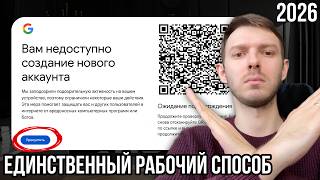

Создание YouTube канала в 2026 без номера телефона
45sПрямой ответ на актуальную проблему регистрации в РФ — высокая практическая ценность.
▶ Play Clip"Title accurately reflects the content: a practical guide to creating a YouTube channel without phone verification in 2026."
This video provides a step-by-step guide on creating a YouTube channel in 2026 that avoids phone number verification and starts gaining views immediately. It emphasizes using unique hardware, such as old Android phones, to register accounts and warns against creating multiple channels on the same device due to YouTube's tightened rules.
YouTube's rules have tightened; creating a Google account is no longer enough. Violations can lead to demonetization due to association with banned channels. Unique hardware is needed.
SMS messages are not sent to Russian numbers during registration. To avoid phone number prompts, use new unique hardware or a different browser.
Temporary phone numbers should never be entered. Use a personal phone number that works if available.
To create a YouTube account without phone verification, use Android devices. Old or cheap phones (e.g., Samsung for under 7,000 rubles) work. One device per channel is crucial.
YouTube is data-hungry; having two or more channels on one phone is risky. Each phone should have only one YouTube account.
YouTube is not strict about multiple devices sharing the same IP. Phones without SIM cards can work on the same Wi-Fi, but a VPN may be needed to access YouTube in restricted regions.
Registering from mobile phones gives more trust and credibility, leading to quicker initial views.
Leaving a comment on YouTube automatically creates a channel. This is considered a better method than using the 'create channel' button on a computer.
Publish initial videos from the phone to warm up the channel. Use Telegram to transfer files from computer to phone.
Use YouTube Studio to invite a computer account as an editor or manager. This allows uploading from computer while keeping the channel safe.
Set up avatar, banner, channel name, description, and contact info. Banner can be used for promotion. Channel name should be unique and memorable.
Set currency to US dollars, select a non-sanctioned country (e.g., Kazakhstan), and set channel keywords (optional).
Set channel as 'not for children' to avoid showing in YouTube Kids and to prevent reduced ad revenue.
Auto-dubbing can reduce retention due to poor voice-over and may cause issues with copyright infringement.
Enable advanced features to upload videos longer than 15 minutes and conduct live streams. This requires phone verification via a temporary number.
Do not verify with face and documents as it links all channels. If one is violated, all are affected.
Set template tags, title, description, and category (e.g., People & Blogs). Enable basic comment moderation.
Assign manager or editor roles. Manager can connect AdSense; editor can upload videos but may not see income.
Use an antidetect browser (e.g., Octa) to manage multiple channels with unique hardware profiles. No proxy needed if VPN is used.
Creating a YouTube channel in 2026 requires unique hardware, one channel per device, and careful setup to avoid bans. Using old Android phones for registration and an antidetect browser for management helps maintain channel safety and growth.
Why is unique hardware necessary for creating YouTube channels in 2026?
To avoid demonetization due to association with banned channels, as YouTube's rules have tightened.
00:01
What is the recommended method to avoid phone number verification when creating a Google account?
Use an old Android phone without a SIM card to register.
02:34
How many YouTube channels should be created per device?
One channel per device.
03:26
What is an alternative way to create a YouTube channel without clicking the 'create channel' button?
Leave a comment on a YouTube video; the channel is created automatically.
07:42
Why should you avoid using face verification for advanced features?
Your face is saved in the database; if one channel is violated, all linked channels are affected.
19:19
What is the purpose of assigning an 'editor' role to a computer account?
To allow uploading videos from the computer while keeping the channel safe and hiding income if desired.
08:35
What setting must be changed to avoid reduced ad revenue from children's content?
Set the channel as 'not for children' in advanced settings.
15:48
What is a disadvantage of YouTube's auto-dubbing feature?
It can reduce retention due to poor voice-over and may cause issues with copyright infringement.
16:40
How can you enable advanced features like uploading videos longer than 15 minutes?
Verify your phone number using a temporary number from an SMS aggregator.
17:17
What is the recommended category for a YouTube channel about YouTube itself?
People & Blogs.
21:09
New YouTube Rules Require Unique Hardware
Highlights a critical change in YouTube's policy that affects channel creation and monetization.
00:01Android Phones Bypass Phone Verification
Provides a practical solution to a common registration problem.
02:34Channel Created by Commenting
Reveals a lesser-known method to create a YouTube channel automatically.
07:42Set Channel as Not for Children
Important for maximizing ad revenue and avoiding restrictions.
15:48Avoid Face Verification to Prevent Cross-Bans
Critical advice for multi-channel operators to avoid losing all channels.
19:19[00:01] properly create a YouTube channel in 2026 so that you're not asked for a phone number when registering and so that your channel starts gaining views right away. This year, YouTube's rules have been tightened, and it's no longer enough to simply create a
[00:13] Google account, as before, because any violation will result in your channel being demonetized due to its association with another banned channel. Therefore, first of all, what we need is unique hardware for creating
[00:25] YouTube channels. And the second thing that is important to understand. SMS messages are not sent to Russian numbers during registration, so we need to avoid being phone number during registration. Many
[00:37] mobile operators do not send SMS messages to Google numbers , meaning you may registration at the moment, it is necessary that SMS messages are sent from your phone number. To avoid this, we need new unique
[00:51] hardware, or even a new browser, in which we will case, I haven't done anything like this through the Firefox browser for a long time , so I'll try to create it here. I click the Change Account button, then I click the Add
[01:04] Account button. I click the button to create an account for personal use, of course. Write your first name, your last name. It's better if they look like the real thing, and not some useless set of symbols. Select date of birth, gender. Well, that is,
[01:17] everything is as usual at the moment. Click the Next button. And we need to create a unique Gmail email address. Click here. You can take one of the own. The main thing is that you don’t forget it. To make sure you don't forget,
[01:30] of course, write down all your addresses in a separate notebook where you won't lose them. Next, press the button. Next. Next, we come up with our own password. In this case, I am redirected to a window with a
[01:43] phone number. This shouldn't happen. Temporary phone numbers [music] should never be entered here. If you have a personal phone number that works, you can create an account using that phone number. [music] In this case, we are
[01:55] not even asked to send, but just enter. So I'll now enter my real phone number and create an account. [music] While I'm waiting for the number, I'll I confirmed the phone number.
[02:07] You can add a backup email address or not. I'll skip this step . We confirm the rules. I press [music] to accept. Now our YouTube account has been created, or more precisely, our Google account. To create a YouTube channel,
[02:20] Choose an avatar and a channel name. It's okay if you change it later, in this case I'll take this guy. [music] Create channel. The YouTube needed a Russian phone number, which, fortunately, we were able to
[02:34] receive SMS on. But in order to create a YouTube account without phone number verification, we need Android devices. You can take an old discarded one or start buying new phones, the cheapest ones
[02:46] you can find. I bought these Samsungs on Ozon for less than 7,000. In the comments on both why I buy phones instead of creating them using an Android emulator. To be honest, I haven't tried creating one through an emulator, but in this case, in
[03:00] 2026, to be more precise, it's very important not to create multiple YouTube accounts on one device. As for the emulator, if you have access to the emulator forever, then I think you can create through the emulator, if you are
[03:13] settings, etc. In this case, all the phones that I have on the shelf, each of them has one YouTube account created on them. YouTube is very data-hungry these days, so it's important not to have
[03:26] two or more YouTube channels created on your phone. I'll unpack the phone. Let me start filming this now, no matter how stupid it may look, but so that you, that is, moment. It might be fun to be a phone unboxer, but at the
[03:39] moment we only use it for one purpose. Create a Google account. Here you can safely choose Russia. You can choose any other country. It doesn't affect anything. That is, the language is Russian. It doesn’t matter
[03:54] take when you start. Not necessarily, I probably won't Not necessarily, I probably won't build it manually. me say right away that if you have one IP on several devices, [music]
[04:07] YouTube is not critical about this at the moment. That is, all these phones that I have lying around, they are lying around [music] without SIM cards and they all work from the same Wi-Fi. With one small clarification, I set
[04:19] the DPI on it just to access YouTube, because in my region all these services are blocked. I can’t advertise [music] these means either. But I think if you're watching this video on YouTube, then you've already
[04:35] somehow managed to cope with this task. Accordingly, you will be able to handle setup process isn't as quick as I'd like, especially on phones that cost [music] 6,000 rubles, but you only have to go through it once,
[04:48] so I think it's worth it. Moreover, a huge advantage of registering YouTube accounts from mobile phones is that YouTube provides more trust and credibility on mobile phones. So if you're creating accounts
[05:00] more likely to get [music] quick initial views. I choose not to copy, create an account for personal use. Here we do the same thing as we did on the computer. I write the name, check the data, and
[05:14] computer. I write the name, check the data, and click next. I agree to the privacy policy and terms of use, [music] I click the use, [music] I click the "Accept" button. Thus, I created a Google
[05:26] account without confirming my phone number, without receiving SMS, without QR codes. At the moment, creating a [music] Google account is done through a phone, old reset one. That is, if you are allowed to create [music]
[05:40] from an old device without confirmation, go ahead and create it. You don't have to I'll just repeat myself again: I have one device - this is one channel. Therefore [music] I had five old phones lying around , I bought two new ones, so now there will be
[05:53] seven channels in total. After 13 channels were blocked for me, I will now protect myself as much as possible from communication with other devices. It doesn't allow us to quickly go to the YouTube menu. That 's it, settings, these settings. Look,
[06:08] I bought a Samsung [music] phone for the first time , and it asks me to create this account. Click here. No account. Further configuration will be done later. Skip. And skip again. We turn everything off here. I click accept.
[06:22] I'm installing my favorite dark theme. I turn off everything unnecessary. People who use Androids, please tell me, is this always the case for you? Then I just sit on my iPhone . Setup complete. Such a pleasant sound. We
[06:35] don't need anything extra on this phone, because the memory [music] here is only 64 GB. You could probably buy one for 128, probably for working on YouTube. This would have been more acceptable, but it cost 1,000 more, so I got a bit stingy. On my new phone in my
[06:49] access YouTube without a VPN. More precisely, load. So, of course, you think for yourself. I won't tell you anything, but the good thing about Android phones, even the cheapest ones, is that it's
[07:01] but the good thing about Android phones, even the cheapest ones, is that it's has been created. We can warm up the much easier if you are not looking for a specific niche. If you're looking for something, like
[07:16] Roblox, for example, then type " Roblox" into the search bar and, on a [music] account with zero interests, try to find an interesting niche for yourself by watching similar videos, liking them, and deleting unnecessary ones. After such manipulations, my
[07:30] main page already started, as if I were a Roblox fan. Although I didn't even watch long videos, so you understand. I just liked thematic Shorts, and I also started seeing long videos in the Roblox niche. If you
[07:42] for example under this [music] video, is, even if they write here, by leaving comments, you create a channel and accept YouTube's terms of use. That is, you don’t even need to click the
[07:54] create channel button. It was created automatically. And it seems to me that this is an even more correct way to create an account than through a button on the computer. That's it, my channel was created just after I wrote a comment.
[08:07] I recommend publishing your first videos on a new YouTube channel using your phone. To do for example, via Telegram. That is, you will download the Telegram client here and send files from your computer to this account in order to publish videos from your
[08:20] your channel warms up and starts to generate its first views and impressions, you can use YouTube's creative studio to assign the role of owner, or rather, not [music] and upload videos to your YouTube channel from your computer. This is located in
[08:35] the settings. Permission. Here you will have an "Invite" button. You write your email address and role option here . That is, initially I advise installing no less than the editor. The editor still has fewer rights, fewer connections, and
[08:49] even if your channel is banned, you won't be affected by the connection. Here we write the email address that we have on our computer. I'll write the one I created 20 minutes ago. I click save. And here we will be asked
[09:02] to confirm our identity. We can confirm this through the device. Since we this phone,
[09:14] let's move on to the computer. I was supposed to receive a letter at this email address. I go to Gmail and there it is, an invitation letter to manage the channel. I click accept. After that, I get redirected to YouTube. A window pops up where the user
[09:26] [music] that I created from my phone invites me to participate in introducing the channel. I choose to switch. I fill in my data, which I created here. this point, you don't need to confirm everything. If you're the lucky
[09:39] owner of a MacBook, there's a button called TCH ID that lets you link all your accounts using your fingerprint. During the current wave of bans, I haven't noticed any connection being made specifically via fingerprint, Tch ID, or Google Authenticator. Connections are made
[09:52] must be in pairs. That is, if you have accounts on the same hardware but different ones, it won’t affect you. If you have accounts on the same but different hardware, this won't affect you either. Therefore, in general, if you have one adens account and you
[10:06] distribute your channels to different phones or [music] you will conduct them in an anti-detect browser, then you can use one rating for all of them. Let's move on to setting up the channel. Here I have two channels, one that I created
[10:19] myself and one that I created from my phone and can manage through the video that I created on a computer, it’s more convenient to create on a computer , which is logical, I can upload it directly from this computer here. But it will be
[10:33] good if it is pre-warmed on the device, if you first download several videos [music] from the phone, as I already said, via Telegram or video files to your phone. You can transfer it via wire, whichever way is more convenient for you. And
[10:46] you can upload further through the role from the computer. What settings should I make to my YouTube account to make it look attractive, get views, and avoid any complications? Let's move on to the creative
[10:59] uploaded any videos here. Zero subscribers, zero hours. There is no content, no analytics [music]. I'll go to the channel settings. Here you can put an avatar, a channel banner, you can put it or not. In some children's niches or in niches
[11:14] page. For example, I can tell you: “Go to my channel and there’s a banner in the tab.” There will be some interesting information here, other than just this word. Basically, you can write in the
[11:27] [music] there, subscribe to Telegram or, I don't know, if you want to work with me, attractive, where you [music] invite the user to your page. And in the there, [music] to get a cookie, like Mister Beast, for example.
[11:42] The same thing remains in the profile, but at the moment he has launched his show Beast Games, where he also advertises his show on Prai using a banner. Also use the banner correctly, it helps a lot. I might
[11:55] change my banner soon too. The avatar should be thematic. The channel name does not be unique. That is, there is no need to write, for example, Vladimir earns money on Your name just needs to be unique and memorable, especially in the children's
[12:11] niches. If you're filming, for example, Beam with Lightning McQueen, you don't need to write the channel name BAMNG Lightning McQueen. The channel description can help you [music] rank in search, better select the audience, so in the description it
[12:23] the audience, so in the description it correctly. Let me even fill out my profile using the example of . OK. In the channel description I will write: "Hello everyone. My
[12:36] foreign channels and earn money through direct monetization, which is available in the channel, you can watch my path, how from an employee who worked offline and in the evenings creating videos in the hope that they would take off, I turned into an
[12:50] team and tens of thousands of dollars in income. 2025, of course, was good. I hope 2026 will be better in this regard, but so far the beginning of the year leaves only much to be desired . Further in the contact information, you can indicate your
[13:04] email address if you want to be contacted. But if you YouTube monetization and do not plan to advertise or sell anything, then this The only thing you can do is write your email here, which you
[13:19] account, so that if you forget the email from the channel, but somehow you will remember the password and When you leave this channel, you'll remember your email. I'll show you a real-life example. I click " Exit." I was kicked out of the YouTube channel, and
[13:33] remember my email, but I remember my YouTube channel. How can I [music] figure out what email is here? I go to the channel profile, show the email address . And there it is, my email, which I remember. Ah, that's right,
[13:46] Vladimir Freeman 239. How could I [music] forget? I click "Log in." Let's say it's not here. Deleting an account. Let's do it like this. I remember my email, write it, enter the password. And now I can use my YouTube channel again.
[14:00] Let's go to the channel settings. What else do we need to do in the has been sorted out. The channel logo, it seems to me, just gets in the way. I never put it on account settings, not the appearance. The first tab is general, the currency is US dollars. Here
[14:16] you simply configure The currency that's more convenient for your monetization display. [music] I use dollars; I get paid in dollars from YouTube, so it's more familiar. Some of my partners work on a percentage basis,
[14:28] meaning they receive half of the channel's income, so it's very easy to calculate their salaries in dollars. The next tab is the channel. Here, select your country of residence. It shouldn't be a sanctioned country, meaning Russia or Belarus,
[14:40] important to you, you can select the country. If country. There used to be a bug on YouTube, or I don't know what to call it, where if n't be able to click the button to submit for monetization. I don't think that's the case anymore.
[14:55] some without a country specified. Well, let's say I select Kazakhstan, country accent for Kazakhstan, and it will be easy to connect the account without any suspicion. You can set the channel keywords, or you don't have to
[15:08] set them. Let's say I [music] I'll write YouTube, YouTube promotion, [music] So, if you think won't. I can show you using my channel as an example . I don't use any keywords when I
[15:21] upload videos. I don't add any tags either, but some people still do that, and some think it will help them. But from my own experience, I understand that keywords and tags are completely unimportant. But since
[15:34] set up a channel, especially if you're only planning on [music] managing one write some keywords, and maybe YouTube will recommend you in the right direction faster. I got something like this . I'll go
[15:48] to the next tab, Advanced Settings. Here, we need to specify that our channel is not for children. We'll enter this in the settings once, and every time we upload a video, it will always be set as if our channel is not for children. This is very important.
[16:00] This is important so that our videos are not shown in YouTube Kids and so that the income from our videos is not 10 times less than it could be. to turn on automatic subtitles here, do not show harmful words. We do not need to enable auto-dubbing.
[16:14] Previously, this was an advantage of large channels on monetization. I had it on some of mine. Well, I wouldn’t say I was one of the very first, but I got it n’t. You can leave advertising alone, especially while you’ve just created a channel.
[16:27] . Improving video quality. Honestly, this is the first time I’ve encountered this setting, but I think there’s nothing bad about YouTube improving your video in some way; it won’t make things worse . About auto-dubbing, by the way, I don’t
[16:40] noticed several disadvantages of auto-dubbing on my channels. The first is that retention drops because your videos are watched [music] didn’t exist before. The voice-over is bad. YouTube, automatic, your videos aren't
[16:53] of auto-dubbing is that if you have any copyright infringement , you won't be able to edit it out, since Scroll down. Allow third-party
[17:05] channel for training and their models. Well, that's your choice. Allow or not leave it as is. The next tab is Feature Availability, also one of the most
[17:17] available to absolutely everyone. [music] This includes creating playlists, uploading videos, and so on, but you can't upload videos longer than 15 minutes and you can't very important. To do this, we need to enable advanced features
[17:32] conduct live broadcasts. This isn't important in all niches, but there are niches where it is important. And uploading videos longer than 15 minutes, especially those with half-hour slideshows, They go for an hour. Everyone needs to confirm this function immediately when
[17:45] creating a channel. You can do it later, but it's necessary. Also, without enabling the second, extended function, you won't have access to the advanced features. And without the be able to apply for monetization, because it's only available here. Now
[17:58] we'll confirm the phone number. I go here. In this phone number confirmation tab, we'll just need to purchase a temporary number, need it anywhere else. No need to dirty your numbers, no need to link them to YouTube, no
[18:11] You need some kind of aggregator that accepts SMS to virtual numbers. Telegram, for example, has one. I press start, select [music] search, I type Google or YouTube, or more precisely,
[18:24] What are the cheapest numbers we have at the moment? The cheapest are Kenya, the Philippines, Indonesia. The Philippines. Lots of I bought Indonesia for 3 rubles in total in this case. Let's
[18:36] try buying the Philippines. Here I'm given a number. Here I write the country Philippines. And it doesn't matter that it's registered in Russia or using a VPN. plus sign or not, it doesn't matter. I click next. Failed to send.
[18:50] The Philippines aren't coming. Let's try Canada. There are 278,000 numbers here after all. Canada here. And it doesn't matter at all that you just tried the Philippines, but, in my opinion, after three unsuccessful attempts, they take a couple of days to confirm the second function.
[19:04] I enter the number here. The number worked. Now I'm waiting for it. The code arrived. I insert it. Thus, I confirmed the second function for 5 rubles. The functions are enabled, advanced. automatically if your account was created in Russia. That is, they don't let you confirm by face
[19:19] . And even if this were available, I wouldn't let you I recommend verifying with your face and documents, since your face is saved in the database, and all other channels that are verified with your face will be affected. If one of them is violated,
[19:32] all the others will be disabled. This means the feature will be disabled, and possibly monetization will be disabled. It's enabled automatically when you actively manage your channel. You can conduct polls, write community posts, publish videos, and maybe even
[19:46] stream, even with your face. So, the face you have in your YouTube videos and the face you have in advanced features are remembered differently. upload your face to hundreds of channels. If one of them is violated, it wo n't be a big deal. But in
[19:59] advanced features, it's saved in the database and will later identify you as the violator. When a channel is ready for monetization, in 95% of cases, Go to the Video Upload tab. Why do you need this? First, if you're a fan of
[20:15] can set up template tags that will be inserted into each From your videos. It also works with the title and description, if you have a template-based niche or if your descriptions are identical, like mine,
[20:28] for example, in these videos, where I simply copy this thing from video to video. I copy it manually, of course, but you can paste it here too. [music] is published via a link, so you can double-check the
[20:42] or change anything, the title, the preview. That is, in this case, I recommend always uploading videos first via a link. Advanced channel settings. This is an automatic breakdown into episodes. Something like time codes, by
[20:55] videos. Category, if you have a specific one, for example, entertainment or games, if you film. Well, in this case, I'm talking about [music]. What does the channel do? About YouTube, probably. You don't need to set it to "Education," because you'll
[21:09] set the "People" category. Just people. and blogs. My channel is essentially a blog, right? I run it on my own behalf. That's the reason for the lack of subtitles. You do n't have to put anything here, it's absolutely unimportant. Well, in this case,
[21:23] let's say I'm running a channel in Russian. We enable basic moderation for comments, show the number of likes. Likes and dislikes are disabled by default see the number of your dislikes, but you can also disable the number of
[21:35] likes if you don't want... I don't even know why you'd disable them. In fact, show the number of likes. Next, I go to the permissions tab. Here, that you can assign the role of manager, editor. This is useful if you give
[21:49] access [music] to the account to your employee or are trying to enter it yourself, for example, how I created an account from a phone and assigned permissions to a computer. The manager role needs to be assigned to people who connect your
[22:01] channel to theirs. adsns. With this role, they will be able to do this. If you have an employee who uploads videos, you can set up an editor with they will be able to [music] upload videos, publish them, but they
[22:14] will not see your income if you hide it. If your employee works for a fixed salary, not for a percentage of the channel, then you can set up an [music] If your employee works for a percentage of the income, then set up
[22:27] your income, and perhaps this will increase their motivation, and they will Community moderation. Here you can, in principle, completely disable comments, if, for example, someone writes "denzl" in the comments, this
[22:43] comment simply will not be shown. If someone writes "infotsigan", it will not can set up an administrator streams, which will report violations to your Offenders. You can also
[22:56] set channel rules. I don't know in which of the 1% of cases you'll there. When a user wants to leave comments, they'll be presented that must be followed. Okay then. And the agreement is simply the contracts
[23:11] you agreed to when you started running a [music] YouTube channel. When you more agreements. In this case, you're only confirming the rules for creating a [music] channel. We've decided on the settings . Now I'll tell you how I
[23:24] plan to run my channels, how I've already started running them. I use the antidetective browser for this. I've had Octa for a year , but since this video isn't advertising, you can use absolutely any antidetective browser.
[23:37] Create an account from your phone, any old one, new one. Create a profile in antidetective. Each profile has its own unique hardware. And on all your phones, you'll also have unique hardware. This way, your phones are
[23:51] not linked. The profiles you use to manage your accounts aren't linked to you either . I only have a Wi-Fi connection because I register and manage accounts without SIM cards, but in this case, there's no IP connection. I
[24:06] tested this. I don't know what will happen in the future, what will happen in 2027, or maybe they'll erase it this year, but for now, I do n't even have a proxy in my anti-detection software. It 's enough that I have a VPN on my computer, and thanks to that, I can
[24:19] easily access YouTube. If you have any questions, ask them in the comments. In the next video, I'll tell you how to enable monetization in 2026. Whether you have ASense or not,
[24:31] I'll cover all the possible monetization methods. I've already made similar videos, including how to create a channel eight months ago and how to enable monetization, but time goes on, rules change, and videos have to be updated, so this is the most up-to-date
[24:43] to my channel, Subscribe to Telegram, link in the description. Bye everyone Telegram, link in the description. Bye everyone .
⚡ Saved you 0h 24m reading this? Transcribe any YouTube video for free — no signup needed.