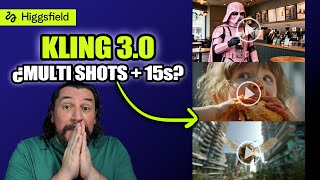

Kling 3.0 First Look: New Features!
45sIntroduces a highly anticipated AI tool update, sparking curiosity and engagement from creators.
▶ Play Clip"Delivers a real hands-on review with both pros and cons, but the title oversells 'analysis' when it's mostly a demo."
This video provides a hands-on review of Kling 3.0, accessed via the Higgsfield platform, after 8 hours of testing. The creator demonstrates new features like multishot, start/end frames, sound generation, and consistency tools, while also highlighting common errors and limitations.
The creator gained access to Kling 3.0 for 8 hours through Higgsfield, a platform that allows testing of the unreleased model.
Kling 3.0 introduces multishot (up to 8 shots), start/end frames, sound generation, and duration options from 3 to 15 seconds.
Videos can now be generated with sound directly, a new feature in Kling 3.0.
Resolution options are 720p and 1080p. 1080p costs only 3 more credits (27 vs 30) and is recommended for better quality.
Multishot allows up to 8 shots, each with its own prompt and duration (max 15 seconds per shot). The creator tested a Corvette transforming into a robot.
Using start and end frames without multishot creates a continuous shot. The example showed a Corvette to robot transformation in one take.
Close-up shots with zoom maintain consistency and don't pixelate. A 5-second shot is more impactful than 15 seconds for such effects.
A three-shot sequence of a crying woman running to a gravestone showed loss of consistency across shots, a common error.
Elements allow uploading up to 4 reference images to maintain character consistency. The creator tested with a singer using multiple angles.
Lip movement was tested in English and Spanish. Spanish lip sync was decent but the character recited rather than sang, and lip sync was occasionally off.
An MMA fight scene between two famous women showed good action but lost consistency in faces, with distortion appearing.
A character squeezing a hamburger demonstrated good gesture handling, though consistency was maintained.
Kling 3.0 offers impressive new features like multishot and sound generation, but consistency issues and distortion remain challenges. The model is promising for creative projects, especially with careful use of reference elements.
What is the maximum number of shots allowed in Kling 3.0's multishot feature?
Up to 8 shots.
02:46
What is the maximum duration per shot in Kling 3.0?
15 seconds.
01:32
How many reference images can be uploaded for consistency using Elements?
Up to 4 images.
07:19
What are the two resolution options available in Kling 3.0?
720p and 1080p.
01:46
What is the credit cost difference between 720p and 1080p for a 15-second video?
27 credits for 720p, 30 credits for 1080p (3 credit difference).
02:02
What new feature allows generating videos with sound directly in Kling 3.0?
Sound generation.
01:32
What is the main issue observed with multishot sequences in the video?
Loss of consistency across shots, with faces and details becoming distorted.
05:42
What is the purpose of the 'Elements' feature in Kling 3.0?
To maintain character consistency by uploading reference images.
07:19
New Features in Kling 3.0
Summarizes the key upgrades: multishot, sound, and extended duration.
01:04Multishot Demonstration
Shows the practical use of multiple shots with individual prompts.
02:33Consistency Issues with Multishot
Highlights a common flaw where character appearance changes across shots.
05:27Using Elements for Consistency
Introduces a workaround to maintain character identity using reference images.
07:19Distortion in Action Scenes
Demonstrates that fast-paced scenes can cause facial distortion.
10:07[00:09] access to Clean 3.0 for 8 hours and today I'm bringing you a video thanks to Hitfield who allowed me to try it out. This is your first time passing through here. I am Artificial Ark, a channel specializing in creating images or videos with
[00:23] images or videos with artificial intelligence. We started with Clean 3.0. currently involved with Gen, has experienced exponential growth
[00:38] in recent years and also because they make everything super creator friendly, that is, they make everything much easier for anyone who wants to create content with artificial intelligence. But today I'm here to talk about Clean. Clean 3.0 has not yet been
[00:51] officially released; it is only available to creators who are part of the Clean program. However, companies like Hitfield already have access to this model as well and can thus test it.
[01:04] Clin 3. Clin 3.0. When you go to the Hitfield page you'll find a lot of things, but if you go to where it says video, you'll see that it says "
[01:17] clean 3.0" right here. The first thing I want to show you is how Clean works. In Hitfield you have the option of start friend and end friend. This only works if you don't activate multishot, which is one of the new features in Clean
[01:32] 3.0. Within this active promise are the sounds. You can now generate videos with sound directly. The duration, which is also new here, duration, which is also new here, ranges from 3 seconds to 15 seconds. And
[01:46] this is where you can play with multishot. The aspect ratios are the normal 16916 and the square 1:1. The resolution is 720 and 1080. Everything I've done today is in 720 because it takes forever in 1080. So I
[02:02] said, if I wait, I won't finish or I'll only make one video. As you can see, the credits it asks for will vary depending on everything, from the seconds to the resolution. In the end, going from 720 to 1080 at the maximum
[02:18] is only three credits less, from 27 to 30. So, is it worth it at 1080? Yes, I think it's worth it in 1080p. What happens when you activate multishot? I'm going to show you with this frame that I had already created, which is of a Corvet, okay? in
[02:33] a city with explosives, but as you can see, the important thing here is all the shots, that is, in shot one, where I write what will happen in shot one. And the great thing about this is that I can specify how many seconds I want
[02:46] this shot to last. As I already told you, the maximum can be 15 seconds. Then you can start playing around with the shots. The maximum number of takes you can take is eight. So, I was just playing around with the shots, okay? What
[03:00] transform like a Transformer, into a robot. Okay? So, this was the a robot. Okay? So, this was the first test I did and this is how it turned out.
[03:22] by testing the star friend and the friend. In other words, I removed the multishot and what I did other words, I removed the multishot and what I did was try putting the Corvet as the start frame and the robot as the end frame. What 's the difference? I
[03:35] 'm just telling you here to make it a continuous shot. I'm not asking for takes, variations of takes, but I 'm simply telling him to make it one continuous take 'm simply telling him to make it one continuous take and this is the result.
[03:56] but that's because I set it to 15 seconds. I'm anxious about the timing joke, so I wanted to do something super fast, but after I said, sure, it's a continuous shot, this had to have happened super faster. So, that's why
[04:10] a bit fake and all that, because the time is very long for how little happens in the scene. Do you understand? This happens a lot and is a making videos. But what happens if we increase the speed outside of that? You'll
[04:26] increase the speed outside of that? You'll see it this way.
[04:38] close-ups. What is this? that you have something and you simply bring it as close as possible. stream close-up, a shot that follows the car, but the idea is that it reaches the ring, the tire, the hoop, whatever it's called in your
[04:52] the hoop, whatever it's called in your country. And the shot looks like this.
[05:11] it's 15 seconds anyway, but this in a 5-second shot is going to be much more impactful. The zoom will be, or the extraom will be, forceful to whatever you want and maintain consistency. It doesn't pixelate, it doesn't do anything. Note, this is part of
[05:27] a single image. Another example I created was Multishot, as you can see, I have the first one, which is a close-up of her where she is crying. The second one I told her that she was running towards the gravestone, okay? Towards where the person is,
[05:42] because it's like a funeral, right? It 's already a funeral. And the third one where That's what was going to happen, because I also saw in all the tests that when you ask for so many changes, they lose a lot of things. And now I'm going to
[05:56] show you the errors too, so you know that there are also many mistakes regarding this. So I told the AI, let's do this in three takes to see what the changes look like. And here I kept all the shots at 3 seconds and
[06:08] I kept all the shots at 3 seconds and this is the result. [laughs]
[06:21] I think this is super awesome because if you add consistency to all of this, it's going to look much better. And that's what I'm going to teach you now. First, I want to say that if you're enjoying this video, you can subscribe to the channel, hit the
[06:36] bell icon, like this video, and leave a comment because that will help me want to invite you to join the Telegram community. In the description you will find the link to join directly so you can
[06:51] share and ask questions. We're doing all of this via Telegram. On the other hand, I also want to invite you to the find my services or where you can get consultations if you're
[07:05] stuck or don't know how to carry out a project. As I said, in the description you will have the link to the website so that you or we can talk about what you need. For consistency in videos with Clean
[07:19] 3.0 you can use the following, it's called elements. What you can do with elements is create, okay? If you click here, you can upload up to four images. In this case I made the singer, I have an image of him from behind, I am
[07:32] placing a close-up stream of his eyes, a view from above and a slightly more angular view from below upwards. I added a description and saved it. What did I do? I placed a different frame that had to do with him and
[07:48] put a continuous shot, okay?, of him singing. Here I wasn't just testing the consistency, but also the lip movement, okay? And I did it in English. I did two tests, one in English and one in
[08:02] two tests, one in English and one in Spanish, and this is the test in English.
[08:17] reference. However, since I indicated that it was a continuous shot, it didn't make the changes. Then I tried again, but with multishot. But notice that when you create the shots it also tells you that you can add an element, it
[08:31] tags it within the promo. So, you add consistency to each element, okay? so that he knows what is happening or what is going to happen, and where he will get that reference from the person. What happened? I did the
[08:48] same example here, but in Spanish because I wanted to know how the lip movements worked, how it went with the Spanish, because if you remember a video I had already released of Clean 2.6, where they had already released the audio, they still did
[09:02] n't have anything with Spanish. So, I wanted to try it now with 3.0 to see what would happen and this is the result. The club lights go out, the piano The club lights go out, the piano wants to rest. I sing to the echo of my voice
[09:16] that fades away for no reason. [music] I like it. I like it. What I don't like is that he didn't sing it. He recited it. It's fine, but he didn't sing it. Even though he had put it on , it was like he
[09:28] , it was like he sang it. The lip movement is a bit off at times, but it's very good. I really like it, leave me a comment. And if you like it, leave me a comment. I want to
[09:42] look at it again. The club lights go out. The piano wants to rest now. [music] I sing to the echo of my voice that is lost without reason. He
[09:55] also notices that he keeps changing the shots. Use the sockets I gave you, okay? The close-up, the shot from below, he uses it and maintains consistency, something
[10:07] that didn't happen to me with this example. One of the first tests I did was with this video, which if you haven't seen it is on Instagram. I made an MMA fight of these two famous women, you know who they are. So, this is what happened to me.
[10:21] they are. So, this is what happened to me. Touches anday calm.
[10:35] amazing. However, as you can see, it lost consistency with both artists, in fact, it even lost it with the referee, because if you look here, they no longer resemble each other. It 's fine here, but here it's like
[10:50] 's fine here, but here it's like the faces of both of them get distorted. Notice that everything is deformed the same. I think the fight scene is brutal. Look at the faces here, everything is distorted. And this is what I didn't like. Another example I
[11:03] want to demonstrate is gestures. So, I did this. [laughs] I made other examples. Look how he squeezes
[11:15] the hamburger. I love it. I could
[11:27] also have a GPT file. I leave a comment saying, "I want the GPT file. I'll be modifying it because I'm polishing it as I find errors and all that. So we'll keep testing it, and if you find anything, let me know
[11:39] . Hey, this looks weird, you can modify it and I'll modify it." If you want the GPT, write, "I do want the GPT." There are many ways you can interact with this video because there's content, and there are some really great things coming up
[11:52] . So, you know, here's another video I made about Hitfield, and here's my face so you can subscribe directly to the channel without much hassle. See you in the next video. I hope you
[12:06] next video. I hope you liked this one. Bye bye.
⚡ Saved you 0h 12m reading this? Transcribe any YouTube video for free — no signup needed.