
Turn Product Photos into Ads in 1 Minute
48sImmediate promise of a quick, easy AI solution to create pro ads from ordinary images sparks curiosity.
▶ Play Clip"Delivers on the promise of turning product images into ads in a minute, but the website name is unclear and some steps are repetitive."
This video demonstrates how to transform ordinary product images into professional advertising images and videos using artificial intelligence. The presenter uses the website 'Bath.com' (likely a mispronunciation of 'Bath' or a specific AI tool) to show the process, emphasizing that it requires only a phone or computer and about one minute. The tutorial covers uploading an image, providing detailed prompts to the AI, generating edited images, and even animating them into videos.
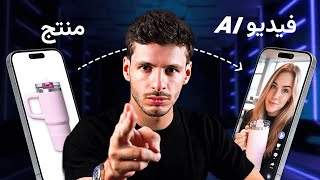
The video introduces the concept of turning ordinary product images into professional advertising images using AI, requiring only a phone or computer and one minute.
The presenter opens a website called 'Bath' (likely a mispronunciation) which features an AI Image Editor and other tools like AI Shorts for turning subjects into videos.
The website language can be changed to Arabic. The user uploads an image from their device or camera, such as a refrigerator or makeup product.
The presenter stresses that detailed prompts yield better results, e.g., specifying a Gulf woman using the product in a cosmetics store, and instructing the AI not to add text.
Even with minimal information, the 'Nano Banana' model produces good results. The presenter mentions it takes 16 credits per creation.
The AI generates an image of a Gulf woman using the product in a cosmetics section. Users can download, improve, or animate the image.
The presenter demonstrates zooming the camera closer to the product by editing the generated image, showing iterative refinement.
Examples include a white shirt transformed into a man wearing it in an advertising style, and a cream image where a girl uses the product in a suitable setting.
The 'Move' feature converts the image into a video, with options for duration (8 seconds), resolution (720p/1080p), and orientation (horizontal/vertical).
Users can leave the screen or browser while the AI works; created images and videos are saved on the home screen.
A video of a Prada cream ad is shown, with text generated automatically without explicit instruction, and can be downloaded.
The presenter highlights that this method replaces expensive cameras, computers, and design skills, making professional ads accessible with one click on Bath.com.
The video effectively demonstrates that AI can simplify product photography and advertising, making it accessible to anyone with a phone or computer, eliminating the need for expensive equipment and design expertise.
What is the name of the website used in the video for AI image editing?
Bath.com (likely a mispronunciation of 'Bath' or a specific AI tool).
00:19
How many credits does it take to create an image with the Nano Banana model?
16 credits.
01:38
What are the video resolution options when animating an image?
720p or 1080p.
04:10
What is the default video duration when using the 'Move' feature?
8 seconds.
04:10
Why is it important to provide detailed prompts to the AI?
Detailed prompts yield better results, such as specifying the subject, location, and restrictions like 'no text'.
01:07
Can you leave the screen while the AI processes the image or video?
Yes, you can exit the browser or return to it; the work continues in the background.
04:23
Detailed Prompts Yield Better Results
Emphasizes the importance of specificity in AI prompts for achieving desired outcomes.
01:07Nano Banana Model Efficiency
Highlights that even minimal information can produce good results, making the tool accessible to beginners.
01:38One-Click Video Creation
Demonstrates the ease of converting static images into videos, a key feature for advertisers.
03:55Replacing Expensive Equipment
Positions AI as a cost-effective alternative to professional photography and design tools.
05:05[00:03] these ordinary product images into professional advertising images using artificial intelligence. All that is required of you is to have either a phone or a computer and just one minute of your life. So let's start directly and open the phone to the browser and go to a website called
[00:19] bsh in English. When you open the website, you'll see the AI Image Editor, which uses artificial intelligence to edit images. There are also many other features, like AI Shorts, which can turn any subject into a video. So, you
[00:36] have all the basic tools. Below, you'll find additional tools, and you can also change the website language to Arabic. So, I've changed the website to Arabic. It's an image editor using artificial intelligence, and it tells me to upload an image. I can upload it using my
[00:51] camera or from my device. I'll open the images section and take a picture of a refrigerator, a makeup image, or any product I want to edit. It's uploading the image and then asking me what to do with it. You can tell it to do whatever you want. It's crucial that when you explain things to the
[01:07] AI, your explanation is detailed enough. For example, you should tell it to have a Gulf woman use the product in the image, specifying the location and angle. The camera, whatever it does, for example, I tell it not to add any text itself, to leave the product image as is. So, look, what
[01:23] details will I give it to get a good result? I want to have a Gulf woman using a product in a cosmetics store. I also tell it not to add any text to the image so it doesn't add anything of its own. Of course, I can add a lot of details. I haven't told it yet what the camera angle is,
[01:38] how the lighting is, what the girl looks like. I haven't given it any of those details. But even when you use the Nano Banana one, which is here, it always gives you nice results even if you give it little information. As soon as I press the "Create" button, it takes 16 credits from me, takes the image and the text,
[01:54] and starts working on the image. While it's working on it, I can even see the images I used to make before. I can show you all of them now. I used to make ads and show you how the artificial intelligence produces really neat images. And here's the image: the Gulf girl is in front of me using
[02:08] the product. Even though it's detailed and I put it in the cosmetics section, I can download the image from here on the left. There's an image download button. I can improve the image, I can animate the image. If I animate it, it turns the image into a video. But I haven't finished explaining yet. I still want to
[02:24] show you that you can also edit and add more details to the image. So now I've selected the girl's image. After the image that appears in front of me, I can tell it to zoom the camera closer to the product. I say "Create," and it takes the last image and zooms the camera closer to the product. This is the result that
[02:39] appears. So I can edit this same image that appeared, or the original image, or the product image. I click on anything and then fill it in again with what I want, and I say "Create" and edit the image. This is called Nano Banana. The model is available on the Bath website. Okay, let me show you some examples
[02:54] I've done before. For instance, the picture of the shirt— when I click on it, the website opens a picture of the man wearing the shirt. The shirt was just a regular picture, like this—just a white shirt. Then it became a picture of the man wearing the shirt, like this. Or, I can zoom in
[03:09] on the website itself to see how the man is wearing the shirt in a very neat, advertising way. Of course, the product image doesn't have to have a white background like this. It's fine if you can upload regular pictures from your phone. For example, this cream image—this was the original picture. The
[03:23] cream was there on its own, like this, in a regular image. So when you upload it and tell it to do whatever you want, the girl can use the product and try it out. Many methods have been tested on the cream, and all the images were clear and showed the exact same product. So, look at this example of the cream image I uploaded.
[03:40] I told it to add a veiled Gulf woman to the picture and have her use the product—a skin-enhancing cream. I do n't even need to explain further. I gave it to him and put them in a suitable place for the product. I mean, I didn't tell him where to put it, how to put it, or what the product was. Without even telling him what the product was, he'd create the image.
[03:55] Of course, I started explaining it to him here, and this is the result. He gave it to me. A girl is using the product in a suitable place for the product, which was like a bathroom. I can simply press "Move" now, and it starts creating a video for me. Here, it asks me about the image options, how long it is (eight seconds),
[04:10] image options, how long it is (eight seconds), the resolution (720p or 1080p), and whether the video dimensions are horizontal or vertical. And now it's filling in the video in front of me. I can go back to the home screen and do other things while it's working. So, you don't have to stay on the same screen. I can
[04:23] even exit each browser or return to it. So, you can let it run in the background. And if you want to find the video or image that you created, it's there on the home screen. You have images and videos. So, if you press, for example... The videos are the ones I was
[04:37] working on, and the video was in front of me. The text reads, "Prada cream, a cream that makes your skin as smooth as silk. Prada cream, a
[04:50] This was written without any explanation, and it was understood that she was saying this in the video. If you want to download the video, the download button is at the bottom. Simply click on download, and the video is on your phone. And that's how easily you can create
[05:05] you can create professional ads on your phone or computer with just one click, instead of buying a $1000 camera and a $1000 computer to learn design, Photoshop, photo editing, and video editing. Because product photography is very, very
[05:19] difficult. If you watch photography sessions, you'll see how complicated it is. But now, with artificial intelligence, it's all done with one click, and it's all on one website called Bath.com.
⚡ Saved you 0h 05m reading this? Transcribe any YouTube video for free — no signup needed.