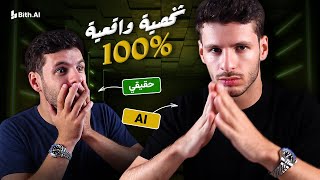

Create AI Characters in 1 Minute!
45sThe promise of creating AI characters quickly is highly engaging and taps into the trending AI content creation craze.
▶ Play Clip"Delivers on the promise of creating a talking AI character in a minute, though the demo is basic and lacks depth."
This video demonstrates how to create AI-powered digital characters that can speak and act on your behalf using the website Bith.ai. The presenter shows how to generate a character from a photo, add text or voice, and produce a video in about a minute, all from a browser on any device.
The video promises to show how to create AI characters that can say or do anything, useful for faceless content creation, advertising, and marketing.
Bith.ai is a website accessible from any browser on phone or computer, offering tools like quick ads, photo editor, and video content creation.
The 'Create Characters' feature allows users to select pre-made characters or upload their own image to create a digital avatar.
Users can type a script and choose from various AI voices (e.g., Arabic voices like Omar) to make the character speak the text.
After inputting text and selecting a voice, the video is generated in one to two minutes, ready for download.
The presenter demonstrates uploading a personal photo and recording audio to create a custom character that mimics their appearance and voice.
The Library section stores all created videos, images, and audio, allowing easy access and management.
Users can animate any image (e.g., a dog) using the 'Picture to Video' feature, making it perform actions like talking or smoking.
Bith.ai provides a simple, one-stop solution for creating AI-driven characters for content creation, advertising, and more, with options to use your own voice and face or AI-generated ones.
What is the name of the website demonstrated for creating AI characters?
Bith.ai
00:20
How long does it take to generate a video after inputting text and voice?
One to two minutes.
02:05
What are the three main tools available on Bith.ai?
Quick ads, photo editor, and video content creation.
01:04
How can you make a character use your own voice?
Upload an audio recording or record directly on the site.
02:36
What feature allows you to animate a static image?
Picture to Video.
04:46
One-stop AI character creation
Highlights the core value proposition: a single website for creating AI characters without needing multiple tools.
00:20Personalized avatars with own voice and face
Demonstrates the ability to create a digital twin that mimics the user's appearance and voice, opening possibilities for personalized content.
02:36Animating any image
Shows the flexibility to animate non-human images, expanding creative use cases beyond human avatars.
04:21[00:03] AI character and make it say anything you want or do anything you want. After this video, you will be able to create content like those people who appear without their faces, or even make a character advertise for you, market for you, and do all your work with AI. The
[00:20] great thing is that you can use your own voice or even use AI voices. Everything I told you about, you can do in one minute on do in one minute on one website called Bhutia. This website
[00:35] can be opened from your phone or computer on any browser you want. As soon as you open the browser, it's in front of me. I enter a website called Bhutia, i.e., Bhutia. Do Ai, which is the site in front of me, a
[00:48] broadcasting site. Okay, so when I first enter the site, if you notice, it opens in English. I can if you notice, it opens in English. I can this site, all its features and tools will be displayed, such as
[01:04] such as quick ads, a photo editor (for editing photos), and a video content creation tool. These are the features, and the tools are located below. One of these tools is called "Create Characters," which allows you to create digital characters. To
[01:19] create a character, I simply click on this feature. It shows me the pre-made characters I've used, as well as the site's ready- made characters. Now, let me try something very basic. I'll use the site's character, like this one, and
[01:35] use a voice. I'll say to him, "Did you know that content creation is very beneficial for health?" After I've written this and chosen the character, I'll select the voice I want. Let me put on my
[01:48] headphones so we can listen. For the voices, I'll choose voices, of course in Arabic, and I want to choose the person I want. For example, I'll choose Omar. Did you know that content creation? Did you know that content creation can be done by taking Khalil to this person and creating it? Now, here I
[02:05] just need to fill in one or two minutes, and after a minute or two, the video will be after a minute or two, the video will be ready. And here the video is ready, let me see it. Did you know that content creation is very beneficial for health? Excellent! So, for the video, I can write a
[02:20] whole long script and have it say whatever I want. This is a very excellent start. I can write a whole script and make a full video from the topic, or make an advertisement from the topic, or even make a short video. So now I can do without creating the voice, or even without my
[02:36] camera and microphone. And all of this was the basic version. So now let me try using my own voice and even my face. Here, now I click on download to download the video, and then I
[02:48] click on the icon to return to the page. The main thing is, when I get back, I go to the digital character section and use my picture. Here's my picture; I put it here. I continued with the character after I put my picture and the site took it. It told me there were no
[03:03] problems with the picture because they needed to make sure it wasn't faulty. It then asked me if I wanted to add my text or use my own voice. So I'll upload my own audio, and the audio I'll upload is already there. To recorder like the one for Windows. I click here and record
[03:20] whatever I want. So now that I have a recording, I just hold it and put it on the site, and that's it. It has my face and my voice. Will it let me talk to the camera instead of
[03:33] me talking here alone? So here I click on " Continue" and here I click on "Create." It now has the image and the audio. So here it will also need two minutes to create the audio I want, but I don't have to stay. Wait, I can click here and go back to the homepage and
[03:49] use the site normally. If you want to create ads, there are quick ads available. You can create images and videos. So, I can easily use the site, and it will fill up. To access the things I've done on the site, I just go to the Library button, and here it shows me what I've been
[04:05] doing: videos, images, or audio. This is the video I was working on, and this is the version I made previously, with the same sound and image. It's like he's making better hand movements than my own. Look how he moves his hand here; that was literally my style. Of course, I forgot to tell you that you can
[04:21] even use animated images. It does n't have to be your face or a character; you can even put other things. For example, I can go here and put a picture of this dog. Look at what the
[04:33] put a picture of this dog. Look at what the dog looks like. I can put his picture or make an animation using the image creation or image editing feature. I can make an animated dog image that goes with the characters. I upload the digital image here, and then I create a
[04:46] goes with the characters. I upload the digital image here, and then I create a continuity feature. This gives me the character, and I can make it say anything I want. Even if I want it to perform actions, I can use a feature called "Picture to Video." This feature is available here. I upload
[05:03] the image of the dog I just mentioned. I click " Upload Dog Image." For example, I can tell it to Upload Dog Image." For example, I can tell it to smoke or talk. I can make the dog perform actions. This is the Picture to Video feature. The video is customizable; I can adjust the video
[05:18] This is the Picture to Video feature. The video is customizable; I can adjust the video length and voice to suit my needs. I always use digital characters. I upload the image, and now I have the dog. I click on it twice, add text or voice, choose the
[05:35] character, and create it. That's how you can easily create characters with artificial intelligence. All of this is done on one website called Beth.ae. Try the website and tell me what you think in
[05:47] Try the website and tell me what you think in the comments.


⚡ Saved you 0h 05m reading this? Transcribe any YouTube video for free — no signup needed.