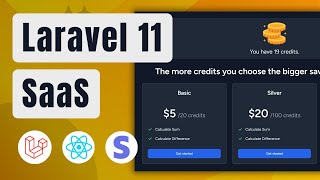

Build a SaaS with Laravel, React & Stripe
45sShows the final product and hooks developers with a clear, ambitious project goal.
▶ Play Clip"The title accurately describes the tutorial: building a Laravel 11 + React SaaS with Stripe integration."
This tutorial demonstrates building a full-stack Software-as-a-Service (SaaS) project using Laravel 11, React, Tailwind CSS, and Stripe for online payments. The core functionality includes user registration with default credits, feature usage that deducts credits, and a credit purchase system via Stripe. The project is designed to be a foundation for more complex features like AI-based services.
Building a SaaS project with Laravel 11, React, Tailwind CSS, and Stripe. Users get 10 credits on registration. Features: sum (1 credit) and difference (3 credits).
Features could be complex like generating audio transcripts, restoring images with AI, or creating 3D avatars. Credit requirements are customizable.
Three packages (Basic, Silver, Gold) are defined in the database, making credits and prices customizable.
When credits are insufficient, users can choose a package, pay via Stripe, and the feature becomes active again.
Dashboard shows used features: feature name, credits spent, timestamp, and additional data (input/output).
Requires PHP (XAMPP recommended), Composer, Node.js, and an IDE (VS Code or PhpStorm). Git Bash is recommended on Windows.
Create Laravel project: `composer create-project laravel/laravel laravel11-react-saas`.
Install Breeze: `composer require laravel/breeze --dev`. Then run `php artisan breeze:install` and select React stack with dark mode.
Enable dark mode by setting `darkMode: 'class'` in tailwind.config.js and adding `class="dark"` to the layout.
Generate models: Package, Transaction, Feature, UsedFeature with migrations.
Packages: name, price, credits. Transactions: status, price, credits, session_id, user_id, package_id. Features: image, route_name, name, description, required_credits, active. UsedFeatures: credits, feature_id, user_id, data (JSON).
Transaction belongsTo User. UsedFeature belongsTo User and Feature. UsedFeature casts data as array.
Seeder creates a user, two features (calculate sum and difference), and three packages (Basic, Silver, Gold).
Create UserObserver with `creating` method to set `available_credits = 10`. Use `#[ObservedBy(UserObserver::class)]` attribute on User model.
Run `php artisan migrate:fresh --seed` to apply migrations and seed data.
Create FeatureOneController and FeatureTwoController with index and calculate methods.
Constructor selects feature by route name and checks if active. Index renders the feature page. Calculate validates input, checks credits, deducts credits, saves used feature, and returns result.
Create FeatureResource to safely pass feature data to React components, preventing sensitive data exposure.
Reusable Feature component displays feature details, locks feature if insufficient credits, and includes a link to buy more credits.
React component with form for two numbers, uses useForm from Inertia, submits to calculate route.
Add feature links to sidebar and display user credits with a coin icon and 'Get More' link.
Test sum and difference features. Credits decrease correctly. When credits run out, feature locks with a message.
Create CreditController with index, buyCredits, success, cancel, and webhook methods.
Run `composer require stripe/stripe-php` and add Stripe secret key to .env.
Create PackageResource to return id, name, price, credits.
Creates Stripe checkout session with line items, creates a pending transaction, and redirects to Stripe.
Redirect to credit index with success or error message.
Validates Stripe signature, processes checkout.session.completed event, updates transaction status to paid, and increases user credits.
Displays user credits, success/error messages, and pricing cards for each package.
Iterates over packages, displays name, price, credits, and features list. Form submits to buyCredits route.
Define routes for credit index, buy, success, cancel, and webhook (outside auth middleware).
Exclude webhook route from CSRF validation in bootstrap/app.php.
Use Stripe CLI to forward webhooks locally. Test payment with test card. Webhook returns 200 and credits are updated.
Create DashboardController with index method that fetches paginated used features for the authenticated user.
Returns id, credits, feature (as FeatureResource), created_at, and data.
Displays a table of used features with columns: feature name, credits, date, additional data. Shows message if no features used.
Add 'data' to fillable in UsedFeature model to ensure it is saved.
Create HomeController to render welcome page with active features.
Update welcome.jsx to display feature cards with image, name, description, and link to feature page.
This tutorial provides a complete foundation for a Laravel 11 + React SaaS application with Stripe payments, credit management, and a dashboard. You can extend it by replacing dummy features with real AI or other paid services.
What command creates a new Laravel project?
composer create-project laravel/laravel project-name
03:43
What is the purpose of Laravel Breeze in this project?
It sets up authentication scaffolding with React and Inertia.
05:02
How do you enable dark mode in Tailwind CSS with class-based strategy?
Set `darkMode: 'class'` in tailwind.config.js and add `class="dark"` to the HTML element.
07:00
What columns does the packages migration include?
name, price, credits.
08:39
How do you automatically set default credits for new users?
Create a UserObserver with a `creating` method that sets `available_credits = 10`, and use the `#[ObservedBy(UserObserver::class)]` attribute on the User model.
15:33
What is the purpose of a resource class in Laravel with Inertia?
To safely transform model data before passing it to React components, preventing sensitive data exposure.
23:00
How do you create a Stripe checkout session in Laravel?
Use `Stripe\Checkout\Session::create()` with line items, mode, success URL, and cancel URL.
50:00
What event type does Stripe send when a checkout is completed?
checkout.session.completed
56:22
How do you exclude a route from CSRF validation in Laravel 11?
In bootstrap/app.php, use `->withMiddleware(function (Middleware $middleware) { $middleware->validateCsrfTokens(except: ['buy-credits/webhook']); })`.
68:00
What does the UsedFeature resource return?
id, credits, feature (as FeatureResource), created_at, and data.
78:31
SaaS Project Overview
Clearly defines the project scope: Laravel 11, React, Tailwind CSS, Stripe, credit system.
Real-World Feature Examples
Shows how dummy features can be replaced with complex AI services.
00:35User Observer for Default Credits
Demonstrates Laravel 11's attribute-based observer registration.
15:33Using Resources for Security
Emphasizes security best practice of using resources to prevent data exposure in Inertia apps.
23:00Stripe Checkout Session Creation
Shows complete Stripe integration: session creation, transaction recording, and redirect.
50:00Webhook Signature Validation
Covers secure webhook handling with signature verification and idempotency check.
54:09[00:00] in this video we're going to build fully
[00:01] functional software as a service project
[00:04] with Lal 11 react Talon CSS and stripe
[00:08] online payments on registration user
[00:10] gets 10 credits by default there are two
[00:14] features implemented in the project the
[00:16] first one is to calculate sum of two
[00:18] numbers which requires one credits and
[00:20] the second feature is to calculate the
[00:22] difference of two numbers which requires
[00:24] three credits these are simplest
[00:27] possible features which I implemented
[00:29] for Simplicity my main focus in this
[00:31] project is to build software as a
[00:33] service website in reality these
[00:35] features might be as complex as
[00:37] generating script of the uploaded audio
[00:39] file restoring broken images using AI or
[00:42] generating 3D avatars based on uploaded
[00:46] portrait images the number of credits
[00:48] required for a specific feature is also
[00:51] customizable I have also defined three
[00:53] packages to purchase credits these are
[00:55] coming from the database so the number
[00:57] of credits inside package or the price
[01:00] of package is also customizable once the
[01:02] user doesn't have enough credits to use
[01:04] a specific feature they can choose the
[01:06] package they want pay using stripe
[01:08] online payments after which the blocked
[01:11] feature will become activated again and
[01:13] user will be able to use it on dashboard
[01:15] you're going to see all your used
[01:17] features you're going to see the feature
[01:19] name how many credits you spend on that
[01:21] feature at what time you did that and
[01:24] additional information that might be the
[01:27] input you gave to that specific feature
[01:29] out output the feature generated and any
[01:32] other information you want to put right
[01:34] here the link of the project source code
[01:37] will be in the video description I'm
[01:39] super excited to hear your opinion on
[01:41] this project so let me know your
[01:42] thoughts in the comment section down
[01:44] below repairing building and editing
[01:46] such type of projects requires a lot of
[01:49] time and energy 70% of the channel
[01:52] viewers are not even subscribed to the
[01:53] channel if the project idea excites you
[01:56] the single best thing what you can do
[01:58] right now is to hit the Subscribe button
[02:00] and enable notifications additionally
[02:02] liking the video and providing a
[02:04] positive comment will help the channel a
[02:07] lot to grow all right no further Ado
[02:10] let's start building this awesome
[02:11] project before we start working on the
[02:13] project let's just make sure that we
[02:15] have all the necessary programs
[02:17] installed if I don't develop my projects
[02:19] with Docker I generally use examp so if
[02:22] you don't have PHP comment globally
[02:24] available in your terminal I recommend
[02:26] to download and install examp if you
[02:29] already have PHP available you don't
[02:31] need to do anything so we're going to
[02:33] need composer which is the PHP package
[02:34] manager we're going to need node.js as
[02:36] well because we're going to create the
[02:38] reactjs application as well as a choice
[02:40] of the IDE editor I'm going to use
[02:43] Visual Studio code for this particular
[02:45] tutorial I use generally PHP storm or
[02:48] Visual Studio code for PHP I prefer to
[02:50] use PHP storm however for YouTube and
[02:53] for such type of tutorials I'm trying to
[02:56] use more Visual Studio code because I
[02:58] can understand that most of you doesn't
[03:00] have that uh cannot afford PHP storms
[03:03] paid license that's why I try marking my
[03:06] working setup to be as close to your
[03:09] working setup as possible that's why I
[03:12] have I'm going to use vs code and um
[03:15] with a couple of extensions I have also
[03:17] a dedicated video how to set up vs code
[03:19] for Lal development you can check it out
[03:21] on my YouTube channel okay and I'm going
[03:23] to use gitbash if you don't have gitbash
[03:25] uh it comes with a git just download and
[03:27] have it I recommend to use gitbash
[03:29] because that's my preferred terminal on
[03:31] Windows on Mac or or on Linux you can
[03:34] use your preferred terminal that's
[03:36] absolutely fine gitbash is not something
[03:38] like a must have okay now I'm going to
[03:41] open gitbash and I'm going to create a
[03:43] LEL project by executing composer create
[03:47] d project laravel SL laravel in here I'm
[03:53] going to provide the local folder name
[03:55] Lal 11- react D SAS and I'm going to hit
[04:00] the enter which is going to download the
[04:02] LEL project and set it up for
[04:05] us in this tutorial we're going to learn
[04:07] how to build software as a service
[04:09] project with Lal and react however if
[04:13] you want to deploy this specific project
[04:15] on production environment and assign
[04:18] custom domain to it I do have separate
[04:20] dedicated videos on specifically
[04:22] deployment my personal choice of Hosting
[04:24] provider is hostinger which is very
[04:27] kindly sponsoring this video let's see
[04:29] how lot of installation goes okay it is
[04:31] downloading packages and progressing I
[04:34] have been personally using hostinger for
[04:36] past three years and I have been
[04:38] extremely happy with their services they
[04:40] provide shared hosting VPS hosting Cloud
[04:43] hosting and even email hosting their
[04:46] prices are very affordable and servers
[04:48] are very fast let's check Lal
[04:51] installation progress okay it finished
[04:53] installation and now we're going to open
[04:55] it using vs code now I'm going to bring
[04:58] up the terminal and and collapse the
[05:00] left side and I'm going to install Lal
[05:02] Bree composer require
[05:06] l/ Breeze D- Dev once Breeze is
[05:11] installed we're going to execute PHP
[05:13] Artisan Breeze colon install it's going
[05:16] to ask us which stack we would like to
[05:18] install and I'm going to go with react
[05:21] then it's going to ask us which
[05:22] additional features we want to include
[05:24] and I'm going to choose dark mode and
[05:26] the final question is which testing
[05:28] framework we want we prefer and I'm
[05:31] going to leave this default because I'm
[05:32] not going to write test in this project
[05:34] I'm going to hit the enter and it's
[05:35] going to require additional packages
[05:38] like inertia related packages uh
[05:41] additional uh react related packages
[05:44] Ziggy and it's going to set up the react
[05:47] within nura project for us hostinger
[05:50] shared hosting services start at
[05:53] $2.99 per month during holidays this
[05:56] price goes even lower and that price
[06:00] includes free domain free unlimited
[06:02] number of SSL certificates unlimited
[06:05] number of databases G support SSH access
[06:09] backups and even more I recommend to
[06:12] check their website explore your desired
[06:14] service check all the features because
[06:16] there are tons of features actually
[06:18] included in this price and if you decide
[06:20] to grab the hosting during checkout use
[06:23] the coupon code zura TC which will give
[06:26] you extra 10% off on already discounted
[06:29] price all the links will be in the video
[06:32] description and I want to say big thanks
[06:34] to hostinger for supporting this channel
[06:36] so far and sponsoring this video the
[06:39] command also executed mpm install and
[06:42] bued also react assets and we can start
[06:45] the Artisan server already by executing
[06:48] PHP Artisan serve and I'm going to open
[06:51] second terminal and I'm going to execute
[06:53] mpm run Dev to have the V server up and
[06:57] running for development purposes now
[06:59] let's open the browser and I'm going to
[07:01] type Local Host Port 8000 and we're
[07:03] going to see Lal 11's default welcome
[07:07] page this is awesome now let me enable
[07:09] dark mode for this I'm going to open tnd
[07:13] config JS and I'm going to add right
[07:16] here uh dark mode property to be based
[07:21] on class and I'm going to also open up
[07:25] dot. blade PHP which is the main layout
[07:28] file in and I'm going to add right here
[07:31] class to be dark as soon as I save this
[07:33] and open in the browser we're going to
[07:35] see that LEL 11's welcome page is
[07:38] already in the dark mode all the
[07:40] migrations are also properly applied so
[07:42] if I try to register right now I was
[07:46] able to successfully register and I'm
[07:48] also authenticated now let's generate
[07:50] models and migrations PHP artisan make
[07:55] model package is the first model with
[07:57] migration I'm going to also
[08:01] generate transaction
[08:07] model then we're going to generate
[08:11] feature
[08:12] model and I'm going to also
[08:15] generate used feature
[08:19] model okay we have four models and four
[08:22] migration files let's close this and I'm
[08:25] going to go inside database migrations
[08:28] and I'm going to open all four migration
[08:32] files and I'm going to work on each of
[08:35] them one after after another okay let's
[08:39] write the migrations and in the packages
[08:41] table we're going to need the name of
[08:43] the package like basic silver gold and
[08:46] so on we're going to also need the price
[08:48] for each package and the number of
[08:50] credits inside each package then let's
[08:53] go into transactions here we need the
[08:55] status of the transaction so whenever we
[08:57] create the transaction and whenever we
[08:59] redirect user to the stripe checkout
[09:01] page the transaction status will be
[09:03] pending then whenever the uh payment is
[09:06] completed the transaction status is
[09:08] complet is changed into done or paid and
[09:11] then we're going to also increase the
[09:14] number of remaining credits for the user
[09:17] okay so we will need the status on
[09:19] transaction we're going to need also the
[09:22] price for each transaction we need how
[09:24] many credits that transaction included
[09:26] the session ID and this is going to be
[09:28] the stripe checkout session ID we're
[09:31] going to need the user ID who made that
[09:33] transaction and we need package ID and
[09:37] uh I think that's it yeah we don't need
[09:39] anything else then we are going to
[09:41] create the features table here we need
[09:44] the image we need rout name that's going
[09:47] to be the actual rout name okay we're
[09:50] going to need the name description
[09:52] required credits and the active flag
[09:55] whether this feature is active or not we
[09:58] can have multiple features but you can
[09:59] easily deactivate them from the database
[10:01] and they will not be um just displayed
[10:04] on the website and users will not be
[10:06] able to use that specific features also
[10:10] then we go into used features and here
[10:13] we will need credits we will need
[10:15] feature ID we will need user ID we will
[10:18] need um data which is going to be
[10:21] additional information when the user
[10:25] used the specific feature what
[10:27] additional information the user passed
[10:30] to that feature
[10:32] okay so this is great so we created four
[10:35] tables um for migration files let me
[10:38] close all of them and I'm going to open
[10:40] now models like I'm going to open
[10:43] hackage PHP I'm going to open
[10:46] transaction PHP I'm going to open
[10:50] feature oops feature. PHP and I'm going
[10:55] to open used feature. PHP
[11:00] let's start with the package PHP and
[11:02] we're going to first provide um elements
[11:05] inside the fillable so we're going to
[11:07] need name price and credits inside the
[11:10] fillable then let's go in transactions
[11:13] and here we need fillable as well
[11:15] providing status price credits session
[11:18] ID user ID package ID and I think that's
[11:21] it and I'm going to also Define relation
[11:23] from transaction to user uh and the
[11:27] transaction belongs to user we're going
[11:28] to need that
[11:29] relation uh then let's go into feature
[11:32] and here we need image Road name we need
[11:35] name as well we need description
[11:38] required credits and active as well okay
[11:42] and in the used features we need a
[11:43] couple of more information um except
[11:46] that like other than fillable uh we need
[11:49] feature ID user ID credits uh we also
[11:52] need the casts basically we have the
[11:55] data property in the used features which
[11:57] is Json B
[12:00] uh and we're going to convert that into
[12:03] an array basically or whenever there's
[12:06] an array we're going to save this as a
[12:08] Json in the database because we are
[12:10] using SQ light we need that cast so
[12:13] we're going to return that the data is
[12:15] basically an array uh this is additional
[12:18] uh like a new feature in Lal 11
[12:21] previously cast uh casts in Lal 10 was
[12:24] an array but now in Lal 11 we can have
[12:27] costs as a function
[12:30] okay then down below we need the
[12:32] relation from the use features to user
[12:34] where the use feature belongs to user
[12:37] and down below in the same way we need
[12:39] the relation to feature
[12:41] itself now we have all the modules and
[12:44] migrations ready I'm going to close
[12:46] everything and I'm going to open
[12:48] database Cedar and right here I'm going
[12:51] to update the existing user Factory let
[12:53] me actually delete everything and
[12:56] rewrite okay first let's create the US
[12:59] user and we're going to provide name
[13:00] email and encrypted password to the user
[13:03] then we're going to create U several
[13:05] features so um this is a dummy image
[13:09] which I actually grabbed from the Google
[13:11] this is just a plus image so I can click
[13:13] right here it actually opens into
[13:16] another tab let me open this very
[13:18] quickly right here this is a plus icon
[13:21] okay so because we're going to implement
[13:23] very dummy features like just to
[13:26] calculate the sum of two numbers and
[13:27] difference of two numbers we're going to
[13:29] just have an image for the feature okay
[13:32] then we're going to need the root name
[13:35] okay and the root name in this case is
[13:37] feature one. index why I use this
[13:39] feature one right here and uh the name
[13:42] used as a calculate sum for example
[13:45] because I don't want to stick just with
[13:47] my features my features are Dam features
[13:49] as I mentioned they are called calculate
[13:51] sum and calculate difference but I also
[13:54] uh use the names like feature one
[13:56] because uh those are very generic
[13:59] features and the whole idea of this
[14:00] project is that you can Implement your
[14:03] own additional features uh you can take
[14:06] this project remove those dummy features
[14:08] Implement your own features and you're
[14:10] going to have something awesome okay so
[14:13] sometimes I use calculate some sometimes
[14:14] feature one so don't uh get confused
[14:17] with that okay so then we in the
[14:20] description we have calculate some of
[14:21] two numbers we have number of required
[14:24] credits for this Feature Feature one
[14:26] basically and we have the active as as
[14:29] well so then down below I'm going to
[14:31] just uh paste this entire feature two
[14:34] which has the road name feature two the
[14:37] image is for the minus calculate
[14:40] difference the description this requires
[14:43] three credits okay each one requires one
[14:46] credit this requires three credit and we
[14:49] have the active true so uh and down
[14:52] below we're going to Define packages as
[14:53] well each package will have a name we
[14:56] have price and we have number of credits
[15:00] and I'm going to just duplicate this and
[15:03] have silver with price 20 credits 100
[15:07] and duplicate this once again and we're
[15:09] going to have name golden price 50 and
[15:11] credits 500 and just like this we have
[15:14] this uh migration um sorry the database
[15:17] C ready we just need to import the
[15:19] package up modules package and the
[15:22] feature because we are using this um
[15:24] right
[15:26] here okay we added new column in the
[15:29] users and this is called available
[15:31] credits we added migration for this
[15:33] whenever the new user is created we want
[15:36] the available credits to be set as 10
[15:39] for every new user so we're giving every
[15:42] user 10 credits upon registration okay
[15:46] how we're going to do this I'm going to
[15:47] create user Observer for this let me
[15:50] open the terminal and I'm going to
[15:51] execute PHP artisan
[15:55] make Observer user
[15:59] Observer let's hit the enter it created
[16:02] that user Observer we're going to open
[16:04] this it doesn't open
[16:08] user Observer and we are going to add
[16:12] right here public function creating okay
[16:15] which accepts instance of the user and
[16:18] we can import that user um app models
[16:22] user inside this class and what we need
[16:24] to do is just to set
[16:27] user available
[16:30] able
[16:33] credits equals 10 so whenever the new
[16:37] user is created we're going to set this
[16:39] available credits to 10 and we just need
[16:42] to now use that user Observer and
[16:45] slightly new method of using the
[16:47] observers on models is the is using uh
[16:52] PHP attributes so here we're going to
[16:55] use attribute called uh obser oberved
[17:00] Pi oops what just happened observed
[17:04] Pi this one and we're going to provide
[17:07] the class name which should observe the
[17:10] current model so in our case this is
[17:12] going to be user
[17:15] Observer okay through this line I'm
[17:18] telling LEL that this class is observed
[17:22] by user Observer so whenever the new
[17:24] instance is created for this user it's
[17:26] going to call this creating function
[17:28] passate user and the 10 will be set now
[17:32] what we need to do is just bring up the
[17:34] terminal again and execute PHP
[17:38] Artisan uh migrate so if I execute
[17:40] migrate it's going to apply new
[17:42] migrations the new migrations are those
[17:45] four migrations we just created but we
[17:47] also change something in the user
[17:49] migration and plus we want to execute
[17:51] seed data as well so I'm just going to
[17:54] execute PHP Artisan
[17:57] migrate um
[17:59] bres Das D seed it's going to drop
[18:03] everything reapply everything and it's
[18:04] going to seed the data as well now I
[18:06] want to check what is the data uh inside
[18:09] the database so I'm going to access the
[18:11] database through Tinker PHP Artisan
[18:16] Tinker okay let's um let's get the first
[18:19] user user first and this is the first
[18:23] user it has all that information what
[18:26] what we provided in the database CER and
[18:28] it also has this available credits 10
[18:31] awesome uh now let's execute up
[18:37] models feature and get all features here
[18:41] and we see two features basically with
[18:44] their all the information and you can
[18:46] assume that in the same way credits um
[18:49] uh sorry packages we also are also
[18:52] created so I'm just going to just uh
[18:54] select them as well but we have the
[18:56] database structure ready and we o have
[18:59] the SE data
[19:00] ready now let's bring up new terminal so
[19:03] this terminal is actually for Tinker
[19:05] this is for V this is for Artisan I'm
[19:07] going to open one more terminal this is
[19:09] going to be my Artisan terminal and I'm
[19:11] going to create new controller feature
[19:13] One controller PHP artisan make
[19:18] controller feature One controller and in
[19:22] the same way let's just create feature 2
[19:26] controller as well okay awesome so let
[19:29] me close everything and now I'm going to
[19:31] open feature One controller and I'm
[19:35] going to work right here first of all
[19:38] I'm going to Define public um feature
[19:41] class uh instance basically property uh
[19:44] which will be nullable and by default
[19:46] I'm going to assign this um null okay
[19:48] I'm going to Define also Constructor I'm
[19:51] going to Define index function and I'm
[19:53] going to Define calculate function and
[19:54] I'm going to explain why I have those
[19:56] functions before I write anything okay
[20:00] so inside the Constructor I'm going to
[20:01] select the feature based on the root
[20:04] name and I'm going to save this in this
[20:06] public feature property okay inside the
[20:09] index I'm going to render the feature
[20:12] page and inside calculate I'm going to
[20:14] handle the post submission of the
[20:17] feature I'm going to do all the
[20:19] operations that is necessary for that
[20:21] specific feature and I'm going to return
[20:24] the result render the result or redirect
[20:27] back to the index with the result okay
[20:32] and this controller is kind of universal
[20:34] controller feature One controller you
[20:36] can create similar controllers for your
[20:38] specific features whether this is going
[20:40] to be speech to text or image
[20:43] restoration or um image generation
[20:46] whatever okay you will render uh the
[20:50] form for example upload image F image
[20:52] file then you're going to handle this
[20:54] inside the calculate you can call this
[20:57] method whatever you want and then you
[20:59] will redirect user back to index with
[21:01] the actual result of the calculation
[21:04] okay this is awesome now inside um
[21:07] Constructor let's select this feature
[21:09] based on the road name where the road
[21:12] name equals feature one. index okay if
[21:15] you if you remember in the database s
[21:18] this is the root name what we gave to
[21:20] the feature one I'm going to also uh
[21:23] select if the feature is active if the
[21:26] feature is not active simply I want to
[21:29] show
[21:30] 404 so if for some reason I decided to
[21:34] deactivate the feature I don't want the
[21:36] users to use that specific feature I
[21:39] will change its active status and nobody
[21:41] be will be able to use
[21:43] that okay once I have the feature
[21:45] selected then let's move into index here
[21:48] I'm going to render the inertia page
[21:51] okay however I am going to pass the
[21:55] feature right here so uh first of all
[21:58] just pay attention that this feature one
[22:00] index doesn't exist okay so we're going
[22:02] to create that function and not a
[22:05] function it's going to be a reactjs
[22:07] component okay and we're going to pass
[22:10] the feature which is going to be a
[22:12] feature resource this is another
[22:15] thing the feature resource is another
[22:18] file that doesn't exist okay and we're
[22:21] going to pass to that feature resource
[22:23] this feature we're going to create that
[22:25] feature resource in a moment okay and
[22:28] I'm going to pass additional property
[22:30] which is going to be the answer okay
[22:33] whenever we calculate the answer from
[22:34] this calculate function we're going to
[22:37] put this in the session redirect user
[22:40] back to the index and we're going to get
[22:42] that from the session and pass it as the
[22:45] answer variable inside this feature one
[22:47] index now we're going to do two things
[22:50] uh first we're going to create this
[22:51] feature resource so I'm going to
[22:53] basically bring up the terminal and
[22:56] execute PHP design make resource feature
[23:03] resource let's hit the enter feature
[23:05] resource was created let's open that and
[23:09] I'm going to change this return an array
[23:12] and I'm going to define the properties
[23:13] right
[23:14] here we're going to return ID we're
[23:17] going to return image Road name name
[23:21] description required credits and active
[23:25] Okay so why do I need this Source you
[23:29] probably have a question I'm returning
[23:31] almost every property except created
[23:33] that and updated that generally the
[23:36] inertia type of applications where you
[23:39] use react or view it doesn't matter the
[23:42] information what you pass to that react
[23:45] component in this case feature will be
[23:47] visible inside the browser so if you
[23:50] pass sensitive information as a variable
[23:53] to that feature one Index this is no
[23:56] good okay that information will be be
[23:58] can be um exposed to um anybody else
[24:03] basically so we want always to give the
[24:06] models to the resources and return that
[24:10] resource to the uh give that resource to
[24:14] the
[24:15] component okay so this is a security
[24:17] measurement um and it's a very
[24:19] recommended thing actually to do so we
[24:23] now have this feature resource and what
[24:26] we need to do um with we obviously need
[24:29] to import the feature resource but let
[24:30] me actually uh continue and then I will
[24:32] import that
[24:36] okay then I'm going to inside calculate
[24:39] I'm going to get the user okay and I'm
[24:41] going to do the following check if the
[24:43] user's available credits is less than
[24:47] the number of credits the feature
[24:50] requires it means that we don't user
[24:52] doesn't have enough credits so we simply
[24:54] go back we don't proceed with the
[24:56] calculate so if it's enough then we
[24:59] start validation of the data so we're
[25:01] going to validate the number one uh
[25:04] basically uh the we're going to
[25:06] calculate some of two numbers right so
[25:08] we're going to have number one and
[25:09] number two and we're going to get those
[25:11] two numbers I'm going to create separate
[25:14] variables out of that and cast them into
[25:16] float variables and then I'm going to
[25:18] calculate the sum of those numbers but
[25:21] I'm going to also save in the database
[25:23] that user used the feature okay I'm
[25:26] going to also decrease the number of
[25:28] credits on the user so on the user I'm
[25:32] going to call this decrease credits and
[25:34] I'm going to pass these feature required
[25:37] credits so if the feature requires one
[25:39] credit we're going to decrease the users
[25:41] available credits with one if the
[25:43] feature requires three credits we're
[25:45] going to decrease it by three okay once
[25:48] we do this then we're going to save used
[25:50] feature we're going to pass the feature
[25:52] ID we're going to pass the user ID we're
[25:55] going to pass the credits and we're
[25:57] going to pass additional data so this
[26:00] user used that feature which cost that
[26:03] amount of credits and this is the
[26:04] additional information which contains
[26:06] number one and number two again this is
[26:08] kind of something Universal which I
[26:10] wanted to create for uh almost all kind
[26:13] of features so even if you do like a
[26:15] image conversion or um like speech to
[26:18] text whatever you have the feature ID
[26:21] user ID number of credits and inside
[26:23] this data you can put any additional
[26:25] information you want you can put uh like
[26:28] image one image two and whatever okay
[26:32] once we save that used uh feature uh
[26:35] then we simply go to uh rout feature
[26:37] one. index we redirect user back to the
[26:41] index page and we're going to pass also
[26:43] the answer the answer will be number one
[26:46] plus number two and this is going to be
[26:49] it okay so I'm going to scroll up and
[26:51] I'm going to include that feature
[26:53] resource I'm going to include the uh
[26:55] models feature and I think we need the
[26:59] used feature as well okay now we have
[27:02] this feature One controller ready um I
[27:04] can close that and I'm going to open
[27:07] actually I need to do one additional
[27:09] thing in the feature resource I am going
[27:11] to create right
[27:13] here public
[27:16] static um WP equals false so I'm
[27:21] disabling W for this feature resource
[27:25] okay I'm going to close this now let's
[27:26] open web.php
[27:28] and let me scroll down below and I'm
[27:30] going to create Define the rules for the
[27:32] feature one now let's create feature one
[27:34] component feature one index component
[27:37] I'm going to go into resources JS pages
[27:41] and inside Pages I'm going to create new
[27:43] file called feature one slash index that
[27:48] should be uppercase i index js6 let's
[27:52] hit the enter so here we have this index
[27:54] js6 and I'm going to also create one
[27:56] component under component section so
[27:58] that components basically is um was
[28:02] added by Lal breeze so here we have
[28:05] couple of ready components which we are
[28:06] going to use but I'm going to add one
[28:08] more component and this is going to be
[28:10] feature JS jsx component so I'm going to
[28:13] create one reusable feature js6
[28:16] component which I'm going to use in
[28:19] feature one component and feature two
[28:21] component as well and you can use in any
[28:23] other components um you are going to add
[28:26] in any other feature components you are
[28:28] going to add so that's going to be a
[28:30] generic feature component which will
[28:32] display the feature name feature
[28:34] description number of credits required
[28:36] for the specific feature and this will
[28:38] be also responsible to lock that
[28:42] specific feature if the user has a less
[28:44] number of credits than the feature
[28:47] requires okay so this is good so I'm
[28:49] going to collapse the left side and
[28:51] let's implement this feature
[28:53] component let's define now component
[28:56] export default function feature and I'm
[28:59] going to also import the necessary um
[29:02] classes like we're going to use
[29:03] authenticated layout which is the main
[29:06] layout what we see when we access the
[29:09] dashboard page right now I'm not
[29:11] authenticated but when you authenticate
[29:13] you see the dashboard with the nav bar
[29:15] this is the authenticated layout okay
[29:18] and that authenticated layout also is
[29:20] used in dashboard js6 and we're going to
[29:23] use it in the same way then I'm going to
[29:26] import couple of classes components from
[29:29] inera Jes react package so we're going
[29:33] to need the head link and use page and
[29:36] I'm going to explain uh what each does
[29:39] whenever I'm going to use that okay
[29:42] inside feature we're going to get these
[29:44] um properties like feature answer and
[29:47] we're going to get additional children
[29:49] then I'm going to use page from this
[29:52] injs react and that gives me the page
[29:55] object which has props okay and from
[29:58] that page props I'm going to get the out
[30:01] that out contains the user inside okay
[30:05] so I can access out. user and the user
[30:08] has available credits and I will get
[30:11] this available credits inside in on its
[30:14] own separate variable but how do I know
[30:17] that this page props has out I'm going
[30:20] to open uh handle inertia JS requests
[30:23] middle we which comes with this U
[30:26] inertia Js basically and right here if
[30:29] we scroll down below inside sheare
[30:31] function which uh the shear function
[30:34] basically are those variables uh it
[30:37] returns an associative array where keys
[30:39] are those variables which are shared
[30:42] across all pages of inertia JS react or
[30:46] view doesn't matter so in this case we
[30:48] are returning out so that out property
[30:51] will be available on every react
[30:54] component page okay and once
[30:58] uh we are going to have that uh feature
[31:01] one component rendered right here which
[31:03] is going to be Associated to uh Road
[31:06] this is going to be rendered from the um
[31:08] controller feature One
[31:11] controller the the out will be available
[31:14] in every component basically it doesn't
[31:15] matter you can access this out in the
[31:17] index JS feature one index JS or feature
[31:21] js6 uh yeah the out will be always there
[31:25] and through that we get this authent the
[31:27] avail aable credits okay let's move on
[31:29] and I'm going to return the uh jsx um
[31:33] from here I'm going to use this
[31:34] authenticated layout pass the user and
[31:37] header to this authenticated layout
[31:39] similar to how it is done in dashboard
[31:42] inside header I'm going to pass this H2
[31:44] and I'm going to provide the feature
[31:46] name as a title okay the feature is
[31:49] accepted right here then if I scroll
[31:51] down below I'm going to use this head
[31:53] and that head basically is the HTML head
[31:57] tag
[31:58] okay and the title is the HTML title tag
[32:02] and this comes from again inertial JS
[32:05] react and it's going to handle this
[32:07] using the title properly in the head
[32:10] section okay the title in this case is
[32:12] feature one you can call this feature.
[32:14] name if you want then down below I'm
[32:16] going to create couple of Dives with the
[32:18] Talan CSS classes to properly uh set up
[32:22] the layout car type of
[32:24] layout and we're going to also output
[32:27] the answer right here at the top of the
[32:30] four so if the answer is not
[32:33] null and then in this case we're going
[32:36] to render this Steve okay which will
[32:39] have like a green background text white
[32:42] and inside there I'm going to Output
[32:44] result of calculation is the answer that
[32:47] answer is received right here okay then
[32:50] we're going to proceed we're going to
[32:51] create one additional
[32:53] div and inside there I'm going to check
[32:56] if available credits that available
[32:59] credits are the user available credits
[33:03] okay if the available credits is not
[33:06] null and if the feature requires more
[33:10] credits than the user has remaining we
[33:13] are going to display we're going to lock
[33:15] the specific feature so here we have the
[33:17] D with position absolute left zero top
[33:19] zero right zero bottom zero so basically
[33:22] that div is stretched on that div right
[33:26] here and it's going to lock every every
[33:29] interaction to uh the PN div so that div
[33:33] inside there will have an SVG icon and
[33:36] that SVG icon is the lock SVG icon you
[33:39] can find this icon if you go into hero
[33:42] icons click the very first link then
[33:45] type lock right here and this is the
[33:48] icon what I used here so the same SVG
[33:51] icon then down below we're going to have
[33:54] div you don't have enough credits for
[33:56] this feature go and then I'm going to
[33:59] put a link right here with the text go
[34:02] buy more credits okay and the link right
[34:06] now will have href just slash but we're
[34:08] going to replace this with the page URL
[34:12] Page Road uh on which we can buy more
[34:17] credits okay down below we're going to
[34:19] have additional div and we're going to
[34:21] have feature description we're going to
[34:23] have uh the uh information how many
[34:26] credits the feature requires and at the
[34:29] very bottom we're going to render all
[34:31] the children okay so this feature is a
[34:34] generic feature component which will be
[34:37] used right now in this index jsx so in
[34:41] this index jsx let's define this
[34:43] function index I'm going to import every
[34:46] component I need so I will need this
[34:49] input error from components again this
[34:51] component comes from LEL Bree I will
[34:54] need um input label text input PR
[34:57] primary button uh use form is something
[35:00] which is uh imported from inertia JS
[35:03] react and I'm going to explain what this
[35:05] use form does that's that's the um
[35:07] correct way interact how you can
[35:10] interact with a form data in inertia so
[35:13] and I'm going to also import that
[35:15] feature component what we just described
[35:18] okay then let's accept feature and
[35:20] answer and this feature and answer are
[35:23] the properties we are passing from
[35:26] feature one
[35:28] controller from here okay so we get this
[35:32] feature an answer and then I'm going to
[35:34] declare a form using use form and this
[35:38] use form returns an object and that I'm
[35:41] going to destructure that object and
[35:42] take out data from there set data method
[35:47] I'm going to get the post method and
[35:49] using this we're going to send the data
[35:51] to the server we're going to have resit
[35:53] function we're going to have errors and
[35:55] processing flag as well in I'm going to
[35:58] pass you inside this use form number one
[36:01] and number two as an initial data for
[36:04] this use form whatever we're going to
[36:06] pass right here it will be accepted
[36:08] inside this data and then we can use
[36:10] this data to display that number one and
[36:12] number two if we need down below I'm
[36:15] going to declare the submit function we
[36:17] accept an event call event PR and
[36:19] default and then I'm going to execute
[36:21] post method okay I'm going to pass the
[36:24] root name uh the I'm going to use these
[36:27] root function which basically is the
[36:29] function available in every component so
[36:32] I'm going to use that uh function and
[36:33] I'm going to pass feature one calculate
[36:37] as a root name these posts accept second
[36:42] argument which is an object and inside
[36:44] there I'm going to pass on success call
[36:46] back and on success I'm going to call
[36:49] reset function okay down below I'm going
[36:54] to return js6 I'm going to use that
[36:56] feature component which we just
[36:58] described and I'm going to pass this
[37:00] feature and answer to this feature
[37:02] component inside there I'm going to
[37:04] declare the form I'm going to add the
[37:06] submit Handler there I'm going to Define
[37:09] div inside there I'm going to have this
[37:10] input label for number one and I'm going
[37:13] to have text input with ID type name
[37:17] value class name and on change we're
[37:20] going to listen on change and get the
[37:22] event and I'm going to call this set
[37:24] data this set data and uh the set data
[37:28] accepts two arguments the first is the
[37:30] field I want to update and the second is
[37:33] the value even Target value and the
[37:36] initial value for this input will be
[37:38] data. number one and again this data
[37:41] will contain whatever we pass right
[37:44] here okay awesome then I'm going to
[37:46] declare input error we're going to pass
[37:48] the message to this input error which
[37:50] will be error. number one if there is
[37:53] some sort of validation errors they will
[37:55] be received right here inside this eror
[37:58] okay good and we're going to provide the
[38:00] class name as well so down below we're
[38:03] going to have very similar div to this
[38:06] uh number one it will have this input
[38:09] label uh text input with all these same
[38:13] properties what the number one has and
[38:15] the input error as well and down below
[38:18] we're going to have additional D which
[38:20] will be for the button inside there I'm
[38:23] going to put the primary button and I'm
[38:25] going to uh give it text calculate and
[38:27] and I'm going to disable the Bon if the
[38:29] form is in processing
[38:32] State okay and I save this and I think
[38:36] there is nothing um we need to do uh at
[38:40] the moment inside here so I think we can
[38:43] open in the browser I'm going to log in
[38:47] with
[38:48] my email and
[38:51] password and we're going to try to have
[38:53] a look uh actually before I access the
[38:56] URL let me open
[38:58] authenticated
[39:00] layout I'm going to find this dashboard
[39:03] I'm going to duplicate these two times
[39:05] and here we're going to have wrot name
[39:07] feature one. index the feature name will
[39:11] be feature
[39:12] one and here we are going to have
[39:16] feature 2
[39:18] index with feature 2 text and we need
[39:22] something similar for the mobile version
[39:24] as well so I'm going to scroll down
[39:26] below
[39:29] here we have this dashboard I'm going to
[39:31] duplicate this two more
[39:34] times feature one
[39:37] index feature one and this is going to
[39:41] be feature two
[39:46] index feature two let me save this and
[39:49] now we have this feature one and feature
[39:51] two I'm going to click on this feature
[39:52] one it renders the page and we see the
[39:55] title is calculate sum calculate sum of
[39:58] two numbers is the description and we
[40:00] see it requires one credits if I go on
[40:03] feature
[40:04] two it doesn't work um probably because
[40:08] we have not created this feature two uh
[40:11] component so even though we have the
[40:14] feature to controller and the feature
[40:16] Two controller um has some content
[40:19] inside there let's
[40:22] open feature 2 controller we are
[40:26] returning this feature 2 index that view
[40:28] doesn't exist and because the inertia
[40:31] was not able to return the correct
[40:33] response uh it doesn't uh navigate us to
[40:36] the feature two I think we can easily
[40:38] duplicate now feature one I'm going to
[40:42] come to feature one duplicate paste this
[40:46] inside Pages this is feature one copy
[40:48] and I'm going to rename this into
[40:51] feature 2 and let's open this feature 2
[40:54] index and I'm going to search for
[40:59] Feature Feature one here and I think the
[41:02] only usage is whenever we submit the
[41:04] form again at the moment feature one and
[41:07] feature two pages are very very similar
[41:09] to each other but um I just demonstrated
[41:12] how you can have multiple features and
[41:14] obviously if you have different features
[41:16] like game speech to text or image
[41:18] restoration you can have absolutely
[41:20] different content HTML content or
[41:23] functionality inside each own component
[41:26] feature component
[41:27] okay so right now we have this feature
[41:29] two defined already and I'm going to
[41:31] click this feature two let's and yeah we
[41:34] redirected calculate difference
[41:36] calculate difference of two numbers and
[41:38] requires three credits okay this is
[41:41] awesome and before I test the
[41:43] functionality I'm going to put also in
[41:45] the nav bar the number of credits the
[41:48] user has let's open authenticated layout
[41:52] again scroll down below and find that
[41:54] drop- down section right here and above
[41:58] the drop- down div uh I'm going to add
[42:01] this pan with some tle on CSS classes
[42:04] and I'm going to put an image right here
[42:06] which will be coin image uh I'm going to
[42:09] also show this image to you but that's
[42:11] actually a coin image which you can
[42:13] easily get from Google any coin image
[42:16] basically will work this is a just my
[42:18] example okay and then next to the image
[42:20] we're going to have the number of
[42:22] available credits on the user okay so we
[42:26] have that user accessed in this
[42:28] authenticated layout uh and just like
[42:31] this we can uh print how many credits
[42:34] the user has then down below I'm going
[42:36] to create a link and give it some tal
[42:40] and CSS classes and give it text get
[42:42] more okay the user has 10 credits to get
[42:46] more just click right here at the moment
[42:48] the href is just an empty um the slash
[42:51] uh but later we're going to implement
[42:53] that to go to the purchase credits page
[42:57] each so if I save this and reload right
[42:59] now I see 10 credits and get more right
[43:03] here I'm going to add right here Gap
[43:07] three to create more Gap uh between
[43:10] these uh two elements and I'm going to
[43:13] also uh put right here the image for
[43:18] coin here is the image which I added in
[43:21] Public Image folder and once I save that
[43:27] in the browser I reload and I see coin
[43:31] image right here 10 credits and get more
[43:34] okay I think this is awesome and I want
[43:36] to test now the functionality I'm going
[43:39] to type one here two here and hit the
[43:41] calculate and we have this error Call to
[43:44] undefine
[43:46] um undefine method up us decrease
[43:49] credits okay I think it might be called
[43:52] differently user PHP let's scroll down
[43:55] below we call
[43:59] this decrease okay it should be decrease
[44:04] credits right so I just hit the
[44:06] calculate once again and now I see
[44:09] result of calculation is three we see
[44:11] the number of credits we are decrease by
[44:13] one and that's that's cool let's go into
[44:17] feature two and provide like four and
[44:20] two here hit the calculate result of
[44:23] calculation is two and the number of
[44:26] credits is now six I'm going to try this
[44:30] two more times so that I'm going to just
[44:33] run up the credits and let's see what
[44:35] happens cck calculate and now look at
[44:38] this so we saw the result and then this
[44:40] feature got locked you don't have enough
[44:43] credits for this feature go buy more
[44:46] credits this buy more credits is not
[44:48] valid Link at the moment it's going to
[44:50] go to the homepage but you get the idea
[44:52] we're going to implement that and this
[44:54] link and this like the get more link
[44:57] we'll do the same thing and open that
[44:59] credit page but so far this is awesome
[45:02] and this is
[45:04] good now let's start working on the
[45:07] credit controller which will be
[45:10] responsible for purchasing of the
[45:13] credits PHP artisan make
[45:18] controller
[45:21] credit controller I'm going to hit the
[45:24] enter let's open this credit controller
[45:27] and this should render the credit index
[45:30] view which I know I I haven't written
[45:33] this but I know that I'm going to do
[45:35] this so I'm going to go under resources
[45:38] JS pages and I'm going to create right
[45:42] here credit SL index jsx
[45:48] file okay awesome now let's start with
[45:52] the credit
[45:54] controller let's define a couple of
[45:56] methods right here I'm going to Define
[45:58] index which will be for rendering the
[46:02] pricing packages then we're going to
[46:05] have buy credits which is going to be to
[46:08] buy a specific credit okay uh buy a
[46:11] specific package and here we accept also
[46:14] package we're going to Define rules as
[46:15] well then we're going to have the
[46:17] success callback and this is going to be
[46:20] the stripe success URL whenever the
[46:23] purchase was completed successfully will
[46:25] be completed successfully user will be
[46:28] redirected to the success callback we're
[46:31] going to also have cancel URL and down
[46:34] below I'm going to also add a web hook
[46:36] for stripe okay before I proceed right
[46:40] here I'm going to install stripe I'm
[46:42] going to bring up the terminal and
[46:44] execute composer require stripe SL
[46:49] stripe
[46:50] dphp so we need this
[46:53] SDK stripe PHP package was installed and
[46:57] then I'm going to open uh my stripe
[47:00] dashboard which is right now in test
[47:02] mode sandbox mode and I'm going to get
[47:04] the secret uh Ral secret uh test key
[47:08] right here so and I'm going to copy this
[47:10] test key and I am going to put that
[47:13] inside en okay so inside enan let's
[47:19] open right
[47:22] here and at the very bottom I'm going to
[47:24] call this stripe
[47:28] secret key and I'm going to paste my
[47:31] secret key right here now let's open
[47:34] create controller again and proceed and
[47:36] start rendering um packages so we're
[47:41] going to select all the packages what we
[47:43] have in the database we're going to
[47:45] select active features what we have in
[47:48] the database and then I'm going to
[47:50] render credit index react component and
[47:55] I'm going to pass packages in features
[47:57] but I'm going to pass them as
[48:00] resources okay so this you should use
[48:03] resources whenever it's um it's
[48:06] necessary and applicable okay I could
[48:09] not use resources Because the actual
[48:12] fields for this package model is very
[48:16] identical to the um what whatever I'm
[48:19] going to return from this package
[48:21] resource but I try to encourage you to
[48:25] use resources whenever you are using
[48:28] inertia application with LEL I don't
[48:30] want you to get used to some bad
[48:33] practices that's why I try to always use
[48:36] resources when you have this like a full
[48:40] stack application with inertia where
[48:43] every information passed to react
[48:45] component is actually visible for any
[48:48] user so we are passing packages and
[48:50] we're passing features we actually have
[48:52] feature resource already created we're
[48:54] going to import everything in a moment
[48:57] but we don't have package resource
[48:59] created yet okay so I'm going to bring
[49:02] up the terminal and I'm going to execute
[49:05] PHP artisan
[49:08] make
[49:10] resource package resource and I'm going
[49:13] to hit the enter and let's open this
[49:15] package resource and I'm going to change
[49:18] this into an array and if we just open
[49:22] Package PHP we have three Fields right
[49:26] here and plus we also have this ID so
[49:31] what I'm going to do is just um return
[49:35] maybe it even autocompletes that
[49:39] name we are going to have
[49:47] price and we're going to have
[49:55] credits
[50:00] okay so we have this package resource
[50:02] ready I'm going to close that and let's
[50:04] continue in the credit controller okay
[50:06] I'm going to import everything at the
[50:07] bottom at at the um top right here so
[50:13] then we proceed and we move into um
[50:17] additional properties we're going to
[50:19] pass into this credit index we're going
[50:20] to pass the success message and we're
[50:23] going to pass the error message to this
[50:26] and the success and error messages will
[50:28] be pushed into session from the success
[50:31] and cancel methods okay now let's move
[50:34] on and implement this buy credits which
[50:37] is uh inside which we're going to create
[50:40] the stripe session and redirect user to
[50:43] stripe checkout page we're going to get
[50:46] this stripe secret key from Ian which we
[50:49] already put right there we're going to
[50:52] create the stripe client and then from
[50:54] the stripe client we're going to create
[50:56] checkout s session this function create
[51:00] accepts an array and inside there we
[51:02] need line items line items is array of
[51:05] arrays and we're going to pass the very
[51:08] first item inside here we're going to
[51:10] have the price data and we're going to
[51:13] have quantity one for this okay so
[51:17] basically in stripe those line items is
[51:20] going to be products so and whatever
[51:23] we're going to pass uh will be actually
[51:26] created in stripe as product which we
[51:28] actually don't care because we there is
[51:30] something we want to buy we're going to
[51:32] buy credits which if it will be product
[51:35] in stripe we don't care but there are
[51:38] certain fields we have to provide like
[51:41] the currency product data for example
[51:44] and inside product data we have to
[51:46] provide the name and inside name we
[51:48] provide package name concatenated with
[51:52] how many credits that package has for
[51:55] example for gold gold package this is
[51:57] going to be
[51:59] gold- 500 credits okay this is going to
[52:02] be product
[52:04] name so whenever you check your stripe
[52:06] dashboard uh what items are sold mostly
[52:10] you might see inside products called 500
[52:15] credits so and we're going to also have
[52:17] the unit amount which is the price and
[52:20] we're going to have price in cents so
[52:23] I'm going to multiply package price on
[52:25] 100 at the uh down below we're going to
[52:28] have next to the line items we're going
[52:30] to have mode payment okay and using this
[52:33] we created the check out session we're
[52:35] going to provide also success URL and
[52:38] cancel URL and those going to be the
[52:40] roles we will Define but we are using
[52:43] this third parameter true for generating
[52:47] absolute URLs we need those absolute
[52:49] URLs uh because they will be passed to
[52:52] stripe and then we will the the stripe
[52:55] will redirect us back
[52:57] to the um page so we need them to be
[53:00] Absol
[53:00] URLs so and I'm going to also create
[53:04] transaction okay I'm going to provide
[53:06] status pending the price package price
[53:09] credits package credits we're going to
[53:11] provide session ID we're going to
[53:13] provide the authenticated user ID and
[53:16] the package ID as well okay and then
[53:20] we're going to redirect user to this
[53:22] checkout session URL and basically this
[53:26] method is finished okay let's scroll
[53:29] down below and in the success basically
[53:32] we are going to uh redirect user to
[53:35] credit index which will be the
[53:39] following action okay credit index and
[53:44] I'm going to provide with success
[53:46] message you have successfully bought new
[53:50] credits for cancel we're going to
[53:53] redirect again to credit index how
[53:56] however we're going to provide error
[53:58] message will be there was an error in
[54:02] payment process please try again okay
[54:06] and the next thing is web hook the
[54:09] stripe will send requests to us in the
[54:12] background that this checkout process
[54:16] was completed successfully and then we
[54:18] need to take care of that and we have to
[54:23] um we have to basically do the necessary
[54:26] things like increase the users available
[54:28] credit and so on so let's proceed here
[54:31] so we are going to get the um secret so
[54:35] this endpoint secret is actually
[54:38] necessary
[54:40] to uh to make sure that the web Hook is
[54:43] going to work successfully okay so we
[54:45] have this stripe web hook key which
[54:49] we're going to put inside en en I'm
[54:52] going to open en and at the moment I'm
[54:54] going to put this right here with m
[54:56] string but we're going to populate this
[54:59] um a little bit later okay so then we're
[55:03] going to get the entire
[55:05] payload we're going to get the HTTP
[55:08] stripe signature header and by the way
[55:10] this is also written in the stripe
[55:12] documentation and I'm going to fill this
[55:14] part and then I'm going to show where
[55:16] you can find that okay so I'm going to
[55:19] define the event which will be n and
[55:21] then inside I'm going to do try catch so
[55:24] I'm going to try to construct it an
[55:26] event based on the following information
[55:29] I'm going to pass the payload entire
[55:31] payload I'm going to pass the signature
[55:33] header and I'm going to pass the
[55:35] endpoint secret so if the event is
[55:39] constructed successfully it means that
[55:43] the request is coming from stripe it's a
[55:45] valid request and we get we can get the
[55:49] information from there and that's
[55:51] awesome and we need to take care of this
[55:54] properly okay so however we need catch
[55:58] as well I'm going to add two catch
[56:00] statements here unexpected value
[56:03] exception and signature verification
[56:05] exceptions so and in both cases simply
[56:08] I'm going to return uh with the response
[56:11] 400 status code and down below I'm going
[56:14] to check if the event exists so if the
[56:17] event was created right here what is the
[56:20] event type so if the event type is
[56:22] checkout session completed this is
[56:24] exactly what we are interested in
[56:27] then we need to do something so in
[56:29] default case we simply write um received
[56:32] unknown even type however in this case
[56:35] we're going to get this session and we
[56:37] get this session from even data object
[56:40] so this is the same uh session object we
[56:44] created uh right here and that session
[56:48] has its own ID which we saved in the
[56:50] transaction session ID column so now
[56:53] based on that session I I'm going to
[56:56] select the transaction from the database
[56:59] the first transaction if the transaction
[57:01] exists and if its status is pending I'm
[57:05] checking it status if it's pending
[57:06] because I don't know stripe might send
[57:09] this more than once uh for me so I just
[57:12] need to be sure that I don't do any un
[57:15] like weird and incorrect things if
[57:18] stripe send this twice so if this status
[57:21] is pending in this case I set this
[57:24] transaction status to be paid and I save
[57:26] the transaction but I'm going to also
[57:29] access the transaction user who made the
[57:33] transaction and I'm going to increase
[57:35] that user's available credits with the
[57:39] transaction number of credits whenever
[57:42] we created the transaction right here we
[57:44] provided how many credits user is trying
[57:48] to buy and we took that credits and add
[57:52] it to the users available credits and
[57:56] finally we're going to save the
[57:57] transaction user okay this is perfect
[58:00] and at the bottom of this uh web hook we
[58:03] are going to return with the response of
[58:07] empty string but the status code is 200
[58:10] and that's going to be totally enough
[58:12] for stripe if we return status code 200
[58:16] this means that we got the web hook and
[58:19] we handled
[58:20] that now I am going to
[58:24] open index jsx and let's work right here
[58:28] so this is the um react component
[58:32] actually we need to import certain
[58:33] things so let's scroll up and I'm going
[58:36] to do these Imports I'm going to import
[58:37] the feature resource package resource
[58:40] I'm going to import this uh package um
[58:44] and feature and
[58:45] transaction uh and we also need to
[58:48] import this facade out because we are
[58:50] using here whenever we are assigning the
[58:53] user ID I think there's nothing um to
[58:57] import um except that so we are good in
[59:00] the credit controller uh now I'm going
[59:03] to work inside this file credit index
[59:06] and we we are passing these packages and
[59:08] features and success and error and we
[59:10] need to handle this properly okay so I'm
[59:12] going to Define this function and I'm
[59:14] going to also import all the necessary
[59:16] components authenticated layout I'm
[59:19] going to import the head and I'm going
[59:21] to create new component for this credit
[59:25] pricing card
[59:27] okay and there's going to be three tiers
[59:29] uh one for each package and I'm going to
[59:31] create separate component for this okay
[59:34] but right now I assume that the
[59:35] component is already there so I'm going
[59:37] to do this import
[59:39] beforehand then I'm going to accept
[59:41] inside index couple of properties like
[59:44] out packages and
[59:46] features and I'm going to also accept
[59:48] success and error okay we are passing
[59:51] these packages feature success and error
[59:53] from the credit controller from here but
[59:56] remember that the out prop is passed
[59:58] from handle inertia JS request uh middle
[1:00:02] wear okay then we're going to get the
[1:00:05] number of available credits for the user
[1:00:08] and then we're going to render js6 so
[1:00:11] here I'm going to use authenticated
[1:00:12] layout with user and header then I'm
[1:00:15] going to provide title right here and
[1:00:18] down below uh we're going to have some
[1:00:20] boiler plate layout code and if the
[1:00:23] success is given then I'm going to
[1:00:26] render the success message with
[1:00:28] background green if the error is given
[1:00:31] and if it's if it exists I'm going to
[1:00:33] render the error message with background
[1:00:35] red okay then I'm going to do additional
[1:00:38] div and uh inside there I'm going to
[1:00:41] have one more div and image with the
[1:00:44] coin icon so we have the we have the
[1:00:48] following coin icon and I'm going to use
[1:00:52] the same coin icon
[1:00:54] okay and inside there I'm going to just
[1:00:57] write you have X whatever is available
[1:01:01] credits and down below I'm going to
[1:01:03] render these credit pricing cards and
[1:01:07] I'm going to pass packages and features
[1:01:10] to that
[1:01:12] okay so now we need to create these
[1:01:15] credit pricing cards and we're passing
[1:01:17] this uh packages data and features data
[1:01:20] because we are passing them as a
[1:01:23] resources and the resources uh resource
[1:01:27] collection basically has this data if
[1:01:29] you want to actually access that you
[1:01:32] need to access this through
[1:01:34] data okay
[1:01:36] good uh now let's create this whatever
[1:01:39] is the name credit pricing cards
[1:01:41] component I'm going to do this right
[1:01:43] here do
[1:01:47] jsx now let's define these uh credit
[1:01:50] pricing cards and um I'm going to use
[1:01:54] the page import that use page from
[1:01:56] inertia JS react and I'm going to use
[1:01:59] that page right here to get the csrf
[1:02:03] token okay the csrf token is something
[1:02:06] we're going to add uh in inside the
[1:02:09] middle we which doesn't exist yet but
[1:02:11] we're going to also accept these
[1:02:12] packages and features we are passing
[1:02:16] from here which is totally
[1:02:18] clear however let's add this csrf token
[1:02:21] so I'm going to open handle inertia JS
[1:02:24] request and just like like we are
[1:02:26] putting this out I'm going to put right
[1:02:29] here
[1:02:30] csrf token will be
[1:02:35] csrf
[1:02:36] token okay I'm going to save that and
[1:02:40] we're good now I'm going to return a jsx
[1:02:44] section with some Talon CSS classes div
[1:02:47] another div inside there I'm going to
[1:02:49] have this H2 uh it's that's going to be
[1:02:51] a promotional text the more credits you
[1:02:53] choose the bigger savings you will make
[1:02:55] and before before I proceed I'm going to
[1:02:56] show you the template I use for this
[1:02:59] pricing um table which you can also get
[1:03:02] from uh flow bite so I use this flow
[1:03:06] bite pricing cards something like
[1:03:10] this
[1:03:12] um ton CSS pricing cards so this is
[1:03:16] exactly what I used I'm going to switch
[1:03:17] into dark mode and you're going to see
[1:03:20] okay so this this is the promotional
[1:03:22] text which obviously I changed and we
[1:03:25] have three price cards with features so
[1:03:27] this is the exact same I'm using the
[1:03:30] exact same layout I actually uh got the
[1:03:33] code and I copied that okay I also have
[1:03:36] these SVG icons in my
[1:03:39] code okay now let me proceeded you can
[1:03:42] get this uh entire HTML and modify as
[1:03:44] you need or you can just follow with me
[1:03:46] and type that HTML
[1:03:49] content okay then I'm going to Define
[1:03:51] another div and uh iterate over packages
[1:03:55] okay
[1:03:56] and for each package I'm going to render
[1:03:59] div and for each package I'm going to
[1:04:02] render uh the following div okay inside
[1:04:06] there we're going to have H3 which will
[1:04:08] be the package name we're going to have
[1:04:11] also the package price and the number of
[1:04:15] credits the package includes and we're
[1:04:17] going to also have an unordered list of
[1:04:20] features so I'm going to iterate over
[1:04:22] all the features which is passed to the
[1:04:24] credit pricing cards
[1:04:26] and um then I'm going to render Li for
[1:04:30] it and print the feature name okay
[1:04:34] however before this feature name I'm
[1:04:36] going to also put an SVG and again this
[1:04:39] is the same SVG what what uh is
[1:04:42] available in the following
[1:04:44] template
[1:04:46] um right here this one okay cool now if
[1:04:51] I scroll down below I'm going to create
[1:04:53] four okay so there is this
[1:04:56] button uh right here but only button is
[1:04:58] not enough I'm going to have a form and
[1:05:01] submit that form to
[1:05:04] the uh let me close unnecessary files to
[1:05:08] this credit controller buy credits and
[1:05:10] I'm going to pass the package of which I
[1:05:13] want to buy okay so once I have the form
[1:05:19] um the action will be wrote credit buy
[1:05:22] and I'm going to provide the package
[1:05:23] which I want to buy the road does
[1:05:25] doesn't exist yet and we're going to
[1:05:27] create that no big deal the method is
[1:05:29] post and we're going to do traditional
[1:05:31] form submission we are not going to do
[1:05:33] inertia JS type of form
[1:05:36] submission okay then inside this form
[1:05:39] we're going to have input type hidden
[1:05:41] with csrf token because we're going to
[1:05:44] do form submission we need this csrf
[1:05:46] token as well okay and I'm going to have
[1:05:49] also button with a lot of Talan CSS
[1:05:51] classes this is the same button and uh
[1:05:55] we have have this get started or
[1:05:57] whatever we can call this whatever like
[1:05:59] buy more
[1:06:00] credits okay so I think this part uh
[1:06:04] this component is actually ready and we
[1:06:07] are importing this in the uh credit
[1:06:10] pricing cards the only thing what we
[1:06:12] don't have is rules these credit buy
[1:06:15] rules and other rules so we are going to
[1:06:18] open web.php and create that rules uh
[1:06:24] I'm going to do this inside right here
[1:06:26] this out and
[1:06:27] verified uh we already have these
[1:06:30] feature one and feature two roots and
[1:06:33] then at the bottom right here I'm going
[1:06:36] to add uh road to buy credits and I'm
[1:06:40] going to provide credit controller index
[1:06:43] and let's give it also a name credit
[1:06:45] index okay I'm going to Define another
[1:06:48] rout uh for bu credit success which will
[1:06:51] be credit controller success and the
[1:06:53] route name will be credit success as
[1:06:54] well I'm going to Define in the same way
[1:06:57] cancel
[1:06:58] root and I'm going to define a post
[1:07:02] request for buy credits package okay
[1:07:04] this is uh how we're going to redirect
[1:07:07] to to
[1:07:08] stripe this is going to be credit
[1:07:10] controller by credits which is actually
[1:07:13] the following method and it has this
[1:07:15] credit by which we are using right here
[1:07:19] okay so I think this is great and we are
[1:07:23] going to also Define web hook regarding
[1:07:26] web hook you should have few things uh
[1:07:29] in your mind first is that uh stripe
[1:07:33] will make request on web hook with the
[1:07:37] um as unau unauthenticated user so we
[1:07:41] are not going to put this web hook um
[1:07:44] right here okay we should put this
[1:07:47] outside of any middle we we should put
[1:07:49] this right here so this is the first
[1:07:52] thing second thing is that we need to
[1:07:57] disable and by the way we need to import
[1:07:59] this uh crate controller uh so let's
[1:08:02] just do the
[1:08:03] import here we have that uh so the
[1:08:06] second thing is that stripe will make
[1:08:09] the post request on the following web
[1:08:12] hook URL and we are going to disable
[1:08:15] csrf validation for that specific
[1:08:18] endpoint so right now I'm in Lal 11 and
[1:08:21] Lal 11 has done it slightly differently
[1:08:25] so we're going to open app.php from
[1:08:28] bootstrap folder okay and here we have
[1:08:31] this middle wear and on that middle wear
[1:08:35] I am going to execute a method called uh
[1:08:41] validate csrf tokens and that
[1:08:45] accepts um accepts an accept array so
[1:08:50] it's fine so uh the validate CSF token
[1:08:53] excepts an array uh and that's going to
[1:08:56] be
[1:08:56] exclude um roots and that's going to be
[1:09:00] buy Das credits SL web hook so the CSI
[1:09:06] validation should happen besides that
[1:09:10] route okay once I save
[1:09:14] this uh I want to open
[1:09:18] now feature
[1:09:20] jsx and if you scroll down below we have
[1:09:23] the following h which I'm going to
[1:09:26] change now
[1:09:29] into proper root and it's going to
[1:09:33] be
[1:09:35] root credit
[1:09:37] index and I'm going to do something
[1:09:40] similar in authenticated
[1:09:43] layout uh we have
[1:09:46] the where is it right here we have this
[1:09:50] uh Slash and we're going to need
[1:09:53] root credit do
[1:09:56] index so I'm going to save
[1:10:00] this and now let's have a look in our
[1:10:03] browser okay whenever I click this on
[1:10:05] buy more credits uh we have the
[1:10:08] following error this
[1:10:11] Credit Credit pricing
[1:10:14] cards
[1:10:15] [Music]
[1:10:16] um okay that doesn't exist where did I
[1:10:20] create
[1:10:22] that credit pricing cards
[1:10:29] credit
[1:10:31] pricing
[1:10:35] cards yep it should be in plural we call
[1:10:38] this credits pricing cards and I should
[1:10:42] call
[1:10:45] this maybe we should even call this
[1:10:48] packages pricing cards uh and let's go
[1:10:52] into credit index and I'm going to
[1:10:54] change this
[1:10:56] into packages pricing cards and then
[1:11:00] we're going to fix the import packages
[1:11:03] pricing cards now let's have a look I'm
[1:11:05] going to click this buy more credits and
[1:11:07] we are redirected to that page your
[1:11:10] credits okay you have zero credits the
[1:11:12] more credits you choose the bigger
[1:11:13] savings you will make and here we see
[1:11:16] the all the plans the packages and we
[1:11:19] see also this calculate sum calculate
[1:11:22] difference um as separate features
[1:11:26] I think this is awesome whenever I click
[1:11:28] on this we should be redirected to this
[1:11:30] trip
[1:11:31] page okay we are redirected this is
[1:11:34] awesome and the one last thing is to uh
[1:11:37] test the web hook functionality okay so
[1:11:41] for this let me open the stripe
[1:11:44] dashboard and inside search I'm going to
[1:11:46] search for web hooks okay and we're
[1:11:50] going to do this local testing so uh I'm
[1:11:53] going to do this add local listener I I
[1:11:57] whenever I Was preparing for this
[1:11:58] project I actually added this already
[1:12:00] but I'm going to add this once again
[1:12:04] okay so what we need to do first is to
[1:12:07] download the CLI from the stripe okay
[1:12:10] then we are going to do the stripe login
[1:12:12] then we're going to do the stripe uh
[1:12:15] forwarding to the local project and then
[1:12:17] we're good to go and on the right side
[1:12:19] you can also see that uh the the code
[1:12:24] which which we wrote in the web hook
[1:12:27] okay to get the event and validate
[1:12:29] construct the event and validate that
[1:12:32] and then do the corresponding things um
[1:12:35] for bason even type okay just make sure
[1:12:39] you that you have this um stripe CLI so
[1:12:42] I'm going to click this download CLI
[1:12:43] open this in a new tab okay here we have
[1:12:47] a different operating systems and I'm
[1:12:49] going to go to Windows and uh we have to
[1:12:53] download the following file from GitHub
[1:12:55] so I'm going to open this in a new tab
[1:12:58] and I'm going to search for The
[1:13:00] Following part right there this is it
[1:13:04] this is what I'm going to download the
[1:13:06] download is going to start I'm going to
[1:13:08] do this inside
[1:13:11] downloads so here I have downloaded that
[1:13:14] zip file I'm going to extract it that
[1:13:16] and inside there we have the stripe
[1:13:17] xcept okay I'm going to open git bash
[1:13:20] right here or you can open CMD and
[1:13:22] navigate to the following path the main
[1:13:25] think that you're going to have some
[1:13:26] terminal you will need that so then
[1:13:29] right here in this terminal let me zoom
[1:13:32] in uh we are going to log in first of
[1:13:34] all based on the um based on the
[1:13:38] documentation so I'm going to close
[1:13:39] these two tabs okay and we're going to
[1:13:41] do stripe login but because we are on
[1:13:44] Windows we're going to execute
[1:13:47] stripe do XA
[1:13:51] login uh what's that I think we need
[1:13:55] / stripe XA
[1:13:59] login okay
[1:14:01] good now we're going to click on this to
[1:14:04] open that stripe dashboard it is opening
[1:14:08] and from here we need to log in and it's
[1:14:11] prints the following puring code joyful
[1:14:13] warm whatever and we have the same code
[1:14:16] so I'm going to click on L access access
[1:14:18] has been granted let's close this and
[1:14:21] right here we can see that we are
[1:14:22] authenticated and the key will expire in
[1:14:25] 90 uh days and now we can do this
[1:14:29] forwarding so I'm going to copy that
[1:14:31] into clipboard and I'm going
[1:14:34] to paste this right here
[1:14:39] oops let me copy this and paste here and
[1:14:44] we're going to change the port in the
[1:14:46] web hook URL so uh any web hooks sent
[1:14:50] from stripe will come should come from
[1:14:53] Local Host port 8,000 SL
[1:14:57] by- credits SL web hook this is the URL
[1:15:03] on which we handle the web hook so I'm
[1:15:05] going to hit the enter right here sorry
[1:15:08] again so do SL
[1:15:11] strip.
[1:15:13] XM okay let's wait one second and here
[1:15:16] we see that the connection has been
[1:15:18] submitted and the web hook signing
[1:15:20] secret is this so this is what I am
[1:15:23] going to copy
[1:15:25] this one and this is what I am going to
[1:15:28] put
[1:15:31] inside in
[1:15:36] file for the stripe webook key right
[1:15:39] here okay so now I save that and I
[1:15:43] should have this web hook opened and
[1:15:45] observing that and now I'm going to test
[1:15:48] this functionality so this is my
[1:15:50] previously open page let me test if this
[1:15:53] still valid uh test at example.com we're
[1:15:58] going to provide test stripe card
[1:16:03] details just make sure you provide any
[1:16:05] data in the future any CVC and let's
[1:16:09] provide any name here and I'm going to
[1:16:11] click on pay and I'm going to open this
[1:16:13] web hook um and let's see as you can see
[1:16:16] the status code returned from our web
[1:16:18] Hook is 200 which means it successfully
[1:16:21] processed the incoming request and it
[1:16:24] should have up updated the number of
[1:16:27] credits on the user so if you open now
[1:16:29] in the browser we're going to see that
[1:16:31] the user has 20 credits and feature one
[1:16:34] and feature two both are actually
[1:16:38] available please also keep in mind that
[1:16:41] whenever you're doing the stripe
[1:16:43] checkout process your computer time
[1:16:45] needs to be uh precise basically even
[1:16:49] five minutes out of sync your computer
[1:16:51] time will cause problems during this
[1:16:54] checkout I have this issue personally
[1:16:56] that's why I'm telling this to you just
[1:16:58] make sure you have the correct time set
[1:17:00] on your computer because then the
[1:17:02] signature validation inside web hook
[1:17:05] simply will fail okay and it will not
[1:17:08] succeed okay that's perfect so we have
[1:17:11] now implemented this um automatic credit
[1:17:14] fing functionality and that's awesome
[1:17:16] user can choose any tier they want and
[1:17:19] they can fill the number of credits
[1:17:20] right there now I'm going to implement
[1:17:22] the dashboard inside which I'm going to
[1:17:24] show
[1:17:25] all the used features the user has
[1:17:28] basically used okay so let's open now vs
[1:17:32] code and I'm going to generate new
[1:17:34] controller for the dashboard and I think
[1:17:37] we don't have um dashboard controller
[1:17:40] don't we let's check this web
[1:17:42] roads where we yeah we don't have the
[1:17:46] controller dedicated controller for the
[1:17:47] dashboard so let's execute PHP artisan
[1:17:53] make control
[1:17:55] controller dashboard controller let's
[1:17:59] hit the enter the controller was created
[1:18:01] this is awesome we are going to display
[1:18:04] used features okay so I will need to
[1:18:08] also create used feature resource so I'm
[1:18:12] going to execute PHP artison make
[1:18:17] resource used feature resource let's hit
[1:18:22] the enter okay that was also
[1:18:25] created
[1:18:31] awesome and now we're going to write um
[1:18:34] the corresponding Fields right here
[1:18:37] we're going to populate the dashboard
[1:18:38] controller and I'm going to also open
[1:18:41] dashboard js6 and I'm going to render
[1:18:44] table right here uh like for the table
[1:18:47] I'm going to use also table component
[1:18:49] from this flow bite so if I search for
[1:18:52] table right here we can click on the ver
[1:18:54] first link and uh I'm going to show you
[1:18:57] the the uh UI first so this is how table
[1:19:00] looks like this is Tyle one CSS table
[1:19:03] the First Column basically is a in a
[1:19:07] bold in a white color so it has
[1:19:09] different styles so if we expand this
[1:19:11] code and see right here the First Column
[1:19:14] has different styles okay so I'm going
[1:19:16] to basically use the same table you can
[1:19:19] copy and paste I'm going to quickly um
[1:19:22] write it right here okay okay awesome so
[1:19:25] let's start with the dashboard
[1:19:28] controller we do I have this code I lost
[1:19:31] it okay here we go let's create index
[1:19:34] function right here and inside there I'm
[1:19:36] going to select used features I'm going
[1:19:39] to select this used features with
[1:19:41] feature because we're going to display
[1:19:43] the feature name also in the table then
[1:19:46] I'm going to sort them um I'm going to
[1:19:49] first first of all filter them by the
[1:19:51] currently authed user ID and then I'm
[1:19:53] going to sort them by I created a date
[1:19:57] okay so I'm selecting all the features
[1:19:58] for the current user sorting them latest
[1:20:00] used feature at the top and I'm going to
[1:20:03] also call paginate so I'm going to get
[1:20:05] this paginated response and then I'm
[1:20:08] going to render the dashboard jsx
[1:20:10] component and I'm going to pass these
[1:20:12] used features as a a used feature
[1:20:15] resource collection okay so awesome
[1:20:19] let's go into uh yeah let's actually
[1:20:21] import uh we're going to import the used
[1:20:24] feature uh resource and we're going to
[1:20:27] need uh the used feature as well and I
[1:20:30] think we're going to need to import Ina
[1:20:33] as well U right here now let's go into
[1:20:37] used feature resource and we are going
[1:20:40] to return ID we're going to return
[1:20:42] credits we're going to return this
[1:20:44] feature which is relation to the feature
[1:20:46] object and we're going to pass this into
[1:20:49] new feature resource and then this
[1:20:51] feature will be an instance of new
[1:20:53] feature resource and and we're going to
[1:20:55] return create date but we're going to
[1:20:57] format this nicely into our own format
[1:21:00] and we're going to return the entire
[1:21:02] data as well which will be extra
[1:21:05] information used for this feature now
[1:21:07] let's go into J into dashboard jsx and
[1:21:11] first of all I'm going to use uh like
[1:21:14] take this prop used features which we
[1:21:16] are passing from here okay so we need
[1:21:20] this use features then I'm going to
[1:21:22] delete that that part completely
[1:21:25] uh and I'm going to uh use the template
[1:21:29] I mentioned or this table okay so we're
[1:21:32] going to need this position relative
[1:21:34] overflow X Auto what we have right here
[1:21:37] inside there we're going to have table
[1:21:39] I'm going to add some t one CSS classes
[1:21:41] to this table inside there we're going
[1:21:43] to have t head with Ty one CSS classes
[1:21:45] again inside there we're going to have
[1:21:47] TR and th couple of th's first will be
[1:21:51] feature second will be credits then
[1:21:53] we're going to have date and finally
[1:21:55] we're going to have additional data down
[1:21:58] below we're going to have t body as well
[1:22:00] and we're going to iterate over used
[1:22:02] features data okay this used features is
[1:22:05] an instance of a collection so we're
[1:22:07] going to take data out of it and then
[1:22:10] iterate over the data using map function
[1:22:12] and we're going to use that used feature
[1:22:14] variable to render TRS so inside each TR
[1:22:18] we're going to add key we're going to
[1:22:20] add Talon CSS classes to each TR and
[1:22:23] then we're going to display play uh the
[1:22:25] in the first the first element of this
[1:22:27] TR basically will be th okay this will
[1:22:31] be in a different color as it is written
[1:22:33] right here so the th will have its own
[1:22:37] different uh Talon CSS classes and then
[1:22:40] we're going to display the used feature
[1:22:42] do feature which is relation to feature
[1:22:45] do name after th we're going to display
[1:22:48] a used feature number of credits we're
[1:22:51] going to display used feature created
[1:22:53] that and then we're going to display
[1:22:55] used feature. data so those are all the
[1:22:58] properties which we returned inside our
[1:23:01] resource okay and down below I'm going
[1:23:03] to do one check if the used feature data
[1:23:06] length does not exist which means that
[1:23:08] if the user doesn't have any features
[1:23:10] used yet I'm going to display another TR
[1:23:15] and inside the TR we're going to have TD
[1:23:18] with call span 4 basically I'm going to
[1:23:20] combine all the four columns uh with
[1:23:24] text Center and padding and inside there
[1:23:27] I'm going to display you don't have used
[1:23:29] any features
[1:23:31] yet okay that's going to be for new
[1:23:33] users now I'm going to save this let's
[1:23:36] open web.php I'm going to remove this
[1:23:39] function and I'm going to replace this
[1:23:42] with dashboard
[1:23:47] controller
[1:23:49] index uh just make sure we have the
[1:23:52] dashboard controller imported right here
[1:23:54] this is awesome we have that now if I
[1:23:58] save this actually because we need the
[1:24:00] same middle Weare in the dashboard
[1:24:02] controller maybe we can just remove
[1:24:05] middle wear from here and maybe we can
[1:24:08] just take this out and insert this
[1:24:11] entire this group without and verified
[1:24:15] middle wear I'm going to paste this
[1:24:16] right here and let's move this name down
[1:24:19] below okay cool now let's open dashboard
[1:24:23] and have a look here we see the table so
[1:24:25] here we see the future uh feature name
[1:24:28] calculate difference we see sum whatever
[1:24:32] number of credits the feature required
[1:24:34] at the time the date when it was used
[1:24:36] but we don't see anything inside
[1:24:37] additional data that's strange let's go
[1:24:41] into dashboard jsx and have a look we
[1:24:43] have this used feature data let's
[1:24:45] actually print entire used feature using
[1:24:49] Json
[1:24:50] stringify and I'm going to print the
[1:24:52] entirely used feature let's see what we
[1:24:54] have here we have ID we have the
[1:24:58] feature uh we have created it but the
[1:25:01] data is null now let's check the
[1:25:04] database what is data
[1:25:06] there uh okay so let's access the
[1:25:10] database using
[1:25:12] Tinker
[1:25:15] up models oops excuse me so up
[1:25:23] moduls used
[1:25:26] feature let's get
[1:25:30] all okay the data is null in the
[1:25:34] database for all of
[1:25:36] them okay why is this is this null don't
[1:25:40] we save it or maybe there's some issue
[1:25:43] When selecting the data I'm going to
[1:25:45] open uh I'm going to open um used
[1:25:50] feature class and here we have this uh
[1:25:53] cast in to data array I think the reason
[1:25:57] is that we don't have data inside
[1:25:59] fillable but we are actually filling
[1:26:01] that right here through this used
[1:26:03] feature create so we just need to put
[1:26:06] data right here let's save this and
[1:26:10] let's test the functionality so I'm
[1:26:13] going to open feature one provide two
[1:26:16] numbers hit on calculate that was
[1:26:18] calculated let's go into dashboard and
[1:26:21] here we see data which contains number
[1:26:23] one and number number two let's go into
[1:26:26] dashboard js6 and let's undo right here
[1:26:29] and just print feature. data and we
[1:26:34] have uh and we have
[1:26:37] error actually that's strange what error
[1:26:41] do we have let's see okay I see what
[1:26:46] error do we have so the uh use feature
[1:26:48] data is actually an array in order us to
[1:26:51] be able to print that nicely we need to
[1:26:54] use Json stringify again you can render
[1:26:59] this data as you like okay you can
[1:27:02] iterate over the keys of that used
[1:27:04] feature data and render it if you if it
[1:27:06] contains like um processed image paths
[1:27:09] you can obviously render images or you
[1:27:12] can add um additional link let me reload
[1:27:15] the page and close these developer tools
[1:27:18] uh you can also put additional link to
[1:27:20] view details of the specific feature and
[1:27:23] if that additional data contains as
[1:27:25] image paths you can display that images
[1:27:28] inside Details page okay so just the
[1:27:30] main idea is that we have all the
[1:27:32] information about uh how the user used
[1:27:35] the specific feature what data was
[1:27:38] provided we can even save result right
[1:27:41] here you can easily do this in the um
[1:27:44] feature One controller let's open this
[1:27:46] and give you hint so you can calculate
[1:27:49] some of these two numbers at at the top
[1:27:51] of this used feature create function and
[1:27:54] and you can put this in the result
[1:27:55] variable and you can put that result
[1:27:57] into Data as well and pass the result
[1:27:59] right here so you can put the actual
[1:28:01] result of the feature inside data and
[1:28:04] save this in the database as well it's
[1:28:06] it's it's up to you how you're going to
[1:28:08] decide but we have the dashboard which
[1:28:10] displays all that information um we
[1:28:12] don't have the pagination I'm not going
[1:28:14] to implement the pagination but you have
[1:28:16] everything what you need if you uh see
[1:28:18] what is this used features right here it
[1:28:23] basically is an object which contains
[1:28:26] let me stringify this for you so it
[1:28:30] contains uh data which we already
[1:28:33] iterated but it contains also additional
[1:28:37] information such as where it
[1:28:41] is it contains some meta information and
[1:28:44] that meta contains what is the current
[1:28:46] page from to it contains all the
[1:28:49] pagination links okay you just need to
[1:28:51] iterate the those meta links and render
[1:28:55] them nicely uh I'm just going to provide
[1:28:57] right here undefined and two and now we
[1:29:01] have this um much more um nicely
[1:29:05] rendered actually if you want to see how
[1:29:07] to implement the pagination as well you
[1:29:09] can check my other projects with Lal and
[1:29:11] react I have a couple of projects
[1:29:12] already and those include the pagination
[1:29:15] part as well but it's pretty
[1:29:16] straightforward that's why I'm not going
[1:29:17] to spend uh more time on this specific
[1:29:21] feature let me remove this pre right now
[1:29:26] and we're going to have this table
[1:29:27] remaining now the last thing I'm going
[1:29:30] to do is I'm going to change the
[1:29:32] homepage which right now displays this
[1:29:34] uh updated L 11 homepage and instead I'm
[1:29:38] going to display uh cards like similar
[1:29:41] to this lost card and I'm going to
[1:29:44] display one card for each feature and
[1:29:49] for this I'm going to create a new
[1:29:51] controller for the homepage and I'm I'm
[1:29:54] going to also update the root right here
[1:29:57] instead of this I'm going to render
[1:29:59] those
[1:30:00] features okay I'm going to close every
[1:30:02] other Tab and I'm going to create Now
[1:30:06] new controller home controller PHP
[1:30:09] artisan make controller home controller
[1:30:14] let's hit the enter let's open the home
[1:30:16] controller and right here I'm going to
[1:30:19] Define index function and inside there
[1:30:23] I'm going to uh do the
[1:30:25] following first of all I'm going to
[1:30:27] select all the features uh not all all
[1:30:30] but I'm going to select only active
[1:30:32] features if the feature is disabled we
[1:30:34] don't want it to be displayed on the
[1:30:36] homepage then I'm going to use this
[1:30:38] inertia render uh rendering the welcome
[1:30:41] jsx component and we're going to pass
[1:30:44] these features uh as through this uh
[1:30:46] feature resource collection but we're
[1:30:49] going to also pass two additional
[1:30:51] variables which are by itself passed
[1:30:54] from uh from here which comes with the
[1:30:57] L's default installation can login and
[1:31:00] can register so we're going to pass
[1:31:02] those two variables as well however we
[1:31:04] don't need this L Val version and PHP
[1:31:07] version and I'm going to remove that so
[1:31:10] right here we're going to pass can login
[1:31:12] and can register okay and at the top
[1:31:15] let's import uh we need a feature
[1:31:18] resource we need feature model we need
[1:31:21] this uh rout fac side and we also need
[1:31:25] inertia class to render this welcome js6
[1:31:29] okay let's go into web PHP and I'm going
[1:31:32] to remove this function and I'm going to
[1:31:34] change this into home controller class
[1:31:38] index name home okay and right here we
[1:31:41] don't need inertia and we don't need
[1:31:43] application so I can remove them already
[1:31:46] and we need to open welcome js6 so right
[1:31:49] now the Lal go to view extension refers
[1:31:53] to Blade file file if I control and
[1:31:55] click on this it's going to open the
[1:31:56] blade file excuse
[1:31:58] me but we don't need this blade file
[1:32:01] what we want is jsx file so I'm going to
[1:32:04] open welcome jsx and I'm going to work
[1:32:09] right here if you scroll down below uh
[1:32:11] and analyze this a little bit so this is
[1:32:14] again updated to welcome jsx file which
[1:32:16] is in the latest L version so here we
[1:32:19] have this image which I think is the
[1:32:21] background image which we can actually
[1:32:23] leave
[1:32:24] let's open this yeah we can leave that
[1:32:27] and then we have this div the main div
[1:32:29] inside there we have uh another div
[1:32:33] inside there we have this header section
[1:32:35] we're going to leave that header section
[1:32:37] and inside there we have one div for the
[1:32:41] uh laravel official documentation then
[1:32:44] another D which is going to be uh for
[1:32:46] laracast another one and four divs
[1:32:50] basically there are still four divs like
[1:32:52] it was previously but just the layout is
[1:32:55] slightly different this one will have
[1:32:58] some Rose spine or something like
[1:33:01] this okay now let me remove the first um
[1:33:07] first documentation div and if we check
[1:33:09] right now the homepage we don't see this
[1:33:12] documentation div anymore okay and I'm
[1:33:15] going to delete others as well and what
[1:33:18] I'm going to do is um we just left only
[1:33:22] one okay which is perfectly fine we can
[1:33:24] remove this F uh footer as well because
[1:33:27] we don't pass this Lal version in PHP
[1:33:29] version as well so I'm going to remove
[1:33:31] this from footer as well we can leave
[1:33:34] this logo or we can remove it's up to us
[1:33:37] but we are going to accept let's remove
[1:33:40] these props we are going to accept
[1:33:42] features as prop and the features uh
[1:33:46] we're going to render right here so
[1:33:48] features.
[1:33:50] data. map we're going to get
[1:33:54] feature and for each feature we are
[1:33:56] going to render the following a tag so
[1:34:01] I'm going to save this I just saved and
[1:34:04] it was formatted nicely let me collapse
[1:34:06] this and if we check right now on the
[1:34:08] homepage we're going to see two
[1:34:09] identical divs because we have two uh
[1:34:12] features actually and we are uh
[1:34:16] rendering two divs right here now let's
[1:34:18] adjust the image and adjust this H ref
[1:34:22] as well uh so this is actually a tag but
[1:34:26] I'm going to change this into link okay
[1:34:29] and we need to import that link right
[1:34:32] here inside this inertia JS react which
[1:34:34] is already
[1:34:35] imported next we need to provide right
[1:34:40] here feature dot root name okay now
[1:34:46] whenever we click on this it will have
[1:34:48] if you m if you uh if I Mouse over
[1:34:51] you're going to see in the bottom left
[1:34:53] corner the URL so it is feature one.
[1:34:56] index uh sorry so that should be we
[1:34:59] we're going to use Road and pass this
[1:35:02] feature rot name to that so now we see
[1:35:04] feature one as a URL and feature two as
[1:35:07] a URL right here okay let's scroll down
[1:35:09] below and here we have this SVG which is
[1:35:12] I think the logo not the logo but the
[1:35:15] actual um icon so instead of that
[1:35:20] SVG uh I'm thinking about putting an
[1:35:23] image right here because we have images
[1:35:25] for each feature so image and inside
[1:35:29] source I'm going to provide
[1:35:33] feature. image that's going to be
[1:35:35] probably large image oh no it is
[1:35:38] actually perfectly fine so this is the
[1:35:40] feature image for the um calculate sum
[1:35:43] this is for the calculate difference and
[1:35:45] let's finalize this right now so we're
[1:35:48] going to Output feature. name right here
[1:35:50] and here we're going to Output uh
[1:35:54] feature.
[1:35:57] description so down below we have this
[1:35:59] SVG path something which we can leave
[1:36:02] this I think this Arrow so now we have
[1:36:04] two features on the homepage calculate
[1:36:07] sum which opens this feature go back and
[1:36:10] calculate difference which opens the
[1:36:12] feature to and I think this finalizes
[1:36:15] our project we have this nice homepage
[1:36:17] where we list and show all the features
[1:36:20] again you obviously need to implement
[1:36:23] more complex and sophisticated features
[1:36:25] something people Worth to pay some money
[1:36:28] for it you can put them on your homepage
[1:36:32] then on the dashboard user can see the
[1:36:34] use features we have the feature Pages
[1:36:37] itself and whenever user runs out with
[1:36:40] its credit they can buy the predefined
[1:36:43] package uh with the following price and
[1:36:45] the following number of credits this is
[1:36:48] awesome project and we also have this uh
[1:36:50] Lal brid profile management right here
[1:36:53] all right that's it my friends and I
[1:36:55] hope you learned something new please
[1:36:57] hit the like button and subscribe if you
[1:36:59] are not yet for more videos like this
[1:37:01] also let me know your thoughts about
[1:37:03] this project in the comment section down
[1:37:05] below if you want to support the channel
[1:37:07] you can check my website the cool.com
[1:37:09] you can buy my course or you can check
[1:37:11] my patreon page as well thanks for
[1:37:13] watching I appreciate your comments your
[1:37:15] likes uh Your Love simply and I will see
[1:37:19] you in another video
⚡ Saved you 1h 37m reading this? Transcribe any YouTube video for free — no signup needed.