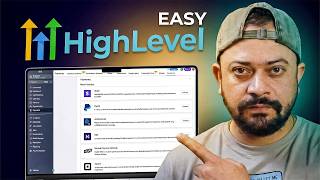

GoHighLevel in 30 Mins: Beginner Tutorial
45sThe hook promises a complete beginner tutorial, instantly capturing viewers who want a quick, comprehensive overview.
▶ Play Clip"The video delivers a thorough beginner tutorial covering all major features in about 30 minutes, as promised."
This video is a comprehensive beginner tutorial for GoHighLevel, an all-in-one CRM and marketing platform. The creator walks through every major feature, from pricing and setup to automation and AI agents, emphasizing that hands-on practice is the best way to learn.
GoHighLevel is a CRM and marketing software that lets you run your entire business from one place. It's easier to learn than most people think.
Starter plan: $97/month (enough for own business). Unlimited plan: $297/month (unlimited sub-accounts, API access, branded desktop app). Exclusive 30-day free trial via link in description.
The dashboard shows pipeline value and analytics. The Launchpad is a step-by-step checklist for beginners to set up their account (brand logo, domain, email, SMS, etc.).
All messages (email, SMS, Facebook) appear in one unified inbox, making client communication management easy.
Similar to Calendly/Google Calendar. Allows creating appointments, syncing calendars, round-robin scheduling, and custom booking URLs.
Main database for leads and clients. Supports manual add, bulk import, smart lists (auto-organized by rules), and bulk actions (tags, automation).
Sales pipeline/deal tracker. Leads move through stages (new lead, contacted, proposal sent, closed). Custom pipelines for sales, onboarding, etc.
Manage invoices, payment links, subscriptions, and transactions. Connect payment gateways like Stripe. Includes estimates, documents, orders, and coupons.
Create AI voice agents to answer calls, conversation AI for SMS/chat, knowledge base to train AI, and content AI for generating messages.
Social planner (post to multiple platforms), email campaigns, snippets (templates), countdown timers, trigger links, affiliate management, brand boards, ad manager.
Workflows: if-then logic (e.g., if appointment booked, send email). Templates available. Global settings for failure notifications and auto-save.
Build funnels, websites, forms, surveys, quizzes, blogs, client portals. Drag-and-drop editor, no coding needed. Replaces ClickFunnels, WordPress, etc.
Create online courses, client portals, communities, and certificates. Perfect for selling training programs or exclusive content.
Media library for images, videos, documents. Upload once, reuse everywhere. Supports Google Drive integration and folder organization.
Manage online reviews: send review requests, track ratings, display review widgets on website, manage listings for consistency.
Custom reports for leads, sales, conversion rates. Schedule automated reports. Includes Google Ads, Facebook Ads, attribution, call, and appointment reporting.
Extend functionality with apps for automation, SMS, AI, marketing, integrations. Browse by category, install with one click.
Control center: business profile, billing, staff management, pipelines, calendars, email services, phone system, custom fields, integrations.
GoHighLevel is a powerful all-in-one platform that can replace many separate tools. The best way to learn is to start using it yourself—explore the dashboard, build funnels, and set up automations.
What are the two main pricing plans for GoHighLevel and their monthly costs?
Starter plan: $97/month. Unlimited plan: $297/month.
01:47
What is the Launchpad tab used for?
It's a step-by-step checklist that guides beginners through setting up their GoHighLevel account.
03:06
Which tab in GoHighLevel consolidates all client communications (email, SMS, Facebook messages)?
The Conversations tab.
04:30
What is a 'smart list' in the Contacts section?
A smart list automatically organizes contacts based on rules (e.g., all leads, all customers, all booked calls).
09:13
What is the purpose of the Opportunities tab?
It tracks leads and sales through pipelines (stages like new lead, contacted, proposal sent, closed).
10:25
What payment gateway integration is mentioned for receiving payments?
Stripe.
12:32
What are the three types of AI agents available in GoHighLevel?
Voice AI (answer calls), Conversation AI (reply to SMS/chat), and Content AI (generate messages).
14:22
What is a workflow in the Automation tab?
An if-then automation: if a trigger happens (e.g., form filled), then an action occurs (e.g., send SMS).
18:49
Which tab allows you to build funnels, websites, and forms using a drag-and-drop editor?
The Sites tab.
20:26
What can you create in the Membership tab?
Online courses, client portals, communities, and certificates.
23:18
How can you collect reviews using the Reputation tab?
Send review requests via message or email to customers after they use your services.
27:13
What types of reports can you create in the Reporting tab?
Custom reports for leads, sales, conversion rates, Google Ads, Facebook Ads, attribution, calls, and appointments.
28:10
Where can you add extra apps and integrations to GoHighLevel?
The App Marketplace.
29:31
What is the purpose of the Settings tab?
It's the control center for configuring business profile, billing, staff, pipelines, calendars, email, phone, and integrations.
30:40
Pricing Plans
Clearly outlines the two main plans and their costs, helping beginners choose the right option.
01:47Launchpad for Beginners
Highlights a built-in onboarding tool that reduces overwhelm for new users.
03:06Unified Inbox
Consolidates all client communications into one place, saving time and preventing missed messages.
04:30Automation Workflows
Explains how to set up if-then automations that can run follow-ups and communication automatically.
18:35Drag-and-Drop Site Builder
Shows that GoHighLevel replaces tools like ClickFunnels and WordPress with a no-code builder.
20:26[00:01] I'm going to show you exactly how to use GoHighLevel. This is a complete beginner tutorial, and I'll explain everything step-by-step, the features, pricing, and watch this video till the end, you'll
[00:15] the GoHighLevel, and you will see how powerful this software really is. We're you click this video and thinking, "Whoa, this software looks too advanced, or there are so much to learn." Don't worry, I'll guide you everything very
[00:30] simple way. Honestly, GoHighLevel is much easier to learn than most people think. If you're new to GoHighLevel, let me explain it simply. GoHighLevel is a CRM and marketing software that [music] lets you run the entire business from
[00:42] one place. I've been using it almost 1 year now. I recently started using it for my entire media businesses, and trust me, any new businesses that I'll start in a future, I'll use GoHighLevel for that, too. That's how good it is.
[00:56] It's a true all-in-one platform, and it can save you a lot of money because you don't need many different tools. If you use my link from the description box of this video, you'll have the exclusive 30-day free trial. Now, if you're
[01:08] beginner and you're thinking, "How do I actually use GoHighLevel to run my business?" Don't worry, I was in the exact same position. At first, I thought, "Software does so many things, and how will I ever learn all of this?"
[01:20] I watched so many YouTube videos, but honestly, it was still confusing. So, want you to remember from this video. You need to actually use this software yourself. Don't just watch the video, follow along, click around, and build
[01:34] but the moment you start using GoHighLevel yourself, everything start to make sense. Fastest way to learn the software is to build things, explore, and practice inside software. The first
[01:47] to know about pricing [music] and account. GoHighLevel has two main plans. Starter plans, $97 per month, and unlimited plan, $297 per month. Here's
[01:59] the simple unlimited plans, you can create unlimited sub accounts and client accounts, even hundreds or thousands. You also get API access and branded desktop app. If you don't have agency and you're planning to use GoHighLevel
[02:13] for your own business, then starter plan is more than enough because it has almost all the features that unlimited plan has. But if you have a clients or you want to manage the marketing or CRM for other businesses, then unlimited
[02:25] plan is the best option because you can create unlimited client accounts. Normally, GoHighLevel offers 14-day free trial, but I have the exclusive deal for you. If you use my link from the video description, you will have the extended
[02:39] 30-day free trial. So, now I'm using the starter plan. With this plan, you can is more than enough if you're just starting out. Right now, I'm inside the main agency account. But if you click here, you can easily switch to your sub
[02:54] sub accounts as your different >> Let's say I want to work on this business. I simply select that sub account. So, here you see things like your pipeline value. Since this is a
[03:06] just a demo account, there is a isn't much data showing right now. But if you're someone who's like numbers and analytics, this dashboard is a great place to track your business. Now, let me quickly explain what launchpad tab
[03:19] is. [music] If you click here, so this is the launchpad tab. The launchpad tab is a basically your step-by-step guide inside your GoHighLevel. Think of it like a checklist that shows you exactly what you need to do to get your account
[03:33] ready. When you're new here, this is the best place to start because GoHighLevel literally tells you, "Do this first, and this one, and then this." At the top, you will see the setup progress, so you always know how much you have completed.
[03:48] Inside the launchpad, you will see things like adding your brand logo, setting up your domain, email setup, phone and SMS setup, creating or loading a snapshot. You don't need to do everything at once. You can come back
[04:02] anytime and continue from where you left off. If you ever feel like you're confused or lost inside GoHighLevel, just come back to the launchpad. This tab is a designed to make sure the beginners don't feel overwhelmed and can
[04:15] set up their businesses one step at a time. That's why I always recommend starting here before touching anything else. Now, let me show you the conversation tab, this one right here. This is a basically the place where all
[04:30] your messages live. Any conversation you have with the lead or a client come have with the lead or a client come here, email, SMS, text messages, Facebook messages, and more. Everything shows up in one single inbox. This is
[04:43] what I personally love about GoHighLevel. You don't need to open email in one place, SMS in another place, and Facebook messages somewhere else. All communication handles right here. It makes things much easier to
[04:57] manage and track. You can quickly see who messaged you, reply back, and follow up, all from one dashboard. So, think of the conversation tab as your client communication center. If you talk to leads or clients on different platforms,
[05:12] this tab keep everything organized in one place, so nothing gets missed. Next, we have the calendar section. If you ever used tool like Calendly, Google Calendar, or Apple Calendar, this will feel very familiar. One of the biggest
[05:27] thing about GoHighLevel is that it combines many different tools into one platform. So, for most people who switch to GoHighLevel, it actually save a lot of money, especially if you're already paying for multiple subscriptions.
[05:41] GoHighLevel even shows a list of tools on their website that it can replace, and when you add everything up, the saving can be huge. Now, a lot of people think there is no way one software can do all of this properly. But honestly,
[05:56] GoHighLevel does these things really well. And the good part is you don't have to replace everything if you don't want to. GoHighLevel can also work alongside your existing tool like Google Calendar, Apple Calendar, so you can
[06:09] slowly switch over or just use it together with what you already have. And replace everything if you don't want to. GoHighLevel can also work alongside your existing tools like Google Calendar or
[06:23] Apple Calendar and more. So, you can easily switch over or just use it together with what you already have. Now, coming back to calendar tab, this is where entire calendar lives inside your GoHighLevel. You can create a new
[06:36] calendar just by clicking here. Think of it like a Google Calendar Apple Calendar, but inside your CRM. You can sync your other calendars here, so everything shows up in one single place. Let's come back here. And if you want to
[06:50] create a new appointment, just click on the new appointment button, and this window will appear, and from here, you can choose which calendar appointment is for. You can add a title, you can select a team member, date and time, and that's
[07:04] it, very simple. Okay, let's close this out. And if you go to appointment section, you can see the upcoming appointments, canceled appointments, all, and smart list. These appointments can be anything, sale calls, team
[07:18] meetings, or one-on-one calls with client. Now, if you click on the calendar setting, this is where you can create and manage different calendars. Just by clicking here, you can click on create calendar, and then choose how
[07:31] scheduling works. For sale team, you might use round robin scheduling, which means appointments are automatically shared between team members one by one. calendar, you can select the team member, you can set a custom booking you
[07:47] can choose the meeting duration, and set the visibility. Once that's done, you fill in the details, name it [music] test. I don't have team member. This is the custom URL. Meeting duration, click
[08:01] confirm. Team member is required. Currently, I don't have the team member. You can preview it, and it look just like any other booking calendar. People can select time, enter their details, and book a meeting easily. This way,
[08:15] GoHighLevel knows when you are busy and prevent double booking if you already have something personal scheduled. Overall, this calendar feature is very powerful, very easy to use, and I highly recommend using it inside GoHighLevel.
[08:30] Let's go back, and now [music] let's look at the next tab, which is the contacts. This one is the most important part of GoHighLevel. Think of contacts as your main database. Every lead, every customer or client you have will be
[08:45] saved here. Whenever someone fill out the form, book a call, send a message, or enters your funnel, their information gets stored as the contact. [music] Here, you can see the details like contact name, phone, email, business
[09:00] [music] name, and much more. You can manually add contacts by clicking on the add contact button, or you can import contact in a bulk if you already have a list, just by clicking here. You can also create a smart list. Smart list
[09:13] automatically organize your contact based on the rules like all leads, all customer, all booked calls. This helps a lot when your contact list grows. Now, if you go back to bulk action, just by clicking here, this is where you can do
[09:29] things to manage contacts at once. For example, add tags to multiple contacts, remove tags, start automation, update contact information. This save a lot of time instead of doing everything one by one. Next, we have the task tab. Task
[09:43] helps you to stay organized. You can create task like follow up with lead, call a client, send a email. Task can be assigned to yourself or to team member with a due date, so nothing gets forgotten. And then we have the company
[09:58] section. This is a useful if you work with business clients. You can group multiple contacts under one company and add company details and manage everything in one place. So, overall, the contact section is where all your
[10:12] leads and clients live. All activity is tracked, follow-ups are managed, your business stay organized. [music] If you're running any kind of businesses, this section become your daily workspace inside Go High Level.
[10:25] Next, we have the opportunities tab. This section is all about tracking your leads and sales. Think of opportunities like a sale pipeline or a deal tracker. Whenever a lead shows interest in your services, for example, they book a call,
[10:40] request a quote, or reply to a message, that lead can be added as an opportunity. Now, the most important part here is pipelines. A pipeline is a >> [music] >> like new lead, contacts, booked calls,
[10:55] proposal sent, closed and won. Each lead moves from one stage to the next as things progress. This gives you a clear visual views of your businesses. You can instantly see how many leads you have, how many deals are in progress, and how
[11:10] many deals are closed. You can also create a new pipeline just by clicking on the create new pipeline button. Here you can give a name to your pipeline, stage name, new lead, contacts, proposal sent, and closed. Let's close this out.
[11:23] This is extremely helpful for sales calls, client services, and agencies. If you don't have a pipeline, Go High Level will ask you to create one first just by clicking here, and that's a totally normal for beginners. You can create
[11:36] different pipelines for different things like sale pipeline, client onboarding, follow-ups. There's also a bulk action section here. This let you update or manage multiple opportunities at the same time instead of doing everything
[11:51] one by one. So, overall, the opportunity tab helps you to organize your leads, track sale progress, knows exactly where your money is coming from, and never forget to follow up. So, if you're serious about growing your businesses,
[12:05] this tab becomes one of the most powerful tool inside Go High Level. Next, we have the payments [music] tab. This is where you manage all money side of your business inside Go High Level. From here, you can create an invoice,
[12:18] send payment links, manage subscription, and track transactions all in one place. The first thing you'll see is invoices. You can create and manage invoices for your clients directly from here. Before you can receive payments, you need to
[12:32] connect your payment gateway just by clicking here like Stripe or any other supported options. If you click here, you'll see that you can set up or you'll see that you can set up or connect any kind of your favorite
[12:45] payment gateway right from here. You can search for more just by clicking here. There are tons of integrations that you can do right from Go High Level. Let's go back to invoices. Once your payment gateway is connected, you can send
[12:58] invoices and get paid directly inside Go High Level. And here you can quickly see that draft invoices, invoices due, payment received, and overdue invoices. This give you a clear overview of your cash flow. You can also create a
[13:12] estimate, which are basically quote you send before an invoice. Inside the payment section, you also find documents and contacts. Just by clicking here, document and contacts for agreement and approvals, orders to track purchase,
[13:27] subscription for recurring payments, payment links, simply link you can send you can create payment links just by clicking here and then send to your clients to get paid fast. Transactions, a fully history of all your payments,
[13:42] a fully history of all your payments, products, and coupons to manage what you sell and offer discount. Everything is connected, so when someone pays, their activity is still automatically tracked in [music] the system. This is extremely
[13:54] useful for agencies and services and freelancers. [music] Instead of using separate tools for invoicing, contracts, and payments, you [music] can handle everything from one dashboard. Overall, the payments tab helps you to get paid,
[14:07] track income easily, manage subscription, keep everything organized. If you run any kind of businesses, this tab can replace a lot of other payments and invoicing tools. Next, we have the AI agents tab. Let's close this one.
[14:22] This is one of the new and powerful feature inside Go High Level. AI agent allow you to use artificial intelligence to talk to your leads and customer automatically. You don't need to be technical to use this. Go High Level
[14:35] makes it very beginner-friendly. When you first open this section, you'll see a getting started area. This helps you to set everything up step by step. First option is voice AI. Here you can create your own AI voice agent that can answer
[14:48] calls, talk to leads, and handles basic conversation for you. You can create your first voice AI agent just by clicking here, set its names and greeting, decide how it should response. You can select the voice AI agent from
[15:01] the marketplace or you can create your custom voice AI agent just by clicking here. Okay. If you go to browse marketplace, click here, you'll see several voice AI agent that answers calls, talk to leads, and handle basic
[15:16] conversation for you. Let me close this out. Go back here. After that, you can test the AI agent by talking to it just to make sure everything work properly. Once you're happy with it, you can assign a phone number and make [music]
[15:30] it live. Again, your AI agent can answer calls when you're busy or unavailable. There is also a conversation AI. If you click here, this allow AI to reply click here, this allow AI to reply messages automatically like SMS or chat
[15:43] messages based on the rules and information you provided. Next, we have the knowledge based where you can teach the AI about your businesses like the AI about your businesses like services, pricing, FAQs, and more. The
[15:55] smarter your knowledge base is, the better your AI agent performs. Go High Level also provide agent templates. If you click here, so you don't always have to start from scratch. And there is content AI, which can help generating
[16:09] messages or content faster. Overall, the AI agent tab help you to save time, response to lead faster, automatically conversation, never miss calls or messages. This feature is especially powerful for agencies, services
[16:24] businesses, service businesses, and team that get a lot of inquiries. You don't need to use AI agent right away, but once your business grows, this can be a Next, we have the marketing tab. This section is all about promoting your
[16:39] businesses and staying in touch with your audience. Inside the marketing tab, the first thing you'll see the social planner. You can connect multiple platforms like Facebook, Instagram, Thread, YouTube, Pinterest, TikTok, and
[16:53] more. Instead of posting separately on every platform, you can post to multiple platform at the same time. You can also schedule posts in advance, which saves a lot of time. If you don't want to post today, you can schedule a content for
[17:07] later. There are also some powerful features here like bulk scheduling with CSV, upload many posts at once, evergreen [music] post, reuse content automatically, recurring post, repeat post on a schedule, RSS feed posting,
[17:24] automatically post content from blog or website. This is great if you want to stay consistent on social media without posting every day manually. Next, we have emails. This is where you create and send email campaign, newsletter, and
[17:39] follow-ups. You can send emails to leads, customers, or a specific contact list. And then we have snippet. Snippets are saved messages or the text templates. Instead of typing the same message again and again, you just insert
[17:54] the snippet and save time. You can also see the things like countdown timer, great for offers and urgencies, trigger links, links that start automatically when clicked, affiliate management, manage affiliates if you have a program,
[18:09] brand boards, keep brands color, font, and assets organized, ad manager, manage ads from inside Go High Level. Overall, the market tab helps you to stay active
[18:21] on social media, automate email marketing, save time with templates, run campaigns from one place. Instead of using many different marketing tools, Go High Level lets you manage everything from one dashboard. This is especially
[18:35] useful for agencies, creators, and business owners. Next, we have the automation tab. Let's click on got it. This one is the one of the most powerful feature inside the Go High Level. Automation lets you set things up on
[18:49] autopilot, so the system works for you in the background. The main part here is the workflow. A workflow is very simple to understand. It works like this. If this happens, then do this. For example, if a customer book an appointment, send
[19:04] a email. If a lead has filled out a form, send a SMS. If a payment is completed, move the lead to a new stage. You don't need to do technical or build things, you just select a trigger what happens, and then add actions what the
[19:19] system should do. You can start with a workflow from scratch or by using the ready-made templates. If you click here, you can see you can start from scratch or you can start from template. Company-based workflow is also
[19:31] available, but currently it's in beta mode. Go High Level already gives you a templates like if I go to templates section, [music] you can see it gives you templates like if you click here, you can see the category, communication,
[19:44] convert leads, customer appointments, and much more. You can preview the template right from These templates save a lot of time, especially for beginners. There's also a global workflow settings here. If you
[19:58] click here, here you can manage things like email notification if workflow fails, auto save while building a workflow, pausing a workflow for a special time period. This helps you to stay in control and avoid mistakes.
[20:12] Overall, the automation tabs helps you to respond faster to leads, follow up automatically, reduce manual work, and scale your business without hiring more people. Once you set up automation, GoHighLevel can literally run your
[20:26] follow ups and communication for you. This is why automation is a game changer for agencies and business owners. Next, we have the sites tab. This is a section where you build everything that people actually see online. Inside the sites
[20:41] tab, you can create funnels, websites, forms, surveys, quizzes, blogs, client portals, and few other things. So, instead of using tools like ClickFunnels, WordPress, or form builder separately, you can do everything right
[20:57] here. The first and the most powerful option is funnel. Funnels are used to generate leads, book appointments, sell products or services. You can create funnel by clicking on new funnel, and then add different pages like landing
[21:11] page, thank you page, and checkout page. You can create a funnel from blank, or you can use AI, or you have the templates to create funnels. All funnels are built to using a drag-and-drop editor. If I choose from template, click
[21:25] on continue. So, these are the landing pages basically. If you choose this one, maybe let's go with this one. It's loading right now. So, once the pages load, you can see all funnel templates are built to using a drag-and-drop
[21:38] editor. So, you don't need any coding skills to edit [music] this page. If you want to delete any section, just highlight that, just click on delete button. You can duplicate it, and you can drag and drop any widget you like,
[21:50] just [music] like this. Okay. So, take your time and understand how to use this editor. This is drag-and-drop editor, just like Elementor. Okay, let's go back. Click okay. So, you can see we have created one funnel. Let's go back
[22:05] here, and you see we have one funnel over here, which is the five-step funnel. And next, we have the websites. This is where you can build a fully website, just like a normal business website. You can create a homepage,
[22:18] about page, [music] contact page, and other pages. Again, everything is a drag-and-drop, very beginner-friendly. Then, we have forms. Forms are used to collect information like name, email, and phone number. Whenever someone fill
[22:32] out the forms, their details automatically go into the contact section. You also have the surveys and quizzes, which are great for lead qualifications, market research, engagement. There's also a chat widget.
[22:46] This let you add a live This let you add a live chat or chat box to your website, so visitor can message you directly. And if you use WordPress, GoHighLevel also connect with that. Overall, sites tab helps you to build pages and funnels,
[23:01] collect leads, book appointments, sell online, do everything without extra tools. This is one of the biggest reason people switch to GoHighLevel, because it replaces multiple websites and funnel tools. Next, we have the membership tab.
[23:18] This section allow you to create and manage online courses, client portals, and communities. It's perfect if you want to sell online courses, training want to sell online courses, training program, or exclusive content. The first
[23:31] thing you'll see is the client portal. The client portal is a secure area where your client or student can log in and access their content. For example, they can watch courses lessons, access resources, join communities, track their
[23:45] progress. Every client gets their own login, so only authorized user can access the content. You also see the client portal URL. This is the link you can send to your client, so they can log in into their portal. Next, we have the
[23:59] courses. Here, you can create your own online courses or training program. You can organize your courses with modules, lessons, videos, and downloads. This is very useful coaches, educator, and agencies that sell trainings or
[24:15] onboarding program. And then, there is a communities tab. Communities allows your members or students to interact with each other, similarly to a private group of firms. This helps build engagement and allows people to ask questions and
[24:29] share ideas. You'll also see a credential tab. This section let you create certificates or credentials for people who completed their courses. This section let you create certificates or credentials for people who completed
[24:42] your courses. So, once someone finishes a program, they can receive a certificate just by clicking here. [music] Finally, we have the GoCollaborate Marketplace, where you can explore additional resources and
[24:55] integration related to membership. Overall, the membership tab helps you to create and sell courses, build a private client portal, create learning communities, and manage members and students. [music] This makes GoHighLevel
[25:09] a complete platform, not just a marketplace, but also for education and client onboarding. Next, we have the media storage tab. [music] This section is where you can store and manage all your media files inside GoHighLevel.
[25:23] Think of it like a media library for your entire account. [music] Here, you can upload things like images, videos, documents, graphics, and other files used in your funnel or website. Whenever you build a funnel, websites,
[25:36] Whenever you build a funnel, websites, email, or courses, you often need images or files. Instead of uploading them every time, you can upload them once here and reuse them everywhere in your account. You can also organize your
[25:49] here, you can create a folder, which later. In the right top, you can see the options like upload, where you can upload a new media files from your computer. You can also connect Google
[26:02] Drive, which allow you to bring files directly from your drive into GoHighLevel. There's also a search bar, so if you have many files, you can quickly find them what you need. Overall, the media storage tab helps you
[26:16] to keep all your files in one place, quickly access images and documentations, reuse media across funnels, website, and emails, and stay organized as your account grows. It's a simple feature, but it becomes very
[26:31] helpful once you start building more pages and content inside GoHighLevel. Next, we have the reputation tab. This section helps you to manage and improve your online reviews. Reviews are very important for any businesses, because
[26:45] they build trust and credibility. Inside the reputation tab, you can see the overview of all your reviews and ratings in one place. For example, you can see how many reviews request you have sent, how many reviews you received, your
[26:59] average rating, positive and negative feedback. You can also connect Google Business Profile or other review platform, so everything is tracked automatically. One very useful feature here is the review request. With this,
[27:13] you can send messages or email to customer asking them to leave a review after they use your services. [music] This makes it much easier to collect reviews consistently. There's also a review section where you can see all the
[27:27] reviews customer have left. Currently, there is a no review, because you know, what people are saying about your businesses and respond to them if you need it. Another useful feature is a review widget. If you click here, these
[27:43] widgets allow you to display the best review directly on your website or a funnel page. This helps build trust with a new customer. You can also manage listing just by clicking here, which helps you keep your business information
[27:56] consistent across different platform online. Overall, the reputation tab helps you to collect more customer reviews, track rating and feedback, improve your online reputation, build trust with a new customer. For many
[28:10] businesses, having a strong review can make [music] a big differences in getting more clients. Next, we have the reporting tab. This section helps you to track and analyze your business data. In simple word, this is where you can see
[28:23] how your marketing and sale are performing. Inside the reporting tab, you can create a custom reporting to understand your business data. Just by clicking here, you can create a new report. For example, you can track lead
[28:35] coming to your business, sale and revenue, conversion rate, and [music] You can also create multi-page reporting that show detail information about your different parts of business. Another
[28:49] useful feature is that you can schedule reporting. This means the system can automatically send report to your team member or client at the specific time, date, weekly, or monthly. At the top, you also see a different types of
[29:02] reporting such as Google Ad reporting, which track performance of your Google Ads campaign, Facebook Ad reporting, monitor your Facebook advertising results, attribution reporting, see where your leads and customer are coming
[29:17] from, call report, track phone calls from your market campaign, appointment report, see how many appointments are booked, local marketing audit, where you can analyze local marketing performance. All of these data helps you to
[29:31] understand what is working in your business and what needs to improve. Instead of guessing, you can make better decision based on real data. Next, we have the app marketplace. This section where you can add extra apps and
[29:45] integration to GoHighLevel account. Think of it like an app store for CRM. Inside the marketplace, you can find many apps that helps you to extend functionality of Go HighLevel. For example, you can install apps for
[29:58] automation tools, SMS [music] and messaging services, AI assistant, marketing tools, integration and other platforms. These apps help you to connect Go HighLevel with other software and services you already use. You can
[30:12] also search for apps using the search bar or browse different categories to find the tools you need. Each app shows the important information like rating, number of downloads, whether the app is free or paid. Once you find the app that
[30:27] you want, you can simply install it and connect it with your account. This makes it easy to customize Go HighLevel for your specific business [music] needs. In simple words, app marketplace allow you to add a powerful new feature to your
[30:40] system without needing any code. Finally, we have the settings tab. This is where you can fill all the important details of your business and your account. Inside the settings, you'll see many different options that help you to
[30:53] control how your system works. At the first, the most important part is the business profile, as you can see. Here, you can add your business information such as business name, your logo, your
[31:06] email address, phone number, business website, business niche, currency, and much more. You can also add your business address, including the city, state, country, and time zone. This information is a used to across your
[31:19] entire system like email, invoicing, funnel, and automation. On the left side, you will see other important settings like billing. This is where you manage your subscription and payments. My staff, here you can add team members
[31:34] and control what they can access in your account. Opportunities and pipelines, this let you customize your sale pipelines and deal stages. Calendars, appointments and bookings. Email services, here you connect your email
[31:51] sending services so you can send campaigns [music] and automation emails. Phone system, these settings allow you to connect phone numbers and messaging systems. There are also advanced settings like custom fields,
[32:03] integration, and others. In simple words, setting section is a control center for your entire Go HighLevel account. This is where you can customize the system so it works perfectly for your business. So, that was the general
[32:15] overview of Go HighLevel and the main features that you can start using today. But, the most important things that I want you to remember is this. Don't just watch the videos. Start using Go HighLevel yourself. Click around,
[32:28] explore the dashboard, and start setting things up on your own. Watching video tutorials on YouTube can help you to understand the basics, but the best way to learn Go HighLevel is when you actually start using it. So, that's the
[32:40] this video. If so, don't forget to hit the like button and don't forget to subscribe for more videos just like this one. Thank you so much for watching this video. Till then, I'll see you guys next time.



⚡ Saved you 0h 32m reading this? Transcribe any YouTube video for free — no signup needed.