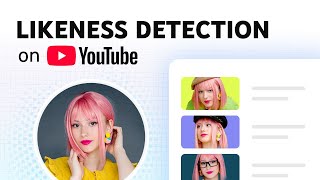

YouTube Now Detects AI Deepfakes of You
45sAI deepfakes are a viral concern; this feature directly addresses creator safety.
▶ Play Clip"Exactly what it says — a clear, step-by-step walkthrough of YouTube's likeness detection tool, no fluff or bait-and-switch."
YouTube has launched a new Likeness Detection feature in YouTube Studio to help creators detect, manage, and request removal of unauthorized videos that use their AI-generated likeness. The tool scans for faces across the platform, requires a biometric consent and identity verification process, and gives creators three options for handling flagged content. This video is a step-by-step walkthrough of the setup, review, and action process, along with the tool's limitations and privacy controls.
YouTube launched Likeness Detection in YouTube Studio to help creators detect, manage, and request removal of unauthorized videos using their AI likeness. It is found in the Content detection tab under the Likeness sub-tab.
Users must be over 18 years old. Only the Channel Owner or users with a Manager role can set up likeness detection. Each on-camera creator on a channel can enroll individually.
In YouTube Studio, navigate to Content detection > Likeness. Grant YouTube permission to use biometric technology, then verify identity via QR code scan, government-issued ID, and a brief selfie video.
After submitting verification materials, the process takes a few days. Once active, the tool begins scanning for videos where your likeness is altered or AI-generated.
Detected videos appear in the Likeness tab, showing the title, uploader channel, upload date, and view count. Some videos may be flagged as 'high priority' for review.
After clicking Review, users can see the segment with their likeness. Options include submitting a likeness removal request (for altered/synthetic content), submitting a copyright removal request (for re-uploaded original content), or moving to Archive (no action).
The form pre-fills legal name and email. Users select their country, confirm if reporting for themselves or someone else, indicate if their voice is present, and provide additional context. Submission takes only a few minutes.
YouTube emails the outcome of the complaint. Not all content is removed; YouTube weighs factors such as parody or satire. If no videos are detected, that is normal and the tool continues working in the background.
The tool is optional. Creators can opt out via 'Manage Likeness Detection' and request deletion of collected data from YouTube's systems.
What is the Likeness Detection feature in YouTube Studio?
A tool that helps creators detect, manage, and request removal of unauthorized videos where their AI-generated likeness appears.
What are the eligibility requirements to set up likeness detection?
Must be over 18, and only the Channel Owner or users with Manager role can set it up.
00:56
Where do you find the Likeness Detection feature in YouTube Studio?
In the Content detection tab, under the Likeness sub-tab.
00:13
What is the first step in the identity verification process?
Grant YouTube permission to use biometric technology, then scan the QR code with your phone.
01:26
What documents are required for identity verification?
A photo of a government-issued ID (like a driver's license) and a brief selfie video with on-screen motions.
01:39
How long does the verification process take?
A few days.
01:52
What three options do you have when reviewing a detected video?
Submit a likeness removal request, submit a copyright removal request, or move the video to Archive.
02:21
When should you use a copyright removal request instead of a likeness removal request?
When someone re-uploads your original content, not for altered or synthetic content.
02:36
Will YouTube remove all content reported via likeness detection?
No, YouTube weighs factors including whether the content is parody or satire.
03:20
New Tool Launched
Introduces a practical solution for creators facing AI likeness misuse, giving them direct control on the platform.
Best for On-Camera Creators
Clarifies that the tool scans for faces in channel videos, so its effectiveness depends on how often creators appear on camera.
01:10Three Action Options
Differentiates between likeness and copyright removals and gives a neutral archive option, giving creators clear choices.
02:21Removal Is Not Guaranteed
Sets realistic expectations by acknowledging that parody and satire are protected and will not be removed.
03:20Optional and Privacy-Conscious
Reassures users that the tool is optional and includes a full data-deletion opt-out, emphasizing privacy control.
03:50[00:00] To help you manage this, we’ve launched the likeness detection feature in YouTube Studio. This tool is designed to help you detect, manage, and request the removal of unauthorized videos
[00:13] likeness as AI content continues to evolve. You can find it in YouTube Studio by clicking on the "Content detection" tab. Here, you'll see a sub-tab called "Likeness".
[00:27] in videos made with AI. Easily request removal of unauthorized content that violates YouTube’s Privacy Guidelines And helps keep your audience from being misled about you. That can include who you are,
[00:42] what you endorse, and what you don't. Before YouTube can start searching for videos with your likeness, you need to complete an initial setup process. If your channel has multiple creators, each of them can set up likeness detection for themselves by
[00:56] following this process. First, there are a few eligibility rules to keep in mind: You must be over 18 to use this feature. Only the Channel Owner or users with a Manager role can set up likeness detection.
[01:10] Keep in mind, the likeness detection feature looks across YouTube for the faces that appear in your channel’s videos. This means it works best for creators who regularly appear on camera. Each person who appears on camera and would like to enroll will need to follow these steps:
[01:26] In YouTube Studio, go to the Content detection tab and click the Likeness tab. You’ll need to grant YouTube permission to use biometric technology to help identify content that uses your likeness. Next, you'll need to verify your
[01:39] identity. A QR code will appear on your screen. Scan it with your phone's camera. a photo of your government-issued ID (like a driver's license) and a brief selfie video
[01:52] where you'll follow some simple on-screen motions. After you submit, the verification process takes a few days. Once it’s active, the tool will begin looking for videos where your likeness may be altered or made with AI. Any videos we find will appear in the Likeness tab.
[02:07] For each detected video, you’ll see the video title, the channel that uploaded it, the upload date, and the view count. Some videos may be flagged as "high priority" for your review. When you’re ready, click the "Review" button. We’ll show you the segment in the video
[02:21] where your likeness was detected. From here, you have three options: Submit a likeness removal request: This is the primary option for altered or synthetic content that violates YouTube's Privacy Guidelines. Submit a copyright removal request: This option is
[02:36] for a different situation, when someone re-uploads your original content. Before submitting a copyright claim, you must always consider if fair use or a similar exception applies. Move to Archive: If you don’t want to take any action, you can just archive
[02:51] the video to clear it from your queue. If you select the likeness removal request, a form will pop up. We’ll pre-fill your legal name and email. You'll just need to select your country and confirm if you're reporting for yourself or on behalf of someone else.
[03:05] We also ask if your voice is present in the video, to help us better evaluate the complaint. You'll provide some additional info about how this video uses your likeness. Finally, you’ll review a few legal statements and hit submit. Completing this step should only take a few minutes.
[03:20] YouTube will email you about the outcome of your complaint if the content is removed. Please note, YouTube will not remove all content. We weigh several factors when assessing removal requests, including whether the content is parody or satire. If you check the tool and don't see any videos,
[03:35] that's completely normal! It just means we haven't found unauthorized uses of your likeness on the platform. Whether you see videos detected in the tool or not, you’ll know this is working in the background to protect you. This tool is also optional. If you ever want
[03:50] to opt out, you can go to "Manage Likeness Detection" and ask us to stop searching for your likeness. Your data collected for this tool will then be deleted from our systems. We hope this new Likeness detection tool gives you more control over your likeness
[04:04] and helps you protect both your identity and your audience. For more info, check out the links in the description. Thanks for watching!




⚡ Saved you 0h 04m reading this? Transcribe any YouTube video for free — no signup needed.