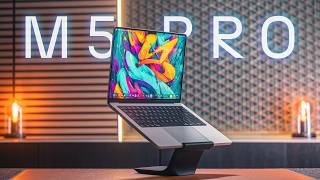

MacBook Pro M5 Pro: The Most Complete Pro Mac?
45sOpens with a bold claim that the M5 Pro might be the most complete pro MacBook at its price, sparking curiosity and debate among tech enthusiasts.
▶ Play Clip"The title accurately reflects the content: the video confirms the M5 Pro is a compelling choice for most pro users."
The MacBook Pro M5 Pro offers meaningful internal upgrades while retaining the same design. It handles creative workflows like photo editing, 3D modeling, and video editing with ease, making it a strong choice for most pro users.
Sponsored by Anker. The MacBook Pro M5 Pro is presented as the most complete pro MacBook at its price.
Same dimensions, weight, port layout, and color options. Silver model shown; reviewer wishes for brighter colors like iPhone lineup.
Key legends replaced with icons. Rumors of OLED display in next iteration.
XDR Mini LED display with deep blacks, excellent color accuracy, 1600 nits peak HDR, 1000 nits SDR outdoor, 600 nits indoor.
Three Thunderbolt 5 ports (120 Gbps, 3x Thunderbolt 4), HDMI, MagSafe, SD card reader, headphone jack. Thunderbolt 5 exclusive to Pro/Max chips.
First Thunderbolt 5 dock with built-in power supply. Single cable handles display, SSD, and 140W charging. Transfers 150GB in 25 seconds.
Base M5 Pro starts at $2,199 USD ($2,999 CAD) with 1TB storage (up from 512GB). Drive speeds: 10,000+ MBps write, 13,000 MBps read.
Fusion architecture: two smaller chips fused. 15-core CPU (5 super cores, 10 performance cores, no efficiency cores). Memory bandwidth up to 307 GB/s.
~10% single-core, ~25% multi-core improvement over M4 Pro. GPU benchmarks 30-50% better despite same core count.
Compile times 20-30% faster than M4 Pro. Smooth photo editing, 3D modeling in Blender (30% faster renders). Gaming: Cyberpunk 2077 ~80 FPS.
Handles 10-bit H.265 6K footage smoothly. Single encoder limits render speed: M5 Pro took 15:36 vs M3 Ultra 6:23 for same video.
23% battery drop in 15-minute render. Full day typical use, 8-10 hours intensive work. 0-50% charge in ~30 min, full in under 2.5 hours.
Wi-Fi 7 and Bluetooth 6 with N1 chip. Wi-Fi speeds ~100 Mbps faster than M4 Pro. Bluetooth stable with great range.
Recommended for most pro users. Performance nearly matches Mac Studio at half the price. Next iteration may bring OLED and design change.
The MacBook Pro M5 Pro is a powerful and well-rounded laptop for professionals, offering significant internal upgrades and excellent performance for creative workflows. It remains the gold standard for pro laptops, though future models may bring more substantial changes.
What is the maximum transfer speed of Thunderbolt 5?
120 gigabits per second.
03:39
How much faster is Thunderbolt 5 compared to Thunderbolt 4?
Three times faster (120 Gbps vs 40 Gbps).
03:39
What is the base storage of the M5 Pro MacBook Pro?
1TB, up from 512GB in the M4 Pro.
05:20
What is the starting price of the M5 Pro MacBook Pro in USD?
$2,199 USD.
05:34
What is the read speed of the M5 Pro's internal SSD?
Over 13,000 MBps.
05:50
What is the write speed of the M5 Pro's internal SSD?
Over 10,000 MBps.
05:50
How many CPU cores does the base M5 Pro have?
15 cores: 5 super cores and 10 performance cores.
07:10
What is the memory bandwidth of the M5 Pro?
Up to 307 GB/s.
06:58
What is the single-core performance improvement of M5 Pro over M4 Pro?
About 10%.
07:38
What is the multi-core performance improvement of M5 Pro over M4 Pro?
Roughly 25%.
07:38
How much faster are GPU benchmarks on M5 Pro compared to M4 Pro?
30 to 50% better.
07:53
How long did the M5 Pro take to render the reviewer's video?
15 minutes and 36 seconds.
10:08
How long did the M3 Ultra take to render the same video?
6 minutes and 23 seconds.
10:08
What is the battery life for intensive workloads like video editing?
Between 8 and 10 hours.
11:16
What wireless standards does the M5 Pro support?
Wi-Fi 7 and Bluetooth 6.
11:57
Insane Transfer Speed
Transferring 150GB in 25 seconds via Thunderbolt 5 is a jaw-dropping demonstration of speed.
04:51SSD Speed Beats M3 Ultra
The base M5 Pro's SSD is faster than the M3 Ultra Max Studio, which is surprising given the price difference.
06:03Future Upgrade Tease
The reviewer hints at a possible OLED redesign next year, making viewers consider waiting.
13:08[00:00] This video is sponsored by Anker. This is the MacBook Pro M5 Pro, and right now it might be the most complete pro MacBook that Apple has made at this price.
[00:12] While it might look the same as previous models, there are some meaningful upgrades inside here, and using it for the past week, this base config M5 Pro has surprised me. It's been running my whole creative setup, photo editing, design work, 3D modeling and making these videos,
[00:30] and I found very few things it can't handle. So much so that I think if you're doing any kind of pro work, in most cases, you really don't have to look any further than this.
[00:46] I've been using MacBook Pros with Pro M-Feries chips since they came out roughly five years ago, so coming into this one, I knew what to expect, at least on the outside. Apple hasn't changed the Pro design since 2021.
[01:01] You still have the exact same dimensions, the same weight, with the same port layout and color options, where the model that I have here is silver. Over the past year, I've found that I've just been liking lighter colors a bit more
[01:13] because they don't show dirt or fingerprints as much. And while I don't mind silver, coming from our MacBook Neo last week, I wish Apple would give us some other color options here. I would love to see some brighter colors like we have with the phone lineup.
[01:29] I think they're just a bit more fun, or even if we could get a light keyboard option like the Neo has, I would be all over that. But in the grand scheme of things, that's a pretty minor detail. The only real minor design change this year was on the keyboard,
[01:45] where Apple swapped out the written key legends for icons. I honestly don't really notice those, but there are some rumblings that we could see a change in the next iteration of MacBook Pro with a new OLED display, but the XDR Mini LED in here is still fantastic, even if it hasn't changed in a few years.
[02:04] The version that I have here is the 14-inch variant, and I haven't bought the 16 since the very first generation of these style pros. I just find the 16-inch to be a bit too cumbersome, and even buying the 15-inch MacBook Air that I'm going to look at next week,
[02:21] I kind of wish I would have stayed with the 13-inch there, but the 14-inch is still nice and portable while giving you a decent amount of screen real estate. Viewing any content on here, you get those deep blacks that look just as good as an OLED in most cases.
[02:37] The color accuracy, as always, is outstanding if you're doing any color critical work, and it gets plenty bright, going up to 1600 nits peak HDR brightness and 1000 nits in SDR outdoors, or 600 indoors.
[02:52] indoors. Coming from the smaller 13-inch Neo last week, trying to edit a video on there, this has been much nicer to work on, and it's also been nice to have a much more usable port selection. Having three Thunderbolt 5 ports has been quite nice, especially considering I have both a Thunderbolt 5
[03:09] external SSD and a monitor. Thunderbolt 5 gives you an incredible amount of speed, which I'll touch on in a second, but unlike the Neo or the Air, where you often have to make sacrifices if you If you want to hook up power or a monitor at the same time the extra HDMI port and MagSafe connector do come in handy for freeing those up There also an FD card reader and a headphone jack there if you ever need it and just coming back to Thunderbolt 5 that is exclusive to the Pro and Max chips so
[03:39] anything with the regular M5 and below will have Thunderbolt 4. The difference being that Thunderbolt 5 gives you 120 gigabit per second maximum transfer speed, which is three times more than Thunderbolt 4
[03:52] at 40 gigabits per second. Now, Thunderbolt 4 is still quite fast, but there have been times where version 5 has come in handy, especially working at my desk. I've been trying to use the M5 Pro MacBook a lot more in here in clamshell mode, just running a single cable from my MacBook
[04:09] to this Anker Prime Thunderbolt 5 dock, and that single cable handles everything from running my display to powering my external SSD. This is the first Thunderbolt 5 dock that I've used with a
[04:22] built-in power supply. So, there's no external brick that you have to stuff behind your desk, it plugs straight into an outlet, and that alone has made a real difference in reducing clutter. A setup like this is also where Thunderbolt 5 makes the most sense. 120 gigabits per second
[04:39] means I can power my 6K monitor and external SSD without sacrificing resolution or drive speed, and having an enormous amount of footage to move, I can push roughly 150 gigabytes in just
[04:51] 25 seconds, which is pretty wild. The dock also gives you loads of options. The back has three Thunderbolt 5 ports, HDMI 2.1 display port, 2.5 gig ethernet, and two 10 gig USB-A ports. There's
[05:06] SD and TF slots, USB-A and USB-C in the front, and a headphone jack. Everything in one spot, one cable, while pushing 140 watts to the MacBook. Link to that is in the description, but as
[05:20] impressive as port performance is on external accessories, the internals are even more impressive this year. This base M5 Pro now comes with a minimum storage spec of 1TB, up from 512GB last
[05:34] year, which is reflected in a price where it now starts at $2,199 USD versus $1999 in the M4 Pro, or $2,999 Canadian, which is a $300 price increase. That being said, it is still technically
[05:50] the same price for that amount of storage, and the speed of that drive is essentially twice as fast this gen, with over 10,000MBps write speeds and 13,000 read speeds, which
[06:03] even blows my M3 Ultra Max Studio out of the water. In real world use, that likely doesn't mean much for everyday things like web browsing, launching apps, or even gaming or 4K video editing for that matter.
[06:17] This is overkill, and would be more noticeable for things like 8K raw video work, heavy VFX compositing, or some kind of heavy disk I.O., but it's still incredible value considering
[06:30] the rising costs of storage and memory these days. This, again, comes with 24 gigs of memory this year, which is more than enough to do anything in my workflow, which I'll get into, but the most notable difference here is the
[06:43] new M5 Pro chip, which does have some big changes. The way that Apple has made Pro chips up to this point is by making one big chip on a single die with up to 14 cores, but now they're essentially building them from two smaller
[06:58] chips and fusing them together with what they calling fusion architecture This leads to faster memory bandwidths up to 307GB per second from 273 in the M4 Pro
[07:10] and the cores are a bit different here as well. This base version, M5 Pro, has a 15-core CPU made up of 5 super cores and 10 performance cores. So no efficiency cores at all like past models.
[07:24] Super cores are basically really fast, single-threaded cores, and the new performance cores replace the efficiency ones, and those are geared towards multi-threaded performance with better efficiency and dynamic range over super cores.
[07:38] Translating that into something tangible, in benchmarks you see about a 10% improvement in single-core scores and roughly 25% in multi-core over the M4 Pro. And even though the GPU has the same amount of cores as the M4 Pro X16,
[07:53] graphics benchmarks are 30 to 50% better in the M5 Pro. In real world use, again, I don't know that I would really notice much difference at all coming from the M4 Pro.
[08:05] Basic use will obviously be no different, but say if I hop into the website that I'm working on, or the few smaller apps that I have going on, coding and building those is all very snappy. Compile times, from what I've tested, have been about 20-30% faster than the M4 Pro.
[08:22] If I'm photo editing or doing graphic design, that feels smooth regardless if I'm on the laptop or using the 6K monitor, as has modeling up 3D prints. I've been trying to get better at 3D modeling because one thing that I would love to do over the next year or two is make my own physical product.
[08:40] Right now I'm working on this MacBook stand, and I've got a few other ideas for Mac accessories, and I will definitely keep you guys updated as I work through those, but even with more resource-heavy 3D work in Blender,
[08:52] you can move around pretty complex scenes without too much trouble, and it will render out scenes about 30% faster than the M4 Pro. Similarly, gaming also jumped about 10 frames per second in games like Cyberpunk 2077 on the default settings,
[09:09] hovering around 80 FPS or so. I generally don't use my Mac for gaming, but it's still nice to know that you can run some pretty demanding games if you want to. The thing that I'm always the most interested in is how good this is for more demanding creative work,
[09:25] specifically video editing, and the actual video editing process on any M-Series Mac usually feels relatively the same to me. Granted, I'm not doing anything super crazy, but I do film 10-bit H.265 6K footage, and that runs without a hitch on here.
[09:43] There are some resource-heavy plugins or effects that can bog things down, but those even slow down my M3 Ultramac Studio at times. And I would say the biggest difference you're gonna notice here is with rendering times.
[09:56] Just like every other probe ship, you've got a single encoding and decoding engine, which is a bit of a bottleneck here. The M5 Max chip has dual encoder, so it can essentially render twice as fast.
[10:08] And the M3 Ultra has 4, which is why you see a huge disparity in render times between my M3 Ultra and this M5 Pro. Rendering last week's video, the M3 Ultra only took 6 minutes and 23 seconds, where the M5 Pro took 15 minutes and 36 seconds.
[10:27] The M4 Pro was just behind that at 1639 and the base M5 took 22 minutes So if you really want fast render times you definitely want to move up to a max or an ultra chip but that honestly one of the only instances where I feel like moving up from the Pro makes sense
[10:46] along with very GPU-heavy workflows. Also, one thing that I noticed that hasn't really changed while rendering is how much battery the Pro uses. In the M5 Pro, it went down 23% in that 15-minute time span,
[11:00] and the M4 Pro went down 24, so I basically lost a quarter of my battery in just 15 minutes, but that is by far the most power-consuming thing that I've noticed on here. In most cases, you can easily get through a full day of use on here on a single charge.
[11:16] With lighter use, you can get about two days or so before plugging it in, and when you get into more intensive workloads like video editing, it will last between 8 and 10 hours, which is still outstanding for a laptop.
[11:30] On top of that, the charge time is quite fast, where I can get a 0-50% charge in around a half hour, and a full charge in under 2.5 hours, so even if you are running low, it takes no time at all to top things up.
[11:43] Finally, the last thing that I want to talk about is one of the bigger changes outside of the main chip, and that is with wireless connectivity. Apple put the same N1 networking chip in here as they did with the new iPhones and iPads,
[11:57] so you get bumped up to Wi-Fi 7 and Bluetooth 6, which has worked incredibly well for me. Wi-Fi speeds are fantastic and are definitely better than the M4 Pro or my Mac Studio,
[12:10] where speeds are usually 100 megabits more per second or so, and Bluetooth has been solid where I've had no drops and get great range. All in all, the MacBook Pro has been outstanding for pretty much everything I've used it for,
[12:24] and is definitely the model that I think I would recommend for most pro users. Using it over the past week for my workflow itself almost exactly the same as my Mac Studio, which is double the price, and it's only in very specific instances,
[12:39] like rendering video or compiling huge code bases, where you start to feel the difference between them. Now, if you're okay with just leaving a build run for a couple of minutes longer, or doing something else while a video exports,
[12:52] I think it will be hard to feel that disparity. You may want to bump up to 24 gigs of RAM to future-proof yourself or if you have a whole lot going on, but otherwise, everything in here is more than capable, and it's still the gold standard when it comes to laptops.
[13:08] With that said, the next iteration of MacBook Pro might be a much larger upgrade with that OLED screen and a new design, so you may want to wait it out for that model. I know personally I never trust rumors that are more than a couple of months out,
[13:23] because they often don't pan out in terms of timelines, but I want to know what you guys think. Do you think we're due for an upgrade to the Pro lineup, and if you could change one thing about the MacBook, what would it be?
[13:36] Let me know in the comments down below, and I'll see you guys next week when I take a look at the M5 MacBook Air. If you want to see that video, any other tech-related content, or help me write a script that detects when the fans spin up on your MacBook
[13:49] and sends you a calendar invite called This Machine Has Opinions About What You're Doing. Please subscribe. Thank you so much for watching, and I will see you in the next upload.
⚡ Saved you 0h 14m reading this? Transcribe any YouTube video for free — no signup needed.