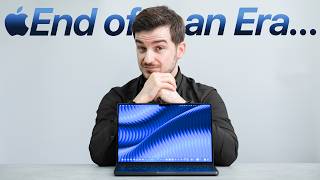

Last of Its Kind: M5 Pro MacBook Pro
45sCreates urgency and curiosity by framing the M5 Pro as the final model before a major redesign, prompting viewers to decide whether to buy or wait.
▶ Play Clip"Title accurately reflects content: the M5 Pro is indeed the last of its generation, and the review covers both its strengths and the case for waiting."
The M5 Pro MacBook Pro is the last of its generation before a major redesign with the M6. After two months of use, the reviewer shares thoughts on its performance and whether to buy now or wait.
The M5 Pro MacBook Pro is the final model before the M6 redesign, which will bring a new design, OLED display, touch support, and 5G.
Apple updates MacBook designs every 4-5 years, unlike other manufacturers. Previous generations include 2012 Retina, 2016 (flawed), and 2021 'Redeemer'.
The notch blocks menu bar items, requiring third-party apps like Bartender to fix. Apple never addressed this UX problem.
The 2021 generation introduced Liquid Retina XDR display (1000 nits sustained, 1600 nits HDR) and Apple Silicon with Pro/Max chips.
The M5 Pro is the best computer the reviewer has used. It handles Photoshop, Lightroom, coding, and local AI models smoothly.
In Cinebench 2024, M5 Pro outperforms all tested Macs including M5 Max. GPU is only 43% slower than M5 Max despite half the cores.
Storage speed is about 12GB/s read/write, double that of M4 Max MacBook Pro.
A weird GPU issue causes rainbow display, requiring reboot. Happened a few times.
Buy now if needed; otherwise wait for M6 redesign with OLED, touch, 5G, and more power.
The M5 Pro MacBook Pro is an excellent machine, but unless you need it immediately, waiting for the M6 redesign is advisable due to anticipated major upgrades.
What is the main reason the M5 Pro MacBook Pro is considered the last of its generation?
Because the next M6 MacBook Pro is said to come with an entirely new design and hardware changes.
How often does Apple typically update MacBook designs?
Every 4-5 years.
01:10
What were the major flaws of the 2016 MacBook Pro generation?
Butterfly keyboard that broke, removal of function keys for Touch Bar, removal of ports for USB-C, and thermal/reliability issues.
01:43
What is the peak brightness of the Liquid Retina XDR display?
1000 nits sustained and 1600 nits max in HDR.
03:29
How much faster is the M5 Pro in Cinebench 2024 compared to the M3 MacBook Air?
295% faster.
06:54
What is the storage speed of the M5 Pro MacBook Pro?
About 12GB/s read and write.
08:09
What GPU issue did the reviewer encounter?
The display goes all rainbow-y and requires a reboot.
09:40
What features are expected in the M6 MacBook Pro redesign?
OLED display, touch support, 5G, and more power.
10:39
Notch frustration
The reviewer calls the notch the worst part of the generation and explains how it blocks menu bar apps, requiring third-party fixes.
02:52Best computer ever
The reviewer states the M5 Pro is the best computer they've ever used, period.
04:38M5 Pro outperforms M5 Max in Cinebench
A surprising benchmark result where the M5 Pro beats the M5 Max in Cinebench 2024.
07:09[00:00] This is the very last MacBook Pro of this generation. It's the M5 Pro MacBook Pro that I've been using for almost two entire months now. And the reason why this is the last of its generation is because the next one, the M6 MacBook Pro,
[00:15] is said to come with an entirely new design and a ton of hardware changes. Which makes this both the best and the worst MacBook Pro to buy right now. So the question is, should you get an M5 Pro Macbook phone now or should you wait for the redesign?
[00:31] Well, after spending two months with it, I've got a lot of thoughts. But before that, this awesome design right here is actually free from our Grid Ripple pack, which you can find in our app's wallpaper.
[00:43] Every single one of our packs comes with a free design and there's so many stunning AK designs to pick from. And for just $5.99 a month, you can have full access to everything in our app. That's literally thousands of awesome designs made by our creators.
[00:58] So, give all of your devices a stunning fresh coat of paint with our app wallpapers for iOS and Android by using the links below. Okay, so because this is the last of its kind, I kind of want to give you my thoughts on
[01:10] not just this Amp by Chrome Apple Pro, but also this entire generation as a whole. Because you see, unlike pretty much any other than not the manufacturer on the market that updates their lots of design every single year, Apple usually updates theirs every 4-5 years.
[01:26] For example, in 2012 we got this size, the Resina Macbook Pro, which was an absolutely incredible piece of hardware back at the time. We're the world's first Resina to spray full solid-state storage, all in a very thin design by 2012 standards. Four years later, Apple developed this
[01:43] 2016 generation, a generation that was plagued by issues. It had this insanely thin butterfly keyboard that kept on breaking. It also removed the functional key in favor for this controversial
[01:55] touch bar and it also removed all the ports in favor for US 16, another disc-like move. But the biggest issue with this generation was the fact that it was plagued by thermal and reliability
[02:07] issues. Some of you may even remember the videos I did back in the day about how my 2018 MacBook Pro that kept on crashing and rebooting multiple times per day. Well, five years after that version, Apple gave us this generation, the 2021 MacBook Pro,
[02:21] the generation that I call the Redeemer, as it actively fixed the issues that its 2016 generation had, although it also introduced a few of its own problems. For example, whilst this fixed the awesome butterfly keyboard and also the port situation
[02:36] by adding that Mac face, HDMI, and GSD card slot, this generation was also significantly heavier and thicker than the last one, so that did feel like a step backwards. On top of that, it also added the super inconvenient notch, which I think is by far the worst part
[02:52] of this generation And for people like me who use a ton of third apps and tools in the menu bar most of those were now completely blocked by the notch and hence those apps were actually rendered unusable So, to fix Apple's poor UX, I had to download another third-party app like Bartender or Barbie in order to fix that notch situation.
[03:11] Something that honestly Apple should have addressed themselves in the first place, which they never actually did. On the upside down, this generation did make some truly big innovations. So, it wasn't just about fixing existing issues. It introduced a liquid Resina XDR display, a superb mini LED panel that was the brightest
[03:29] panel at the time and still is, at 1000 nits sustained and 1600 nits max in HDR. It looks incredible even today and was also Apple's first high free-pressure display on
[03:41] a MacBook. Plus, let's not forget the biggest innovation of this generation, Apple Silicon, which although it was introduced with the very last iteration of the previous generation, this generation was the one that truly embraced it, with the introduction of Pro and Max chips alongside
[03:56] a chassis that was designed with proper cooling and Apple Silicon Furs. And this condition massively transformed the MacBook Pro to a machine that not only runs as good as the top-loader competitors, but in a lot of cases, it even defeats them in
[04:09] both raw performance and battery life. Also, this generation was the only generation that made these mid-cycle improvements, such such as the new space black color that we got with the M3 model, and the nano-texture
[04:21] display that Apple introduced with the M4 model, as well as Thunderbolt 5 support at triple the data throughput compared to Thunderbolt 4. These used to be upgrades that Apple used to keep to a new generation before. Which brings me to this guy, the M5 Pro MacBook Pro, the culmination of this generation.
[04:38] And I gotta say, this is by far not just the best MacBook, but the best computer I've ever used in my life. Period. As you may know, I bought a 14-inch M1 Max MacBook Pro when it came out back in 2021.
[04:50] Then in Pro-Sign 3, I fully switched to this M3 MacBook Air with 24GB of RAM, and I was traveling quite often and I wanted something more portable and with a better battery life. And last year I bought an M4 Pro Mac Mini, that's the unbinded version with 64GB of RAM,
[05:07] as my way more powerful home workstation. So, those are the devices that I'm personally coming from. And this anti-pro MacBook Pro that's also unbinded and with 64GB of RAM as well as 4TB of storage
[05:20] smogged them off. While for sure, no matter what I did on this MacBook Pro, whether it was Photoshop or Lightroom or coding via clock code, it was just a breeze. It could handle anything and everything.
[05:32] And of course having that super smooth 120Hz panel did make everything feel even smoother than it was. And unlike my MacBook Air, which often trottles its performance and runs into some heavy RAM management issues,
[05:44] my workflow mostly needs about 30GB of RAM perhaps 40 well the Empire Pro that has 64 is more than good enough for that Like I was even able to run large local models like Quench 3 32B Quench 3 5 the 72mm
[06:00] per on my cam model, and Gemma 3 27B fully on device and paired with my Open Claw and the Hermes agent with zero issues whatsoever. And of course, unlike my M4 Pro Mac meaning, this one is fully portable.
[06:13] Now if you're looking for some raw performance numbers, in Cinebench 2026 and the Phil Quartet, the M5 Pro MacBook Pro was 15% faster than my M4 Pro Mac Mini, and 30% faster than my
[06:25] MacBook Air, and only 3% slower than a 16-inch M5 Max MacBook Pro. Because, yes, the CPU between this and the M5 Max MacBook Pro is actually the same, only
[06:37] the two few differences. When testing out the multicore performance, the M5 Pro was 6.8% slower than the M5 Max 16-inch, by the due to thermal constraints of this 14-inch body. But when compared to my M4 Pro Mac Mini at home, it was 37% faster, which is very significant.
[06:54] And compared to my M3 MacBook Air, it was 295% faster. In fact, the M5 Pro is so fast that in Cinebench 2024, it outperforms every single Mac that we tested, including the M5 Max.
[07:09] Yeah, I'm not really sure how that happened, because in Blender, using the C2, it was 8.7% smaller than the M5 Max. And even 13.7% faster than the M4 Max. 44% faster than my M4 Pro Mac Mini and 312% faster than my M3 MacBook Air.
[07:25] And the GPU is equally as impressive. You see, despite having half the GPU cores compared to the M5 Max, it was only 43% slower. Compared to the M4 Max, it was just 22% slower, which is very impressive.
[07:38] Compared to my M4 Pro Mac Mini, it is 48% faster, which is a major jump. and compared to my M3 MacBook Air, 328% faster. And when rendering this classic scene in Blender, the M5 Pro was 31.8% smaller than the M5 Max.
[07:54] Not a big difference considering that we got double the GPU cores on the M5 Max, but it was 122% faster than the M4 Max, which is insane. And compared to my M4 Pro Mac Mini, it was also 41% faster.
[08:09] And compared to my Air, 454% faster, so just night and day here. But I guess what really surprised me the most on this MacBook Pro is its storage speed, because I managed to get about 12GB per second read and write on this, literally double of the
[08:25] M4 Max MacBook Pro, which combined with the 64GB program on this machine, yeah, just made anything that I did on it just high. And in case you're curious about the AI performance, like I said,
[08:37] it's really good, like for running local AI models, it's actually very impressive. I also ran some benchmark for GeekyMeng Shai for example and here the HondaZek performance was 10 faster than my N4 Pro Mac Mini and 72 faster than my N3 Mac Pro Air That been even one of my scripts to summarize using Lama 2 AD and while it was slower than the M5 Max by 48
[08:59] it was only 14% slower than the M4 Max, then 14.8% faster than my M4 4 Mac being, and a whopping 220% faster than my M3 MacBook Air. Still, if you are heading into your AI,
[09:12] I would say the M5 Max is still the better option because you're having a much higher memory bandwidth, but for most other CPU tasks, the Enfi Pro is just as capable, and GPU-wise, it's actually not very far off from an Enfi Max Maxi Pro, which is just crazy.
[09:27] Plus, with the Enfi Pro this year, we also get true triple monitor support, something that before was restricted to the Max chips only. Really nice. Although, I just have one issue that I should probably mention.
[09:40] This weird GPU issue, I think, where the display would go all rainbow-y and would require a reboot. This happened a few times and yeah, I'm not really sure what caused it. So having said all this, should you buy the M5 Pro MacBook Pro or should you skip it?
[09:55] Well, if you need a MacBook Pro right now, it's an all-brainer. Just get it. You're going to be extremely happy with it because you're getting an almost M4 Max level performance, sometimes even better for significantly less. And if you get it, I also highly suggest going
[10:09] for the Nano Texture option. I've used this outside quite a lot and on trains when commuting and it's just a joy to work from. The screen is also insanely bright at 1000 nits and the battery life is also incredible, although if you're like me and you use local AM models a lot and
[10:24] the R browser which is very power hungry, you're not going to get more than five or so hours. But even then I think it's quite good considering just how powerful this thing is. Now despite all this, despite how perfect this MacBook Pro is, I think unless you need one right now, you should wait for
[10:39] for the new M6 version, because that one is said to be a full redesign. It also works to come with an OLED display instead of the community on the panel that does have some blooming. It also has to feature touch support for the first time in a MacBook, also 5G, something
[10:52] that I've been waiting for in a MacBook forever, and I just love how versatile my M5, similar iPad Pro is. And of course, that M6 version is also said to be even more powerful than this one, although
[11:04] it is also said to be more expensive, so do keep that in mind if you do decide to wait. As for me, well, this was just a rig unit from Apple, Charles Apple for loaning this to me. I'll definitely be waiting for the M6 version,
[11:16] aka the MacBook Ultra, before upgrading. But until then, I guess my M3 MacBook Air and my M4 Pro Mac Mini at home will still get a job done. But let me know, what do you guys think about this M5 Pro MacBook Pro?
[11:28] Will you be upgrading, or are you also waiting for the M6 redesign? Don't forget to check out our Apple stickers if you'd like this design right here, and please subscribe for more. I'm down but I'll take a look to you guys in the next one
[11:40] is it okay bye bye bye bye bye
⚡ Saved you 0h 11m reading this? Transcribe any YouTube video for free — no signup needed.