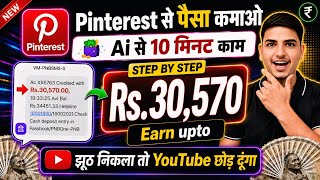

Earn Money with Pinterest & AI?
60sDirect promise of making money with AI sparks curiosity and high click-through rates.
▶ Play Clip"The title promises a money-making method, and the video does deliver a step-by-step guide, but it's padded with hype, repeated calls to like/subscribe, and speculative earnings claims."
This video is a step-by-step tutorial on how to earn money from Pinterest using AI tools and affiliate marketing. The creator demonstrates the entire process, from setting up a Pinterest business account to creating AI-generated videos and linking them with affiliate products to earn commissions.
The video promises to show how to earn money from Pinterest using AI, claiming many people are already doing it. The creator emphasizes a complete step-by-step guide with proof.
The first step is to download the Pinterest app from the Play Store. The creator notes that Pinterest has over 1 billion downloads, indicating a large potential audience.
The tutorial covers creating an account using a Google account, entering a random date of birth, selecting gender, and choosing country (e.g., India). The creator stresses the importance of setting up the account correctly to get views.
The key step is converting the personal account to a business account via Account Management. This is crucial for monetization. The creator demonstrates adding a profile name, website or social links, and business type (e.g., online retail).
The primary earning method is affiliate marketing. The creator shows how to find products on platforms like Myntra, take screenshots, and use AI to create promotional videos.
The creator introduces the Earn Karo app for creating affiliate links. Users can select products from various brands (e.g., Myntra, Meesho, Flipkart) and earn commissions (e.g., 1% from Meesho).
The process involves using ChatGPT to generate prompts and images, then using the YT Create app to generate videos for free. The creator demonstrates creating a video for Rakshabandhan with a product from Myntra.
The final steps include editing the video in the InShot app, adding the affiliate link via Earn Karo, and uploading the video to Pinterest with an SEO-optimized title and description generated by ChatGPT.
The creator claims commissions up to 8% on products, e.g., a ₹2800 product could yield ₹2500 for 10 sales. He emphasizes the need for daily posting for reach and viral potential.
The video provides a practical, albeit basic, guide to earning money on Pinterest through AI-generated content and affiliate marketing. The key takeaway is that consistency and proper account setup are essential for success, though the promised earnings are speculative.
What is the first step to start earning from Pinterest according to the video?
Create a Pinterest account and convert it to a business account.
01:13
Why is converting to a business account important?
It is crucial for monetization and accessing features like affiliate links.
05:21
What is the primary earning method described in the video?
Affiliate marketing.
09:38
Which app is used to generate affiliate links?
Earn Karo.
12:57
What is the maximum commission percentage mentioned for a product?
Up to 8%.
27:18
How many screenshots of the product are recommended to take?
A maximum of three.
16:40
Which AI tool is used to generate the video?
YT Create.
20:04
What is the key to getting reach on Pinterest according to the creator?
Posting daily and consistently.
28:02
Business Account Conversion
This is the critical step that many beginners miss, and it's essential for monetization.
05:21Affiliate Marketing as the Core Strategy
The video clearly explains that the earning method is affiliate marketing, not direct sales.
09:38AI-Powered Content Creation
The use of ChatGPT and YT Create to generate promotional videos is a modern, scalable approach.
16:52Potential Earnings Breakdown
The example of ₹2500 for 10 sales provides a concrete, albeit optimistic, earning projection.
27:18Consistency is Key
The advice to post daily regardless of immediate results is a valuable principle for content creators.
28:02[00:02] definitely use the Pintte application once because at present many people are earning a lot of money by using AI on Post and you tell you complete step by step
[00:19] I am going to tell you the complete A to Z proof here. Therefore, you must watch the video completely. After watching today's video, if you feel that the video has no substance or you find it fake, then go away without liking it. I will not say anything.
[00:32] But if you feel that the video is powerful then brother, write in the comment that the video is powerful and after liking the video and subscribing to the channel once, do hype it because you are my friend and you will have to hype it.
[00:47] how people are making money from printed just by using AI. And you also have to earn. With proof, I am going to show you the process here as to how
[00:59] hype it up. Let's start the video. First of all, to earn money from Pinterest, you will have to create an account on Pinterest. You will also need an account on PET. So from here you need to see step by step. First of all
[01:13] you have to come to the Play Store here and here you have to search on the Play Store. What will you search? Here you have to simply search Pinterest. As soon as you search Pinterest, your Prest will appear here. You can see that
[01:26] more than 1 billion people have downloaded it here. 1 billion = 1000 million 1000 million = 100 crore. You can see here that more than 100 crore people have downloaded it and it is being used here. So
[01:42] you will find more than 100 crore people here. You can earn from them. How? Let me tell you step by step. First of all, you will have to
[01:54] we will create our account on Pinterest. But you will have to understand well how we have to create an account. Otherwise many people say brother, we are uploading photos on Pinterest. You are doing this. But brother, I am
[02:06] not getting views on my Pinterest. So brother, if you do not create the account properly then how will you get views ? Brother, if you do not upload videos and photos properly, then how will you get views? So brother, know the correct method
[02:19] with proof, I will show you. Okay, right ? And I will use AI. AI will do everything. You just have to give 10 minutes of your day. And if you like the video here , if you feel that yes, you too will be able to do something in life, then brother, please
[02:33] hide it. First of all, you have to create your account here by clicking here from your Google account. You will have to create your own
[02:45] I have entered my Google account here. Now you will have to enter any random date of birth here. For example, I'll put a random date of entered a random date of birth. Then after this we have to simply click next here.
[03:00] As soon as you click next, it will ask you whether you are male or female or specify otherwise, so we want that we are male. You can also be female. Okay, right? My heartfelt thanks to all the male and female who are watching my videos.
[03:15] so much hype, so many likes, so many subscriptions. I promise that I will bring the best earning method for you. I will bring the best of the best videos whatever the trend is. Ok? So
[03:29] here you simply have to select your country which will be India, if you are from anywhere else, India or Pakistan, Bangladesh, anywhere, you can select your country from here. So I am from India here, so I let
[03:42] India remain here. Then after this you will simply have to what are you, what are you in the mood to do? What do you want to do? What is I will sell the product here. I can also sell sneakers here. I
[03:58] either selected a sneaker here. I have told you that you will have to select this mode correctly. Let's say I have brother. Okay, right? So this is how I selected it here. I will do one more simply here.
[04:12] whatever is related to my niche, so as you can see party ideas, there are plants here, you can see many things here, you can select from here, otherwise
[04:24] what you can simply do here is that, suppose I have taken the output idea here, I have taken it, okay, I have taken the outfit idea here, now what will I do here, I will click next, then all the three ideas will simply start
[04:36] click next, then all the three ideas will simply start what did he do here in this way? It will start sending our photo or video to our feed in such a way that whatever we have selected, it will
[04:50] But there's nothing to do with this, brother. What do we simply have to do here now? Here we simply have to go to our account. How do we do this? Here, we simply have to click on the saved button wherever you are seeing it here, simply
[05:07] click on the saved button. As soon as you click here, you have to simply click on this setting button. As soon as you you will see an interface like this here. Now what do you have to do simply here
[05:21] see some such interface here. Here you simply have to click on the account management button. As soon as you click on the Account Management button here, you will see an interface like this. The
[05:34] thing you need to pay attention to here is that it is written here 'Create a Create to Business Account'. Simply, this account of ours here is the personal account that we have just created. What we have created is a personal account. And why do many people
[05:47] account. And why do many people just make personal videos, that is, create personal accounts and start uploading photos or videos on them. create personal accounts and start uploading photos or videos on them.
[05:59] ? By clicking on it here we have to convert it into professional. Okay, right into a business account. So simply we will click on the convert account button. Here you have to write the name of your profile. Like I write my profile name
[06:13] here Gausiya Wear. Ok? Here you will have to after this we do next here. Here it is saying that you should put the link of your website here. Ok? Or you can also put the link of the website here
[06:28] or what you can do here is no website at. I do n't have a website right now. So I will not put the link here. If you have an Instagram account or a YouTube channel, then you
[06:43] what I do here is that I come here on my YouTube and here I simply search your favorite channel which is Vicky's Tech, Vicky 's Tech, so I searched Vicky here, so let's say this is
[06:56] my channel here, okay, so this is my channel, okay, we simply click on the three dot copy the link, copy it, okay, what did we do from here, we brought it here and pasted it, so from here we can also enter this or
[07:09] what can you do, you come here on Instagram, okay? n't followed me on Instagram yet, then please do so. You guys are not following. There are Instagram. So you can do it from here.
[07:21] By clicking on the share profile button here, you can simply copy its link here. Either you put this and remove this or you put the channel. You can put anything. You can put the link of Instagram, Facebook or any other here. So let's say I
[07:36] put the Instagram link here. Simply we will do next. After clicking next, now you will have to simply choose here that brother, what kind of business are you going to do. So describe your business. Tell us about your business. So
[07:49] what you can do here is online retail and market place, here we are going to sell online. There are people who store, Flipkart, Amazon, Flipk or MTR here. So here you can speak in this way. Next, would you ever be
[08:03] interested in running ads on Pinterest? So say no no no no I am not sharing here. So here it is said that are you interested in running ads on the host n't know about it yet, so we will not do it here. Ok? So we do all the
[08:16] next here. So here completely your account has been completely your account has been our Instagram link is also posted here. Now you have to click on the Simply Save button here.
[08:28] Now look, whatever you have here has come here in a professional manner. If you want, for example, I simply select my profile picture here.
[08:43] profile picture here and what did I simply do here So now our profile picture has simply been uploaded here. If you want, you can simply put your banner here. The
[08:57] ad cover image can be seen here. So you can also download the ad cover image from here and simply I simply put it here brother. If everything is done then brother, what is there to worry about? Ok? So as an example, let us put a cover image here. For
[09:11] example, let us put the image of this girl here. So what did we do here? We brought it here and this is our model. as you may know. So here we have simply placed the photo of our model. Ok? Now
[09:23] our photo is being uploaded here. It seems that now here you will see that your Pinterest business account is simply and completely ready. Now you will start earning from here. How to earn?
[09:38] You have to earn simply through affiliate marketing. Affiliate Marketing Affiliate Marketing here. Yes friends, let me tell you exactly what can see here, our cover page is ready here. Now here
[09:51] you can see how professional we are, our excellent account can be here I simply search and I simply search here. Here, women
[10:06] suits, I just wrote women suits here and I just wrote this much, I just wrote this much and you can see that here you will get to see many women suits, you will get to see see videos, along with which you will also
[10:22] visit site simply, like when you click on the visit site button, it goes to any website, Amazon, Flipkart, it gets redirected anywhere, so this model, brother, is a mind-boggling model, brother. This is
[10:37] such a good model, if your Pinterest starts getting views, if you start uploading photos or videos with consistent consistency and if people start watching it here, then brother, you will get a lot of profit. There is going to be a
[10:50] So as an example, I told you with proof that I will show you the proof. So this is the proof brother. I have shown you the proof. What I am telling you is not that I did what I told you theoretically. No no, I
[11:03] try to explain it practically. Practically, I simply want to show that yes, other people are doing it. And people are doing it, so I am telling you that yes, you can also do it. A telling you. I am not telling you like this, brother, no no, do this, do that. I am
[11:18] not saying this from my side. Many are doing it. I got the idea and told you. There are many more ideas yet to come brother. Flipkart, Instagram, your content rewards here, freelancing, fiber up, worldwide Go app trading, there are many
[11:33] because right now I have to study, brother, studies are very important, so right now I am able to create limited content, there will be unlimited content brother, keep watching, keep create unlimited content here, as you can see, you will get to see many such
[11:48] outfits here, along with that you will get simply write the video here. Suppose I have written the video here. So like I wrote the video here. So you can see that in this way
[12:00] that many people are showing videos here. You will say brother, why are you showing it to me? Brother, we are showing you the proof that brother, you too will make the same type of video, how will you make such content? How do you make it? How do
[12:14] you use AI to How will you make this kind of model that you are seeing? As you are watching their video, like what is this, this is AI video, right, so how can you do this thing and as an example, you
[12:28] site here, so a link has been put here, as if you click on it, whichever link of whichever site they have put, it will go here, so you can open it from here, and many people have put their links of Flipkart, some on Amazon for many things as per their own,
[12:43] they are getting more profit, so you can make videos in this way, but before that we will have to create an affiliate account, but from where will we create an affiliate account, brother, we have an option to create an affiliate account, which is with us, you must have
[12:57] heard the name Earn Karo, yes friends, Earn Karo is such an application can do affiliate marketing, yes friends, you simply have to open Earn Karo,
[13:12] button and here you have to enter your Google You will have to login here either through your account or through your phone number Just for example, I you will get to see some such interface. Your account is simply
[13:27] created successfully here and is ready. As soon as you see here, our balance is zero here because I have just created the account in front of you. Now you don't have to do anything here. Here you are
[13:39] getting many things here. As you can see here, in this way you can see MTRA here. You can see Amazon's here. Here you shops of different types, all the brands here,
[13:52] you are getting 1% commission from Meesho also. So you can also check Meesho here. you will find different types of products, simply speaking of which, Ok? You can see everything about Flipkart here.
[14:05] After creating the account, you have to come to your profile and here you simply do you are earning, your earning will be shown here and what can you do with it simply, request payment, simply by
[14:20] request it i.e. deposit it in your bank account and the option is only ₹10 your bank means it should remain in the account, whatever you have will go to the bank, simply you will enter your UPI ID, it will go to your bank, okay, I will show you the proof of this also
[14:34] later, okay now what exactly you have to do, now you have to understand it well, you have to come on your mtra here, on Meesho, on Flipkart or you can use any application on Shop.
[14:46] because brother, the cloth on MNTR is very good. There is a lot of deal with the fabric here. So what will I do here? Here Like I write women suit here. Ok? Women Women Suit. Ok
[15:01] ? I have written here what women suit is. And you can see many of the best women suits here. can see here that here you will find many women's suits, static suits, whatever that
[15:16] means, you will get to see the best of the best suits here. Like you can see this here or you can see this. Ok? Suppose you look at this brother. This one looks so great. Looks awesome. No, and
[15:28] here you will find different types of red, whatever you want to see, you can see it here. For example, you can see it here and here also. This one is red, this is also good. So what I will simply do is,
[15:41] you simply have to click on this. And what are you supposed to do with it? Here you will have to take a screen recording of this image. So what do I simply do here ? I take a screenshot of the screen. ? You don't have to take the face. You just have to take a screenshot
[15:55] of the clothes. So we took it. Ok. After this we will take it. We will take this. Ok? Ok. After this we will also take a screenshot of the other one. Let
[16:15] Ok? So we simply have to take a screenshot here in this manner. Ok? As you can see, let's take a screenshot. Ok? So we have to take a screenshot of all this properly. Ok? So as you can see
[16:27] I took this one as well. I took a screenshot of the back as well. And here you And here you we simply take a screenshot of this also. I think you have to take a maximum of three screenshots.
[16:40] take a maximum of three screenshots. you simply do not have to do anything. Have to come here. You will have to save it in your wish list. What did you do on the wish list? Saved it.
[16:52] What do you have to do next to save it? You have to come to your chat GPT. Ok? So let me open my Simply Chat GPT here. ready. So now you don't have to do anything here.
[17:07] what did I do here? I have put my copy Ok? There are two questions. I will link is given in the description. Simply you have to
[17:23] you have to click on the photo button. And you have to select the images one by one. Like I select this image. Let me select this image and this one. And let me
[17:36] selected four images. Lastly, you will have to select the image of your model here. The one you want to dress. Like I want to dress it, so I selected it and at the very end
[17:50] Like I have this background of mine. This is my background. also give you a lot of background on Telegram. You go and get it from there. I will also give you many models. You can go and get it from there. Or you can ask Chatty to
[18:03] create an Indian model for me so that I can get the clothes reviewed. You have to do it with him. Now you have to look carefully at everything here. Here we will have one, two, three, four images of our product. So here you see use first, second, third here images as
[18:17] product reference. So we have four images here, so we will write the fourth image. I will also write the fourth image. Look, I will write it here. And the fourth images as the product reference and the fifth image, see here it is written fifth image. The fifth
[18:31] image here is as my character and the fifth one here will be made sixth. Edge my background. So now you have to send it. As soon as you send it here, it will create a wonderful college photo for you,
[18:48] AI video made here from anyone, that is, for example, you can get it made from Gemini, you can make it you can get it made from Gemini, you can make it from YT Create, you can make it from Google Vivo 3, you
[19:01] ready, you can see our character, the face of the model that we had given is here, in all of them, the face of my model is there and the background that I had given is the same download it. We will simply download this image here once.
[19:13] Ok? So here our Jio has also been downloaded. We will download this also. prompt here. Simply you have to put that second print here. So here is our second program, so here we will copy this second program here
[19:26] and insert it here. Ok? We put it here. I have written the topic Rakshabandhan here. You can write on any topic. Ok? As first print is ready here.
[19:40] can also see the dialogue here. Here I saw this beautiful pomegranate suit on Mtra for Rakshabandhan. Very nice and here is the second one. Simple, what do you have to do ? It is very simple.
[19:52] You have to simply copy the first print. Ok? First you copied Pru. After copying, you have to come, I am telling you how to generate it absolutely free. Absolutely free. Yes, not need to take any premium from anyone. Absolutely free. Yours will be generated here.
[20:04] Simply you have to install YT Create application say that brother, Vivo is not working. If he is asking for his money then this is happening. So you simply have to install this application YT Create.
[20:20] ? So what should I simply do? I will open this. After opening it, you will Here you have to open it by clicking on the generate video button. ingredients and you have to take the image that you have created.
[20:36] taken this image. After this, you will have to bring your prompt here and paste it, just the first prompt. Ok? And after this you will have to send it for generation. Your video will be generated here immediately.
[20:49] Within 1 minute you can generate your video here absolutely free. video is ready here. You watch the video. I found its look very gorgeous. For a great Rakshabandhan, I have this beautiful one on mtra,
[21:04] dots that you are seeing, you have to simply click on this three dot icon and here you have to simply click on the Save to Device button and here your video has been saved in your file.
[21:20] and that means you have to come here, you have to come here and simply you have to click on point number two here, that means you have to copy it and after coming here you have to
[21:32] ingredients button you simply have to enter your image and now from here you have to generate it again, your second print will be here our second video is ready, it is
[21:48] brother you can buy it by clicking on the link. So simply you have to click on Again and save it here by clicking on the Save to Device button. Why am I telling you this quickly here? Because brother, it's been a long time. Ok? Here I have
[22:01] child can learn. So our video is ready. Now we we simply do not have to do anything. Here we will simply open Google, which means Google. From here we will click on Google and write Mantra here, okay?
[22:16] and write Mantra here, okay? I will write mtra and we will write app page, okay not so much, I will write mtra and we will write app page, okay not so much, not matter to me whether you know it or not, I will tell you from scratch,
[22:31] tell you from scratch, I mean I will tell you from zero, simply you will have to download the mtra application, that is, the downloaded it and shown it to you, now you simply have to open the ins application and by clicking on the video button,
[22:45] take all the videos one by one here. So we have taken both the videos here. Now you simply have to click on this insert button here. Ok? It is so easy, what should I tell you brother? Is it so
[23:00] easy, so easy brother? It is very easy to make a video like this. Here you got to see a video like this. You can see Now we don't have to do anything. Here you simply have to click on the PIP button.
[23:12] And here you get to see an option with photo. By clicking on this, you will have to simply bring your Mtra P, that is, the PAG that I had downloaded, and keep it here. Ok? You brought it here.
[23:24] hidden here. Now your hide is done here. Now you have right. And here you have to click on the filter button in the effect and you can adjust the light white, contrast, whatever it is according to your
[23:38] Here you will have to increase the highlights a little. In this way, I have increased the highlight a little bit here. After this, come here and increase the sharpener a little. Now you have to correct it. It will have to be exported here. Your
[23:51] video is 100% ready without any watermark. Now how do you upload it Ok? So to upload it here, create its affiliate link and we will simply upload it here. So
[24:05] tell you what to do first? Here you have to come to Chat GPT where you came and after coming to Chat GPT, you have to open your project and here you have to simply say that means leave it for now, here we simply
[24:21] open whatever our project is. So here we say that I want to sell it on Pinterest, so write a good title and description with SEO. I need to post this product on Pinterest.
[24:38] written here in the best possible manner, etc. So we will come here and After copying, we will come here above the Pinterest application. Simply we will open Pinterest and after coming here, now you have to come here simply and here
[24:53] you will have to create it. So you have to simply click on the Create button and here you can simply put yours here by clicking on the Pin button. this manner. Now you simply do not have to do anything here. You have to
[25:06] click on the Next button and here you have to enter the title. But first let us put a description in it. Ok ? What did we do here? We have put the description here, ok ok ok, we have put the description here.
[25:18] Now here we will simply copy this title in this way. Okay, we copied this and first of all we will remove this printer description brother. We will remove this first. Ok? These are the things you have to
[25:31] look at. Okay, right? Now you have to bring the simple title here and paste it. Ok? In this way. So what did we do here? I brought the title here and pasted it. So here is our description, it has come here.
[25:45] We have put the title here. Now you can add tags here. You can tag product by is no need to tag the product. What are we supposed to do here? We have to come back here. mtra. Ok? After coming to MNTR, the copy of the product which you had
[25:59] saved in your wish list, I had told you that you will have to put it in the wish list. Now you have to click on the share button. Ok? So what are we simply going to do here? Here we click on the share button and
[26:12] After copying the link, you have to come back and come here on Earn Karo and we will come on Earn Karo. After coming to Earn Karo, now you simply get an option of Make Links. Simply you have to click on this Make Link button
[26:26] and here you have to enter the link and say Make Profit Link. So see here, the profit link is ready here. If someone buys anything from your link. If someone buys from your link, then
[26:39] your profit will be tracked within 26 hours i.e. 36 hours. So simply we will copy the link here. We will remove it after copying the link. We will remove this also and after bringing it here, Now you simply don't have to do anything here. Now you simply have to create it here.
[26:51] So from here, whatever you have, can see our pint here our pint has arrived here. Now as soon as someone clicks here, you can see that as soon as someone clicks here,
[27:06] clicks on the visit side button, then he will reach here directly, where he will reach above Mantra and will reach above the link of that product and if you can see that someone has reached here, if someone buys it from here, then brother, you will
[27:18] from here, then brother, you will get a good commission up to 8%, which means that this product here is worth ₹2800, so that means 8%, you will easily get money from ₹2500 to ₹6070 here on one sale. If 10
[27:34] sales are made then brother, you will get ₹2500. If the same 100 sales come then brother, you can get up to ₹26000. say to you. You don't have to do anything more than this. And if you start uploading in this way, brother, if you start uploading regularly here, your
[27:49] Post account will start getting reach. Because Pinterest does not give reach to everyone. Gives reach to only a few people. But how do some people become that ? There are some people who enter daily PIN. Daily post on pin test.
[28:02] Whether the views come or not. You have to upload daily. No one knows when whose video will go viral. Nobody knows brother. No one knows when someone's reel will go viral. Who knows when someone's luck will change. We just don't have to do anything.
[28:14] We do not have to worry about the results of our actions. We just have to keep doing our work. Ok? Do your work. Don't worry about the results. Okay, right? If you want to do your work then brother, do it but do not worry about the results. If the giver is God then you are going to see everything.
[28:26] So in this way, with the help of AI, you can simply start earning by uploading videos on Pinterest and adding affiliate links.
[28:39] three genuine ways using which we can earn money from Flipkart. Three very easy and real methods, if you tell them to even a six year old child, he will also start earning from here.
[28:54] If you want to know, brother, tell me three ways. Three ways that are genuine and help us earn from Flipkart. So friends, write Flipkart in the comments. The more you write Flipkart in the comments and the more you hype it,
[29:06] the sooner I will bring the video. So brother, hype it, brother, at least So brother, hype it, brother, at least hype it so much that this number comes in under 10 #shag it should come at number 10, at least hype it so much, definitely hype it, definitely like the video, if you are
[29:19] new to the channel, subscribe and write in the comment Flipkart, if you want the video then we will meet in the next video, till then goodbye hi.
⚡ Saved you 0h 29m reading this? Transcribe any YouTube video for free — no signup needed.