

Copying a $10K YouTube Channel
45sReveals the shocking secret that a successful channel is a direct copy, sparking curiosity and debate about plagiarism.
▶ Play Clip"Title accurately describes the content: a tutorial on creating a YouTube channel by copying and using AI."
This video reveals a method to create a successful foreign YouTube channel focused on self-improvement by copying content from other channels and using AI tools. The creator demonstrates how to generate scripts, images, and videos using platforms like Vidnews, ChatBT, and FeedNews, emphasizing short-form content for quick growth.
The creator found a successful self-improvement channel that copied content from a foreign channel, including thumbnails and scripts, and decided to replicate the method.
Instead of long videos, the creator focuses on 1-2 minute short videos, which are easier to produce and get good views in the self-improvement niche.
A 1-minute video with 2 million views and a channel only a month old with 130,000 views demonstrate the effectiveness of short content.
The process includes: 1) Create the channel, 2) Create a script, 3) Use AI to create videos, 4) Edit them.
Vidnews is promoted as a comprehensive AI tool for speech-to-speech, text-to-image, dubbing in 140+ languages, and more.
Use an old email address to avoid being flagged as a robot. Create a channel name using ChatBT, then a logo using FeedNews.
Use FeedDesk to find keywords from popular channels and add them to your channel.
Copy the link of a high-view video, extract its script via a website, then use ChatBT to create a similar script with scenes for each sentence.
Use Vidnews to convert images to video, similar to tools like Cling Eye and Runway. Create a talking avatar using the avatar section.
Edit videos with sound effects from Pixa, add transitions, and create a thumbnail using ChatBT.
The video provides a step-by-step guide to creating a self-improvement YouTube channel by copying successful content and leveraging AI tools, emphasizing consistency and the use of Vidnews for efficiency.
What is the recommended video length for self-improvement content according to the video?
1-2 minutes.
00:30
What is the first step in creating a YouTube channel to avoid being flagged as a robot?
Use an old email address.
01:24
Which website is promoted as a comprehensive AI tool for video creation?
Vidnews.
01:10
How many languages does Vidnews support for dubbing?
More than 140 languages.
01:10
What tool is used to find keywords from popular channels?
FeedDesk.
02:06
What is the process for creating a script?
Copy the link of a high-view video, extract its script via a website, then use ChatBT to create a similar script with scenes for each sentence.
02:20
What is the purpose of creating a mask for the avatar?
To place it at the top right of the video.
03:41
Where are sound effects obtained for each scene?
From the Pixa website.
03:41
Copying Strategy
Reveals that the channel's success is based on copying content from foreign channels, which is a controversial but effective method.
00:02Short Video Efficiency
Highlights that short videos (1-2 minutes) are easier to produce and still get high views in the self-improvement niche.
00:30Vidnews as All-in-One Tool
Vidnews is promoted as a replacement for multiple AI tools, offering speech-to-speech, text-to-image, and dubbing in 140+ languages.
01:10Script Copying Method
Demonstrates a specific workflow: copy a successful video's script, then use ChatBT to create a similar one with scene breakdowns.
02:20Thumbnail Creation
Shows how to use ChatBT to generate a thumbnail from a screenshot, emphasizing simplicity.
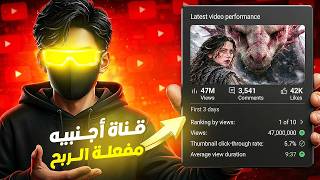
04:09[00:02] discipline and self-improvement. It literally made a great impression in a short time, considering the channel is only three months old and has only uploaded five videos. Honestly, the creator has a good script and a great format. However, when I did some research, I was shocked to discover that the
[00:15] video is a direct copy from a foreign channel. I saw that it was a complete copy of the thumbnail, the script, practically everything. So, I decided to share the secret with you and show you how to do the same. A brilliant idea came to me: instead of making long videos that would take a lot of
[00:30] time, we can create short videos that are only a minute long. This will be much easier for you. I noticed that self-improvement content gets good views with videos that are only a minute or two long.
[00:43] This video, for example, has 2 million views, and it's only a minute long! This video has 130,000 views, and the channel is literally only a month old. So what happens when we try to connect all these ideas and add our own style? To create this content, we need to
[00:57] follow these steps: First, create the channel, then create a script, then use AI to create the videos, and finally, edit them. I want to tell you that this video is sponsored by the Vidnews website. It will literally handle everything related to AI in today's video because it has
[01:10] many tools, such as AI-powered speech-to-speech conversion, text-to-image conversion, and image conversion. It can change many things, making videos speak in thousands of voices. You can also dub any foreign video with AI in more than 140 languages. There are so
[01:24] many things! But first, let's start creating the channel. I'm going to create the channel using an old email address. I clicked on the channel, switched accounts, viewed all channels, and created a channel. Here's what you see. You do this so YouTube doesn't think you're a robot, which would prevent
[01:39] people from seeing your channel. So, you need to choose an old channel. Then, I went to ChatBT to create a unique channel name and wrote this text, which means I want to create a channel about self-development. I suggested 10 channel names, and finally, I chose this one. After that, I went to the
[01:52] FeedNews website to create a logo for my channel. I went to my profiles and clicked here. Then, I went to GadgetBT again and had it create a promo for a channel called Sigma Mode with a simple and mysterious style. After that, I took the promo, added this text, and created this logo. Then, I
[02:06] downloaded the FeedDesk program to find keywords to add to the channel. I went to a popular channel in the field, then to settings, then to the channel, and took the keywords they had and added them to my channel. Now, let's get to the most important thing, the most important
[02:20] step: the script. I decided to choose I wanted to copy the most-viewed videos, like this one that got 4 million views and this one that got 2 million views in two months. I went to it, copied the link, and went to this website to copy the script. Then I
[02:32] went to ShBT and told it to create a script similar to this one. After that, I told it to remove the time in the sidebar and create a scene for each sentence. Once it had created all the scenes, I went to the Videos website to create the scenes for each sentence. I took the promo and each scene and started creating an image for each scene.
[02:47] I created a new folder to put all the images in. Now we want to animate all these images into realistic videos, so I went to the tools section, and it literally brought me all the tools for artificial intelligence in one place. I clicked on " Convert images to video," and here's something
[03:00] I really liked: it has options to convert images to video, just like all the popular websites like Cling Eye and Runway. So I started converting. All the images are from videos, and I downloaded them all and put them in one file. Then I had an idea: to make a talking avatar and put it in the
[03:14] video. So I went to the avatars section and entered the GPT chat to make a promo for my avatar. After that, I wrote this text and used the promo to create the image. I created the image and I wanted. Finally, I chose this image. Then I went to the avatar section, added
[03:29] the image, chose an English voiceover, and added the script we made from the GPT chat. After about two minutes, I created the avatar. Now for the last thing, which is editing. I put all the videos and the avatar in order and created a
[03:41] mask for the avatar so I could place it at the top right. I made each sentence for each scene. Then I went to the Pixa website to get sound effects for each scene. For example, the first scene has a sky and a nighttime atmosphere, so I got... I added a sound of the wind and another sound, like it was nighttime,
[03:55] to give the image a realistic feel. I did the same thing with each image. After I put all the sound effects in place, I started adding some effects and transitions to make the video look good. That's how I made the video. I started publishing it, and I wanted to do the last thing,
[04:09] which was the thumbnail. Honestly, I saw this image, and I felt it was simple yet very cool, so I took a screenshot of it and went to GPT Chat to make a promo for it. Then I had GPT Chat create my thumbnail, added it, and published it. And that's how I managed to
[04:22] create a foreign YouTube channel for self-improvement in the easiest way possible. So what you need now is to do what I did and go to the Vidnews website, which will literally replace many other sites for you. Find the subscription that suits you and start creating content that resonates with you and stands out. I taught you
[04:37] that the most important thing is consistency, and remember that God doesn't let anyone's efforts go to waste. The key to this video is a new beginning. Thanks for watching, and I hope you enjoyed the video. Peace. M


⚡ Saved you 0h 04m reading this? Transcribe any YouTube video for free — no signup needed.