
I Was Wrong About Gaming Laptops
45sThe creator admits a major perspective shift, which is relatable and intriguing for viewers who may share the same skepticism.
▶ Play Clip"Delivers exactly what the title promises: a detailed look at a desktop-class laptop, with honest pros and cons."
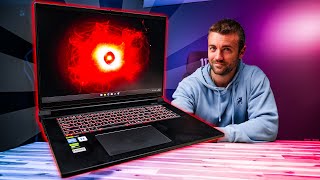
The video is a detailed review of the Origin PC EON18-X gaming laptop, which is equipped with an RTX 5090 GPU and 192GB of RAM. The reviewer shares his hands-on experience, highlighting the impressive performance, quiet fans, and high-quality display, while also noting some drawbacks like the trackpad and speakers. He also discusses the integration of Microsoft Copilot and the upcoming end of Windows 10 support.
The reviewer, who has not been a big PC laptop guy, thoroughly enjoyed the Origin EON18-X, calling it the first gaming laptop experience he's enjoyed.
The 18-inch screen is 4K with a 16:10 aspect ratio, giving extra vertical resolution. It has a 200Hz refresh rate and is described as beautiful, super bright, and vibrant.
The laptop is very quiet; even under load, the fans are barely audible unless you put your ear to it. This is a significant improvement over previous PC laptops the reviewer has used.
The laptop has four RAM slots (each with a 48GB stick for 192GB total) and four NVMe SSD slots, supporting up to 32TB of storage. The cooling system features large heat pipes and fans with many blades.
The laptop features an RTX 5090 GPU and Intel's latest Core Ultra 9 275HX CPU, which offers the same power as the previous i9 but at 40% less power consumption, or a significant performance boost at the same power.
In Cyberpunk 2077 with DLSS off and settings maxed, the reviewer got about 90 FPS at 4K. With DLSS at 4x, he got up to 200 FPS, and he couldn't notice a visual difference.
In competitive games like Marvel Rivals, Apex Legends, and PUBG, he got 160-200 FPS at medium-high settings in over 4K, with fans inaudible with headphones and keyboard not hot.
The laptop has two Thunderbolt 5 ports, two USB-A ports, a combo jack, HDMI, and two RJ45 Ethernet ports. It can run up to four displays simultaneously.
The reviewer edited a 6K video in Da Vinci Resolve without dropping a single frame, even without proxies, using full-resolution files. This outperformed his editor's MacBook Pro.
The laptop starts at $4,869, and the 192GB RAM upgrade adds about $450. The reviewer notes it's pricey but justifies it with the performance.
The trackpad is a classic PC laptop trackpad, a bit loose, but not a dealbreaker since most users will use a mouse. The speakers are mid-heavy, lacking bass and high-end sparkle, but adequate for editing and gaming.
The reviewer found Copilot useful for mundane tasks like drafting go-live tweets and creating visual mockups for custom alerts, allowing him to focus on creative work.
Windows 10 support ends in October 2025, and the reviewer recommends upgrading to Windows 11 for security and performance improvements, as well as native Copilot integration.
The Origin PC EON18-X is a powerful and efficient gaming laptop that finally balances performance and portability, making the reviewer optimistic about the future of high-end gaming laptops. Despite minor drawbacks like the trackpad and speakers, it delivers exceptional gaming and productivity performance, though at a premium price.
What is the screen resolution and refresh rate of the Origin EON18-X?
It is 4K with a 16:10 aspect ratio and a 200Hz refresh rate.
01:31
How many RAM slots and NVMe slots does the laptop have?
It has four RAM slots and four NVMe slots.
03:43
What is the maximum RAM capacity of the laptop?
192GB (4 x 48GB sticks).
03:43
What CPU is in the laptop?
Intel Core Ultra 9 275HX.
04:40
What FPS did the reviewer get in Cyberpunk 2077 with DLSS off at 4K?
About 90 FPS.
06:17
What FPS did the reviewer get in Cyberpunk 2077 with DLSS at 4x?
Up to 200 FPS.
06:33
What is the starting price of the laptop?
$4,869.
09:04
How much extra does the 192GB RAM upgrade cost?
About $450.
09:04
When does Windows 10 support officially end?
October 2025.
13:33
Efficient CPU
The Intel Core Ultra 9 275HX offers the same power as the previous i9 but at 40% less power, a significant efficiency improvement for laptops.
04:26DLSS Impresses
DLSS 4x doubles frame rates without a noticeable visual difference, making it a valuable feature for laptop gaming.
06:05Video Editing Power
The laptop handled 6K video editing without dropping frames, outperforming a more expensive MacBook Pro.
08:39Copilot for Mundane Tasks
The reviewer found Copilot useful for automating repetitive tasks like drafting tweets and creating visual mockups, freeing time for creative work.
10:42Windows 10 EOL
With Windows 10 support ending in October 2025, upgrading to Windows 11 is crucial for security and performance.
13:21[00:06] really like videos that change my perspective on things. And I have not been a big PC laptop guy. Well, at all ever. But this is the Origin Eon 18X. This has been the first gaming laptop experience I've I've thoroughly enjoyed.
[00:23] both Origin PC and Microsoft. They reached out. They wanted to see if I would do a video with them. I told him I wanted to check out the laptop first and I did and I have a lot of notes. Most of them good. A couple caveats here and
[00:36] video they're okay with me being as open and honest. If you're seeing the video, will be a link to this laptop in the description down below to Origin's there. But I did specifically request something from them. They said this
[00:49] laptop can go up to 192 gigs of RAM. And I said, uh, send me the one with 192 gigs of RAM. I am sending it back, but send me the one with 192 gigs of RAM. I want to open it and I want to see what a laptop with 192 gigs of RAM and an RTX
[01:04] 5090 looks like on the inside. It might just look like a laptop. It probably just looks like a laptop. But I'm going to tell you all about this laptop and my experience with it while we're opening this up. I got
[01:17] some tools. I haven't even opened them yet. So, of course, you guys are smart. video. They're going to be things they want me to talk about, but I'm also experience with this laptop. So, I've been using this laptop for a week now,
[01:31] noticed. I've been taking notes throughout the week. Uh, first thing is I was blown away by the screen on this thing. This is the 18-in model, so a massive screen. It's higher than 4K. Well, it's it's 4K, but it's 16x10. So,
[01:46] normal 4K resolution horizontally, but extra resolution vertically. Uh, 200 hertz screen. Oh, I don't know how I'm going to get these out. Just going to have to turn it over and dump it. And it is a beautiful
[01:59] over and dump it. And it is a beautiful display. Super bright, super keyboard felt. It was very firm, but I liked the slight rubberiness of the the things that's always bothered me about PC laptops that this is this is
[02:14] the first one I've had five PC laptops. The first one that didn't do this was also just really quiet in general. Every other PC laptop I've had, even when I the moment I open up Chrome, it just starts firing up and sounds like a jet
[02:29] engine. Even when it's in balanced mode or efficiency mode, I've got a a 3090 laptop I've been using for the last couple years now, and I can't open up Chrome without the thing just going nuts.
[02:49] fans, you couldn't hear them unless I put my ear to it. And then even while gaming, they did a good job with the fans in these where it it doesn't have that thick jet engine noise. It just sounds like a hefty blow. There was a
[03:04] little bit of a resonant high frequency. I'll I'll put a mic up to it so you can Actually, I'll just put it on there right now.
[03:27] was very manageable. And when I put on a headset, I couldn't hear it at all. All right. Did I get them all? I don't want to break this. I got to send it doesn't come up on its own. Maybe the whole thing has to come up. Oh. Oh,
[03:43] whole thing has to come up. Oh. Oh, yeah. That's one piece. That's was right, though. It's just four RAM
[03:58] slots. I don't know what I expected there. So, four RAM slots. Each one's got a 48 gig stick in there. There are also four NVME slots which I believe can also four NVME slots which I believe can get up to 32 gigs or 32 terb of SSD
[04:11] these fans with these bajillion little blades on them and these huge heat pipes obviously the CPU and the GPU under there. This is cool. This is what the inside of a 5090 gaming laptop with 192 gigs of RAM looks like. Cool beans. I
[04:26] was more scared than I should have been. That was no big deal. me really excited about this laptop. The CPU and the GPU. This thing is insanely powerful. So, it's got obviously the RTX 590 in it. It's also got Intel's latest,
[04:40] 590 in it. It's also got Intel's latest, was it two 275HX, which is a really cool chip. It's got the same amount of power as the previous generation 14900 or whatever the previous generation i9 is, but at like 40% less power. Or you can
[04:54] get up to the same power and get a huge boost as well. So way more powerful or need in the moment, which is amazing for laptops. Like super exciting. I feel like like my biggest issue is these gaming laptops require so much power to
[05:08] game, but then they don't really function as a good laptop because the battery life struggles, the heat struggles, the fans struggle, and this that was really happening. There's also kind of the controversial point of
[05:21] Nvidia's DLSS and their AI frame generation, which rightfully so frustrated a lot of people with Nvidia's latest launch. And and I think when you makes a lot of sense. But Dave 2D actually put out a really great video,
[05:36] I'll link to it down below, talking about this, and I completely agree with just get a bigger power supply, you can put more power in there, if if you're going to pay for a bigger a more expensive GPU, you should be getting the
[05:49] frames. But on something like a laptop where you can't just pump more power into it without getting a larger power supply, uh a hotter laptop, worse battery life, a louder fans, like that's not a good way to make a laptop more
[06:05] powerful without compromising what makes something a laptop. And so in this situation where you're trying to get frames way more efficiently, I was very impressed. I opened up Cyberpunk and I ran it with
[06:17] DLSS turned off. And with all the settings all the way up, I was getting about 90 frames per second, which in 4K is was actually plenty for me. But when I turn on DLSS at its highest 4x setting, I got up to 200 frames.
[06:33] And some of you might notice the difference. I didn't. It's gotten very, very good. And if I can get double the frames in a non-competitive atmosphere, going to make the experience so much more immersive, so much smoother,
[06:47] without taking a hit to the laptop at all. That's what I'm here for. That's competitive games, some first-person shooter games that typically don't use DLSS. I ran Marvel Rivals, Apex Legends, and PUBG. And with all three of those on
[07:03] medium to high settings, typical optimized settings, turn the foliage and but turn the other things up like anti-aliasing. So at medium to high settings, I was getting about 180 any anywhere between 160 and 200 frames on a
[07:19] laptop in over 4K. And with headphones on, I couldn't hear the fans and the keyboard didn't feel hot. To me, this is the first time that I felt good, like
[07:31] really good about a gaming laptop experience. Like, I'm actually kind of bummed that I'm sending this back. Um, I do think the 18-in is a little bit workstation, like a desktop replacement, the 18-in is awesome. But, like, after
[07:45] this as an actual mobile setup, since I have a desktop, I'd probably go with the 16-in. In fact, this made me so optimistic about gaming laptops for the first time since ever. I mean, I was getting overkill frames. I I feel like
[07:58] these things have become so powerful and so much more efficient that I would feel justified in getting like a 5080 instead, sacrificing some resolution, which is more than enough on a little laptop screen, but getting a little
[08:12] lighter weight, and still having an incredible gaming experience. The IO on this laptop is pretty good. It's got two Thunderbolt 5 ports on the right, a interesting. I feel like that should have been a full size SD card slot for
[08:26] anything with micro SD. On this side, you got two more USB typeA ports and a combo jack. On the back, you got your HDMI and actually two of these RJ45 ports. And this thing can run up to four displays simultaneously. Obviously, some
[08:39] also installed Da Vinci Resolve on this, so I didn't really have any concern given the gaming performance it had. And yeah, uh loaded up a previously edited video uh located on the NAS behind me through the Ethernet port and ran it
[08:51] flawlessly. didn't drop a single frame, not even using proxies, using the full 6K resolution files, even scenes with multiple 6K images and text generation on the frame. It was great. Absolute workhorse of both a gaming and a
[09:04] Blender is going to run great. Dinci Resolve is going to run great. I mean, as it should. This thing is a monster. It starts at 4869 and then to get uh the 192 gigs of RAM, it's another like $450. However, that being said, my editor's
[09:18] MacBook Pro that cost more than that was not able to run that project without dropping frames. So, yeah, obviously pricey laptop, high-end laptop. I don't great these things are and then don't mention the price. Although, I think
[09:32] mention the price. Although, I think I've been guilty of that. Just all these so I want to make sure I mention that. Uh, a couple things that I thought could have been better. First of all, uh, the trackpad. And I know I've been spoiled
[09:46] with MacBooks, but I felt like on a $5,000ish dollar laptop, the trackpad, it's it just it's the classic PC laptop trackpad. It's a little bit loose before do you call that springboard design where you can't click at the top, you
[10:02] as a gaming and productivity laptop, most of you are going to be using mice. So, I wouldn't call that a dealbreaker. It is also nice and large, but I I feel like in 2025, we should have slightly better trackpads. the the bars been
[10:15] raised. Also, the speakers were pretty mid. They're very mid-heavy. They're mid lacked a little bit of bass and a little bit of the sparkle of the high end. Not the worst speakers I've ever heard, but I placed them side by side with uh my
[10:28] more. Again, not a dealbreaker. Definitely good enough to edit a video of. And if you're gaming, you're going to be wearing headphones anyway. So, I am glad that the two what I felt were the largest drawbacks are probably the
[10:42] audience here. But one thing I did have a lot of fun with this being a partnership with Microsoft Copilot here. I did get the chance to mess around with Copilot for the first time. And I got to say, as someone who has really struggled
[10:55] to figure out how to integrate Chatbt into my workflow, uh it was nice to have it integrated directly into the operating system. So, I'm not launching I want to use it, but there's a dedicated button right on the laptop for
[11:09] lot of talk around AI, especially in the gaming and the creative space. And where I found it very useful. I don't think AI should be replacing creativity can replace creativity, but what I think it can do is it can replace the
[11:25] monotonous stuff to allow me at least to focus on the creative things. For example, I don't like using AI in my scripts. I I dabbled with it when I first opened up AI to see like, oh, how is this going to do? And I I I didn't
[11:39] like not only just the end result, but I also didn't like the idea of relying on AI for for scripting. I like using my own voice and doing it myself. But if creator and you're supposed to be drafting a go live tweet nearly every
[11:53] single day, you shouldn't be posting the same one every time you go live. pull up co-pilot and say, "Hey, make me a going live tweet." I messed around with giving it different voices, making it more narcissistic. And it was for those
[12:07] mundane, mindless tasks that you have to do that really just bog you down and stuff. It's awesome. Also, I'm big on should be making. If I wanted to make custom alerts for my live stream, I
[12:24] would hire an animator. However, sometimes it's really hard to convey the alert that's in your mind to an artist. And I've been in a situation where I've paid like $400 for something and then didn't use it because I didn't like it.
[12:39] The guy made something that was totally different than what I was envisioning. And so, to me, the right way to use this type of AI image generation is, let me visual thing that feels right, and then I can send this mockup to an animator
[12:53] feel free to play with it this way, change the hair this way, whatever. But can you take this and these are my ideas for animations, and then have an actual visual mockup and not just a verbal mockup and and turn it into exactly what
[13:08] I want. I did that with a little unicorn that I named Pete the farting unicorn and that's where the alerts are going to go. And I'm going to have them made one day, but it was so nice to like see what I wanted and now I can send that to the
[13:21] artist. just eliminating risk and guesswork and potentially just lost and important thing of note with these laptops, Windows 10 support officially
[13:33] ends this October, October 2025. If you're still running Windows 10, and you Windows, as well as all the new features of Windows 11 like enhanced security, system performance improvements, as well as native Copilot integration, uh now is
[13:46] Thought that was important to let you guys know, but that was my experience with this laptop. It's the first time I felt optimistic about where PC laptops, especially like high-owered gaming laptops are going. I feel like we're
[13:58] finally getting to a good balanced place between performance and portability, and of course, link to this laptop will be down in the description below. If you to hit me up in the comments, jump into my live stream if you want. Links to
[14:12] you're still here, because you obviously like the video if you're still watching there. Thanks for watching and as always, happy streaming.
⚡ Saved you 0h 14m reading this? Transcribe any YouTube video for free — no signup needed.