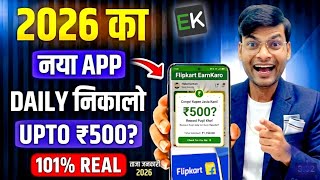

Student Life Hustle: Earn Pocket Money
44sRelatable opening about student financial struggles hooks viewers immediately.
▶ Play Clip"Delivers on the promise of earning money online from mobile, but the title overemphasizes 'app' while the method relies on multiple tools and manual effort."
This video presents a step-by-step affiliate marketing method for students to earn pocket money from their mobile phones. The process involves selecting a product on Flipkart, creating a professional image using Google Gemini, generating an affiliate link via the Earn Karo app, and promoting it on social media platforms like Instagram. The speaker emphasizes consistency and hard work, noting that commissions are credited after a 14-15 day return period.
The speaker addresses students who lack money for expenses like phone recharge and offers a solution to earn pocket money alongside studies.
Claims that thousands of earning apps exist in 2026 but many are scams or waste time; this video provides a legitimate method.
The method requires 1-2 hours daily work and consistency; initial earnings may be low but experience builds over time.
Open Chrome browser, search Flipkart, and navigate to the homepage.
Scroll on Flipkart to find a product (e.g., torch), take a screenshot of the product image.
Click the share button on the product page, copy the link, and note the price (e.g., ₹448).
Open Google Gemini, upload the screenshot, and prompt it to make the image professional including the price.
After Gemini processes, download the enhanced product image.
Install and log in to the Earn Karo app from the Play Store (1M+ downloads, deemed safe).
In Earn Karo, click on the 'mic link' option, paste the Flipkart product link, and generate a commission link (copy it).
Add the affiliate link to Instagram bio via Edit Profile > Add Link.
Upload the Gemini-created image to Instagram story, add text like 'Link in bio', and post.
Create a reel with music, use Gemini to generate a clickable title, and include the affiliate link.
Share the affiliate link on Telegram, YouTube Shorts, WhatsApp Status, and WhatsApp groups.
Commission is credited after 14-15 days: 7 days delivery time + 7 days return policy. Only if the customer keeps the product.
The video provides a practical affiliate marketing strategy for students, leveraging Flipkart, Google Gemini, and Earn Karo to earn commissions. Success requires consistent effort and patience, with payments arriving after a two-week waiting period.
What is the first step in the affiliate marketing method described?
Open Chrome browser and search for Flipkart to select a product.
02:06
How do you capture the product image and link from Flipkart?
Take a screenshot of the product and tap the share button to copy the link.
03:48
What tool is used to enhance the product image professionally?
Google Gemini (formerly Google Jinni).
05:57
What prompt is given to Google Gemini for the image?
'Make this image professional. Price is ₹[amount]. I want to make a sale.'
07:45
Which app is used to generate affiliate links for Flipkart products?
Earn Karo.
10:51
How is an affiliate link generated in Earn Karo?
Go to the affiliate section, paste the Flipkart product link, and click to generate the commission link.
13:32
What are two ways to promote the affiliate link on Instagram?
Add the link to the bio and post a story or reel with the image and a call-to-action.
15:10
How long does it take to receive commission after a sale?
Approximately 14-15 days: 7 days for delivery plus a 7-day return period.
20:27
What is the minimum expected views for a reel on a weak Instagram account?
At least 100 views.
18:04
What should you do if the customer does not return the product?
You will receive the commission after the 14-15 day period.
21:09
Earning Requires Hard Work
Sets realistic expectations that the method is not effortless and requires daily commitment.
00:43Using AI to Enhance Product Images
Demonstrates an innovative use of AI (Google Gemini) for affiliate marketing to increase sales appeal.
07:45Affiliate Link Generation via Earn Karo
Shows how to monetize product links through a third-party app, a key step in earning commissions.
13:32Commission Timeline Explained
Provides clarity on the waiting period for earnings, which is crucial for managing expectations.
20:27[00:02] want to earn some money along with your studies, want to meet your pocket expenses, because I can understand student life, in student life there is not even money to recharge the phone. Yes , today I will say it openly that the life of a student is such
[00:15] that one does not even have money to recharge his own phone and it does not feel good to ask for it again and again from the family members. Isn't it ? So, those children and students who think that along with studies, they can work for an hour and earn some pocket money,
[00:31] then you have come to the right video. Look, you guys, there are thousands of earning apps in 2026. But there are some apps which either do not pay or waste our time.
[00:43] But today in this video I will tell you a method by which you can meet your small expenses along with your studies. You can fulfill your small needs. But yes, before starting the video, let me tell you everything honestly that you will have to
[00:57] work hard here. You may do it for one or two hours every day but you will have to work hard and if you want to be consistent then it will be a very good thing. Even if you don't get money in the beginning. You couldn't make money in the beginning. But when you gain experience in this field
[01:11] , you get the experience of how to earn money. Because some students said, Sir, please tell us something so that we can
[01:24] you are studying and want to cover some of your expenses along with your studies, then you have come to the right place. We will tell you step by step. Don't miss any step. Don't will tell you step by step. Don't miss any step. Don't skip any.
[01:38] First of all let us tell you that if you have skipped till now then do not start the video, students, before starting the video, please know my name. My name is Gulshan Sharma and I welcome you all to Gulshan Math Study YouTube
[01:53] channel. Here, along with studies, students are also taught ways to earn money. So let's see the screen coming on the side here. As I am explaining here, you will understand each step one by one. is very easy. Ok? is very easy.
[02:06] You just understand and watch this video completely. So first of all you should have internet in your mobile. Nowadays everyone has internet in their phone. So let's get into Google. You guys have to come to the Chrome browser. Ok? You have to come and search
[02:22] Flipkart. You must have heard about Flipkart. You guys might have done or might be doing shopping. Ok? If you don't, then let's learn. I am telling you about the skills. Ok? I am teaching you the method. If you teach the method and learn it, it will cost very little. Ok?
[02:36] Along with studies, you will also be able to earn money and how you will be able to earn money, I am giving step by step in this video. Here the screen is coming on the side. Ok? Look, flipkart.com has arrived, it has arrived automatically. Let's search this. See what you guys have to do. Do it as
[02:50] I tell you. Ok? Look, I am explaining it to you in a very easy way. Now look here the home page has come. The home page came up. Now let's scroll down here a little bit. Now look here,
[03:05] what might the audience i.e. the customer like ? What might you like? According to this weather, summer season is going on right now. The rainy season is going on. What might people need? You guys find it. Look, you might need a flashlight too.
[03:19] People may need this torch. Is the flashlight okay? It is rainy season. It is summer season. Ok? A flashlight may be needed. The people who live in the village ? He does not have that much access to a phone. People don't want to use mobile that much.
[03:35] Torch wants to be more like it. So for now we took one product one item for a demo. You can take anything as per your wish. So look here I have taken the torch and I will slide it. Let me see some nice image. I can find a
[03:48] good image. Someone good. Well, we have got this image. Ok? More images ago, this one is also available. So what we do is take a screenshot of this. Let's take this on this.
[04:03] We click on it like this. Ok? Look, do it as I tell you. You must be feeling bored. You think, hey friend, what is Gulshan sir saying. Let's leave and run video. But don't run away friend, the video is useful.
[04:16] If you watch this video completely. Very few students will watch this video completely. I know. But the student who watches this video completely will be very lucky. Let us say it first. Look here, clicked on this. Have to take a screenshot of this.
[04:30] As I am telling you, you have to take a screenshot. I am explaining it to you in a very easy way, student. I will explain each step to you considering you as my student. Like I teach, I explain very well. Similarly, I am explaining this to you considering you as my student.
[04:42] took a screenshot. One screenshot is enough. Okay, it's done. What do you guys have to do now? You have to come back a little and see here you can see the share button. Wait, let it happen like this for a while, friend, does the internet seem
[04:58] slow? Wait a minute, it's been a second. Now look here there is a look icon. The share button is visible here. We will click on this. You will get its link by clicking on this. You have to
[05:15] So let me copy its link. Look here, there is a copy link. Copied its link. After copying it, we keep it somewhere. For now I keep it on WhatsApp. keep it somewhere. For now I keep it on WhatsApp. And here you guys see
[05:27] how much it costs. The price is ₹448. You also have to look at the price. So here we keep both the link and the price. Ok? We note this down somewhere on WhatsApp. We pasted the link here and if possible, it was 448 here, right? 448 Let's write down the price
[05:41] so we don't forget it later. Ok ? We will need this. You will see. Is 448. Yes sir. 448 What did we do? Took a screenshot of the product and extracted the link. Ok. What do you guys have to do now? Now you guys have to come to the home button. The
[05:57] Now you guys have to come to the home button. The work here is done. Flipkart's work is done. It is very easy. See what you guys have to do now ? Now you people have to come back to Google. Have to come back to Chrome browser. And let's take a new tab here. That
[06:09] means you have to search again on Google, Google Gemini here on Google Gemini. You must be knowing Google Gemini. Many people used to take photographs. When it was new on Instagram, it used to go viral on Instagram.
[06:23] People were uploading photos created through Google Gemini. It used to go viral. When it was newly released. So Google must be aware of JNI. If you do n't know then know now that you have to come to Google Chrome and search Google Jinni. The
[06:36] first step of Google Jinni is to click on the website. After clicking, see what you have to do. I have come here. Your name will appear. Please login. It is very easy. Please login with your Gmail and here we have to provide the screenshot that we had taken.
[06:50] It has to be selected here. You will see, I will explain it to you in a very easy way, considering you as my student, so that every child can understand. Let's leave it, here it is. We will click on this and put it here. Like uploading.
[07:04] Put it here. Like uploading on WhatsApp. You send photos to someone on WhatsApp, right? Yes, it has to be sent like that. Now here I have noted some text. So you have to write that. Ok? Always have to write. So here I have made a note on WhatsApp
[07:16] and let me open it on WhatsApp. I will reach that thing. So I'm here, I will reach that thing. So I'm here, see, it's written here, let me copy this product here. Ok? I will copy this. You guys should
[07:31] see this one. Ok? How much does it cost here now? The price of my torch is Rs 448. Ok? Of my product. So we will paste it here and write 448. Pasted it here and wrote the price of the product as 448. Look, I am teaching you a very good
[07:45] thing. Ok? What have I written about this product? I will read it out to you. You guys please note this. The price of this product is ₹448. That means there is a price. The price of this product is ₹448. That means there is a price. The price is on Flipkart. Ok? I want to make a sale.
[07:59] Make your image professional. That means the one with the cell. Ok? Now look, I will send it. Sent it. Have to wait a little bit. Come on, I'll be waiting with you guys. I have to prepare it and give it to you immediately. Have to wait a little bit. I see, I am making it and giving it to you. Till then
[08:14] you guys please subscribe, like and also tell me what is in your heart. Till then tell us in the comments on which topic you want the video. Ok? If you want any other earning related video then please tell me that also. If you want information on skills then please tell me that also.
[08:29] Please write your heart's feelings in the comments and if you have not given a like then please do give a like. It has arrived. Come on, if you haven't subscribed yet, what are you waiting for, friend? You have to subscribe as well. Ok? My name is Gulshan Sharma. By subscribing, you
[08:42] and I will become friends. And if you want, if you feel shy or embarrassed in writing your heart's feelings here, then you you feel shy or embarrassed in writing your heart's feelings here, then you in my inbox. Ok? It happens in private. There is public here. People do not want to share their heart's feelings in public.
[08:54] I know. Ok? So you guys can also tell me privately on Instagram or you can also come and follow me. It is ready now. We were chattering too much unnecessarily. It has become mine. Now look, everything has been given in this in a
[09:08] professional manner, see the price here, it is given in the corner, ₹448, it looks small but I will say it again, keep saying it again until you are satisfied, I will do it like this again, I will press space, I will
[09:23] send it again, see this time it will be in a different way, it will be given, okay, otherwise we have taken one more screenshot, I will give that also, that is, you can make your choice here out of five or six, keep the one you like out of five or six, select it, right now
[09:37] you might not understand how to make money. How to earn money. But wait a little. I will teach you everything. Ok? Look now, yes look now, did you like it? Look, the price looks very good. Buy on Flipkart
[09:51] means the public, the audience, the buyer who buys, will come to know about it. Yes, it costs that much. Where? So we can buy from Flipkart. It is written. Now we will touch on this. Touch it and see the downloaded image has appeared. We will
[10:05] save it on this and if not then look here, there is download also at the top, we can save it from here also, brother, we have saved it, so now see what we have learnt till now, first of all I learnt that you people have to come to Chrome in your mobile and search Flipkart. Did you
[10:20] learn that after searching, you have to choose any product of your choice and take its photo screenshot from there. You have to take the photo and click on share to get the link. Ok? I took out the photo and the link and kept both. I kept the link
[10:36] and also got the photo made and saved it. What to do now? Now understand the method. Now you all have to come home from here. The work here is also done. Ok? Now I will tell you guys more about it. Will come back to Google J now. See, they will
[10:51] also tell you what they will come to do. Now you guys have an application called earn cro. Earn Cro is available here on Play Store. Ok? earn crore I will not praise Earn Karo that much but login to Earn Karo here, I will show you the downloader of Earn Karo as well,
[11:06] okay there are 1 million plus downloaders, okay so this is not a scam etc. here, you can be absolutely rest assured and use Earn Karo, many people use it, okay so after installing it here, after installing it from Play Store, you people have to
[11:22] login or sign up, I clicked here, please give me your email ID, I will do it here from Google, email ID, okay. Just click and email ID, okay. Just click and
[11:37] all the email IDs in your phone will appear in front of you. You have to select one from all. Select the one which you take lightly, that is, the email ID. Select the one with which you play the most and share it everywhere through your email ID. Let's give it to him.
[11:53] So whatever, I took Gmail. Now see what you have to do here. You can see people here. Right now ₹ is visible here in the corner because I have just installed it in front of you. So I haven't worked on it yet
[12:06] so it's ₹. But I am teaching you what you will do when you work. Please wait. Look here, look here, there is Flipkart, Amazon, everything is there. If you scroll a little here, you can see all these videos and join. These people are telling
[12:20] how the work has to be done. He is telling all this. You have to scroll. After scrolling, look here is Amazon. MNTRa is. See more here. Amazon is MNTRa. Where is Flipkart? Yes Amazon, Mantra is there. OK np.
[12:34] Flipkart is also there. If you don't do the show here then it doesn't matter if someone else will do it. Let's click on Partner. After clicking on partner, we will tell you a little about it. Look, Amazon is offering it here. There is Mantra and more here, its
[12:51] click has now become zero. There have been zero clicks. And the remaining profit has also become zero. Everything is zero right now because I have just installed it. Let's click on profile. Look here, your name will appear. Ok? Pay
[13:04] My Earning Request Payment here. Payment history will appear. Ok? When something is made, Ok? When you get something, I will also tell you how to withdraw it. You guys please tell me in the comments how to do withdrawal brother? So everything here is zero right now. But
[13:17] I am telling you the method. I will teach you the method. Ok? So what do you guys have to do ? Look, there is Flipkart here too. Flipkart is here. He puts it here at the shop. Well, leave it, what do you guys want to do ? You guys
[13:32] removed. You can also do this by taking out the link of Amazon. Ok? So now you guys have to click on the mic link here. After clicking on the mic link, you can see that there is Flipkart, MNTR, Ajio and all other
[13:45] partners. So what are we supposed to do ? Affiliate link has to be created from here. Commission link has to be prepared for that product. Now some children might have a doubt in their mind that if we create an affiliate link for that product here, will the
[14:01] on Flipkart. So now you people have to come to that link. Where is the link? I have a link on WhatsApp. Clicking on WhatsApp is very easy. Watch the video carefully. We have copied the link of the same product and will paste it here. I will
[14:14] We have copied the link of the same product and will paste it here. I will you are going to learn well. Please wait a little. Mike will come to the link again and paste the link here. Pasted the link. Now here is the Mike Profit link. We will
[14:27] click on this. It is yours. Profit link created. Commission link created. Affiliate link created. Ok? See here is the copy link. I will copy this link. You can also share this. Copied it and we will keep this link first. Let's
[14:41] keep this link here on WhatsApp. Now see how it will become a source of income? Let's write it here. I can write anything. Called it earnings. Ok? Now what is this link supposed to do? This link will become our commission link. Ok? Now
[14:57] what do you guys want to do with this link? Meaning, if anyone buys from this link, buys from this link, you will get commission for it. You will get 8% 10% commission depending on the product. Ok? Now what do you guys have to do with this link? You must be
[15:10] using Facebook, you can use it on WhatsApp, Telegram, so now I will come to my Instagram to explain it to you. Ok ? Now see, the images that were created will be useful for photography. I have come to Instagram and I will give you my link in this bio.
[15:26] Here we will click on Edit Profile and here, here, wait a second, we will click on Add Link and take Add Link here and
[15:38] write Product Product Product here and sorry, we have to paste the link in the URL which we had copied. This was the copy which we shared on WhatsApp
[15:50] This was the copy which we shared on WhatsApp and wrote product here and saved it. Ok? Now you guys will see that this link will be visible in our bio. Look at this link of ours, it is visible in the bio, you guys
[16:03] can see it, it is visible in the bio, now what we have to do is we have to put a story of that product here and will also post it, wait for now, do n't run away, n't run away, leave the video and see, click on this one and
[16:15] see it is visible well here and will write here that the write here that the
[16:29] going on right now, whoever wants to take it, the link is in my bio, nowadays everyone understands that the bio is
[16:43] in the bio and here let's make it a little bigger like this and change the color also, make it yellow to make it look good, will do it and will give it a small one at the top like this, okay this is done, now we will post it, will put a story, whoever
[16:58] reads it, then your link is there in the bio of the profile. This is one method and the second method is that you can put the link here also. We will click on this and here we will click on this sticker and see here the link is written somewhere. Look here the link is written.
[17:11] Click on the link and copy your link here. I will paste it and give it away like this. Now you can give this link here also. This is the link. If you click on this, your audience will reach you. Where will your following end up? It will
[17:23] reach Flipkart and if he likes it, he will buy it. And if by chance he did not buy this product after reaching there but while scrolling through it he bought another product or another item, then also you will get commission for this product because it was
[17:37] through your link that he went to Flipkart and did the shopping. Ok? I will keep doing it. Now look, I don't want to post a story right now. Ok? I don't want to post a story. So I came back here. Now you have another way that you can post it also.
[17:51] Here we will click on the plus sign above and we can also reel it here. Reels get more views than Instagram, at least you will get 100 views. At least Katos also has a weak ID. Even if it is a dead ID or a weak ID on Instagram, the
[18:04] reel will definitely get 100 views and if that reel goes viral then it is very good. Ok? Then it will be very good brother. So for now I have taken reel one here and set some music here because if there is no music in the reel then it will not be fun brother. It will remain
[18:17] incomplete. So let me take some music. I picked a music and will click on next here. And see, I clicked on OK here. And here in the title, should we write the same thing that was written in the story? I do
[18:33] n't understand anything, what should I write? So you people have to come again on Google Gemini and write here, tell him your thoughts on Gemini that brother, I am
[18:45] on Gemini that brother, I am
[18:59] posting on Instagram, give me the title, give me the best clickable title, give me the best title, I have sent it to him, it will give me the title itself, I mean you can also say capture, it is giving it, it is giving it, wait a little,
[19:15] wait a little, see, it has been given here, see the buy link is in the bio, okay, buy link is in the bio, this is also done, let's go here, it is given here along with the capture, get only this much, if you want anyone, you
[19:28] want anyone, you can pick this also or the end of darkness like the first one, then we can pick up anyone, okay? They lift it from here to here. Buy link is in bio. I picked it up from here to here. Copied it and
[19:47] Ok? And we will make this ok. This will be posted. Now since it is on deal, brother, the view will definitely come. Ok? This became one way. Now is there another way? If you have a channel on Telegram, you can share it on Telegram also. You
[20:01] can put it in short on YouTube. Deals can be added to the feed. If there is a WhatsApp group, you can post it on WhatsApp. You can put WhatsApp status. This is how you guys will do it. Along with studies, I will take out some time and work hard here. Ok?
[20:13] This is the hard work that we are doing. This is hard work, brother. Getting the photo made, adding the affiliate link here, uploading the photo, uploading the post, all this took some hard work. But it is not that much hard work. If you do it for an hour every day, you will gradually learn. While
[20:27] learning, if you start making sales then you start getting some commission, brother. And yes, one more thing, through your affiliate link , some customer, some audience or some of your followers buys the product.
[20:42] So when will you get the commission ? So understand its method. See, it takes 7 days to reach home. If you order goods from Flipkart, then it takes 7 days to reach home. At least it takes 7 days to reach home.
[20:56] Then there is a 7 day return policy, which means he can use it at home for 7 days. If he does not return the product and starts using it, then it takes 7 days for it to reach his home and the return policy of 7 days becomes 14 days. So, it
[21:09] return policy of 7 days becomes 14 days. So, it means that you get commission for that product only after 14-15 days. If he starts using the product, does not return it etc., keeps it and starts starts using the product, does not return it etc., keeps it and starts using it, then
[21:22] you will get commission for that product only after 15 days or 14 days. So tell us in the comments how you liked this video. What's the problem? Please tell this also in the comments and you must tell your thoughts in the comments. But also tell me on which topic you want the next video.
[21:35] What should I make a video on? Please do tell this in the comments.
⚡ Saved you 0h 21m reading this? Transcribe any YouTube video for free — no signup needed.