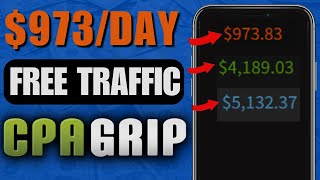

Proof: $900 in 24 Hours on CPA Grip
55sPayment proof in the first seconds instantly hooks viewers and makes them believe the free method is real.
▶ Play Clip"Solid beginner tutorial, but the $973.83/day headline is a screenshot-driven hook rather than a proven, scalable income claim."
This video is a beginner-friendly CPA marketing tutorial by Victor, showing a free-traffic method using CPA Grip offers, a Google Sites giveaway page, and Instagram Reels filled with trending TikTok content. The core idea is to promote mass-appealing email/zip submit offers and get paid for every visitor who submits their details.
Victor shows over $900 earned in 24 hours and states it is not fabricated. He promises a step-by-step method that doesn't require paying for traffic.
Victor uploads videos on making money online, CPA marketing, and affiliate marketing. He shares tested methods and posts success stories in the community tab.
Use CPA Grip for the tutorial; similar networks exist, but CPA Grip pays via international wire transfer, PayPal, and other methods, and has top-performing offers.
Using VPNs or bots to complete leads will get your CPA Grip account banned. You must agree not to use proxy/VPN/bot software to complete offers.
Sweepstakes offers with email/zip submit pay you when someone submits their email and ZIP. The example offer is for Apple devices and pays $1.00 per lead.
In the 'My Offers' page, the net profit tab appears green when an offer is converting and making money, making it a reliable signal to choose.
Credit card submit offers create a high barrier of entry and lead to very low conversions. Only pick offers with the email/zip submit category.
Offers like free cash, gift cards, and Amazon cards convert better because almost everyone wants them. Victor picks offers such as $4,000 cash and £500 Amazon gift cards.
Open Google Sites and use the Photo Portfolio template to create a simple giveaway page. Add buttons that link to your CPA affiliate links.
Install the Windscribe extension, connect to the United States, then open your CPA affiliate link to preview the offer page and grab images for your landing page.
Build at least four websites targeting different countries so the setup doesn't look spammy. This also lets you promote more offers across regions.
Create an Instagram profile around trending videos. Re-upload trending TikTok clips to Instagram Reels, add giveaway captions, and put your landing page link in the bio.
Write a clear giveaway message like 'Enter $750 PayPal giveaway' and paste the site link in the bio. Clicking the link redirects users straight to the CPA offer.
The video gives a complete free-traffic CPA marketing funnel: pick email/zip offers, build a giveaway page on Google Sites, and use Instagram Reels with trending TikTok content to drive clicks to your bio link. It's a solid beginner blueprint, but the headline income claim should be viewed as potential, not a guarantee.
Which offer type should you choose in CPA marketing to get higher conversions?
Email/zip submit offers, not credit card submit offers, because credit card submit creates a high barrier of entry.
06:01
What happens if you use a VPN to complete CPA offers?
Your CPA Grip account will likely be banned, as it violates their terms.
02:39
How can you tell if an offer is converting in CPA Grip's dashboard?
The net profit tab appears green when the offer is converting and making money.
04:02
What template does the video recommend for building a giveaway landing page on Google Sites?
The Photo Portfolio template.
07:25
Where should you source content for an Instagram traffic-generation account?
Trending TikTok videos, which you re-upload to Instagram; trending content is proven to be engaging.
14:12
Why are mass-appealing offers like free cash or Amazon gift cards recommended?
Because nearly everyone wants them, which increases the likelihood that viewers will complete the email/zip submit.
06:57
How many country-specific landing pages does Victor recommend building?
At least four websites for different countries; more than four can make the operation look spammy.
13:02
What payment methods does CPA Grip offer for withdrawals?
International wire transfer, PayPal, and other payment methods.
01:34
What should your Instagram bio contain for this method?
A clear giveaway message (e.g., 'Enter $750 PayPal giveaway') and your landing page link that redirects to the CPA offer.
17:39
What category of offers should you avoid to reduce friction?
Credit card submit offers, because they have a high barrier of entry and lead to low conversions.
06:01
Green net profit indicator
Gives beginners an objective, data-driven way to pick offers that are already converting.
04:02Email/zip over credit card submits
Focuses on lowering friction to increase lead completion rates, a core CPA principle.
06:01Mass appeal is the conversion key
Choosing universally desirable rewards makes the entire funnel easier to convert.
06:57Leverage trending TikTok content
Reusing proven viral content eliminates the guesswork of creating engaging posts for traffic.
14:12Don't cheat with VPNs or bots
Protecting account integrity is critical for sustainable CPA earnings.
02:39[00:01] over 900 in 24 hours and I'm going to go ahead and refresh this so you know this is all legit I'm some kind of fabricated payment or something like that go ahead now it's downloading as you can see everything is still intact that you have
[00:14] everything is still intact that you have over video I'm going to be walking you through step by step how to make money going to be very powerful and I'm going to show you why and how this method is
[00:29] going to be very powerful and effective okay so don't worry you don't have to for traffic you don't have to pay for anything like that and you are still of money right here you're seeing on the screen but before we start I'm going to
[00:42] here so if it's your first time coming across my video my name is Victor and I upload videos on how to make money online okay CPA marketing affiliate marketing and I try out much of other ways to make money online okay so once I
[00:55] works I come here and record a bunch of videos for you guys to watch and learn and make a bunch of money and yes my stuff does work you can come over to the community tab I post some success stories on here okay so this is the kind
[01:08] you don't miss out on the powerful and content that I will show you how to actually make money online okay so if you get value at any point of this video okay so all that being said I'm going to jump right into the video okay so the
[01:22] go ahead and create your CPA grip account okay because we're going to be using CPA grip for this tutorial okay if you don't have a CPA grip account you can also use a bunch of other accounts right there on the internet okay there
[01:34] are other similar networks like CPA grip or CPA grip is pretty powerful and they withdraw your money via International wire transfer PayPal and a bunch of other payments methods okay so you can very easily get your money out and you
[01:47] have top performing offers that you can use to make a bunch of money so come the second link down in the description so once you click on that you're going and click on register once you click on register you're going to be redirected
[02:00] to this page right here okay so go ahead and fill out this form you only want to fill out the parts that has the required field Mark okay just go ahead and fill going to ask you for Skype I am name go
[02:12] okay so basically this is my own Skype I am new yours it's going to look fill this out go ahead and set your publisher type on GPT okay so this is confusing that's why I'm walking you through this part of the sign up process
[02:27] okay so once you fill out all this basic information go ahead and check the boxes and click on register and one thing you want to note you don't want to like use vpns to complete offers inside of this CPA Group because some people come in
[02:39] here inside of CPA Group grab a bunch of offers turn on the VPN and use their hopes that they're going to make money but if you make money these guys are okay and they're going to block your account that's why they are telling you
[02:54] here I agree I will not use prozi VPN or both software to complete the leads okay don't do that you're gonna get your account banned and don't worry there are and that's what I'm going to be showing you in this video so once you have your
[03:08] log in your account is going to look something like this okay so it's gonna be all zero because obviously you just created your account okay so once you account go ahead and click on offer
[03:21] on my offer so once you click on my offers you're going to be redirected offers you're going to be redirected straight to the offer page okay so they so this one is a Sweepstake offers it's for the Apple device and it pays out one
[03:36] understand how this works how you make money is once you come over to this website and grab your affiliate offer like this email forward slash zip submit all you simply have to do is to get someone to submit their email and you're
[03:49] that's how this thing works so the first thing you want to do you want to go ahead and grab multiple offers on here I'm just gonna go ahead and grab this converting okay and it's ranking on the first page how you know it's high
[04:02] converting is when you check out the net profit tab it's on green which means it's converting it's making money okay that's why it's on green making a lot of first one okay so this first one is going to give us one dollar it's not all
[04:15] that bad the one dollar can quickly add up okay so go ahead and copy the first link of this offer okay go ahead and copy this link and open up your notepad okay so once you paste the first offer
[04:27] go ahead and grab the title of the offer okay I'm gonna go ahead and grab mine and paste it on here and I want to be like device Apple iOS okay something like this okay so
[04:40] once you have this you want to go ahead and grab a bunch of other offers okay so you can as well grab this second one and grab as many offers as you can okay but video like way too long I'm just going to go ahead and grab like two of us so
[04:55] see this paper offer I'm going to go ahead and grab this one and I'm going to go ahead and copy the link okay you see where all this is going this is going to going to be making you money on autopilot so pay close attention because
[05:09] video so I'm just gonna go ahead and paste this link right here okay and I'm this offer and I want to paste that in here and this one is for Android so I'm just going to go ahead and add the device
[05:23] going to go ahead and add the device ninja device Android yeah we have two offers so I'm just going to go ahead and do a couple of more offers okay so you can do from multiple countries okay if you are out
[05:35] of offers because there's not that much appealing offers on here okay if you run out of offers to promote you can come over to another country but you want to Tire country so I'm just going to go ahead and change this to something like
[05:49] United Kingdom okay so we have a bunch of other offers on here okay so by the way if you are picking these offers make sure you're picking only the offer that has the email forward slash zip submit category
[06:01] okay you don't want to pick the credit card submit category because that's going to create a high barrier of entry and you're going to get very low ahead and copy let's say this one because it's pretty appealing says enter
[06:14] because it's pretty appealing says enter for a Amazon gift card what 500 pounds click on this one and I'm gonna go ahead and copy this link right here okay for the first one I want to go ahead and label the country so we don't mix things
[06:28] up okay this one is for the US and the second one is for the UK basic offer on here and I'm going to copy the title of the offer so once I copy the title I'm gonna go ahead and paste that in here and once I paste that in I want to go
[06:43] ahead and add the device okay so this cover is for desktop so I'm just going to go ahead and paste that on the device desktop okay so basically we have three offers from two different countries okay the key to making this work is to find
[06:58] typing offers that convert that is mass appealing okay all the offers I picked are high appearing okay everyone wants a free four thousand dollars in cash free four thousand dollars in cash everyone wants a 750 paper gift card and
[07:11] also everyone who absolutely like to get a free Amazon gift card okay so once you you want to do you want to open up Google sites okay so once you are on Google site what you want to do you want to go ahead and click on the template
[07:25] click on that you want to scroll down and you want to look for the photo portfolio template okay so once you find it go ahead and click on the photo it a couple of seconds for you to redirect you to the page builder okay
[07:38] okay so right now I'm on the page builder the first thing I want to do I want to head over to my notepad Okay so once I head over to my notepad I want to go ahead and copy the offers right here on the notepad so I'm going to start
[07:50] on the notepad so I'm going to start with the that going to go ahead and get rid of this little test below here I'm gonna get rid click on the inside tab make sure you're on the inside tab scroll all the way
[08:06] down I want to click on button okay so once you click on that you want to paste your CP affiliate link on the link section once you paste that on the link section what you want to do you want to click onto the name okay so go ahead and
[08:19] click here I want to go inside okay so once you do that drag this all the way to the end okay and next you want to double click on this exact part of the website I want to click on test okay so we want to be
[08:35] to click on test okay so we want to be like PayPal giveaway okay something like this and you want to change these steps from normal to small
[08:48] test and you want to change the size from 9 to 12 and you want to make the whole test build okay once you do that change the color of the Android to something like blue okay because you want the color of the devices to stand
[09:03] that so they can easily know the device that is eligible for the offer that they want to sign up to okay so I'm going to go ahead and drag this button in here for it to overlap with this image so we're gonna get rid of this image right
[09:15] here we want to replace it with the PayPal image so I'm going to pull up my CPA affiliate link right now and I'm going to launch that inside of preview your CP affiliate link you want to make sure you connect to a VPN and
[09:30] use winscribe okay head over to chromewebstore.com and you want to install this winscribe as an extension I want to install that sign up and connect to the United States okay mine is 100 free okay I don't have to pay for that
[09:42] okay so once you launch your VPN go ahead and paste your CPA affiliate Link okay so what's going to happen is it's going to redirect you straight to this go ahead and grab this image right here because you're going to be using it for
[09:56] your website okay save that to your computer okay so pay close attention little bit different okay so you want to get how all this thing works okay so once you have this image go ahead and close this out and head back to your
[10:09] site Builder Okay so once you are in your site Builder click on the image and click on these three dots hover onto replace image and click on upload okay image we recently downloaded and I want to crop this
[10:23] to the perfect size so basically this is how the first offer is going to look like it's very simple put the image put the description and what I'm going to do I'm going to go ahead and copy the link of this offer
[10:38] again and I'm going to add that to my image right here because most people are so I'm just going to go ahead and click on the image and I want to click on this little link icon here and I want to paste my link right here and click on
[10:51] apply we want to go ahead and do the exact same thing for all these blocks and get rid of all these blocks because I'm not going to be using it and get rid of this one right here okay you can very easily click on duplicate over here and
[11:05] you can change a few things let's say the images the links and the devices okay once you change that you have another block of offer that someone can sign up to okay so go ahead and do this for multiple offers okay but I'm just
[11:17] going to do one but I think if you can do one you can do as much as possible and at the same time trying to make this video as short as possible okay so once you are done with this please go ahead and get rid of the pages you're not
[11:29] click on the pages section by the way if I'm moving too fast you can ask me questions on the comment section below I'm going to be there answering all your questions okay so click on the three dots click on the delete to get rid of
[11:42] the page you don't need and right here this tab that says Works go ahead and click on it and get rid of the project page below here and let's go ahead and rename the work tab okay you want to be like giveaways
[11:55] okay so once you are done with that go ahead and name your site I'm going to be ahead and name your site I'm going to be like give away us and I'm going to do exact same thing for the other part of the website okay I'm going to highlight
[12:08] this change the name to give away us okay so basically this is our website add like multiple offers on here okay you don't want to add like crazy amounts of offer so it's going to be difficult for them to to choose and just add five
[12:22] to six offers you don't want to add a lot of offers once you have your offers in here go ahead and highlight your site name okay once you highlight your site it's going to redirect you to this page okay so go ahead and paste your site
[12:35] name India to see if your site is still available so give away us is still available I'm just gonna go ahead and click on publish right here okay so of seconds for you to publish your site and as you can see your site is
[12:48] want to go ahead and click on this little link icon on the top to copy your site link and you want to click on come copy link okay so basically now you have your site link okay so in your case if you want you want to build like multiple
[13:02] of website you want to build four websites in different countries but I the first website you should be able to build like multiple websites in different countries so that's why I abandoned this UK offer right here okay
[13:17] in your case if you want you can build multiple websites with different country build more than four because if you build more than four it's gonna look the place you're going to be promoting these offers okay so once you have your
[13:31] link you want to move over to the next step and the next step is to get traffic okay so I'm going to show you where to get the traffic okay the traffic is people are going to be coming in signing up to these offers I'm going to show you
[13:44] traffic you want to head over to instagram.com okay and you all might be wondering well how are you supposed to get traffic from Instagram okay it's all exactly how to get the content you need to get the kind of traffic that's going
[13:58] you want to do you want to go ahead and create a profile around trending videos like trending videos okay so once you name your profile around trendy videos what you want to do you want to head over to tick tock right here okay to
[14:12] to do you want to go ahead and look for trending videos so what we're going to trending videos and we're going to be re-uploading them onto Instagram and why this works perfectly is because before a video can be trending that means it's a
[14:28] good content okay and good content promotes social media account okay if I time I'm going to be rolling on like a million subs or something like that okay internet so you want to find high quality content which is trending
[14:43] content and you want to go ahead and re-upload that onto Instagram and I'm going to show you the perfect way to do that okay so come over to the search bar and search for let's see trending videos something like that what
[14:56] and you want to go ahead and look for the videos let's check out this profile okay so we have this video right here I'm just gonna go ahead and check this one out okay you want to find fun content okay let's see this one okay I'm
[15:10] what I'm going to do next I'm going to head over to this website right here okay so once I'm on this side I'm gonna go ahead and paste the link of the video download now once I click on download what's gonna happen is it's gonna
[15:24] but what you want to do you want to go ahead and copy the profile name of this account right here okay their profile name should be on the top of your browser right here okay I'm gonna go ahead and copy the profile name so once
[15:38] you copy your profile name what you want to do you want to go ahead and download couple of seconds I want to download the video without a watermark okay
[15:51] click on these three dots over here and I want to click on download okay so the video is going to be downloaded to my computer okay so once I I want to head back to my Instagram account okay so let's say you downloaded
[16:04] the video you want to go ahead and click on the create and you want to go ahead and select a file from your computer let's say the video we just downloaded okay so go ahead and click on next if you want you can trim it or you can just
[16:17] let everything go okay if you want to change the sound or whatever you can do that right here but if you don't want go ahead and click on next again and after that it's going to ask you to write a caption okay so you want to be like
[16:29] credit base the real source of the video okay so basically once you paste that you want to go ahead and add a bunch of hashtag relating to your video okay let's say hashtag trending reels
[16:42] #trending okay just something trending okay so once you have a bunch of hashtag want to go ahead and add a location if you want let's say United States go ahead and put that in here and accessibility you want to go ahead and
[16:58] ignore the advanced settings because we don't really need any advanced stuff you want to go ahead and add a little bit of call to action right here so they know you are giving a giveaway so you want to be like enter our 750 paper
[17:14] giveaway Link in BIO okay so once you are done with that go ahead and click on share okay as you can see right here it says your reel has been shared after this what you want to do you want to go ahead
[17:26] basically as you can see right here this is a video I uploaded it got 12 views and this other one got 22 views and basically this video gets views based on how interesting they are that's why I told you to find high quality content
[17:39] okay so once you have your video in here go ahead and click on edit profile okay so once you click on edit profile right here on your bio you want to be like enter uh 750 dollars PayPal giveaway
[17:53] okay and you want to copy your site link okay copy this your site link I'm going to copy that once again and I'm going to paste that inside of here okay I'm gonna paste my link on here okay so basically in your case it can be like USA click
[18:07] kind of things you get what I'm saying so basically once I'm done with this what I'm going to do I want to scroll all the way down and click on submit and what's going to happen is my account will be updated okay so if I head over
[18:20] to my profile right here you see that it now sees enter at 750 paper giveaway us only and if they go ahead and click on this link right here they're going to be redirected straight to the offer okay so once you upload a
[18:33] trending video it's going to start getting a bunch of traction a lot of and once they start watching your videos what's going to happen is they're going because you say you're giving away a 750 paper gift card and once they click on
[18:46] straight to the offer where they can complete the offers and that way we can videos can easily get a lot of views that's why this is so powerful okay so money with this I'm going to arrive to Europe here because I've pretty much
[19:01] value out of the video make sure to smash the thumbs up button and if you haven't already click subscribe and turn on post notifications because I upload exactly how I was able to generate over forty thousand dollars in one month
[19:14] first link down in the description to check out my number one recommendation on how to make money online okay other admin I'm going to talk to every single admin I'm going to talk to every single one of your internet video peace
⚡ Saved you 0h 19m reading this? Transcribe any YouTube video for free — no signup needed.