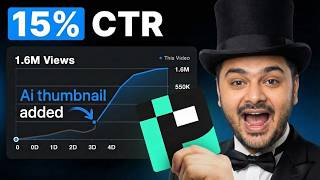

Pixels AI vs Traditional Design: Shocking Results
52sThe comparison between AI-generated and traditional design creates curiosity and potential controversy, drawing viewers in to see the shocking results.
▶ Play Clip"Title is slightly exaggerated but the video genuinely shows impressive AI results."
This video provides a step-by-step guide to using Pixels, an AI-powered tool for creating and optimizing YouTube thumbnails. It covers key features like prompt-based generation, thumbnail analysis, editing, and pricing plans, demonstrating how the tool can improve thumbnail performance.
Upon signing in, users see a chat box for prompts, plus features like recreate, edit, title, and analyze. There's also an enhance prompt option.
The left menu has a tutorial section for help. The models section includes the latest model and options for long form and short form.
A sample prompt: 'cinematic YouTube thumbnail of a young male entrepreneur holding the book Rich Dad Poor Dad...' The tool can enhance the prompt and use personas to train on specific faces.
The generated thumbnail included the requested book and lighting. It received a score of 49, with metrics on virality, clarity, curiosity, and emotion.
Recreate allows uploading a thumbnail or providing a video link. Testing with a link, the tool changed the person to Mark Zuckerberg and text to 'Facebook', achieving a score of 81.
Edit lets users change specific elements like text without ruining the design. Example: changing text to 'who is the king' worked perfectly.
Analyze evaluates a thumbnail's score and provides a one-click fix. The fix improved the score from low to 4.38 (likely 43.8?) and enhanced the design with darker gradient and noise.
Pixels offers $20, $40, and $80 plans. The $40 plan gives 1,000 credits, the highest gives 3,000. Premium includes title generator, face swap, and one-click fix. Ultimate adds privacy and early access.
Pixels is a powerful AI tool for YouTube thumbnail creation and optimization, offering features like generation, analysis, and editing. Its pricing plans cater to different needs, and free credits are available via the link.
What is the first step after signing into Pixels?
You see a chat box for entering prompts and features like recreate, edit, title, and analyze.
00:13
How many images are needed to create a persona?
At least 10 different images.
01:19
What score did the initial generated thumbnail receive?
49 out of 100.
02:02
What does the recreate feature allow you to do?
Recreate a thumbnail by uploading directly or providing a video link.
02:16
What was the score after using recreate on a video link?
81.
03:08
What does the edit feature do?
It allows changing specific elements like text without ruining the entire thumbnail design.
03:08
What is the one-click fix feature?
It automatically improves the thumbnail's score and design, e.g., adding darker gradient and noise.
04:38
What are the three pricing plans for Pixels?
$20, $40, and $80 plans.
05:08
How many credits does the $40 plan provide?
1,000 credits.
05:08
What features are included in the premium version?
Title generator, face swap, and one-click fix.
05:22
Thumbnail Generation Success
Demonstrates the tool's ability to accurately follow complex prompts including specific book titles and lighting.
01:50Recreate Feature Impressive Results
Shows high accuracy in changing person and text while preserving original design, achieving a score of 81.
02:54Edit Feature Precision
Highlights the tool's ability to modify text without affecting other elements, a common challenge in design.
03:43One-Click Fix Improvement
Demonstrates significant score improvement and visual enhancement with a single click.
04:38Pricing Tiers
Provides clear options for different user needs, with free credits available.
05:08[00:01] step by step how Pixels works, what it actually helps with, and whether it's the best AI packaging tool you should be using for your YouTube channel. I've left the link in the description for you to try it out. When you first sign into
[00:13] Pixels, this is the window you'll see. The main area has a chat box where you can enter your prompt. You'll also see a few additional features like recreate, edit, title, and analyze. [music] Right here, you'll notice the enhance
[00:25] prompt option. On the left menu, we have a tutorial section. If you click on it, you'll find short tutorials that help if you get stuck on anything. Moving on, we have the models section here. [music] This one is the latest model. Below
[00:37] that, you have two options to choose from: long form and short form. [music] In this video, I'll be guiding you using the long form version. I'm selecting the the long form version. I'm selecting the top model here.
[00:52] cinematic YouTube thumbnail of a young male entrepreneur holding the book Rich Dad Poor Dad toward the camera, sitting at a desk with self-improvement books, dramatic blue and red lighting, large 2025 text in the background, modern high
[01:06] contrast, professional studio style. This button gives you the option to enhance the prompt. The personas button here allows you to create your own persona. The personas feature lets you train a model on a specific face, either
[01:19] yours or someone else's, so the model can automatically use that face in your generations. To create one, click on personas, then click create and give your persona a name. After that, upload at least 10 different images. Now,
[01:32] at least 10 different images. Now, moving ahead, I'll click on generate. according to the prompt. You can see that it's now analyzing the thumbnail.
[01:50] notice that the model included the book Rich Dad Poor Dad along with other self-improvement books exactly as we asked for. The lighting also looks solid and matches our prompt well. The thumbnail has now been analyzed and
[02:02] given a score of 49, which is quite low. As you can see, the virality, clarity, to curiosity and emotion. these results, but I'll show you that later in the video. Moving on to the
[02:16] next feature, which is recreate. Here you can recreate a thumbnail in two ways. Either by uploading it directly from your laptop or by providing a link to an existing video. I'm going to use a video link to test this feature.
[02:35] want in the thumbnail. For the edit, I'll write change the person to Mark Zuckerberg and change [music] the text to Facebook.
[02:54] the results look amazing. If we compare it to the original one, you'll see that design and color while changing the image and text exactly as requested. It's also analyzing the thumbnail in the background. The report it gives is very
[03:08] accurate. As you can see, the score is 81, which is really impressive. Next, This gives you two options. You can either upload your thumbnail or add a link to a video. I'm going to upload
[03:22] and ask it to change the text to who is the king. This feature works extremely well if you want to change text without ruining the want to change text without ruining the entire thumbnail design.
[03:43] perfectly. It didn't mess up anything else in the image and only applied the change I asked for. Now, moving on to another powerful feature of this tool, which is analyze. This feature analyzes a thumbnail you already have or are
[03:56] planning to use. I'm going to test the link option by pasting a video link and adding the title of the video. You can also analyze a thumbnail by simply uploading it. I'll click analyze and it will take a deep look at the thumbnail
[04:08] will take a deep look at the thumbnail and give it a score. check the details. You can see that virality is in orange, but the idea
[04:23] score is in red. I'll now use the one-click fix option. Let's see the one-click fix option. Let's see the result.
[04:38] which is a big improvement over the previous one. If you want, you can click the one-click fix again to improve it even further.
[04:54] The new version looks much better in keeps the same background while adding a darker gradient and noise, making it far more impactful. Now, the final thing I want to mention is pricing. Pixels
[05:08] want to mention is pricing. Pixels offers 20, 40, and $80 plans. The $40 plan gives you 1,000 credits, while the highest plan gives you 3,000 credits, YouTube [music] channels. The premium version includes the title generator,
[05:22] face swap, and the one-click fix feature. everything most YouTubers need. The ultimate version adds privacy and early access to new features. If you want to try it out, use the link below. You can also get some free credits if
[05:35] you scroll down on that page. So, if you want to improve your YouTube videos, go ahead and sign up using the link below. Thanks for watching and I'll see you in Thanks for watching and I'll see you in the next

⚡ Saved you 0h 05m reading this? Transcribe any YouTube video for free — no signup needed.