
PHP OOPs in 45 Seconds
45sQuick, educational overview of OOP concepts with relatable real-world examples grabs attention.
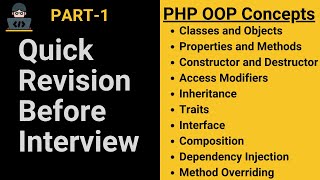
▶ Play ClipThis video provides a comprehensive yet practical walkthrough of core PHP Object-Oriented Programming (OOP) concepts, specifically tailored for interview preparation. The instructor explains concepts like classes, objects, access modifiers, constructors, destructors, inheritance, traits, composition, dependency injection, and interfaces using clear, real-world analogies (e.g., a house, an e-commerce site) and live code examples.
OOP (Object-Oriented Programming) is a programming model that focuses on objects (e.g., a car, a person). Objects have properties (attributes) and behaviors (methods). A class serves as a blueprint for creating objects.
Access modifiers (`public`, `protected`, `private`) control the visibility of properties and methods. `Public` allows access from anywhere; `protected` allows access within the class and child classes; `private` restricts access to only the same class.
A constructor (`__construct`) is automatically called when an object is created, used to set dynamic properties and initialize resources like database connections. A destructor (`__destruct`) runs when the object is destroyed or the script ends, mainly for cleanup (e.g., closing DB connections).
Inheritance allows a child class to extend a parent class, reusing public and protected properties/methods. The child can add new features or override existing ones. Single inheritance (one parent, one child) is the basic form; multilevel inheritance (a chain of classes) is also supported.
`Protected` properties can be accessed by child classes (like sharing a WiFi password with family). `Private` properties cannot be accessed by child classes (like a personal locker password).
PHP does not support multiple inheritance due to ambiguity (the diamond problem). Instead, traits (`trait` keyword) allow reusing methods across classes. The `insteadof` and `as` operators resolve method conflicts when using multiple traits.
Composition (has-a relationship) is used when a class needs to access all functionalities of other classes. It involves creating objects of the required classes inside the class. However, composition leads to tight coupling.
Dependency injection passes dependencies (objects) from outside the class instead of creating them inside. This reduces tight coupling, improves testability, and makes the code more maintainable.
Interfaces define a contract (abstract methods without implementation). They enforce that certain methods must be implemented in any class that `implements` the interface. Interfaces support polymorphism and abstraction but do not provide code reusability like traits.
The video systematically builds from fundamental OOP concepts (classes, objects, access modifiers) to advanced patterns (traits, composition, dependency injection, interfaces), equipping viewers with both theoretical knowledge and practical coding examples for PHP interviews.
What is an access modifier in PHP OOP?
It controls the visibility and accessibility of properties and methods within and outside a class. The three types are: public, protected, and private.
2:09
What is the difference between protected and private in inheritance?
Protected properties can be accessed inside the class and in child classes. Private properties can only be accessed inside the same class, not in child classes.
5:04
When is a constructor called?
A constructor is called automatically when an object is created.
5:50
What is the main purpose of a destructor?
Clean up resources, such as closing database connections or writing logs, when a class object is destroyed or the script ends.
9:47
What keyword is used for inheritance in PHP?
The `extends` keyword.
12:55
Why does PHP not support multiple inheritance?
Due to method conflicts, ambiguity, and the diamond problem.
21:10
How can you resolve method conflicts when using multiple traits?
Using the `insteadof` and `as` operators to specify which trait's method to use and to rename conflicting methods.
25:05
What is the difference between composition and dependency injection?
In composition, a class creates its dependencies internally. In dependency injection, dependencies are passed from outside the class.
30:42
Can interface methods contain implementation logic?
No, interface methods must be empty (abstract) and are only defined; the implementing class must provide the logic.
34:36
What is the primary use of interfaces in PHP?
To create a contract, enforcing that specific methods exist in different classes with different implementations.
35:24
Three Access Modifiers
Clearly explains the fundamental concept of access control (public, protected, private) with a practical code example.
2:09Inheritance Analogy
Uses a relatable 'father's house' analogy to explain inheritance, making the concept intuitive.
10:27Composition for Full Access
Demonstrates why composition is necessary when a class needs full functionality of other classes, beyond what traits offer.
26:56Dependency Injection Benefits
Explains how injecting dependencies (rather than creating them internally) reduces tight coupling and improves testability.
30:42Interfaces as Contracts
Clarifies that interfaces enforce method signatures, ensuring consistency across classes.
35:24[00:00] Welcome to web development through practice
[00:02] Today, we will cover all the important PHP
[00:05] oops concepts that are commonly asked in
[00:08] interviews. I’ll break them down with
[00:10] practical examples so you can
[00:12] confidently explain them in your
[00:14] interview. Let's start with what OOP is
[00:16] in PHP. OOP (Object-Oriented
[00:20] Programming) is a programming model that
[00:22] focuses on objects. An object can be
[00:25] anything, like a car, a person, a table
[00:28] a mobile phone, or anything else. The world is
[00:32] naturally structured around objects,
[00:35] and each object has its own properties
[00:37] and behaviors. For example, a Car
[00:40] Properties are Brand, color, speed, and fuel
[00:43] type, and Behaviors are Start, accelerate,
[00:46] brake, and refuel. for a Person, Properties
[00:50] are Name, age, height, gender, and Behaviors: Walk,
[00:54] talk, eat, sleep. If we look at an e-commerce
[00:58] website, there are also objects like
[01:01] Product, User, Shopping Cart, Order, and
[01:04] Payment.
[01:05] Each object has its own properties and
[01:08] behaviors. now here is what Oops does. it
[01:12] creates, organizes, and manages
[01:14] objects to build reusable
[01:16] applications.
[01:18] It helps in designing software where
[01:20] objects interact with each other
[01:22] efficiently. Now to organize an
[01:25] object's properties and behaviors in
[01:27] one place we use a class, that's why A
[01:29] class acts as a blueprint for
[01:32] objects. Now, let's see how this works
[01:35] with a practical example!
[01:37] Let's take an example of a User object
[01:39] in an e-commerce website. A User object
[01:43] has behaviors like registering, logging in,
[01:46] logging out, and updating the profile. It
[01:49] also has properties like name, email, and
[01:53] password. Now, we define a User class to
[01:56] organize the object's properties and
[01:58] behaviors in one place. After that, inside the
[02:02] User class, we define properties. To
[02:05] define these properties, we use access
[02:08] modifiers.
[02:09] So first, let me explain what an
[02:12] access modifier is. Access modifiers
[02:15] control the visibility and accessibility
[02:18] of properties and methods within and
[02:20] outside a class. There are three types of
[02:23] access modifiers in OOP: public,
[02:25] protected, and private. Now, if we
[02:29] define properties using the public access
[02:31] modifier, we can write: public $name
[02:34] = "John", public $email =
[02:40] public $password = "password123".
[02:43] Here, I have provided static
[02:46] values for testing. Now, I create a
[02:50] User class object and try to access
[02:52] these properties by echoing the message and
[02:54] saving the file. Then, to see the output, run the
[02:58] code, and you can see that I can easily access
[03:01] public properties from outside the class.
[03:05] Now, let's modify the property values:
[03:07] name = "Nick",
[03:10] email = "[email protected]", and password
[03:13] = "nick123".
[03:15] After saving the file and running the code,
[03:19] you can see that the modified values are
[03:21] displayed. This means that if we use the
[03:24] public access modifier, we can easily
[03:26] access and modify properties or methods
[03:29] from anywhere and it is not secure for
[03:31] sensitive data like passwords, bank account
[03:34] details, or any other private
[03:38] information. Similarly, define user class
[03:41] behaviors such as register, login, logout,
[03:44] and update profile, and you can add your
[03:46] logic to implement these user class
[03:49] behaviors. I am just showing a simple
[03:52] message. These behaviors are also referred to
[03:56] as functions or methods. Now, To access these
[03:59] methods, we already have an object of the
[04:02] user class; simply call the method by its
[04:05] name. For example, call the register method and
[04:09] save the file. Then run the code, and you see the
[04:12] output for the register method. Similarly, you
[04:16] can apply it to other methods. So here, A
[04:19] class is a template that holds
[04:21] properties and methods. An object is an
[04:24] instance of a class. By creating an
[04:27] object, we can use its properties and
[04:30] methods. Now, if I change the public access
[04:33] modifier to protected, remove the section
[04:36] for modifying property values, and save
[04:38] the file, running the code will result in an error.
[04:42] This is because protected properties can
[04:45] not be accessed or modified outside the
[04:47] class. Similarly, If I change the protected
[04:51] access modifier to private, save the file,
[04:54] and run the code again, it will show an error. The
[04:58] private access modifier is not
[05:00] accessible outside the class. The difference
[05:04] between private and protected access
[05:06] modifiers is that Protected properties
[05:08] can be used inside the class and in
[05:10] child classes, and Private properties
[05:12] can only be used inside the same class. Now,
[05:16] since child classes are part of
[05:18] inheritance, let’s first learn about
[05:20] inheritance and then see how protected
[05:22] and private properties work in
[05:25] it. Before discussing inheritance, let's
[05:29] first understand constructors and
[05:31] destructors.
[05:32] In our code, we initially defined properties
[05:35] with static values. However, when using
[05:38] the User class for registration, we cannot
[05:41] define static data for each user. So, I
[05:45] removed the static values and implemented
[05:47] a constructor to set dynamic properties.
[05:50] A constructor is a unique method that
[05:53] automatically runs when an object is
[05:55] created. Let’s see how it works. First,
[05:59] I removed the existing code and added a
[06:01] simple example. Inside the constructor, I
[06:05] display a message "User object created!"
[06:09] Then, I create an object of the User
[06:11] class and save the file. When I run the code, the
[06:15] message appears automatically—without calling the
[06:18] constructor manually. Now let's understand
[06:22] why we use a constructor? The main purpose
[06:25] of a constructor is to set dynamic
[06:27] properties when an object is created.
[06:30] For example, during user registration,
[06:32] we receive dynamic values like: name =
[06:35] = 'John', email =
[06:39] '[email protected]', and password =
[06:42] 'password123'.
[06:43] When a user submits the registration
[06:46] form: The form data is sent to a backend
[06:49] script for validation.
[06:51] Then, A User object is created, and the
[06:54] user's data is passed as
[06:56] arguments. Here, when we create a User
[06:59] Class Object then The constructor is
[07:01] called automatically and assigns these values
[07:04] to user class defined properties:
[07:07] this name is equal to dollar name, this
[07:10] email is equal to dollaer email, dollar this
[07:13] password is equal to dollar password. these
[07:16] properties are now available for all methods
[07:18] in the user class. For example, if we call the
[07:22] register() method, it uses these values for
[07:26] registration. If we then call login(), the same
[07:29] values can be used for login—without
[07:31] passing them again. Benefits of using a
[07:35] constructor: Reusable Data: The same
[07:37] properties can be used for multiple
[07:39] operations (e.g., register, login, update
[07:43] profile) without needing to pass
[07:44] arguments to each method separately.
[07:57] Other Uses of Constructors are, A
[08:00] constructor can automatically connect to the
[08:03] database. For example, suppose you have a
[08:06] database connection file "db.php".
[08:09] You can include this file at the top of
[08:12] your code. Then, inside the constructor, create
[08:16] an object of the database class and store
[08:19] it in the '$db' property. Then, call the
[08:23] connection method and store it in '$this->
[08:25] conn', while also defining private '$conn'
[08:28] to hold the connection. Now, you can use
[08:32] '$conn' to perform database operations in
[08:35] various methods of the class, such as inserting
[08:38] user registration details, handling login,
[08:40] and more. In PHP 8+, we can define
[08:45] access modifiers (private, protected,
[08:48] public) and data types directly in
[08:50] constructor
[08:51] parameters. So, you don't need to declare
[08:54] properties separately. However, access
[08:58] modifiers cannot be used inside
[09:00] regular function parameters, making this a key
[09:03] advantage of
[09:04] constructors. Next, We can also
[09:07] define strict return types for
[09:09] functions. For example, first enable
[09:12] strict type by declaring
[09:14] "strict_types=1"
[09:16] and we define an 'isLoggedIn ' function
[09:18] that must return a boolean but if returns
[09:21] an integer 10, PHP will throw a TypeError
[09:24] because 10 is not a boolean. This is called
[09:27] strict typing, ensuring better code
[09:29] reliability, and improving accuracy and
[09:33] consistency. Similarly, you can apply
[09:36] return types to other methods, such as a
[09:38] register method that returns a string as
[09:41] a success message.
[09:45] Now, let's discuss
[09:47] destructors. A destructor is the opposite
[09:49] of a constructor. It is called automatically
[09:53] when a class object is destroyed or the
[09:55] script ends. It is mainly used to
[09:58] clean up resources, such as closing
[10:00] database connections or writing logs. In our
[10:04] example, we define a destructor method
[10:06] and use it to close the database connection.
[10:09] Once the script has executed all
[10:12] previous code, the destructor will run
[10:15] automatically. Save the file and you can observe
[10:18] how it works after all other code has
[10:20] finished
[10:24] executing. Next, let’s discuss
[10:27] inheritance. In simple words, inheritance
[10:30] means taking or extending something from
[10:33] someone else. Imagine, you don’t have a house, but
[10:37] your father has one. So, you don’t need to buy the
[10:41] same things that already exist in your
[10:43] father’s house, such as a 'Samsung TV', 'Wooden
[10:46] Table', 'Leather Sofa', and more. This means you can
[10:50] use everything in your father’s house for your
[10:53] needs. We can relate this situation to
[10:55] Object-Oriented Programming. Here, we
[10:59] have two classes: The Father class – which owns
[11:01] properties like the TV, Table, and Sofa. The
[11:05] You class – has no properties but can use the
[11:08] items from the Father class. Since You
[11:11] inherited things from your father, the Father
[11:14] class is called the Parent Class, and the You
[11:16] class, that inherits from it, is called the
[11:19] Child Class. In OOPs, the parent class is
[11:23] also known as the Base Class, and the child
[11:26] class is known as the Derived Class. This is
[11:29] exactly how inheritance works in
[11:31] programming – the child class means you get
[11:33] access to all the properties and behaviors
[11:36] of the father parent class, without defining
[11:38] means Buying them again. Similarly, if you want
[11:42] to add new items to your father's house, you
[11:45] can buy things that are not already there,
[11:47] like video games. However, if you buy
[11:51] something that already exists in your
[11:53] father's house, such as a Samsung TV, it
[11:56] replaces or overrides the one in your father’s
[11:59] house item. Now, let’s see how it works with
[12:03] a practical example. To implement this
[12:05] functionality, I create two class files: one
[12:08] for the Father class and another for the You class.
[12:12] In the Father class file, I define a Father
[12:14] class with properties such as public
[12:17] $tv = "Samsung TV"
[12:20] public $table = "Wooden Table", and
[12:23] public $sofa = "Leather Sofa".
[12:27] Additionally, I define methods like useTable(),
[12:30] useSofa(), and watchTV(), which return simple
[12:34] messages. After defining the class, I save the
[12:37] Father class file. In the You class file, since
[12:41] the You class does not define its own
[12:43] properties, it extends the Father class to
[12:46] inherit its properties and methods. To do
[12:49] this, I first include the Father class file
[12:52] in the You class file. Next, I use the
[12:55] 'extends' keyword to inherit from the Father
[12:58] class. To perform an action, I create an
[13:01] object of the You class, and then I call the
[13:04] watchTV() method, which belongs to the Father
[13:07] class. After saving the You class file and
[13:10] in the output, the message from watchTV() is
[13:13] displayed. This confirms that the You class
[13:16] (child class) successfully accessed the
[13:19] properties and methods of the parent class
[13:21] (Father). Next, the You class decides to add a
[13:25] new item, like a video game, extending
[13:28] the items from the parent. In the You class, I
[13:32] define a property called public
[13:34] $newItem = "Video Game" and a
[13:37] method called playGame() that returns a simple
[13:39] message. Now, when I call playGame() and in the
[13:43] output, the message "Playing Video Game" is
[13:46] displayed. This shows that the child class can
[13:49] add its own properties and methods. Next,
[13:52] If the child class wants to define a
[13:55] property or method that already exists in
[13:57] the parent class, such as 'tv' and the watchTV()
[14:01] method, it can do so by redefining them:
[14:04] public $tv = "My Own
[14:06] Samsung TV". Similarly, the child class
[14:10] can redefine the watchTV() method. Now, when
[14:13] I call watchTV(), it overrides the parent
[14:16] class method, displaying the new message "I
[14:19] am watching my own TV." It is also worth
[14:22] noting that if we create an object of the
[14:24] parent class and try to call the same method,
[14:27] watchTV(), the parent class's properties and
[14:30] methods remain
[14:31] unchanged. This concept is known as Single
[14:34] Inheritance, where one child class
[14:37] (You) derives from one parent
[14:39] (Father) class. Now, Let's discuss the noted point of
[14:42] how protected and private access
[14:44] modifiers work with inheritance? In a Father
[14:48] class, suppose there is a WiFi password
[14:50] property that is initially public, meaning
[14:53] anyone can access it. However, the father wants
[14:57] to share it only with family members such as
[14:59] with child classes, and not with
[15:02] outsiders. So, We use the protected
[15:05] access modifier. This ensures that only
[15:08] the Father class and its child classes
[15:11] like the You class can access it. To
[15:14] implement this, we define a get WiFi
[15:16] Password method in the You child class, which
[15:19] accesses the protected WiFi password
[15:22] property. When we call this method, and run the
[15:25] code. you can see the output the child class
[15:28] can successfully retrieve the WiFi password.
[15:32] However, if another class which not related
[15:35] to the Father class, such as the Neighbour class,
[15:38] defines the "get wifi password" method and
[15:41] to access the father class "WiFi
[15:43] password" property include the father class
[15:45] file and create the object of the Father
[15:48] class and return "WiFi password"
[15:50] property in this method. now to test this
[15:54] create an object of the neighbour class try
[15:56] to access the "getWiFiPassword" method and
[15:59] run the code. it shows an error because protected
[16:02] properties cannot be accessed outside the
[16:05] class hierarchy.
[16:07] So, Protected properties Can be
[16:09] accessed inside the class and in child
[16:12] classes. Now, let’s say the father has a money
[16:15] locker password, which is strictly
[16:17] private and should not be shared with
[16:19] anyone, including family members. So, We
[16:23] use the private access modifier. This
[16:26] ensures that only the Father class can access
[16:29] it and even child classes cannot access
[16:32] or modify it. now to test this we define
[16:35] the "getLockerPassword" method inside the You
[16:38] child class and return a simple message
[16:40] with the locker password. now call this get Locker
[16:44] Password method and save the file. now run the code
[16:48] and the output shows an error because Can be
[16:51] accessed only inside the same class not even
[16:54] child classes.
[16:59] Next, let's discuss when to use
[17:02] inheritance in programming. Inheritance is
[17:05] used to reuse code and establish a
[17:07] relationship between classes, where a child
[17:10] class inherits public or protected
[17:12] properties and methods from a parent
[17:14] class while also having the ability to
[17:16] extend or modify them. Another type of
[17:19] inheritance is multilevel inheritance.
[17:23] This occurs when a class is derived
[17:25] from another class that is already derived
[17:27] from a third class. A simple example is a
[17:31] family hierarchy: the "Father" class inherits
[17:33] from the "Grandfather" class, and the "Son" class
[17:36] inherits from the "Father" class. Here, the "Father"
[17:40] class is already derived from the
[17:42] "Grandfather" class, creating a multilevel
[17:44] structure. As a result, the "Son" has access to
[17:48] the properties and methods of both the "Grandfather"
[17:50] and the "Father." Similarly, in an
[17:54] e-commerce website, the "Admin" class
[17:57] inherits from the "User" class, and the "Super Admin"
[17:59] class inherits from the "Admin" class. In
[18:03] this case, the "Super Admin" indirectly
[18:05] inherits the public and protected
[18:07] methods and properties of the "User" class.
[18:10] Now, It's important to note that you should use
[18:13] multilevel inheritance only when there is
[18:15] a clear hierarchical relationship between
[18:18] classes. Now, let’s implement this
[18:21] concept
[18:22] practically. To implement multilevel
[18:24] inheritance in an e-commerce website, we have
[18:27] three classes. One is a User Class which
[18:31] contains common functionalities like register(), login(),
[18:34] logout(), updateProfile(), and getDetails().
[18:37] The second is an Admin Class, which
[18:40] extends the User class and also has additional
[18:43] functionalities for managing users and
[18:45] products. Now, When we create an
[18:48] object of the Admin class and call the get
[18:50] Details() method from the User class, it
[18:53] returns the admin's name and email. Here you
[18:56] can notice that we reuse the getDetails()
[18:58] method, as there is no need to define a
[19:01] separate method to fetch admin data within the
[19:03] Admin class. same as for admin register, login,
[19:07] and logout we can use the same user
[19:10] class methods. Now, the next class is the
[19:13] Super Admin Class. This class extends the
[19:17] Admin class, When we create an object
[19:19] of the Super Admin class and call the get
[19:22] Details() method of the user class, it returns
[19:24] the name and email of the super admin. Additionally,
[19:28] if we call a method from the Admin class, such
[19:31] as retrieving the user list, the Super Admin
[19:34] has access to all relevant data. Thus, the Super
[19:38] Admin class is derived from Admin,
[19:40] which is already derived from User,
[19:42] forming a multilevel inheritance
[19:44] structure where each class builds upon the
[19:47] previous one, ensuring code reusability
[19:50] and hierarchy-based access control.
[19:53] The next type of inheritance is
[19:55] multiple
[19:56] inheritance. Here, "multiple" means that we can
[20:00] extend more than one class. For example,
[20:04] consider a User class that defines common
[20:06] functionalities such as registering, logging in,
[20:09] logging out, updating a profile, and
[20:12] retrieving details. There is also an
[20:15] Admin class that extends the User class
[20:17] and adds its own properties and methods
[20:19] for managing user data and product data.
[20:23] Furthermore, we have a SuperAdmin class that
[20:25] extends the Admin class and includes
[20:28] its own properties and methods for
[20:29] managing admin data. Now, let's
[20:33] introduce another class called Seller, which
[20:35] also extends the User class and has
[20:38] its own properties and methods, such as
[20:40] managing sales reports. Now, the Super
[20:44] Admin class, which manages admin data, may
[20:47] also want to manage data from the Seller
[20:49] class. This is where multiple inheritance
[20:52] comes into play, allowing the SuperAdmin
[20:55] class to extend both the Admin and Seller
[20:57] classes, using a comma to separate the class
[21:00] names. However, if we try to run this code
[21:04] in PHP, it will result in an error because
[21:06] PHP does not support multiple inheritance.
[21:10] The primary reasons are method conflicts,
[21:12] ambiguity, and the diamond problem. For
[21:16] example, the Admin class can access the get
[21:19] Details method from the User class to
[21:21] retrieve admin details by passing the admin
[21:24] ID. Similarly, the Seller class can call the get
[21:28] Details method from the User class by
[21:30] passing the seller ID. If the SuperAdmin class
[21:33] attempts to call the getDetails method
[21:35] from the User class, it will encounter two
[21:38] identical copies of the method—one from the
[21:41] Admin class and one from the Seller class.
[21:44] This creates the diamond problem. Additionally,
[21:48] if the Admin class has a method called manage
[21:50] Order for approving or rejecting
[21:52] orders, and the Seller class has its own
[21:55] manageOrder method for processing customer
[21:57] orders, a conflict arises. When the
[22:00] SuperAdmin class tries to access the manage
[22:03] Order method, ambiguity occurs because it is
[22:06] unclear which method should be executed:
[22:08] the one from the Admin class or the one from the
[22:11] Seller class. To resolve these issues, use traits
[22:15] or composition instead of using multiple
[22:19] inheritance. A trait is a way to define
[22:22] methods that can be reused across multiple
[22:25] classes. In our example, the SuperAdmin
[22:28] class wants to access the functionalities of
[22:31] both the Admin and Seller classes to manage the
[22:34] system. Since we cannot use multiple
[22:36] inheritance, we create separate trait files:
[22:39] one for Admin called AdminTrait and another
[22:42] for Seller called SellerTrait, and remove the
[22:44] extensions to Admin and Seller classes
[22:47] from SuperAdmin. In the AdminTrait file,
[22:50] we define the trait using the trait keyword
[22:52] and name it AdminTrait. In the SellerTrait
[22:56] file, we do the same and name it SellerTrait.
[22:59] Now, if we convert all the functionalities of the
[23:02] Admin and Seller classes into traits, we
[23:05] won't be able to access the User class
[23:07] functionalities because both the Admin and Seller
[23:10] classes extend the User class. Therefore,
[23:14] we cannot convert the entire class into
[23:16] traits. We do not make any changes to the
[23:19] Admin and Seller class files. Instead, we
[23:23] extract only the reusable code from the
[23:26] Admin and Seller classes, such as the manage
[23:28] Order method. To do this in AdminTrait, we
[23:32] define the manageOrder method from the Admin
[23:34] class and remove the existing manageOrder
[23:37] method from the Admin class. Similarly, in
[23:41] SellerTrait, we define the manageOrder method
[23:44] from the Seller class and remove it from the
[23:46] Seller class as well.
[23:48] You may wonder why we create separate trait
[23:50] files for Admin and Seller. We could create
[23:54] one common trait file, such as OrderTrait, and
[23:57] define the `manageOrder` method there, passing a
[24:00] role type to fetch order records. However,
[24:03] if we need to change the logic or update
[24:06] functionalities for Admin in the future, it
[24:08] might affect the Seller's manageOrder method,
[24:11] leading to tight coupling, and If the Admin
[24:13] needs to use that common trait file, it will
[24:16] also include the Seller's code, which is not
[24:19] ideal. This is why we create separate
[24:22] traits for Admin and Seller, where we
[24:24] define common functionalities that can be
[24:26] used in multiple classes. After defining
[24:29] the traits, we include the AdminTrait and
[24:32] SellerTrait files in the SuperAdmin class,
[24:34] and We then use AdminTrait and SellerTrait
[24:37] with the `use` keyword. Next, we define a
[24:40] new method called getAdminOrders, which
[24:43] calls the `manageOrder` method from Admin
[24:46] Trait. Similarly, we define a method called
[24:49] getSellerOrders, which calls the manage
[24:52] Order` method from SellerTrait. At this point,
[24:55] we face a challenge. How does SuperAdmin know which
[24:59] manageOrder method belongs to AdminTrait
[25:02] and which belongs to SellerTrait? To resolve
[25:05] this issue, we can use the 'insteadof' and 'as'
[25:10] operators. Before implementing this, note that
[25:13] the Super Admin class does not extend the
[25:16] the User class. As a result, we cannot access
[25:19] the name properties of the User class in the
[25:22] manage Admins method, which will lead to an
[25:24] error. Therefore, please remove the manageAdmin
[25:28] method from the superAdmin class and also
[25:30] remove arguments from the superAdmin
[25:33] class object. Next, in the use keyword
[25:37] define AdminTrait with the scope
[25:39] resolution operator for the manageOrder
[25:41] method instead of SellerTrait. So, when you
[25:45] call the manageOrder method, it comes from the
[25:48] AdminTrait. Then, define SellerTrait and
[25:51] use the scope resolution operator to rename
[25:54] its manageOrder method as manage Order
[25:56] As Seller. This way, when you call manage Order
[26:00] As Seller, it comes from SellerTrait. Now,
[26:04] in the getAdminOrders method, there is no
[26:07] need to change the manageOrder method because
[26:09] we use the insteadof keyword. This means that
[26:13] if both AdminTrait and SellerTrait have a
[26:16] manage Order method, it always comes from
[26:19] AdminTrait. At the same time, we rename the
[26:23] manageOrder method from SellerTrait as
[26:25] manageOrderAsSeller, so in the get Seller
[26:28] Orders method, we call manageOrderAsSeller.
[26:32] Next, in the SuperAdmin object, when
[26:35] you call the getAdminOrders method, it
[26:37] returns results from AdminTrait. If
[26:41] you call the getSellerOrders method, it
[26:43] returns results from SellerTrait.
[26:46] However, the issue is not yet resolved because the
[26:49] SuperAdmin class should have all functionalities
[26:52] of both Admin and Seller classes, not just the
[26:55] common
[26:56] functionalities. For example, if SuperAdmin
[27:00] needs to manage admin users and access
[27:02] seller sales reports, we cannot use
[27:05] traits. Instead, we use composition, which
[27:08] follows a "has-a" relationship between classes.
[27:12] For example, the SuperAdmin class has
[27:15] Admin and Seller class
[27:17] functionalities. We achieve this by creating
[27:19] objects of Admin and Seller classes
[27:22] inside the SuperAdmin class. Before
[27:25] implementing composition, we remove the trait
[27:28] code of AdminTrait and SellerTrait
[27:30] otherwise it will show an error.
[27:34] To implement composition by creating
[27:36] objects of the Admin and Seller classes
[27:39] within the SuperAdmin class, we start by
[27:41] including the files for the Admin and
[27:43] Seller classes in the SuperAdmin class.
[27:47] Next, we define properties such as
[27:49] private $admin to store the Admin
[27:51] class object and private $seller to
[27:53] store the Seller class object. We then
[27:57] create a constructor where we instantiate
[27:59] an object of the Admin class and assign
[28:01] it to the $admin property. Now, if we
[28:05] check the Admin class, we see that it
[28:07] extends the User class, and the User class
[28:10] has a constructor that requires a name,
[28:12] email, and password. However, in the SuperAdmin
[28:16] class, when creating an Admin object,
[28:19] SuperAdmin does not have the admin password. To
[28:22] resolve this, in the SuperAdmin class
[28:25] object, we pass the admin name as "Admin
[28:28] User", the email as "[email protected]", and
[28:31] the password as null. In the SuperAdmin class
[28:35] constructor, we receive these details as
[28:38] parameters, such as $adminName,
[28:40] $adminEmail, and $adminPassword
[28:43] equal to null. Then, we pass $adminName,
[28:47] $adminEmail, and $adminPassword
[28:50] into the Admin class object. Similarly, if
[28:53] we check the Seller class, it also extends
[28:56] the User class, which requires a name,
[28:59] email, and password in its constructor.
[29:02] When creating an object of the Seller
[29:04] class, SuperAdmin does not have the seller’s
[29:07] password. To resolve this, in the SuperAdmin
[29:10] class object, we pass the seller's name as
[29:13] "SellerUser", the email as "[email protected]",
[29:17] and the password as null. The constructor
[29:20] receives these parameters as $sellerName,
[29:23] $sellerEmail, and $sellerPassword is
[29:26] equal to null. then passes them into the Seller
[29:29] class object, assigning it to the
[29:32] $seller property. This approach allows us to
[29:35] access functionalities from both the Admin
[29:38] and Seller classes. For example, we define
[29:41] a method called get Admin Orders, which
[29:44] returns the result of the manage Orders
[29:46] method from the Admin class object.
[29:49] Similarly, we define a method called get Seller
[29:52] Orders, which returns the result of the
[29:54] manage Orders method from the Seller class
[29:57] object. When we call the get Admin
[29:59] Orders method, the SuperAdmin class
[30:02] successfully accesses the Admin functionalities.
[30:06] Likewise, when we call the get Seller
[30:08] Orders method, we receive the result from the
[30:10] Seller class. While this approach allows
[30:14] access to various functionalities of the Admin
[30:16] and Seller classes, it has a drawback: we can
[30:19] not perform unit testing on the Super
[30:21] Admin class because it directly depends
[30:24] on the Admin and Seller classes. This creates
[30:27] tight coupling, meaning that SuperAdmin
[30:30] depends heavily on Admin and Seller, making
[30:33] future modifications challenging. To resolve
[30:36] this issue, we use Dependency Injection.
[30:42] Dependency Injection means injecting
[30:44] dependencies rather than creating them
[30:46] inside a class. For example, instead of the
[30:50] SuperAdmin class creating its
[30:52] dependencies, such as Admin and Seller class
[30:55] objects, they are passed to the SuperAdmin
[30:57] class from the outside. Let's see how to
[31:00] achieve this: First, move the Admin class
[31:03] object creation outside the SuperAdmin
[31:06] class and store it in the $admin
[31:08] variable. Similarly, move the Seller class
[31:11] object creation outside the SuperAdmin
[31:14] class and store it in the $seller variable.
[31:17] Next, when creating the SuperAdmin
[31:19] class object, remove the parameters and
[31:22] instead pass the $admin and $seller
[31:25] variables. Now, in the SuperAdmin class
[31:28] constructor, modify the parameters to
[31:31] accept Admin $admin and Seller
[31:33] $seller. Here, the Admin $admin and Seller
[31:37] $seller parameters use type hinting,
[31:40] meaning that PHP ensures that the
[31:42] arguments passed to the constructor must be
[31:44] objects of the Admin and Seller classes.
[31:48] Next, assign $admin to the SuperAdmin
[31:50] class's $admin property so it can
[31:53] be used within the class. Similarly, assign
[31:57] $seller to the SuperAdmin class's
[31:59] $seller property for use within the class.
[32:02] Since the get Admin Orders and get Seller
[32:05] Orders methods already use these properties,
[32:08] no further changes are needed. Now, when calling
[32:12] the get Admin Orders method and running the code,
[32:15] you see that the SuperAdmin class successfully
[32:17] accesses Admin class
[32:19] functionalities. Similarly, when calling the get
[32:22] Seller Orders method and running the code, the Super
[32:25] Admin class successfully accesses Seller class
[32:29] functionalities. This approach reduces tight
[32:32] coupling between classes and makes
[32:34] unit testing, scalability, and
[32:36] maintainability
[32:38] easier. So far, we have covered classes,
[32:42] objects properties methods access
[32:44] modifiers constructors destructors
[32:47] single inheritance, multiple inheritance,
[32:50] traits, composition, dependency injection, and
[32:53] method
[32:54] overriding. Now, let's discuss interfaces. We
[32:59] continue with the same example, where we have a
[33:01] User class, an Admin class, a Seller class,
[33:05] and a SuperAdmin class. The Admin and Seller
[33:08] classes extend the User class, and the Super
[33:11] class needs to access functionalities
[33:14] of both Admin and Seller. We have already
[33:17] achieved this using composition and
[33:19] dependency injection. We also tried
[33:22] using Admin Trait and Seller Trait, but
[33:25] since traits are used for common
[33:27] functionalities, Traits do not solve the multiple
[33:29] inheritance issue. Now, let's try
[33:33] interfaces. The goal is to solve the multiple
[33:36] inheritance issue, meaning Super Admin should
[33:39] be able to access Admin and Seller
[33:42] functionalities. First, we create an Admin
[33:45] Interface file for the Admin class and
[33:47] define the interface using the interface keyword.
[33:50] Similarly, we create a Seller Interface file
[33:53] for the Seller class and define the Seller
[33:56] Interface. Now, If we convert the Admin class
[33:59] into Admin Interface, the Admin class cannot
[34:02] inherit from the User class. The same applies
[34:06] to the Seller class. So, converting an entire
[34:10] class into an interface is not a good
[34:12] idea. So, let's see if interfaces can be
[34:16] used for code reusability.
[34:18] Suppose both Admin and Seller classes have a
[34:21] manage Orders method but with own logic. We
[34:24] move the Manage Orders method of the admin
[34:27] class into Admin Interface and the Manage
[34:29] Orders method of the seller class into Seller
[34:32] Interface. However, in interfaces, methods can
[34:36] not have logic, which means interface methods
[34:38] must be empty, which is only defined,
[34:41] not implemented, and these methods are known
[34:43] as abstract methods. Next, if we
[34:47] include Admin Interface and Seller Interface
[34:49] in the SuperAdmin class, we cannot use them
[34:53] directly. Interfaces must be
[34:55] implemented by a class. so, if Super
[34:58] Admin implements Admin Interface, it must
[35:01] define the manage Orders method with its own
[35:04] logic. However, if SuperAdmin also
[35:07] implements Seller Interface, there will be a
[35:09] method name conflict because both interfaces
[35:12] contain manage Orders. So, if interfaces do
[35:16] not solve multiple inheritance issues and
[35:18] do not provide code reusability like
[35:21] traits, why use them? The answer is that
[35:24] interfaces help create a contract in
[35:26] a project. For example, if we create a
[35:30] Manage Orders Interface as a contract
[35:32] for Admin, Seller, and SuperAdmin classes,
[35:35] then we must implement this interface and
[35:37] define the manage Orders method in these
[35:40] classes. If any class forgets to define
[35:43] this method, PHP will show an error. So, note the
[35:48] point that interfaces do not allow
[35:49] properties, and all methods must be public
[35:52] and abstract methods. Interfaces are
[35:55] useful when you need to ensure specific
[35:57] methods exist in different classes with
[36:00] different
[36:02] implementations. Next, interfaces enable
[36:05] polymorphism abstraction encapsulation
[36:08] and inheritance.
[36:10] These concepts will be explained in the
[36:12] next video.
⚡ Saved you 0h 36m reading this? Transcribe any YouTube video for free — no signup needed.