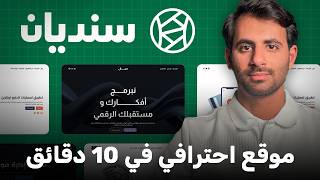

Why You NEED a Website in 2026
48sHigh relatability for freelancers/business owners; emphasizes the importance of digital presence, which is a common pain point.
▶ Play Clip"The title promises a comprehensive guide to building your digital identity without coding, and the video delivers exactly that with a step-by-step walkthrough, though it includes some promotional content."
This video demonstrates how freelancers and business owners can create a professional website without any coding, using the Sindian platform. The presenter walks through the entire process, from choosing a template to customizing design and content, and finally publishing the site. The video emphasizes the importance of having a digital presence to build client trust and increase visibility.
Many freelancers and business owners lack a professional website, which affects their credibility and visibility with clients. A website establishes digital presence, which is essential in today's market.
A website is your digital identity, operational 24/7. It helps you appear in search results on Google and AI platforms like ChatGPT. Sending a website link instead of a PDF portfolio impresses clients and demonstrates high value.
Sindian is a no-code platform for creating professional Arabic websites. It offers drag-and-drop functionality and over 90 templates, with at least 5 variations per template, totaling approximately 400 unique designs.
The presenter created a website in less than 10-15 minutes, including services, experience, skills, and contact information, ready to send to clients.
The platform offers templates for various categories like digital marketing, tourism, restaurants, and more. The presenter selects a digital marketing template and previews it on tablet and mobile to ensure responsiveness.
Users can set the page name, path, description, and language. The homepage is the main interface, and other pages like services and contact can be edited separately.
Design options include changing main colors, fonts, font size, spacing, and button corner radius. Users can also input custom color codes for brand identity.
Each section can be edited directly, including text, images, icons, and animations. The presenter demonstrates adding a slide animation effect and changing button colors.
Users can add new sections like pricing plans, hero sections, and more. The presenter adds a pricing section with professional and medium plans, and edits the contact button to link to the contact page.
Social media icons can be linked manually to profiles. The presenter sets up the website name, category, and domain. The domain is free with a Sindian subscription, and the first-year plan costs $60 (limited-time offer, regular $96).
The video concludes that anyone can create a professional website in minutes using Sindian, without coding. The presenter encourages viewers to ask questions in the comments and subscribe for more content.
What is the main benefit of having a website for a freelancer?
It establishes digital presence, builds client trust, and helps you appear in search results.
00:51
How many templates does Sindian offer?
Over 90 templates, with at least 5 variations each, totaling approximately 400 unique designs.
01:48
What is the cost of the first-year subscription for Sindian?
$60 (limited-time offer), regular price $96, and includes a free domain.
13:34
How can you ensure your website is mobile-friendly?
Sindian automatically makes the design responsive; you can preview it on tablet and mobile.
04:03
What types of templates are available on Sindian?
Marketing, e-commerce, exhibitions, business, tourism and travel, restaurants, and education.
02:34
Digital Presence is Essential
Highlights the critical importance of having a website in today's market for credibility and visibility.
00:51Website as Digital Identity
Explains that a website serves as a 24/7 digital identity, helping clients find you on Google and AI platforms.
01:05Rapid Website Creation
Demonstrates that a professional website can be created in under 15 minutes, saving time and effort.
02:05Affordable Pricing with Free Domain
Shows that the platform offers a cost-effective solution with a free domain for subscribers.
13:34[00:03] and comprehensive website showcasing your work, services, and all the information your clients need in just a few minutes, without writing a single line of code. This is the problem many freelancers and business owners face: they ca n't present themselves professionally because they lack a website or a
[00:18] professional interface to enhance their value in the eyes of clients. This, in turn, affects their visibility and work with them. But today, I'm bringing you the solution with a very easy tool that allows you to create your own website in your style and build a professional image that helps you gain clients' trust and start working online
[00:34] wherever you are, whether you're a company or even a freelancer. So, first of all, what's the importance of creating a personal or company website? Can this increase my profits and sales with clients? The answer is a resounding yes, because the website will primarily establish your digital presence. Currently, those
[00:51] without a digital presence don't truly exist. The website is your digital identity; you put all the information clients need on it, and it's operational 24/7. Especially if someone searches for your name or the services you offer on Google or AI platforms like ChatGPT,
[01:05] if you don't have a website, you won't appear in the search results. Furthermore, when a client contacts you and asks for your portfolio, you can send it as a PDF or a Drive file. However, if you want to impress them and demonstrate your high value, send them your own website. This
[01:19] website should showcase your work, the services you offer, your contact information, and even include client reviews, who you've worked with before, and everything else. Today, the solution is simpler than ever: you can build your own website without a programmer and start offering your services and showcasing your work to clients. We'll explain step-
[01:36] by-step how you can create your website using the Sindian platform. Sindian is a platform that creates professional websites in Arabic, is easy to use without any coding, and is designed for
[01:48] freelancers or business owners. Simply build your website using drag and drop. There are over 90 templates to choose from, depending on your preferences and the type of services you offer. Here's an example of a website I created. It literally took me less than 10 or 15 minutes at most.
[02:05] I put my services, experience, skills, and important meetings on it. I might include some services or their prices. I put a lot of information, and it's ready to send to any client who inquires. Anyone who wants to contact me can get the website directly. This
[02:19] is the website Sandian Sandit.com. Create your website without programming experience. It's customized and without programming experience. It's customized and designed for the Arabic language, so you can create complete, designed for the Arabic language, so you can create complete, ready-made websites with more than 90 professional templates for
[02:34] marketing, e-commerce, exhibitions, business, tourism and travel, restaurants, and education. Each template also has several features that can be expanded significantly. Under each template, there should be at Under each template, there should be at least five other types, so you have approximately
[02:49] least five other types, so you have approximately 400 unique and customized types (5 x 90). You can modify all these aspects, from colors and fonts to the design. We'll see how it works together. These templates will make the process of creating a website much easier. Thinking about what to do with a website and all that? Design a
[03:02] complete website using drag and drop. So let's go to Try Sandian now. Of course, here all my existing websites will appear. I currently have one website, Abbad.net. Here, all the domains are available, and we have the invoices and
[03:17] general account settings. Okay, let's create a new website, but I want to do it with a new account because I already have a previous website. I want to try it with a new account. So, I created a new account here and logged in. Now, let's try Sandian. It will give me several
[03:34] templates to choose from. There will be many categories, such as consultants in technology, business exhibitions, tourism and travel (all related to tourism and travel), restaurants, and so on. We also have digital marketing, so I can choose
[03:50] digital marketing. Let me see, for example, the first thing I want to do is check this template to see if it suits I want to do is check this template to see if it suits me or not. Okay, Sakhr is excellent. The logos are available like this. Of course, I can customize the logos, colors, and everything else. The services,
[04:03] results, and customer impressions are all amazing! The best part is that we can preview it The best part is that we can preview it on tablets and mobile phones, and it will always be consistent. So, I don't need to create separate designs for mobile and computers, change
[04:16] sizes, or anything like that. It will all automatically be consistent whether on mobile, computer, or even tablet. Okay, I can edit this; I don't want this, for example. I see this, for example.
[04:28] If it's better for me, great, okay, okay, excellent! I'll choose this one. So, choose the template from here. Now I can edit the page however I want. I can edit the sections, edit the content, all these points. So, first, I go to the settings and set the
[04:44] page name. This will be the homepage, so I leave it as is. For example, the homepage. I also want the page path to be the homepage without any path after it, so I leave it as homepage without any path after it, so I leave it as is. For the page description, I can write... Specialized services
[04:56] in electronic marketing. Okay, I'll put the picture if I have one, for example, and leave the language as it is, Arabic, and everything will be fine like that. So also, in order to have a complete idea, we are currently working on the homepage, which is the main interface of the site. There are different pages, as
[05:10] we see above, for example, the homepage. From us, contact services. I can change any of these pages and start modifying its content. So, I am currently working on the homepage, so I want to modify it. For example, launch your brand towards the results you deserve. Excellent. The
[05:26] first thing I want to modify is, what do I want to modify? For designs, I go to the design section here and see, for example, the main colors. Of course, I can use ready-made templates that are considered under the main template. So, here I have the default, here I have different colors, and here I have different colors again. So,
[05:40] I can choose bright or fonts, and I can even change, for example, the CTI from here, a drawing, so I can choose the appropriate template. From there, I can start adjusting what I want to save a lot of time and effort. If I like something bright or simple, I can leave it as is. I can also
[05:55] use the identity colors. If I have custom colors, I can get the color codes and put them here. The same goes for text colors, and I can adjust the background colors directly. For example, I can change the identity colors. I might change the blue to a slightly lighter shade,
[06:10] like this. Okay? I might make the secondary color a little darker, like this green. It depends on the identity in general. Then, at the end, I can also adjust the text. If I want the font for the text to be this one, or if I have other types, or if I can change it, I can... Should I modify it like this or leave it as it
[06:25] is? The first one, honestly, I really liked it. This one is excellent, yes, so I'll leave it as is. And lastly, we also have here the font size and spacing. I can adjust the font size a little, for example, I can make the type smaller. If I want to make the spacing smaller, I can do the same. And the adjust the font size a little, for example, I can make the type smaller. If I want to make the spacing smaller, I can do the same. And the
[06:40] around the CTI, for example, I can adjust it a little. And I can rotate the corners of the frame as I want. So after that, I'll edit each section separately. Of course, after I'm finished, I'll click on the design like this, save and leave. So now I'll go to the main section. Here I'll make an edit. I can adjust the
[06:53] height. Sometimes I can edit the text directly. I want to write, for example, "Integrated Digital Marketing Services for E-commerce Stores," for example, I specialize in e-commerce stores. So, the
[07:07] automatically adjusted. Here, for example, I'll change the text to something like " Explore Our Services" and make the button go to the " Our Services" page. Then I'll edit "Our Services" and add all the services I offer. I'll make the color red, for example, to make it more attractive. I can also modify something here in the section,
[07:22] like the animation effects. I can modify all of them, even making it look like a slide. So when the site opens, it moves like this, very professionally and amazingly. Look at this, for example. Okay, for example, a growth effect like this. I really liked this slide effect, so I'll apply it to all the points below. I just
[07:36] want to change its color. I want to make it this color, which is better, the same color as the logo. It's excellent, like this. So, after this, the first thing I want to do is add an animation effect from here. I want to make it the same as a slide like this. It will look professional and very amazing. I can modify
[07:50] these services or these points as I want. For example, I can click on this image and modify it. For example, I can replace it with any image I have. I can also modify the shapes like this, for example, if they are circular or not, but
[08:04] leave them as they are now. The same applies to the other sections. I can edit the text as I like, change the colors, the shape, and even the icons. You can also change the positions of these icons using drag and drop. For example, I can take this entire element and drag it like this.
[08:19] Okay, I can change the second block as well. I can move this entire block, for example, to the right or the left, depending on what suits me. This gives me very high flexibility to change all these things in the icons and the elements.
[08:33] This way, I can edit all these points. I can start campaigns in minutes. I edit the content here: the services I offer, for example, or the marketing services. For example, we write: " Marketing services we offer." Smart and instant analytics. I edit this icon as I like.
[08:46] From here, I can add an image or something else. So, that's it for me. I just want to make sure that I've done all these things and am currently offering them. So, it's a complete automation for all your campaigns and everything else. Okay, so if I want to add an additional section, for example, if I have pricing options, like a
[09:03] professional marketing package, a medium marketing package, and a slightly lower-priced marketing package, I can add a new section from here. I click on "Add Section," and I can add many sections. I can
[09:16] even edit the hero section. This is the hero section, this is the main image; I can change it, remove it main image; I can change it, remove it all, delete it from here, okay? And then I add a new section. So I go to the hero section and add, for example, this one, or this one, or here, or maybe the
[09:30] logo name is above. There are many ways I can add something else. So, I might want to add this one, the same as the current one. It's good for me. I do n't want to add a hero right now; I
[09:42] want to add prices, for example, right after the services, before "Our Partners." So, here I have this icon, this icon, this icon. I think it's really excellent, honestly. I want pricing plans. Add this, click on it like this, and then I want to raise it a little higher. I'll sort it, so
[09:57] I'll go to the prices and raise it a little higher like this, then raise it another bit. Excellent! That's great for me. So, write here, for example, "The Professional Plan costs $999," and "The Medium Plan costs $499." Okay,
[10:12] now I've edited the Professional and Medium Plans very briefly. Also, edit here, Medium Plans very briefly. Also, edit here, write, for example, "Our Packages." For example, "We offer customized packages for each category." Okay, great! Here, enter the mobile number, for example, 05X5. How much does it cost in full? And that's it. The
[10:27] contact method should be here. It's also important that I edit this button itself, making it take the also important that I edit this button itself, making it take the
[10:39] we'll give them a price quote, etc. Make sure that the link to this button takes them to the "Contact Us" page. Then, on the "Contact Us" page, they can say, "I want this," and contact us directly. Wait, the payment process is completed fairly, the same thing from here. Edit and continue with OK. Okay, both are
[10:56] good. I added a new section. Can I complete the description fully here? Can I edit the images? I can also edit the images, add personal photos, for example, company photos or a personal photo. For example, I added this image. Okay, I select it and insert it, and it will change directly.
[11:11] Excellent. I don't forget, I'm going to do an animation effect here, and I want to do this effect here too. The animation effect is very cool and professional. We've already done this. Okay, I'll edit the other images too. And that's it. I can delete these images, even if I do n't have many. I can delete them directly from here, and this
[11:25] image will be deleted. I can also delete this image, so I'm satisfied with what I have from the beginning. Okay, for me, it's good. So I write, for example, "Meetings of the Founder," the founder of the company, for example, and the organization. Excellent. Here are the email? Certificates? I can modify it however
[11:39] marketing services do we offer? Social media ads, online marketing, performance tracking analytics. It's excellent, very user-friendly, and easy to use, so I can modify it if I want additional things. For example, the most important thing is not to forget what I should do. I'll do the animation effect, drag it, and
[11:54] that's it, excellent. I'll drag this one too, and that's it, very excellent. More than 20,000. I did n't like this icon, honestly, so I'll make a different one. So, I put this star icon, but I'll adjust the color of this one here, making it white. Okay, very excellent. So, lastly, I'll
[12:09] enlarge this one a little, and that's it, excellent. I'll make this one, for example, "Start with 2000, deep, we'll contact you now." I'll check the link, as we said, "Contact us," very excellent. So, that's it for the most important main points. I have them all, and lastly, I'll make sure that the social media icons
[12:23] actually contain the links for Twitter, Instagram, and Facebook. So, I go to the icon link, choose manual input, and add my domains here. This is for Twitter for me, here. The same for Instagram, this is Instagram. Facebook, I don't prefer it, I don't want Facebook
[12:37] right now, so I'll delete it directly. So, it will all be medium, and that's it for me. I created a ready-made website where I can showcase my services to people. I send it to them directly so they can contact me immediately. Once I've finished all of this, I'll continue the setup process. At the top, I'll enter the website name, for example, "
[12:53] Aba Abbad for Marketing Services." For the website category, I'll choose " Marketing and Advertising." Then I'll click "Next." After that, I'll choose the domain name I want for my website.
[13:06] For example, I'll choose "Ababad" (marketing.com) or leave it without the hyphen, like "Ababad Marketing.com." I can choose the domain name now, or I can leave it as is. Then I'll click "Search" to see if it's available. If it says it's not available, it will say it's available, thank God. The great thing here is that when you subscribe to the Sindian package,
[13:21] here is that when you subscribe to the Sindian package, you get the domain for free, not just for the first year. Since you're a Sindian subscriber, you'll continue with them indefinitely, so the domain won't cost with them indefinitely, so the domain won't cost $15; it will be free as part of the plan. I'll click "
[13:34] $15; it will be free as part of the plan. I'll click " Next." Our plan is $96, but for your first subscription, there's a limited-time offer of $60. You can create the $60. You can create the entire website and have it for a year, and the domain is
[13:48] also free for $60. I'll add my bank card and everything else, and then I'll create the website, and it will be created directly. As you saw, this is one of the final examples I made for the Sindian website using the same process we worked on. I modified the text, added my picture,
[14:03] applied the effects we discussed (services, experience, skills), and used a template specifically for digital marketing. We also added the X and Instagram icons directly. In conclusion, if you have any questions or inquiries, write them in the comments section below.
[14:18] God willing, I'll help everyone, and I would be very happy if you supported me with a like and subscribed to the channel. Thank you, thank you, thank you for watching, and I'll see you in the next video, God willing.


⚡ Saved you 0h 14m reading this? Transcribe any YouTube video for free — no signup needed.