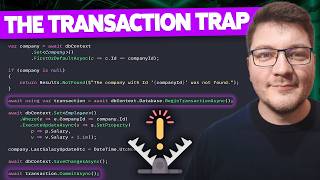

Why Your EF Core Transactions Fail Silently
47sExpert exposes a common hidden pitfall that can corrupt data, sparking curiosity and urgency.
▶ Play Clip"Delivers exactly what the title promises — a clear, practical warning about a common EF Core transaction mistake."
This video addresses common misconceptions about EF Core transactions, showing how implicit transactions work and where they fall short. It demonstrates real-world scenarios where mixing SQL or bulk operations with SaveChanges can lead to data inconsistency, and provides the correct solution using explicit transactions.
EF Core tracks entity changes in the change tracker and applies them atomically when SaveChanges is called.
A single SaveChanges call runs in an implicit transaction, ensuring all changes are applied or none.
ExecuteSql executes immediately on the database and is not part of the implicit transaction, so if SaveChanges fails, SQL changes remain.
Use Database.BeginTransaction() and wrap operations in a using block, then call Commit() to ensure atomicity.
ExecuteUpdate and ExecuteDelete do not run in the implicit transaction, so they must be wrapped in an explicit transaction when used with SaveChanges.
Multiple SaveChanges calls in nested code can lead to partial updates unless wrapped in an explicit transaction.
What is the implicit transaction in EF Core?
EF Core automatically wraps all changes made during a single SaveChanges call in an implicit transaction, ensuring they are applied atomically.
02:14
Which methods are NOT covered by the implicit transaction?
ExecuteSql and ExecuteUpdate execute immediately on the database and are not part of the implicit EF Core transaction.
05:13
How do you create an explicit transaction in EF Core?
Use Database.BeginTransaction() and wrap operations in a using block, then call Commit() to persist changes.
05:57
Why do ExecuteUpdate and ExecuteDelete require an explicit transaction?
ExecuteUpdate and ExecuteDelete do not run as part of the implicit transaction, so they must be wrapped in an explicit transaction when used with SaveChanges.
07:47
What is the purpose of the save point in the distributed trace?
EF Core creates a save point within the transaction before doing its own work, and releases it before committing.
10:01
Implicit Transaction in SaveChanges
Explains the core safety net that EF Core provides, which many developers take for granted.
02:14ExecuteSql Bypasses Implicit Transaction
Reveals a critical pitfall where SQL commands execute immediately, breaking atomicity.
05:13Explicit Transaction with BeginTransaction
Provides the simple, correct solution to ensure all operations are atomic.
05:57ExecuteUpdate Not in Implicit Transaction
Highlights that bulk update methods also need explicit transactions, a common oversight.
07:47Wrap Multiple SaveChanges in a Transaction
Emphasizes the need for explicit transactions in complex flows with multiple SaveChanges calls.
10:28[00:02] Core transactions? This topic can be a little confusing if you are new to EF Core, and I've even seen some more senior developers make mistakes when it comes to using transactions. So, I'm making this video to clear up the
[00:15] misconceptions and show you what is the correct approach to using EF Core transactions. Here's what I'm going to use for the example. I've got a minimal API endpoint that's accepting a company ID to be able to fetch that from the
[00:30] database and then perform some updates on the company and the employees table in our database. The database context itself doesn't contain the database sets. We can get those with the set method. Anyway, it wouldn't really
[00:44] the structure of the employees and companies table with some seed data that's populated when I run a database migration. I'm using Postgres as a database, and everything's wired up using Aspire behind the scenes, which is
[00:57] going to spin up and create my database instance, and I can just connect to it by passing in a connection string. So, what's going on in the increase salaries endpoint? We've got a very simple example of fetching an entity from our
[01:09] database. So, I'm using DB context set, specifying company to denote which we're going to include our employees and do a filter by the company ID. If this
[01:21] is null, we return 404 not found. We iterate through the employees, which we included in the statement above. So, this is also not efficient from a me, we're also going to fix this. So, as we iterate through the employees, we
[01:35] increase their salary by 10%. We set the last salary update date, and then, this is the key part, we persist everything when calling save changes. So, how EF Core works is when you load an entity into memory, it adds it to the change
[01:49] tracker. This keeps track of what is the current state of the entity, and as soon as you make some update, like changing a property value, that entity gets flagged as modified or when you insert or remove entities, they are marked as added or
[02:02] deleted. And finally, when calling save changes, EF calculates what is the difference from the initial state to the current state and it figures out which SQL commands to execute to apply the necessary changes on your relational
[02:14] database. So, this is just an intro and our core topic is going to be about transactions and we have to first understand how EF Core uses an implicit transaction which is there whenever you call save changes once and you've only
[02:29] before that. So, when we call save changes here, EF is going to send a request to our database and this will be implicitly ran in a transaction, meaning that the updates that we have here are going to be either all applied at once
[02:44] or they won't be applied at all. So, to show you how this works, let's set a breakpoint here, let's run the app and I'm going to send a put request to our API with a company ID of one. So, when I execute this, to hit the breakpoint in
[02:59] fetch the company. Now, I have a thousand employees here, so I'm not going to iterate over them one by one. Instead, I'm going to just jump over these and we're going to call save changes here. Now, how do we know that
[03:12] our changes have been persisted? Well, we can look at the output window here and here you can see our update statement to the employees table as well table. Now, because this is pretty small, I'm going to switch to the Aspire
[03:25] window where we can see our distributed trace and we're interested in the companies and it's also updating the employees and then we have another statement here which is another update statement sent to our database and this
[03:38] is because of how EF batches these commands and it may issue multiple requests even though you're calling save changes once. So, this all runs in a so-called implicit transaction. Now, let's look at another example that's a
[03:51] bit more performant. So, I'm going to call this increase salaries sequel. And instead of including the employees when we fetch the company from the database, we're going to update this using sequel. So, how can we do this? You can access
[04:04] the database context, which exposes a database facade. And here you can say execute sequel. So, I can do something like say update, and I'll specify the employees table, and we want to set the salary for each employee to be the
[04:19] salary for each employee to be the current salary multiplied by 1.1. And we want to filter this to say that the company ID for each employee should be the company ID value. Now, let me move this into its own row, so that we can
[04:33] worry, this isn't sequel injection. Firstly, because we have an integer here, so that already protects us. And secondly, this string will not be interpolated. Instead, it will be turned into a parameter and sent as a
[04:46] everything's good. But, let's execute this version with other transaction command window, and we're going to hit the breakpoint in our new endpoint. Now, the query. I just had to add quotes around the table name and the column
[05:01] Postgres, and it has a different naming convention by default. So, we're still going to fetch the company, but this time without the employees. So, the quick log here shows just a single select, and then we're going to do our
[05:13] update. Now, notice that this is immediately executed on the database. We didn't call save changes, and yet this was still applied database, which means you think about it. The transaction itself is implicit, but if this call to
[05:28] save changes were to fail, our update to the company, which is triggered with persisted, while the changes to the employees would still be applied to our database. And herein lies the problem. Now, the reasons for this call failing
[05:43] failure. You could have some other code here that for example, calls out to an external service or does some other work, and this causes an exception which but this was still applied to the database. So, now you're in some
[05:57] want to be in. And I've seen this happen so many times, and it honestly solution is simple. All you have to do is say DB context database begin overload, it doesn't really matter, and you just define this inside of a using
[06:13] run below is part of the transaction, but nothing gets persisted until we say commit or commit async. So, if I wanted to move everything into the async methods, I'd have to update to await using here, and of course I have to
[06:27] await this call. And this time we don't get anything executed until we commit the changes. So, let's run this demo. I'll send another request from my CLI, and then let's walk through the steps here. So, we're executing the update.
[06:40] it is sent to the database, but it isn't physically persisted un- -til we commit the transaction, which happens now. So, either this all completes successfully and we call commit, or something in between here fails and the transaction
[06:54] changes get rolled back. The problem with using SQL, like I'm doing it here, is that we don't get type safety. So, I'll show you another example that uses the bulk update support that we have in EF Core, and how you do this is you
[07:07] select the entities you want to update, in this case the employees where the in this case the employees where the company ID is equal to the company ID that we are updating, and then you say execute update or delete. Now, there's
[07:19] also async overloads, so if we await this, we can also execute this. And what we have to do here is define an action for how we're going to set a specific property. So, first we have to define which property we are updating, and
[07:32] define another delegate configuring how we're going to apply this update. So, different way, and that's something that I find really cool about C#, is that you different ways, but it also annoys a bunch of other people. So, depending on
[07:47] half empty type of person, this may or may not be a benefit. The reason I'm showing you this example is because execute update and also the execute delete bulk method do not run as part of the implicit EF Core transaction. So,
[08:00] whenever you use this in conjunction with save changes, make sure to wrap everything in an explicit transaction. And I want to show you one more example first one. So, I'll actually copy the first endpoint here where I do want to
[08:14] include the employees. So, I'll drop it here and let's call this multiple save changes for lack of a better name. And what I want to do here is something like this. Let's say after entering all of the employees, we call save changes,
[08:26] then we update the company, and then we call save changes. And again, this is a contrived example, but I've seen countless examples in production code bases where you've got a big chunk of code, let's say a method with 50 to 100
[08:38] lines of code doing some logic, calling save changes, then returning control to one, and this method also does work and call save changes, and you may not even be aware that you are calling save changes multiple times without an
[08:51] explicit transaction. And when you do this, you run into a similar situation to what we just described, and the solution is again identical. You just have to create a transaction here, wrap all the changes that you want to be part
[09:03] of said transaction inside of the using block. In this case, we have an inline using statement, so we just have to make sure that we call commit async after made this example safe. So, let me just do a quick demo of the third example.
[09:18] The endpoint should be increase salaries bulk. So, let me change this and send a request. And here, we're going to open up a database transaction, do an execute update, which as you can see here will immediately update our employees table,
[09:33] call save changes, which is going to use the EF Core change tracker and apply the respective update. And finally, when we commit this, everything gets persisted in the database. Now, if we take a look at the distributed trace, you can see
[09:47] here. So, we've got our select statement here, fetching the company from the database. Then we've got our bulk update, which is a result of the call to execute update. But notice this line here. This is EF Core creating a save
[10:01] point within our transaction before doing its own work, which is updating the companies table and setting the last salary update. And lastly, before the transaction gets committed, EF Core releases the save point so that
[10:13] successfully. So, just a recap of what we covered, EF Core has an implicit transaction, and as long as you're making your changes in memory and and you mostly don't have to think about this. If you've got nested calls with
[10:28] multiple calls to save changes like we do here, make sure to wrap it all in a transaction. If you're using any of these SQL methods, these will not be have to create a transaction explicitly and make sure these are executed within
[10:43] the transaction. And the same goes for the execute update and execute delete methods. You also have to run them in an explicit transaction together with save transactional. And if you want to improve your knowledge about database
[10:57] indexing, I highly recommend taking a look at this video next. Make sure to click the like button if you enjoyed this video. Thanks for for watching and this video. Thanks for for watching and until next time, stay awesome.


⚡ Saved you 0h 11m reading this? Transcribe any YouTube video for free — no signup needed.