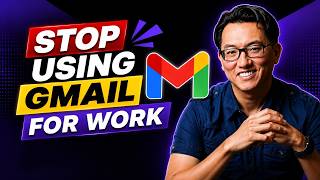

Your Gmail is costing you clients
40sDirectly challenges a common habit (using Gmail for business) with a strong claim that it hurts credibility, sparking curiosity.
▶ Play Clip"The title promises a credibility boost, and the video delivers a practical tutorial, though it's essentially a sponsored ad for Hostinger."
The video explains why using a free email provider like Gmail for business can undermine credibility and demonstrates how to set up a domain-branded email address using Hostinger's business email service. It walks through the entire process, from choosing a plan to configuring the inbox, and highlights the benefits of a professional email address.
Using a Gmail address for business can make your venture look like a side project, creating a disconnect even if your website and brand are professional.
The solution is to set up an email address using your own domain (e.g., yourname.com), which ties your email to your brand and boosts trust.
Hostinger offers a Starter plan for one mailbox and a Premium plan with up to five mailboxes, a free domain for one year, and AI-powered email tools. The 48-month period is recommended for the best deal.
After purchase, you select your domain, create your email address (often using just your first name, which is possible with your own domain), set a password, and create the mailbox.
The setup guide lets you choose between rows or columns view, select a theme (system, dark, or light), add a sender name, and create an email signature with contact info.
You can access your business email through clients like Apple Mail, Outlook, or even the Gmail app, so you don't have to abandon your existing email workflow.
A branded email address makes your business appear more credible, consistent, and trustworthy, and the setup takes only a few minutes.
Switching to a domain-branded email address is a quick and impactful upgrade that enhances your business's professional image and client trust. The video provides a clear, step-by-step guide to implementing this change with Hostinger.
Why is a Gmail address bad for business credibility?
It can make your business look like a side project rather than a real venture, creating a disconnect even if your website and brand are professional.
What is the recommended fix for using a free email provider for business?
Set up a domain-branded email address using your own domain name.
00:54
What does the Hostinger Premium business email plan include?
Up to five mailboxes, a free domain for one year, and access to AI-powered tools for writing and managing emails.
01:35
What is the benefit of using your own domain for an email address?
You can often use just your first name, which is usually unavailable with Gmail because someone else has already claimed it.
02:45
How can you access your business email through existing email clients?
You can connect it to Apple Mail, Outlook, or the Gmail app by following the step-by-step instructions in the setup guide.
04:45
First impression is your email
Highlights a common oversight in business branding—email address is often the first touchpoint for clients.
Simple fix for credibility
Provides a straightforward solution (domain-branded email) that can be implemented in minutes.
00:54First-name email advantage
Shows a practical benefit of owning your domain—getting the email address you want without suffixes or numbers.
02:45Easiest upgrade for business image
Emphasizes that this is a low-effort, high-impact change for any business owner.
05:29[00:00] If you're still using a Gmail address for your business, it might be costing you more than you think. For a lot of clients, the first impression isn't your website or your profile, it's your email address.
[00:12] And a Gmail address can totally make your business feel less legitimate. Hi, I'm Garrick, and in this video, in partnership with Hostinger, we're going to see how a simple switch to a branded email address can instantly boost your credibility,
[00:25] build trust, and give you full control of your brand. Now, Gmail isn't bad. It's just not great for serious business use. If a client sees a Gmail address, it can make your business look more like a side project than a real venture.
[00:40] You might have a great website and brand, but if your email doesn't match it, there's an instant disconnect. And it's not just Gmail. This applies to any free email provider you're using for your business communication. The fix, though, is actually really simple.
[00:54] Set up a domain-branded email address. and you can do this in just a few minutes. If you already have a website and your own domain like yourname.com, you're actually most of the way there.
[01:06] Setting up a branded email as the same domain is just the next step that ties it all together. But even if you don't have a domain name yet, you can still set that up and get your branded email in minutes. If you want to try Hostinger's email solution,
[01:19] point your browser at hostinger.com slash garic email and here click start now to check out the plans Now the starter business plan works if you only need one email address but in many cases you probably want to create multiple business addresses
[01:35] For example, a customer service address, an address for general questions, and so on. The premium business email deal gives you up to five mailboxes, as well as a free domain for one year. So if you don't yet have a domain name for your website, you can get one for free.
[01:49] You also get access to several AI-powered tools to help you write and manage emails more efficiently. I'll choose that plan for this example. On this next page, make sure you keep the 48-month period selected for the best deal.
[02:04] This is also where you can add additional storage space if you think you'll need it, but you can always add it later as well. And if you don't have a domain name to associate with your email address yet, be sure to enter the name you want here to check its availability and add it,
[02:17] since you can't have an email address without a domain name. Also be sure to click Have a Coupon Code and add the code GARICEMAIL for an additional discount. Once you've purchased your email account, you'll be walked through the setup process.
[02:32] On this first screen, you're asked to choose the domain name for your email. You can select any existing domain you have or the one you just purchased. I'll select the one I own called Downtown Chow. Then click Next.
[02:45] Here, add the name you want for the email address. So one of the other advantages of creating your own email address on your own domain is you probably be able to use just your first name which is most likely something you couldn do when creating your Gmail address since someone else with the same name had probably already claimed it But I can enter my own name here
[03:04] so the address will be garrett at downtownchow.com. Then enter the password you want for this account, making sure it meets all the criteria listed here. Then click Create Mailbox.
[03:16] And that's it. There's nothing technical to set up. I'll click Open Inbox to go to my inbox, which you can see looks very similar to other web-based email boxes you're probably already familiar with.
[03:29] And at this point, you're ready to start sending and receiving messages with your new address. Now, down here in the lower left, you can walk through the setup guide to customize your experience. The first screen lets you choose how you'd like your inbox to display, either as rows or columns.
[03:44] I prefer columns, so I'll leave that selected. I'll click Next. Here we can pick the theme for our inbox. we can go with the system settings, dark or light.
[03:57] And this can give us a couple more options. Here we have add sender name. And this determines how the name of this account will show up for people who receive your email. I'll enter my full name in this case.
[04:09] But if you were setting up a customer service email address, you might want to call this customer service or CS or another name that lets people know from whom this message is coming. I click Save Changes And I open the Setup Guide again Next we can click Add Signature And this is where you can add a short message or other info that will appear automatically
[04:31] at the end of your emails. For your business, you might want to put your phone number or other contact info here. Now you're always free to remove the signature from any email you send, but having a set signature can save you time from having to type your contact info manually each time
[04:45] and it makes your emails look a little more professional. I'll go back to the setup guide. Next, you can connect apps and devices. So having a business email address doesn't mean you have to give up the emails you already
[04:58] use. You can connect and access your account through clients like Apple Mail, Outlook, or even the Gmail apps on your computer or mobile device, because hosting your email works with all of those and more. Just click your preferred client and follow the step-by-step instructions to access your
[05:14] email through it. And once that's done, you can send, receive, and reply to messages just like any other email, but now you're actually doing it with an address that reflects your business. Instead of looking like a side project, you're showing up as something more credible, more
[05:29] consistent, and easier for clients to trust. And as you just saw, it only takes a few minutes to set up, so this really is one of the easiest upgrades you can make to positively affect how your business is perceived. If you want to try it out for yourself, check out the link in the description, and use my
[05:44] code for a discount on HostSignior's business email. And if you found this useful, give it a like and subscribe for more practical tips like this.



⚡ Saved you 0h 05m reading this? Transcribe any YouTube video for free — no signup needed.