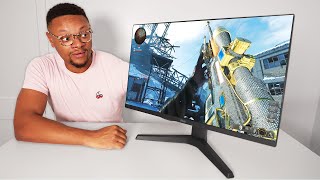

This 2K 180Hz Monitor Costs HOW Much?
54sThe price-to-performance reveal makes budget gamers instantly stop scrolling.
▶ Play Clip"Genuine hands-on coverage of a cheap 2K 180Hz monitor; just keep in mind the affiliate link and zero-negative verdict."
The video is an unboxing and multi-day review of the Pixio PX277 Prime Neo, a 27-inch 2K 180Hz IPS gaming monitor priced just over $200. The reviewer tests it on both a Windows PC and a PlayStation 5, covering the design, ports, assembly, gaming performance, and PS5's 1440p/120Hz support, and ultimately finds no meaningful negatives.
The Pixio PX277 is a 27-inch 2K 180Hz gaming monitor with a fast IPS panel, adaptive sync to reduce screen tearing, and a 1ms response time.
The monitor is VESA mount compatible and includes HDMI 1 and HDMI 2 (both HDMI 2.0), a DisplayPort connection, an audio jack, and a power connector.
To achieve 2K 180Hz support, you need to use the DisplayPort connection. A DisplayPort cable is included in the packaging.
Assembly is simple: slide in the table mount, snap it into place, attach the legs, and secure with a screw at the bottom.
The stand offers height and tilt adjustments, plus a plastic cable holder on the back to keep cables tidy.
The monitor costs just over $200, which the reviewer calls an amazing price for a 2K display pushing over 120Hz.
After several days of use with a PS5 and Windows PC, the reviewer found the speed and responsiveness exceptional and praised the vibrancy and saturation of colors, with no complaints about picture quality.
A joystick-style knob on the back controls inputs, brightness, settings, adaptive sync, HDR, crosshairs, and volume. Adaptive sync helps keep screen tearing in check.
The speakers are present and usable but not the loudest. Unlike many competitors in this price range, they exist and allow audio through the monitor.
The reviewer enabled 1440p support on the PlayStation 5 and played games at up to 120Hz, calling the experience highly enjoyable.
The reviewer could not find a single negative: price, 2K quality, over 120Hz refresh rate, colors, and adaptive sync all exceeded expectations, making the monitor a staple in their setup.
The Pixio PX277 Prime Neo checks nearly every box for budget-conscious gamers: crisp 2K visuals, a 180Hz refresh rate, adaptive sync, and PS5-friendly 1440p/120Hz support at a hard-to-beat price.
What is the resolution and refresh rate of the Pixio PX277 Prime Neo?
It is a 2K (1440p) monitor with a 180Hz refresh rate.
00:01
What is the response time and panel type of the Pixio PX277?
It has a 1ms response time and a fast IPS panel.
00:01
Which connection is required to get 2K 180Hz support on this monitor?
The DisplayPort connection is required.
01:25
What ports are available on the back of the Pixio PX277?
Two HDMI 2.0 ports, a DisplayPort, an audio jack, and a power connector.
01:10
How much does the Pixio PX277 Prime Neo cost?
Just over $200.
02:38
Does the monitor stand offer height and tilt adjustments?
Yes, it can be moved up and down to different height positions and has a tilt function.
02:24
What is the purpose of adaptive sync on this monitor?
It keeps screen tearing in check while gaming.
04:21
What did the reviewer say about the built-in speakers?
They aren't the loudest, but they exist and are usable, unlike many other monitors in this price range.
04:36
What PS5 feature does the monitor support for enhanced gaming?
It supports 1440p output, allowing games to run at up to 120Hz.
05:16
Did the reviewer notice any blooming or light bleeding issues?
No, they did not notice any and didn't need to adjust settings for it.
03:55
Budget pricing for high refresh rate
At just over $200, the monitor offers 2K resolution and 180Hz, an unusually strong value proposition that questions the need to spend more.
02:38Exceptional color quality
The reviewer repeatedly praised vibrant, saturated colors, confirming that picture quality exceeded expectations for the price bracket.
03:43Adaptive sync availability
Adaptive sync helps eliminate screen tearing, a critical feature for smooth high-refresh-rate gaming at a budget price.
04:21PS5 1440p/120Hz support
This confirms that console gamers can leverage the monitor's high refresh rate, making it a practical buy for PS5 owners.
05:16No negatives found
After deliberately trying to find faults, the reviewer could not list a single negative, making this a highly confident recommendation.
05:46[00:01] checking out the pixio px277 2K 180hz gaming monitor it has a fast IPS panel with vibrant colors adaptive snc which alleviates that
[00:13] screen tearing you might see on other displays and it also has a 1 millisecond response time to keep you locked into the action of your game Let's unbox this the action of your game Let's unbox this Beast of a monitor as for the sizing of
[00:27] Beast of a monitor as for the sizing of the display it is 27 in corner to corner so not too insanely big if you don't want something overpowering your desk setup single all right let's carefully flip
[00:42] this over oh my go what am I doing I'm just going to stop okay luckily that was nothing of sensitivity it was just the amount that the monitor will go on seems to be in okay shape kind of testing the
[00:58] durability here in a lot of ways let's carefully take this out all carefully take this out all right oh yeah this is nice about as big
[01:10] as the middle of my torso and the weight of this thing is not significant whatsoever now some things you'll find on the back of this monitor is you're going to see that it is Visa Mount compatible so if you do have an arm
[01:25] that's attached to your desk or a wall you'll be able to connect this monitor to it your also going to find a HDMI 1 and two ports which is going to be HDMI 2.0 compatible now if you want to get that 2K 180hz support then you're going
[01:41] connection that's right next to that you'll also find the display port cable amongst the packaging as well to the right of that you're also going to find and you want to listen to the audio directly from the monitor you'll be able
[01:55] to do that and then of course you have your power connector all right let's put this thing together starting off with the table Mount slide that right on in line it up snap it into place here we have the legs to the Mount which will be
[02:11] put on right here like so and there's going to be a screw at the bottom that going to be a screw at the bottom that we're going to need to put into place all right that's pretty tight lift the on up there we go it does have a
[02:24] mechanism where you can move the monitor up and down to different height positions as well as a tilt function here on the bottom in case you want to get that perfect angle on the back of the monitor mount you're going to find a
[02:38] piece of plastic to be able to hold your cables in to keep them a little bit cleaner so to get this monitor for your setup how much is it going to set you back well it's just a hair over $200 in general that's an amazing price to be
[02:53] able to get a 2K resolution monitor pushing over 120 HZ let's hook this up in and see how well it [Music]
[03:18] performs all righty guys I've now had the opportunity to have used this monitor for the past several days gaming on it using my PlayStation 5 and even doing work rated or leisure activities on my Windows PC and I wanted to share
[03:31] with you guys My overall thoughts regarding this display based on the experience that I had so for starters while I was gaming the speed and responsiveness of this display was exceptional but it just didn't stop
[03:43] exceptional but it just didn't stop there because I was so blown away at the there because I was so blown away at the vibrancy and saturation of the colors on this display I honestly had no complaints in the picture quality that I
[03:55] was seeing from game to game using this display if you're someone that's concerned about blooming or light bleeding on your monitor I didn't notice needing to adjust the settings on the display there's this little knob di in
[04:09] the back that you just press once and this control di depending on which way you flip it you can access your input settings your brightness and then most importantly your overall monitor settings this is also the area where you
[04:21] can turn on adaptive sync so in the case you start running into screen tearing all over the place while you're Ging ging this setting will keep that in check you can also turn on HDR here enable crosshairs your volume adjustment
[04:36] is here as well because you can play your audio through the speakers that this monitor has now I will say that these speakers aren't the loudest but these speakers aren't the loudest but here take a
[05:01] tow well done more fun [Applause] other monitors within this price range sometimes don't even have speakers that
[05:16] you can use but of course as an added bonus you can plug in your headphones into this monitor as we showed earlier in the video on the PlayStation 5 I was able to enable 1440p support and play my games up to a 120 Herz resolution on
[05:30] this display and boy did I enjoy it once you go 120 you can never go back so all in all guys I think this is an outstanding monitor to pick up you can't highlights that I was able to put together for it and there's not a
[05:46] negative one on here I really couldn't think of one while doing this like the think of one while doing this like the price is too good you get 2K quality 120 plus Hertz colors are great you can avoid screen tearing there was literally
[05:59] nothing I could find to not love about this display and I really tried which is why this monitor is going to be a staple in my setup moving forward if you guys put an affiliate Link in the description below thank you guys so much for staying
[06:13] to the end I'll see youall on the next one peace
⚡ Saved you 0h 06m reading this? Transcribe any YouTube video for free — no signup needed.