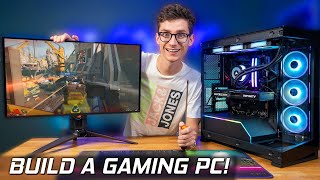

Best Gaming PC Builds 2026?
45sOpens with a direct question about building the best gaming PC in 2026, immediately hooking viewers interested in current hardware.
▶ Play Clip"Title accurately promises best gaming PC builds; video delivers detailed, budget-specific recommendations."
This video provides a comprehensive guide to building the best gaming PC in 2026 across various budgets, covering 1080p, 1440p, and 4K gaming. It analyzes current pricing trends, recommends specific components for budget, mid-range, and high-end builds, and highlights the impact of the ongoing memory crisis on RAM and GPU prices.
The video covers best PC parts for different budgets, focusing on 1080p, 1440p, and 4K gaming. Sponsor: Aoris Master 16 laptop.
At $250, the Intel Arc B570 (10GB VRAM) offers better value than the RTX 5060 ($360, 8GB) due to more VRAM and lower price. In the UK, B570s are overpriced; RTX 5060 is better.
Ryzen 5 9600X ($220 with cooler) offers AM5 upgrade path. Intel Ultra 5 225K has more cores for multitasking but no future CPU upgrades on same socket.
MSI Pro B850M motherboard comes with a free SSD, making it a no-brainer. Case: Phanteks G370A ($40 after rebate) with three RGB fans.
DDR5 RAM is expensive: $210 for 16GB. Total build cost: $954 (excluding taxes). RAM inflation adds ~$150 compared to previous years.
RTX 5060 Ti 8GB at £290 is a good deal. RX 9070 (16GB VRAM) at ~£500 is recommended over RTX 5070 (12GB) for future-proofing. RTX 5070 Ti also considered.
Ryzen 7 9700X (8-core) for gaming and multitasking. Intel Ultra 7 265K for productivity. B850 motherboard chosen. Cooler: Arctic Freezer 36.
32GB DDR5 kit costs £350 (inflated). SSD: WD Black SN770 1TB at £150. Power supply: 850W MSI A850GL ATX 3.1 at £85.
RX 9070 XT (~$700) is recommended over RTX 5090/5080 due to better value. It offers 4K gaming with FSR 4.1, though ray tracing is weaker.
Ryzen 7 9800X3D ($450) is the best gaming CPU. Motherboard: MSI X870 Tomahawk WiFi. RAM: 32GB Corsair kit (~$380). Case: Lian Li Lancool 217. PSU: 1000W be quiet! Pure Power 13.
Despite inflated RAM and GPU prices, building a gaming PC in 2026 is still viable with careful component selection. The budget build offers great upgradability, the mid-range delivers excellent 1440p performance, and the high-end build provides near-top-tier gaming without overspending on ultra-premium parts.
What is the recommended budget graphics card in the US for 2026?
Intel Arc B570 at $250 with 10GB VRAM.
01:30
Why is the RTX 5060 not recommended for budget builds?
It costs $360 and has only 8GB VRAM, which is insufficient for modern titles at high settings.
01:30
What is the main advantage of the Ryzen 5 9600X over the Intel Ultra 5 225K?
The Ryzen 5 9600X offers an upgrade path on the AM5 socket, while Intel's socket is dead.
03:00
How much does 16GB of DDR5 RAM cost in the US budget build?
$210.
06:00
What is the total cost of the budget build (excluding taxes)?
$954.
07:00
Which mid-range GPU does the video recommend for future-proofing?
RX 9070 with 16GB VRAM.
09:00
What is the price of the RTX 5060 Ti 8GB in the UK?
£290.
08:00
Why does the video recommend the RX 9070 XT over the RTX 5090 for high-end builds?
The RX 9070 XT offers 4K performance at a much lower price (~$700 vs $2000+), with only ray tracing as a compromise.
14:00
What is the best gaming CPU according to the video?
Ryzen 7 9800X3D at $450.
16:00
What power supply wattage is recommended for the high-end build?
1000W.
17:00
RAM price shock
The presenter expresses genuine frustration at the $210 price for 16GB of DDR5, calling it 'crazy' and highlighting the memory crisis.
06:005090 pricing rant
The presenter questions who would spend over $2000 on a 5090, calling the prices 'ridiculous' and advising viewers to skip it.
14:00Path tracing honesty
The presenter admits they haven't used path tracing in years, offering a candid reality check on the feature's importance.
16:00[00:00] Ladies and gentlemen, do you want to build the best gaming PC you possibly can in 2026? Well, you probably noticed that pricing is a little bit all over the place and some components are not going to be worth buying, whereas others are actually a bit of a steal and should be picked up. So, where does this leave us? And what are going to be the best gaming PC parts that you should actually be buying? That's where
[00:21] this video comes in. As throughout this video, we're going to go through all of the very best PC parts to get you your dream gaming PC and a whole host of different budgets, price points, and we're going to be looking at 1080p, 1440, and 4K. So, it doesn't matter how much you want to spend on a PC. This video will help you find the one that's perfect for you. All this to say is a massive thank
[00:43] you to this video sponsor, and then we can get started. The Aoris Master 16 has arrived. Bringing both jaw-dropping visuals and super slick frame rates, this stunning machine packs a 16x10 quad HD OLED display for an unreal level of detail running up to 240 Hz. Not only that, but the Master 16 uses the latest Nvidia 50 series of GPUs for DSS4 and RA reconstruction, as well as both incredible options for AMD or Intel CPUs that pack
[01:04] some serious punch. Learn more about this beastly machine today with a link below. So, welcome back then, folks. And if you're new to this series, it's going to be very straightforward. We're going to be focusing on Newegg over in the States and then Overclockers UK here in the UK. But it doesn't matter where you are located in the world. We're going to leave current pricing to all of the components that we talk about with our links
[01:25] down in the description and in the comment section. So you can kind of see whether this actually makes sense for you and obviously whether the pricing has changed by the time you're watching this video. Let's start off with our budget friendly rig. And we're going to begin over at Newegg. And the I think the best place actually to start with a gaming PC really is going to be with the graphics card because obviously this is the
[01:46] thing that's going to dictate your frame rate and it's going to determine whether you can play games at 4K 1080 but more importantly really the actual frame rate as well of the games that you're going to play. And obviously the higher the frame rate then the smoother it's going to be and the more playable it's going to be and especially at the budget end. I mean let me show you there's not actually that many options and
[02:08] not many of them are good options at the moment. There is definitely a choice that's worth going for, but everything seems to be a little bit more expensive in the States than it is here in the UK. You can see a 50/50, I mean, they're all like $300. They're definitely not worth buying. You can actually get more performance, I mean, considerably more performance if you want to see actually firsthand the difference between these different graphics cards.
[02:29] You can find them in the top right corner of your screen because the lovely editor car has already made a video that goes through all the different performance levels, and that'll be helpful. Uh, so you're probably looking at maybe like a 5060 or originally actually I would say an ARC card, which is an Intel card. But let me show you what I mean. $360 for the cheapest RTX 5060. This is an 8 GB graphics card, which
[02:50] is going to be fine for multiplayer gaming, fine for most people in a lot of single player titles. But the latest and greatest, anything really where you want to kind of crank those settings up or as I say just play like something like Forsa Horizon at like decent settings, then you might find that you are going to, I don't want to say struggle, but certainly have issues that you're going to have to learn how to deal
[03:12] with. You're going to have to turn the right settings down in order to kind of free up VRAM and then everything else should run nice and smooth. But it's not something you want to do. But because obviously we live in a bit of a memory crisis, unfortunately VRAMm and uh RAM in general is going to be more expensive. So that's why these graphics cards obviously have started to inflate. So around about $360 for a 5060. So
[03:33] usually I'd say, oh, we'll look at an ARC graphics card. So we'll look at a B570. This is going to have more VRAM. It's 10 gig. And it is just going to kind of give you more flexibility despite the fact that the raw horsepower of the graphics card is actually a little bit less. Once again, we'll set this to low to high and see what we have. I mean, actually, to be fair, I'm surprised by this,
[03:54] cuz this is not the same in the UK. You can actually get, at the time of filming, a B570 for a decent price. So, again, 10 GB of VRAM, $250. Actually, this makes a lot of sense. So once again, you can check out our kind of performance differences uh between like the B580 and we've got a video on the B570 as well, so you can see gameplay, but the B580 actually has a little bit more VRAM,
[04:16] so it's more futurep proof, has a little bit more performance. But if you just want the best value card here, then it is almost certainly going to be this one. $250 actually for performance that isn't that far away from a 5060, but more VRAM, I think this makes sense. So, okay, in the US at the time of filming, go for a B570. As you can see, I'm actually pleasantly surprised by that. I thought it was going
[04:37] to be way more. But in the UK, B570s are over inflated. Only buy them if they're around about, you know, 220. But regardless of the graphics card that you go for, of course, you're also going to need a CPU to pair with it. Now, somewhere really between budget and mid-range, we have this, which is the Ryzen 5 9600X. It's a six core CPU, loads of performance, but the thing I really like about it is it's got
[04:58] loads of upgradability. So, even if AMD never released another CPU again, obviously in theory you could stick in a a 9800 or 9850 X3D and get way more gaming performance, but thankfully because it's AM5, AMD will almost certainly release new CPUs for this socket. So, you can get more performance at a later date. So, if you're kind of building a starter PC today and then you're going to upgrade it in two or three years time, there'll
[05:19] be some even more tasty CPUs that you can actually pair with this, which is pretty exciting. But for now, $220, it's not exactly the best price in the world really, but it does come with a $240 CPU all-in-one liquid cooler, which actually isn't a bad option for our rig. Yeah, I quite like that actually because by the time you factor in a cooler for around about $30, $40, this essentially makes this CPU around about 180, which
[05:41] actually is a pretty good price. But I also want to show you the alternative that I think makes a lot of sense for a lot of people, which is this, an ultra 5 250K Plus from Intel. I'm a massive fan of this CPU because in terms of value for money, it's awesome. It's one of those things. Obviously, I build a lot of computers on this channel, typically averages out maybe like one or two a week. And
[06:02] I can always notice when I'm kind of downloading games and just kind of setting up these systems which systems have a six core CPU versus a higher core count just because it's not that they're laggy, but they just aren't quite as snappy when it comes to kind of more stressful tasks. And if you're pairing it with like fast internet for example when you're unpacking files when you're like trying to install loads of drivers and download things
[06:23] all at the same time as I say it does become a little bit an emphasis on the little a little bit more noticeable when you're running a six core rather than something like this which is an 18 core chip. So this is kind of uh six performance cores with u 12 yes quick math 12 efficient cores that can do all these background tasks without kind of taking up uh those six performance cores which means if you're
[06:45] going to want to do anything whilst gaming so if you're running like loads of applications or you've got multiscreen setup loads of Chrome tabs and you want to play the game at the same time maybe you like watch a a Twitch stream or something this actually makes a whole ton more sense and it has very similar gaming performance to the 9600X. So, it's not really um like you've got to kind of pick between one or the
[07:06] other. It's purely just down to that upgrade path uh because this isn't going to see any more CPUs on this motherboard socket. So, if you're someone that is going to upgrade every like five or six years and you're going to get a new motherboard anyway, obviously this is irrelevant. Whereas, if you're someone, I guess like me, that likes to upgrade my things and you already be planning your next CPU uh path in like a year or
[07:27] two, then go for the 9600X. But I've got to say that the offer that they have on them at the moment with the 9600X and that cooler means we're going to stick with AMD. And as a direct result, of course, we are going to need a compatible motherboard for this. So, let's have a look what we can find. We're going to go for B850. This is basically the gaming platform from AMD. There's not really any point
[07:48] in most gamers going for anything higherend, especially at the budget end of things. So, let's have a look what we can do. We're looking for something close to around about $120 if possible. Do obviously bear in mind that if you need Wi-Fi, you're going to need to have a motherboard that has Wi-Fi on it. Cheapest one here is from ASRock. Look B850M. Also comes with a free CPU cooler. Not sure we need two. Oh, but this
[08:10] one comes with a free SSD. It's not going to be amazing, but it's PCI Gen 4 and it it genuinely is going to cost us about $100 or so to get one separately. So, okay, this is a no-brainer. Let's go for this MSI Pro board. See what I mean? Like, prices are definitely on the up, but there are deals to be had. Awesome. So, at the moment, we've got our SSD, motherboard, CPU, graphics card, and a
[08:31] cooler. Now, the next piece of the puzzle is going to be to get our case. It's worth bearing in mind the size of your motherboard. This is an M motherboard, which stands for microATX. So, in my opinion, there's no point buying like a really big case cuz it's just going to look a little bit weird, and we can save yourself some money by going for something smaller. So, let's go for MACX case and see what we
[08:52] can find. This is one that I actually use for my personal system, but it's more suited for like a living room environment really. Oh, there's this one from Antech. I haven't used this before. NX200M. It's got plenty of ventilation. Oh, is that glass or is that plastic door? It does look a little bit cheap, but it is $40. Oh, yes. Here we go. This will do. Fantex G370A. Cheap and cheerful. Isn't going to like be the
[09:14] absolute best case in the world, but it's built well enough that you're not going to wish you bought something else. And it does actually come with three RGB fans as standard, which is quite nice as well. And you should be able to control them. And it does look as if you get a $10 rebate. So, $40 for this case. You see, there are deals, right? Okay. I think we literally just need a power supply now. And
[09:35] some RAM. Oh, the RAM. Let's see if they've got my goto power supply, which they absolutely do. They've got a second generation version, actually. Slightly more expensive, but comes with PI Gen 5, which could be useful in the future. Generally, with power supplies, you just don't want to muck around with like a no-name brand that you've never heard of. You want to buy something that's basically going to be reliable and isn't going to kind of risk
[09:56] anything in your system. I'm not saying that they are, but it's not something I feel comfortable kind of recommending. As I say, just, oh, buy the cheapest power supply you can. It doesn't matter. That's not what I think at all. I've used the previous gen version of this loads and it's fine. But now comes the bad bit. Let's look for our DDR5 memory. And we're definitely going to try and save as much money as possible by
[10:18] going for 16 gig. If you can get 32, obviously that's going to make a lot more sense, but it is going to cost you basically double the money. And the money at the moment is high. There's no way around that. If you got someone that has some DDR5 you can use, great. But otherwise, you're going to be looking at something like this, which is $210 just for 16 gig. It's crazy. Well, at least it's reasonably quick.
[10:39] 6,000 MHz. But yes, $210 for 16 gig of RAM. Man, it sucks. It really, really does. But I think that is actually the final piece of the puzzle. So yeah, for our budget friendly rig, this hasn't been the most budget friendly one in the world, has it? $954. If you were after something that's half this price, basically you're going to have to look at the used market. I think the best way to do it is to
[11:00] kind of find someone that's just selling a PC on eBay that doesn't know anything about computers and you can kind of like take bits out of different places or obviously if you're happy to use like an older CPU if you're playing multiplayer games, you're going to have to do a lot of shopping around. Basically, if you're looking for kind of an offthe-shelf way of buying PC parts, I'm happy with everything that we have here until we
[11:21] get to the RAM really because that has put our PC up by an astronomical amount. I mean, this is about $150 more than it should be. Plus, the graphics card's maybe $30 or so inflated. So, what's that about $175 extra than it should be? But assuming you're okay with this and you have $954 plus taxes to spend on a system, I think you'd be really happy with this because it's got so much upgradability, it's going to
[11:43] be great today and into the future. And that B570, as I say, check out our video where we kind of like actually game on it and showed you what you could do. It is a really capable graphics card. It's not going to be playing everything at 4K, obviously not, but if you're happy for kind of like 1080p, 1440p gaming, high frame rates, and multiplayer titles, it's kind of all the PC really that you need. and everything
[12:04] else we've kind of just covered off nicely just by buying the deals essentially. But what do you guys think? Let us know in the comments section below. Current pricing is below. Let's now move on to our next I was going to say title, our next PC, the mid-range. And of course, us Brits love this. As we now move over to the UK, but once again, Americans, Canadians, Brazilians, wherever you are that we can do current pricing,
[12:25] we will have it localized down below so you're not missing out. We're just trying to be fair to everyone. But of course, as always, our first part of call should be our graphics card. And as I say, in the UK, we seem to have much better pricing than in the States, especially bearing in mind as well that we include our taxes in the price from the off. Uh so this includes 20% uh VAT. As you can
[12:47] see, 5060 is around about £260 or so. So we we just have it a little bit better. So if you were going to build that budget system like we just did, as I say, a 5060 is probably going to be your best bet. But this obviously is only an 8 GB graphics card. So, let's ramp it up. We'll look at a 5060 Ti 8 gig. And you can see these are Wow, actually that's a pretty good
[13:08] deal. Don't buy the 5060. Get the 5060 Ti 8 gig for £290. That with a copy of 007, that is a steal. And um 7 is a great game, but we'll talk about that when we do our next build. Uh so, this is this is actually amazing. This is a really good deal. But obviously, when you start to talk about mid-range, you need more VRAM to get there. And the next way up essentially is to look
[13:29] at this which is a 5060 Ti 16 gig which doesn't necessarily have loads more performance unless you start to get kind of VRAM limited whether that's bandwidth or whether that's obviously down to the capacity as well. And it does make a big difference especially in things like Forza Horizon 6. But would I spend an extra 150 to double the VRAM? No, I wouldn't. I would obviously just kind of make do with the eight and just suffer,
[13:50] you know, the the settings would have to come down. I I wouldn't want to spend that much money. Instead, I'd want even more performance and more VRAMm, which puts you in a weird place because then you're looking at one of these, which is a 5070T, and you can get these for around about £495, which obviously has way more performance, especially in multiplayer titles, but then you're limited by the fact that it only has 12 gig of
[14:12] VRAM. I think in the UK, the 5070 does actually make a lot of sense and most people will be very, very happy with it. But if you're someone that kind of wants a graphics card that's going to, you know, last like five, six, seven years and you play a lot of single player titles and you're buying into the promise of all of this like ray tracing that Nvidia has been talking about for years, this is a
[14:33] little bit of an awkward card because it doesn't really have the VRAM to be able to play high resolutions and turn on rate tracing. You typically need to pick one. So, if you're playing at 1440p, you probably won't notice that much difference. But I can forgive the 5070 a little bit more now because obviously this weird crisis that we're in with VRAM, the price hasn't really changed at the moment on the 5070. Whereas when the memory
[14:54] was obviously a lot cheaper, they could have just like bumped it up to 16. But I think £495 for a 5070 is actually pretty good. But I would strongly consider that people also consider the AMD offering, which is this 9070. Don't buy the 9070 GRE. It's like the 5070. It's only got 12 gig of VRAM, doesn't have the Nvidia features, and doesn't have the same performance as a 5070. So, unless you can get that really cheap,
[15:16] I wouldn't bother. I would definitely step it up to one of these. The question is, which one should you go for between a 5070 and a 9070? Well, they're basically the exact same price. Personally, I would probably go, well, I would go uh for this one, which is the 907016 cuz it's got a lot more like future proofing. But if you're someone that really cares about those Nvidia features, you obviously want the DLSS super resolution that's
[15:37] like backwards compatible for years and still looks awesome rather than relying on XSS or FSR on the older versions which weren't really that great to be honest with you. Or maybe the specific game that you're playing really works well on Nvidia cards, go for the 5070. But in terms of the best all round option, it's this, which is an RX 9070. And this is the same in the States as well. So let's add this to our
[15:58] basket. Then we can talk about CPUs and pretty much I don't want to say the only offering but certainly the way I would go is one of these which is a 8 core 9700X because for gaming this is more than you're going to need and fundamentally those extra two cores do make a massive difference when it comes to just general use multitasking different apps open at the same time. I think they're noticeably more responsive especially when
[16:20] as I say you're unpacking files installing games things like that the rest of your system doesn't really hang as much as it will on a six core. Obviously, this has a lot to do with the SSD as well, but just in my experience, as I say, you can always notice when you're on a six core system rather than an 8. Now, the other option is, of course, the Ultra 7 270K Plus, which came out earlier this
[16:41] year. Everyone's been very impressed with it. Once again, kind of similar story to the Ultra 5. Way more cores. I mean, this is 24, isn't it? Yeah. 24 cores, eight of which are performance. The rest are efficiency. So this is going to be way more futurep proof for your system when it comes to general responsiveness uh productivity as I say all the apps open but fundamentally like actually like using it for work. So video editing, rendering,
[17:02] anything like that. This is a far better choice. But now you're starting to talk about a serious bit of money. £290 for something that is obviously nowhere near as good as like a 9800 X3D. And the fact that you can't just like do a drop in upgrade is something that bothers me. But if it doesn't bother you and you're going to use it for productivity, this is a better choice. So, it also comes with a copy
[17:23] of Lego Batman Legacy of the Dark Knight, which is a nice touch. But I the good news is both are actually very good options. It's not like, you know, one sucks and the other one doesn't suck quite as much, but it's still terrible. Both are very good. They're just kind of slightly different. If you're someone that's going to upgrade your CPU, go for the 9700 X. If you're someone that just wants a great system for the
[17:45] next 5 years or so, go with Intel. As you can see, actually, it's a little bit cheaper to go for the 9700 X. Then once again, we want to go for B850. Let's see what we can find. Plenty of boards available. I do want to go for a larger ATX1 this time. What about this gaming pro? Kind of no frrills. I like the design of it, though. MSI make decent boards. Let's add this to our basket.
[18:06] Then, let's have a look at coolers. As we're going for a black build, you could either do this one, which is my favorite cooler, Arctic Freezer 36. It's quite big, but it's very, very easy to install and has fantastic performance and means that your system's just going to be really nice and quiet and still maintain great temperatures. The other one I like is from Montek, but that's not I don't think it's actually available from overclockers. No,
[18:27] it's not here. But if you want to go for the Montek version or I like the Peless Assassin, things like this. Uh they're they're very good options, but I think for most people, the ease of actually putting together the Arctic Freezer just makes it a win-win when it has fantastic performance. So, let's go for the RGB version. Look, £35. Oh, and then we can get a case. Look. And again, this is my favorite. And overclockers UK.
[18:49] Don't know if they're losing money on these or they're not making much of a profit, but £80 for this is a steal. The only downside is you are going to have to add fans and it looks a little bit silly if you don't buy loads, but if you can make do with that, uh, this is going to be such a great option for case because it's just, as I say, it looks fantastic. It's so well built.
[19:10] We'll then add in some fans. A triple pack, maybe Corsair will just be fine. £30 for the reverse blades and we'll put those on the sides. It will look great. But then we need to talk about DDR5 memory again. I haven't seen the UK pricing yet. So, let's discover this together. Oh, how is it that expensive? How has it not gone down yet? Blime me. The cheapest 32 gig kit is this here. C46. That is so
[19:31] slow. £350 for some RAM that doesn't even have RGB with this Patriot Viper Venom. That seems to me like in the UK especially it's got worse. That seems just like the stocks only really starting to sell out and be replaced. That's um that's not good. That's costing you £250 more than it would have done this time last year. Again, that's just the reality. If you can budget for that, fantastic. The only comfort I can give you
[19:53] is I don't see this magically becoming £100 again anytime in the near future. So, if you're going to waiting for this to happen, as I say, it's not going to happen. But fundamentally, the price should come down in the next couple of years, but we just don't know to what extent. I think we're going to have to add it to our basket, though. Then we can start to talk about SSDs. Are these more reasonable? I mean,
[20:14] not massively. £145. Look, for a a decent, but not amazing one. Oh, and look, one of my favorites, the NM790. £150. This used to be like 70. Well, let's go for the WD. Then we can look at some power supplies. 750 W is probably the way to go. This is a good deal though from MS Silot ATX 3.1 750 W. So it's £75. So that's good. We'll add that to our basket. It is potentially worth looking
[20:35] at an 850 watt if you know you're going to upgrade your system in the not too near future cuz obviously as soon as you start to get into higherend graphics cards, they need a more beefy power supply. I mean, how much more expensive is that going to be? Oh, an extra £10 or so. Nothing crazy. So actually, let's swap it for this. Oh, and actually, is that it? Yes, it is. I'm counting to nine cuz we
[20:56] got some extra fans. There's eight components really that go into gaming PC plus any extras. You're looking at £1,654. So that's a lot of money. As I say, it should cost around about like £1,400 a year or so ago, but you have saved money on things like the case. I mean, the graphics card actually for £500 is really, really good. And I doubt those prices will stay uh for that long based on the information I've been
[21:18] told. In terms of performance, this is basically all the gaming PC you're really going to need. Like this is going to be able to play a lot of games at 4K. you will have to use upscaling to get there. But that's the difference from our like B570 system that we had um to this. It's a massive massive step up. So 1440p is pretty easy really. The main limitations are going to be just with ray tracing really
[21:39] and because we got 16 GB of RAM, it's very very future proof AMD platform again very very future proof. I don't want to just dwell on the fact that obviously the prices are inflated on some of the stuff because this gaming PC is going to be awesome and you're going to be so so happy with it and again there are a lot of deals to be had. So, I'm I'm glad that at least a lot of
[22:00] the PC is great. It is just the RAM pushing it up. But let's now move on to arguably where the RAM crisis hits the least, the high-end behemoth gaming PC. And as always, I'll start by saying that this is not going to be us spending a load of money on a 5090. Because I mean, look, every single time I make a video like this, the prices just get more and more ridiculous. Who is spending this sort
[22:22] of money on a graphics card? Here's the thing with the 5090, right? It gives you so much performance and it really is obviously the best graphics card that you can get. But the negative side with it is it consumes a lot of power. It's not exactly the quietest uh the the quietest graphics card in the world. But fundamentally all of that extra power, all of the extra VRAMm that's going to be really useful for anyone that
[22:43] wants to play like pathraced titles like all of those ones with high-end ray tracing which to be honest with you don't tell Nvidia but once you kind of start playing the game for 5 minutes you kind of forget it's on in the first place. What you want is a graphics card that can play pretty much all the other settings at absolute max. You want to have sky-high frame rates over 100 fps in basically every single title.
[23:04] And you want access to the latest and greatest technologies whilst having a graphics card that's really cool and quiet. You don't need a 5090 for that. And if you're going to overclock the 5080, the 5080 in the UK is not a bad choice cuz it's a little bit more expensive, but it's not like massively overinflated. Whereas, look here in the States, once again, it's it's nowhere near as bad as the 5090, but you're still looking at
[23:25] what's that like 35 40% over inflation. So, I would actually recommend that you buy the card that Nvidia was apparently cancelling and yet still very much uh kind of appears to be here, the 5070 Ti in the UK because once again, look, you can see it is definitely over inflated, but you know, less so. 570Ti is still probably my favorite card of the generation on the whole, but I think the card absolutely everyone should very strongly
[23:47] consider at the high end is going to be the 9070 XT. It's going to have more performance than the builds that we just did. But as you can see, look, the prices are a lot more attainable. We're looking around about $700 or so for still 4K gameplay, still, as I say, high-end settings. It's just the ray tracing really. And it can absolutely do RT. Make no mistake, I I there's no chance I would turn on path
[24:08] tracing with this graphics card. Do I personally care about that? Not really. It's always great to see, great to test, and there are some games like Portable RTX that it, you know, it makes a massive difference and it's great. But have I honestly used path tracing myself other than in Indiana Jones in the last couple of years? No, I can't say. I personally have. So, for that reason, I think most people would be better off sticking
[24:29] with a 9070 XT, especially in the States when you can save so much money and still get loads of performance. For the CPU, I would highly recommend that you get one of these, a 9800 X3D. You can see this is $450. Or you can also buy the slightly overclocked version for $4 well 999. So, $50 premium for something that you can basically just overclock yourself if you're comfortable doing that. So, I wouldn't recommend that. Instead, I
[24:51] would definitely go for the 9800 X3D. It also comes with a free cooler from Gambias. It comes with it, so you may as well use it. You're just going to have to make sure that you tune it properly. But otherwise, I'd probably recommend depends how much you want to spend really, but I mean a Corsair is always a strong option. Right now, for the motherboard, we absolutely can step things up a little bit and we can
[25:12] now look at X870. It's got slightly more bandwidth, so it is going to be a little bit more futurep proof with more features. Realistically though, this is exactly the sort of thing we would be looking at. the Tomahawk Wi-Fi. So, it's not like crazy high-end all these features that you probably don't need, but as you can see, it's got a lot more heat sinks on it, like more support for SSDs. It will have more ports on
[25:33] it, and as I say, just more bandwidth, so you can physically actually put more stuff on it, and should be better for overclocking as well. So, let's go with this. We've got the cooler already, so let's go for our SSD. 2 terb now. 990 Pro 2 TB used to be around about like £190. It's now getting them for £400. Happy days. I would not pay $283 for a P310, man. It's just pretty depressing really when you
[25:55] come down here, isn't it? Looks like we're going for the 7100 again. Like, it's fine. It's just, you know, not it's not 990 or 9100 level of quality. But we add this to our basket. It's 2 TB of storage, which obviously is going to be a lot more beneficial if you got slow internet, loads of files, and things. I should have said as well on the budget rig, obviously the compromise with that system was the fact
[26:16] that it only had 500 gig of storage, but as long as you're happy to delay games, obviously you could make do. Is it really worth having a terabyte SSD when you got one free? Maybe, but certainly not like straight out the gate. Just install Windows and as I say, just have a couple of games on there. Then we can move on to our next expensive bit, our RAM. Oh, that's not quite so bad. Look, you can
[26:37] get some T Force for $260. This is actually quite good. That's DDR4. Oh, I just got bamboozled. >> We've got the DDR5 filter on now. All should be good. Low to high. What have we got? Oh, it's our classic friends. Patriot Viper Venom. It's always a little bit cheaper than everything else at around about 380. But this is the high-end behemoth. So, let's go all out and buy a nicer kit of Corsair. Oh, wow. Free Macaffy
[26:58] Dream. But that's six components down and just two to go. Next up, we have our case. I mean, actually, this pano is not bad. It wasn't my absolute favorite case in the world. It looked good, but at the time it was a little bit expensive, but I mean, actually, that's not too bad for the money if you wanted to save a bit. Oh, we've also got the Lanc 217. That's pretty smart. Genuine walnut. Don't hear that
[27:20] very often. You can see it fits massive GPUs in there. Let's go with this. I mean, obviously it's the case, so you can customize it however you want. The main thing really is just that it has great air flow and fundamentally it can just kind of fit all of your components in. So, support your 360 RAD if you're using one, support your large graphics card, and just as I say, anything else that you physically need to
[27:41] put inside here. But we do also need a power supply. Let's go for a 1,000 watt and see what we can find. Pure Power 13. Very good value for money, actually. Let's see what else we can find. Power Zone 2 H+ platinum. Wow, that's not bad. And it's got a native connection. 600 W. All right. We're going to go with that. That's really not too bad, actually. Boom. Okay. Well, that was quite easy. Obviously, if you're
[28:02] spending this money yourself, it's a very, very big decision, which is why I say personally, I wouldn't worry too much about going for, you know, 5080, 5090, like just leave this generation for like the ultra highends and then obviously come back uh next time and hopefully things will be a little bit better. But I don't want that to put you off because the 9070 XT is obviously AMD's fastest graphics card that they sell. It's got 16
[28:24] GB of VRAM and as long as you're happy to use FSR 4.1, which most games that come out actually should support a version of this now, which is pretty good. It's not I wouldn't say it's indistinguishable to like DLSS, but honestly, there's really not that much in it. It's really very impressive. It's more for me when you want to go back and play older generation titles. Uh the FSR or the XSS is just a little bit
[28:45] weaker. The main thing really would be Fortnite. You'd have to use XSS uh to get something that still looks great. If it had FSR like 4.1, that would be better, but for whatever reason, it doesn't. Point being, though, there's so much performance in this PC. You've obviously paired it with a 9800. This is going to be great for multiplayer, great for single player. You're basically just not spending an extra $2,000, let's say, uh to be able
[29:06] to like run rate tracing and path tracing. But the question very much goes out to you guys on this. What do you think? Have we got an epic gaming PC here? Love to hear your thoughts on this. And then as always, if you do want to check out current pricing on anything that was featured in this, you can find it listed down below. But smash the like button, get yourself subscribed, and if you want to have
[29:27] a conversation with us, you can find our Discord link in the link down below. And while you're down there, why not radiate in the glow of the new ARS Master 16. This Gigabyte laptop packs up to an Nvidia RTX 5090 mobile graphics chip in addition to an AMD 16 core X3D CPU, bringing a ludicrous amount of gaming grunt. that is properly portable. You also find a Dolby Vision HDR ready OLED display for truly mesmerizing gameplay as
[29:49] well as AI powered optimizations thanks to Gigabytes GI Mate for better battery life, performance, and noise levels. Learn more about this absolute powerhouse laptop today with a link down below. But thank you guys so much for watching. We'll catch you in the next one.
⚡ Saved you 0h 30m reading this? Transcribe any YouTube video for free — no signup needed.