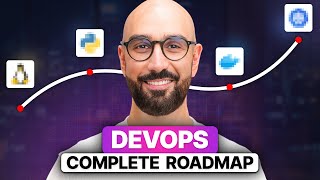

DevOps Roadmap: 10-14 Months to Success
45sQuick, actionable timeline for a high-demand career grabs attention from aspiring engineers.
▶ Play Clip"Delivers a solid, actionable roadmap with realistic timeframes, though it's more of an overview than a deep dive."
This video presents a comprehensive DevOps roadmap, outlining the essential skills, recommended tools, and a suggested timeline for aspiring DevOps engineers. The speaker recommends a study plan of 3-5 hours daily, estimating a 10-14 month journey to proficiency, and covers topics from Linux and networking to cloud, containerization, CI/CD, and monitoring.
The video introduces a complete DevOps roadmap, targeting beginners and those looking to level up. With 3-5 hours of daily study, the roadmap is estimated to take 10-14 months to complete.
Linux is the backbone of servers. Start with bash, the most common shell. Spend 2-3 weeks learning basic commands, file permissions, processes, and package management.
Understand how computers communicate: IP addresses, protocols, OSI/TCP-IP models, DNS, DHCP, HTTP/HTTPS, firewalls, and troubleshooting tools like ping, traceroute, and netstat. Dedicate about 2 weeks.
Git is essential for tracking code changes and collaboration. Learn clone, commit, push, pull, branching, merging, and resolving conflicts.
Python is recommended for automation and configuration management. Spend 4-6 weeks learning syntax, data structures, modules, file handling, and writing automation scripts.
Focus on one cloud provider; AWS is the most widely used. Spend 4-6 weeks learning to launch/manage virtual servers, storage, IAM, and networking.
Docker packages applications with dependencies. Spend 3-4 weeks learning to create images, manage containers, write Dockerfiles, and use Docker Compose.
CI/CD automates integration and deployment. Jenkins is recommended for its versatility. Spend 3-4 weeks learning pipelines, Jenkinsfiles, automated tests, and deployment automation.
Kubernetes automates deployment, scaling, and management of containers. Spend 4-6 weeks learning architecture (master/worker nodes), pods, services, deployments, and networking.
Set up reverse proxies, load balancers, and caching. NGINX is recommended. Spend 3-4 weeks learning configuration for reverse/forward proxy, caching, and firewalls.
Ansible automates server configuration. Spend 3-4 weeks learning playbooks, roles, modules, variables, and templates.
Terraform manages infrastructure via code. Spend 3-4 weeks learning providers, resources, configuration files, modules, workspaces, and remote state.
Prometheus and Grafana are recommended. Spend 3-4 weeks learning architecture, data model, collecting metrics, writing queries, and setting up alerts.
The roadmap provides a structured path to becoming a DevOps engineer in 10-14 months with consistent daily study. It emphasizes practical tools and hands-on learning across all key areas.
Linux
tool
bash
tool
Wireshark
tool
Git
tool
Python
tool
AWS
service
Azure
service
Google Cloud Platform
service
Docker
tool
Jenkins
tool
GitLab CI/CD
tool
CircleCI
tool
Travis CI
tool
Kubernetes
tool
Helm
tool
NGINX
tool
Ansible
tool
Puppet
tool
Chef
tool
Terraform
tool
AWS CloudFormation
tool
Pulumi
tool
Prometheus
tool
Grafana
tool
ELK Stack
tool
Fluentd
tool
What is the recommended daily study time and total duration for the DevOps roadmap?
3-5 hours daily, 10-14 months total.
00:14
Which shell and scripting language is recommended to learn for Linux?
Bash.
00:40
Name three networking concepts to learn as a DevOps engineer.
OSI/TCP-IP models, IP addressing and subnetting, DNS and DHCP.
01:20
What is the primary purpose of Git?
Version control to track changes in code and collaborate with others.
01:35
Which programming language is recommended for automation and why?
Python, for its simplicity, powerful libraries, and versatility.
02:04
Which cloud provider is recommended for beginners and why?
AWS, because it's the most widely used.
03:09
What is the role of Docker in DevOps?
Containerization: packaging an application and its dependencies to ensure it runs the same everywhere.
03:37
What does CI/CD stand for and what does it automate?
Continuous Integration and Continuous Deployment; automates integration and deployment of code changes.
04:04
Which orchestration tool is recommended for managing containerized applications?
Kubernetes.
04:54
What is the recommended tool for reverse proxy and load balancing?
NGINX.
05:34
What is Ansible used for?
Configuration management: automating deployment, configuration, and management of servers and applications.
06:03
What is Infrastructure as Code (IaC) and which tool is recommended?
Managing infrastructure via machine-readable configuration files; Terraform is recommended.
06:32
Which tools are recommended for monitoring and logging?
Prometheus and Grafana.
07:00
Realistic Timeline
Provides a concrete estimate of 10-14 months with daily study, setting clear expectations for learners.
00:14Python as Core Language
Emphasizes Python's importance for automation, a key DevOps skill.
02:04AWS as Primary Cloud
Recommends focusing on AWS due to its market dominance, guiding beginners to the most relevant platform.
03:09Jenkins for CI/CD
Highlights Jenkins as a versatile and community-supported tool for CI/CD pipelines.
04:04Terraform for IaC
Stresses the importance of Infrastructure as Code and Terraform's flexibility and widespread use.
06:32[00:01] or want to level up your skills you're in the right place today I'm sharing the complete devops road map I'll walk you through the essential skills you need the tools I personally recommend and how much time you should spend on each
[00:14] assuming you dedicate 3 to 5 hours of studying every day this road map should take you about 10 to 14 months to complete let's Jump Right
[00:27] Linux is the backbone of servers and Dev vment environments as a devops engineer you'll be setting up and maintaining the infrastructure where applications run most servers use Linux so getting comfortable with it especially the
[00:40] command line is crucial I recommend starting with learning bash which is the most commonly used shell and scripting language in Linux spend about 2 to 3 weeks on this make sure to learn basic Linux commands for working with the file
[00:53] system permissions and ownership processes and signals as well as managing packages next you need to learn networking Concepts networking is all about how computers communicate with each other think IP addresses and
[01:06] protocols you need to understand how data moves around security and troubleshoot network issues to get hands-on experience I recommend using wihar dedicate around two weeks on this make sure to learn Concepts like OSI and
[01:20] tcpip models IP addressing and subnetting DNS and DHCP networking subnetting DNS and DHCP networking protocols like HTTP https FTP and SSH firewalls and security groups and basic Network troubleshooting using tools like
[01:35] Ping trace route and net stat now let's talk about git git is a version control system that lets you track changes in your code and collaborate with others it's essential for working on projects with a team and managing your code
[01:49] getting comfortable with Git make sure to learn basic git commands like clone commit push and pull branching and merging resolving merge conf working with remote repositories and so on after that you should dive into
[02:04] programming languages programming languages like python Ruby and go are used to automate tasks and manage configurations while there are several other languages I personally recommend python for its Simplicity powerful
[02:17] libraries and versatility dedicate four to 6 weeks to build a solid foundation in Python make sure to Learn Python syntax and data structures like lists dictionaries sets and topples modules and packages learn how to write and
[02:31] execute Python scripts work with files handle errors write automation scripts and so on by the way to help you on this journey I've created a free supplementary PDF that breaks down the specific Concepts you need to learn for
[02:45] review your progress find gaps in your knowledge and prepare for interviews you can find the link in the description box also I have a bunch of tutorials on this channel and complete courses on my
[02:57] learning again links are in the description box moving on let's talk about Cloud providers Cloud providers like AWS Azure and Google Cloud platform
[03:09] offer a range of services for building and deploying applications if you're just starting out I recommend focusing on one cloud provider and AWS is a great choice because it's the most widely used spend about 4 to 6 weeks on this make
[03:23] sure to learn how to launch configure and manage virtual servers store and manage data get familiar with is managing users groups and roles and how to set up and manage isolated networks next up is containerization
[03:37] containerization is all about packaging an application and its dependencies into a container to ensure it runs the same everywhere Docker is the go-to tool for this spend about 3 to four weeks getting comfortable with Docker learn how to
[03:51] create Docker images get familiar with starting stopping and managing containers learn how to write Docker files explore how to define and run multicontainer applications using Docker compos and so on now let's dive into
[04:04] continuous integration and deployment or cicd cicd automates the integration and deployment of code changes allowing for frequent and reliable releases genkins
[04:16] is a powerful tool for setting up cicd pipelines but other popular tools pipelines but other popular tools include gitlab cicd Circle CI and Travis C if you're starting out just focus on Jenkins for its versatility and strong
[04:29] Community Support dedicate 3 to four weeks on this make sure to understand how to create and manage Jenkins pipelines get familiar with writing Jenkins files learn how to integrate automated tests into your pipelines
[04:42] understand how to automate the build process for your applications explore how to automate the deployment of your applications to various environments and so on moving forward let's discuss orchestration and management
[04:54] orchestration tools like kubernetes and Helm help automate the deployment scaling and management of containerized applications these tools are essential for managing complex applications in production start with kubernetes and
[05:08] spend about four to 6 weeks on it make sure to learn about the overall architecture including the master node and worker nodes and how they interact understand the key components such as pods services and deployments get
[05:21] familiar with managing resources learn how to scale your applications as well as the networking model in kubernetes next we have networking and infrastructure services this involves setting up and managing services like
[05:34] reverse Proxes forward Proxes caching servers firewalls and load balancers I recommend using engine X for handling reverse Proxes and load balancing give this about 3 to 4 weeks of your time learn how to set up and configure engine
[05:49] X as a reverse proxy understand how to configure it to act as a forward proxy explore caching strategies to improve the performance and how to configure firewalls and security groups now let's talk about configuration management
[06:03] configuration management tools like anible puppet and Chef automate the deployment configuration and management of servers and applications if you're starting out just focus on anible due to its Simplicity and Powerful features
[06:17] spend 3 to four weeks on this learn how to write anible playbooks understand how to use roles and modules learn to manage variables and templates and so on moving on let's discuss infrastructure as code or IAC IAC involves managing and
[06:32] provisioning Computing infrastructure through machine readable configuration files popular tools include terraform AWS cloud formation and palumi if you're starting out just focus on terraform for its flexibility and widespread use
[06:47] dedicate 3 to four weeks to build a solid foundation in terraform understand the basic concepts like providers and resources get familiar with writing terraform configuration files learn how to use terraform modules as well as
[07:00] advanced concepts such as workspaces and remote State finally let's talk about monitoring and logging monitoring and login tools such as Prometheus Graff elk stack and fluent D track the performance and health of your applications and
[07:15] infrastructure if you're starting out just focus on Prometheus and grafana spend about 3 to four weeks on these tools learn the architecture and data model of Prometheus get familiar with collecting metrics from various sources
[07:29] learn how to write queries to extract and analyze metrics data understand how to set up alerts and so on so if you dedicate 3 to 5 hours every day you can skills you need to become a devops engineer in about 10 to 14 months if you
[07:45] have any questions please let me know in the comments below and I'll do my best to answer you right here or in my future videos If you enjoyed this video please give it a like And subscribe for more useful content thanks for watching




⚡ Saved you 0h 08m reading this? Transcribe any YouTube video for free — no signup needed.