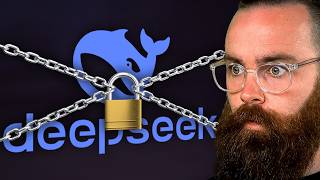

DeepSeek's Secret: $6M Training vs OpenAI's $100M
45sThe shocking cost disparity and underdog story make it highly shareable.
▶ Play Clip"Title promises 'the ONLY way' but video presents multiple methods; still delivers solid local AI guidance."
The video explains how to run AI models like DeepSeek R1 locally on your own hardware, emphasizing privacy and security. It covers the background of DeepSeek's rise, the risks of using online services, and provides a step-by-step guide using tools like LM Studio and Ollama, with an advanced Docker setup for enhanced isolation.
The video introduces the concept of running AI models locally, claiming it's easy and safer, and questions whether it gives access to your files.
DeepSeek is the number one app on the app store, accessible for free in the browser. It has broken the internet and changed how we view AI models by outperforming top models like ChatGPT o1 with less resources.
DeepSeek trained their model for less than $6 million using only 2000 Nvidia H800 GPUs, compared to OpenAI's $100 million and 10,000+ GPUs. They used clever engineering and post-training techniques instead of raw compute power.
DeepSeek is open source, unlike ChatGPT, allowing users to run it locally on their own hardware. This is the only recommended way to use DeepSeek.
Using DeepSeek online or via app means the company owns your data and can do whatever they want with it. This is common with many services, but DeepSeek's servers are in China, subject to Chinese cybersecurity laws, which is a concern.
LM Studio is a GUI-based tool that makes running AI models locally easy, even for non-CLI users. It supports many models and is quick to set up.
The size of the model (e.g., 1.5B, 7B, 671B) determines hardware needs. Larger models like DeepSeek R1 671B require serious hardware, while smaller models like 1.5B can run on most computers.
Ollama is a simple, fast CLI tool for running AI models locally. It's perfect for those comfortable with the command line. Download from ollama.ai or ollama.com.
After running a model, you can verify it's not reaching out to the internet by monitoring network connections. Ollama listens on port 11434 for local connections only.
Running Ollama inside Docker isolates it from the host OS, giving more control over its access to network, files, and system settings. This is the preferred method for security.
For Mac M-series, Docker doesn't have GPU access; use Nvidia container toolkit for Linux. The Docker command includes GPU access, volume for settings, and read-only file system.
Use 'docker run' command with 'deepseek-r1' model. It works similarly to running on the base OS, with performance spikes visible.
Running AI models locally is a viable and safer alternative to online services, especially for privacy-conscious users. Tools like LM Studio and Ollama make it accessible, and Docker adds an extra layer of security.
What is the main advantage of running AI models locally?
Privacy and security, as your data doesn't leave your machine.
How much did DeepSeek spend on training their model?
Less than $6 million.
01:09
What is the significance of DeepSeek being open source?
It allows users to run it locally on their own hardware, unlike proprietary models like ChatGPT.
02:04
Why is using DeepSeek online a privacy concern?
The company owns your data and can do whatever they want with it, and servers are in China subject to Chinese laws.
02:18
What is LM Studio?
A GUI-based tool for running AI models locally, easy for non-CLI users.
03:20
What does the model size (e.g., 1.5B, 7B) indicate?
The number of parameters, which correlates with intelligence and hardware requirements.
06:08
How can you verify that a local AI model isn't accessing the internet?
Monitor network connections; Ollama listens on port 11434 for local connections only.
07:18
What is the benefit of running Ollama inside Docker?
It isolates the application from the host OS, giving more control over its access to network, files, and system settings.
09:04
DeepSeek's Cost Efficiency
Demonstrates that clever engineering can rival massive compute budgets, challenging industry assumptions.
01:09Open Source Advantage
Highlights the importance of open source in AI for privacy and accessibility.
02:04Docker for Security
Provides a practical technique for enhancing security when running local AI.
09:04[00:00] Is it actually safe to run AI models like Deep Seeq R one locally on your I'll show you how it's pretty easy and it's supposed to be safer, Am I giving you access to my files?
[00:13] AI model locally is safe as possible. Get you copyright. Let's go Now. like right now it's the number one app on the app store.
[00:26] and you can access it for free right here in your browser. Go ahead, I'll get into why here in a second and why you need to run stuff like this the reason I'm having to talk about this now is deep seek kind of upset
[00:42] It's broken the internet and fundamentally changed how we view AI models. Deep seek what the junk is it first it's outperforming everything.
[00:54] Our best models, even Chad, GPT oh one, but so what new model? Go fast. Even just this morning Alibaba said they have a new fast model that beats out It's the fact that they did this with less resources. Now, according to Deepsea,
[01:09] they train this for less than $6 million and they only had 2000 Nvidia H eight It's all they could get their hands on because of us export restrictions. They spent over a hundred million dollars and had 10,000 plus of the latest and
[01:24] with less resources? How is it that good? They found Slack in the rope. They used clever engineering instead of raw compute power to make the models
[01:36] better. A lot of this involved techniques in post-training essentially tricks. I'm not going to dive into it here. Watch these videos. They're amazing. And this challenges the assumption that raw compute power is necessary to have
[01:50] really good AI serving as a warning to the big guys like OpenAI. Hey, you may not be dominant forever and smaller teams can find clever ways to beat And the biggest thing I think they did is they made it open source,
[02:04] You can't run chat GPT locally on your hardware deep seek. You can, and that's my only recommended way to do that. Why? Oh by the way, that's the end of my segment of what the junk is deep seek and why everyone's
[02:18] Why should you not use Deep Seeq online or through their app? Well, which means whatever you tell them, they own your data. They can do whatever they want with what you tell them. Now,
[02:34] this is not new. Many of your services that you use right now do this chat, GPT, which is why I do recommend going local and private for as many things as you It's a bit different because their servers are in China now why is that a big
[02:51] but their cybersecurity laws are a bit different. their borders. Your data is subject to Chinese laws. I don't want any government to have my data and if a government's able to get
[03:05] that data easily, I'm out. So now let's talk about running AI models locally. This has become remarkably easy for anyone to do and it's one of my favorite First is one I just started using today. It's amazing. It's called LM Studio.
[03:20] especially if you don't really like getting in the CLI, It's got a beautiful GUI and you can run pretty much any AI model. This won't even be considered a tutorial. It's so quick.
[03:32] This is some random website. Don't go there. LM studio.ai. That makes sense. I'm going to download Windows right now. Install it and click on finish.
[03:45] I'll wait. Oh yeah, the sponsor of this video is me Network, Chuck Coffee. I do have my own coffee.
[03:57] it is roasted locally as well. Local to me. Check it out, network chuck.coffee. probably LAMA 3.18 B. Now what do I mean by that? That's the one caveat with running local AI models.
[04:15] It's likely the computer you're using now can run something. the bigger models you can run. Now, the biggest baddest one right now is the deep seek R 1 671 B.
[04:29] I have an AI server and I cannot run this. They go down to 70 B, which I can run in my dual 40 90 GPU server.
[04:41] For most models, you'll want A GPU for better performance. oh actually we can load our model now load and say, Hey, how are you? And what I love about LM Studio is if we go try to find more models by clicking
[04:57] we'll do seven db this one. If I click on this little icon right here, I do talk about it in this video, which is not out yet, Actually even here it says partial GPU offload is possible with this but not
[05:14] full GPU offload possible. And this is dependent on how powerful my GPU is, I can download it and run deep seeq locally,
[05:26] Keeping in mind the models you run locally cannot compete with the models that R 1 6 71 B, you'd have to have some serious hardware.
[05:39] Now the other option for running AI models locally is one I love and I use all the time. It's called a lama. This thing is simple and fast, but it's CI only. For me, I love that it's perfect. You can head out to alama.ai or alama.com,
[05:52] you'll go to your CLI and type in O lama. If you see all this, you're good. Now we can download and run our first model. And here's the one caveat we have with running local AI models.
[06:08] Notice we have some options here. 1.5 B all the way up to 671 B. These are the sizes of the models. Take this one for example, the 6 71 B, that's 671 billion parameters. Don't even think about trying to run this.
[06:20] And this is the kind of model that would compete with open ai. I can live in this world right here with my 40 90, my Nvidia 40, 90 A, 14 B to 32 B. Now 32 B is pushing it for modern laptops specifically like Max,
[06:36] 14 B, most people can probably run the 1.5 B model. Keeping in mind, it's kind of like the IQ score for a model. The lower you go, the dumber it is,
[06:48] choose our model size. I'll go 1.5 B. go back to our terminal, paste that in and watch the magic habit. Take a coffee break while we're waiting and it's ready.
[07:04] And right now you're running an AI model that is not touching the internet, It's all right here on your computer, which is amazing. But hold on, How do we know that at some point this model isn't reaching out to a server and
[07:18] I'm going to say buy slash buy right there. I'll open up a new terminal window so we can monitor stuff here. And by the way, This script will find the alama process IDs and then constantly check what
[07:33] Now notice just by default, and this is fine, it's going to be listening on port 1, 1 4, 3, 4. Notice the listen part. This is for you to reach out to it. It's not going out to anything else.
[07:48] Whoa, hold on. Okay, this is all local. That scared me for a second. Yeah, how are you doing? Let's do it for a while. Tell me a long story about coffee.
[08:05] right there is just our connection from I think our CLI to the API listening on 1, 1, 4, 3, 4. So that right there tells us, okay, we're running the model,
[08:17] Now we can real quick see if Alama will ever reach out to the internet, So we'll do the, what's the next one up, the three B oh no, seven B, notice here we do have an external connection right up here.
[08:33] We know that now llama, it does not have any functionality for an LM that you run locally to access the internet. There's no module or function that can make that happen.
[08:46] So we at least know for now we're safe. I don't know, that could bypass llama's restrictions. Is there a safer option to lock this down? And yes, there is.
[09:04] Right now we're running alama straight onto our os. So whatever it is, windows, this app running on our OS could access the network files, system settings,
[09:16] So what I want to do is use one of my favorite ways to segment an application to And that's with my favorite technology. Docker. I never know where to point.
[09:31] giving you a lot more control on what Llama has access to and the models you run Docker itself isolates itself from the other parts of your operating system, This is my favorite way to run alama. Now of course, to do this,
[09:48] I'll make a video on how to install Docker on all these platforms right here. It may not be out yet, but it'll be here eventually. And if it's not there yet, you will need what's called WSL or the Windows subsystem for Linux.
[10:03] I've got a video on this here and how to set that up. I know this is getting kind of into the weeds of being pretty technical, It's very fun and you'll be a bit safer in the process.
[10:18] I do recommend that from here you'll want to install Docker again, Just a couple of notes on running Old Llama inside Docker. First Mac people,
[10:31] Docker currently does not have access to the M series Max GPUs, you can install the Nvidia container toolkit right here or through a PT.
[10:43] here's a quick rundown of our docker command. We're giving access to all of our GPUs, setting up a volume for alama settings, you can't have any more privileges. We're taking away your privileges,
[10:57] Here are your system resource requirements, or we're putting a cap on them and then making your container file system read I would love to know if there's more security I could add to this, let me know.
[11:10] go type in Docker PS to make sure it's running. we can run a model with this right here, this command, we'll run deep seek. change this to deep SEEQ dash R one.
[11:26] And it looks just like running it on the base CLI or on the OS CLI, operating system. And done. So let's see if our performance will spike over here. And there it goes.
[11:41] This is the way I prefer to run my local ai. Alama can run locally and it doesn't seem to give any kind of internet access or
[11:55] access to anything else. That's the video. I'll catch you guys next time.



⚡ Saved you 0h 11m reading this? Transcribe any YouTube video for free — no signup needed.