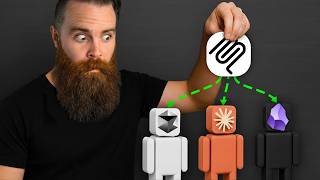
[00:00]
The vibe, the mission, that alone sold me. you, that's gonna be better on day 30 than day agents, and I'm not the only one.
[00:13]
It just topped OpenClaw on the OpenRouter token It can't be that good, can it? tool, another harness?
[00:26]
only agent I felt comfortable enough with to I'm telling you this thing is different. that made me switch all my stuff from OpenClaw
[00:39]
The vibe, the memory, the fact that it learns. themed troubleshooting wizard. And also went a bit too deep, I think.
[00:51]
So you're gonna hear from him too. Now I'm trying so hard to not use the phrase But this, it's something special, and I don't
[01:04]
So get your copy ready. It's time to enter our self improvement loop. It has to do with a skill system, and it's probably
[01:18]
You haven't installed it yet, and that's my and it's actually pretty easy. But, hey, I get it.
[01:31]
Don't give me another tool. But Nous Research, the company behind Hermes, But let me hit you with number one real quick.
[01:43]
We're gonna install this here in a moment. This isn't some random lobster project. This is a company with a mission, a purpose.
[01:55]
As much as we're online, you and me are, like, our our sight and our taste and all of that We put we spend a lot of time to make sure that
[02:08]
And it's not just the vibe. It was just a bunch of kinda hackers on a Discord We'll hit that here in a moment, but first,
[02:22]
You gotta put it somewhere. It's lightweight, built in Python, but my favorite That's where I put my wife's agent.
[02:34]
of getting you spun up on Hermes as quickly Quick sip of coffee. Now what we're about to do here is install Hermes
[02:47]
I think it's actually gonna be Windows native right now will apply for anything apart from We could do the quick deploy option if you wanna
[02:59]
Instead, go up here to services. By the way, a VPS is a virtual private server, it's always on and always available and then
[03:11]
It's a whole home lab in the cloud. Do whatever you want. Test them.
[03:23]
Put in the coupon code NetworkChuck and watch Choose Ubuntu as your OS. You should land on the VPS dashboard, and we're
[03:39]
And then we'll launch our terminal. type in terminal, launch that sucker. Hermes.
[03:51]
not just the messaging app, and they do have all fingerprints, and then put in the root password Right now, we have remoted into or logged in
[04:06]
And, again, this is gonna be pretty Let's go Click on copy, get back to our terminal, paste It's gonna do its thing.
[04:21]
This is my favorite part of the videos, honestly. sipping coffee. algorithm today?
[04:36]
You gotta hack YouTube today. Now what we're about to do when this finishes is something actually I got inspired by from
[04:49]
They use their tools. So we actually have our agents in our Discord channels and have them running, and we talk
[05:01]
And there's just a Hermes agent who's like the So someone comes into our Discord and says, We're able to just talk to the Hermes agent.
[05:15]
having just done this, that agent has built up a huge skill set of skills particularly related I said that's what I'm doing.
[05:29]
I'll show you some stuff. Time for quick setup. Similar to OpenClaw, Hermes is a harness.
[05:46]
If you wanna go local with LM Studio, do it. OpenRouter's good, but my favorite one to start Well, because you can use your ChatGPT subscription
[06:01]
And without paying any more money, you can use Chuck from the future here. This Grok partnered with Hermes, and you can
[06:13]
Just another option, and it's pretty powerful. URL, paste that into our browser, get logged and then grab this code that Hermes gave us
[06:29]
Login successful. Select your terminal back end. That's a whole thing.
[06:42]
We're gonna go with Telegram because it's the Also noting that it has less options than you the mentality behind Nous Research and Hermes.
[06:56]
make the experience great with a few options. It's space to select, hit enter, and we're almost It's asking you for a Telegram bot token and
[07:10]
You're If not already a Telegram user, become He's gonna help us create a new bot. Mine's gonna be Ron Weasley.
[07:24]
every step of making Ron an IT wizard in my Give him a username, must be unique, and it That was it.
[07:37]
Click on copy. Hit enter, and we're almost done. Only talk to me.
[07:49]
Sorry. talk to our bot. So we'll find the user info bot.
[08:01]
him, you'll get your user ID just like this. For example, my wife's agent, Honey, I can talk We'll make our user ID the home.
[08:14]
If you're like, what is SystemD? run-in the background. For VPS, let's choose the system service.
[08:27]
Put run it as which user. It's the only user I have right now. And this machine is gonna belong to Ron.
[08:40]
This is not best practice or advice for any Start the service now. here in the terminal or via Telegram.
[08:55]
Hit enter, and Hermes is here. Hi. skills that are default built in.
[09:07]
At number four, foreshadowing. Let's try Telegram and make sure he also is Typing.
[09:20]
Now at this point, if you've never used an agent But if this isn't your first agent, if you've This feels the exact same.
[09:34]
But let me hit you with number two. Tokyo, and it's kind of insane. Transition.
[09:46]
Hermes and stay, and they may not even realize kinda do memory in the same way with a few philosophical Let me show you by building out our IT agent
[10:02]
Now if I say right now, who are you? I've got a nice prompt I'm gonna feed him with, Update any file, including your soul, to reflect
[10:17]
And then here's the massive prompt. falling in love with Muggle technology, specifically Let's see what happens.
[10:31]
It shows you the tool use happening. I'm going to do new, start a new session here. you?
[10:46]
So Hermes edited his SOUL.md file. If we cap that, here it is. Let's start building him out a bit more.
[10:58]
They'll also talk to other members of my team Now watch what happens here. There.
[11:10]
Notice we have a memory action here, and it This file, let's go open it real quick. then jump into our memories directory.
[11:24]
Let's cat that. what it learns about you, and it curates this here in a moment, but let's keep adding.
[11:39]
I'll tell him about the network and a few other So we added more to the user side. Let me tell him more about him.
[11:53]
He added it to his memory file. LS, there's a new file there, MEMORY.md. Notice the memory file is more about the environment,
[12:05]
This will also be curated by the agent. and the MEMORY.md file, they're not groundbreaking In fact, when you move from OpenClaw to Hermes,
[12:20]
The difference is how Hermes uses these files. files. boom, new session, the user and memory file
[12:34]
when you talk to your agent, it always has the Both OpenClaw and Hermes do that, but here's That OpenClaw does not do well, and you'll feel
[12:46]
on day 30 versus Hermes. The first thing it does is it has hard limits The user file can only be 1,375 characters.
[12:59]
Now why does this matter? about what's gonna be loaded into its system Ron and he was adding stuff to this memory.
[13:12]
things and talking and talking and talking, Well, he has to delete something. to go in there, what needs to go in there, and
[13:25]
It forces the agent to distill what is actually you need, and that actually matters a lot versus mostly it's gonna end up bloating itself over
[13:39]
It does it without you even thinking about it, I got a story for you on that here in a moment. The second thing it does is it nudges by default
[13:52]
Have your Hermes agent fact check me. that we've been talking about should update Most agent infrastructures, including OpenClaw,
[14:06]
This happens during the session with Hermes. it guards it over time. This this is crazy.
[14:20]
We'll do Hermes memory setup. Right now, by default, we're just using built sessions if it needs to.
[14:35]
kind of insane. it. in the cloud.
[14:47]
So here's how this works, and this is crazy. My agent's name is James, James Potter. Honcho is a peer service.
[14:59]
over what I'm saying, and it will start to build And it gets to know me. it will start to make more conclusions and learn.
[15:14]
With Honcho working in the background, when he's getting his USER.md file, his because when you're talking to whatever model
[15:28]
It's a blank slate unless you fill its head But then also Honcho is configured to go, what in this moment?
[15:43]
This combo right here, I can verify because It's kind of crazy. on the cloud.
[15:56]
my daily habits or that Kathy does not like show you completely, of my personality and my Like this one.
[16:09]
gravitates towards tool building wiring to avoid Ouch. I would get up early before everyone else, walk
[16:22]
I had some breakthroughs. actually plug into OpenClaw as well, but it's it is with Hermes.
[16:34]
even without this addition. you're relying a lot on the AI model to learn And should we allow it to do that?
[16:48]
Like, like, get out of the way with the models, just be figure out what it is that you want So at this point, we have our IT agent, Ron.
[17:03]
We're about to give him some skills. The way it does, this is so cool. But before we get there, did you know that Hermes
[17:16]
I was talking with Jeff, the cofounder, and internal tool that we wrote started it almost six to seven months ago as a tool we were using
[17:31]
self improvement for model training. kind of weird because, like, we actually already You know, when we saw what what OpenClaw did,
[17:46]
And, honestly, when we tried OpenClaw, it, I the other people in TMR, and they're like, this They tried OpenClaw and was like, wow.
[18:00]
Let's release our version to the world because reason I switched from OpenClaw to Hermes. We are a group of researchers who found each
[18:14]
censorship free, and democratic AI. I think who's making the tools, why they're going forward is really important for us.
[18:29]
wasn't just a reaction to OpenClaw, and that it was built by AI researchers, people who are Nous Research, they literally were just a bunch
[18:41]
own models, which was also named Hermes. But after talking with Jeff, I was even more and I'm very happy with my decision to switch
[18:55]
It's meant to make you be a better version of include in this video. actually gonna launch it first on the NetworkChuck
[19:09]
I'm showing you the basics here to get you up Link below. The most powerful thing that Hermes does, it's
[19:22]
Better on day 30 than day one. We're gonna make Ron powerful. does skills in the weirdest way.
[19:35]
Right? We're gonna use Twingate. I'll tell Ron, hey.
[19:47]
for access to my studio. Now I'm doing this live with you. He's gonna start working.
[20:02]
editor is gonna blur out my key. Now he's connected to my network. See what you can find.
[20:14]
That's what I've been waiting for right here. Self improvement review skill, Twingate client Ron just made his own skill.
[20:30]
The skill system, which is sort of like the crystallize once it's viewed how you operate to take learnings, basically, and and crystallize
[20:44]
that it can then reuse. you know, a crude version of how potentially, When we figure out ways that solve hard problems,
[21:00]
those successes. And that's a huge differentiator between OpenClaw With OpenClaw, it's all about finding skills
[21:13]
building skills, repeatable workflows based Now Hermes does have a built in skill library One of the, prepackaged skills that we do ship
[21:29]
is this, GitHub PR review, that is is in there. That skill actually is like the result of Technium having gone through thousands of PRs manually
[21:41]
internally for PR reviews. That's important because, I don't know if you central.
[21:54]
of OpenClaw skills that the community was uploading. OpenClaw had a bunch of CVEs or vulnerabilities agent related hit it yet, and I think it's because
[22:09]
Also, it's kind of the Hermes team philosophy, But it's not just the building of skills that's Hermes just came out with this, a thing called
[22:23]
runs in the background periodically, and it It'll make sure your skills are good. It'll improve skills as you're working with
[22:37]
It actually moves skills through an active stale created via the self improvement loop don't And by the way, the self improvement loop, this
[22:49]
How cool is this? And one of the things I said in that was that Computer, I couldn't tinker with it too much,
[23:04]
use it instead of sharpening my axe all the tweakable, it's less. and figures things out, allowing me to just
[23:17]
it out, kinda in that same vein. Like what Jeff said, we're kinda just getting Get get out of the way of, like, them and, like,
[23:30]
And and just give them the hand like, the the We just needed to give it the hands, the feet, And then once it has that haptic feedback, really,
[23:44]
the model of the world. He found a bunch of stuff. Now while Ron's doing that here, I'm gonna go
[23:57]
talk to Ron in, Telegram, start a new session Built into Hermes is a Home Assistant skill. I'll tell him to enable it first.
[24:10]
The Home Assistant wanted to switch on. let's see what he does. his memory.
[24:22]
Got that lamp behind me. See what happens. Let's say turn it on and make it blue.
[24:42]
places, and he's doing two different things. Yes. We have automatic blinds in there.
[24:55]
I wanna see if he can do this. I'm gonna go film it and see if that happens. Here we go.
[25:10]
What happened? There's one in the kitchen. He found it.
[25:30]
Back on the network side, Ron is wanting some Let's see what happens. the Hermes team, from Jeff.
[25:45]
exactly all the skills or I know exactly all Like, like, get out of the way of the models, just be figure out what it is that you want
[25:59]
IT admin with skills that I created and everything. You need to manage this thing. And he'll figure it out.
[26:14]
Yes. I'm getting you UniFi creds now while you're I don't know why I capitalized your, research
[26:29]
So you are ready to go. world, but it can delegate tasks. I'm just honing in on the main things that make
[26:44]
Also notice you can, interrupt, steer, or queue it would interrupt him and go, oh, oh, oh, what Instead, I'll just queue and say here is your
[26:56]
Alright. and password, but self improvement. Now we'll come back to this.
[27:09]
Well, we gotta move on to number five. And this one is just funny because it goes back Jeff's team said it themselves.
[27:24]
And that was my experience. oh, this is so cool. But I don't know about you, but over time, it
[27:36]
An update would break it, or it just wouldn't It became super frustrating, and it wasn't a It was one of those things where you had to
[27:48]
it because it was a project. It feels like a project, whereas Hermes feels I I I could have made a video a month ago about
[28:01]
I wanted to actually just see if it's cool. Nothing I didn't cause myself. her friend, Honey, who's helping her with homeschool
[28:15]
house for six kids. So number five, in case you didn't realize it, The team behind this, they're AI engineers,
[28:27]
They're not just gonna add a bunch of features And sure, it has pretty much feature parity It just doesn't allow a bunch of things that
[28:41]
is kinda just get out of the agent's way. Get of the way with the model. we're getting, they're good.
[28:54]
point, I think we would be at a point where harness, tweaking the tools around it to make I mean, things are good.
[29:10]
it, you really start to realize, oh my gosh. behind Hermes, I talked with the cofounder for Now beyond number five, Hermes is shipping features.
[29:26]
If you wanna learn how to do this, by the way, check this out. You can add more agents, more profiles, add
[29:39]
have one big model that does your main thinking, or one that's dedicated to delegation. Look at this.
[29:52]
Let them cook. released recently is Kanban. NetworkChuck.
[30:04]
Make it an HTML page, make it look awesome. profile, and we'll create it. You can jump into it and see the progress as
[30:19]
It will stop and ask for human input if it needs limit. Also, just came out their own computer use,
[30:32]
moving things along. Like, it's it's fun. I'm not sponsored by them, but I think they're
[30:44]
Hermes side by side. I convert it. I'll catch you guys next time.
[30:57]
If you're new here, at the end of my videos, Now I know it's a weird thing. Well, I believe in the power of prayer even
[31:13]
I'm not trying to force anything on you. So let's do it. God, I thank you for the person on the other
[31:26]
side of this camera, this screen. I thank you that they are passionate about technology, I pray that right now with the way the world
[31:38]
be able to calm them down, let them not be too to use, the things that will elevate them as And let them not sell their soul to AI.
[31:53]
Help them figure that out, God. Let their families be prosperous and blessed I pray blessings over them right now.
[32:09]
and I pray that through this learning, through this just tinkering, that this will produce Job opportunities, income opportunities, or
[32:23]
just their own thinking. for them. Thank you for letting me do that.
[32:36]
I'll catch you guys next time.