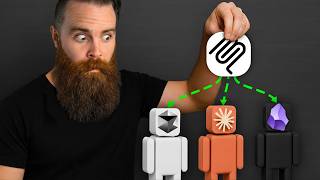

Claude Hacks Kali Linux!
40sImmediately hooks viewers with a jaw-dropping demonstration of AI controlling Kali Linux, sparking curiosity and excitement.
▶ Play Clip"Delivers a comprehensive MCP tutorial with practical examples, but includes some fluff and sponsor content."
This video explains the Model Context Protocol (MCP), a standardized way to give large language models (LLMs) access to external tools and APIs. The host demonstrates how to use MCP servers with Docker Desktop, build custom MCP servers, and connect them to various AI clients like Claude, Cursor, and LM Studio. The video also covers advanced topics like the Docker MCP gateway, remote MCP servers, and practical examples including a Kali Linux hacking server.
The video starts with a demonstration of Claude connected to Obsidian, Kali Linux, and other tools, highlighting the power of MCP. The goal is to create a Kali Linux MCP server for LLMs to perform hacking tasks.
LLMs need access to tools to be productive, but they don't use GUIs; they prefer text. APIs provide a way for programs to interact, but LLMs often lack the code to use them directly.
MCP is a standardized protocol created by Anthropic that abstracts API interactions. An MCP server handles the code, authentication, and endpoints, so the LLM only needs to call simple tools.
The host installs Docker Desktop and enables the MCP toolkit. Docker Desktop provides an easy way to run MCP servers with a GUI and a catalog of pre-built servers.
The host adds the Obsidian MCP server from the Docker catalog, pastes the API key from the Obsidian Local REST API plugin, and connects it to Claude. He demonstrates creating and searching notes in Obsidian via Claude.
The host adds several MCP servers from the catalog, including DuckDuckGo, Fetch, Brave Search, Airbnb, and YouTube Transcripts. He connects multiple clients (Claude, Cursor, LM Studio) to the Docker MCP gateway.
The host introduces a prompt he created to help AI build custom MCP servers. He demonstrates building a simple dice roller server, a Toggl timer server, and a Kali Linux hacking server.
MCP servers run as Docker containers that are spun up and down on demand. The host shows that when a tool is called, a container appears briefly in `docker ps`.
Remote MCP servers use HTTP/SSE transport and require authentication. The host demonstrates connecting to a CoinGecko MCP server via URL in Cursor.
The Docker MCP gateway provides a centralized way to manage multiple MCP servers. Clients connect to one gateway, which routes to all configured servers, simplifying configuration and secret management.
The host shows Docker MCP CLI commands like `docker mcp gateway run`, `docker mcp catalog`, and `docker mcp secret`. He also demonstrates running the gateway as a standalone container and connecting it to N8N over the network.
MCP is a powerful, standardized protocol that enables LLMs to interact with a wide range of tools and APIs. With Docker's MCP toolkit and gateway, users can easily manage and build custom MCP servers, opening up endless possibilities for AI automation.
What does MCP stand for?
Model Context Protocol
02:35
Who created MCP?
Anthropic
02:49
What is the role of an MCP server?
It abstracts API interactions, handling code, authentication, and endpoints, so the LLM only needs to call simple tools.
03:01
What transport do local MCP servers use?
Standard input/output (stdio) via JSON-RPC messages over pipes.
31:43
What transport do remote MCP servers use?
HTTP/HTTPS with Server-Side Events (SSE) for server-to-client communication.
32:24
How does Docker MCP gateway simplify MCP server management?
It provides a single connection point for clients, routing to multiple MCP servers, and centralizes secret management.
33:20
What command runs the Docker MCP gateway?
`docker mcp gateway run`
31:14
What is the purpose of the Docker MCP catalog?
It is a collection of MCP servers that can be easily added to the gateway.
15:22
What is the 'secret sauce' for building custom MCP servers?
A prompt that describes the desired server, which an AI uses to generate the server code.
13:05
What is the name of the tool used to track time in the video?
Toggl
19:15
MCP as a Standard
Explains the core concept of MCP as a standardized way to give tools to LLMs, solving the API integration problem.
02:35Industry Adoption
Highlights that MCP has become the industry standard, making it a valuable skill to learn.
03:52Build Prompt
Introduces a reusable prompt that enables anyone to create custom MCP servers with AI assistance.
13:05Kali Linux Hacking MCP
Demonstrates building a hacking MCP server, showcasing the power and potential risks of MCP.
23:24Docker MCP Gateway Benefits
Explains how the gateway centralizes MCP server management, simplifying configuration and secret handling.
33:20[00:03] makes AI do things overpowered things. Like when I connected Claude to my Like when I connected Claude to my Obsidian vault. What? Or Brave or Kali Linux? My jaw dropped. I mean, look at this. Claude is hacking with Kali Linux
[00:15] to show you the magic of the model context protocol. I'll break down what it is, show you how to use it with Docker containers. It's all local, and even how to build your very own custom MCP servers for literally anything you
[00:27] can think of. My goal by the end of this video is to create a Kali Linux MCP server so our LLMs can hack for us. Doesn't that sound awesome? Get your coffee ready. Let's go. And shout out to Docker for making this
[00:40] video possible. So, giving LLM access to our tools makes them insanely powerful and it's necessary if we want them to do anything productive. But to do this is but you have to think about LM like people to a point. Now, for us humans,
[00:56] manager or an email manager, we're not going to be interacting with the code, right? No, no one would use it. That's why we have user interfaces or guies. This nice, friendly interface abstracts away the complicated code, making it
[01:09] easier and possible for most humans to use it. Solution found. Let's just give the LLM a guey. They'll love it. No, they won't. They hate gooies. At least for now. LLMs, they love text. So giving them a gooey, it's like they can do it.
[01:24] It's hard. It takes forever. Okay, fine. Just give them the code. LLMs love code, access to that code and your apps are not going to give it. But hold up. What right? Application programming interfaces were built so that one
[01:38] program. You can't give a program a guey, but you can expose API endpoints use these tools in a language it understands. So, for example, my real task manager, ClickUp, they expose an API endpoint that allows a program to
[01:53] create a task for you. And when I pretend to be a program, watch what happens. Boom. Task comes in. Or I can use the Obsidian REST API, pretend to be a computer, and create a new note. How cool is that? So, what's the point of
[02:07] this video? Problem solved. Give the LLM API access. Hold on. Let's say we did. code. in order to interact with the API some sort of code, which the LLMs often don't have access to. And even if they
[02:21] did, look at this API documentation. I mean, look at ClickUps. It's super those API interactions and instruct the LLM on how to do it. Now, don't get me it's kind of a pain, right? And there's no standard way to do it. There's got to
[02:35] be an easier way, right? Check the title of the video. MCP came in to save the day. MCP is the model context protocol, a standardized way to give tools to LLM. It's kind of like how USBC solved our cable issues. Created by Anthropic, it
[02:49] did not take long for this to become the industry standard. And here's why. Check this out. So, instead of the LLM having to run code to interact with the APIs, we'll throw in what's called an MCP server. This server is abstracting away
[03:01] Now, what does that mean? It means all the code that you would normally have to write to interact with the API, the MCP server is handling that. It has that written into its code. It'll do all that for you or for the LLM. So, all we have
[03:14] to do is say, "Hey LLM, connect to this MCP server." Slot right in. We'll say, "Hey, Mr. AI, when you want to create a task or get a task, you don't have to code anything. Just simply ask the MCP server to do it." The MCP server will
[03:26] have these tasks or tools exposed like create a task and all the LLM has to do is simply ask and use that task. It doesn't have to know anything about API endpoints, anything about the code, authentication, none of that. The MCP
[03:39] server abstracts all that complexity and makes it kind of stupid simple for our AI. We essentially created a guey for our LLM. They just have to click a button. And the most exciting part about this is that this MCP thing is now the
[03:52] standard. So if your AI, if your LLM has the ability to connect to an MCP server, which most do now, everyone's adopting it. Then you can connect to a ton of applications because everyone's exposing their APIs via an MCP server. Enough
[04:06] MCP server right now. Quick sip of coffee. Let's get you connected to one. I just heated up my coffee. It's super hot. Now, I've got good news. It's actually crazy easy to run your own MCP server
[04:19] me show you. It's going to be using Docker. Shocker. That rhymed. And you you want. Mac, Linux, Windows. The one requirement is that you're running whole what you need thing real quick. I'm not sure why I did jazz hands there.
[04:34] That felt very weird. I can't imagine how it felt for you. So, Docker Desktop something that can run large language models and something that can use MCP servers. I'm going to demonstrate three options. I'll show you cloud desktop, my
[04:47] be using the cloud models, which are fantastic. I'll show you LM Studio for local models like Llama. And for all you people who love, I'll show you Cursor. Let's get started with our Docker desktop install. It's really easy. I've
[05:01] out to docs.docker.com. docker.com/destop below in a guide. For me, I'll do Docker Desktop on Apple Silicon. I'm not going installs, but they'll all be below. Keep in mind, Windows does involve the extra
[05:16] step of getting WSL 2 or HyperV set up as a backend. We're not going to cover description below. All right, I'll go ahead and install Docker Desktop and then launch it. We'll sign our life away by accepting all terms. Use recommended
[05:29] settings. And now here, you can create a Docker login if you want. You don't have to, but I recommend it. It's free. No pressure. Now, Docker Desktop is great probably saw that coming, but maybe what you didn't see coming is they're great
[05:41] at running MCP servers with their MCP toolkit. This is brand new, hot off the it, I didn't care so much. Honestly, I'm like, so what? Then I tried it. And now I use it every single stinking day. It's amazing. Now, to get this working, we
[05:56] have to turn on a few things. The main thing is the MCP toolkit. We'll click on installed and set up? Let's go make sure. Let's go to our settings. We'll go to beta features. Okay, I already had Docker MCP toolkit enabled. Go check
[06:10] there right now to make sure you don't already have it enabled. And that's um all we had to do. Now, let's pick an MCP server to run. They have a whole are official MCP servers that are part
[06:22] make our own. I'll show you that here in a moment. But let's search for one that will be really fun right now. Obsidian. So, yes, there is an Obsidian MCP server. I'll just add the sucker. And all I have to do is paste in my Obsidian
[06:34] here. Now, Obsidian is a local open- source notes application, my favorite. I use it every day. And they have a community plugin called local REST API earlier. I'm going to grab this API key that it provides and paste it into this
[06:48] field here. And that's it. Getting back to my servers tab here. You can see I have an Obsidian server, 12 tools available. If tools are. Click on tools and you can see that it's describing these tools in
[07:01] plain language. Use Obsidian append content to append content to a new or scenes, it's doing all these API calls to the Obsidian REST API. But for you, me, and the LLM, we just know we say, "Hey, get some changes. Hey, do a simple
[07:16] search." And it does it for you. You ready to see it happen? Now, you're Really just some magic behind the scenes. Something absolutely crazy is MCP gateway. Okay, I'm not going to show you that just yet. We'll cover more on
[07:29] some extra magic behind the scenes. Now, notice under MCP toolkit, we have the option for servers, the catalog, and then we have clients. These are the LLMs that can interact with the Docker MCP servers. Look at that. Cloud desktop is
[07:43] right here. What do you say we connect? And that was it. I just did it. So, I free account. I don't pay for anything. I'm going to restart it. Launch it
[07:55] won't need this right now with our own custom tools. Now, I'm going to click on this setting box right here. And you're gonna see something amazing. MCP Docker. click on that, it's going to show you the tools that we just added to Claude.
[08:10] the tools that we just added to Claude. So, watch this. Yo, create a note in my Obsidian detailing the best way to make French press coffee. Let's go. Now, it's to realize, oh, I have a tool available to me. I'm going to try and use that.
[08:26] it's getting it ready now. It's going to ask you permission to use that tool of its normal purview. Sure, I will allow it just this one time, though. Okay, so it said it did it. Let's go take a look.
[08:41] There it is in my notes. Are you stinking kidding me? H, it works the same way for search. I'm going to create a fun note here. Just something random. Cool. Now I'm going to ask it to search. Hey, search my vault for something about
[08:58] drinking tea. I'll allow one time to do the simple search. try a few times. It's going to read the note or get the file contents. But see, why this is amazing. It's not having to authenticate. Doesn't know anything
[09:12] about that. Doesn't care. Doesn't know any code or API, anything at all. It just knows that it can call that tool, use that task tool, and that's it. And I got the information. This is so powerful for us. Are you kidding me? Coffee break
[09:26] for that. Hey, never chat from the future here. but it's all local. At this time stamp, I'm going to show you the Docker MCP build remotely accessible from things like, I don't know, N8N. Dude, it's so
[09:40] video. I seriously have goosebumps just talking about this. And I've been using we go add a few more MCP servers? Because we can add a lot. We can go crazy. Let's go to the catalog. duck.go. Sure, I want one. It's already there.
[09:54] Fetch. It'll grab URLs. Got it. Or it'll grab the contents of a website given a URL. Oh, they have so many cool ones. Oh, they have Brave search. I need an right now. Oo, Airbnb search. Let's do that. Ooh, YouTube transcripts. We can
[10:09] do that. That's crazy. Okay, let's try it out. Now, this time I'm going to add some more clients. Let's add um cursor. Click connect. Done. LM Studio. Click connect. Done. Now, it's that easy because I already have cursor in LM
[10:22] Studio installed. And behind the scenes, all it's doing is updating an MCP server has. Now, let's try LM Studio. I'm going to restart it real quick to make sure Studio again is what we can use to run local um LLMs. I'll load a model. We'll
[10:36] do Gemma 312B. And then I think I'll go down here to my plug and see. Oh, yep. tools. MCP Docker sitting right there. If I click that tool icon, we can see it is. Beautiful. Now, let's ask it to do something. So, I'll say, "Find the
[10:51] Dallas. Use the dot.go tool and then create a note in my vault with your model. Let's see how you do, buddy." Keep in mind, these MCP servers are running locally on my computer. I'll give it permission. Go ahead, bud. Okay.
[11:05] But it didn't create the note in my vault. Let's try it again. Okay. Gemma's kind of dumb. Let's try DeepSeek, a model that can think. Give her permission. Come on, buddy. You can do this. All right. Gave permission
[11:19] to Obsidian. Okay. It found the Japanese restaurants. Let's check Obsidian. It restaurants. Let's check Obsidian. It did it. Oh no. Local models are dumb. But it did the tool call, which is what we cared about.
[11:32] If we did that same thing in Claude, it would move very quickly. would move very quickly. [Music]
[11:45] Oh, I did a great job. Check that out. That's so fun. Let's see if Cursor can Cursor. Grab the transcript Grab the transcript for this YouTube video. Look at that.
[11:58] Run the tool. And this is the free version of Cursor, too. Oh my gosh, it grabbed it. Now, let's add that to my Obsidian Vault. It's so powerful, man. Okay, it finished. Let's go check our note. There it is. Grabbed my YouTube
[12:12] video, summarized it, put it in our note. Come on. Are you not excited about note. Come on. Are you not excited about that coffee stinking break? enthusiasm? Is that fake? Is that
[12:26] scripted?" No, it's not. Ask my wife. I'm always like this. All right, here we go. It's time for you to build your very own MCP server. Custom, just how you want it. Because there may not be an MCP server out there that does what you want
[12:39] walk you through building three MCP servers. Yeah, three. Because it's kind of easy. I did a lot of work to figure out how to make this work well. I went through the pain for you. The first one will be a fun demo, a simple dice roller
[12:51] are working. Then I'll show you how to build some real tools involving APIs. you can do anything after learning how to do this. The world we're living in right now is crazy. Let's get started. Now, the secret sauce behind all this is
[13:05] this prompt that I built. Here it is. Network Chuck's MCP server build prompt. contained in this one prompt is everything an AI will need to build you an MCP server. All you have to do is describe what you want. Let's do it
[13:17] to run all this LLM stuff right now, I do have this entire example in my GitHub we'll tell it something. Okay, I want to build a very simple dice roller MCP server. I wanted to do coin flips, DND stuff, any kind of dice roller mechanic.
[13:31] Bake that in, make it simple and clean. Let's copy and paste this whole thing. Pick an LLM that you know is pretty good at coding. Your quality will vary. I right now love Claude Opus 41. He's kind of amazing. Just going to paste this in
[13:43] and go. Coffee break while AI makes magic things happen. And what this will this server. It'll walk you through it step by step. I think I asked it to do too many things. It's almost done. Okay, it finally
[13:58] we're going to follow it step by step. Now, it created us five files. A Docker file, requirements, dice server, readin, and a cloud. MD file. You really only need the first four unless you're using clot. And all the files should be right
[14:11] above it here. So, first I'll create a directory. Call it my dice or something. there. cd my dice. And we'll create our Docker file real quick. I'm just going to PB paste that in there. It's a special thing on Mac.
[14:23] build a Docker container, which we're about to do. We'll then do the requirements file, which is almost nothing. Requirements.txt biggest piece of this. dice_server.py.
[14:41] I don't care. And then finally, the readme file, which is just nice to have. Now, that's all we really need to do this. We're going to run one command right now. We'll follow the instructions here. Yep, right here. Docker build.
[14:56] Paste that in. And it's going to build a Docker container right now. Quick coffee break. And what it's doing, if you're not that stuff, the Docker file, which describes how to build the Docker
[15:10] container. It's going to add our Python server config. And it's done. If we type server config. And it's done. If we type in Docker image ls, we'll see our DICE MCP server right there along with our other MCP servers that we added through
[15:22] the Docker catalog. Speaking of catalog, we need to make our own. Now, see here make a catalog directory if you don't already have one. You probably already have one. And if we type in ls do our home directory look in Docker the Docker
[15:36] directory. It's hidden inside MCP and cataloges. See I already have a few here install this you'll just see dockermcp.yaml. Your AI prompt should spit out a custom YAML. We'll grab that. We'll create our
[15:51] own right now in that location. Docker MCP cataloges. I'll call it my custom catalog. Done. And there's one more thing we have to do and it's going to tell us right here. We need to edit the registry. Now,
[16:05] going to work. Docker has their built-in catalog. You can also add custom cataloges like this or like this. And that's just a catalog. Like you shop for the MCP server you want to add. Once you do add them, they get added to what's
[16:19] called the registry, which if I ls the Docker MCP directory, you can see the registry file is right there. registry.yaml. Let's look inside that registry.yaml. Let's look inside that real quick.
[16:35] actually install it and register it that it shows up here. Now, we're not going So, we have to add ours manually here. It's actually pretty easy. We're going to do nano or whatever you want to use to edit this file. And at the very
[16:48] everything lined up, we will add our server. It's called dice according to my prompt here. And we put that ref thing. Crl + xy. Enter to save. That's all we uh, we're almost done. I was going to say we're done, but we're not done yet.
[17:03] config. We're going to change it to look something like this. I'm just going to config here. And there's a few things happening. Notice it's still running the Docker MCP gateway command. It's just running a few more options. And I
[17:16] First, I'll need to make sure I change my home directory to be the exact home that as a Docker volume. And look, cursor is like, let me help you out. Thank you, cursor. And then down here, you can notice that with the Docker MCP
[17:29] catalog. And that's the secret sauce here. We're referencing the main Docker which I need to change that name because I did not name it custom. I named it my
[17:41] custom catalog. That should be it, I think. And then that we already edited. And that should be all we have to worry about. Going to save this file. And I'm going to launch Claude. Fingers crossed we get no
[17:54] errors. Claude, don't disappoint me, buddy. Here we go. You'll get a scary tries to test the containers. So far so good. Click on my tools. Go down to my good. Click on my tools. Go down to my MCP toolkit gateway and see if my tools
[18:09] are there. Come on. Flip a coin. That looks nice. Oh, come on. Come on. Come on. Roll. There's all the stuff. There's all the tools. Cool. It's showing up. The MCP tools are available, but do they work? Let's try it out. Now, the read me
[18:23] file gave me some options to say or try. Okay, let's roll a 2d6 Okay, let's roll a 2d6 for me using the dice tool.
[18:35] Come on. Come on. I will give you permission, buddy. You got this. It worked. Yes. Oh, let's do something simple like flip a coin using the dice
[18:48] simple like flip a coin using the dice tool. Man, so cool. I can generate D and tool. Man, so cool. I can generate D and D stats. Let's try this. what that means. Oh my gosh, what's it even doing? Well, that's cool either
[19:02] happening, but it seems awesome. Okay, we got a simple MCP server out of the way, but what about something that is a bit more complex? For example, I use a timer tool called toggle, which I use to track how much time I'm using to script
[19:15] and and film. So, for example, right now over here in my browser, I'm currently filming and I've been doing that for 51 minutes. Toggle has a great API, but no MCP server. I would like to use an MCP server so I can chat with Claude or
[19:29] whatever LLM I have and control my timers or check in on my timers. Let's prompt, I just got to describe what I want. want. I want to create a toggle MCP server.
[19:43] This will use the toggle API. Now, I'm not going entire time. You'll see what I write, but I'm having to make sure I answer all but I'm having to make sure I answer all these questions here.
[20:00] to do three things. Start a timer, stop a timer, and view existing timers. And I'm just pasting the link to the toggle API documentation. Let's go find it. everything out past that. All right, Claude, new project for you. Go coffee
[20:14] break while I build this another MCP server. needs to have answered to complete this task. Now, remember, when you're working
[20:26] with AI, it's all about context. If you provide it enough context, good context for what you want to do and you describe it well, you're going to have amazing results. Okay, it finished. Same steps as before with one minor difference. So,
[20:38] I'll do my Docker file. So, I'll create a new directory, add in all the files. All right. Now, I'll build that new server. This is so cool. And then I'll need to add my API key. Now, remember the cool
[20:51] manage our secrets with Docker. Remember, I haven't told you that yet. The Docker MCP gateway, it can help you manage your secrets, things like API your code and nestled safely inside Docker MCP secrets. Anyways, back to me.
[21:05] Also, I explain more about Docker MCP gateways later in the video. As I mentioned before, you don't want to miss that part. So I'll do docker mcp secret list or ls rather to see what we have just our obsidian API key that we added
[21:19] earlier in the guey but we can do it manually here as well. So I'll do docker manually here as well. So I'll do docker mcp secret and it's going to be set and my toggle API token environment variable and then I'll add in my API key right
[21:31] and then I'll add in my API key right now. Done. Secret set. Let's do ls once is. Now it's time for the catalog piece. Now I could make a new catalog. You can my existing catalog to make it easy. And
[21:44] I think I'll just do that. So I'll grab just the part I need, the toggle server itself describing all of its tools. And then edit my custom catalog
[22:00] it's all lined up. Awesome. Crl + XY enter to save. And then we'll update our registry. adding that tool right below dice.
[22:12] our Claude configuration, we don't have to worry about it. We'll just restart Claude. And that should be all we have to do. Fingers crossed. Here we go. I'm doing this live. Like, what you saw was real. Everything past this point. No
[22:24] errors. Oh my gosh, that's so good. Okay, let's check our tools. The timer stuff might be at the bottom here. Ah, there it is. Start, stop, view, timers. Oh, okay. So, currently I'm filming and I have a timer for that. Do I have any
[22:38] current timers right now? I'm not even going to tell it what tool to use. Let it figure it out. Come on. Come on. Of course, buddy. Here you go. Yes, it's I almost spilled my coffee. Oh, no. I did. But it worked. I got to
[22:53] clean this up. You'd be surprised how often this You'd be surprised how often this happens. Okay, now let's say um stop happens. Okay, now let's say um stop that timer.
[23:08] Can it do it? No, you didn't. It totally did. Okay, now restart it. Come on. Oh my gosh, it did. That's so cool. Isn't that just the most insanely do whatever you want. How about we build a hacking MCP? Yes, I'm going to show
[23:24] you how to build right now a Kali Linux hacking MCP. This one is interesting and we won't need any special uh API stuff. We're just going to run a Kali Linux container, which is actually supported now on a Mac. So, that's really cool.
[23:37] machine. And I've got a description here that I've used. Let's see how well this does. Okay, that should give it a lot of information. Let's throw it in there and let it go to work. Now, it may kick back on you because you're trying to build a
[23:50] hacking container, but if you frame it the right way, it'll be fine usually. Okay, I like that. Happy authorized testing. It's done. Let's build it out. Same story as before. for we'll create a new directory, create all our files,
[24:03] build our container, which might take a moment. So, perfect time for I mean, what, while you're sitting there, have you hacked the YouTube algorithm today? button, subscribe, notification bell, comment. You got to hack YouTube today.
[24:19] comment. You got to hack YouTube today. Ethically, of course. which makes me a little bit nervous, but we'll see how it goes. right under our toggle server and edit our registry.
[24:36] All right, it's done. I really hope this works. We're going to restart Claude. works. We're going to restart Claude. No errors. No errors. Come on. Come on. Okay, let's see if our Cali tools are in there. We should see some pretty crazy
[24:51] stuff in there. If it's all working correctly. H, it's not there. What tools am I looking for? There should be like an end mapap scan. Nothing. It hates me. Let's double check our work. Maybe it wants my secret set. That's why it's
[25:05] failing. I feel good this time. Yes. Okay. I just wanted the secret set. Okay, cool. Now, let's test some Kali Linux scan on network 10.70.2.024.
[25:29] allowing the tool if this works. Oh my goodness. Oh, there's a white list. Did I put in a white list myself? Oh, yes. Yes, yes, okay. Okay, it put in guard Yes, yes, okay. Okay, it put in guard rails for me, Claude. Oh, all right.
[25:45] So dumb. Remove the white list stuff. I want this Remove the white list stuff. I want this wide open.
[25:57] can't stop me from hacking. Okay, I got it to give me what I what I needed. I think I'll have to adjust the Docker file and the server. I'll just do them all. Who knows what this LLM changed requirements is the same.
[26:12] Let's build it again. That should be it. I want restart Claude. Let's check our tools. Make sure they're there. There they are. Okay. Again. Okay. Okay, I'm running as root. Okay, that should do it. Building again. Restarting Claude.
[26:28] Come on. What the heck? Oh, the Docker file was screwing me up. Yeah, comment out the user. That's what it was. This is so dumb. Let's build it again. All right, better work this time.
[26:44] It's driving me nuts. Let's do a Docker PS. See if it's running. It's running, but it's only running while we're doing this. Kelly Linux is being used right now by an LLM, by AI. I can talk to my hacking box with
[27:00] plain language. Hey, go hack that thing. And it does it. Now, while that's already built using the exact same methods we've used here so far. It's on because I've played with this one a lot. This will all be in the documentation
[27:13] below. Got a few more tools here. Let's try this. It's just so crazy. We can do this. All right. Doing an end mapap scan. This is so awesome. I finished in endmap not necto durb buster. And in case you're wondering, you can use all
[27:26] This one I don't know what's going on with him. He's taking forever. the DVWA web app. An app that's intentionally insecure so you can try
[27:40] and hack things. And there's a log of it right here. Me hitting it. Oh, cool. This one's working now. WordPress scan. WP scan. And dude, this thing's killing WP scan. And dude, this thing's killing it.
[27:55] hack this from like three different computers right now. This one finished. like me, you got to be wondering, how is this all working? Like, are these MCP containers? Are they running all the time? If I run Docker PS right now, am I
[28:10] going to see containers running? No. Then what's happening? And are all MCP servers local like this? or are there remote MCP servers? Let's talk about that right now. We're about to get super nerdy. I hope you're ready for this.
[28:26] to show you is that whenever we're actually engaging with an MCP server here with Docker Desktop, it's running those MCP server containers want to see? Watch. Let's do this command. Hope it works on Mac. I haven't
[28:41] tried this. do watch dash n0.5 docker ps docker ps brew install watch
[28:54] All right, we'll just run it while we're doing stuff. Let's use claude to call a tool and we'll just spam docker ps. Use Airbnb tool to find a house in Tokyo for a family of eight for two weeks starting October. Let's get our command ready.
[29:11] Allow once. Let's watch. Oh, wait. I wasn't ready. Ah, here we go. It was too fast. I didn't catch it in time. We'll just use this watch command here or this while true loop. Ah, perfect.
[29:26] Let's see if it shows up now. Ah, there it is. We briefly caught it. It's so would be to track it. All that to say, every time we engage with an MCP server, a Docker container for the MCP server is spun up and spun down. They're not
[29:41] them, which is kind of cool. But that's only running an MCP server locally. There's actually other ways to access MCP servers, specifically remote MCP servers. There's one from Coin Gecko, which is a popular site we can use to
[29:53] So, we'll have this Coin Gecko MCP server to cursor, for example. We'll go to our cursor settings and go to our MCP and integrations config and we'll add a new custom MCP server. And what it's going to do is open up a MCP server
[30:06] how most of the applications we use look. In fact, watch. Look at Claude. open that in cursor too. And now you're not seeing double. These are two different uh config files, but it's a standard, right? So they look the
[30:19] stinking same. But here for cursor, I'm going to change this config. Adding coin gecko right here. Notice our Docker MCP server is running a command with the Docker command and all these arguments. We'll cover that in a second. But this
[30:32] one here is actually just reaching out to an external URL. This is an external Someone else is. And it's using this transport SSE. We'll cover that here in open up a new chat here and say, what is the current price of XRP? Use the Coin
[30:48] Gecko MCP server. We'll let it run the tool. Let it get the sample price. And this kind of drove me crazy. And if you're like me, you probably thought the communication working? What do MCP servers use for communication for
[31:01] transport? Well, it depends on if you're running local or remote. The most this working was docker because we're simply I mean this all this is doing. It's configured to run the Docker command plus MCP gateway run. Like
[31:14] this. I can probably run it right now. Docker MCP gateway run. Like, yeah, that's what it's doing. And look, it's actually running. and listing all those tools and the server is now up. I'll stop that. So, what's really interesting
[31:28] server with Docker, it's actually going to run the MCP gateway and then run the specific MCP server. It's kind of crazy. We'll cover that here in a second. I seriously though, if we're just running commands, how is this working? What's
[31:43] the communication? It's actually just using standard out, standard input and This is direct communication between local processes on the same machine. JSON RPC messages are exchanged through pipes. Meaning the transport is almost
[31:57] nothing. It's just like you sitting next to me and I go, "Hi." Like that's it. anything, which is fantastic because there's like no latency, no network situations like this where we're running Docker MCP servers locally. Now, you can
[32:12] run MCP servers without Docker. Docker is just making it crazy easy for us. But your local machine, you're going to be using standard input and output. But what about when it's remote, not on the same computer, not on the same network.
[32:24] Well, we're going to be using HTTP. And in most cases, it should be HTTPS. going to be using SSE or server side events, which is what we see right here as our transport for server to client. And this is a lot more complex, right?
[32:38] this point. You're setting up authentication. So operating a remote MCP server is a whole thing. Whereas running your own MCP server in your own you're just using standard input and output. All local, man. It's awesome.
[32:52] But now, real quick, I want to talk about this MCP gateway thing because mean awesome. Normally, you'd have to configure an MCP server like this, one at a time, one service. So, we'd have multiple entries here for whatever
[33:05] service we want. But we saw that in Docker, we didn't add just one server to Here's our list of servers right here. We have what, how many? six. Yet in our MCP server list here in cursor, we have one MCP server set up with Docker.
[33:20] some marketing speak right now, buckle your seat belts. The Docker MCP gateway provides secure, centralized, and scalable orchestration of AI tools through containerized MCP servers. What does that mean? It means when we have
[33:34] Claude or Cursor, our clients, we just connect them to one MCP server. We only need to manage one connection. And this one connection, this one MCP server gives us access to a lot of stuff, a lot of other MCP servers. So, I don't know
[33:48] about you, but it seems like this is a lot cleaner than this. And of course, we'd also have to deal with all the authentication, the secrets for each connection, for each client that connects. But not with Docker MCP
[34:01] there. Killer. I hope you're starting to see how cool this is. Or is it just me? I don't know. Comment below if it's just me or if you're joining me in this coffee. I'll be right back. You can get some more coffee, too.
[34:20] Okay, that's steaming, man. Check that out. Yeah, I do. Now, let's get to the CLI real quick. My favorite place in the entire world. Let's go. You saw that we have some new commands with Docker.
[34:33] Things like Docker MCP gateway. We just tried that out. Our LLM app is actually going to run that command for us or we can run this manually. We don't really need to unless we want it to be accessed remotely. We can actually do this.
[34:47] We can specify the transport to be standard input output SSE streaming to make it available over the network. I know right. Imagine running your own Docker MCP gateway server for all the things in your home network or your
[35:02] business. just okay we're on the same page here. I think we also have the docker mcp catalog command which we can look at our if we do ls we can see we have our default docker mcp catalog and there is an official way where you can
[35:17] create your own docker mcp server and submit that to be added to the official catalog. You can do that but you have to get it approved. You have to wait and I'm not very patient. I don't know about you. Docker actually does help us manage
[35:29] what's a secret? What are you talking about? Things like API keys, ooth. You Docker. Now, two more crazy things I want to show you. Right now, we're running Docker MCP gateway with Docker Desktop. That's like the official way to
[35:43] MCP gateway in beta that you can run alongside of it. But if you check out going to make it better and better and better and better. Dude, this coffee is like hitting me like crazy. I love it. I'll put this link below, but you can
[35:55] run the Docker MCP gateway as a Docker container totally apart from the Docker MCP toolkit and Docker Desktop. Been saying Docker a lot. Coffee break. Which server somewhere else running all kinds of crazy stuff. And I'm going to show
[36:09] you this real quick. I'm going to run the gateway Docker MCP gateway run transport. I'm going run it with SSE. I think that's how we do it. Yes. So now instead of standard input output. It's on port 8811. That's my IP address. So,
[36:23] real quick, I'm going to jump into NAN, my local NAN configuration here in my studio. This is going to be so powerful. I'll create a new workflow. I'll have an AI agent come in and do something crazy. And I'll give it a tool. How about an
[36:35] MCP server? I think it'll just be HTTP slash the IP address port 8811. Let's see. Oh, it sees everything. Yes. Look at
[36:47] that. Over the stinking network. Okay. Okay. So, let's um I'm too excited. I'm Okay. So, let's um I'm too excited. I'm so sorry. Let's give it a crazy prompt.
[36:59] restaurant and Airbnb next to it and then put it in my Obsidian vault using three different tools. Can it do it? I have no idea. Let's see. I'm so excited to see if this works. Something broke, though.
[37:11] How to tell to ignore robots. See if it'll be okay. Oh, yeah. Yeah, it's great. Yes. Look at the logs here in the terminal. It using all these things, all these tools, but I forgot step three. Oh, I
[37:23] didn't give it memory. Hold on. You know what? Let's try to oneshot this. magic. You did it. There it is. All right. So,
[37:35] it gave me a lot of options. Needs some work on the prompt, but still, it used all the tools just like that over the network. And it was with one command I did, right? Like that wasn't that hard. Okay, you just learned MCP. Not only can
[37:50] you use an MCP server, but you learned how to build one yourself and you know how it works. That's a skill. Put that on your stinking resume. Who do you know that knows how to do this? The list is not very long right now. Now, I would
[38:02] video and what you plan on building with MCP servers. Please comment below and let me know. Also, if you like more stuff like this, more AI automation, which is like more real world, right? Check out my other video on N8N, an
[38:15] automation platform that's just mind-boggling. That video was so fun to top of that. And of course, you saw how I connected our MCP environment, the Docker MCP gateway to N8N, opening up just a billion possibilities. It's
[38:29] endless. We're in a gold rush opportunity right now just to learn and create and do things like crazy. Don't waste it. That's all I got. I'll catch waste it. That's all I got. I'll catch you guys next time.



⚡ Saved you 0h 38m reading this? Transcribe any YouTube video for free — no signup needed.