

Why Windows RDP is a Money Grab
60sExposes the hidden cost of Windows Pro for RDP, a pain point many users relate to.
▶ Play Clip"Delivers on the promise of a free, open-source alternative with practical setup steps, though the title oversells the 'sucks' part."
The video explores the limitations of native remote desktop solutions and presents RustDesk as a free, open-source alternative. The creator demonstrates how to set up RustDesk for local and remote access, including hosting your own server in the cloud, and discusses complementary tools like Twingate for secure remote access.
Native Windows RDP requires Windows Pro on the host machine, which costs extra. It also lacks features like cross-network access without VPN.
With the studio moving to Mac, remote access becomes complex: Mac to Windows works with Microsoft Remote Desktop, but Mac to Mac and Linux require additional tools like xrdp or VNC, which may lack performance.
Guacamole and KasmVNC are free, open-source browser-based remote access tools. They work across OSes but are not native clients, so performance is limited for heavy tasks like video editing.
TeamViewer is easy to use and free for personal use, but it uses TeamViewer's servers, and the free version nags about commercial use. It's not truly free for business.
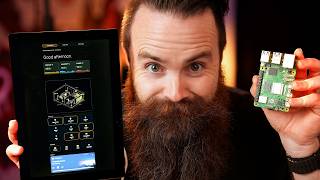
RustDesk is free, open-source, and can be self-hosted. It offers GPU acceleration and clients for all platforms, including phones. The ability to host your own server is a key differentiator.
RustDesk allows direct IP-to-IP connections on the same network without a server. The creator demonstrates installing and connecting to a Windows machine via IP.
Twingate is a zero-trust network access solution that is free for up to 5 users. It allows secure remote access to home lab or business networks, and can be used with RustDesk for fine-grained access control.
The creator sets up a RustDesk server on a $5/month cloud instance (Hetzner) using Docker. The server acts as a relay for connections when direct access isn't possible.
Steps include updating the system, installing Docker, creating a docker-compose.yml with hbbs and hbbr containers, and running 'docker compose up -d'.
After obtaining the public key from the server, configure each RustDesk client to use your server's IP and key, ensuring privacy and control.
RustDesk can establish direct connections when possible, but may use the relay server otherwise. The connection status shows whether it's direct or relayed.
By using Twingate, the creator can access his church PC directly via IP, avoiding the relay and improving performance.
RustDesk offers features like hardware codec, auto-discovery, and address book. Performance is near-native, making it suitable for tasks like video editing.
RustDesk is a powerful, free, and open-source remote desktop solution that offers near-native performance and self-hosting capabilities. For secure remote access, pairing it with Twingate provides a robust and flexible setup.
What is the main limitation of native Windows RDP?
It requires Windows Pro on the host machine, which costs extra.
01:33
What are two browser-based remote access tools mentioned?
Guacamole and KasmVNC.
04:21
Why did the creator choose RustDesk over TeamViewer?
RustDesk is free and open-source, and can be self-hosted, avoiding the guilt of commercial use.
06:38
What is the default port for RustDesk direct IP access?
21118
08:27
What are the two components of a RustDesk server?
Signaling server (hbbs) and relay server (hbbr).
14:19
How do you configure a RustDesk client to use your own server?
In Network settings, set the ID/Relay server IP and the public key.
18:05
What is the purpose of the public key in RustDesk?
It is used to encrypt connections and verify the server.
16:58
RustDesk: Free and Open Source
The core value proposition: a free, self-hostable remote desktop solution.
06:38Direct IP Connection
Demonstrates how to connect without a server, useful for LAN scenarios.
08:01Self-Hosting in the Cloud
Shows how to set up a relay server for remote access, a key feature for privacy.
11:52Direct vs. Relayed Connections
Explains the difference and how to achieve direct connections for better performance.
19:25[00:02] accessing another computer we use it all the time it's required in it and you know what I found a new solution that I love Windows Mac Linux doesn't matter from any computer including my where's my phone there it is including my phone
[00:17] it's free open source I can host it myself that was a big deal and it's solving a massive problem for me because up until now I've been paying for RDP or you might be in this oh my gosh I just SP coffee everywhere and you might be in
[00:30] the same boat I'm in a boat I've got coffee everywhere I'll be right back so while I do use every operating system because I love it my primary Workhorse is Windows we're kind of doing like a little history of RDP or remote
[00:43] access before I show you my favorite solution I will show you I just feel like I need to tell you the story first is that cool now I use every OS Mac a problem with Windows specifically their RDP now here's the current state
[00:56] of remote desktop and my biggest problem with it so right now remote desktop often am it's my daily driver they actually have a pretty amazing remote desktop solution it's native it's called remote desktop or RDC remote desktop
[01:09] connection from this computer here the one I'm using I can remote into that laptop behind me also running Windows let's try it out we'll search for remote desktop connection or if you're old school you'll search for mstsc put in
[01:21] I'm in like it's it's amazing except for reason I have to pay for remote desktop this computer here the one I'm remoting this computer here the one I'm remoting into it has to be Windows Pro Windows 11
[01:33] this computer the one I'm using to remote into the other one this can be the ability to go into your settings we'll pull it up real quick remote desktop settings and turn this feature on to allow people to connect to your
[01:46] so my solution has been to upgrade all my stuff to Pro because I remote into they remote into their PC's all the time so we have to be Pro everywhere Pro cost that should be guaranted built into your system also Microsoft's
[02:02] native RDP software is fairly limited a big feature it lacks is being able to that's not possible those computers have to be on the same network but often my the computer they're trying to remote into they're going to be at their house
[02:17] this video we'll talk more about them access solution they make it to where my video editors can connect to all my stuff here securely from anywhere so Windows while home remote into pro pro
[02:31] but this problem hasn't bothered me until now why well now Network truck Studios is going full Mac yes every video editor is moving from a PC based editing system to a Mac and here's the problem they often need to remote into
[02:45] home or when they're away now Mac can remote into Windows just fine it has a Microsoft Remote Desktop app has to be Pro can't do home but it works great the into Mac not easily and certainly not natively and when I say native I mean
[02:59] the app that the OS provides for you which normally does give you the best performance so if you can use that go for it now we also use Linux around here machines do have a guey and we want to remote into those by the way do you say
[03:11] guey or GUI recently someone gave me Flack for saying guey I stand by it now what's called xrdp and this allows you to use a remote desktop client Mac or Windows and connect to your Linux box using RDP very cool now to add one more
[03:25] annoying layer on top of this you could use a protocol called VNC it's very install it on all these operating systems it sounds kind of perfect right systems it sounds kind of perfect right like that's our solution uh the NC is
[03:38] especially on Linux and it may not give you all the bells and whistles you're Troublesome and with my editors logging in to edit videos I'll need some like amazing native GPU performance so this is the state of RDP while there are
[03:53] solutions and some actually work very well it wasn't good enough for me it's too cumbersome I want one simple solution free open source and amazing is this Journey Begins I had to find something amazing and it had to work for
[04:07] here is what I found because as I mentioned before I did find the best and I think it might be for you we'll see but here are some honorable mentions and I actually do use these all the time there's a sector of remote desktop
[04:21] meaning you can access a computer remotely right from your stinking browser you'll see two big players up there both free in open source you got guacamole and my personal favorite Chasm VNC which as the name suggests they are
[04:35] it's very very awesome they take all the pain away and they do work for every OS wondering Chuck why not just use those they're not a native client they're you're just going to do some basic web browsing maybe some terminal stuff for
[04:50] example I do have an employee in the Philippines who will log into our system with twin gate which is wicked fast and she'll log into chm workspaces it looks like this let me stop describing it for you and show you here's Terry my AI
[05:02] boom I'm in this is my favorite way to access stuff remotely and while kasm has made some Leaps and Bounds in doing GPU related access you can't beat native that have a client installed for doing heavier things like video editing this
[05:17] is where my research kind of took a weird turn team viewer don't worry solution like this if you've ever been hacked you'll know what team viewer is viewer it is one of the best ways to get remote access to any kind of system now
[05:31] for example I'm The Unofficial it guy at my church and I manage their Windows running on it so I've got my team viewer application here and without a VPN machine it's kind of amazing for what it is and as you can see here it's free for
[05:44] personal use and it does have a ton of features but honestly I'm kind of connect to something it tells you hey this is free you disconnect to like hey this is a sponsored session make sure you play fair buy a license I don't like
[05:57] problem with is that I'm using team viewers servers to access this computer viewer this is the solution for you if you're unsure keep watching I wanted that didn't make me feel guilty every time I used it so I could use it for my
[06:13] business and something that's truly free and open source something I can host myself because I love hosting things myself it's the best so team viewer is out but I love team viewer for what it does it's so easy to get remote access
[06:25] you just simply install a client and boom you can get in you don't need a VPN nection although I do recommend it and performance aside it gives you a great and friends they're having a PC issue Mac issue Linux issue bam you can get
[06:38] access almost immediately no matter where they are so I wanted something like that with performance my laundry list is pretty high and I landed on two probably heard of is called any desk
[06:51] a big competitor the team viewer and the one I chose my favorite is called rust desk rust desk called that because they wrote it in Rust a very popular features are pretty similar free without the guilt and the biggest thing for me
[07:06] well asterisk you can host your own if you want to host your own server locally on any desk that's a paid option that's Pro also rust desk is open source and while they do have a pro option so
[07:22] support that's a whole thing they do maintain an open- Source version of their software and similar to team viewer and any desk they do have GPU acceleration clients for everything including your phone but the biggest
[07:35] things for me open source and the ability to host it locally yourself when you're installing rust desk that means you're going to be installing a rust desk server either on Prim in your home lab or in the cloud but you don't
[07:47] don't need a server at all if you have the rust desk client which the more I say rust desk the harder it is to say I don't know why if you have the client on the same network or they're using twin gate for remote access they can
[08:01] access each other via IP address so check this out I'll install rust desk on remoted into I'm going to remotely install some remote software I'll have all these links below but it's pretty easy to find click on download find our
[08:13] client which would be Windows I'll do MSI for 64bit install it and then allow local access we'll click on these dots right here next to our ID and then those settings which will give you a little UAC prompt no not Network it's
[08:27] too and we'll scroll down to the bottom where we'll see enable direct IP access perfect we'll say Port 21118 apply that's the default and then up here that's all we have to do now I'm going to disconnect my native RDP application
[08:43] here on my computer which I already have installed obviously and I've been using it a lot I'm going to connect directly to the IP Ready set go oh wait asking for my password and I'm in it's looking for my login my
[08:57] face I'm here I'm here I don't have to do that it'll give me an option to log now it's kind of bouny and weird let me change the resolution to scaled and right now at this moment we're simply IP to IP local network nothing going to the
[09:12] cloud notice up the top here it'll tell me hey this connection is direct and network and I can do the same thing with my Mac it's connect put in the password and I'm in browsing on my Mac also notice too when I try and change the
[09:26] machine these set things are grayed out by default but that is a setting we can change by going to security and enabling remote modification now this may be where your remote access Journey ends this may be good enough for you it's
[09:39] cases many things I want to access are right here on my land and when I'm away when I'm at my house when I'm traveling when I want to access my stuff from my phone I still want the local access I don't want to go through any other
[09:51] this video twin gate now here comes the ad portion of this video yes videos are all the time but seriously twin gate is a longtime sponsor of my channel I trust
[10:03] them I use them every day they are a zero trust network access solution and they enable me to access my stuff from anywhere in the most secure way possible and I prefer to use twin gate with rust desk because I get fine control over who
[10:17] has access to what for example we just did this because Mike our editor was one of the first to receive a Mac and he's like hey we just had a big snowstorm how can't remote into my Mac now what I love about twin gate is that it's completely
[10:30] free for home labers and also for businesses if you don't have over like I it say I have to actually look it up oh yeah five users and all you have to do twin gate connector somewhere in your network it could be a Raspberry Pi in
[10:44] fact in my last video I needed access to my church remote access to control their on a Raspberry Pi and drop that off at the church now from anywhere I can access that Network notice here in my resources I've got Mike smack and check
[10:57] this out I can see who's been accessing Mike's Mac Isaac and Mike why is Isaac using maik's mic Mike's Mac I'm getting confused here Mike's Mac and that's controlled the uh a security group I have for video editors and you have to
[11:10] be in that video editor group to be able to access Mike's Mac maik's Mic Mac M Mike's Mac so no matter what solution you use to remotely access your desktops local connectivity if you want to go native go native remote desktop for
[11:23] Microsoft Remote Desktop from Mac those typically and actually I think they do you can have that and use twin gate so if you want to access your home lab from Nas or you want to be able to access your family and friends Network remotely
[11:37] check out twin gate link below long-term the ad segment back to talking about rust desk now just because I'm mainly doesn't mean I'm not going to install a rust desk server somewhere what I want
[11:52] which by the way is super easy to install we're going to install that with we're gonna install that in the cloud hey check from the future here I forgot install a rust death server in the cloud is that it's reachable by everyone in
[12:07] those remote access situations for your family or friends and they're not already on your vpm with twin gate that's a quick and easy way to do that for example I may take my laptop with me
[12:19] room powered on and I want to remotely access it from my phone while I'm walking around I don't have twin gate access to my hotel room but my rust mean who doesn't love redundancy now you 100% can install this locally in your
[12:33] same steps you might have to do some port forwarding to make things work but having it in the cloud I'll show you why first we'll log into a cloud a cloud is just someone else's data center someone else's computer for me I'm going to use
[12:46] happens to be the one I'm using right now it doesn't matter what cloud you use and I'll set up a new server something close to M and something small I'll run on Ubuntu 2404 and I'll choose their smallest instance a $51 g gab of ram a
[13:00] little machine five bucks a month I'll label it give it a password and create virtual machine a computer and the cloud just like that now you might be wondering Chuck we just did the rust Des client situation what's the server doing
[13:12] why do we need that well the server is operating as it was called a relay useful in a situation where you may not have local network connectivity for a example your uncle rico calls you up and says hey my computer no working need
[13:26] help you say okay fine go to Rusk desk.com install this little application and tell me the code you have or the ID and the client it'll look something like similar to team viewer if you've ever
[13:39] the other computer and connect to it and all that magic happens with the rust desk server we'll put in Uncle Rico's ID and our rust client will reach out to trying to connect to a computer can you help me out can you facilitate this and
[13:52] figure out hey can we bust through Uncle Rico's Network in firewall do some Gat hole punching and facil a direct connection between us or is that not terrible and the server itself will be
[14:05] connection either way the rust server is going to make sure it happens and also I way oversimplified how that works if you want to learn more do a nice nerdy Deep trademark that they have a very fun diagram that shows all those handshakes
[14:19] and that Discovery and notice too when I say rust desk server I'm really meaning rust desk servers there's a signaling server and a relay server but when we install it via Docker it's just going to be like that so actually let's do it
[14:32] grab the IP address and using my terminal here in Windows I'll SSH root vary based on what cloud you're using or if you're going local just get logged things we're going to do first we'll do a pseudo AP update to make sure all our
[14:47] Docker so we're going to use to run our rust desk servers if you don't know what Docker is oh I envy you you get to learn it fresh like watching a new movie or reading a Harry Potter book sorry yeah I'm a nerd uh go check out my video here
[15:00] life after you install this cuz you don't have to know what it is to be able will help you learn it I'll have this link below to install Docker it'll be will set out docker's AP repository all we have that sounds really scary I know
[15:14] paste it over here hit enter it's going to do its things for just a moment so we'll get a little coffee break done and all that's doing is setting out docker's when we use the command install Docker we're going to look at Docker servers
[15:27] date version of what you have and then we'll use this command that we'll copy and paste pseudo AP get install Docker it's going to install all the docker to install them hit enter and let it run this also should not take very long but
[15:41] this point we do have Docker installed and we can now set up our rust desk servers this is the easiest part Docker makes everything easy I will have a link page here we're on the self host tab they have a section for Docker
[15:53] Docker tool called Docker compose again this is very very easy see this code this little button copy that and over here in our terminal we're going to do a few things first we'll make a new directory mkd we'll call it rust desk
[16:06] Docker we'll use CD to jump into that directory CD rust Docker and then we'll create a new file we'll use Nano Nano and we'll call this docker-compose.yml and then right here we're going to paste all that deliciouso
[16:19] documentation it's describing creating two containers hbbs and hbbr are two rust desk servers all we have to do here is hit contrl X y enter to save and then with one command we're going to bring up
[16:32] our servers and have rust desk running the command will be Docker space compose space up- d Ready set go isn't this magic oh that was that's it it's done isn't that crazy you'll see our two servers running there and that's pretty
[16:45] there is one more thing if you type in LS in the directory you're in right now you'll see a folder called Data this was created by our Docker compose file when we ran Docker compose we'll do CD data to jump in there type in LS once more
[16:58] of information here the contents of this ID ed25519 pub file this is your public key and we'll need that so we'll do cat ID blah blah blah. pub. pug. Pub and
[17:11] can see mine it's public we're going to need this key everything right before root right here let me zoom out so it looks cleaner we'll also need the IP already too okay cool my IP address is this guy right here go ahead and grab
[17:24] our rust desk clients now real quick notice this when you first install your you'll notice that down here on the server connection it says ready but for own server which we just it however what this means is that rust desk by default
[17:39] will use public rust desk servers meaning rust desk servers that are run by rust desk I've been seeing rust desk too much can we simplify that can we abbreviate it Rd we'll call RD although we're at the end of the video what's the
[17:52] point now now for many privacy-minded people this is an issue which is why server so let's check change that right now to change your server we'll click on we'll click on the network tab we'll unlock our network settings and then
[18:05] we'll click on the ID relay server here we're going to paste in the IP address of our rusts server I'll also paste in the same IP address for the Relay server feel like I it's the same it'll be the same one and then down here for key
[18:17] looked at so getting back to our terminal I'll C that file one more time it was the pub file and I'll grab everything including the equal sign but right before my username so just like this and I'll paste that here here and
[18:29] now if we look at our homepage again we can now see ready without that scary server we're using our server now we'll need to set up that server on every desktop I'll also go into my settings network ID relay server and paste the
[18:44] same information okay and successful and what I'll do real quick is take note of the ID and the onetime password onetime password is handy because it's a theral by nature and it's great for quick tech support situations so I'm going to
[18:56] using my IP address I'm going to use the ID of my remote computer back here so our rust dust client will use its configured server the server that we like hey do you know about this ID does someone connected to you have this can
[19:12] connect that was quick we'll put in that onetime password that we just snagged click okay we'll retry with our permanent password ah and we're in notice this time everything looks pretty much the same except for our connection
[19:25] encrypted connection meaning our rest the client and go oh we can actually make a direct connection let's set that not going through the relay for our connection so it's faster it's better
[19:38] doesn't mean I have a local direct connection when you use that ID it's going to end up talking to your relay server if you want a true local direct connection you want to enable that land access and connect via IP address now
[19:52] you're connecting via a relay I'll connect to my church PC and notice up here at the top we get a different icon relayed and encrypted connection meaning you guys directly but we can play a little bit of telephone I can be the in
[20:05] don't want to go through a relay I'll go to my twin gate setup for the church computer reach is the name of my church by the way give myself access and actually I'll limit it to one port because I know it's Port 21118 wait too
[20:19] many once there we go p in the IP address connect and now I have a direct rust desk I got my recent connections and their statuses right here oh I quickly connect to my Linux guy here boom Linux and by the way they also just
[20:34] release support for a headless Linux experience so for most Linux servers we set up there's no head meaning they we didn't install a guey it has no display attached to it but they do have a quick little way to set that up I tested it
[20:47] it's not great so I wouldn't get too excited but I'm hoping they add more to here I've got my favorites they even have um Auto Discovery it'll discover other hosts on your network that are also running uh rust desk of course that
[21:00] subnet to autodiscover other features like an address book and people require a login this is more for the pro version of rust desk if you want to pay some money that's neat you can see here you really don't need it there's so much you
[21:13] I mean you can see there's just a ton of stuff to do from General you can change including using the hardware codec of course you want to use that wow I didn't that real quick let's see what should I connect to connect to um my Mac or did
[21:27] it go to sleep I think I went to sleep let's go play a video yes I have a million tabs open o a new chat GPT feature all right so open AI just feature all right so open AI just dropped task as part of chat GPT that
[21:40] means you can give chat GPT things to remember there and so what are they more fun watch as I scroll I mean this is fantastic performance all right Solutions I think this is the best one there are others I know and they have
[21:54] their different use cases but if you're looking for near native performance near native client performance rust desk is the way to go I feel I love the project I really hope the devs continue to support it Pour their love into it and
[22:07] even show you the phone I mean that's pretty sick let's see I'll disconnect it pretty sick let's see I'll disconnect it from my Mac here and boom I'm in and there is no word when the feature is released to free users aome all right
[22:21] way of doing what I'm doing here I would love to know comment below also comment love to know comment below also comment below if you just want to say hi hi



⚡ Saved you 0h 22m reading this? Transcribe any YouTube video for free — no signup needed.