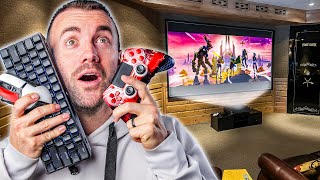

132-inch screen, but 25-year-old projector!
45sHigh contrast between massive screen and ancient tech creates immediate curiosity.
▶ Play Clip"Delivers on the promise of building a gaming theater, but includes a lengthy sponsor segment and minor filler."
The video documents the process of upgrading a 132-inch theater screen in the parents' new home by replacing an old 1080p projector with a Nexigo Aurora Pro 4K 120Hz ultra-short-throw projector. The goal is to create an easy-to-use surround sound gaming experience controlled by a single remote for the parents, who are in their upper 60s. The video covers setup, challenges with screen alignment and calibration, and the final result.
The parents have a 132-inch theater screen, but the projector is 20-25 years old and 1080p. The goal is to replace it with a Nexigo Aurora Pro 4K 120Hz ultra-short-throw projector for a great surround sound gaming experience, controlled by a single remote for the parents.
The creator promotes Descript, an all-in-one editing studio that makes editing as easy as editing a text document. It auto-creates transcripts, removes filler words, shortens gaps, and creates captions. The creator emphasizes that AI should empower creators, not replace them.
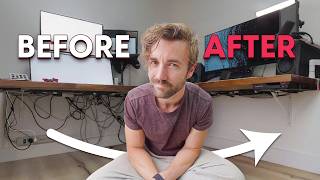
The control room for the theater is outdated, with technology from the early '90s and poor cable management. The creator plans to rip out old landline systems and other outdated equipment, but for now, focuses on getting the projector working.
The projector has three HDMI inputs: HDMI 1 is ARC, HDMI 2 is regular, and HDMI 3 is for gaming (PlayStation 5). The creator connects the PS5 to HDMI 3 and plans to add a PC later.
The screen is bent backwards at the top, causing skew and phasing in corners. The creator plans to remount the screen or 3D print spacers to fix it. This is a common issue with ultra-short-throw projectors.
The creator uses a Denon AV receiver with eARC to connect to the projector's eARC port, allowing control of audio via the projector remote or Apple TV remote, achieving single-remote control.
The setup allows the Apple TV remote to turn on the projector and audio, and a single button on the projector remote turns everything off. This reduces the parents' remote count from four to one.
The shelf ordered from Amazon arrived damaged with missing screws, so the projector will sit on its box for another week until a replacement arrives.
The creator tests the setup with Marvel Rivals on PS5, noting no delay and high frame rate. The experience feels phenomenal.
The projector is praised for its brightness, colors, contrast, and 4K120 performance. The creator notes that the microphone calibration didn't work well and required manual adjustment, but after tweaking, the theater is awesome.
The theater now has 4K120, surround sound, and a 132-inch screen. The creator asks for suggestions on story games and what else to add, and mentions considering Black Myth: Wukong.
The video successfully demonstrates upgrading a home theater with a modern ultra-short-throw projector, achieving a high-quality gaming experience with simplified control. Despite minor issues with screen alignment and calibration, the final setup is impressive and user-friendly for the parents.
What are the three HDMI inputs on the Nexigo Aurora Pro and their purposes?
HDMI 1 is ARC, HDMI 2 is regular, HDMI 3 is for gaming (e.g., PlayStation 5).
02:46
What issue did the creator encounter with the screen alignment?
The screen was bent backwards at the top, causing skew and phasing in corners, common with ultra-short-throw projectors.
03:32
How did the creator achieve single-remote control for the theater?
By using a Denon AV receiver with eARC connected to the projector's eARC port, allowing the Apple TV remote to control audio and power.
04:42
What was the problem with the microphone calibration?
The calibration set the center channel too low and rear surround too loud, requiring manual adjustment.
08:31
What are the key features of the Nexigo Aurora Pro projector?
It is a 4K 120Hz ultra-short-throw projector with bright colors, good contrast, and near-perfect 4K120 performance.
08:05
Single Remote Control Achieved
Demonstrates a practical solution for simplifying home theater control for non-tech-savvy users.
04:42Projector Performance Praise
Highlights the value of the projector's brightness, colors, and 4K120 capability for gaming.
08:05Calibration Challenges
Shows that automatic calibration may not always work, requiring manual tweaking for optimal audio.
08:31[00:03] parents have a 132-in theater screen, you have a 132-in theater screen." The thing is, in this theater room, in the house that my parents just moved into, the screen might be massive, but the projector is about 20 25 years old and
[00:19] is 1080p. So, we're gonna be replacing it today with this guy, the Nexigo it today with this guy, the Nexigo Aurora Pro, a 4K 120 Hz ultra short
[00:31] Aurora Pro, a 4K 120 Hz ultra short throw projector. And we have two goals throw projector. And we have two goals in mind. One is to set up the greatest surround sound gaming experience ever. and two, set this up to be as easy as
[00:45] possible. So, the whole thing can be controlled with a single remote for my parents that are in their upper 60s. Let's get started. We got a lot to [Music] do. Being a tech YouTuber is super cool,
[01:01] but there's one thing that I don't like, and it's Oh, right. I I don't like and it's Oh, right. I I don't like editing.
[01:15] don't like editing, which is why I'm super excited to tell you about today's all-in-one editing studio that makes editing insanely easy. In fact, as easy as editing a text document, because that's literally what you're doing. Let
[01:28] footage in and it automatically creates a text transcript. If I don't like this sentence, I can remove it. It took me four takes to get this sentence right They also have a whole suite of AI tools. Hold on. Don't click away because
[01:41] you heard the word AI. Descripts AI does things like recognizing filler words to remove them or shorten gaps between sentences and creates captions with a quality if you don't have a fancy mic. Kind of like me right now. This is what
[01:54] I think AI should be used for. Empowering creators and artists, not editing game changer. Easy enough for new editors while still having enough advanced tools for experienced editors. Get started using Dscript for free
[02:07] today. link to it in the description down below. Just to give you an idea of what we're working with here, this is the control room for the entire house, but also especially for the theater. I think the most recent
[02:20] technology in here is the early '9s, and they don't know the meaning of cable management. This apparently that was invented in the early 2000s. So,
[02:32] this is all getting ripped out. Well, this is the best they could do. Look at this thing. This is This is an old landline system for every single phone So much of this is just going to be gutted. I want to burn it to the ground.
[02:46] project for a later date. I just got to get this thing working. So, I'll rip this out later. Let's get that projector set up. So, this has got three HDMI set up. So, this has got three HDMI inputs. One of them is ARC. HDMI 1 is
[03:02] ERC. Let's get that in there. HDMI 2 is the regular one and HDMI 3 is game. So, PlayStation 5 into that. Eventually, we'll get a PC in here. We'll actually
[03:14] plug in a full-on gaming experience, but a PlayStation 5 will work fine for now. I definitely didn't get a straight unless their logo is in italics. I don't think it is. Oh, no. They've got a whole like setup diagram
[03:32] wall and this far from the ground. Eventually, I got to get some kind of Eventually, I got to get some kind of stand that's exactly 12 in tall. Wo, I wasn't even close. Man, it looks so crisp in the
[03:47] middle, but you get up to this corner up here, look at that. The thing is, it's here, look at that. The thing is, it's not the projector. This whole screen is
[03:59] bent backwards up here quite a bit. So, you get a little bit of a skew and then you get in this corner in particular some weird phasing. I'm going to have to see if I can pull this screen off and remount it. Maybe 3D print some
[04:12] some spacers or something to get it just right. But that's a problem really you only get with uh with ultra short throws since it's coming right from the bottom versus this one up here. It's It doesn't really matter. But man, look at this.
[04:26] Look at the detail here. That is wild. Is that How do I get those to go off? warning. My mom already texted me about that once saying, "How do I get this off with the Apple TV remote, but you need this one for it. There we go. Got it.
[04:42] So, for right now, until I can get a cable running back, it's coming out along here, but it's going into an AV receiver over here
[04:54] to connect to the entire surround sound. This is a Denon or Denin AV receiver. I receiver. And I picked this specifically because it's got an ERC receiver built into it. So, I can plug that into the EER on the projector. And now I can
[05:09] control the audio, the volume of this with either the projector remote or with the Apple TV remote and everything can be done by one controller. But we should comes with a little microphone. Let's do that. I bought this PlayStation to test
[05:26] that. I bought this PlayStation to test a product and then uh haven't played it since. So, it's finally getting some use out of it. Man, we need an actual dresser for this to sit on. Just plugging this thing in. I'm un I'm
[05:41] deigning the entire thing. Did you see that on the Apple TV, turns on the projector, and turns on the audio. See what this
[05:53] looks like now. And then that is vibrant. The AV receiver And I'm not using any of them. I'm just going to the ER plug. That's going to
[06:05] drive my brother insane. But do it for a reason because you hold this one button reason because you hold this one button and turns off everything. It's now very worth it. Absolutely worth it. And my parents last TV setup, they
[06:21] had four remotes. This is this is the whole projector remote when they want to switch to uh the PlayStation, but that's switch to uh the PlayStation, but that's it. That's the only thing.
[06:34] Well, we ordered a shelf from Amazon and it came in more pieces than it was supposed to. This thing was Dude, it was just shredded. It came in all four
[06:46] corners of the box were just destroyed. The hardware, half the screws are The hardware, half the screws are missing. Half of them are just dismantled. This is the worst shape I've ever had anything deliver in. Like, I
[07:00] call Amazon, be like, "You got to send another one." But I'm not sending this the box. I don't think I can put it back in the box. It'll fall "Not my problem." Looks like the projector is going to be on its box for
[07:15] another week or so. Oh, well, it is what it is. All right, what do we play? Oh, [Music] Rivals. Oh, boy. We did it. Oh,
[07:28] boy. That looks good. Never played this on a controller before, so we'll see. Oh. Oh, there it is. And now there's no delay. There you is. And now there's no delay. There you go. Where was the frames?
[07:41] Oh, this feels phenomenal, though. Yeah. Turn on the high frame rate and the gone. Oh, see I can hear it. Our phones draw
[07:53] Oh, see I can hear it. Our phones draw near. of everything I put in here, I think the best thing added was probably this
[08:05] projector. The projector is phenomenal, especially compared to other projectors for the price. It's super bright. The colors are amazing. The contrast is fantastic. And the 4K120
[08:18] 4K120 is I mean near perfect. It's so good. I got to bring a a PC up here though or even just like a laptop and try a mouse worked great. The calibration we did with the microphone didn't work very
[08:31] well. I've had to go in and manually adjust. When we first did it, the center channel was really low and the rear the surround was really loud. So, we were having a hard time hearing people talking and I I had to go adjust it, but
[08:43] then the two side front channels were too low and you couldn't hear ambient main sounds. So, I had to turn turn down the back and turn up the front. It was calibration was on that system, but I've dialed it in and it's great now. But
[08:57] definitely with how to set it up and how user friendly it is, not the best. But all around once once we got all the tweaking done, this has turned into an awesome theater. Anything else we need to see? We got 4K 120. We got surround
[09:13] to see? We got 4K 120. We got surround sound. We got a 132 in TV. I need to find a good story story game to play in here. I think that's Blackth Wukong. I know in the comments down below what's it missing. What else do we need in
[09:26] here? This is about 30 minutes away from my home. So, I'm considering this my the comments. Hit the like button if you haven't already. Subscribe. And as I'll see you in the next one. I got to save this robot. I can't figure out how
[09:43] to turn turn this thing off. Like, I'm hitting every button. I still don't know hitting every button. I still don't know how to turn off an Xbox.
⚡ Saved you 0h 09m reading this? Transcribe any YouTube video for free — no signup needed.