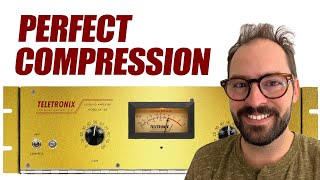

Secret to Perfect Compression
45sThe promise of a simple secret combined with a relatable boomer analogy grabs attention and makes complex audio engineering accessible.
▶ Play Clip"The title promises a 'secret to perfect compression' and the video delivers a detailed, step-by-step method culminating in the SSL theory trick, making it highly credible."
This tutorial explains how compressors work and provides a step-by-step method to set them up for optimal sound. It introduces the analogy of a volume knob controlled by a boomer—turning quiet parts up and loud parts down—to illustrate the fundamental concept of compressing dynamics.
A compressor makes loud parts quieter and quiet parts louder, reducing dynamic range. It's like a boomer turning up the quiet and down the loud.
Every compressor has four controls: threshold (sensitivity line), ratio (strength of reduction), attack (reaction time), and release (recovery time).
Set high ratio (10:1), medium attack (~10 ms), and fast release (100 ms) to hear compression clearly.
Drag threshold down for 8–12 dB of gain reduction, then compensate with makeup gain.
Compare 1 ms (instant, glue), 10 ms (snappy), and 30 ms (punchy) to choose the desired character.
Compare 100, 400, 800, 1600 ms. Fast release reinforces immediacy; slow release pushes the groove back.
Lower ratio to taste (1.1–2.5 for mastering/bus, 2.5–9 for instruments, >9 often needs limiter). Fine-tune threshold for desired gain reduction (e.g., 4 dB).
Using attack/release times from classic SSL compressors (e.g., 10/30 ms attack, 100/200/400/1600 ms release) makes compression sound familiar because countless records used those exact settings.
By following five specific steps and choosing attack/release times inspired by classic SSL compressors, you can dial in perfect compression that sounds familiar and musically appropriate.
What is the purpose of a compressor in audio mixing?
To make loud parts quieter and quiet parts louder, reducing dynamic range for a more consistent sound.
00:25
Name the four main controls of a compressor
Threshold, ratio, attack, release
00:51
What is the function of the attack control?
Reaction time – how quickly the compressor responds once sound exceeds the threshold.
01:17
What are the recommended starting settings for a compressor?
High ratio (10:1), medium attack (10 ms), fast release (100 ms)
01:41
How many decibels of gain reduction should you aim for when setting the threshold?
8 to 12 dB
02:05
What attack time results in a punchy character? What about glue?
30 ms gives punchy; 1 ms gives glue (instant, not audible as attack).
02:55
What does a fast release time (faster than the groove) do to the feel of a track?
It makes everything feel more immediate, with the compressor returning to zero before the next beat.
03:49
What is the general ratio range recommended for mastering/bus applications?
1.1:1 to 2.5:1
04:43
What is the SSL theory trick?
Using attack and release times available on the SSL G-Bus compressor (e.g., 10/30 ms attack, 100/200/400/1600 ms release) makes compression sound familiar because countless records used those exact settings.
06:07
Compressor as Volume Regulator
It simplifies the primary function of a compressor with a relatable analogy.
00:25Seven-step Compression Setup
Provides a repeatable method for dialing in any compressor.
01:41Release Time Affects Groove
Explains how release timing can musically reinforce the feel of a track.
03:49SSL Theory Using Familiar Attack/Release
Offers a creative shortcut to get familiar-sounding compression by emulating classic hardware settings.
05:40[00:00] Today I'm giving away the secret to perfect compression. We're gonna break down in 60 seconds how compressors work and how they're kind of like boomers. Then I'll share five simple steps to dial in any compressor perfectly every time. And at the end of this video,
[00:12] I'm gonna share with you a trick that might just be the secret sauce that your record is missing. Let's get into it. It's the analog log, it's a vlog, analog. Okay, part one, how compressors work.
[00:25] Using a compressor makes your loud stuff quieter and your quiet stuff louder. It takes stuff that's dynamic and makes it less dynamic. It's kind of like giving a volume knob to a boomer. They're hard of hearing so they're gonna turn the quiet stuff up
[00:38] but they hate your music so they're gonna turn the loud stuff down. Use a compressor when you have a recording that has big jumps in volume and your goal is to have that recording sound more consistent. There are four main controls to every compressor, threshold, ratio, attack, and release.
[00:51] Every compressor has these controls but some of them hardwires some of them so that you have to work around or into set parameters. Threshold is sensitivity. The threshold draws a line in the sound and says, okay, compressor, when sound gets louder
[01:04] than this line, I want you to do something about it. Ratio is strength. Once sound gets louder than the line, is your compressor gonna just turn it down a little bit or are they gonna yank that volume down super hard? Attack is reaction time. How quickly is the compressor gonna respond?
[01:17] Once sound goes above that line and release is recovery time. How quickly will the compressor return to normal after sound has returned from crossing that line? Those last two are usually the hardest to hear when starting out.
[01:29] So that's largely what the second half of this video is gonna be about. The part two, five steps to dial in any compressor perfectly every time. Step one, we need to put in some starting settings.
[01:41] Set a high ratio, something like 10 to one. This isn't where the ratio is gonna end up. We just want this thing working. Set your attack time to medium. If you have stepped controls, pick the middle-est one. Otherwise, type in something around 10 milliseconds.
[01:53] Set your release time to as fast as it can go or type in something like 100 milliseconds. Step two, find a highly reactive threshold. Drag down the threshold until you can see a healthy amount of gain reduction on your meter.
[02:05] Something like eight to 12 decibels of reduction. We really wanna hear this thing working. If your compressor has makeup gain, you can add back that eight to 12 decibels of gain to make up for the compression or if it has an auto makeup gain that works too.
[02:18] Sometimes that's even better. Step three, dial in your attack time. Okay, now it's time to start listening. Now I want you to jump between one millisecond, 10 milliseconds and 30 milliseconds. What are you here? ć
[02:30] ć ć ć ć ć ć ć ć options z chin
[02:43] z In this example, I would characterize 30 milliseconds as punchy 10 milliseconds as snappy and one millisecond as instant.
[02:55] And I don't really hear an attack time. I just hear the glue of the compression. So now you get to make a musical choice. On your recording, do you want punchy compression, snappy compression, or do you not want to really hear the compression you just want more glue? Select an attack time accordingly.
[03:08] In this case, I think I just want glue. But if you like something else, that's cool too. Here do you. Step four, dial in your release time. In the same way that we dialed in a attack time, let's listen between 100, 400, 800, and 1600.
[03:21] Something really interesting about release times is you can actually manipulate and reinforce
[03:49] the feel of the groove. A release time set faster than the groove, where the needle returns all the way to zero well before the next beat, will make everything feel more immediate. A release time slightly slower than the groove will make it feel like the whole song is moving
[04:03] with that groove, with a very long release time. The whole song stays pushed back, and it may only return full volume in quieter passages. A typically like the middle option, sometimes if I'm going for more aggressive compression, I'll choose the faster option. So once again, choose a release time that makes sense musically.
[04:18] Step five, dial in your ratio, and fine tune your threshold. As you turn your ratio back towards lower numbers, you'll notice your gain reduction meters become less active, and the sound of your compression becomes less intense. So this is now just a matter of taste.
[04:31] How much of the compression effect do you want to add? We already know that your attack and release times have been set in such a way that they create the character that you're going for, so now you just get to choose what ratio gives you the amount of compression you're after.
[04:43] General rule of thumb here, 1.1 to 1, to 2.5 to 1, really good for mastering mixed bus applications. 2.5 to 1, all the way up to 9 to 1, is great on individual instruments and buses, anything
[04:56] beyond 9 to 1, you might want to be reaching for a limiter instead of a compressor. So with an appropriate ratio selected, you can fine tune the amount of gain reduction with your threshold. I like to think of compression in terms of decibels of gain reduction.
[05:09] If I say I want 4 dB of compression on my vocal, that means I want to see the gain reduction meters swinging down around the 4 dB mark most of the time. So once you get to this stage, it's a bit of a push pole with a ratio in the threshold. You can achieve 4 dB of gain reduction with a high ratio and a high threshold, or you could
[05:25] achieve the same 4 dB of reduction with a lower threshold and a lower ratio. It usually comes down to how unruly your source is and how much it needs to be whipped into shape. I'm about to wrap up here and before we get to that game changing theory, if you need
[05:40] mastering, hi, my name is Will, I'm a mastering engineer and I would love to get your record across the finish line. You can fill out a request mastering form on my website, the link is in the description. If this video helped you learn something about compressors and compression, please subscribe,
[05:53] hit the like button, drop into the comment section and make a comment on my receding hairline or something. And now for the trick, the moment you've all been waiting for, I call it the SSL theory. I didn't pick 110 and 30 for attack times by accident, nor did I pick 100, 200, 400
[06:07] or 1600 for release. These are some of the attack times that are available to you on the SSL G bus compressor. We've heard millions of songs mixed on SSL consoles. All of these songs are going through this one specific compressor with one of these six
[06:22] attack and release times. So my theory is that regardless of what compressor you use, if you choose from these attack and release times, your music will sound familiar. Your song will sound like home at 10 or 30 more than at 20, simply because we've heard
[06:36] 10 and 30 on tons of records. But we rarely hear 20 because 20 isn't an option on the G bus. So when I tune my digital compressors, I'm betting on the SSL theory and I down on famous
[06:48] attack and release times from SSL, API, teletronics, etc. So now you know everything you need to know about compression, but what about limiting? If I had to guess, I'd say you're using your limiter wrong. Check out this video here to become the master of your own limiter.
⚡ Saved you 0h 07m reading this? Transcribe any YouTube video for free — no signup needed.