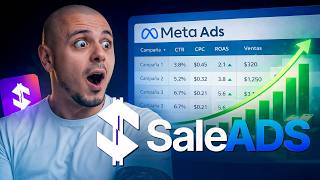

AI Creates Ads in 3 Clicks?
45sImmediately challenges viewers' curiosity with a bold promise that AI can replace digital traffic managers.
▶ Play Clip"The title promises a replacement for traffic managers, and the video delivers a convincing demo of AI doing the job, though it's more of a tool review than a deep industry analysis."
The video is a hands-on review and tutorial of SaleADS.ai, an AI-powered tool designed to automate the creation of digital ads for platforms like Meta (Facebook/Instagram), WhatsApp, and TikTok. The host demonstrates the entire process from setting up a campaign to launching it, highlighting the tool's ability to generate ad images and copy with minimal manual input. The video aims to evaluate whether the tool truly delivers on its promise of simplifying ad creation for digital marketers.
The host introduces SaleADS.ai as an AI tool that can create a complete ad in just three clicks, promising to test its effectiveness.
The host logs in with Google, connects a Meta account, and starts a new campaign, choosing WhatsApp as the platform and 'sell' as the objective.
The tool asks for the product type (digital, physical, service). The host selects digital products and notes the tool suggests an ideal strategy: 'first sales via WhatsApp with photos' targeting people who already know you.
The host sets the location to Colombia, selects a minimum daily budget of $4, and chooses Spanish as the copy language. The tool confirms the strategy is ready.
The host chooses to create images using AI, uploading three reference files (product description, logo). The tool generates 10 images using 'Ultra' mode, costing 1060 credits.
The host reviews the generated images, expressing amazement at the quality, including elements like discount badges, scarcity messages, and WhatsApp support numbers.
The tool generates five ad copy variations. The host approves them, noting strong hooks like 'Stop losing customers due to lack of online sales.'
The host clicks 'launch strategy' and confirms, and the campaign is successfully launched on Meta. The host verifies it in Ads Manager, showing the ads are under review.
The host checks business.facebook.com, confirming the campaign appears in Ads Manager with two ad sets and 10 ads each, demonstrating the tool's integration.
The host explains how to set up a new business account within the tool, including connecting Meta assets and defining brand DNA (colors, style, tone of voice) via audio or text.
SaleADS.ai delivers on its promise of simplifying ad creation, generating professional images and copy in minutes. The host gives it a 10/10 rating, emphasizing its potential to replace traditional traffic managers.
What is the minimum daily budget mentioned for a WhatsApp campaign in SaleADS.ai?
$4 per day.
03:19
How many images are required for the 'Double aim for WhatsApp photos' strategy?
10 images.
02:39
What are the two options for creating ad pieces in SaleADS.ai?
Create with AI (using credits) or upload existing photos.
03:44
What does the 'Ultra' mode in SaleADS.ai do?
It generates higher-quality images but uses more credits.
04:11
How many ad copy variations does SaleADS.ai generate?
Five variations.
06:45
What is the purpose of the 'Brand DNA' feature in SaleADS.ai?
It defines your brand's colors, visual style, content themes, and tone of voice.
13:36
AI Image Quality
Demonstrates the tool's ability to generate professional-looking ad images with persuasive elements like discounts and scarcity, saving significant time.
05:19One-Click Campaign Launch
Shows the core promise of the tool: launching a complete Meta campaign with just a few clicks, potentially replacing manual ad setup.
07:23Brand DNA Automation
Highlights an advanced feature that automates brand consistency, a key differentiator for the tool.
13:36[00:02] channel, I'm going to make announcements in the middle of nothing. In other words, I'm not going to write the copy, much less design the images, because all I'm new artificial intelligence that will have your ad completely ready in just three clicks
[00:16] . The tool I'm talking about is this one here, it's called Sales Ads. In fact, I'll give you the link below in the description, and look, all these images with artificial intelligence, and with
[00:29] just three clicks [music] we'll have a totally professional ad. artificial intelligence tool. So let's do an experiment [music] stay until the end and tell me if this tool is really worth it
[00:42] or not. So the real question is, does this tool actually work or is it all just hype? We're going to find out in this video. And look, I highly subscribe to the channel, because the content you're about to see
[00:55] could literally change the way you do medical ads. I'm in. I'm going to log in with Google here and I'm already inside the a paid tool, so that's why I'm making this tutorial so you
[01:09] can evaluate whether it's really worth it or not. I want to tell you that I'm already surprised me a lot. I've already connected my Meta account, I already have what interests us most, which is showing you how to make the ads, and at the
[01:22] meta tags and everything else. So, here I can start an ad by clicking here where it says more. Or I can also click here where it says my have running. And I can also click here where it
[01:35] says new strategy. So I'm going to click here and the first thing it asks me is, choose what you want for this campaign, whether it's Instagram, WhatsApp, TikTok, Google. In this case, I want a campaign for WhatsApp. And right now
[01:48] , the only goal available is to sell. So, I'm going to click where it says create strategy. Look, I want to tell you something. This is digital products, for physical products, for services, practically
[02:02] specific case, I'm going to create it to sell digital products. So, I have ticket product, a cheap AI assistant product, and I want to show you how to make those ads step by step. So, here you're telling me that they've already found
[02:15] the ideal strategy. In this case, it would be the first sales via WhatsApp with photos. with people who already know you. Your ad appears to people who have already interacted with you, viewed your profile, etc., etc. But if I
[02:27] wanted to use other strategies, I could click where it says "see optional strategies" here. [music] And here we're going to have three types of strategies. There's this one that says double aim for photos for WhatsApp. Ten images are
[02:39] required. The next one is videos, in this case five videos, and the third strategy would be 20 videos. In this case, look, do you know what I'm going to do? I'm going to click here where it says double aim for
[02:53] WhatsApp photos. I'm very interested in that type of campaign. And I'm going to click where it says use this strategy. Here is the location of the campaign. In this case, I'm going to put Colombia. And it's very important that you look at the one that says country, Colombia.
[03:06] Here you can choose the audiences you want, and I could also choose, for example, Mexico. So Mexico City will appear here, but in this case I only want ads for Colombia. The minimum daily budget
[03:19] in this case is $4. Let's select it, and the copy language is in Spanish, and I'm going to click where it says continue. And he tells me that the strategy is ready. Objective: to sell via WhatsApp. Image format $4 per
[03:32] day, location Colombia. It's wonderful. I'm going to click where it says create pieces. And here we have two options. The first option is to create using artificial intelligence by giving it a reference, or the second option is if you already
[03:44] have the photos. Here I want to make two important clarifications. The first [music] is that creating the images with artificial intelligence will require some credits inside the tool. In fact, you can buy more credits, and if you
[03:56] already have the images, you can use this. Since I want to show you the click here where it says "create with artificial intelligence". Look, in this case we have to create 10 and there are two options to create them, the Pro and the
[04:11] use a little more credits, but the result is wonderful. So, it depends. In this case, I have 5300 credits. And here we can I going to add? I'm going to add my files, which are three
[04:25] Look, in fact, I'm going to show them to you here. It's one image of the product description and another of the logo. So, I'm going to upload these three. I'm going to click here to open them and here I'm going to describe to the
[04:38] artificial intelligence what my product is about, what I'm selling so that it can help me design the copy. Here I put the copy and look, I want you to the world. If I wanted to delve deeper here, I would.
[04:51] an AI assistant for creating a digital product on Hotmart. It is important to clarify that this product, in fact here, here is an s, this product costs 9 and that the delivery is immediate, quantity 10, ultra of
[05:04] generate. And look, in this case, since I'm using Ultra, the 10 images cost me 1060 credits, and we can download and use all these images for social media as well . I'll show you the result.
[05:19] The 10 images have already been generated and, wow, what an impressive result. Look, in was wow, what a terrible thing. I mean, it took out the mocaps, it took out the scarcity at the top, the title, I think like a kind of pop-up of the people here with
[05:35] the results, the two bonuses I have. No, no, no, this is look at the following images. The first one is 70% off, $9 first one is 70% off, $9 immediate delivery. Wow. Wow, look at that. No,
[05:49] dude, this used to take way too long to do. Wow, only 9. I because it's a daytime assistant. In fact, he even pulled out the WhatsApp support number. No, this is 10 out of 10. I want you to leave a
[06:04] comment here and rate what you think. Imagine. He even left here [laughs] waiting for the dose of the Italian product. Wow. Guow, guow, guow. Impressive, what's the next step? Choosing the
[06:17] icon and you'll download them. [music] So, look, I downloaded one, I downloaded another. I'm downloading them now. And here the next step is to choose the Here I generate 10. It seems [music] that they are all perfect. Once I
[06:32] generated them, it told me to continue here. I'm going to click where it says continue. It says here that he is reading the pieces and is going to write some copy. I'll show you the result. Well, I'm here at the part with the copies and he gave me five
[06:45] So, I'm going to click here where it says "see more" and it tells me to stop losing customers due to lack of online sales. I learned to sell and here's a little title that says online sales. Now, wonderful. I'm going to try it.
[06:57] We know how frustrating it is not knowing how to sell your products. Pa pa pa pa, I'm going to try it too. This started with a very good hook. Imagine selling monetizes products. It's very nice. I'm going to click on approve. I'm
[07:10] also clicks on approve. There's something I'm going to show you at the end of this video, and that's about your business, but I'll show it to you at the end of this video. We're focused here on whether this AI really does what it promises, which is to
[07:23] two clicks, we're missing the third click. So I'm going to click here where it says launch strategy and then we're going to click where it says confirm and launch. Look, it says "campaign launched," the ads are already up. Wow, this is impressive. He
[07:38] tells me, "Your strategy is ready, do you want to deactivate it to start generating sales? No, wait a moment, I want to double-check that everything is okay. Let's look at the copy here. And look, there's something interesting here with the copy:
[07:50] if, for example, you need to edit something, you can click here on ' edit' and then you can add, like, I don't know, the name of your product or anything else. This is where you can edit it. I can edit
[08:02] all the copy. I think all the copy is fine. Here's the analytics part, which is for when the campaign is running. We're working with the images. Look, everything seems perfect to me. So, I'm going to
[08:14] strategy,' which is basically to launch the campaign. Look, it's that simple. We launched a campaign on Meta. Literally, this tool did what it promised. We clicked three times and it generated the images, the copy, and we practically
[08:30] the ones I have active. I have two active campaigns and one that I have in..." Pause. Here you can see the active ones, the ones that are paused, the ones that are in drafts, and also the deleted ones. And if I wanted a new strategy, a
[08:45] here, I click here on Instagram, and here I have more campaign objectives. Now, the question is, how do we know that this is actually running simple. Let's go to business.facebook.com to
[09:00] Suite. I'm going to click here where it says Ads Manager. I'm going to click here on Campaigns. Look, all of this is in real time. In this case, I have several Ads Managers and several business accounts. In this
[09:13] case, BM01, Ads Account One, is the one I always use for active campaign, so there should be two. Look, here they are. Wow, incredible. Ah, it's it's under review. So, when it arrives and they test it, they're going to send me an
[09:27] email. But I'm going to show you here. Look, I'm going to go in here and artificial intelligence handles creating the ad sets. So, we have two ad sets. I'm going to click here on "edit" in this
[09:39] audience it was. And look, we have 10 ads in one set and another 10 in another set. Let's see what audience this one used. Here, I'm obviously set up, and I'm going to show you how you're going to set it up. And let's click
[09:53] here where it says "audience," "show settings," and it tells me what detailed targeting it is. This is like a very broad audience, right? Let's review this one down here, which would be the second audience. And look. Wow. Wow.
[10:07] Impressive. Here, I've already left all the detailed targeting for some audience suggestions. Now, what I'm interested in seeing are the ads. Come on, let's check the ads and see how they look, and the copy too, okay? Let's see
[10:19] copy. And look, look here Okay. Wow. My people, you're seeing the power of this, it's impressive. Remember, I'll put the link below so you can something. Wow, if this had existed, I do n't know, 2 or 3 years ago, believe me
[10:34] , we would have made copywriters, this, how amazing. I'm going to click here where it says preview. Wow, look, here's the copy I placed. Look, stop
[10:48] losing clients. Let's click where it says see more. One-day assistant to create your digital product on Hotmart, online sales. Here's another variation; we have it in Stories, on Instagram, on Facebook, in the
[11:01] Instagram Explore section, on Facebook Marketplace. No, no, no, no, no. What is this marvel? Wow, impressive. So, this is how you see the campaigns actually turned out here.
[11:14] Obviously, this campaign—let's go back here to Campaigns—is under review, and when it's... So, let's say it's active, then the commercials will start playing . That's fantastic. Now, you might be
[11:27] thinking, "Okay, Junior, that's a really cool tool, you showed it to me, I think it's awesome." I personally give it a 10 out of 10, but the way everything connects is very cumbersome, look. It's the simplest thing in the world. Obviously, I already have
[11:39] my account connected here, so I couldn't disconnect it or reconnect it, but I can even create a new business here. clicking here where it says new business. Pretend you are starting your
[11:52] account. So, I'm going to put advertising here. I'm going to click where it says up to three businesses. Look, it's as simple as clicking here where it says " complete steps". Let's connect an account. In this case it's the goal. I'm going to
[12:05] Obviously you have to have your meta account open, your Facebook account Look, here I have my Juniier reconnect. It tells me here that I'm already connected. I click where it says
[12:19] continue. Here I simply configure my assets, which in this case I have, as I told you, several ad managers and it is the BM01 account, ad account 1, that I always use. I already have my page set up,
[12:31] the Hotmart page, and I also have my Instagram account, which is Jnier Gómez WhatsApp Business account, I already have it connected, so I say yes. Here he's showing me my customer service line that I have here to run the campaigns. I
[12:43] click here. If I have a place, I'll put it there. If not, it's not necessary for now . I click here. And look, with that I would absolutely have my business here ready. It's super easy to set up [music]. The
[12:56] configured everything is to define the brand. Look, it's as simple as clicking there and I can record audio, upload audio, or text. And all record audio. Look, you start recording the audio here and begin to say all
[13:10] case, I'm obviously going to pause it because I don't want to, but here you about this, and in 3 minutes you say a bunch of things." The guide takes that and transforms it into a complete brief for your business. So, I'm
[13:22] going to come back here again to my digital marketing brand. In fact, I'm going to come here where it says "brand." Look, manage resources, brand. And here, for example, in online education, if I click here, look, I can
[13:36] redo my DNA, but I already have it here. It told me what the colors were, what the visual style was, what the content themes were. In addition to that, it tells me what my tone of voice should be: educational, inspirational, professional,
[13:48] the personality. No, no, no. This, my people, this is crazy, crazy. Look, if you do advertising, if you hire a traffic manager, whatever, believe me, I'm telling you one thing, try this. This tool is
[14:01] the link is below in the description. I want you to tell me what you think think it delivers or not. For me, it delivers 100%. And you know that if you have the comments are below or you can also find me on Instagram @juniorgargóz. Don't forget to
[14:17] subscribe to the channel and give it a like, and I'll see you in the next one.


⚡ Saved you 0h 14m reading this? Transcribe any YouTube video for free — no signup needed.