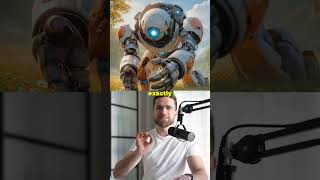

This AI Just Broke Video Game Forever
43sThe opening claim is bold and suggests a revolutionary change, which immediately grabs attention.
▶ Play Clip"The title promises a breakthrough, and the video delivers on that promise with concrete features, though it's promotional in nature."
This video introduces Ray 3 Modify by Luma, an AI video generation tool that promises to transform creative workflows with features like draft mode, visual annotation, and 4K HDR output. The presenter highlights its speed, control, and production quality, positioning it as a game-changer for creators.
Ray 3 Modify by Luma is presented as a revolutionary AI video tool, offering 4K HDR output, enhanced control, and five times faster iteration speeds.
Draft mode allows users to test ideas in seconds, being five times faster and cheaper, enabling rapid iteration without budget concerns.
Users can draw on images (arrows, circles) to guide motion, providing total control and eliminating random outputs.
The tool delivers production-ready 4K HDR with improved physics, photorealism, and preserved anatomy, moving from concept to final output in minutes.
Ray 3 Modify is free to start, with a link provided; the presenter recommends trying draft mode first before exploring hi-fi outputs.
Ray 3 Modify by Luma is positioned as a significant upgrade in AI video generation, offering speed, control, and quality that could redefine creative workflows. The video encourages immediate adoption, emphasizing its free entry point and transformative potential.
What are the three key features of Ray 3 Modify?
Draft mode, visual annotation, and production-ready 4K HDR output.
00:18
How much faster and cheaper is draft mode compared to standard iterations?
Five times faster and five times cheaper.
00:18
What does visual annotation allow users to do?
Draw on images (e.g., arrows, circles) to guide motion, providing total control.
00:33
What output quality does Ray 3 Modify offer?
Production-ready 4K HDR with better physics, photorealism, and preserved anatomy.
00:48
Game-Changing AI Tool
Introduces a tool that claims to redefine AI video generation with speed and control.
00:02Cost-Effective Iteration
Draft mode's fivefold speed and cost reduction enables more experimentation.
00:18Creative Control
Visual annotation shifts from random outputs to intentional direction.
00:33Production Quality
4K HDR and photorealism meet professional standards, reducing re-renders.
00:48[00:02] before it renders. Ray 3 Modify by Luma just changed the game. 4K HDR, insane control, and five times faster iterations. I'm not exaggerating. First, draft mode. You test ideas in seconds, five times faster, five times cheaper
[00:18] around or blowing your budget in experiments. You iterate fast, see what works, and go hi-fi when you're ready. Second, visual annotation. You literally draw on your image. An arrow, a circle, whatever, and Ray 3 Modify makes the
[00:33] motion follow exactly what you drew. Total control, no more lottery outputs. Third, the output quality. Production-ready 4K HDR, better physics, photorealism, preserved anatomy. This is what I've been waiting for. From concept
[00:48] what I've been waiting for. From concept to final 4K HDR in minutes. Ray 3 Modify is the AI video upgrade you've been waiting for. It actually understands your creative intent and delivers results that don't need endless
[01:00] re-renders. Ray 3 Modify is free to start, link below. Try draft mode first, start, link below. Try draft mode first, then blow your mind with hi-fi.




⚡ Saved you 0h 01m reading this? Transcribe any YouTube video for free — no signup needed.