
Perps: Trade Crypto, Stocks, and Pre-IPO
46sIt instantly demystifies perpetual futures by comparing them to spot trading and showing you can even trade pre-IPO stocks.
▶ Play Clip"Delivers on its promise with a hands-on tutorial, though the sponsor plug and basic advice keep it from being exceptional."
This video is a step-by-step tutorial on trading perpetual futures (perps) using the FOMO app, a mobile platform that supports crypto, stocks, commodities, and pre-IPO stocks. The creator demonstrates the full workflow from account setup and funding to placing leveraged trades with stop losses and take profits, and even shows how to find and follow profitable traders like Favell. It's a sponsored video, but it provides practical, actionable guidance for beginners interested in perps trading.
Download the FOMO app and create an account using your Google or Apple profile. Use the referral link or code 'Crypto Gorilla' for a 10% discount on trading fees.
Deposit via Apple Pay, debit card, or crypto. When depositing crypto, select a chain (e.g., Solana). The app is cross-chain, so you can trade on other chains after depositing. Note that trading uses stablecoins, so selling non-stable assets is required.
FOMO perps allow trading crypto, stocks, commodities (gold, oil), the S&P 500, and even pre-IPO stocks.
Perps are derivatives where you trade price action without owning the asset. You're trading against another user: long if you think the price goes up, short if down.
Using 25x leverage on a $100 position controls $2,500. If Bitcoin doubles, a $100 spot position profits $100, but at 25x leverage it profits $2,500. Works for shorts too.
Leverage introduces liquidation risk. For a long Bitcoin position at $66,300 with 25x leverage, liquidation happens at $64,468. Using lower leverage (2x) moves liquidation to $33,521, reducing short-term risk.
Set a stop loss to automatically close at a preset loss (e.g., 10% = $10) and a take profit to close at a target (e.g., +25% = $25). These automate risk management.
After transferring cash to the perps account, the creator goes long on HYPE at 10x leverage with a $100 position. The chart shows entry, stop loss, take profit, and liquidation price.
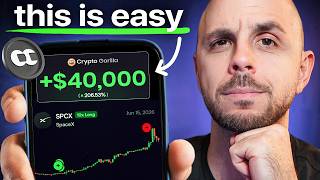
Perps copy trading avoids the 'dump' problem of meme coin KOLs. Example: trader Favell is up $42,000 on SpaceX, with a $170,000 position (10x leverage, so $17,000 initial). You can view their history and follow them.
Transfer cash from perps to tokens via Profile > three dots > Transfer cash. To withdraw to a bank, use the withdraw option: send to a wallet, finance app (PayPal, Venmo, Robinhood, Wealthsimple), or bank transfer (US only).
Trading perps on the FOMO app is straightforward once you understand leverage, liquidation, and risk management tools like stop losses. The video delivers a practical guide for beginners while highlighting the platform's unique features like cross-chain deposits and trader following.
What is a perpetual future (perp)?
A derivative where you trade price action without owning the asset, going long if you expect the price up or short if down.
02:25
With 25x leverage on a $100 position, how much trading value do you control?
You control $2,500 (25x your $100).
03:10
If Bitcoin doubles, what is the profit on a $100 spot position vs a $100 trade at 25x leverage?
Spot: $100 profit. 25x leverage: $2,500 profit.
03:10
What is a liquidation price?
The price at which your position is automatically closed due to losses. It moves closer to your entry as leverage increases.
03:39
How does a stop loss work?
It automatically closes your position at a preset loss percentage (e.g., 10%) to prevent a larger loss.
04:53
List the asset classes available for perps trading on FOMO.
Crypto, stocks, commodities (like gold and oil), S&P 500, and pre-IPO stocks.
02:10
Why must you sell Solana if you deposit it to the FOMO app?
Trading is done with stablecoins, so non-stable assets like Solana must be sold to get stables.
01:44
Which withdrawal method on FOMO is only available to US citizens?
Bank account transfer.
09:12
Leverage amplifies both profits and losses
Clearly illustrates the mathematical impact of 25x leverage with a relatable $100 example.
03:10Liquidation risk scales with leverage
Shows how changing leverage from 25x to 2x dramatically shifts liquidation price, emphasizing risk management.
03:39Automated risk management with stop loss and take profit
Demonstrates how to set predefined exits to cap losses and lock in gains without constant monitoring.
04:53Copy trading perps avoids the 'dump' problem
Explains why following profitable perps traders is safer than meme coin KOLs because everyone benefits from profitability.
06:54Withdrawal options include finance apps and US bank transfers
Provides a clear path for converting perps profits into fiat, a practical concern for traders.
08:58[00:01] how to trade perps for crypto, stocks, commodities, even pre-IPO stocks on what in my opinion is one of the best mobile interfaces for trading, as well as how to easily find and follow profitable perps traders like Favell, who is up
[00:16] over $40,000 on a SpaceX long in the past four days. another Crypto Gorilla video. As usual, I'm not a financial advisor. Trading perps is extremely risky, so always do your own
[00:30] research before making a single trade. Also, a special thank you to FOMO app for sponsoring today's video. However, I've been a long-time FOMO app user, as trade on. So, hit the subscribe button and let's jump right into it. Starting
[00:45] with step one, which is downloading the app and making an account, for which I description down below that gets you a 10% discount on your trading fees. It also really helps my channel when you guys use my link. So, if you appreciate
[01:00] these videos, be sure to click the referral link or use code Crypto Gorilla. Now, once you've downloaded the app, you just create an account with your Google or Apple profile. You create a username, and then you are ready to
[01:14] Now, in order to fund your account, you click on deposit on the top right. You have a few methods here: Apple Pay, your debit card. I'm just going to go ahead and click on crypto. Then, I'm going to select the chain, so let's do Solana.
[01:28] But, this app is cross-chain. So, just cuz I deposited USDC on SOL, I could still buy coins on other chains, which is amazing. Now, one thing to note is you are trading with stablecoins. While you can fund your account with Solana,
[01:44] you're going to have to sell it in order to get stables and trade. So, don't use your long-term Solana bag if you don't want to sell it, send stablecoins instead. So, you just copy the address, you send crypto over, and it is going to
[01:57] appear in the top left of your profile. Now, there's a ton you could do in this app. I can buy spot crypto. I could trade meme coins, for which I have a full A-Z tutorial that I will link in the description down below. However,
[02:10] today we are talking about Perp's. Now, with Perp's, you can trade crypto. You could trade stocks. You could trade commodities like gold and oil. I could trade the S&P 500. I can even trade pre-IPO stocks, meaning stocks that have
[02:25] not released yet on the traditional markets. However, one important distinction is, let's say I'm trading Bitcoin with Perp's perpetual futures, I am not actually getting possession of the asset when I buy it. Here, I am
[02:41] trading against another user, and we are both trading on the price action. So, if I do a short, I am placing a trade betting that the price of Bitcoin is going to go down. If I do a long, I am placing a trade betting that the price
[02:56] of Bitcoin is going to go up. However, I am playing the price action rather than actually purchasing that asset. Now, one of the benefits to trading with leverage is I can leverage the amount of money I have to trade with. So, if I click long,
[03:10] you're going to see there's this wheel here. Let's just go to 25x. If I put in a $100 position, I'm actually trading with $2,500, with $2,500, 25x my initial $100. So, if I were to
[03:24] buy $100 of spot Bitcoin, and Bitcoin 2x's, I make $100 profit. But, if I do a 2x's, I make $100 profit. But, if I do a $100 trade at 25x on Bitcoin, and $100 trade at 25x on Bitcoin, and Bitcoin 2x's, I make $2,500
[03:39] profit. That is the power of leverage trading, and it works whether you're long or short. So, I can do the same thing on the way down. However, it is not without risk. As you'll see on the left side, there is a liquidation price.
[03:54] Meaning if I'm long Bitcoin, so I think it's going to go up and it goes down to my liquidation price, in this case from $66,300 $66,300 down to $64,468,
[04:11] forever. Now, this liquidation price is going to vary based on the amount of leverage I use. So, if I go, let's say 9x leverage, you could see it went down to 59 K. And let's go even lower here to 2x leverage. It's down to $33,521.
[04:27] So, a lot less likely that it hits, at least in the short term, but still, if it goes down to $33,000, I lose my 100 bucks. Let's go ahead and place a trade on HYPE, one of my favorite tokens. We're going to long
[04:40] because we are perma bulls. Let's up the leverage to 10x. I'm going to put a $100 position, so you could see my liquidation price around $63.80-ish liquidation price around $63.80-ish cents. Current price is $67, so uh 3 and
[04:53] dollar difference, which is going to vary as the market changes, right? So, I position in. I'm also going to add a stop loss and take profit. Stop loss is
[05:05] a way to cut your losses early. So, let's go ahead and do 10%. It's going to automatically close my position. I'm going to take a 10% loss on my initial, so roughly $10. However, my theory is invalidated, right? I thought HYPE was
[05:19] going to go up and said it's going down, so I'm getting out at a $10 loss instead of a $100 loss. And then I'm also going to put a take profit. Let's put this at to put a take profit. Let's put this at plus 25%. So, if HYPE goes to $69, I
[05:33] will make $25 profit and it is automatically going to close my long for me if I'm sleeping, if I'm at the gym, whatever. So, I'm going to click on save changes. If this is your first time using perps, you're going to need to
[05:46] deposit cash in the perps account first. So, I'm going to click transfer cash to perps. I'm going to swipe to the right for the amount and voila, that has gone through and now I'm able to take my long. And there you go, my long has gone
[05:59] through. So, if we look at the chart here, we see a few things. I could see my take profit price. I could see my average entry. I could see my stop loss and I see my liquidation price. I also have all the info at the bottom here
[06:12] with my current P&L. We are in profit by 36 cents. If I want to add to my long, I would click on long more and then change the amount. However, do keep in liquidation price because the price of
[06:27] the asset is currently changing. If I want to change my stop loss or take profit, I would click on the edit button on the bottom left and here I can do that by clicking edit stop loss and take profit. I'm going to just leave it as
[06:39] is. And finally, if I want to close my position early, I just click on close position. I swipe to the right and just like that, my position is closed. If I go to my profile, you're going to see the trade. We made 3 cents on the trade.
[06:54] Let's go. And that is how easy it is to trade perps using the FOMO app. Now, there is something else you can do that I really love about this platform, which I really love about this platform, which is finding really great traders that,
[07:07] you know, I like to copy trade. I know for meme coins, there's a lot of mixed opinions here on copy trading KOLs. However, when it comes to perps, everyone's goal is to be profitable and there is no dumping on your following.
[07:19] So, let's use SpaceX as an example, which is a recent IPO that has been performing incredibly well and you can see here all the traders, what their P&L is, so if they're profitable, if they're in a loss. And right here we have
[07:33] Favell, who is up $42,000 on his trade. So, I'm able to get all on his trade. So, I'm able to get all the info about this account. I can see his transactions down here. So, his biggest position is $170,000,
[07:47] but that's with leverage, right? 10x leverage, so his position is actually $17,000 on that first initial buy. And then I can see both at the bottom and on the chart where he added to his long. I can also see his average entry. I could
[08:01] see his liquidation price. And if I were to click on his profile, I can see if he has other positions open both in perps and tokens or meme coins. I can also see his closed trades, so I can go check his history, how good of a trader he is. And
[08:17] then if I like him as a trader, I could follow him. Now, for the time being, there still is no perps in the feed. It is coming very soon as is a perps about because this is how I discover some of the best traders out there. But
[08:32] for now, I'm simply doing this by checking individual tokens and finding you want to get your money out of the perps account, you go to your profile on the bottom right. You click on the three dots, and then just click on transfer
[08:46] cash. Now, you might need to toggle this. You want it to say perps to tokens. You enter the amount you want to pull out, so I'll just do 50 bucks, whatever. Swipe to the right, and it is going to withdraw your money from perps
[08:58] into your main profile. And then finally, the question I always get asked is how do I withdraw my money into my bank account? Same thing, you click on the three little dots. You do withdraw, and then you're able to either send it
[09:12] to another crypto wallet, to finance apps like PayPal, Venmo, Robinhood, Wealthsimple, whatever, or there is a bank account transfer. It is only available to US citizens, so I've never personally tested this. Uh if you don't
[09:26] have this option, you are going to need to withdraw your money either into a finance app or into a centralized exchange, and then from there you can get it into your bank account. And that does it for today's tutorial. If you
[09:39] button. It really helps my channel reach a wider audience. If you want to support me, be sure to use my referral link. If you got any questions, ask them in the comment section. I read every comment, even if it's been a year that the video
[09:53] was made, I will answer you. Thank you for watching another Crypto Gorilla video. Peace.



⚡ Saved you 0h 10m reading this? Transcribe any YouTube video for free — no signup needed.